To help us provide you with free impartial advice, we may earn a commission if you buy through links on our site. Learn more
- Very cheap for a vacuum/mop combo
- Good performanc
- Voice command integration via Google
- Mapping system is rather unrefined
- Collision prone
- Small dust caddy
The idea of a robot that can mop hard floors as well as vacuum carpets is a good one, but there’s the small issue of price. Even entry-level examples of the breed, like the Ultenic T20 Pro, start at well over £200, while more capable self-emptying machines with spinning mops, like Tapo’s new RV50 Pro Omni will set you back around £500.
At the high end, all-singing and all-dancing robots like Dreame’s Aqua10 Ultra Roller Complete can cost over £1,000. Clearly, there’s room for a basic mop’n’vac with a price closer to £100, and that’s where the Ezviz RE4 comes in. At the time of writing, the RE4 can be picked up for £109.99, which is peanuts for a robot that can both wash and clean.
Naturally, for that sort of money, you are going to have to forgo some advanced features like moving mop heads and the sort of AI-enhanced navigation that recent high-end models boast. But as long as it can find its way around, give your carpets a decent vacuum and wipe up basic spills, do those absences matter?

What do you get for the money?
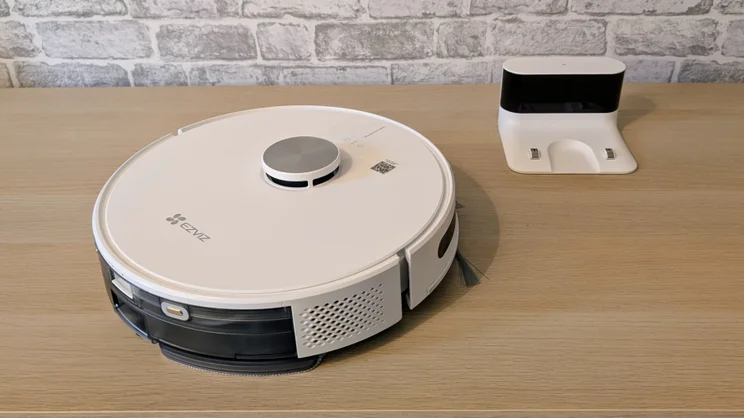
The RE4 is available in two variants. The cheapest model comes with a simple recharging dock, but there’s another option with a self-emptying charge station, which means you don’t have to empty the dust caddy in the robot itself.
At the time of writing, Amazon is offering the base version for £109.99 and the self-emptying model for £114, down from the usual price of £199. That makes the self-emptying model the obvious choice unless the larger dock causes problems with your space. Our review unit came with the basic charge base, but otherwise, the two machines are identical.
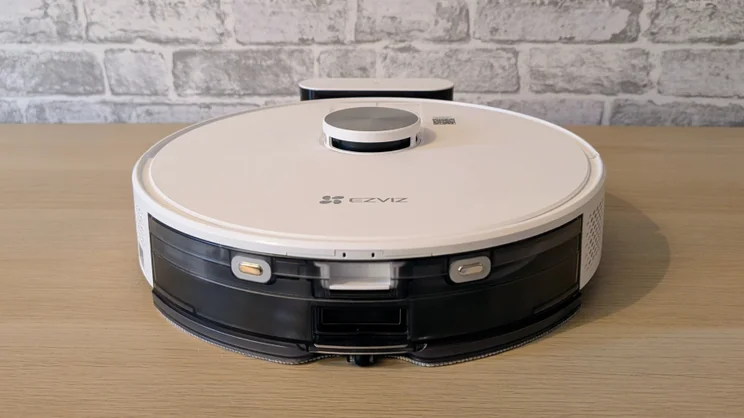
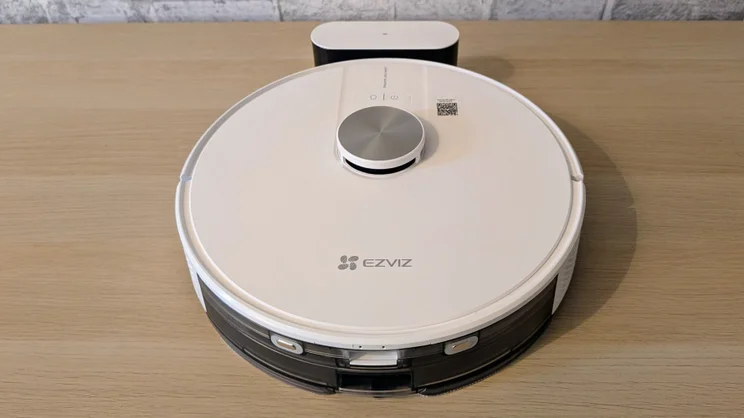
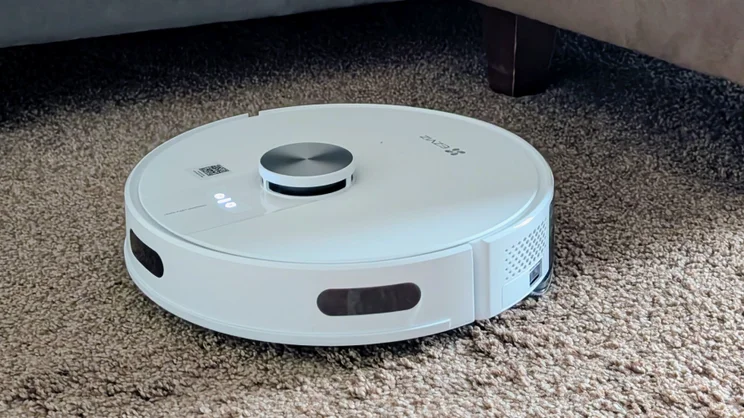
Physically, the RE4 is a typical Shenzen robo-vac: it’s a 75mm tall round circular thing, built mostly from plastic and with a circumference of 345mm. The central LiDAR (yep, LiDAR!) tower adds another 15mm to the overall height.
There’s also a physical on/off switch at the back, as well as the more usual pressure-sensitive power and home/dock buttons on the top. That’s a handy feature for people who may want to turn the unit fully off instead of leaving it in standby.
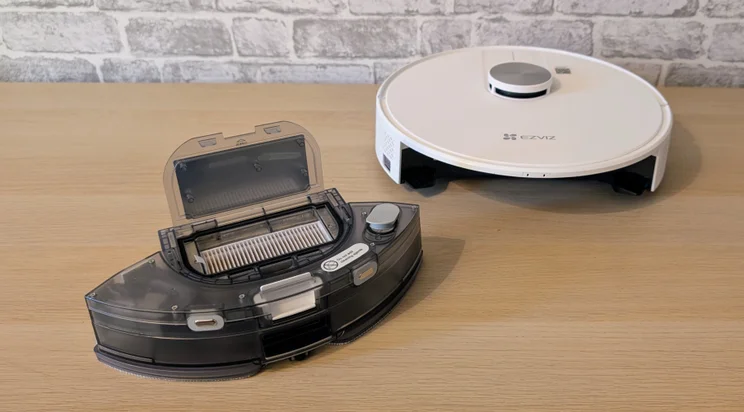
The rear section houses the detachable rubbish caddy, which contains the dust box and mop liquid container. The dust box is rather small, so you will have to empty it frequently. I found I needed to empty the caddy after two runs.
The mop reservoir holds 300ml of liquid, and there’s a warning not to add detergent. Despite that, I added a dash of generic floor cleaner, which seemed to have no deleterious effect on the unit but made the kitchen smell a little more fragrant.
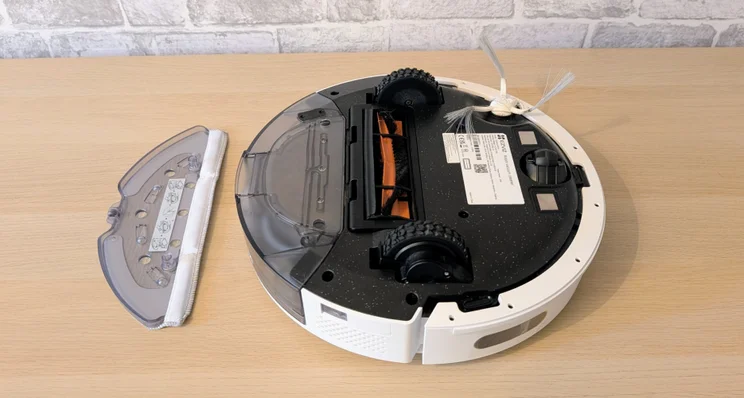
The thin mop pad (two are bundled with the RE4, along with two dust filters and a spare side brush) attaches to a plastic plate, which in turn clips into the bottom of the dust caddy. It’s a very basic system, as you’d expect at this price.
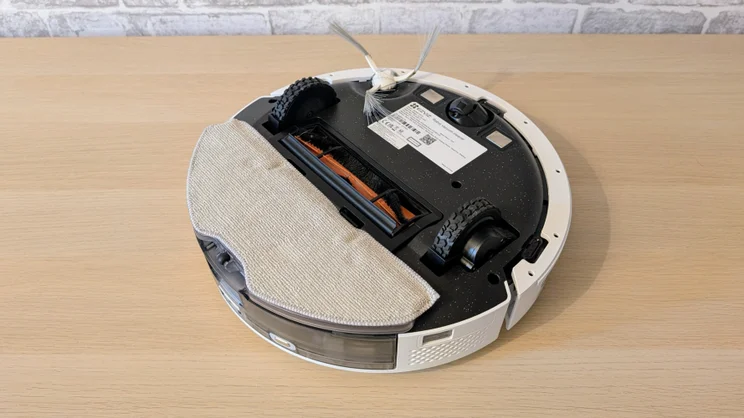
For short carpets and rugs, you can leave the mop pad in place and simply instruct the system not to dispense liquid, but for deeper carpets, it’s better to remove the mop attachment altogether.
The mop attachment clearly affects the height of the system because with it attached, it got stuck under a piece of furniture that hadn’t caused a problem when it wasn’t attached.
What’s it like to use?
Initial setup
If you’ve ever set up a robot vacuum, you’ll have the ER4 up and running in moments. Even if you never used one, you’ll still be done in a matter of minutes.
It’s the usual story: remove some transit packaging, plug the dock in, drop the robot on the dock, download the app and set up an account. Then snap the QR code on the robot, enter the security for your 2.4GHz Wi-Fi network, and you’re done. The robot will then set out on its personal Lewis & Clark expedition to map the space around it. This was done pretty quickly with no unexpected dramas.
The RE4 didn’t get hung up at the stop of the stairs during either the initial siting or subsequent cleaning runs. That said, after a £1,300 robot vacuum I had on test recently threw itself down those stairs with disastrous results, I still set the area at the top as a no-go zone. The ER4 also successfully navigated under my bed.
The RE4 also made no more drama out of the rats’ nest of power and data cables under my office desk than systems costing five times as much. More often than not, it cleaned around them successfully, but after one snag, I also set this area as a no-go zone to avoid future issues.
The RE4 is not the fastest charging robot vacuum on the market, largely due to its relatively weak 1A power adapter. A full charge of the 4,930mAh takes just shy of four and a half hours, although that is 30 minutes faster than the manufacturer claims.
One peripheral feature I liked about the RE4 is that it speaks in an accent that’s a much closer approximation to British English than American English. It may be a small thing, but I prefer my gadgets to sound more Helen Mirren than Karoline Leavitt.
Companion app
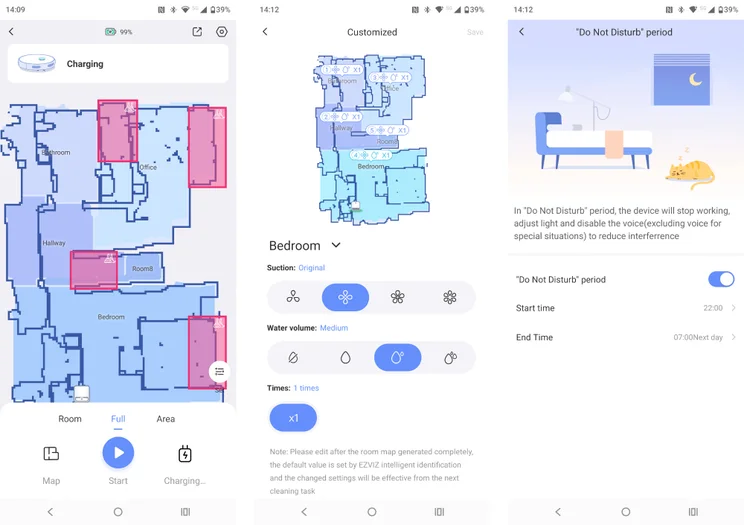
The app mapping system works well enough and supports all the expected options such as the facility to rename rooms, merge spaces and set no-go zones. You can also set a cleaning profile for each separate space by adjusting the four degrees of vacuum power and three of mop wetness for each one.
My only beef is that the Ezviz maps look rather messy, with lots of jagged rather than straight lines and odd phantom spaces. To clarify, none of this in any way hampers the EZ4’s performance; it’s just that the mapping graphics are a little confusing and less aesthetically pleasing than on most competitor apps.
The app doesn’t directly allow for voice control, but Ezviz does support integration with Alexa and Google Home (though not Apple HomeKit). Once I’d connected the Ezviz app to Google Home, the command “Hey Google, vacuum the bedroom” worked perfectly, as did a counter-command to stop and return to the charge dock.
The app also has a remote control function, but given that there’s no camera for you get a robot’s eye view of where it’s going, this is of limited use.
Is it good at finding its way around?
Overall, the RE4 did well, seldom getting stuck in confined spaces. It deftly avoided hurling itself down the stairs, and successfully navigated around curtains, shoes and the random boxes I put in its path.
On the occasions when the ER4 did get stuck, requiring manual intervention, it managed to relocate itself quickly, and it never had an issue finding and returning to the charge dock.
On this front, it performed more reliably than the other cheap robot vacuum I’ve tested recently, the Ultentic T20, which had an annoying habit of dithering when trying to locate its dock.
Object avoidance
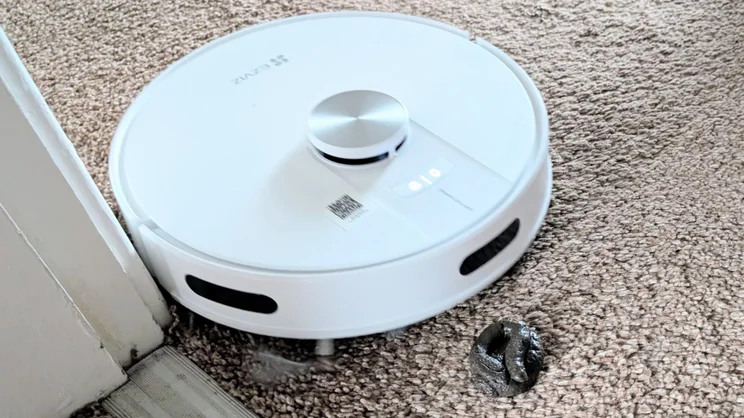
The RE4 failed to dodge our standard fake dog poo, but given that no other system we’ve tested recently has managed to do that, I can’t mark it down on this front.
Beyond that, the RE4 was rather prone to bumping into things with a low profile, depending on the front-mounted crash bumper rather than its camera array to find its way around obstacles.
The RE4’s predilection for contact-avoidance is presumably down to it only having an IR detection system rather than one based on visible light cameras.
There’s nothing per se wrong with this, but it does tend to knock smaller and lighter objects out of place, which could irk the more fastidious householder. I could always tell when the bathroom had been cleaned because my scales had been nudged out of place by a few centimetres.
Steps, rugs and thresholds
Ezviz claim the RE4 can get over obstacles up to 20mm tall, which seems about right. I placed two redundant shelves, one atop the other, to form a 22mm obstacle which the ER4 rolled over without any issue.
Rugs proved to be no hindrance even in the bathroom, where my rugs are deeper and smaller than elsewhere. Some robot vacuums tend to suck up small rugs and drag them along until they ruck up and beach the unit, a downside of high suction levels, but the ER4 didn’t suffer from this problem.
Moving from room to room by crossing the carpet edge trim is one of the most basic accomplishments of any robot vacuum, and again, the ER4 scored well here, happily moving from carpet to carpet to hard floor and back again.
How well does it clean?
I was genuinely impressed by the RE4’s vacuuming capabilities, given that it’s only rated at 4,000Pa, which makes it the weakest in this respect I’ve tested by some margin. For comparison, the Dreame Aqua10 is rated at a mighty 30,000Pa, 7.5 times as much.
Performance in our benchmark tests was on a par with the 8,000PA Ultenic, and in purely visual terms, my carpets always looked clean and fluffed after the ER4 had done its thing.
Given the basic mopping apparatus, performance on this front was mediocre; all the RE4 does is wipe a damp cloth over the floor. It removes dust and loose dirt well enough that anything dried in place will still be there when the ER4 has moved on.
If you want a system to energetically clean hard floors, you need to cough up for a system with a powered mop attachment like the Dreame Aqua10 or the new Tapo RV50 Pro Omni.
Marks have to be awarded to the ER43 for efficiency, though. A standard vacuum run of my 21m2 upstairs took a mere 28 minutes and used 38% of a full charge. That makes the RE4 one of the quickest, most efficient robot vacuums I’ve tested.
Should you buy the Ezviz RE4?
Given how cheap the Ezviz RE4 is, it’s impossible to knock it too hard for its minor foibles, such as the contact-prone obstacle avoidance with low objects, and its rough-and-ready map visualisation.
Its cleaning performance is perfectly decent, just so long as you don’t expect it to get dried-on jam off your lino, and it’s efficient, quick and reliable. The recharge time could be an issue if you have a large house, but it didn’t pose a problem for me.
The small dust trap in the robot itself is a bit of a pain, but if you can stretch to the self-emptying model, which is also very cheap, even this isn’t too much of a negative point. All-in-all, the RE4 is a bargain. If you’ve always fancied giving robot vacuums a whirl, but baulked at the price until now, here’s your chance to get your foot in the door.