To help us provide you with free impartial advice, we may earn a commission if you buy through links on our site. Learn more
- Excellent vacuum and mopping performance
- Top-notch object avoidance
- Entirely bagless
- Maps are too small in the app
- No detergent in the box
- The mop roller doesn’t retract
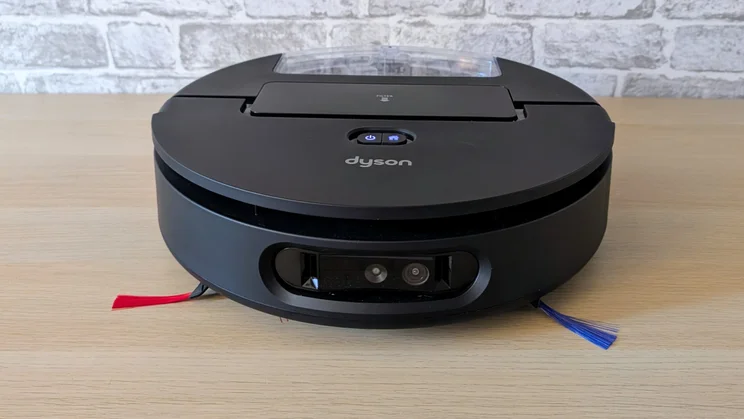
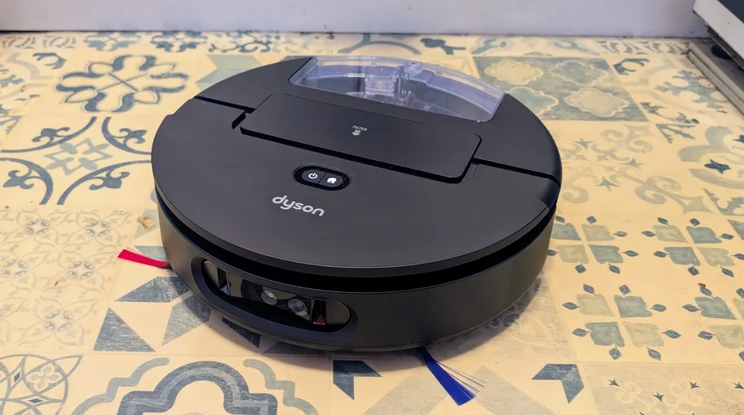
Dyson’s robot vacuums are famous for their rather outlandish and rather colourful design, but the latest model from the British manufacturer looks more ordinary than usual. The Spot+Scrub AI is the company’s first vacuum and mop combo robot, and at first glance it’s as conventional as they come.
However, if you look hard, you will see signs of its Dyson heritage, with the odd splash of purple and red here and there. And, just like many of its sibling products, it’s reassuringly expensive. At the time of writing, the Spot+Scrub is selling for £1,049 – not that this is uncommon among products in this particular category.
What do you get for the money?
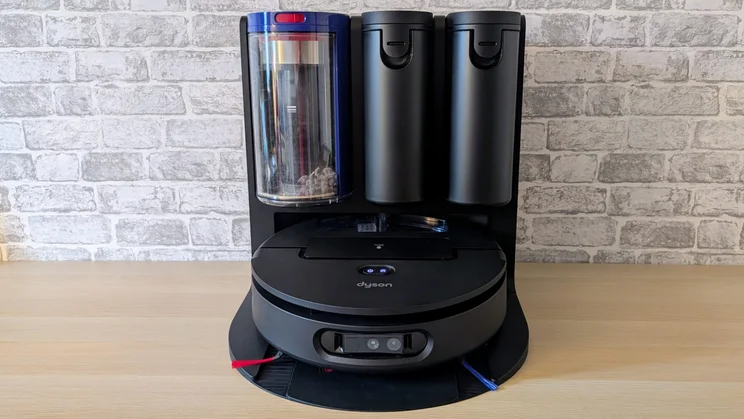
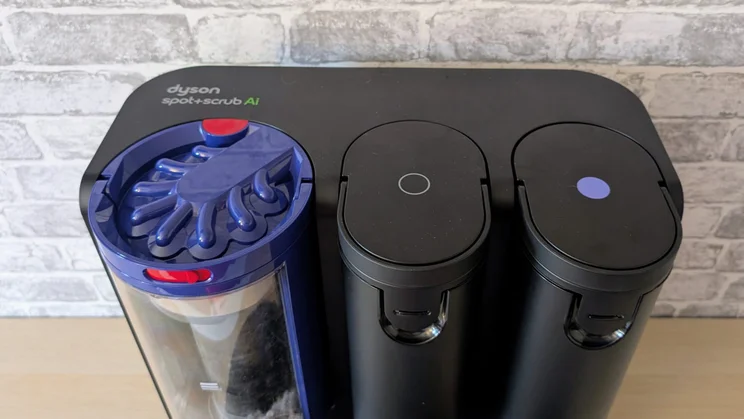
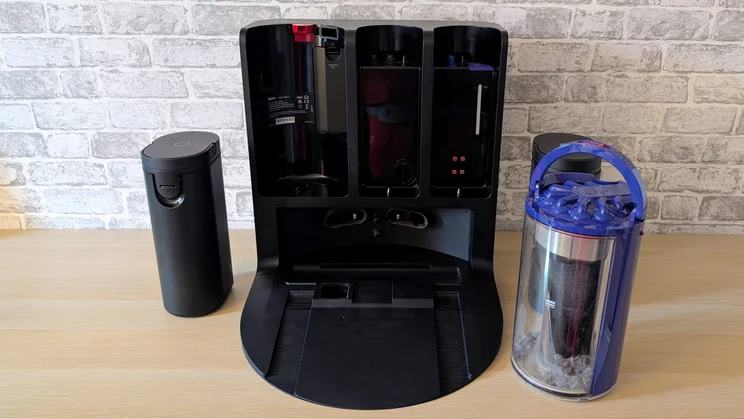
As with most combo robot vacuum and mops, the Spot+Scrub comes in two parts: the robot itself and the charge dock. The latter is a large black plastic affair with three cylindrical silos for dust, clean water, and dirty water (the clean water tank also has an internal reservoir for detergents).
The dust silo has a blue lid that’s designed to echo Dyson’s funkier-looking vacuums and the front of the dust silo is transparent, so it’s easy to see when it needs emptying. That’s a great design feature. The dust collection process is also entirely bagless, which makes for greater convenience and less ongoing expense.
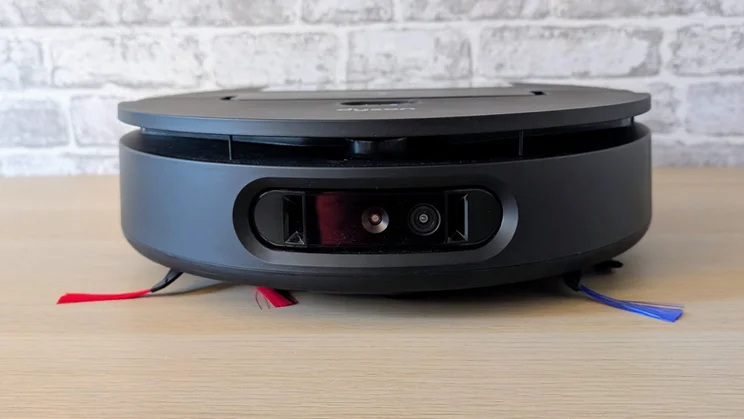
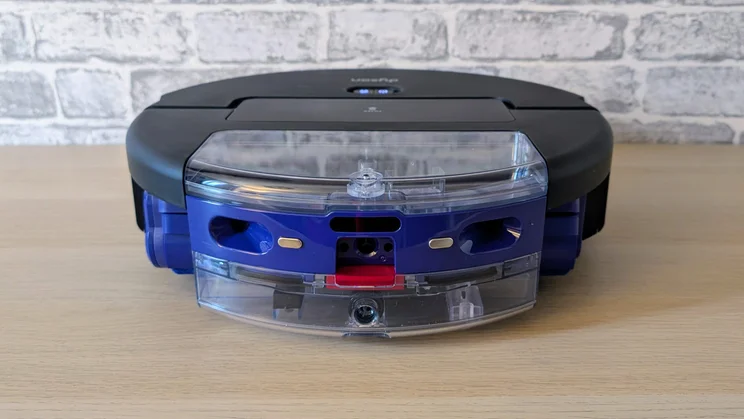
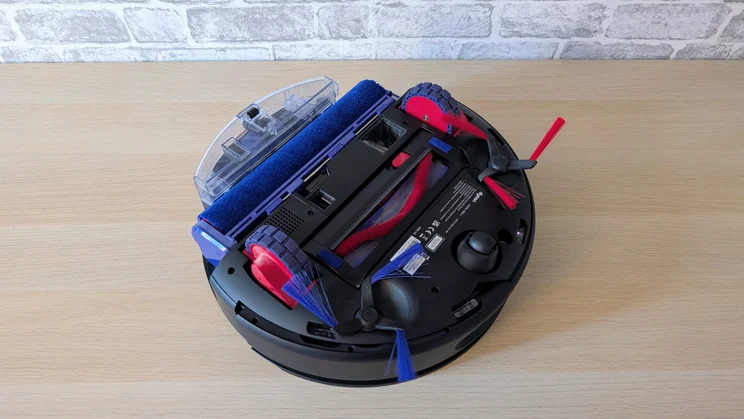
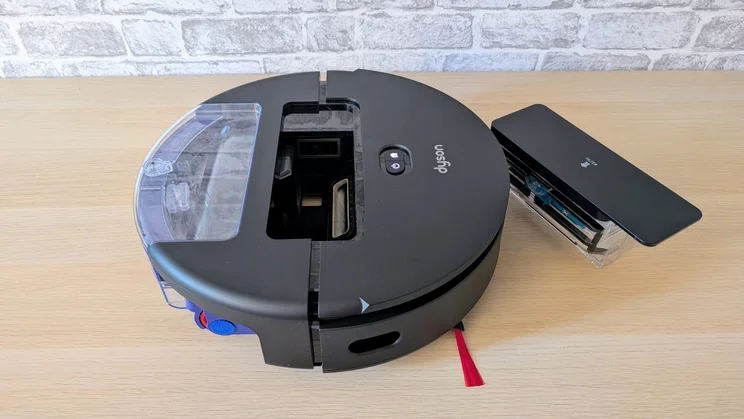
The Spot+Scrub itself also hides a couple of innovative features beneath its fairly humdrum shell. It measures 110mm tall and 373mm in diameter and has sweeper brushes on each side, flanking a rotating carpet brush and a cylindrical mopper at the rear.
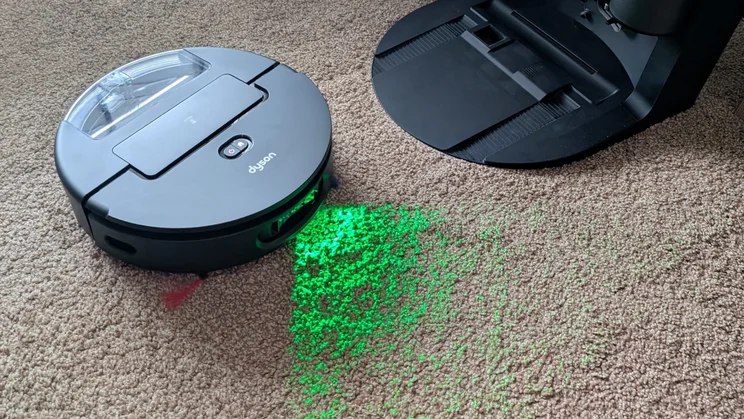
It has an entirely flat top, which normally indicates a robot vacuum has no LiDAR sensor, but that’s not the case here. Instead of housing it in a turret, Dyson has squeezed one into a 180-degree slot just below the top surface, and a host of other sensors and cameras just below that, including the green light used for highlighting how much dust is sitting on the floor.
Of course, this being a Dyson, there has to be some sort of value problem, and here it’s the floor cleaning detergent. Or rather the lack thereof. Despite topping up the detergent tank being one of the first jobs on the illustrated set up guide, there’s none provided in the box.
A 500ml bottle of Dyson floor cleaner will set you back £19.99, so not including at the very least a sample to get you going, in a system costing more than £1,000, is a bit cheeky. In the absence of a warning to only use Dyson’s detergent, I dumped some Flash floor cleaner into the reservoir … and nothing bad happened.
In fact, Dyson doesn’t bundle any spares or ancillaries with the Spot+Clean. All you’ll find in the box, along with the robot and dock, are the two clip-on edge-sweeping brushes. Dreame, for comparison, bundles a second carpet brush (£32 from Dyson) and a spare wet roller (£32 from Dyson) with its Aqua10 Ultra Roller.
What’s it like to use?
Initial setup
There’s nothing out of the ordinary here. Just plug the dock in, clip the two sweeper arms in place, and remove the transit packaging, then put some water in the clean water tank and shove the robot into the dock to charge.
Setting up Dyson’s app is similarly straightforward: it’s simply a matter of downloading and installing it on your phone, setting up an account, connecting the robot and putting in your Wi-Fi password (as usual, 2.4GHz only) then bingo, you’re good to go.
If you do have a problem with the setup, you can book a live video call with a Dyson agent through its Concierge service.
Companion app
Dyson’s app is perfectly usable, but it’s a bit feature-light. For example, there’s no facility to open a camera-eye view of what the robot is seeing as it’s cleaning, nor is there an override remote to manually control the robot.
The system also lacks anything in the way of smart home integration or voice control. This isn’t a deal breaker, although I have to admit to missing the capability to yell “OK Google, vacuum the bedroom” without the need to pick my phone up.
Aside from these misses, though, the app supports all the core features you’d expect. You can set no-go zones, create cleaning schedules and tell the robot which order you want it to clean any rooms you have set up in the app. You can dictate the type of clean on a room-by-room basis, with the options being vacuum and wash, vacuum only, wash only and vacuum then wash. And you can manually adjust the suction power between quick, quiet and boost.
Mapping
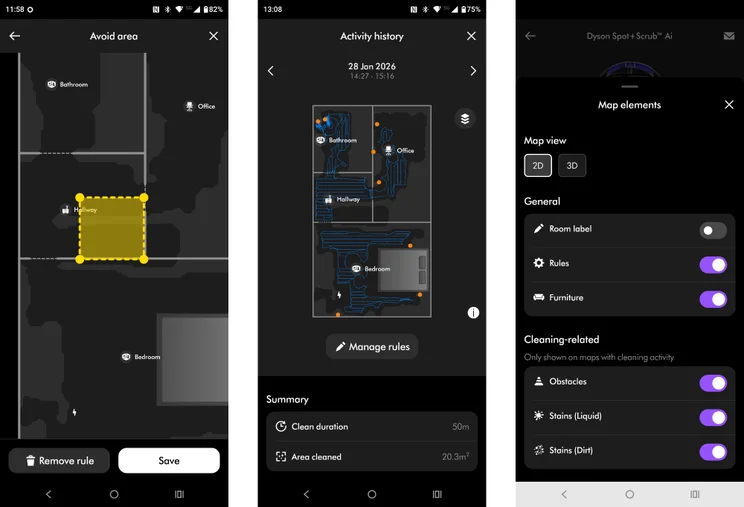
My issue with the app is the mapping system’s sense of scale. The maps are quite small compared to other systems, which means the smallest no-go zone you can fix is often too large.
Case in point, I usually set a no-go zone at the top of the stairs to avoid robots tumbling down them. But the smallest zone I can set in the Dyson app also either blocks the robot from accessing my office or cuts out a chunk of the bedroom. I couldn’t set a zone small enough to just block the area of the hallway at the top of the stairs.
The fact that the Sport+Scrub never needed me to set a no-go zone is besides the point; it’s a feature I like to have, and if I want to set a small no-go zone, I don’t like the software telling me I can’t have one. The Spot+Scrub never took a tumble down the stairs, but given the cost, I’d want to make sure it never did if I’d bought one. Belt and braces, as they say.
Is it good at finding its way around?
Here, the Dyson registers a perfect score. It’s the only robot vacuum I’ve never once had to manually rescue or reposition after becoming stuck, beached, jammed, entangled or threatened to commit seppuku from the top of my stairs.
Like the Tapo RV50 Omni, the new Dyson boasts a dToF (Direct Time of Flight) system for greater accuracy in its long-range LiDAR measurements, and again like the Tapo, this seems to pay dividends by endowing the system with a highly developed sense of its surroundings. Dyson also claims the Spot+Scrub scans its environment seven times per second.
The Spot+Scrub is pretty quick. It took 50 minutes to thoroughly vacuum a 21m2 carpeted area, and the job took 32% out of the 5,000mAh battery. The speed matches the Dreame Aqua10, which was also on the slow-but-thorough side of things, while the efficiency isn’t quite a match for the Tapo RV50 Pro Omni, which only used 39% of its 2,500mAh battery doing the same job.
And return-to-dock journeys were undertaken with a very high level of efficiency, the robot making an unerring beeline for home when the cleaning job was complete, or battery level dropped too low to complete the task.
Object avoidance
Dyson boasts that the Spot+Scub’s on-board AI technology can detect 200 items, with cables, shoes and socks being mentioned as examples. There’s clearly something to Dyson’s claims since the Sport+Scrub’s object avoidance is very impressive. All the items I placed in front of it were deftly avoided and registered as little yellow dots on the map.
When faced with my fake dog poo, the Dyson navigated around it, which drew a cheer from the crowd, as this made it the only robot vacuum I’ve tested to do so.
Five minutes later, it ran over it on the way back to the dock and in subsequent tests, it also failed to see it, which suggested it was on the absolute borderline of being detectable. That’ll be the brown carpet, I guess.
Steps, rugs and thresholds
Dyson doesn’t make any claims about the maximum height the robot can surmount but it managed to roll over a 22mm thick shelf unit without issue. Threshold strips between carpeted and hard floors similarly presented no problem.
The Dyson did well on rugs, too, especially in the bathroom. The smaller pedestal rug was often left a little rucked up, but the robot never got stuck, and the rug always looked thoroughly vacuumed. The larger bathroom rugs were vacuumed perfectly with the AI system always recognising that full-boost suction power was required.
How well does it clean?
The Spot+Scrub’s cleaning apparatus consists of two rotating sweeping arms, a dry roller for agitating rubbish about off the carpet and a wet roller for mopping hard floors. Both the rollers can retract into the body of the robot to avoid smearing spills on dry floors and wetting carpets. The roller can also extend out to one side by up to 40mm to mop right up against walls and skirting boards.
The vacuum system operates at 18,000Pa, which is less than the Dreame Aqua10 Ultra’s 30,000Pa and the Eufy E25’s 20,000Pa but more than the Tapo RV50’s 15,000Pa.
To be honest, the Pa sucking capacity is something of a red herring unless you have seriously deep and grubby carpets, because even the 4,000Pa of the budget Ezviz RE4 is perfectly adequate for most domestic situations.
Numbers aside, the Dyson does a very good job on carpets, even when running in quiet mode. In Boost mode, it’s one of the best I’ve tested, and the automatic system does a good job of boosting the suction whenever it encounters a deeper shag.
The mopping roller is continuously cleaned with water at 60℃, which keeps it clean and odour-free and helps with the cleaning process.
Dyson makes much of the AI’s ability to spot stains and work out how many passes it will take to clean them. That’s what the Cylon-esque green light is for: to improve the contrast between the stain and the floor so the system can judge if repeat cleaning is required.
In my testing, the system worked exactly as advertised, cleaning a thin patch of jam on my light green kitchen floor in one pass but taking four to fully remove a thicker and partly dried ketchup stain. On this front, the Spot+Scrub does genuinely seem to be quite intelligent.
The Dyson’s performance in our standard benchmark tests, which involves cleaning flour and rice from both carpet and hard floor surfaces, was excellent, matching the equally impressive Dreame Aqua10 Ultra Roller.
Should you buy the Dyson Spot+Scrub AI?
If you are in the market for a high-end robot vacuum and mop, then the Dyson is certainly worth very serious consideration. When it comes to cleaning, navigation and object avoidance, its performance is up with the very best of the competition, and no competitor is as good in all three areas.
The mobile app lets the side down a little because it’s just not as feature-rich as most, certainly not compared to the Dreame app, lacking features like voice command and a live camera view, and I found the diminutive scale of the maps to be an annoyance.
There’s also the issue of cost. Like the Dreame Aqua10 Ultra, the Dyson Spot+Scrub is on the pricey side, and considerably more expensive than either the Tapo RV50 Pro and Eufy Omni E25, neither of which give much away to the Dyson in terms of usability or cleaning capability. That makes the Dyson tricky to recommend wholeheartedly, then. However, if you do ever find the Dyson on offer, it’s well worth considering.