To help us provide you with free impartial advice, we may earn a commission if you buy through links on our site. Learn more
- Good value
- Solid vacuuming performance
- Compact dock
- Rudimentary mopping system
- Erratic return-to-dock navigation on carpet
- Slow
The Ultenic T20 Pro is something of a rarity in the world of robot vacuums because, despite being relatively cheap, it still has an automatic emptying function as well as a mop. That makes it much cheaper than the likes of the Eufy Omni E25 or the Dreame Aqua10 Ultra, which offer the same core features.
For that sort of money, you can’t expect all the advanced technology of the Eufy and Dreame robots, but if all you want is a gadget that can keep your carpets and floors looking spic and span, doesn’t need emptying after every use and won’t break the bank, the new Ultenic could be just what you’re after.

What do you get for the money?
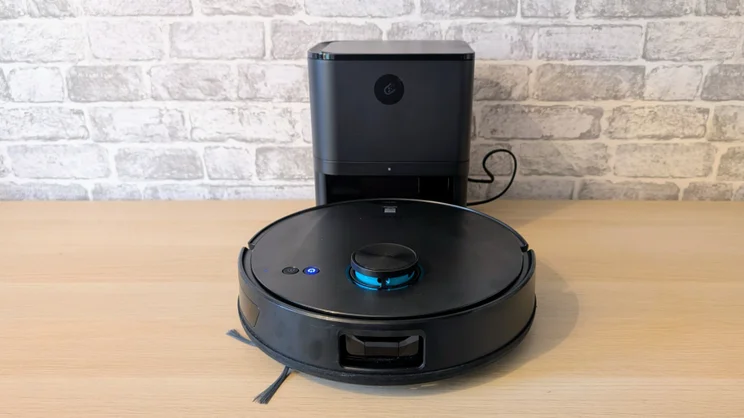
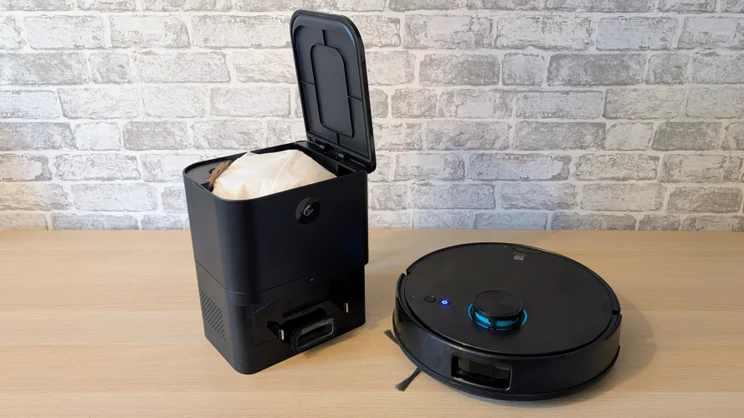
The Ultenic T20 Pro is a traditional robovac-and-charging-dock affair, but the black plastic dock at 210 x 170 x 270mm is considerably smaller and lighter than those that come with premium robots.
That’s because all the Ultenic dock does is charge the robot and empty its rubbish hopper. It plays no part in the mopping side of things, so it doesn’t have to house clean and waste water and detergent reservoirs.
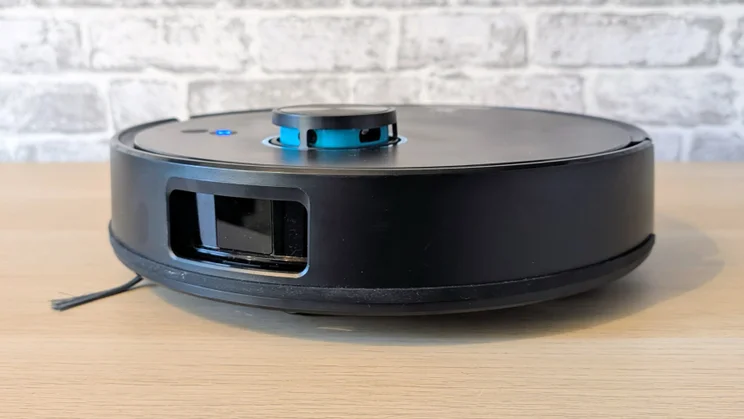
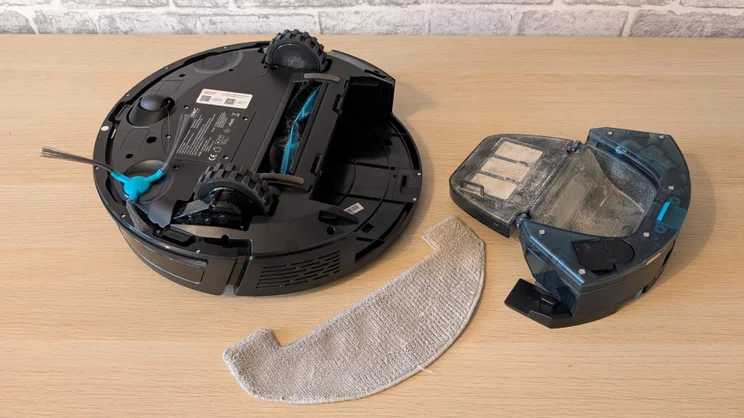
The robot itself, however, looks much like every other robot vacuum on the market, with its circular shape, single sweeper, fixed LiDAR tower and single front-facing camera. At the rear, there is a detachable cartridge that houses the dust container and cleaning fluid reservoir. All you get in the way of accessories is a spare sweeping brush, a spare dust filter for the robot and a spare dust bag for the docking station.
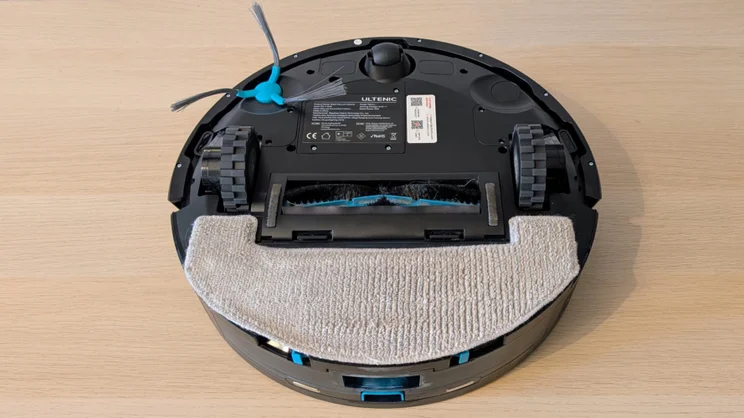
The mopping facility is just as basic, consisting of a simple pad that attaches to the rear of the robot with velcro. It does not spin, turn, or move up and down, but simply drags along the floor. If you need to clean the mop pad, remove it, throw it in the washing basket, and replace it with the spare.
You can add detergent or water to the removable cartridge in the T20 Pro, but you have to manually adjust how much is fed to the mop pad using the companion app.
What’s it like to use?
Initial setup
Given that this is a pretty simple device, the setup presented no problems. The unboxing process merely involved clipping one of the sweeper brushes into place and plugging in the base dock.
The Ultenic app requires you to create an account, but once you’ve done that, connecting the robot to your home Wi-Fi network (2.4GHz only) is straightforward. And with that done, the T20 Pro launches on a reconnaissance of its surroundings.
The initial mapping process was slightly marred by the T20 Pro getting stuck under my bed, the frame of which is 115mm off the ground. That was a low enough gap for the 97mm tall Eufy Omni E25 to physically fit into, but given that the clearance was tight, it quickly deemed it a no-go area.
The 111mm T20 Pro, however, decided it could fit and merrily charged under only to get stuck. Twice. The second time was right in the middle of my super king bed at the head, necessitating the removal of the mattress to retrieve it.
Marking my bed a no-go area in the app was easy enough, but clearly, the T20 Pro is a little optimistic when it comes to deciding what it can or cannot fit under. Other than that, the initialisation process threw up no unexpected issues.
Companion app
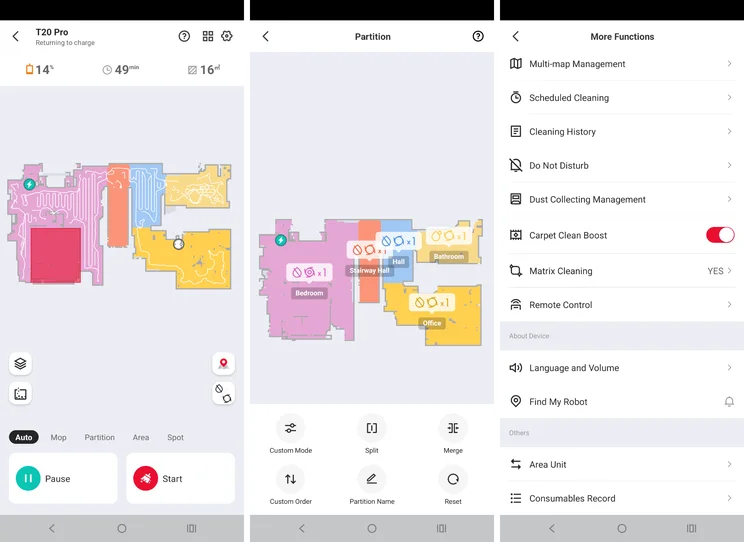
The companion Ultenic app only made one misstep while I was using it, and that was in deciding that my bedroom was two rooms. Thankfully, there’s a “merge” command in the map manager that lets you join two spaces together and give them a single label.
The app can support up to five maps, which is a useful feature given that the whole system is light enough to be easily shifted from one floor to another.
The app lets you adjust all the expected features like setting a cleaning schedule, the order in which it cleans rooms, the intensity of the vacuum power, the wetness of the mop, whether you want it to vacuum or mop – or both – and there’s also a facility to designate no-go areas.
The app doesn’t directly allow for voice control, but the T20 does work with Alexa, Google Home and Apple Home. Saying “Hey Google, tell the T20 to start cleaning the office” worked without drama, although the instruction to return to the dock never got the required results, even though Google understood what I was asking and relayed the command.
The app also has a basic remote control function so you can override the built-in navigation system and steer it around as you wish.
Is it good at finding its way around?
When it comes to cleaning, the T20 shows no navigational issues and deftly dodged lamp bases, dog beds, dogs, and shoes. When it came to returning to the dock, things were not quite as impressive.
To start with, the battery level at which a return to dock was initiated was rather inconsistent. It’s supposed to do this when the batter reaches 15%, but on two occasions it decided it was done for the day at 35%.
Navigation back to base was also rather erratic. Sometimes it would make a beeline across a room on the way back, while at other times it would dither back and forth as if it was having trouble working out a route.
On one occasion, I spent nearly 15 minutes watching the T20 Pro faff about within sight of the dock before it finally managed to reverse itself into the correct position. At one point, I found myself yelling “Just reverse now, you idiot” at it.
To be fair, the instruction manual does say to avoid placing the base station on carpet, as this may mess with the robot’s ability to dock. The problem with that is, I don’t have anywhere to place the dock that’s not on carpet, and I doubt I’m alone in that.
Object avoidance
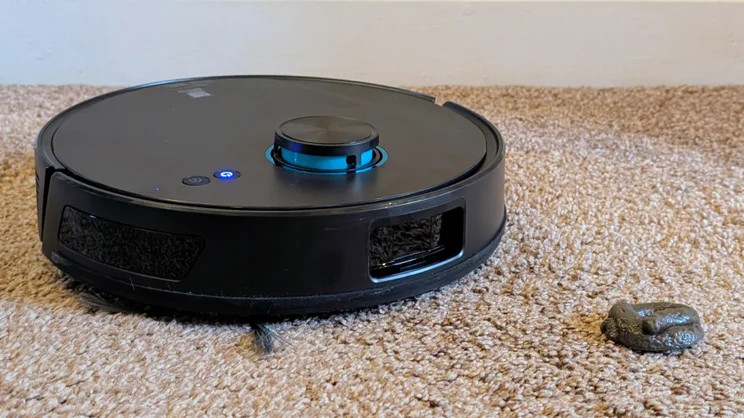
When faced with a plastic fake cat poo, the T20 Pro simply ploughed on, pushing it out of the way. That bodes ill for dealing with any indoor pet accidents, and as detailed above, I wasn’t impressed with its ability to deal with low-slung furniture, either.
The T20 Pro proved to be a pretty adept navigator, dodging carpet bottoms, extension cables and random shoes with aplomb. But like the Dreame Aqua10, the T20 got a little too close to the edge of the landing at the top of the stairs, and as it turned away, one of the drive wheels slipped over the ledge, getting stuck. Again, setting a no-go zone was the fix.
Steps, rugs and thresholds
The T20 doesn’t have anything in the way of adjustable suspension, so its ability to surmount obstacles is limited. That said, it trundled over the gaps between carpeted and hard-floor rooms without issue.
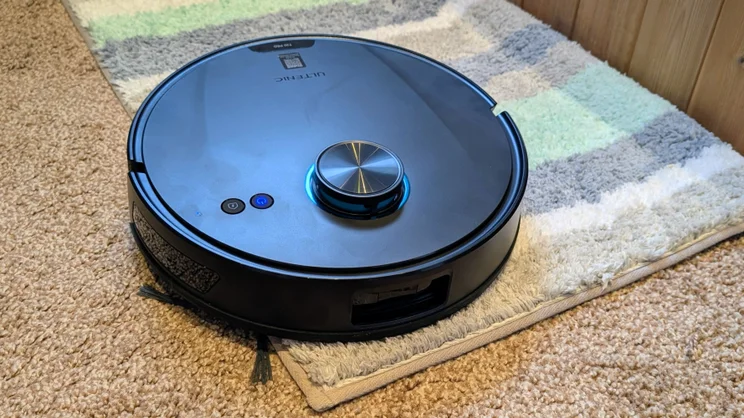
It was also not phased by deep rugs, rolling onto the deep shag rug in the dining room and the floor mats in the bathroom. The Dreame Aqua10 got itself into a knot, quite literally, with the toilet pedestal mat, but the T20 happily rolled over it, vacuuming as it went.
How well does it clean?
Given the T20 Pro’s suction is rated at 8,000Pa, which is quite a bit less than the likes of the Eufy E25 and Dreame Aqua10, I was impressed by its performance on even thick carpet.
In our usual flour, rice and pet hair tests, the T20 couldn’t quite match the more expensive machines, but in everyday use, I was more than happy with its performance, and my carpets always had that tufted-up, just-vacuumed look to them after the T20 Pro had made its rounds.
The mopping performance was less impressive, but that came as no surprise, as all the T20 Pro really does is wipe a damp rag over the floor rather than worry at it as a rotating or spinning mop head would. When set to work in the kitchen, a smear of dried ketchup proved too much for the T20 Pro’s mop, even when set to maximum moistness mode.
On a wooden floor with nothing more troublesome than dust and dog hair, the T20 Pro did better, leaving it with a freshly cleaned sheen and a pleasant scent thanks to the bundled Bluebell Freshness floor cleaning solution, refills of which will set you back £12.99.
The T20 Pro is certainly not the fastest robot vacuum in the world, taking on average around 70 minutes to hoover the 21m2 upstairs floors of my house, and it isn’t overly noisy. You can hear it from other rooms, but you can also easily talk over it when in the same room.
Battery life was good enough to perform this job without stopping, and to vacuum and mop the slightly larger downstairs floor. In my tests it fell well short of Ultenic’s claimed 180 minutes, though, which I’d guess would only be possible if it was just mopping.
On one occasion, the T20 Pro had to recharge mid-clean. Once the charge level had returned to 80% it set off back to the point it had finished and carried on without any human intervention.
Should you buy the Ultenic T20 Pro?
If you want a vacuum and mop combo robot but baulk at the price of the likes of the Eufy E25, let alone the Dreame Aqua20, then the new Ultenic should fit the bill nicely.
The vacuum performance isn’t the best, but for a budget machine it’s fine, and while the mopping facility is basic it does a decent job of keeping yoru floors fresh if the’re not horrendously dirty in the first place.
To earn that final fifth star, Ultenic needs to look at improving the docking performance and object avoidance via a firmware update. Otherwise, this is a solid, budget robot vacuum buy.