To help us provide you with free impartial advice, we may earn a commission if you buy through links on our site. Learn more
- Great value
- Compact base station
- Top cleaning performance
- Mop drying cycle is loud and long
- Base station dust collection is not bagless
In the Eufy universe, machines with an E prefix, like the impressive Omni E25 I recently tested, are higher-performance models boasting the latest navigation technology, while the C-series are intended to be more basic and thus cheaper.
The cheaper part is certainly true. The Eufy Omni C28 can be yours for £649 compared to the E25’s £849, although at the time of writing, Eufy is offering £150 off the former and £250 off the latter, taking the cost of ownership down to £500 and £600 respectively. As is always the case with robot vacuums, it pays to shop around and wait for promotions.
What do you get for the money?
Price aside, the Eufy Omni C28 and the E25 are rather similar. Both offer full-spectrum vacuuming and mopping, and both have a base station that can empty the robot’s dust canister and clean and dry the mop.
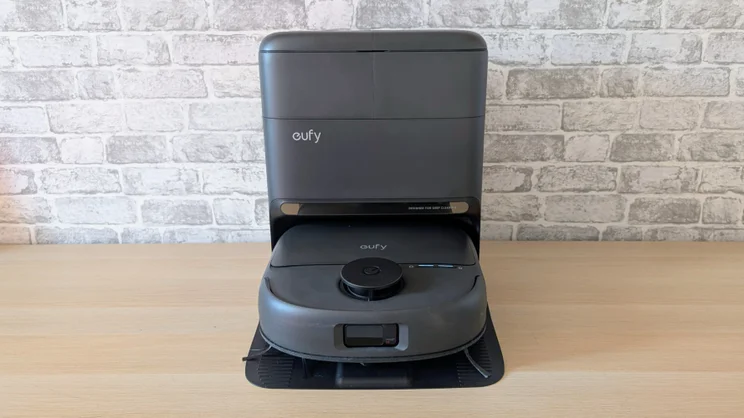
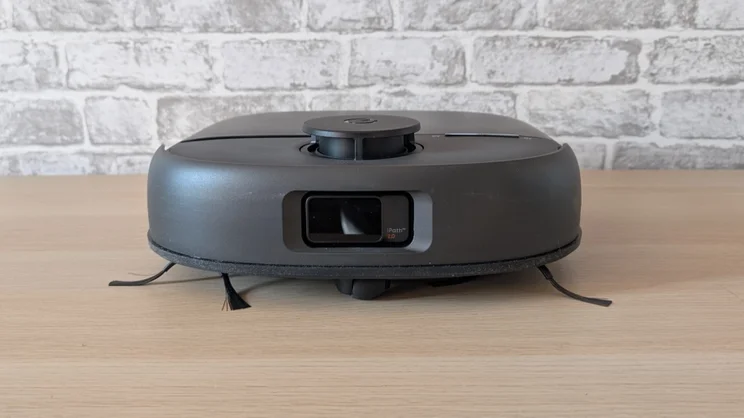
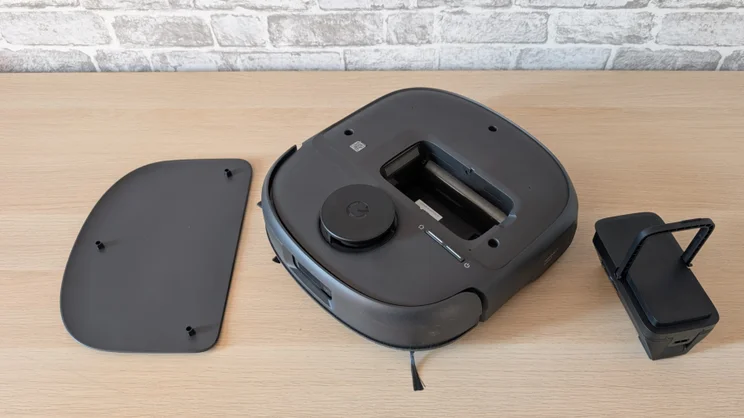
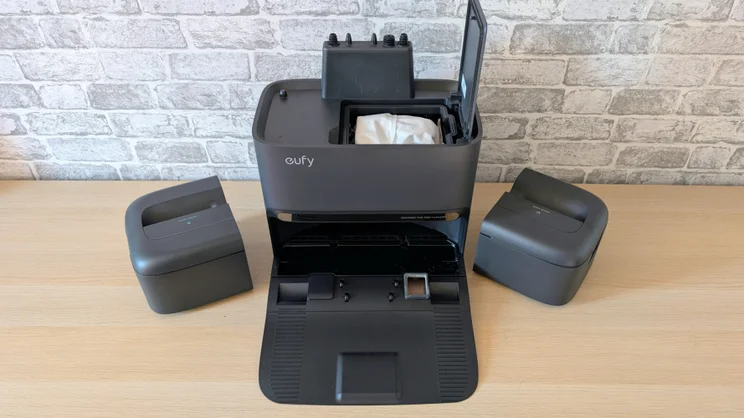
The base station for the C28 is smaller and lighter at 430 x 437 x 353mm and 6.15kg, but the robot itself is pretty much the same size, at 350 x 327 x 131mm and 5kg.
Eufy Omni C28 vs Omni E25
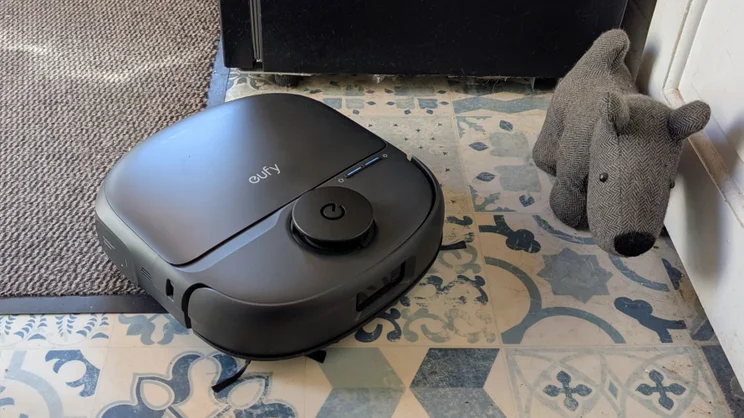
The Eufy Omni C28 is, however, functionally quite different from the E25. First up, it has less suction power (15,000pa vs 20,000Pa) and mop pressure (1kg vs 1.5kg), so less cleaning power. The C28 relies solely on LiDAR, while the E25 combines LiDAR with an RGB camera and AI enhancements. And the C28 is finished in matte black plastic instead of gloss, although I’d consider this difference to be an advantage, as it makes it less prone to showing dust and lint.
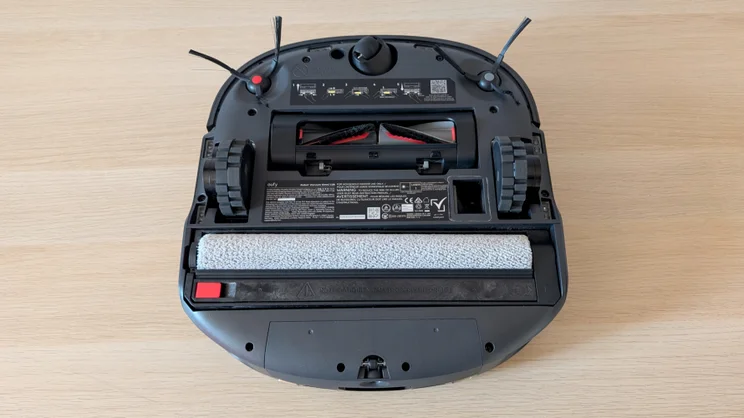
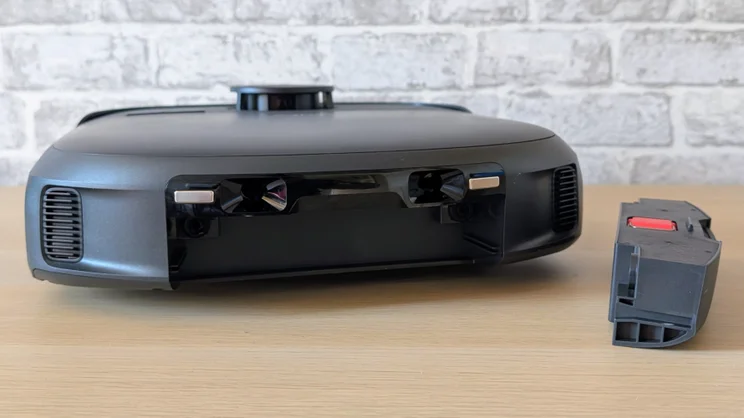
Flip the C28 on its back, and you’ll find two side brush arms, a full-width mop roller, which retracts by 11mm when moving over carpet and a two-piece hair roller. It looks very similar to the arrangement featured on the E25, which bodes well for the cleaning effectiveness and hair untangling, both of which were E25 strengths.
One other thing worth considering if you plan on serious, multi-floor use is that while you can buy extra E25 docks (for £245 each), you can’t currently buy the C28 dock as a stand-alone item.
In the box
The basic retail package is just that, basic, with just the robot, with a preinstalled dust bag, and the Omni dock in the box. There are options to buy the C28 with spare dustbags or a bottle of floor cleaning solution, but neither is actually necessary, and both can be bought separately from Eufy’s C28 accessories store.
The dust bag that comes supplied is easy to remove and empty, while the C28 lacks the E25’s facility to take one of Eufy’s bespoke bottles of detergent, so it’s simply a matter of adding a drop or two of your favourite floor cleaner to the clean water reservoir.
What is it like to use?
Initial setup
Even if this is your first dance with a robot vacuum, you shouldn’t need the idiot guide, which is the first thing you find when you open the box. Just remove the packing bumpers, plug in the base station, click the ramp into place and then push the robot into the dock to charge.
Next, it’s the usual job of downloading the Eufy app, setting up an account, linking the robot to your 2.4GHz Wi-Fi network and launching it off on an initial mapping sortie.
I encountered no issues with this. A quick trundle around the upstairs and the downstairs of my terraced house resulted in an impressively accurate map quickly appearing in the app with all the major pieces of furniture and stairs spotted and noted.
Eufy’s ecosystem works with Alexa and Google Home and supports voice control via those services rather than directly. I found that the C28 responded reliably to basic voice commands like “vacuum the bedroom” once I’d connected it to my Google account.
Support for Matter and Apple Home is a bit of a grey area, so I reached out to Eufy to clarify. Apparently, Matter 1.4 support will come in mid-May, which will, in turn, allow basic integration via Apple Home.
Companion app
I’ve yet to stumble across a genuinely bad robot vacuum app, but as a balance between features, ease of use, and design, Eufy’s app is one of the very best.
I particularly like the way the maps are represented. In both 2D and 3D, they are simple, clear and very easy to understand. It’s also very easy to add small no-go zones if you want to mark specific points as being out of bounds.
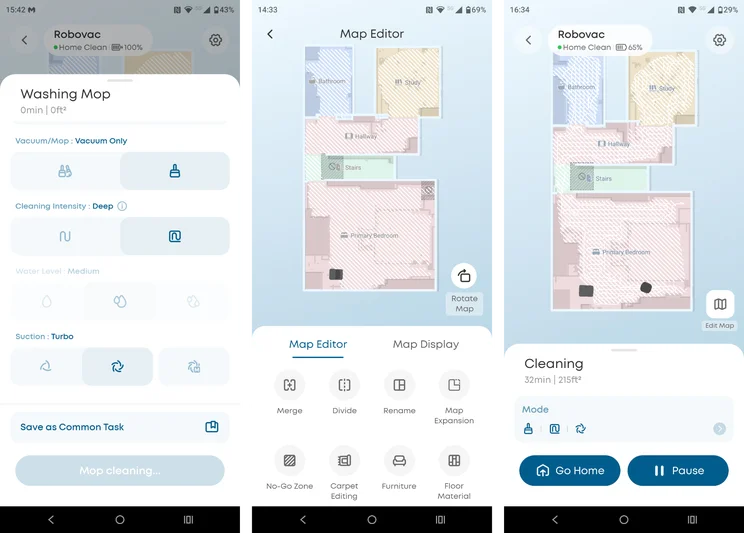
The app lets you do all the things you’d expect of a modern robot vacuum, including setting up as many as five separate floor maps, manually controlling the robot’s movement and cleaning, adjusting the intensity of the clean (or leaving it up to the system’s AI judgement), set cleaning schedules and changing the order in which it cleans rooms.
One useful feature is the child lock that isolates the home and power buttons on the robot itself to prevent accidental pressing by small children or pets.
Is it good at finding its way around?
I noticed no real difference between the Eufy Omni C28 and the E25, which is quite the feather in the cheaper machine’s cap, given that it lacks the E25’s camera system.
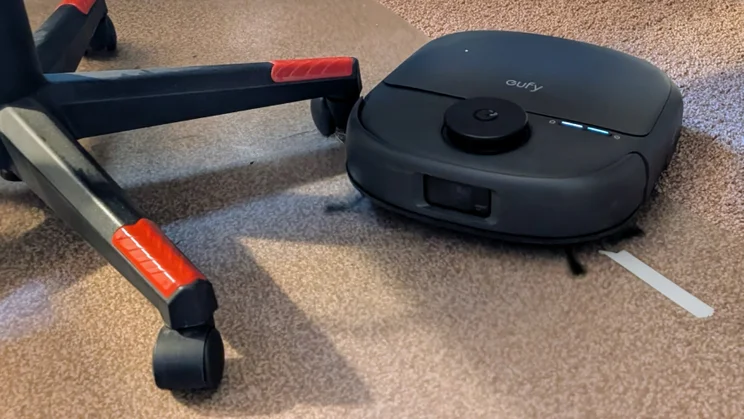
When it came to avoiding the likes of power cables, shoes and random small boxes, the C28 performed very well, and it deftly navigated around my office chair and the rats nest of cables under my office desks.
The C28 didn’t try to get under my bed, which is only a few millimetres higher than the average robot vacuum, but I’ve come to regard this as a good thing because retrieving stuck robots from the middle of a super-king bed is no fun at all.
Avoiding the top of the stairs caused no issues, either, but the Eufy did manage to get itself stuck in the space between my bedside cabinet and wardrobe. This is a pretty regular issue I encounter, because the space between the two is barely wider than most robots, so if one tries to turn rather than back out, it can find itself wedged in.
Otherwise, it worked well. Moving the C28 from floor to floor worked seamlessly, taking on average around 20 seconds for the robot to realise it had been airlifted and to work out which map it was supposed to use.
Eufy says it can overcome obstacles 20mm or less, and that matches my observations. Certainly, the threshold strips between carpeted and hard floors presented no problem. I found it performed well on rugs, too, easily rolling over them but not rucking them up and dragging them out of position.
How well does it clean?
Our lab tests are designed to show how well the vacuum sucks up flour, rice and dog hair from both carpeted and hard floors. The methodology is simple: we measure how much stuff we put on a surface, let the robot vacuum do its thing, then measure how much has been collected.
In our tests, the C28 performed in a very similar manner to the E25, proving that the difference between a 15,000Pa- and a 20,000Pa-rated vacuum exists more on paper than on carpet or lino.
Cleaning benchmarks
The Eufy Omni C28 aced our rice and dog hair tests, picking up 98% and did equally well in the flour on a hard floor test. In the flour-on-carpet test, the C28 still managed to suck up nearly 62% of the flour, which is only a little shy of the E25’s record.
Machines like the Dyson Spot+Scrub and the Dream Aqua10 Ultra can do a better job of getting flour out of carpet, but they are significantly more expensive and more powerful than the C28.
When it came time to clean the kitchen floor, the C28 again gave nothing significant away to the E25. The roller on the new machine may exert less downforce, but it spins faster at 270rpm versus the E25’s 180rpm, so the result is much the same.
Neither of the Eufy machines can match the Dyson on this front because it has an AI-powered stain detection system, which makes it worry at stains until they are gone.
The C28 does have a manual override, so you can make it work away at a stubborn stain, but it’s easier to just grab some kitchen towel and lend a hand manually.
There’s a bigger performance delta when it comes to speed, though. The C28 took 32 minutes to complete a tour of the 20m2 upper floor of my house compared with 23 minutes for the E25; that’s 39% longer.
Battery performance was once again similar to the E25. That came as no surprise, given that the E25 and C28 use the same 5,200mAh battery pack. That 20m2 intense vacuum run took 35% out of the battery. Once back in the dock, the battery recharged to full in just under 30 minutes.
Finally, it’s worth pointing out how quiet the C28 is when it’s cleaning. Once back in the dock, however, the mop drying process does make a distinct hum, and this can last up to five hours. If you have the base station in a lounge or bedroom, it’s loud enough to get in the way of sleeping or listening to the TV at low volume.
Eufy Omni C28: Should you buy one?
Given that the C28 gives so little, if anything away to the more expensive E25, a machine I awarded a five-star Best Buy award to, it’s impossible not to give the C28 the same strong recommendation. Indeed, the new C28 goes head-to-head with Tapo’s RV50 Pro as the best combination mop’n’vac you can get for around £600.
I’d describe the cleaning and vacuuming performance as good rather than great but I was always happy with the results. My carpets always looked fluffed up and hair-free, my floors clean and shiny.
The real strength of the C28 is that it just gets on with the job in hand without any drama and little if any intervention from the user. If I may quote Todd Howard, it just works.