To help us provide you with free impartial advice, we may earn a commission if you buy through links on our site. Learn more
- Bagless dust collection
- Impressive all-round performance
- Available in six colours
- Expensive in any colour other than black
- No multi-floor mapping support
- Noisier than some of the competition
Shark and Dyson are both household names in the domestic vacuum cleaner world and share a problem: their share of robot vacuum sales is much smaller than their handheld models.
Hot on the heels of Dyson’s recent effort to address this issue – the Spot+Scrub AI – comes the Shark PowerDetect UV Reveal [RV3000XEUKWH]. Is it good enough to claw market share from high-end machines from the likes of Dreame, Roborock and Eufy?
What do you get for the money?
The cost of PowerDetect UV Reveal depends on what colour you want. There’s a black model, along with Evergreen, Espresso (brown), Dove (white) or Deep Harbour (navy blue), and I’ve seen prices vary from £599 to £1,039. At the time of publication, the cheapest option I could find was £639 for the white variant.
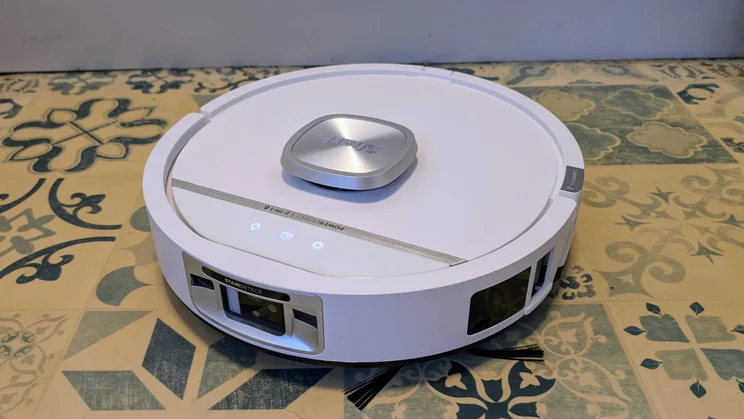
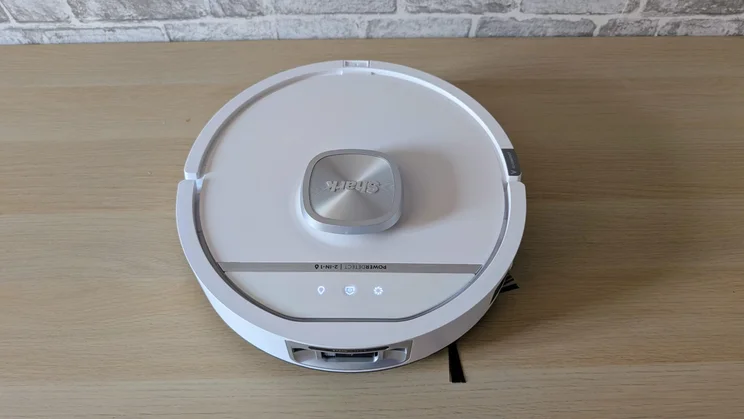
For the determinedly house-proud and style-obsessed, those colours could be a major selling point. The black and white models look good— I tested the white one—but the green, blue, and brown options really catch the eye with their strong Laura Ashley vibe.
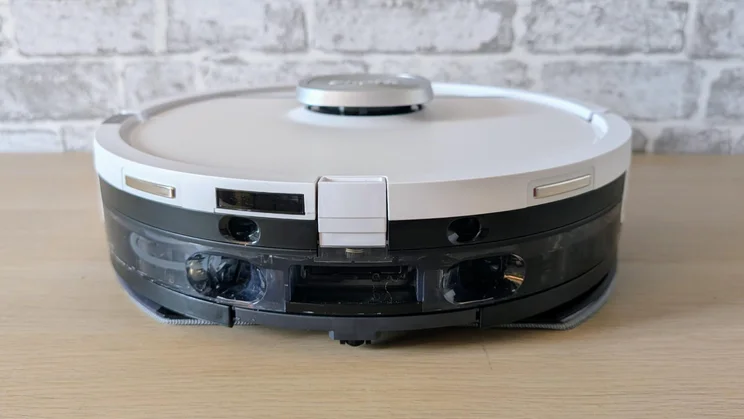
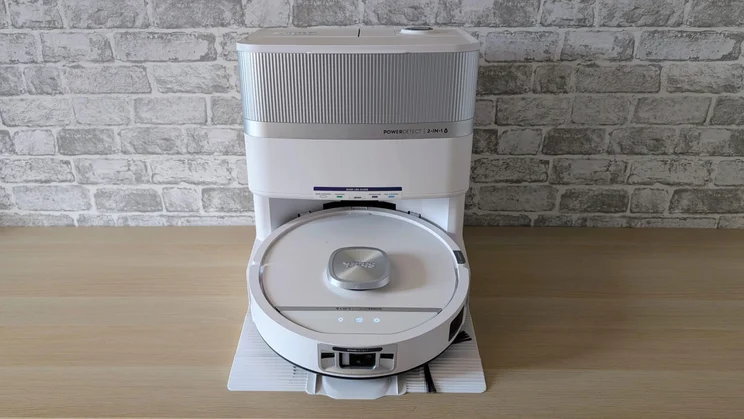
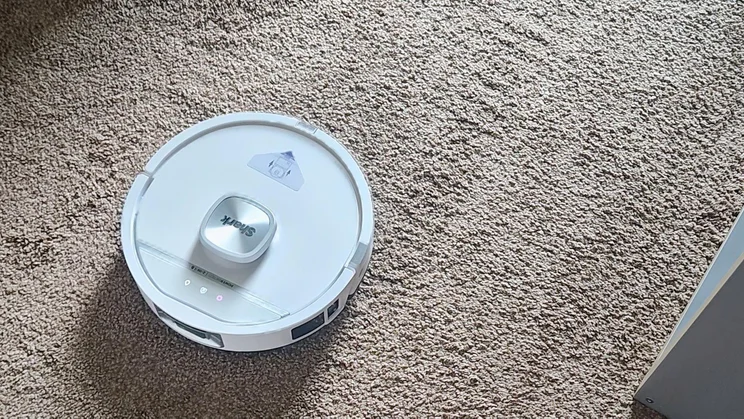
Otherwise, the PowerDetect UV Reveal looks pretty conventional. The robot is 100mm tall, 340mm wide and weighs 2kg. The plastic docking station measures 461 x 363 x 445mm (WDH), which is par for the course unless we’re talking about the compact and super-stylish Eufy Omni S2.
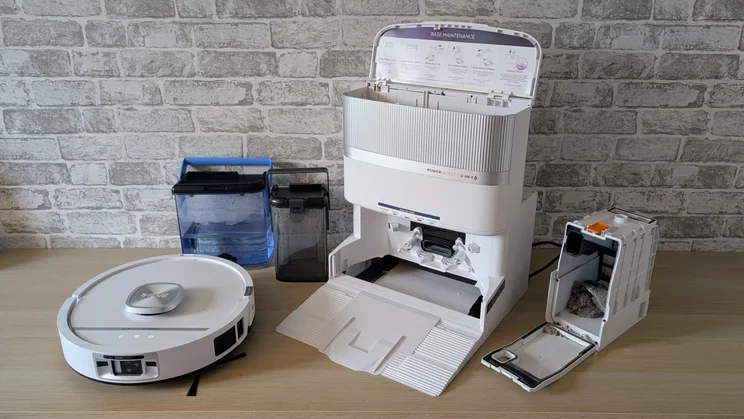
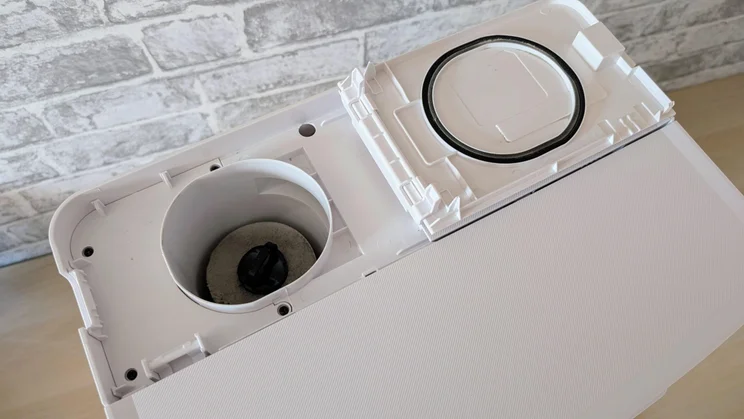
Inside the base station nestle a 2.75l tank for cold water, a 1.2l tank for dirty water and a 1.5l bagless dustbox. Two hatches next to the dustbox house the primary and secondary system filters. The former is easy to remove for thorough cleaning.
The dust-box compartment also has room for an anti-odour capsule. This isn’t there to make your rooms smell nicer but to mask any smells generated by the dock while it empties and cleans the robot.
An expensive robot, but replacements are affordable
It does this very effectively, making the £16 cost of a replacement two-pack easy to swallow. Other consumables are also affordable: two new dust filters will set you back £10, and two mopping pads £15.
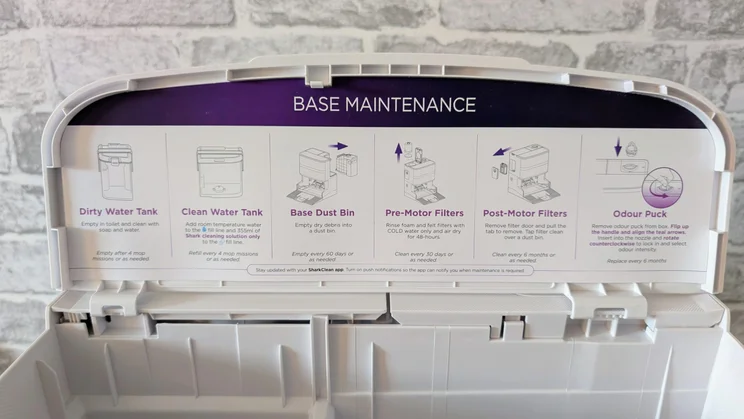
Shark deserves a pat on the back for plastering basic maintenance instructions right inside the water tank cover.
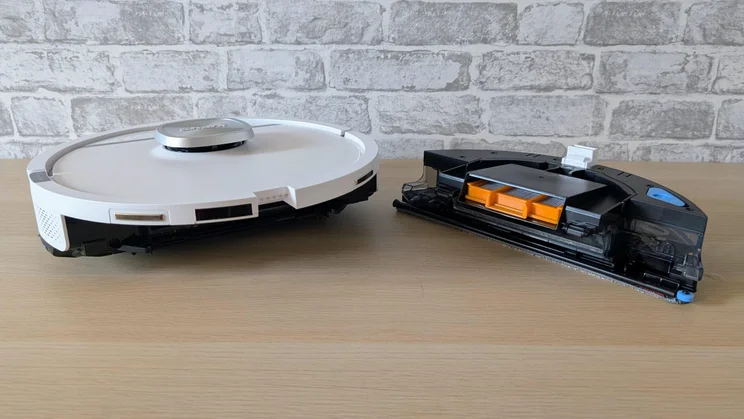
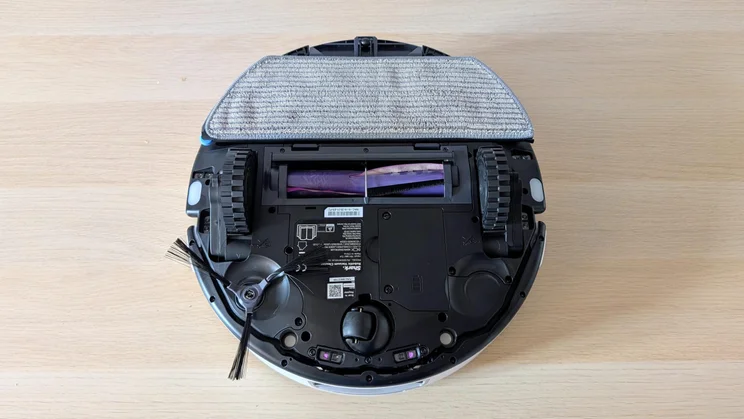
At first glance, the mop assembly looks much like the basic mop pad used by the budget Ultenic T20 Pro. Closer examination, however, revealed that the Shark’s mop hides its light under a bushel. The mop pad’s detachable base functions in several ways: it drops into the dock when not needed, raises or lowers on the go, and extends sideways to reach skirting boards. It also vibrates vigorously to scrub effectively.
Velcro fixes the mopping pad to the base plate, so you can detach it and throw it in the laundry for an extra deep clean. Since the dock cleans and dries the mop with 85°C water and 80°C air, you won’t need to do this often, but I appreciate the option.
Like the Dyson Spot+Scrub AI, the Shark empties the rubbish the robot picks up into a bagless container, rendering replacement bags redundant. Shark advertises the dust box as having a 60-day capacity, but that depends on how often you use it and how grubby your carpets are; in my experience, 60 days didn’t seem wildly off.
Shark includes a 355ml bottle of hard floor cleaning solution you can add manually to the clean water tank, so nothing prevents you using a generic solution. That said, £15 for a 2l bottle makes Shark’s own solution amongst the cheapest.
What is it like to use?
Initial setup
There’s nothing much to report here. Once you’ve downloaded the app and set up an account, it’s simply a matter of following some foolproof instructions to connect the robot to a 2.4GHz Wi-Fi network.
Just make sure you read the line about tapping two of the pressure-sensitive buttons on the robot to enter Wi-Fi connection mode. Being impatient, I didn’t, and spent several minutes wondering why it wouldn’t connect.
I did encounter one issue. After I’d worked through the connection settings, the app announced it needed to perform a firmware update. Not an uncommon issue with robot vacuums.
After watching the app say the update would take a “few minutes” for two hours, I decided something had gone pear-shaped, and performed a factory reset and ran the setup wizard again. This time everything worked, and the app told me the update had worked.
Setting up the vacuum requires only a few steps: fill the clean water tank, fit the anti-odour puck, attach the brush to the robot (Shark usefully supplies a spare), position the dock, and clip the ramp into place. It only takes a few minutes.
Companion app
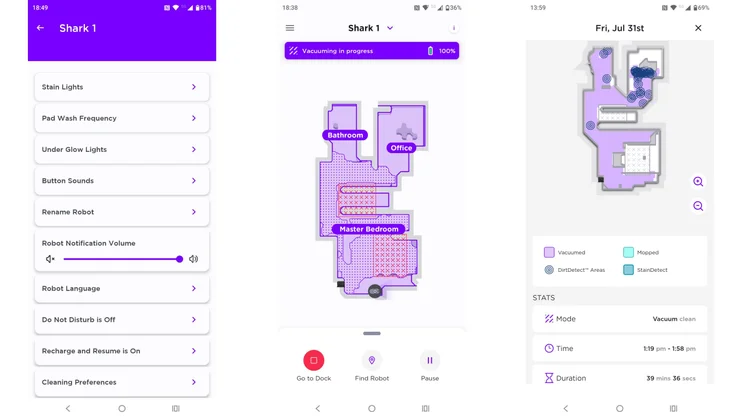
Shark’s app is well laid out and simple to use, but it is also rather short on some basic functionality and has a few quirks.
The major omission is that it can only store one floor map at a time, so you can’t move the dock from upstairs to downstairs, or vice versa; if you do, the system has to perform a new exploration run or clean blind.
I regularly move my Eufy robot vacuum from one floor to another, and all I need to do is toggle the map between each and set the vacuum off. The absence of multi-map support is an issue that Shark needs to address.
Another problem is with the Spot Clean function, which lets you send the robot directly to a pre-set location. The issue here is that the area you can set to clean is fixed and is only a little less than 1m square.
Dropping a Spot Clean marker in my small kitchen is much like asking the Shark to clean the entire floor. The target size needs to be made adjustable, with an option to reduce it by at least 50 per cent.
A handy feature is the post-cleaning report the app creates. It tells you what the robot has done, where it’s done it, and how long it took.
The app did demonstrate two idiosyncrasies. Firstly, the live tracking of the robot’s position was sometimes flakey, with it appearing to move through walls. The battery level indicator also had a habit of sticking at 100% then suddenly dropping to 70% or 60% before registering at regular intervals.
Is it good at finding its way around?
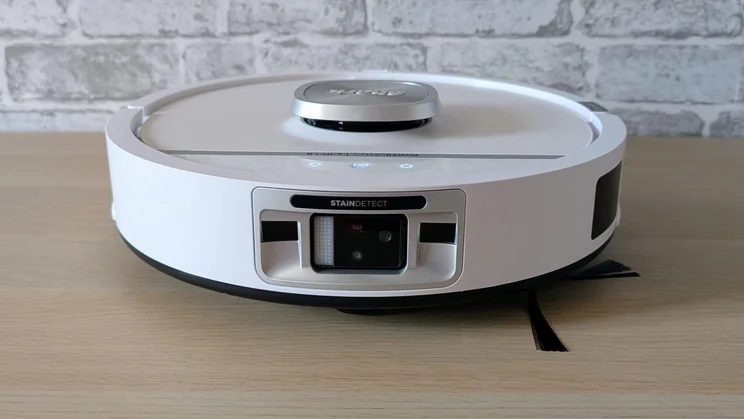
The Shark’s navigational system, which uses LiDAR (mounted in its low turret), long- and close-range RGB optical and ultraviolet stain-detecting cameras, proved rather impressive.
The initial mapping run was quick, and the resultant map closely matched the physical reality. My only quibble was that it decided the master bedroom and hallway were one room, but splitting them took a moment in the app’s mapping page.
Trailing curtains, power cables, office chairs and all the usual guff I scatter around to trip robot vacuums up were dodged or surmounted without issue.
The Shark decided it could get under my bed, which seems to have been deliberately designed to be the same height as the average robot. It dodged the disassembled clothes stand under the bed but has issues getting back out.
A long-range camera issue?
This seemed to be an issue with the long-range camera deciding the gap was large enough (the clearance was a matter of a few millimetres) from the outside, but the other sensors getting confused by the duvet overhang once underneath.
The Shark never actually got stuck while under the bed, quite a rarity in my testing, but rather than wait as it endlessly tried to get out from under, I yanked it out by hand and set a no-go zone around my bed. I set another at the top of the stairs, not because the Shark showed any inclination to topple down them but simply as a precaution.
When it came to dodging the Expert Reviews’ faux dog doodoo, the Shark did superbly well. Joining a select band of other robot vacs like the Eufy Onmi S2 and Saros S20, the Shark always spotted and dodged the rubber mess.
The way the Shark dodged it convinced me it spotted it from farther away: rather than roll right up to the obstacle, then come to a grinding halt and edge around it, the Shark changed its course from farther away and swept past it without stopping.
To really test the Shark’s mettle, I placed the fake plop close to the dock, leaving just enough space, in my view, for it to shuffle past and dock. It managed this with impressive speed and elegance.
How we test robot vacuums
In addition to using robot vacuums to clean the floors at home, we also run several standardised tests to make it easier to compare models.
We measure the robot’s ability to suck up 50g of rice, 50g of flour and 5g of pet hair from both a carpet and a hard surface. We weigh the robot’s collection bin on scales before it starts and after it finishes to determine exactly how much it has collected.
In our mopping ability tests, we spread a tablespoon of troublesome liquids onto a hard floor, including mud, jam and tomato ketchup. These dry before cleaning, making the mopping task a bit more challenging. We pay particular attention to the robot’s ability to repeat the mopping task until the floor is perfectly clean.
How well does the Shark PowerDetect UV Reveal clean?
Shark doesn’t quote a pascal suction power for the PowerDetect UV, but using a test based on how strongly a sheet of paper stuck to the vacuum inlet, I’d estimate it at around 20kPA, much the same as the 18kPa Dyson Spot+Scrub AI and the 20kPa Eufy E25.
The Shark did well in all our basic lab tests and, in my subjective judgement, did an excellent job on both carpet and hard flooring. The UV stain-spotting system was particularly effective, even spotting a dried malt vinegar spill as well as the more obvious jam and ketchup.
The Shark’s a pretty speedy and efficient cleaner, too. A standard-mode vacuum of the upper floor of my house took 31 minutes and used up 35% of the battery capacity.
On the glass-half-empty side of the equation, the Shark is rather noisy when vacuuming, and sometimes it sort of skips and hops along, leaving horizontal stripes on the carpet.
Some of this may be down to the less-than-perfect floorboard alignment in my 1860s semi. Still, the Shark’s suspension is certainly easier to upset than many other robot vacuums I’ve tested, and its progress is more frenetic than the Eufy Omni S2, which glides about far more serenely. The articulated suspension had no problem rolling over deep rugs and uneven room thresholds, though.
Should you buy the Shark PowerDetect UV Reveal?
Assuming you don’t mind the absence of support for multiple maps, which will be an irrelevant feature for anyone using the new Shark in a flat or exclusively on one floor of their house, and assuming you’re happy with the much cheaper black model, the PowerDetect UV Reveal is a solid recommendation.
In terms of both navigation and cleaning ability, it’s up with the best, and the bagless design makes it cheap and convenient to run. I’d have been happier if the robot was a little quieter and less prone to being unsettled by uneven flooring, but neither issue caused me any serious concern.
To get an unqualified recommendation, Shark needs to address the niggles I noted with its app and sort its pricing out: the difference between the various models makes the more colourful, and I’d argue more desirable, models seem overpriced.