To help us provide you with free impartial advice, we may earn a commission if you buy through links on our site. Learn more
- Perfectly fast enough for typical homes
- Switches neatly between router and mesh modes
- The cheapest way to get 6GHz Wi-Fi 7
- 6GHz band offers no real performance boost
- Can’t use 5GHz and 6GHz bands at the same time
- Comparatively short on connectors and features
If you search for information about the Devolo BE6500 you could get a little confused, as it’s sold as both a standalone router and a mesh pack of two or three units. Which you pick is up to you: the units themselves are all identical, so you can start with the router and then add stations to extend your network at a later date.
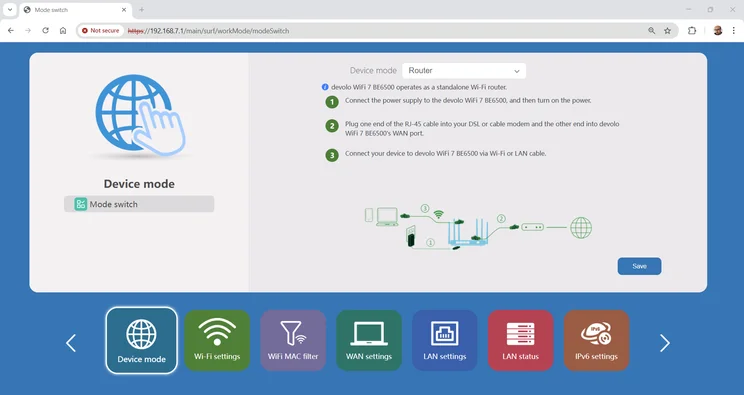
This isn’t a groundbreaking innovation, as many modern routers let you combine multiple devices into a mesh. However, Devolo’s implementation feels unusually organic, switching seamlessly from single-unit to mesh mode via a convenient drop-down menu.
For most people, though, a single Wi-Fi 7 unit is enough. And while the BE6500 makes a perfectly good standalone router, it’s not outstandingly fast, nor particularly feature-packed, making it hard to recommend.
Devolo BE6500 Wi-Fi 7 router review: What you need to know
The Devolo BE6500 is a dual-band Wi-Fi 7 router, but not in the usual way. Previous dual-band routers we’ve seen have invariably offered Wi-Fi on the 2.4GHz and 5GHz radio bands, omitting the ultra-fast but optional 6GHz frequency range. Uniquely, the BE6500 is switchable, so you can choose whether to run your high-band network in the 5GHz or 6GHz range.
It’s a novel idea, but not necessarily a useful one. The Devolo’s 6GHz radio is nominally twice as fast as the 5GHz one, with a maximum rated connection speed of 5.8Gbits/sec, but many home networks will include laptops, smart TVs, games consoles and so forth that don’t support 6GHz networking. So if you configure the router for the maximum top speed, these devices will have to fall back onto the much slower 2.4GHz band, rated at just 688Mbits/sec.
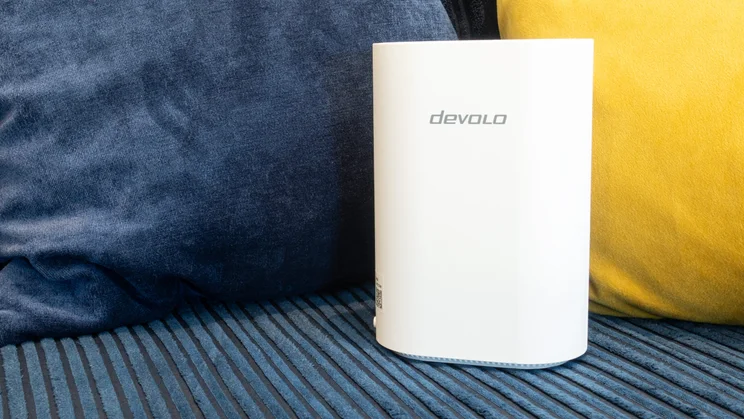
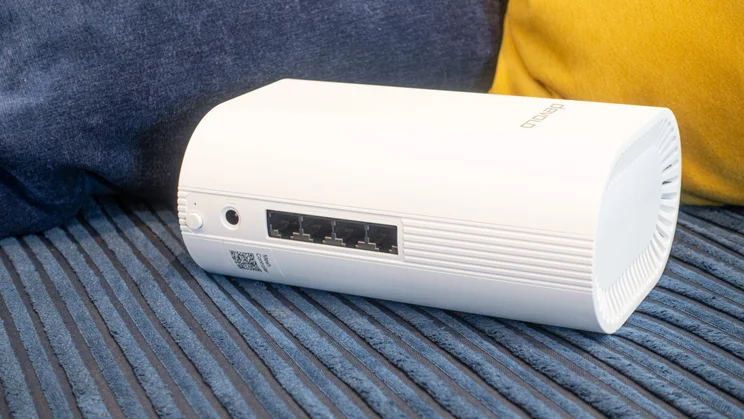
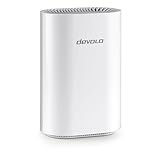
The physical design is clean and unassuming, the only display being a multicoloured status LED hidden behind the front seam of the router. At the back there’s a 2.5Gbits/sec WAN/LAN port and three gigabit LAN sockets. That’s it, aside from a WPS button and a reset hole; you don’t even get a power button.
Price and competition
At £130, the Devolo BE6500 is the cheapest 6GHz Wi-Fi 7 router we’ve seen. Its closest 6GHz-enabled rivals are the TP-Link Archer BE550 (£177) and the Netgear Nighthawk RS300 (£200). But while those models are more expensive, they support simultaneous 5GHz and 6GHz networking, so they’ll slot more easily into an existing home network, and offer more overall bandwidth to go around.
In its own price range, the BE6500 competes most directly with the Asus ProArt PRT-BE5000 (£127). The two routers have quite similar design philosophies – the Asus also stands upright with a single status LED at the front, and can pair with additional units to form a mesh.
However, the Asus offers an additional multi-gigabit port at the rear, a more extensive range of software features and, as we’ll see below, more consistent Wi-Fi performance. Another option is the Netgear Nighthawk RS200, whose price has recently dipped as low as £150 and which delivers particularly strong performance at close range.
Then there’s a growing market of sub-£80 Wi-Fi 7 routers, including the recently released Asus RT-BE55 (£76) and the TP-Link Archer BE3600 (£75). Both are quite basic, but still offer decent Wi-Fi speeds, with the TP-Link including the unexpected benefit of twin 2.5GbE Ethernet sockets. They each offer a good set of software features, too, making the Devolo feel a little underspecified for the price.
Design and features
The Devolo BE6500 looks like a standard-issue mesh unit, in a compact casing measuring 175 x 118 x 72mm. It’s tasteful enough, but personally I prefer more feature-rich router-style designs, with multiple LEDs and a physical power button for easy restarts when needed.
I would have liked to see a more ambitious set of physical connectors, too: the Devolo BE6500 has no USB socket and, as I’ve mentioned, only the WAN socket supports multi-gigabit Ethernet. It’s a serviceable domestic specification, but no more than that.
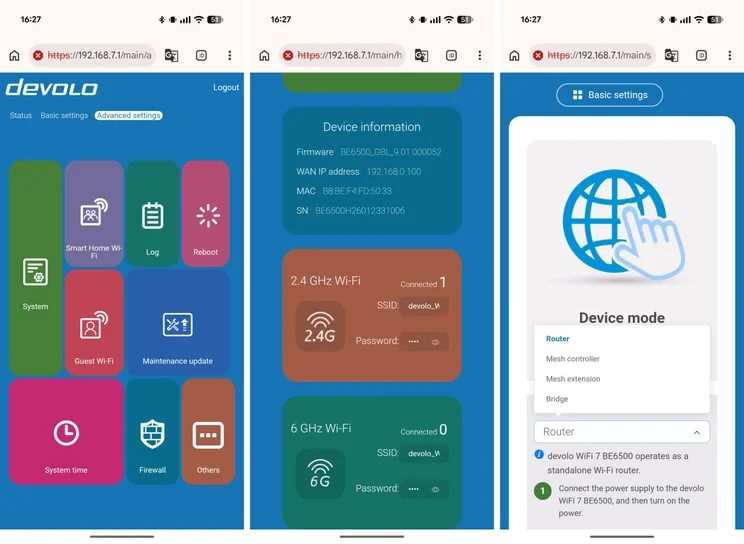
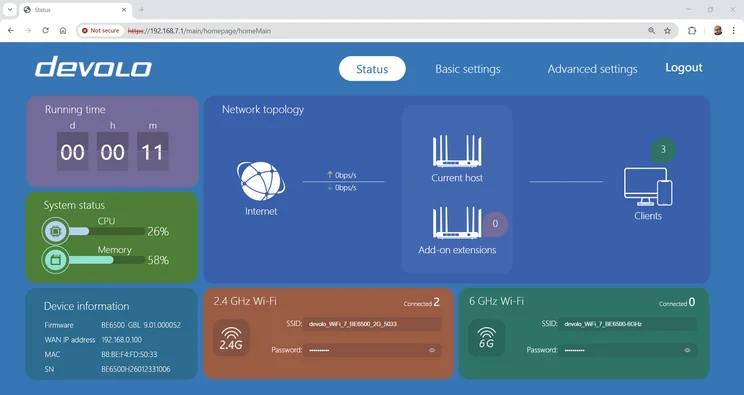
On the software front, the obvious headline is the ability to switch between standalone router and mesh modes, and I like the way this doesn’t require you to dig into any technical settings. A clear, easily accessible drop-down menu in the web interface sets your desired operating mode, and also gives you the option of using the unit as a Wi-Fi access point for an existing separate router.
Other options include the ability to set up isolated networks, so your smart gadgets can’t access trusted computers and devices, and a firewall that can globally block inbound and outbound connections matching certain rules. That’s an unusual feature that might appeal to techie types, but I suspect it’s too specialist for most people.
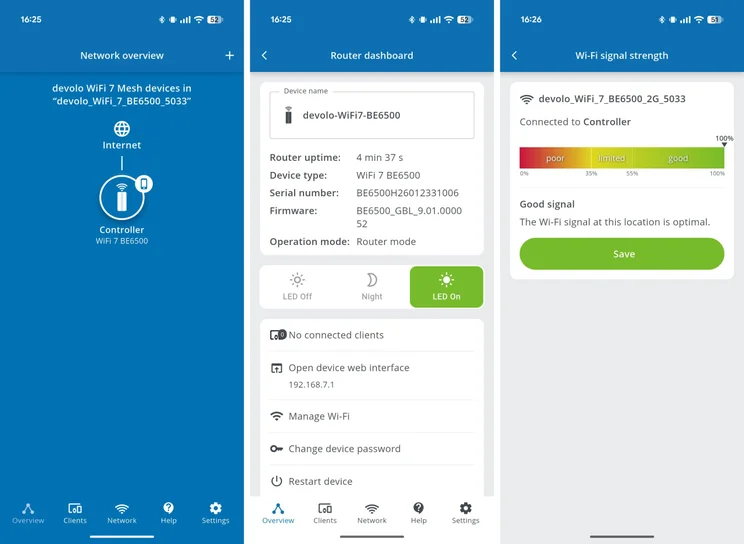
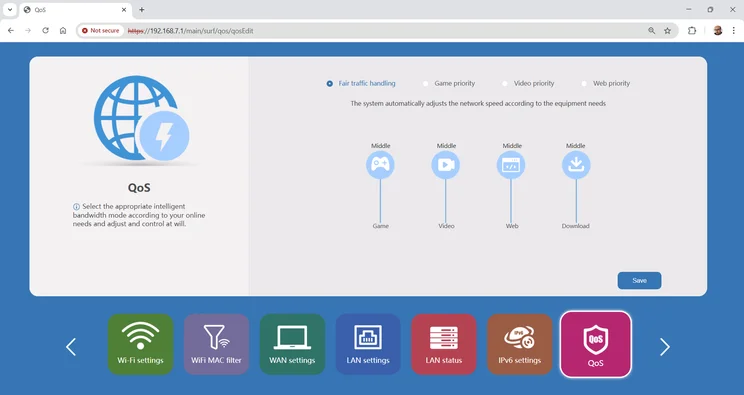
Aside from that there’s not much to play with. The QoS function only lets you pick from four priority modes, with no way to set up rules by device, application or schedule. There’s no active threat detection, no parental controls and no VPN. Frankly the interface is no fun to tinker with anyway: Devolo offers a basic mobile app in addition to the main web interface, but I find both of them ugly and confusingly laid out, making administration feel like a chore.
How I tested the Devolo BE6500
I tested the Devolo BE6500 in my usual way, starting with installing the unit in the upstairs study of my home, updating to the latest firmware and connecting to it from a test laptop equipped with an Intel BE200 Wi-Fi 7 card.
I then took the laptop to various rooms of my home, and in each location copied a standard set of files to and from a local NAS appliance connected to the router via Ethernet. This let me measure the effective speed of the Wi-Fi 7 connection in different rooms, without being bottlenecked by my ISP.
I tried this first with the router configured in 2.4GHz + 5GHz mode, and below you’ll see the download and upload speeds I measured on the 5GHz band, along with comparison figures for some competing router models.
Performance
The BE6500 doesn’t perform badly at all: I saw same-room download speeds of a very decent 84.9MB/sec, and even at the far end of my home the connection averaged 35MB/sec – enough bandwidth to stream eleven 4K HDR videos at once, according to the official Disney+ system requirements. You probably won’t need to take advantage of the mesh option unless you have an unusually large or thick-walled abode.
| 5GHz download speed (MB/sec) | Study | Bathroom | Bedroom | Living room | Dining room |
|---|---|---|---|---|---|
| Devolo BE6500 | 84.9 | 83.4 | 45.9 | 60.2 | 35 |
| Asus ProArt PRT-BE5000 | 89.8 | 86.8 | 73 | 85.7 | 50.6 |
| Netgear Nighthawk RS200 | 136 | 109.8 | 65.3 | 79 | 27.9 |
| TP-Link Archer BE3600 | 81 | 97.2 | 50.1 | 56.1 | 28.6 |
| Asus RT-BE55 | 86.1 | 68.1 | 45.7 | 69 | 37.2 |
| 5GHz upload speed (MB/sec) | Study | Bathroom | Bedroom | Living room | Dining room |
|---|---|---|---|---|---|
| Devolo BE6500 | 27.8 | 25.7 | 23.8 | 26.7 | 20.9 |
| Asus ProArt PRT-BE5000 | 29.9 | 29.6 | 28.1 | 28.4 | 20 |
| Netgear Nighthawk RS200 | 35.6 | 32.1 | 27.2 | 25.1 | 13.7 |
| TP-Link Archer BE3600 | 30.3 | 30.7 | 26.5 | 27.3 | 20.7 |
| Asus RT-BE55 | 27.5 | 25.7 | 21 | 25.6 | 18.9 |
Even so, this wasn’t a winning performance. The similarly priced Asus ProArt PRT-BE5000 delivered even faster downloads with the difference particularly noticeable from two and three rooms away, where the Asus was between 40% and 60% faster. If you’re focused on speed, and have £130 to spend on a router, the Asus is clearly a more compelling choice.
If you’re seeking a bigger performance boost, the Nighthawk RS200 is worth a look, and decisively faster than the Devolo in almost every location, only dropping behind at the far end of the house. Or, if you’re looking for a value option, the Asus RT-BE55 and TP-Link Archer BE3600 are both in the same general performance league as the Devolo for around £55 less.
To be fair, the Devolo BE6500 does have something all these rivals lack, namely that 6GHz radio. In my tests, though, I found 6GHz performance was disappointing. Here’s how it stacked up against some other 6GHz-enabled routers:
| 6GHz download speed (MB/sec) | Study | Bathroom | Bedroom | Living room | Dining room |
|---|---|---|---|---|---|
| Devolo BE6500 | 89.2 | 84.5 | 37 | 61.6 | 14.8 |
| Netgear Nighthawk RS300 | 94.5 | 69 | 37.3 | 32.5 | 8.7 |
| TP-Link Archer BE550 | 143.3 | 104.7 | 45.4 | 40 | 17.9 |
| Netgear Nighthawk RS700 | 156.9 | 108.1 | 57.9 | 80 | 15.9 |
| 6GHz upload speed (MB/sec) | Study | Bathroom | Bedroom | Living room | Dining room |
|---|---|---|---|---|---|
| Devolo BE6500 | 27.9 | 20.6 | 20.7 | 23.7 | 16.4 |
| Netgear Nighthawk RS300 | 32.2 | 29.4 | 27.8 | 21.3 | 8.6 |
| TP-Link Archer BE550 | 35.7 | 35.5 | 30 | 26.4 | 19.8 |
| Netgear Nighthawk RS700 | 35.2 | 33.5 | 25 | 31.7 | 13.7 |
The Devolo’s 6GHz performance mostly outpaced the pricier Netgear Nighthawk RS300, but the latter router supports 5GHz and 6GHz networks simultaneously, so there’s more bandwidth in total to go around. The Devolo didn’t unlock the 100MB/sec-plus download rates achieved by the TP-Link Archer BE550 and the top-of-the-line Netgear Nighthawk RS700 – in fact, I found it no faster overall than using the 5GHz band. My guess would be that this is because any bandwidth gains are cancelled out by the fact that higher-frequency radio signals are less able to penetrate through walls and interference.
A final note on performance: because the BE6500 is strictly dual-band, there’s no spare capacity for mesh traffic. Adding extra nodes can extend your coverage over a larger area, but it also means a portion of your wireless bandwidth gets eaten up by packets shuttling back and forth between stations (unless you attach them to the main unit with Ethernet cables). In other words, if you use the BE6500 in mesh mode this will probably result in lower speeds than the ones I achieved in my testing.
Verdict
On paper, the Devolo BE6500 looks impressively versatile. It scales neatly from a single router to a wide-area mesh, and its switchable radios offer the cheapest way we’ve seen to get Wi-Fi 7 on the 6GHz band.
Unfortunately, the execution doesn’t feel freeing. On the contrary, the mesh-inspired design leaves you with limited physical features and connectors, and performance is unexceptional for the price, regardless of which radio band you choose to use.
The system software is short on features, too, and simply not pleasant to explore and interact with. There’s nothing fundamentally wrong with the Devolo BE6500 in any other department, but whatever you’re looking for, you’re likely to find a better or cheaper implementation of it elsewhere.