To help us provide you with free impartial advice, we may earn a commission if you buy through links on our site. Learn more
- Best monitor: At a glance
- How we test monitors
- The best monitors you can buy in 2025
- 1. Philips 27E1N1600AE: Best value monitor overall
- 2. BenQ GW2490: Best budget monitor
- 3. Iiyama ProLite XUB3293UHSN-B5: Best value 4K monitor
- 4. Iiyama G-Master GB3467WQSU-B5: Best budget ultrawide monitor
- 5. Philips Evnia 49M2C8900 OLED: Best monitor for work and gaming
- 6. BenQ DesignVue PD2706UA: Best low-cost professional monitor
- 7. ViewSonic VX1755: Best portable monitor for small spaces
- 8. Philips 45B1U6900CH SuperWide: Best high-end ultrawide monitor
- 9. Philips 27B1U7903: Best high-end home office monitor
- 10. Dell UltraSharp U4323QE: Best home monitor for connectivity
- 11. Philips Evnia 34M2C8600: Best monitor (if you can afford it)
- How to choose the best monitor for you
- We’ve tested over 500 monitors, subjecting each to the same set of rigorous tests
- Every monitor is judged against five criteria: image quality, ergonomics, connectivity, design and value for money
- Our favourite monitor overall is the Philips 27E1N1600AE. It offers exceptional value for money, with a strong selection of ports, a versatile stand and great image quality
- Read on to find out which other monitors we recommend for your home office, for any budget

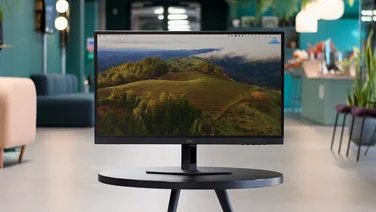
The best monitor you can buy right now is the Philips 27E1N1600AE. It represents extraordinary value for money – thanks to an impressive feature set and a thoroughly reasonable price tag – and its 27in IPS panel performed very well in our in-house tests, with high contrast and accurately represented colours.
We’ve tested upwards of 500 monitors over the decades, subjecting every single one to the same rigorous data-led tests that helped us crown our overall favourite. Our experts (some of whom have been testing monitors since the very beginning) all have the technical know-how and years of experience to confidently select monitors that you can rely on.
Read on for our pick of the best monitors to buy. If you’re strapped for time, check out our at-a-glance list of the top monitors of the year so far; or, if you’re not sure where to start, jump to our detailed buying guide to learn more about monitors.
Best monitor: At a glance
| Best home office monitor | Philips 27E1N1600AE (~£200) | |
| Best budget ultrawide monitor | Iiyama G-Master GB3467WQSU-B5 (~£320) | |
| Best high-end home office monitor | Philips 27B1U7903 (~£736) | |
| Best budget monitor | BenQ GW2490 (~£86) |
How we test monitors
We strongly believe that any good monitor review should be supported by results from in-depth testing. Each time we receive a monitor, we use an X-Rite colorimeter and DisplayCal’s excellent testing software to measure colour accuracy, gamut coverage, peak luminance, black point, contrast, panel uniformity and colour temperature.

We also use Blur Busters’ various web-based motion handling tests to watch for ghosting/motion blur. If the monitor has HDR with local dimming, we use a looped video of a bright moving shape to try and spot the zones in action.
Once our quantitative testing is done, we spend at least a week with the monitor, using it for daily tasks and after-hours gaming (if applicable) and exploring the product fully. We examine the OSD; push the stand and ports to their limits; and stress-test the panelling to determine build quality. We’ll also compare the monitor to others of similar price to decide whether its features and performance are good value for money.
You can always find the results of our in-house testing in our full-length reviews, linked below.
READ NEXT: Best budget monitors
The best monitors you can buy in 2025
1. Philips 27E1N1600AE: Best value monitor overall
Price when reviewed: £200 | Check price at Amazon || Screen size: 27in | Resolution: 2,560 x 1,440

Great for… Home office builders on a budget
Not so great for… Gamers seeking a competitive edge
If your priority is simply to get the best possible value for your hard-earned cash, then you can’t do much better than the Philips 27E1N1600AE. This 27in monitor really packs in the features, delivers image quality to match, and has decent levels of build quality as well, and yet it comes in at a very reasonable price.
No other monitor we’ve reviewed for this sort of money combines the sharpness of the Philips’ 1440p IPS panel with the adjustability of its stand and its broad choice of ports, serving up, not only HDMI 1.4 but also USB-C so you can hook up your laptop with only one cable and still have it charged.
Not only that, but our reviewer was also impressed with this monitor’s image quality in testing, with peak brightness levels reaching 354cd/m2, colour coverage hitting 100% of the sRGB gamut and reasonably accurate colours, with an average Delta E score as low as 1.38.
With a contrast ratio measured at 1,598:1 and a refresh rate of 100Hz, this is an awful lot of monitor for your money. If you have £200 in your budget for a home office monitor, it is currently our pick of the bunch.
Read our full Philips 27E1N1600AE review for full details
| Other key specs | |
|---|---|
| Panel | Screen technology: IPS Refresh rate: 100Hz Response time: 4ms (grey to grey) Adaptive sync: Yes |
| Ports | Video inputs: 1 x HDMI 1.4, 1 x USB-C 3.2 Gen 1 (also supports 65W USB-PD) Other ports: 2 x USB-A 3.2 Gen 1, 1 x 3.5mm audio out |
| Extras | Speakers: 2 x 2W Webcam: No |

2. BenQ GW2490: Best budget monitor
Price when reviewed: £86 | Check price at Amazon || Size: 23.8in | Resolution: 1,920 x 1,080

For a mere £86 the BenQ GW2490 offers outstanding value for money and is a perfect replacement for our previous best super budget monitor, Huawei’s excellent MateView SE. Not only does the GW 2490 have all the basic boxes well and truly ticked but it has several features that have no right being in a £90 monitor.
Thanks to a 100Hz refresh rate and support for Nvidia’s G-Sync and AMD’s FreeSync active frame rate synchronisation, the GW240 makes a decent fist of playing games. And while the speakers aren’t brilliant, the fact that they’re there at all is impressive at this price.
And in our technical tests it put in an impressive show. Its 1,920 x 1,080 IPS panel has respectable colour output for a cheap display with 99.8% of the sRGB gamut accounted for. It’s impressively accurate, too, with a Delta E variance of just 1.9 versus sRGB and although brightness is only adequate at 228cd/m2, a low black level means the contrast ratio is a solid 1,118:1.
The overall design is basic but functional and the simple clip-on stand lacks adjustability other than for tilt, but there is a 100 x 100mm VESA bracket so mounting the 3.5kg cabinet on a cheap desk arm is very easy. For the money you just can’t go wrong.
Read our full BenQ GW2490 review for more details
| Other key specs | |
|---|---|
| Panel | Screen technology: IPS Refresh rate: 100Hz Response time: 5ms Adaptive sync: DisplayPort HDR: No |
| Ports | Video inputs: 1 x DisplayPort 1.4, 2 x HDMI 1.4 Other ports: 1x 3.5mm |
| Extras | Speakers: 2 x 2W Webcam: No KVM: N/A |

3. Iiyama ProLite XUB3293UHSN-B5: Best value 4K monitor
Price when reviewed: £412 | Check price at Amazon || Screen size: 32in | Resolution: 3,840 x 2,160

The Iiyama ProLite XUB3293UHSN-B5 is our favourite low cost 32in 4K office monitor. It’s built around a high-quality IPS panel with some super useful practical features built in.
When we tested it, we found it was super sharp and more than bright enough with a measured maximum luminance of 352cd/m2. It also delivered impressive colour coverage at 90.3% of the DCI-P3 gamut. Combine those measurements with a contrast ratio of 1,046:1 and you get a sumptuous visual feast for your money.
Its 60Hz refresh rate isn’t high enough for gamers but it does come with KVM (keyboard, video, mouse) facilities, allowing you to switch between two sources while having a single keyboard and mouse connected. And it’s also equipped with a pair of decent 3W speakers which sound surprisingly good. Add into the bargain a stand with plenty of adjustability options and we have a winner.
Read our full Iiyama ProLite XUB3293UHSN-B5 review
| Other key specs | |
|---|---|
| Panel | Screen technology: IPS Refresh rate: 60Hz Response time: 4ms Adaptive sync: No HDR: No |
| Ports | Video inputs: USB Type-C, DisplayPort 1.4, HDMI 2.0 Other ports: USB-B upstream, 2 x USB-A 3.2 Gen 1, RJ-45 LAN, 1 x 3.5mm |
| Extras | Speakers: 2 x 3W Webcam: No KVM: Yes |

4. Iiyama G-Master GB3467WQSU-B5: Best budget ultrawide monitor
Price when reviewed: £320 | Check price at Amazon || Size: 34in | Resolution: 3,440 x 1,440

The Iiyama G-Master GB3467WQSU-B5 is a shockingly good proposition – for very little cash you get a 34in, 3,440 x 1,440 screen with a 1500R curve and a 165Hz refresh rate. Even if it were a bit low-rent, the G-Master would be good value, but it’s anything but.
The G-Master presented colourful and dramatic images in our tests, with 415cd/m² of brightness, a 3,307:1 contrast ratio, decent colour gamut volumes of 115.4% sRGB, 79.5% Adobe RGB, and 81.7 DCI-P3. It’s colour-accurate, too, with a Delta E of just 1.8 versus the sRGB profile, which is good for a cheap gaming monitor. Motion handling isn’t perfect, but we think it’s good enough for the price.
For a big monitor, there’s a healthy range of adjustability with 45° of swivel, a 90° pivot both left and right (not a given on a 34in monitor), tilt between -5 and +23° and 150mm of height change. That’s a very solid range. The two 2W speakers are short of bass, and the menu navigation system leaves a bit to be desired, but at this price, you can’t really go wrong with this versatile panel.
Read our full Iiyama G-Master GB3467WQSU-B5 review for details
| Other key specs | |
|---|---|
| Panel | Screen technology: VA Refresh rate: 165Hz Response time: 0.4ms Adaptive sync: AMD FreeSync Premium HDR: VESA DisplayHDR 400 |
| Ports | Video inputs: 2 x HDMI 2.0, 2 x DisplayPort 1.4 Other ports: 4 x USB-A 3.2 Gen 1, 1x USB-B 3.2 Gen 1, 1 x 3.5mm |
| Extras | Speakers: 2 x 2W Webcam: N/A KVM: N/A |

5. Philips Evnia 49M2C8900 OLED: Best monitor for work and gaming
Price when reviewed: £600 | Check price at Amazon || Screen size: 49in, 1800R | Resolution: 5,120 x 1,440

This might be primarily one for gamers, but trust us – a 49in ultrawide gaming monitor can also work very well as an everyday workhorse, especially one as good as the Philips Evnia 49M2C8900. This is not only a brilliant gaming screen, complete with a huge, super-vibrant, curved QD OLED panel and spectacular HDR performance (we measured peak brightness for HDR content at 771cd/m2), but it is also an all-rounder with impressive capabilities.
Colour accuracy is good, uniformity is impressive (especially for a monitor of this size) and the huge size and 5,120 x 1,440 resolution means you’ve more than enough desktop space for some serious productivity. It even has USB-C, a feature that normally screens of this type omit, and it adds to this with Philips’ excellent Ambiglow system (great for adding a moody lighting accompaniment to your home office or game space), and what is probably the best speaker system we’ve ever heard in a monitor. All-round, this is an astonishingly good monitor and it would be a shame to leave it only in the hands of gamers.
Read our full Philips Evnia OLED 49M2C8900 review
| Other key specs | |
|---|---|
| Panel | Screen technology: QD OLED Refresh rate: 240Hz Response time: 0.03ms (GTG) Adaptive sync: Nvidia G-Sync, AMD FreeSync Premium Pro HDR: VESA DisplayHDR True Black 400 certified |
| Ports | Video inputs: 2 x HDMI 2.1, 1 x DisplayPort 1.4, USB-C 3.2 Gen 1 Other ports: 2 x USB-A 3.2 Gen 1, 1x USB-B 3.2 Gen 1, 1 x 3.5mm |
| Extras | Speakers: Yes Webcam: No KVM: Yes |
6. BenQ DesignVue PD2706UA: Best low-cost professional monitor
Price when reviewed: £450 | Check price at BenQ || Size: 27in | Resolution: 3,840 x 2,160

If you want to get your hands on a no-nonsense monitor suited to serious or pro-level creative work, you typically need to spend a lot of money, but BenQ’s DesignVue PD2706UA caters to even the most demanding video wrangler at under £500. What could be better than that?
The PD2706UA’s 27in 4K IPS panel is an absolute gem: we recorded gamut volumes of 123.6% sRGB, 87.5% DCI-P3 and 85.1% Adobe RGB and Delta E variances of just 0.85 vs sRGB, 1.05 vs Display P3 and 1.16 vs DCI-P3. It also features 11 different colour modes, including sRGB, Display P3, DCI-P3, REC.709, CAD/CAM, ePaper, DICOM and Darkroom. You even get a mode to match the ICC colour profiles of Apple machines.
The PD2706UA is literally bursting with features, including a multi-articulated desk arm that lets you place the screen exactly where you want it; a Hotkey Puk, which is a 70mm diameter circular control with five buttons surrounding a programmable rotary dial; a full KVM system with a decent pair of 2.5W speakers and a HDR400 VESA certification.
Read our full BenQ DesignVue PD2706UA review for details
| Other key specs | |
|---|---|
| Panel | Screen technology: IPS Refresh rate: 60Hz Response time: 5ms Adaptive sync: N/A HDR: VESA DisplayHDR 400, HDR10 |
| Ports | Video inputs: 1 x HDMI 2.0, 1 x DisplayPort 1.4, 1 x USB-C 3.2 Gen 1 Other ports: 3 x USB-A 3.2 Gen 1, 1 x USB-B 3.2 Gen 1, 1 x USB-C 3.2 Gen 1, 1 x microUSB (for the Hotkey Puk), 1 x 3.5mm |
| Extras | Speakers: 2 x 2.5W Webcam: N/A KVM: Yes |
7. ViewSonic VX1755: Best portable monitor for small spaces
Price when reviewed: £300 | Check price at Amazon || Size: 17in | Resolution: 1,920 x 1,080

ViewSonic’s VX1755 is aimed at remote workers confined to a small corner of their kitchen table, with a large 17in screen and a 144Hz refresh rate that’s faster than anything comparable on the market.
The VX1755 is rather chunky and about as heavy as a laptop (1kg), but it’s very solid, and there’s a robust built-in metal stand that will keep the display at a readable angle between almost vertical and 35-degrees.
Video inputs are limited to a DP Alt Mode USB-C port and a Mini HDMI socket. There’s another USB-C port that acts as a power supply if your host device can’t pump out enough juice via the USB-C Display port or you’re using HDMI.
Image quality from the FullHD IPS screen is reasonable, considering it only covers 54.6% of the sRGB gamut and has a pretty grim Delta E variance of 6.5. Hooked up to a gaming phone like the Asus ROG Phone 8 or a portable gaming device like the Asus ROG Ally, the 144Hz refresh rate delivers a satisfyingly clean and tear-free gaming experience, while the two 0.8W speakers sound good and aren’t too tinny, despite their size.
Read our full ViewSonic VX1755 review for details
| Other key specs | |
|---|---|
| Panel | Screen technology: IPS Refresh rate: 144Hz Response time: 4ms Adaptive sync: AMD FreeSync HDR: N/A |
| Ports | Video inputs: 1 x mini-HDMI 2.0, 1 x USB-C 3.2 Gen 1 DP Alt Mode Other ports: 1 x USB-C (power only), 1 x 3.5mm |
| Extras | Speakers: 2 x 0.8W Webcam: N/A KVM: No |

8. Philips 45B1U6900CH SuperWide: Best high-end ultrawide monitor
Price when reviewed: £790 | Check price at Amazon || Size: 45in | Resolution: 5,120 x 1,440

The 45in Philips 45B1U6900CH is one of the best ultrawide monitors on the market thanks to its sharp 5,120 x 1,440 32:9 VA panel that can easily be subdivided into two 2,560 x 1,440 16:9 spaces.
The crisp VA panel has a gentle 1500R curve and can generate impressive levels of brightness – almost 500cd/m2 in our tests. It’s colourful, too, covering a healthy chunk of the key gamuts: 124.9% sRGB, 86.1% Adobe RGB and 88.5% DCI-P3. Engage the sRGB clamp and the average Delta E deviation measures a highly commendable 1.1. The 75Hz refresh rate means that this superwide Philips isn’t entirely useless when it comes to gaming either – Returnal looked particularly impressive.
Thanks to the two HDMI 2.0, one DisplayPort 1.4 and two upstream USB-C 3.2 Gen 2 ports that support DisplayPort Alt Mode video, data and Power Delivery charging up to 100W along with four USB-A 3.2 Gen 2 ports (and a third USB-C that can charge at up to 15W) the 45B1U6900CH is one of the best-connected monitors around. You also get a Windows Hello-compatible 5MP webcam and two seriously loud 5W speakers.
Read our full Philips 45B1U6900CH SuperWide review for details
| Other key specs | |
|---|---|
| Panel | Screen technology: VA Refresh rate: 75Hz Response time: 4ms Adaptive sync: Generic (VRR) HDR: VESA DisplayHDR 400 |
| Ports | Video inputs: 2 x HDMI 2.0, 1 x DisplayPort 1.4, 2 x USB-C 3.2 Gen 2 DisplayPort Alt Mode Other ports: 4 x USB-A 3.2 Gen 2, 1 x USB-C 3.2 Gen 2, 1 x 3.5mm |
| Extras | Speakers: 2 x 5W Webcam: N/A KVM: Yes |

9. Philips 27B1U7903: Best high-end home office monitor
Price when reviewed: £737 | Check price at Amazon || Size: 27in | Resolution: 3,840 x 2,160

The excellent Philips 27B1U7903 has plummeted in price since launch, making it an absolute steal for a monitor with one of the best Mini LED Full Area Local Dimming systems on the market.
The 3,840 x 2,160 163dpi mini-LED IPS Quantum Dot display is a stunner with a peak brightness of nearly 1,000cd/m2 in SDR mode and almost double that in HDR, thanks to the 2,304 individual lighting zones. The contrast ratio is an OLED-like infinity:1. It also covers 99.9% of the sRGB gamut and 115.7% DCI-P3, while the Delta E variance versus the latter is an excellent 1.2. A stunning DisplayHDR 1400 rating – the highest available – means you can expect fantastic brightness and contrast and colours that really pop.
The Philips 27B1U7903 comes with a Gigabit Ethernet port and a Thunderbolt 4/USB 4.0 hub, making it perfect for anyone using their monitor as a 40Gbits/sec USB hub. The two 3W speakers aren’t the most thunderous, but they do the job. Overall, this Philips delivers in spades regarding clarity, brightness, colour, HDR performance and accuracy.
Read our full Philips 27B1U7903 review for details
| Other key specs | |
|---|---|
| Panel | Screen technology: IPS Mini LED Refresh rate: 60Hz Response time: 4ms Adaptive sync: Generic (VRR) HDR: VESA DisplayHDR 1400 |
| Ports | Video inputs: 2 x HDMI 2.0, 1 x DisplayPort 1.4, 1 x Thunderbolt 4 Other ports: 4 x USB-A 3.2 Gen 1, 1 x Thunderbolt 4, 1 x 3.5mm, Gigabit Ethernet LAN |
| Extras | Speakers: 2 x 3W Webcam: N/A KVM: No |

10. Dell UltraSharp U4323QE: Best home monitor for connectivity
Price when reviewed: £928 | Check price at Dell || Size: 43in | Resolution: 3,840 x 2,160

If the first thing you look at on a monitor is the number of ports, then Dell’s 43in UltraSharp should be right up your street. It features two HDMI 2.0 and two DisplayPort 1.4 video inputs, five Type-C ports (one for video input, four for data), four USB-A ports (including one that hides in a spring-loaded housing that drops down from the front of the cabinet), a Gigabit RJ45 Ethernet port and a 3.5mm audio jack. This, then, is a KVM machine par excellence.
The screen is a spacious 43in 3,840 x 2,160 16:9 IPS affair with reasonable if unexceptional levels of colour, such as a 95.8% sRGB gamut volume, though it is quite bright with a peak luminescence of 327cd/m2. With a 60Hz refresh rate and 8ms G2G response time, motion handling is mediocre. Of course, none of those numbers relates to the UltraSharp’s real strength, the ability to simultaneously run four 1,920 x 1,080 workspaces on the screen.
Set the Dell UltraSharp U4323QE up to run your PC on one screen, your MacBook on another, your smartphone on another and your Roku stick on the fourth. You can multitask like there’s no tomorrow, managing the first three from the same keyboard and mouse. The icing on the UltraSharp’s cake is the potent 2 x 8W speaker system, which is seriously loud and earth-shakingly bassy.
| Other key specs | |
|---|---|
| Panel | Screen technology: IPS Refresh rate: 60Hz Response time: 8ms Adaptive sync: N/A HDR: N/A |
| Ports | Video inputs: 2 x HDMI 2.0, 2 x DisplayPort 1.4, 1 x USB-C Gen 2 DP Alt Mode Other ports: 4 x USB-A 3.2 Gen 2, 4 x USB-C 3.2 Gen 2, 1 x 3.5mm, Gigabit Ethernet LAN |
| Extras | Speakers: 2 x 8W Webcam: N/A KVM: Yes |
11. Philips Evnia 34M2C8600: Best monitor (if you can afford it)
Price when reviewed: £1,150 | Check price at Overclockers || Size: 34in | Resolution: 3,440 x 1,440

There’s no doubt about it: the Philips Evnia 34M2C8600 is practically flawless. Like all the monitors in the Evnia range, this one looks absolutely gorgeous with a striking white cabinet and colourful speckled stand. It also features Philips’ impressive Ambiglow LED immersive rear-mounted LED lighting system for a more immersive experience (or just a hypnotic light show if you prefer to work or play in the dark).
Built around a 175Hz, 34in 3,440 x 1,440 Samsung-made QD-OLED panel with an 1800R curvature, the Evnia 34M2C8600 produces masses of colour and is extremely accurate with a Delta E variance of just over one, while the two 5W speakers supply excellent sound. HDR content looks awesome thanks to a peak brightness level of 943cd/m², infinite contrast and VESA DisplayHDR True Black 400 certification.
You also get a six-port USB hub with full KVM functionality, so you can hook up your laptop and use the same keyboard and mouse as you use on your main PC. If you want a monitor that excels at gaming, media playback and productivity, the Evnia 34M2C8600 is head and shoulders above the competition.
Read our full Philips Evnia 34M2C8600 review for details
| Other key specs | |
|---|---|
| Panel | Screen technology: QD-OLED Refresh rate: 175Hz Response time: 0.03ms Adaptive sync: AMD FreeSync Premium Pro HDR: VESA DisplayHDR True Black 400 |
| Ports | Video inputs: 2 x HDMI 2.0, 1 x DisplayPort 1.4, 1 x USB-C 3.2 Gen 1 Other ports: 4 x USB-A 3.2 Gen 1, 1 x USB-B 3.2 Gen 1, 1 x 3.5mm |
| Extras | Speakers: 2 x 5W Webcam: N/A KVM: Yes |
How to choose the best monitor for you
What monitor size and resolution should I buy?
Full HD: A resolution of 1,920 x 1,080. In the office space, these are generally the cheapest and are available in 24in to 27in sizes.WQHD: A resolution of 2,560 x 1,440. The sweet spot for office and gaming, WHQD monitors are available at a huge range of prices and usually measure between 27in and 32in.
UHD: A resolution of 3,840 x 2,160. Normally not very cheap (sub-£400 models do exist). These monitors also mostly come in 27in to 32in sizes.
Ultrawide: Most commonly a resolution of 3,440 x 1,440; there are 5,120 x 1,440 and 2,560 x 1,080 versions around. These are usually more expensive, but the 21:9 aspect ratio gives you loads of screen real estate.
For gamers, the resolution you choose will be tied to the power of your gaming console or PC, but normal office users shouldn’t worry about this. For them, price is the most important consideration, followed by monitor size, then the amount of space they need on their screens.
We usually recommend 27in WQHD monitors as a great starting point both in terms of price and performance.
What panel type should I buy?
A monitor’s panel (the screen) will perform differently depending on the type of technology. These are the most popular types:
- IPS panels are the most common: these have great colours, viewing angles and response times but mediocre contrast.
- VA panels are cheaper than IPS ones and have poorer viewing angles, response times and colours, but great contrast.
- TN panels are uncommon these days: they’re cheap, super responsive and have good viewing angles but poor colours and contrast.
The best of the best are the latest OLED and Mini IPS LED displays:
- OLED panels offer stunningly fast response times – 0.05ms or less, and infinite contrast ratios, making them great for gaming or watching HDR content.
- Mini LED displays use an array of LED backlights to achieve what’s called “Full Array Local Dimming”, the idea being to generate OLED-like infinite contrast ratios but also higher levels of brightness than OLED panels.
Need multiple monitors? Don’t limit yourself to a single type; the gaps between each are always shrinking.
What refresh rate do I need?
The refresh rate is described as a number in hertz (Hz); this is how many times your monitor refreshes per second. The higher the number, the smoother all movements (such as scrolling down a page, moving your cursor or camera in-game) will look.
You should expect any monitor you buy to have at least a 60Hz refresh rate. Some push that figure as high as 144Hz, 240Hz or even 360Hz: these are chiefly aimed at gamers, and you’ll need a powerful graphics card for your gaming PC to cope.
What extras should I look for?
Stand: A good stand will provide height adjustment, left and right swivel, forwards and backwards tilt and possibly rotation into portrait orientation. It’s worth shelling out on a good stand if you can – your back, neck and eyes will thank you.
Ports: Monitors offer more than just HDMI or DP ports. Some come with USB-A hubs for your keyboard/mouse, while others support USB-C for charging a connected laptop. Obviously, the more the merrier, but your budget will dictate how many extras you can afford.
KVM: This is the ability of a monitor to let you use your mouse and keyboard with two input sources (for example, your PC and your laptop or MacBook) on the monitor side-by-side without having to swap any cables around. The best KVM systems will recognise when you move your cursor from one area of the screen to another and automatically swap sources.