To help us provide you with free impartial advice, we may earn a commission if you buy through links on our site. Learn more

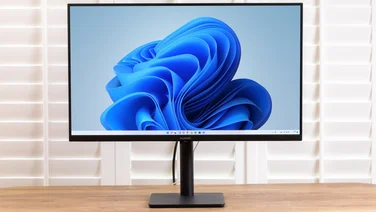
The Acer T231H is a 23in Full HD touchscreen monitor. It does away with the traditional stand (the previous model – the T230H – had one) and sits down on your desk, with a large, spring-loaded foot at the rear for balance. It allows you to tilt the display back much further than normal (up to 60 degrees), which makes it much more comfortable to use.
As with all touchscreens we’ve seen, the T231H requires a USB cable to be connected to your PC to enable the touch interface. Once this is done, a new icon appears in Windows 7’s System Tray that lets you customise “Flicks”. The standard gestures are up, down, left and right, but you can also add four more diagonal gestures in the control panel. By default, these are set to perform cut, copy, paste and delete actions, but all Flicks can be customised to a number of common Windows actions.
Some of these can be really useful in Windows; being able to flick back and forward in your browser and “drag” pages up and down is handy. Similarly, browsing photos in Windows Photo Viewer, with the ability to rotate and zoom in, is a more natural experience than clicking a mouse button. When entering text or selecting items from a drop-down list, a mouse and keyboard are still much faster than trying to use your fingers.
Windows 7 has an on-screen keyboard, but it’s too small to touch-type on, even with the screen tilted back to its furthest extreme. On the T231H, this results in a keyboard over 50cm wide, with each key 28mm wide. Typing on it is a delicate operation, as even the slightest brush of your hand will activate a key.
You can adjust sensitivity, but it’s hard to get the right balance. Infrared sensors around the edge of the display monitor your fingers’ locations (up to two simultaneously), and it’s possible to ‘click’ a button without actually touching the screen. We also found that a pinch (to zoom) could be confused with a rotate gesture, and vice versa, but that’s just as likely to be Windows’ fault as the screen’s.
In terms of image quality, we were impressed by the T231H’s contrast and colours. The glossy finish on the screen was partly to thank for this, but it’s very reflective. Vertical viewing angles are reasonably good, although getting the right angle as well as avoiding reflections from overhead lights is tricky.
However, unless you have applications that are designed for use with a touchscreen – and even then, only those that really benefit from it – the T231H isn’t good value. For the same price, you could get two decent 22in monitors, such as BenQ’s G2222HDL. If you have a specific use for touch and you want to buy a monitor now, Iiyama’s T2250MTS is only an inch smaller, has a traditional stand, yet costs £90 less.