
To help us provide you with free impartial advice, we may earn a commission if you buy through links on our site. Learn more
- Image quality is excellent in SDR and HDR
- Self-calibration works well
- Good motion clarity even at 120Hz
- Not cheap
- Plastic build is underwhelming
No, the price is not a misprint. The Dell UltraSharp U3226Q costs £2,500. And this is precisely because it is not your average 32in 4K QD-OLED monitor. This is a monitor designed to deliver perfect colour reproduction for professional creative work, spanning video, photography and any discipline where colour accuracy matters.
Far cheaper QD-OLED monitors routinely deliver similar specifications and equally vivacious image quality, but the key difference is that the U3226Q holds itself to a higher standard achieving levels of colour accuracy that rival even pricier professional panels. With self-calibration features that guarantee tone-perfect performance every time you turn it on, the UltraSharp U3226Q rewards the outlay.
What do you get for the money?
Dell has built the U3226Q around one of Samsung’s 4th-generation QD-OLED panels. It’s a 4K 120Hz panel with a claimed 99% DCI-P3 coverage, 94% Adobe RGB coverage and a respectable 80% of BT.2020.
Accuracy is where it steps up a gear, with Dell promising an average Delta E of less than 1 across the DCI-P3, Display P3, sRGB and BT.709 modes. Given that a Delta E of 2 is a barely perceptible difference in colour, that is pretty much close to perfection. It is worth noting that Dell doesn’t extend this guarantee to the other factory calibrated modes, but they still performed exceptionally well in my tests.
Standard screen brightness is quoted at 300cd/m2 and peak brightness at 1,000cd/m2. That bodes well for HDR performance, and the U3226Q has a DisplayHDR True Black 500 certification in addition to Dolby Vision support. Again, there are plenty of cheaper rival monitors that boast bigger numbers, but the U3226Q is more focused on accuracy than bragging rights.
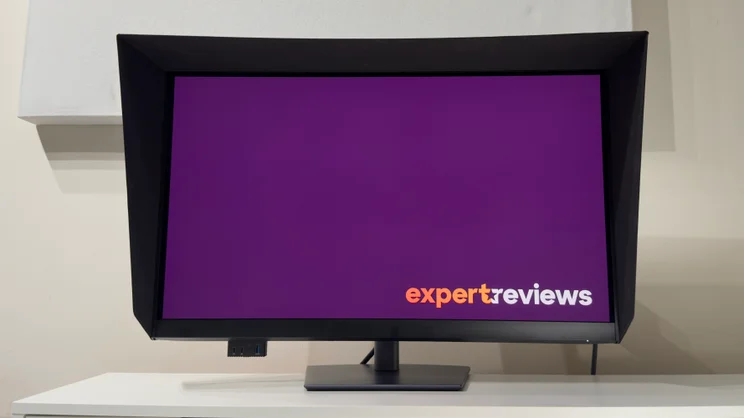
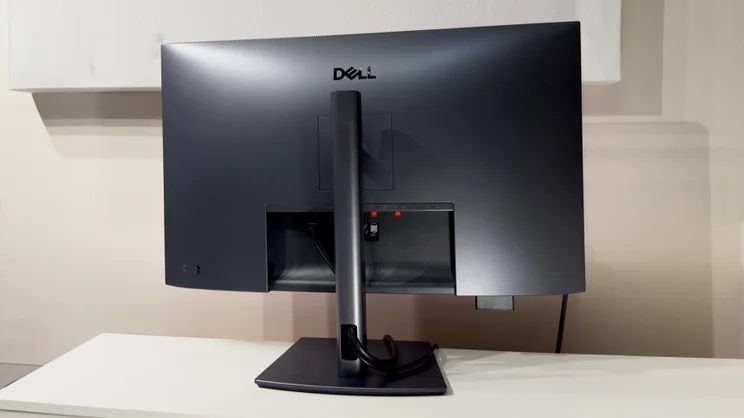
Similarly, the understated design puts the focus on the panel itself. The body is finished in a colour Dell calls magnetite – a dark matte grey with a subtle metallic sheen. There’s a silver Dell logo on the rear, too, but this is hidden by the adjustable stand unless you have the monitor at full extension. Speaking of which, there is 150mm of height adjustment alongside ample tilt, swivel and a pivot mode which pirouettes the monitor around into portrait orientation in either direction.
To underline the U3226Q’s professional credentials, there’s a magnetic, clip-on monitor hood in the box. This has the usual soft, flocked interior to absorb light and it does a good job of keeping the display free from unwanted glare or reflections.
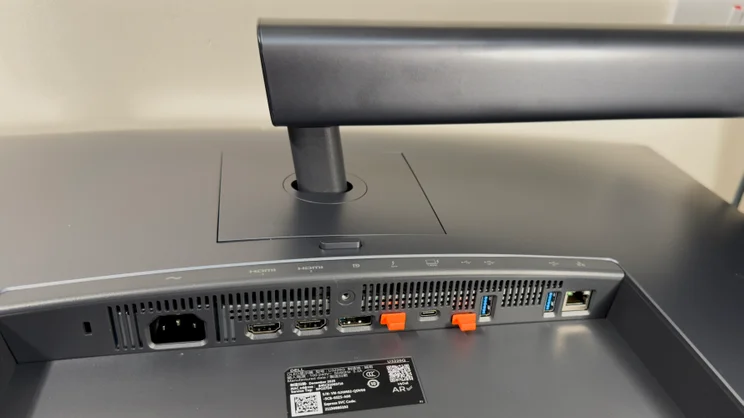
Connectivity is generous. The Thunderbolt 4 input serves up 140 watts of power delivery for compatible devices, and a daisy-chain port is present. Standard video inputs include dual HDMI 2.1 inputs and a DisplayPort 1.4 input – the only misstep here is that the latter requires DSC (Display Stream Compression) to run the monitor with a full 4K 120Hz 4:4:4 signal. Compatible HDMI 2.1 sources don’t require this.
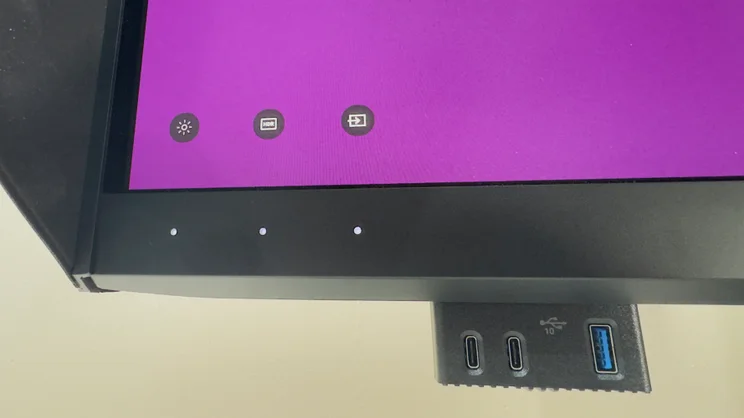
A further upstream USB-C port allows you to connect a second PC or laptop. Connect both, and the in-built KVM switch allows you to share the U3226Q’s useful array of connectivity. There is a pair of 10Gbits/sec USB-A ports and a 2.5GbE Ethernet port at the rear, and if you reach under the monitor’s left front edge and press it inwards, a little drop-down panel provides a single USB-A and a pair of USB-C ports.
What are the key features?
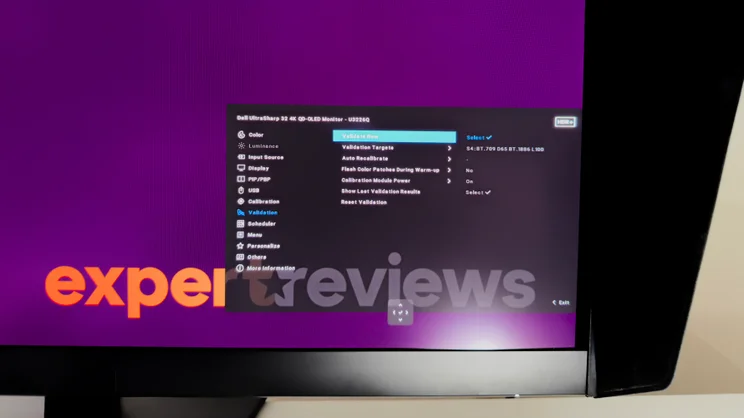
The game-changer here is self-calibration. Hidden in the bottom bezel is a tiny colorimeter which can pivot outwards and measure the panel’s colour accuracy. This can be triggered manually or scheduled to run automatically, and you can choose between validating the current calibration or performing a full calibration from the U3226Q’s on-screen display.
If you’re in a hurry, there’s the option of either Express or Comprehensive calibration modes. And it’s worth noting that you don’t need to have a PC connected at all – this process internally calibrates the monitor’s internal hardware look-up tables. Connect the U3226Q to any computer or source and you can enjoy pristine colour accuracy.
Alternatively, you can schedule regular self-tests. You can select any frequency from daily to quarterly or after every 200 hours of operation. You can choose which colour space you want to target – such as sRGB, Adobe RGB, DCI-P3 or BT.2020 – and select your preferred screen brightness, gamma and white point.
If you need deeper control then you can install Dell’s Color Management software and set your preferences manually, or import your preferred profile from Calman. This also affords you the ability to reference the internal colorimeter against a third-party colorimeter or spectrophotometer.
Naturally, the benefit of automation is that the monitor can perform the calibration before you arrive at your desk. And should it happen to occur while you’re using the monitor, you can request that it prompts you before it begins.
The monitor’s controls do a good job of making adjustments fairly simple. There’s a familiar clickable four-way joystick at the rear to manage the monitor’s on-screen display. Pushing the joystick in the various directions brings up the quick menu, and all of the options here can be customised.
Bring your hand close to the monitor’s left-hand side, however, and a trio of little LEDs fade into view with onscreen icons hovering just above. These Direct Keys, as Dell calls them, are customisable, too. By default, the most useful function is the ability to rapidly toggle between the various HDR EOTF curves for optimising video content, but you can choose whichever functions benefit your workflow best.
How is the picture quality?
It might not sound exciting, but Dell has Samsung’s new matte anti-glare layer to thank for putting the U3226Q head and shoulders above many of its cheaper rivals.
The reason for this is two-fold. The most obvious upgrade is that the improved anti-glare layer dramatically reduces the amount of ambient light reaching the quantum dots in the panel. In anything other than a darkened room, this issue causes previous-generation QD-OLED panels to exhibit a purplish tint in black areas of the onscreen image, a problem that disappears as the light levels dim. During daytime hours, the result is that you don’t get the eye-popping OLED contrast you might expect.
By contrast, the U3226Q looks far better during the day. It’s still not up there with the perfect nothingness that passes for black on the best WOLED panels, such as the glossy TrueBlack coatings on Asus’ ROG monitors, but the tint is vastly reduced and perceived contrast is much improved.
The second upgrade is text clarity. Again, this is an issue common to most of the current OLED panel types. Other QD-OLED panels I’ve reviewed have exhibited very noticeable coloured fringing around the edge of text characters, but here the U3226Q’s anti-glare coating makes this effectively invisible. While the subpixel arrangement on the panel hasn’t changed between the 3rd and 4th generation panels, placing a pair of monitors side by side shows that the difference is night and day. Text is still a little soft compared to an LCD-based display, but there’s no halo of bright colour to be seen – and that’s to be applauded.
| Test | Result |
|---|---|
| Peak brightness (2% window) | 1,030cd/m2 |
| Peak brightness (10% window) | 550cd/m2 |
| Colour accuracy vs sRGB (ave Delta E) | <1 average |
| Colour accuracy vs DCI-P3 | <1 average |
| Colour accuracy vs Adobe RGB | 1.6 average |
Addressing the issues of previous generation panels draws tighter focus on the talents of this generation of QD-OLED. The subjective impressions are superb across both SDR and HDR material. The panel looks consistently natural from subtle pastel shades to the most intense neon tones, and while images aren’t quite as punchy as on cheaper rivals with glossy panels, the accuracy shines through in everything from photos to games and movies.
The U3226Q passed all of the technical tests with aplomb. Dell’s claims of sub–1 Delta E figures in the sRGB, Display P3 and DCI-P3 modes proved spot on, and there wasn’t anything to criticise in any aspect of the performance. Even the wider Adobe RGB palette was well handled, with an average Delta E of 1.6. The upgraded 4th generation panel also does its bit to boost full-field brightness, so the U3226Q manages just shy of 300cd/m2 – a good step up from 3rd generation QD-OLED panels.
Switching to HDR revealed an equally impressive performance. The U3226Q doesn’t quite hit the numbers of some OLED displays I’ve reviewed, but the peak brightness of 1,030cd/m2 on a 2% window is respectable. Push up to a 10% window and peak brightness falls to around 550cd/m2. It’s worth noting that the DisplayHDR True Black 500 mode limits peak brightness to 500cd/m2 – if you want to make the most of the panel then you’ll need to use one of the other HDR10 or HLG modes.
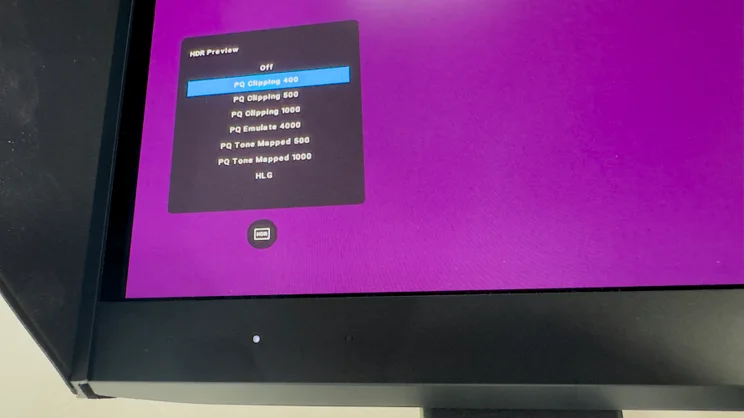
Crucially, though, there’s far more control for these HDR modes than on normal displays. As I mentioned already, one of the Direct Keys is set to toggle between the U3226Q’s HDR Preview modes. These allow users to see how HDR content will display on screens of varying peak brightness levels.
One further crucial point for the U3226Q is uniformity. As it relies on an in-built colorimeter, which only measures a single point on the panel’s bottom edge, any variances across the panel would mean that the in-built calibration would be inaccurate. Thankfully, that’s not the case here: I measured no more than a 1.5% variance in brightness across the whole panel, which bodes well for uniformly accurate picture quality both pre- and post-calibration.
The final piece of the puzzle is motion clarity. The U3226Q’s 120Hz refresh rate is no match for dedicated gaming monitors, but it’s still more than good enough for most gamers – and I suspect games developers, too. There isn’t the silky smoothness and insane clarity you get from the best 240Hz+ panels, but the combination of near-instantaneous response times and superb SDR and HDR image quality makes for a sterling combination. There is only one negative here: I’d avoid enabling VRR. All OLED displays suffer to some degree, but the VRR flicker here is intrusive enough to prove annoying.
Should you buy the Dell UltraSharp U3226Q?
The U3226Q is overkill for casual use. Indeed, put the £2,438 U3226Q next to a similarly specified QD-OLED monitor at a quarter of the price, and you’ll be hard pressed to spot any huge differences in image quality. The slightly higher full-field brightness does give a little more punch, and the suppressed purple tint is welcome, but night and day it most certainly is not.
For users who need unerring colour accuracy, however, the U3226Q is a rare beast. With reference monitors costing many multiples of the U3226Q’s current price, it occupies an intriguing middle ground, delivering consistent, faff-free colour accuracy alongside a really useful set of features. If you’re looking to take your content to the next level – and ideally without having to sell a kidney to do so – the Dell UltraSharp U3226Q could be the quiet revolution you were waiting for.
Dell UltraSharp U3226Q specifications
| Display | 31.5in QD-OLED panel |
| Panel resolution | 3,840 × 2,160 (4K UHD) |
| Refresh rate | 120 Hz |
| Panel response time | 0.03 ms (GtG) |
| Adaptive Sync Support | Yes (HDMI VRR / FreeSync and G-Sync Compatible) |
| HDR Support | Yes (Dolby Vision, HDR10, HLG, VESA DisplayHDR True Black 500) |
| Ports | HDMI 2.1 × 2, DisplayPort 1.4 × 1, Thunderbolt 4 Upstream (DP 1.4 Alt Mode, Data, Power Delivery up to 140W) × 1, Thunderbolt 4 Downstream (15W) × 1, RJ45 (2.5 GbE) × 1, USB-C Upstream (Data only) × 1, USB-C Downstream (27W) × 2, USB-A Downstream × 3, 3.5mm audio out × 1 |
| Other features | Built-in colorimeter, KVM Switch, PiP/PbP |
| Stand: | Tilt –5° to +21°; Swivel -30° to 30°; Pivot -90° to 90°; Height 150mm |
| Dimensions (with stand, WDH minimum height) | 718 × 218× 475mm |
| Weight (with stand) | 9.5kg |


