
To help us provide you with free impartial advice, we may earn a commission if you buy through links on our site. Learn more
- Good colour accuracy and motion clarity
- Useful connectivity
- Brightness sensor is handy
- Full HD not very sharp
- Can’t charge a laptop via USB-C
- Anti-glare finish could be better
Everyone loves a bargain. And that’s exactly why the BenQ GW2490 was so well-received on the Expert Reviews test bench. This little 24in monitor gave you Full HD resolution, good image quality and a 100Hz refresh rate at a bargain price. At the time of writing, you can find it for as little as £70.
Now, the GW2490C is attempting to take that up a notch. With an upgraded panel, the addition of USB-C connectivity and a slightly sleeker, more up-to-date design, it attempts to redefine what you can expect for a monitor for around the £100 mark.
What do you get for the money?
The clue is in the name. The GW2490C gives its predecessor a makeover with USB-C connectivity – and it throws in a newly upgraded IPS panel for good measure, too. The resolution is itill a basic Full HD, but the upgrades push the refresh rate up from 100Hz to 144Hz, moving the GW2490C into the realms of budget gaming panels. And the quoted contrast improves slightly from 1,300:1 to 1,500:1.
One thing that hasn’t changed is the stand, which provides only 25 degrees of forward and backwards tilt and nothing else. If a fully adjustable stand is absolutely crucial, you’ll need to upgrade to the £150 GW2490TC, which adds 110mm of height adjustment as well as tilt, swivel and a pivot mode for portrait usage.
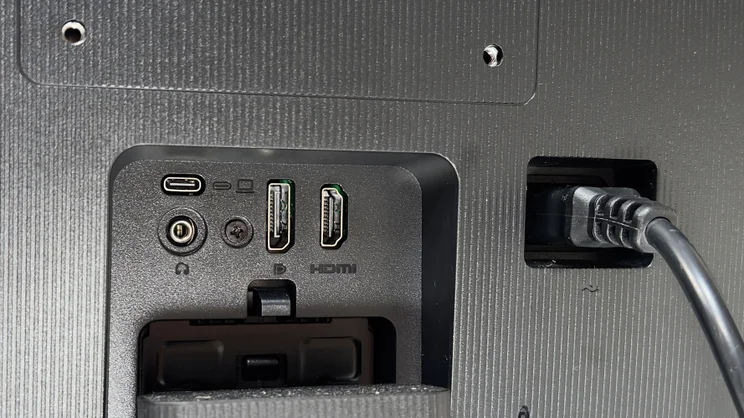
The other key thing to note here is that the GW2490C’s USB-C connection does not support power delivery – it supplies the bare minimum required to satisfy the DisplayPort Alt requirements and no more, so under normal use your laptop will still discharge over time.
If power delivery is crucial, consider upgrading to the GW2490TC, which has 20W of power delivery. Even that won’t fast-charge a laptop, or prevent the battery draining under really heavy use, but it should keep you from having to connect a dedicated charger.
Is it well-built and easy to use?
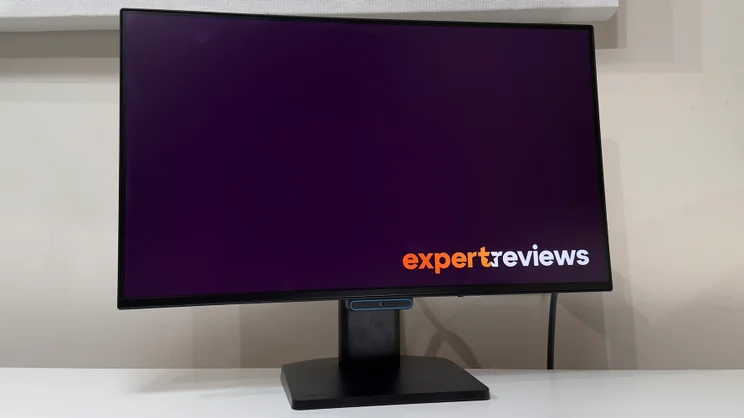
BenQ has given the GW2490C a welcome makeover. The GW2490 wasn’t ugly, but the GW2490C is far better looking than you have any right to expect given the price. It has very thin bezels on the sides and top, and the thicker border along the bottom edge is almost flush with the panel itself. It’s really quite sleek.
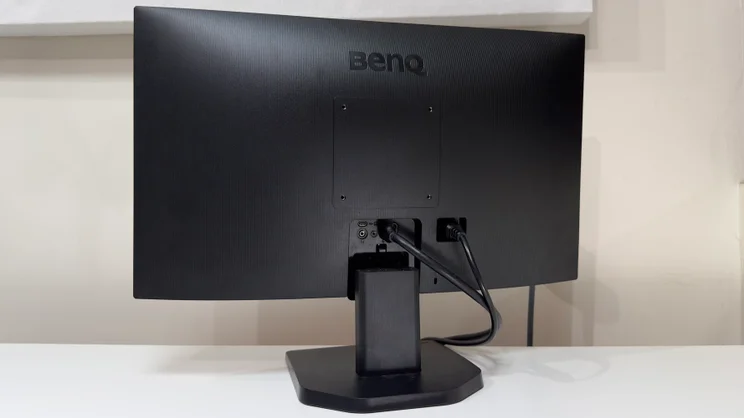
The USB-C input is accompanied by HDMI and DisplayPort ports, and there’s a lock slot right next to these. You also get a 3.5mm audio output at the rear, and I’d recommend you use it – the monitor’s built-in 2W speakers are scratchy, shrill and best kept for the direst of emergencies.
The stand leaves plenty of room for improvement. It still feels a tad wobbly – bash the side of the monitor and it’ll wiggle to and fro. You’ll also need to hold the panel with two hands to adjust the tilt, as the plastic base is too light to hold it still.
As I mentioned already, if you want to fix this, you can upgrade to the GW2490TC model, or take advantage of the VESA 100 x 100mm mount and buy a cheap monitor arm for your desk. If you don’t need the GW2490TC’s upgraded 20W of USB-C power delivery, the latter is the marginally cheaper upgrade.
The design of the GW2490C’s controls is typically sensible. They’re located on the bottom edge, just right of centre, and comprise a power button, a clickable four-way joystick for navigating the menus and a blue button that rapidly cycles through the automatic brightness and low blue light modes.
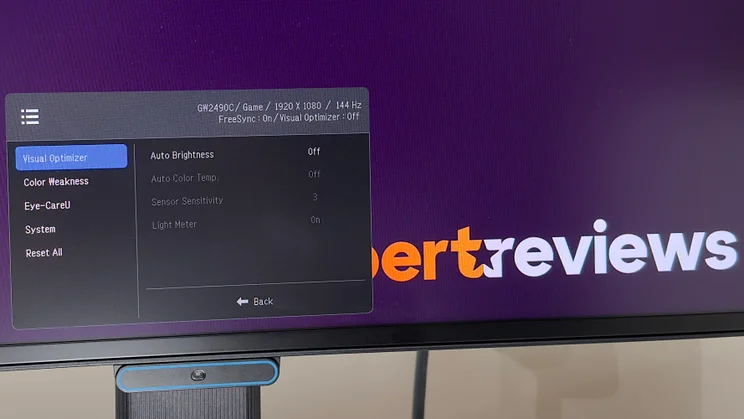
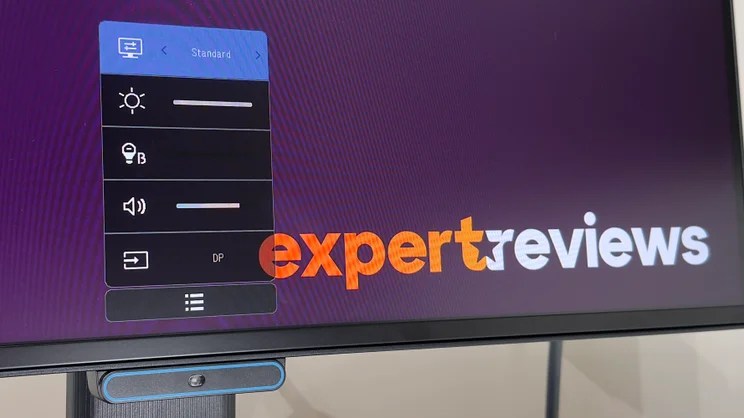
As ever, BenQ’s onscreen display is great. It’s a bit simpler than on BenQ’s pricier models, but easy to find your way around. Click the joystick once, and a quick menu pops up, giving you rapid access to the various picture modes and internal speaker volume. Delving into the full menu reveals a few more options, including red/green colour deficiency modes and the option to enable AMD FreeSync. (This time around, the GW2490C swaps VESA MediaSync certification for official AMD FreeSync support.)
What’s the image quality like?
For the money, very good. By far the biggest downside of the GW2490C’s performance is its Full HD resolution. Even on a 24in screen, the low pixel density means text lacks crispness, so if you spend a lot of time working with documents, you may want to consider moving up to a budget QHD display.
If you can live with that, though, there’s a lot to like here, and it’s certainly an upgrade on the previous model.
Technical tests
In testing, it covered around 98% of the sRGB colour gamut. Brightness peaked around 270cd/m2, which is more than you need for any sensibly lit room – and substantially brighter than the 225cd/m2 of the GW2490. And the contrast ratio has risen from 1,183:1 to 1,392:1.
Colours look natural without any need to tweak any of the settings, and the result is an impressive average Delta E of 1 (lower is better as this is a measure of colour error). The white point is rather warm at 6,145k, but that extra bit of warmth to images isn’t intrusive or unpleasant. For the money, the GW2490C is pretty much as accurate as you could hope for.
It’s refreshing to find that BenQ hasn’t been tempted to equip the GW2490C with a long list of pointless picture modes. The Standard mode is the most accurate of the bunch, but the Game and Cinema modes are useful alternatives to have – if you prefer the look of a game or movie with them enabled, then accuracy isn’t essential. Talking of which, the ePaper mode is actually really handy: this mode dulls whites to a warm sepia and renders everything in a soft monochrome, which I found great for working on documents.
Gaming
Turn your attention to more exciting applications, however, and the GW2490C’s motion clarity is another pleasant surprise. The 144Hz refresh rate goes hand-in-hand with a claimed 5ms response time, and the result is a budget monitor that’s great for gaming. The Full HD resolution is a good match for budget GPUs, and the presence of official AMD FreeSync support is a real bonus.
By default, the GS2490C is set to its middle overdrive setting – you have off, High or Premium to choose from – but bump it up to Premium and clarity does improve slightly. This sharpens up the edges of moving objects nicely, but it does add a little bit of inverse ghosting. Still, it’s not terribly intrusive – I happily left it on for hours of gameplay without it being very noticeable.
One final word needs to go to the GW2490C’s anti-glare coating. The matte finish does a better job of diffusing reflections than glossy alternatives, but its performance in brighter rooms is notably inferior to more expensive panels. Under my skylight on brighter days, it was more prone to glare than the £120 Philips Evnia 27M23500NF I had alongside it.
Should you buy the BenQ GW2490C?
At this level, it’s essential to shop around, as even small price changes can radically shift the podium positions for budget panels. With that in mind, I have two recommendations. At the time of writing, I’m seeing the previous GW2490 model retailing for around £70 – you’ll see it listed as the functionally identical GW2490E (E for Europe) at some retailers. If you can live without the GW2490C’s USB-C and 144Hz refresh rate, the GW2490 remains the better value pick.
If, on the other hand, you can stretch your budget just a tiny bit, you’ll find Philips’ higher-resolution QHD 27in monitors start to appear – the £120 27M23500NF provides a larger, sharper panel for only a small premium.
With a current street price of around £95, though, the GW2490C remains good value. The IPS panel serves up image quality that works well for both work and games, and the USB-C connectivity is a boon for modern laptops. The only major negatives are the relatively low resolution and the lack of power delivery. All told, though, it’s another winner for BenQ – and for budget buyers in general.


