To help us provide you with free impartial advice, we may earn a commission if you buy through links on our site. Learn more
1
/
3
Our rating
Reviewed price
£127
inc VAT
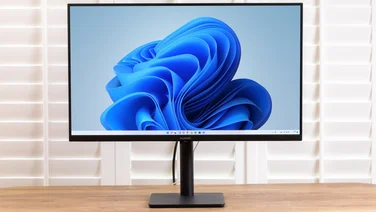
AOC’s E2251FWU is a 22in Full HD monitor that receives both power and video over USB, so is an ideal companion for a laptop or a PC without additional graphics ports.
The monitor has a very thin 12mm bezel and is just 10mm deep, so won’t take over your desk. The screen’s glossy black plastic, as well as the stand on which it rests, feels cheap and isn’t particularly sturdy. A slight nudge will set the monitor rocking on its stand. The stand itself isn’t height adjustable and has no tilt or rotation, so some people might struggle to get it into a comfortable viewing position. The bundled USB cable could be another stumbling block – it takes up two of your PC or laptop’s USB ports, and it isn’t particularly long, which could make it difficult to get connected.
Around the back, there aren’t any inputs aside from the single USB and a DC input for an optional power pack, in case you only have one USB port available. There also aren’t any VESA mounting points, so you won’t be able to attach it to a wall or monitor stand. There are no controls to adjust image quality. Aside from using the DisplayLink software to change resolution and rotation, what you see is what you get, and what you get isn’t going to blow you away.
At 150cd/m2, brightness is reasonable but hardly blinding. We could easily read our email in our brightly lit office, but there was a clear difference when we turned off the lights. The monitor’s low contrast levels made it difficult to pick out details in some images, and although colours looked natural for the most part, yellow hues had a tendency to overpower certain images. The panel has a matt finish which helps eliminate light reflections, although colours look significantly dimmer than on a glossy panel. We definitely missed having an on-screen display to help tweak the picture to our liking.
Horizontal viewing angles are very reasonable for a TN panel, although vertical angles left a lot to be desired. Unless you’re sat directly in line with the face of the monitor, expect to see a noticeable variance in colour from one half of the panel to the other.
While it’s fine for normal Windows tasks, the limited bandwidth of USB means full-screen video wouldn’t play smoothly on the E2251FWU, and we certainly wouldn’t recommend it for playing games. It also has some processor overhead; the USB screen added 10% to our PC’s processor usage when playing video compared to playing the same video on a DVI display. The display is quick enough for web browsing, word processing and image editing, but we can’t see it replacing your existing display or laptop for watching video.
This isn’t really the point of this screen, though; it’s more for taking on the move with you to share presentations with an audience, or to give you an easy way to extend your laptop’s desktop for work. It’s a niche product, but picture quality is adequate and it’s good value.
Written By
Tom Morgan
Tom started writing about technology right after graduating from University, but has been a games and gadget fan for as long as he can remember. Beyond photography, music and home entertainment, he's also the first port of call for all reviews content on Expert Reviews.