To help us provide you with free impartial advice, we may earn a commission if you buy through links on our site. Learn more

- We’ve reviewed more than 80 TVs in the past four years, and use both objective and subjective testing methods to assess televisions across a range of metrics.
- Gaming functionality is a key area of focus, and we measure input lag, peak brightness, and colour and greyscale accuracy in both SDR and HDR game modes.
- We test gaming TVs by playing a wide range of titles across various genres on current-gen consoles.
- Our current favourite gaming TV is the Samsung S95F, thanks to its comprehensive suite of gaming features, sensational picture performance and sleek, reflection-resistant design.
If you own a current-gen console, you’re going to want a top-tier gaming TV like the Samsung S95F to get the most out of it. Samsung’s flagship QD-OLED combines bright, colour-accurate pictures with all of the latest gaming-related features, and is our number one pick for gamers.
But it’s far from the only choice if you love video games as much as we do here at Expert Reviews. Our team of reviewers has tested TVs from all the major brands and played countless hours of titles across a range of genres on PC, the PlayStation 5, Xbox Series X and Nintendo Switch.
That puts us in the perfect position to make TV recommendations to gamers, no matter their budget or use case. Below, we’ve listed our top picks in popular categories and highlighted what makes them such great TVs for gaming. We’ve also put together a buying guide detailing everything you need to know before buying a gaming TV, which you’ll find below the list of products.
Choosing the best TV for gaming may seem daunting, but it needn’t be, and with our expert assistance, you’ll be levelling up your gaming experience in no time.
Best TV for gaming: At a glance
- Samsung S95F: Best gaming TV overall | Check price at Amazon
- TCL C7K: Best value gaming TV | Check price at Currys
- Philips OLED760: Best gaming TV under £1,000 | Check price at Amazon
How we test gaming TVs
All of the televisions listed below have had their SDR and HDR performance tested using a calibrator, pattern generator and the Portrait Displays Calman colour calibration software.
We use this equipment to capture objective measurements across a range of performance metrics that impact gaming, including brightness, greyscale and colour accuracy and colour gamut coverage.

Low input lag is crucial for competitive gaming, and we use the latest Leo Bodnar 4K Video Signal Lag Tester to measure this in both a TV’s dedicated Game mode and its other picture presets.
Every TV we review is tested extensively in real-world conditions, too. We watch films on them, stream content from platforms such as Netflix and Amazon Prime, put their smart features through their paces, and spend hours exploring imaginary worlds in the industry’s best games to make subjective judgements on performance to supplement our measurement data.
Why trust us?
Collectively, our team of TV reviewers has over five decades of experience testing technology. Freelance contributor John Archer has been immersed in the world of home entertainment tech for 25 years and was formerly Deputy Editor at Home Cinema Choice. What he doesn’t know about TVs probably isn’t worth knowing.
Our Head of Reviews, Jon Bray, is a dab hand with a calibrator and has had his eyes on just about every screen type known to man. His deep knowledge and passion for technology of all forms have seen him test and review hundreds, if not thousands, of gadgets, and no one in the reviews business takes rigorous testing procedures as seriously.
Andy White hasn’t been in the game for as long as those industry veterans, but has headed up Expert Reviews’ TV coverage for over five years now and has been hands-on with countless television sets from all the biggest brands. He was tutored in TV calibration by professional calibrator Stephen Withers, who wrote extensively about TV and audio equipment before retiring in 2023. He’s always been passionate about television, is the biggest gamer on the Expert Reviews team, and is a firm believer that the best way to learn is by doing.
The best TVs for gaming you can buy in 2026
1. Best TV for gaming overall: Samsung S95F
Price when reviewed: From £1,499 (55in) | Check price at John Lewis
- Fantastic range of gaming-specific features
- Incredible picture quality
- Gorgeous design
- No Dolby Vision or Freeview Play
Tested and reviewed by John Archer
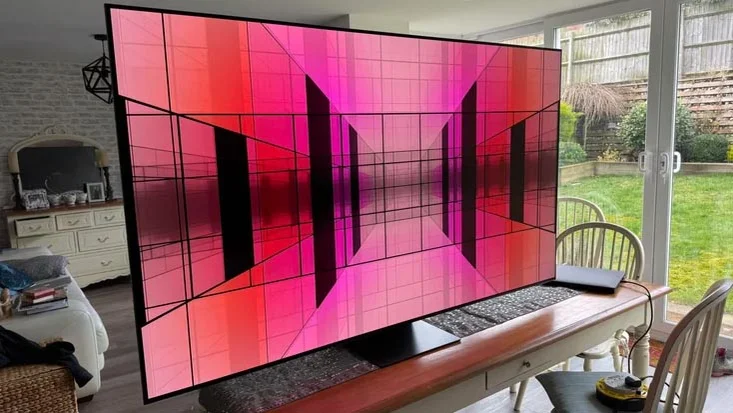
There’s no better gaming all-rounder on the TV market than the Samsung S95F. This quantum-dot-powered OLED was crowned Gaming TV of the Year at our Product of the Year Awards, thanks to its compelling combination of picture and sound quality, smart functionality and current-gen gaming support. It’s incredibly bright – we measured 2% window peaks of 4,000cd/m2 in Standard mode, but it can render incredibly accurate images, too. In Filmmaker Mode, any discrepancies between the on-screen image and established greyscale and colour standards were invisible to the eye.
That picture prowess translates exceptionally well to video games. We found gaming on the S95F a bright, vivid and utterly engrossing experience, and with four HDMI 2.1 ports supporting refresh rates up to 165Hz, VRR and ALLM, and ultra-low input lag in Game mode, you’ve got a gaming TV that stands out from a very competitive crowd.
Read our Samsung S95F review from April 2025
Display type: QD-OLED; Screen sizes: 55in, 65in (tested), 75in and 83in (WRGB); Resolution: 4K/UHD (3,840 x 2,160); HDR formats: HLG, HDR10, HDR10+; HDMI inputs: 4 x HDMI 2.1; Refresh rate: Up to 165Hz; Input lag: 9.4ms; VRR: Yes; ALLM: Yes; Operating system: Tizen OS

2. Best value TV for gaming: TCL C7K
Price when reviewed: From £599 (50in) | Check price at Currys
- Bright and colourful
- Great gaming spec
- Unmatched pound-for-pound value
- Only two HDMI 2.1 ports
Tested and reviewed by Andy White
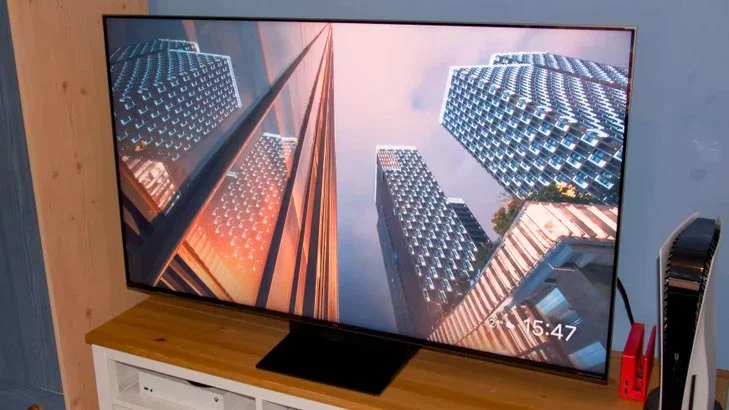
No gaming TV can match the TCL C7K for pound-for-pound value. Its brightness levels put TVs costing significantly more to shame; we recorded luminance on a 10% window at an insane 2,000cd/m2 and full-field brightness at close to 800cd/m2. That makes it a particularly strong option for rooms with a lot of ambient light, but it performs admirably in all conditions. 4K graphics at 60Hz are rendered rapidly, ensuring games look silky smooth, and with Delta E errors around 4, you’re getting images that are very closely aligned to the creator’s intent.
The Mini LED panel means there’s no danger of burn-in after hours of the Call of Duty HUD being on-screen, and with TCL’s gaming interface on hand, you’ve got several useful ways to customise your gaming experience. The C7K is too dear to be called a budget gaming TV, but when you consider what you’re getting for the money, it’s a no-brainer for those not wanting to spend a fortune on their new telly.
Read our TCL C7K review from October 2025
Display type: QD-Mini LED; Screen sizes: 50in, 55in (tested), 65in, 75in, 85in, 98in and 115in; Resolution: 4K/UHD (3,840 x 2,160); HDR formats: HLG, HDR10, HDR10+, Dolby Vision; HDMI inputs: 2 x HDMI 2.1, 2 x HDMI 2.0; Refresh rate: Up to 144Hz; Input lag: 9.5ms; VRR: Yes; ALLM: Yes; Operating system: Google TV
3. Best TV for gaming under £1,000: Philips OLED760
Price when reviewed: From £899 (55in) | Check price at Amazon
- Full current-gen gaming specs
- Vivid and accurate picture modes
- Ambilight immersion
- Limited brightness
Tested and reviewed by Andy White
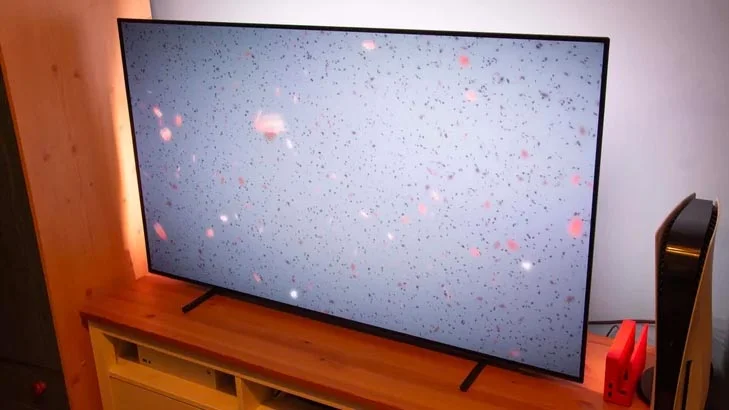
The Philips OLED760 offers the best bang for gamers’ buck under a grand, combining gorgeous images, high-frame-rate (120Hz) support and low input lag (9.2ms) with Philips’ alluring Ambilight technology. Having LEDs built into the back of the TV’s panel isn’t something cinephiles are overly fond of, but for us, it added a unique immersive quality when gaming.
We found ourselves even more absorbed than usual when blasting our way through The Outer Worlds 2, which looked fantastic in the TV’s Game mode. That mode hit peak brightness of nearly 800cd/m2, while remaining within touching distance of our greyscale and colour accuracy target of 3; we measured Delta E errors at 7.4 and 4.5. The OLED760 offers everything a console gamer could want from a TV, and does so at a price point that’s very, very reasonable.
Read our Philips OLED760 from December 2025
Display type: OLEX EX; Screen sizes: 55in, 65in and 77in; Resolution: 4K/UHD (3,840 x 2,160); HDR formats: HLG, HDR10, HDR10+, Dolby Vision; HDMI inputs: 4 x HDMI 2.1; Refresh rate: Up to 120Hz; Input lag: 9.2ms; VRR: Yes; ALLM: Yes; Operating system: Titan OS
4. Best small gaming TV for bedrooms and offices: LG C5
Price when reviewed: From £789 (42in) | Check price at John Lewis
- Top-notch contrast, colours and blacks
- Excellent gaming options
- Well-priced
- No HDR 10+
- Average sound quality
Tested and reviewed by John Archer
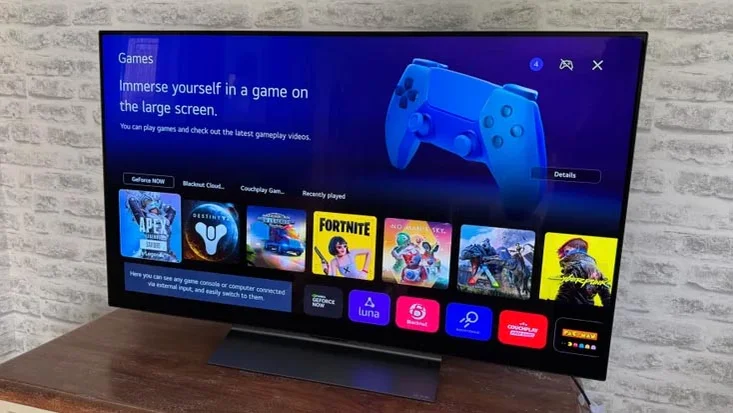
At the other end of the size spectrum to the Hisense UXN is our favourite small gaming TV, the LG C5 OLED; more specifically, the 42in and 48in C5. Runner-up in the Gaming TV of the Year category at our annual awards, this TV has the lot: picture performance, gaming features and customisation options, and a stylish design that, in its smaller screen sizes, is perfect for office desktops and bedrooms.
The C5’s quartet of HDMI ports support refresh rates up to 144Hz, and in the Game Optimiser’s Boost mode, we measured input lag at 9.2ms, which is about as good as it gets. LG’s various Game Optimiser customisation options are extremely handy for those who like to tweak their game settings, too, and you’ve got specific picture presets for different genres. The larger models in the C5 range are brighter, but the 42in and 48in have them beat for space efficiency and still offer an elite gaming experience.
Read our LG C5 OLED review from May 2025
Display type: WOLED; Screen sizes: 42in, 48in (tested), 55in, 65in, 77in and 83in; Resolution: 4K/UHD (3,840 x 2,160); HDR formats: HLG, HDR10, Dolby Vision; HDMI inputs: 4 x HDMI 2.1; Refresh rate: Up to 144Hz; Input lag: 9.2ms; VRR: Yes; ALLM: Yes; Operating system: webOS
![LG OLED42C55LA 42-Inch OLEDevo 4K UHD Smart TV, (α9 AI Processor Gen7, Dolby Atmos, Freeview Play and Amazon Alexa, 120Hz) [Model 2025]](https://m.media-amazon.com/images/I/41ZgccqM16L._SL160_.jpg)
5. Best gaming TV for audio quality: Panasonic Z95B
Price when reviewed: £1,699 (65in) | Check price at Richer Sounds
- Brilliant gaming picture quality
- Immersive multi-channel Atmos audio
- Integrated Freely TV platform
- Only two HDMI 2.1 ports
- Quite chunky
Tested and reviewed by John Archer
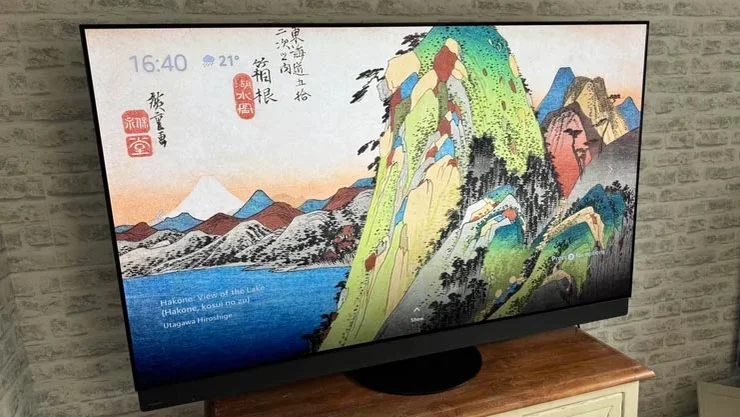
Sound is essential to an immersive gaming experience, and the Panasonic Z95B does audio better than any other TV we’ve tested. Its 360 ° Soundscape Pro audio system is tuned by Technics and features up-firing drivers that bounce sound effects off your ceiling to wonderful effect. A TV needs more than first-rate sound to be named our TV of the Year, however, and the Z95B delivers quality across the board.
Universal HDR support, pin-point precision, impressive processing and a Primary RGB Tandem OLED panel combine to deliver scintillating images whether you’re gaming or watching movies. We measured peak brightness at over 2,500cd/m2 and full-field brightness at close to 400cd/m2, and this brightness is put to great use in the Game mode, which operates with only 12.6ms of latency. VRR and ALLM are present and correct, and you even get the bonus of Freely, which lets you stream UK TV content for free over your internet connection.
Read our Panasonic Z95B review from August 2025
Display type: RGB Tandem OLED; Screen sizes: 55in, 65in (tested) and 77in; Resolution: 4K/UHD (3,840 x 2,160); HDR formats: HLG, HDR10, HDR10+, Dolby Vision; HDMI inputs: 2 x HDMI 2.1, 2 x HDMI 2.0; Refresh rate: Up to 144Hz; Input lag: 12.6ms; VRR: Yes; ALLM: Yes; Operating system: Fire TV
6. Best gaming TV for wall mounting: LG G5
Price when reviewed: £1,800 | Check price at LG
- First-rate image quality
- Every gaming feature you could want
- Stunning One Wall design
- Colour shift when viewed off-axis
Tested and reviewed by John Archer
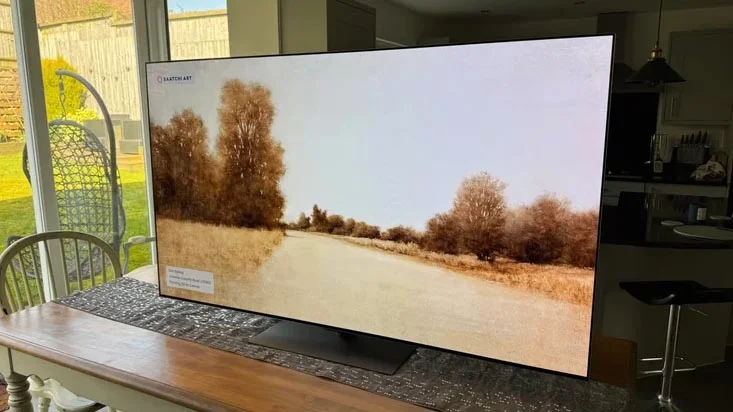
Buying a TV that looks great on your wall typically means making compromises over gaming performance, but the LG G5 is a rare exception to this rule. There are two versions available – one that has a stand, and the other, which we’re recommending here, which comes with a wall mount. LG’s One Wall design ensures there’s no noticeable gap between the TV’s panel and the wall, and the G5’s pictures are as much of a joy to behold as its design.
OLED’s infinite contrast brings the full range of colours in eye-catching games to life, and colour coverage is sensational at 99% of the DCI-P3 gamut used for HDR and 84% of the even wider BT.2020 gamut. All four HDMI ports support refresh rates of up to 165Hz, making the G5 a winner for members of the PC master race with rigs capable of exceeding the 120Hz frame rates consoles are limited to. John Archer said that “game graphics look and feel so fantastically good that you may never want to return to the real world again”. If that doesn’t sell the LG G5 to you, I don’t know what will.
Read our LG G5 OLED review from August 2025
Display type: RGB Tandem OLED; Screen sizes: 55in, 65in (tested), 77in, 83in and 97in; Resolution: 4K/UHD (3,840 x 2,160); HDR formats: HLG, HDR10, Dolby Vision; HDMI inputs: 4 x HDMI 2.1; Refresh rate: Up to 165Hz; Input lag: 12.9ms; VRR: Yes; ALLM: Yes; Operating system: webOS
7. Best ultra-large gaming TV for home cinemas: Hisense UXN
Price when reviewed: £14,999 | Check price at Currys
- Huge, immersive gaming display
- Vibrant colour reproduction
- Potent audio system
- Prohibitively expensive
- Some backlight clouding
Tested and reviewed by John Archer
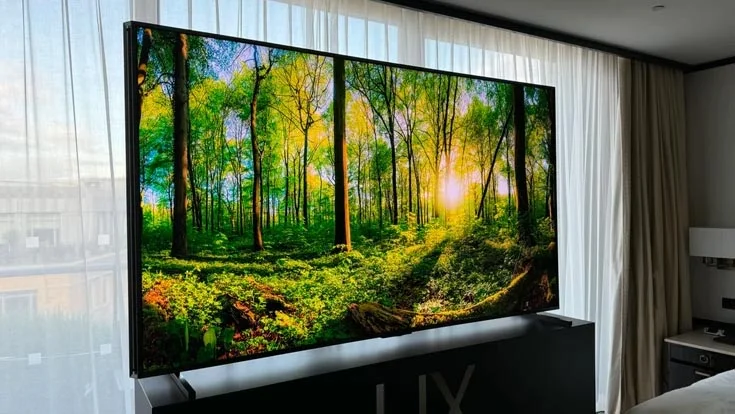
Average TV screen sizes are increasing in the UK, and, for our money, the Hisense UXN is the best gigantic gaming display on the market. Yes, it is insanely expensive, so unless you’re a famous streamer or gaming YouTuber, you probably won’t be able to afford it. If you can, however, it will provide a gaming experience unlike any other.
You can enjoy 4K/144Hz gaming on two of its HDMI ports, and this high-frame rate support is paired with some of the brightest pictures we’ve ever seen. Our measurements topped out at 6,000cd/m2, figures we previously deemed unthinkable. Colours burst with character, the UXN oozed detail at every turn of Assassin’s Creed: Valhalla, and although input lag of 30ms is higher than on other options on this list, it’s a trade-off worth making for such an enormous and engaging visual spectacle.
Read our Hisense UXN review from January 2025
Display type: QD-Mini LED; Screen sizes: 110in (tested); Resolution: 4K/UHD (3,840 x 2,160); HDR formats: HLG, HDR10, Dolby Vision; HDMI inputs: 2 x HDMI 2.1, 2 x HDMI 2.0; Refresh rate: Up to 144Hz; Input lag: 30ms; VRR: Yes; ALLM: Yes; Operating system: VIDAA
8. Best 8K TV for gaming: Samsung QN900F
Price when reviewed: From £1,699 (65in) | Check price at John Lewis
- Exceptional upscaling capabilities
- Brilliant backlight controls
- Comprehensive smart system
- No native 8K gaming content
- Doesn’t support Dolby Vision
Tested and reviewed by John Archer
If you’re a gamer looking to futureproof yourself for the moment when games become playable in native 8K resolution (and enjoy some unmatched upscaling in the meantime), this is the TV we recommend.
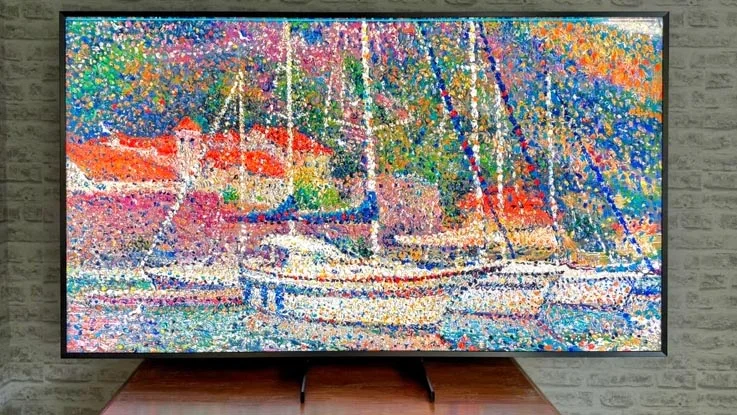
On the gaming features front, you’ve got 4K/165Hz support, ALLM, VRR, HGiG support, Samsung’s Game Hub and Game Bar, and input lag was measured at a lightning-fast 10ms in the dedicated Game mode. In that mode, the QN900F shows off its remarkable upscaling capabilities, adding detail to 4K sources while retaining the screen’s superb colour reproduction and contrast. And, if you need a helping hand in certain games, the QN900F has Samsung’s mini-map magnifier and crosshair options up its sleeve. It also supports ultra-wide aspect ratios, which is a big boon to PC gamers.
Read our Samsung QN900F from August 2025
Display type: Direct LED; Screen sizes: 65in, 75in and 85in; Resolution: 8K (7,680 x 4,320); HDR formats: HLG, HDR10, HDR10+; HDMI inputs: 4 x HDMI 2.1; Refresh rate: Up to 165Hz; Input lag: 10ms; VRR: Yes; ALLM: Yes; Operating system: Titan OS
How to choose the best TV for gaming for you
There are numerous factors to consider when buying a TV for gaming. Below, we’ll break down the key things to think about before making a purchase.
Are LCD or OLED TVs better for gaming?
There are two main types of modern TV panels: those with a liquid-crystal display illuminated by light-emitting diodes (LCD LED) and those that use self-emissive organic light-emitting diodes (OLED). Both have pros and cons, so which you choose will ultimately come down to your budget and which performance aspects you deem most important. Let’s look at your options…
READ NEXT: OLED vs Mini LED
What types of LCD TVs are there?
LCD TVs require a backlight to illuminate the liquid crystals in their panel and come in a few forms.
LED TVs
These are the most basic form of LCD TVs and are typically cheap and pretty bulky. TV technology has come so far in such a short time that many manufacturers don’t include them in their ranges anymore. If you want impressive picture performance when gaming, these are to be avoided. Best for those on a very tight budget.
QLED TVs
QLED TVs feature a microscopic quantum dot layer between their backlight and the screen. These quantum dots emit colour in reaction to light, enabling the panel to reach higher levels of peak brightness than normal LED panels and deliver colours more purely. Best for those willing to pay a bit extra for improved performance but not wanting to break the bank.
Mini LED TVs
These televisions use LEDs about one-fortieth the size of regular LEDs, enabling more of them to be squeezed into a panel of the same size. The increased number of LEDs allows for more precise dimming control, which in turn results in better black levels, contrast and peak brightness. It’s worth noting that there are a couple of variations on Mini LED TV technology. QD-Mini LED adds the quantum dot filter detailed above, while RGB Mini LED use individual red, green and blue LEDs in their backlight rather than just blue. This enables them to cover a wider colour gamut, hit higher brightness and deliver more vibrant colours. Best for those who want the highest performance possible from an LED television.
In general, the main advantages of LCD technology are as follows:
- Price: LCD TVs are typically cheaper than their OLED counterparts.
- Brightness: Per pound spent, LCD options outshine OLED alternatives, particularly where full-screen brightness is concerned. This makes them great choices for rooms that have a lot of natural light.
- Screen sizes: It’s possible to make much larger LCD TVs than it is OLEDs.
What types of OLED TVs are there?
OLED televisions are self-emissive, which means each pixel acts as its own light source and can be turned off completely.
READ NEXT: What is OLED?
WRGB OLED
Often called WOLED, these TVs use a three-stack light source, with two layers of blue elements emitting relatively short energy wavelengths alongside red, green, and yellow elements in a single layer. Recently, we’ve started to see Primary Tandem RGB OLED TVs, which use four stacks arranged blue, green, blue, red. This approach enhances colour brightness and purity.
QD-OLED
Here, we see each blue OLED material used to illuminate pixels containing red and green quantum dots. Each pixel contains three sub-pixels that combine to create white light. The process is extremely energy efficient, enabling QD-OLEDs to reach very high peak brightness figures. They’re also able to cover a much wider colour gamut than their WOLED counterparts. However, their black levels typically rise in bright viewing conditions.
In general, the main advantages of OLED technology are as follows:
- Design: As they don’t require a backlight, OLED TVs can be made thinner and look a lot more pleasing on the eye as a result.
- Contrast: With each pixel able to be switched off entirely, OLEDs are able to achieve “perfect black” and infinite contrast.
- Viewing angles: OLED’s self-emissive structure means OLED TVs don’t look washed out when viewed off-axis like LED TVs do.
Key questions to ask before buying a gaming TV
What size gaming TV should I buy?
This very much depends on your budget, living space, and the distance you plan on sitting from your television. You lose the resolution benefits of larger TVs if you are too close to them, but generally, our advice is to buy as big a TV as you can comfortably accommodate. People often regret not buying a size up, especially when stepping up a size doesn’t cost the earth these days.
READ NEXT: How TV screens are measured and why screen size matters
Do I need HDMI 2.1 ports?
Yes. To take advantage of the latest gaming features, you’ll want HDMI ports with the 2.1 specification and full bandwidth of 48Gbps. This unlocks 4K resolution at frame rates of 120Hz and above, which is essential for the best gaming experience possible.
What refresh rate do I need on a gaming TV?
We’ve mentioned 120Hz above, and this is the figure you should look out for when buying a gaming TV if you’re using a console like the PlayStation 5 or Xbox Series X. If, however, you’re a PC gamer with a powerful computer, you may want to consider a TV that supports 144Hz or 165Hz refresh rates. There are even some TVs with 180Hz refresh rates being released in 2026.
What is VRR?
VRR is short for variable refresh rate, and is something that’s very valuable to gamers. Unlike films and TV shows, gaming frame rates fluctuate depending on the amount of processing required by the GPU. That’s where VRR comes in: it allows the TV to adjust its refresh rate to match that of the game’s, thus minimising judder, lag and frame-tearing for smoother, more fluid gameplay. AMD FreeSync and Nvidia G-Sync are two well-known forms of VRR.
What is input lag, and why is it important for gaming?
Input lag is the delay between executing an action (such as pressing a button) and the result manifesting itself on the TV screen. In terms of numbers, the higher the input lag, the more sluggish the game will feel. This obviously affects gameplay, especially for fast-paced games such as racing and first-person shooter titles.
Modern smart TVs come with complicated picture-processing algorithms that can increase input lag significantly, with everything from motion enhancement to deinterlacing having some impact. As a result, a lot of TV manufacturers now include a specific Game mode that minimises input lag.
What is ALLM?
ALLM stands for Auto Low-Latency Mode and is a handy feature you’ll find on most modern TVs. It enables televisions to automatically switch into their lowest-latency picture mode (almost always Game mode) when they detect a gaming source has been connected.