
To help us provide you with free impartial advice, we may earn a commission if you buy through links on our site. Learn more
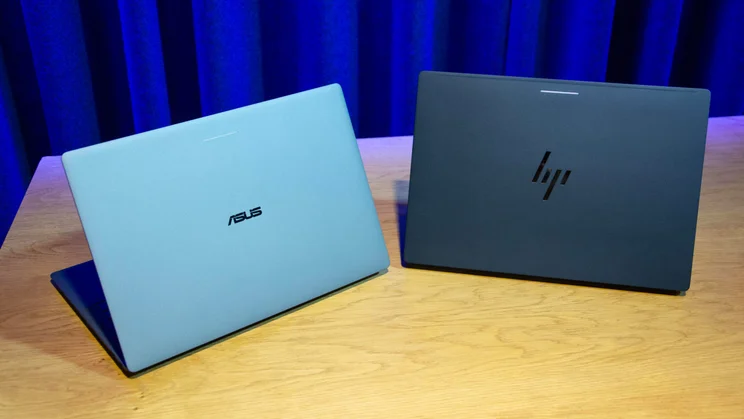
Google first revealed the new Googlebook platform at The Android Show in May, promising laptops from Acer, Asus, Dell and HP in the autumn. It’s gone a bit quiet lately, but we now have our first glimpse of Googlebooks in the wild, and I’ve been to Google’s London HQ to give them a whirl.
I’ll tackle each device separately later in this article, but first, let me bring you up to speed on the Googlebook platform. It’s the first major laptop operating system from the tech superpower since it launched Chrome OS in 2011, but Google views it as more than that. According to the search giant, it’s an “intelligent system”, and AI, specifically Gemini Intelligence, is central to this identity.
In the fifteen years since Chrome OS first appeared, laptop usage habits have changed dramatically. Googlebook is essentially an attempt at “rethinking how people get things done on laptops”, according to VP of Laptop & Tablets John Maletis. AI features such as Claude Code and Antigravity are integrated into the system, which seeks to pair the best of the Chrome desktop experience with the strengths of the Android smartphone and tablet platform.
Until now, Android phone users have lacked a direct equivalent of a MacBook to an iPhone. Googlebooks is designed to bridge that gap. The five Googlebooks announced vary in hardware specifications, but all share this Android-first philosophy.
Googlebook: A UX built from the ground up
Google has gone to great lengths to make the Googlebook experience as natural and intuitive as possible for Android users. Once you sign in, everything you’d expect to see on your phone or tablet appears on your new laptop. And despite being built from the ground up for PCs, Googlebook’s user interface has a distinctly mobile look and feel.
Widgets adapt to your screen, the Google Play Store’s phone and laptop app libraries are available in their entirety, and many apps are optimised for a bigger screen. Googlebook laptops and Android phones use the same tech stack, enabling seamless coordination across devices. Everything here is geared towards smooth interactions between mobile and desktop, and vice versa.
Googlebooks let you access all your mobile apps with just a single button click, and you can pick up exactly where you left off when switching between devices. I saw a couple of examples of this in action and was thoroughly impressed by the near-instant transition from BandLab on a Pixel phone to the desktop app on a Googlebook.
Google has also taken steps to make finding files simpler. Googlebooks come with a Files app that allows you to search for files on your phone as if they were already on your laptop. As someone who regularly forgets where I’ve saved things and struggles to find them, this could be a really useful feature.
Googlebook: Magic Pointer and more
One of Googlebook’s most exciting new system-level features is Magic Pointer, a quick and easy way to engage Gemini. A quick wiggle of the mouse activates it, as does an icon at the top of the desktop screen and a keyboard shortcut. It’s multimodal, meaning it works across text, images, video and more.
Once engaged, you can use voice or text prompts to have Gemini explain, explore, reformat, contextualise or whatever you want. If Gemini plays an active role in your desktop workflow, having this functionality so readily available will be a game-changer.
Additionally, Google confirmed that every Googlebook’s keyboard will feature a “Quick Insert” key, which functions like a supercharged “Paste”, and showcased its AI-powered text input tool, Rambler, which is baked into the Googlebook system. This is designed to turn your rambling, spoken thoughts into more structured, flowing, grammatically correct text.
AI will also be harnessed by Googlebook’s “Create My Widget” feature that’s already available on Android. Using natural language, users can build their own widgets, create apps on the move with Google’s Antigravity AI development engine, and execute agentic coding on the fly via Google Cloud’s Command Line Interfaces.
Googlebook: The five launch models
Now that you have an idea of what Google’s new laptop platform can do, let’s take a closer look at the devices it will be available on when they hit shelves on 5 October.
Acer Googlebook 14 (2-in-1 convertible)
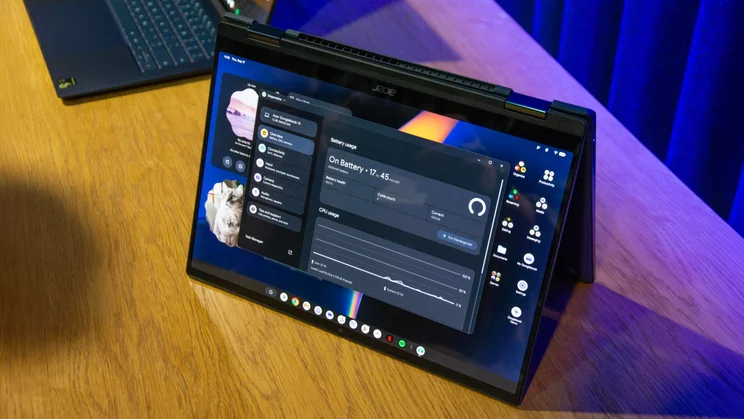
- Processor: Intel Core Ultra 5/7 Series 3 (Panther Lake)
- RAM: 16GB
- Storage: 256GB+
- Display: 14in, 2.8K OLED (touchscreen, 500 nits)
- Touchpad: Mechanical
- Thickness: 13.9mm
- Weight: 1.13kg
- Authentication: Fingerprint sensor
- Price: Starting at $899 (UK pricing TBC)
Asus Googlebook 14 (clamshell)
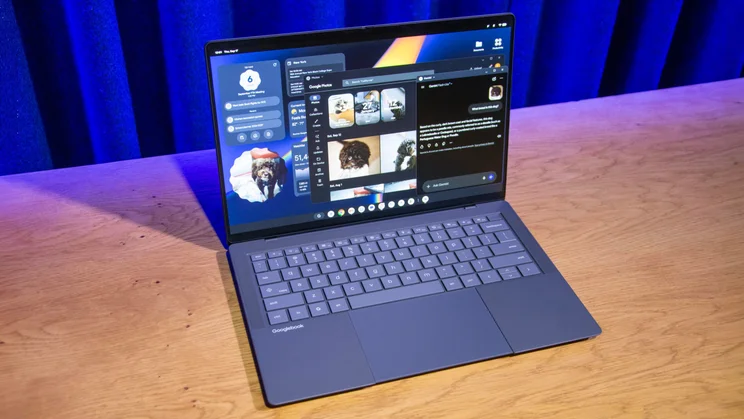
- Processor: Intel Core Ultra 5/7 (Panther Lake)
- RAM: 16GB or 32GB
- Storage: 256GB+
- Display: 14in, 2.8K OLED (touchscreen, 500 nits)
- Touchpad: Haptic
- Thickness: 14mm
- Weight: 1.0kg
- Authentication: Fingerprint sensor
- Price: Starting at $1,299 (UK pricing TBC)
HP Googlebook 14 (clamshell)
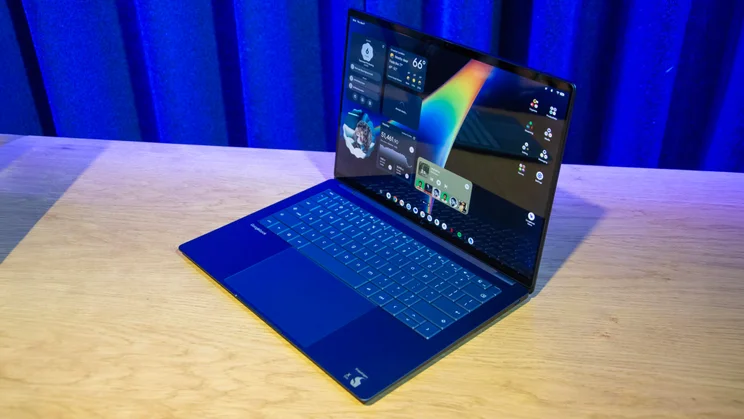
- Processor: Qualcomm Snapdragon X Elite
- RAM: 16GB or 32GB
- Storage: 256GB+
- Display: 14in, 2.8K OLED (touchscreen, 500 nits)
- Touchpad: Haptic
- Thickness: 14mm
- Weight: 1.24kg
- Authentication: Fingerprint sensor and face recognition
- Price: Starting at $1,299 (UK pricing TBC)
Lenovo Googlebook 15 (clamshell)
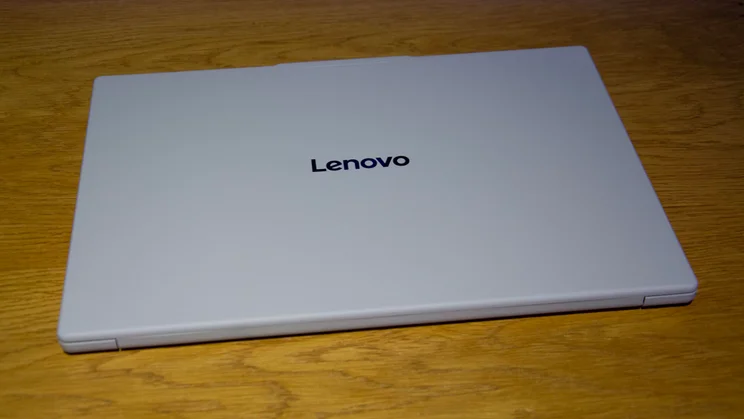
- Processor: Intel Core Ultra 5 (Panther Lake)
- RAM: 16GB
- Storage: 256GB+
- Display: 15.3in, 2.5K OLED (touchscreen, HDR)
- Touchpad: Haptic
- Thickness: 15.9mm
- Weight: 1.28kg
- Authentication: Fingerprint sensor and face recognition
- Price: Starting at $1,299 (UK pricing TBC)
XPS Googlebook (clamshell)
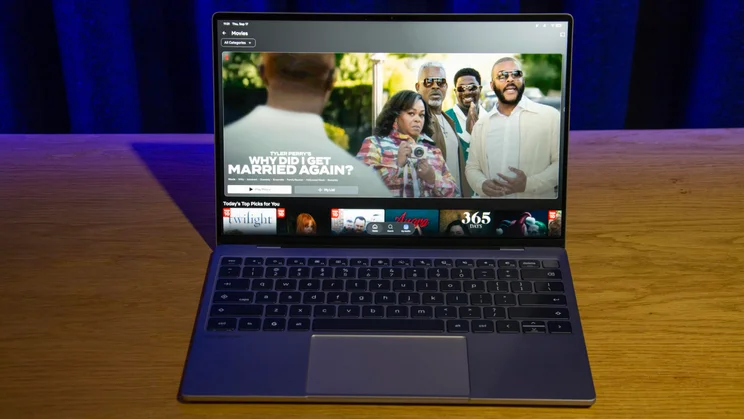
- Processor: Qualcomm Snapdragon X Elite
- RAM: 16GB or 32GB
- Storage: 512GB+
- Display: 13.4in, 2.5K OLED (touchscreen, 500 nits)
- Touchpad: Mechanical
- Thickness: 12.7mm
- Weight: 1.0kg
- Authentication: Fingerprint sensor
- Price: Starting at $1,199 (UK pricing TBC)


