
To help us provide you with free impartial advice, we may earn a commission if you buy through links on our site. Learn more
- Better in all ways than the price would suggest
- Long battery life
- Thunderbolt 4 spec Type-C ports
- Keyboard deck is rather wobbly
- No touchscreen option
- 8GB RAM limits multitasking
The laptop market in the second half of 2026 is going to be dominated by cheap machines. You can thank Apple for this. The release of the £699 MacBook Neo earlier this year wasn’t quite the revolutionary act it was hailed as because six months before, the Lenovo Chromebook 14 proved you could make a high-quality little laptop and sell it for a low price.
The difference was that while cheap Chromebooks were not regarded as an existential threat by Windows laptop makers, after all, they were made by the same companies, a cheap MacBook was an entirely different weevil in the biscuit tin.
The reaction from Team Windows has been swift, with a slew of cheap laptops running on Intel’s new Wildcat Lake budget processors and Qualcomm’s first-generation Snapdragon X chipsets arriving pell-mell in the coming months.
Dell and Acer have been first out of the gate with the Wildcat Lake-powered Dell XPS 13 and Acer Swift Air 14 for £899 (but currently on offer for £760) and £699 respectively, while Asus is pitching a new Zenbook 14 with Snapdragon X1 silicon for £799.
What you need to know
I’ve been tossing my orb around about PCs and laptops long enough to remember the excitement caused by the arrival of netbooks back in 2008. Those small laptops running Linux forks and later Windows XP, often running on Intel Atom CPUs, came out of nowhere with the launch of the Asus Eee PC 701 and, by 2010, were selling over 32 million units a year.
Five years later, sales had dropped to close to zero as people moved onto iPads and other tablets or decided their smartphones were all the computers they actually needed. The current excitement amongst the commentariat about cheap laptops – we need a collective noun for them, perhaps SCL for Small Cheap Laptop? – doesn’t quite match netbook frenzy, but it’s not far off.
The main difference between the 2026 breed and netbooks of yore is that the new machines are, as we shall see, genuinely usable laptops, something that was never really the case with even the best netbooks like the Samsung N120.
Laptops like the Neo, Swift Air and doubtless also the XPS 13 and Zenbook 14 should finally fulfil a long-time dream of Windows laptop users: that they can buy something small, light, cheap, running a full-fat modern OS that’s not a wretched piece of gutless, plastic tat.
Price and competition
Configuration tested: 6-core Intel Core 5 320 Processor, 16GB RAM, 512GB SSD, 14in 1,920 x 1,200 120Hz IPS display. Price: £699
Acer is clearly pricing the new Swift Air to sell. Available with two versions of Intel’s new Wildcat Lake budget CPUs, the Core 7 Series 3 350 and Core 5 Series 3 320, the latter with 8GB of multi-channel RAM, the former with 12GB.
At the time of writing, the 320 machine will set you back £699, but there’s currently no retail price listed on Acer’s UK site for the 12GB 350 model.
Apple’s MacBook Neo is the most obvious competition given that it kicked off this resurgence in small, cheap laptops and costs the same. It’s a lovely little jewel of a machine with a sharp, bright and accurate 2,408x 1,506 display. There’s no keyboard backlight though, and the sound quality is not what we expect from Apple.
Prices for Honor’s MagicBook 16 fluctuate wildly. It’s recently been on offer for £699, though at the time of writing it’s selling for £749. You are getting a lot of laptop for that money. Battery life is excellent, and the build quality and keyboard both impress, but the quality of the display and webcam could both be better.
Lenovo’s superb Chromebook Plus 14 showed just how good a laptop you can build for pennies. The OLED display is superb, the speakers are tuneful, and the build quality is beyond reproach. For just £449 (or £549 with a touchscreen), it’s a superb value alternative for anyone who doesn’t want or need a machine running Windows or macOS.
Though it is in a higher price bracket, the 15.3in Lenovo IdeaPad Slim 5x Gen 11 is a good mid-size choice for anyone who wants a good all-round but affordable laptop. Battery life is epic, and performance levels are solid across the board. For just over £1,000, you can have a choice of either a FullHD IPS touchscreen or a 2.5K OLED non-touch display.
Design and features
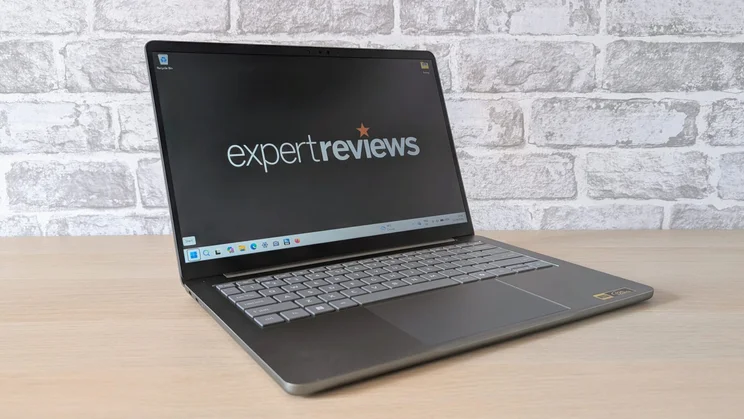
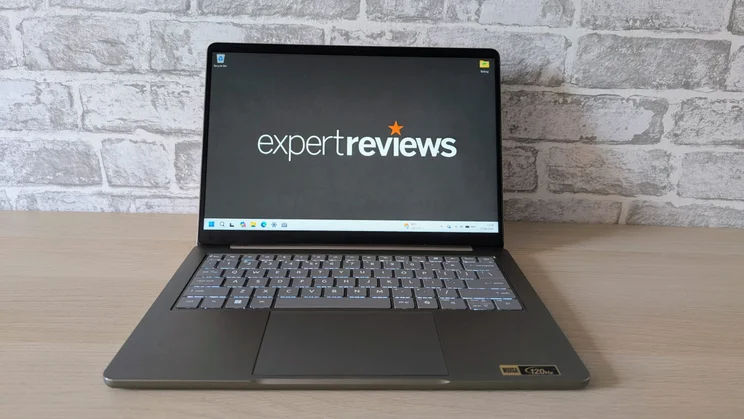
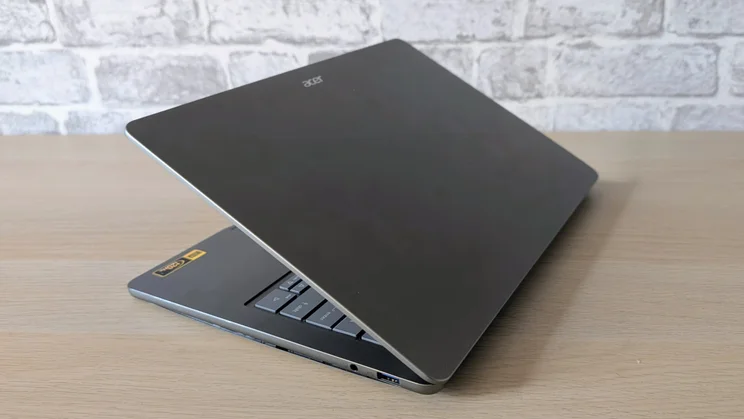
Externally, the Swift Air 14 bears more than a passing resemblance to the Swift 16 AI, albeit at 80% scale. Like the 16 AI, the Air is an all-aluminium affair that feels both sturdy and well-screwed together.
Aesthetically, it’s a clean and modern piece of design. Some press renders show a delicate chrome pinstripe on the lid. That is lacking from my sample, but as it’s technically an engineering sample, I can’t say for sure if the finished items will have it or not.
Four colourways are available: sage green, frost blue, blossom pink, or lilac purple. My green sample proved to be usefully immune to fingerprints on the keyboard deck and lid.
My sample tipped the scales at just 7g over a kilo, which makes it lighter than the MacBook Neo. At 314 x 223 x 13mm, it’s par for the 14in laptop course. For comparison, the Dell XPS 14 is a little smaller side-to-side and front-to-back, but it’s a tad thicker.
Ports, sockets and repairability
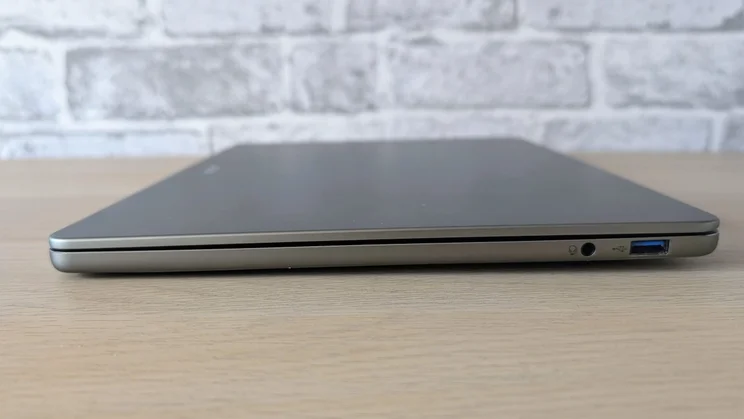
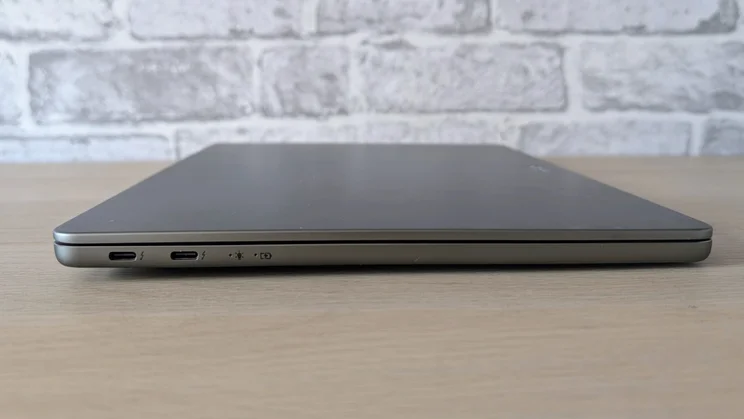
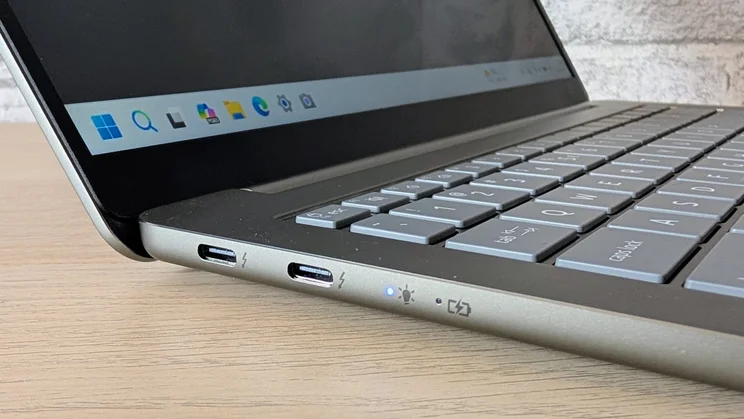
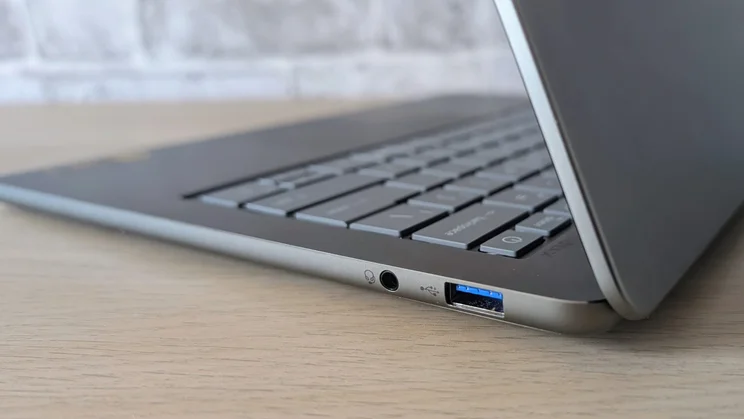
Acer has graced its new baby with three data ports. On the left are two Thunderbolt 4 ports, while on the right is a 5Gbits/sec USB-A port and a 3.5mm audio jack. That’s a selection both wider and/or faster than any of the direct competition.
Some may bemoan the absence of an HDMI output, but since both the Type-C ports support DP Alt Mode video, I’d argue it’s not a big deal.
The Intel AX211 wireless card supports 6GHz Wi-Fi 6E and Bluetooth 5.3, which was all I really expected at this price point.
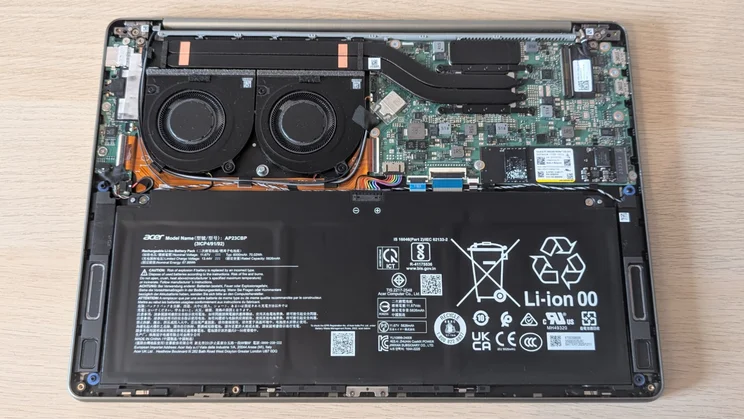
Removing the base plate is easy once you’ve removed the four Torx screws holding it in place, but once in, all you can do is swap out the 2280 SSD, replace the battery and blow dust out of the fans. The memory modules and WLAN card are fixed in place.
Keyboard, touchpad and webcam
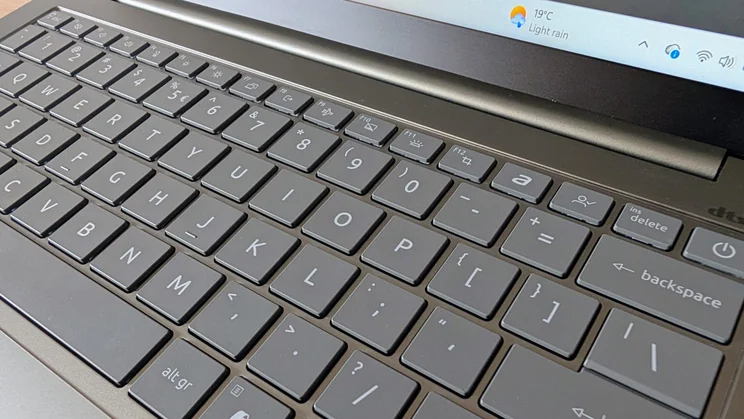
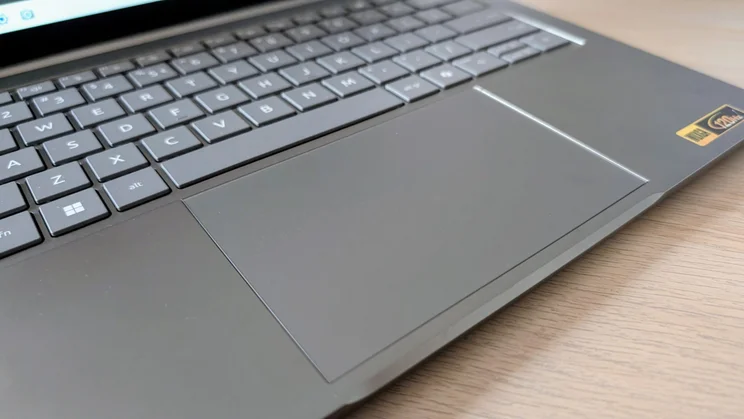
The keyboard is a wholly conventional affair. The keys are made from a slightly soft rubberised material and feel warm and pleasant to the touch. The typing action is light, quiet and consistent with a well-damped end stop.
The white-on-grey keycap graphics are a model of clarity, and the two-stage backlight (something seriously missing from the MacBook Neo) works a treat.
The one negative is the keyboard deck, which is rather more bouncy than I’d have liked. Press down with even moderate force anywhere on the keyboard, and there’s a noticeable amount of sag. I’ve experienced the same on laptops costing more, but that doesn’t excuse the situation.
The 80 x 125mm Mylar mechanical touchpad is as good as you could wish for on any compact laptop. There’s plenty of room for swipes and gestures, and the click action is light, positive and quite enough to not disturb anyone working next to you.
The 1080p webcam punches well above the weight of a £700 laptop. Images are colourful and bright, the lens array supports Windows Hello facial recognition, and you get Windows Studio filters. There’s also a privacy slider to keep prying eyes in check.
Display and audio quality
Compared to the 2.5K screens offered by Apple and Dell, the Swift Air’s 1,920 x 1,200 IPS panel may seem like a poor relation, but it’s not all bad news. To start with, the screen can hit 440cd/m2 which, when combined with a matte anti-reflection finish, makes the Swift Air usable in the great outdoors.
Secondly, the panel covers 97% of the sRGB colour space (which is equivalent to 78% DCI-P3) and is reasonably accurate with a Delta E variation of 1.95 vs the sRGB profile. That’s more than good enough to deliver colourful and balanced images even if there’s no support for HDR content.
The colour accuracy can’t match the MacBook Neo but, to steal from Jonathan Bray’s review of the Neo, ‘it’s a long way from the dreadful, dull screens that many Windows machines at this price come with’.
Thirdly, the screen refreshes at a Nuru-massage smooth 120Hz. Would I have liked a touchscreen option? Yes, but given the price point Acer has hit, I understand the absence.
Having fewer pixels than the Neo and XPS 13 has an impact on battery life, as we shall see, and anyway, the 162dpi pixel density that you get from 1,920 x 1,200 and 14 inches is enough to avoid even the slightest hint of pixelation no matter how closely you peer at the screen.
For a cheap and cheerful laptop, the speaker system is superb. There’s volume aplenty, 77.3dBA as measured from a pink noise source at 1m distance, along with impressive levels of detail and space. There’s plenty of bass on tap too, making this a good laptop to listen to music on.
With none of the shrillness that so besmirched the Neo’s speaker performance, combined with the fact that speaker performance hasn’t traditionally been an Acer strength, the Swift’s audio performance really is something of a revelation.
Performance
Is 8GB enough RAM to run Windows 11? Yes. Next question. To be serious, the only limitation most users will experience with 8GB (or 12GB) rather than 16GB of RAM is in multitasking.
You’ll notice a slowdown if you try to run two dozen Chrome tabs while listening to tunes on the Spotify app, editing a JPEG in GIMP, and chatting on Slack all at the same time. If you want to do all that regularly, I’d suggest buying a more powerful, and more expensive, laptop.
Performance from our 16GB Swift Air was generally impressive. In our 4K multimedia benchmark, the Acer scored 167 points. That’s well ahead of the MacBook Neo and also, for broader context, the first M1-powered 2020-era MacBook Air, a laptop we called a “gamechanger”, and asked, “why buy anything else?”
The Geekbench 6 scores of 2,576 single-core and 7,992 multi-core are nothing to shout about, but both are better than we got from the AMD Ryzen 7 5825U-powered Acer Aspire Go we tested earlier in the year.
The Aspire Go was a £599 laptop at the time and was in every way a wholly inferior product to the new Swift Air. Its performance was one of the few good things we found to say about it.
With only 2 Xe cores, the integrated graphics chip is also a little on the puny side, but it still ran a basic 3D game like Serious Sam 4 at 60 fps.
The Geekbench OpenCL test score of 12,336 is pretty similar to what we were getting from mid-ranking Intel chipsets only a few years ago.
The 16TOPS NPU that ships with Wilcat Lake is too asthenic to deliver the complete Copilot+ experience, so while you do get Windows Studio effects on the webcam, there’s no support for Recall or Cocreator in the Paint app.
The takeaway from all this is that for a £600 laptop, the Swift Air is wholly usable for the vast majority of day-to-day PC needs. The limited amount of RAM may require users to be a little less casual with the demands they make of the system, but that’s a small price to pay for the small price you’re paying.
A comment must be made here regarding the 512GB SanDisk SSD, which went like a toilet door in a dysentery outbreak, recording sequential read and write speeds of 5,692MB/s and 5,017MB/s, respectively.
Combine that high SSD speed with those two Thunderbolt ports and the Swift Air can really shunt data around at some very serious speeds.
Given that the CPU has a base power draw of 10W and a turbo draw of 35W, I expected the two fans to easily stay on top of matters thermal, and so it proved. Most of the time, the Swift Air could pass off as passively cooled, and even when under the kosh, the cooling system doesn’t make much noise.
Battery life
Here the Swift Air hits the ball right over the boundary (or out of the park for any Americans here), running for a very credible 22 hours and 42 minutes on a full charge of its 70Wh battery. That’s double the best the MacBook Neo can do. It’s also several hours more than the M5 MacBook Air can manage.
Granted, we live in a world where Windows laptops like the Lenovo IdeaPad Slim 5x Gen 11 and Asus Zenbook A14 can run for close to 30 hours, but if you measure run time against price, the Swift Air is in a league of its own.
Acer Swift Air 14: Verdict
You’d need to be completely out of your tree to expect a better laptop for £699 than the little Swift Air 14. Everything about it is much, much better than you could realistically expect for the price.
From the looks and build quality, from the display and the sound system, from the I/O port selection and speeds, to the performance (despite the limited RAM) and battery life, from the webcam to the storage speed, the Swift Air is a thorough, complete and welcome redefinition of the very concept of a budget laptop.
Why buy anything else?


