
To help us provide you with free impartial advice, we may earn a commission if you buy through links on our site. Learn more
- Powerful and power-efficient
- Glorious Tandem OLED touchscreen
- Comparatively good value
- Battery life is middling
- Buying first-gen tech is risky
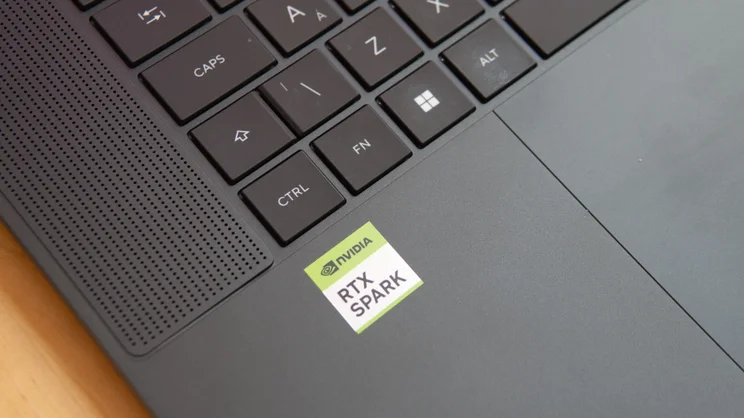
Nvidia shocked the tech world at Computex 2026 by announcing the RTX Spark, an ARM-based chip featuring Nvidia’s Blackwell graphics silicon, and we all wondered what kind of laptops would be powered by the exciting new chip. Well, we now know, and the Asus ProArt P16 is the first we’ve had on the bench to test.
This 16in workstation laptop is built like a brick outhouse and packed with high-end specifications. The model I have on my desk right now is maxed out with 128GB of unified memory and has a 2TB SSD, while its Nvidia RTX Spark N1X processor features Nvidia’s 20-core ARM-based Grace CPU and a 6,144-core Blackwell GPU. It’s pricey, though, as well it should be with this kind of spec.
It’s a significant step forward for Windows 11 on ARM laptops, which we’ve seen only on lightweight productivity laptops thus far. Now, finally, the Windows universe has a platform that can begin to rival Apple’s MacBook Pro range at the high end for both power and efficiency.
What you need to know
The Asus ProArt P16 is a 16in workstation laptop focused firmly on creative and local AI workloads. It can play games, too, and I’ll get to how well later in this review, but Asus (and Nvidia) are downplaying that capability. Asus says it’s a machine for developers, AI-empowered creators and workflow builders. That’s why the Taiwanese giant has chosen to debut the Spark in a ProArt laptop.
Inside, it’s powered by one of two Nvidia RTX Spark N1X SoCs (system-on-chip): one with a 20-core CPU and a 6,144-core Blackwell GPU (equivalent to an RTX 5070); the other with an 18-core CPU and a 5120-core GPU. This is backed up by up to 128GB of unified memory and up to 4TB of SSD storage.
As a professional machine, it has a 4K display, but its 120Hz refresh rate is more conservative than most dedicated gaming machines. It is a tandem OLED touchscreen with stylus support, though, so it’s very bright, peaking at a claimed 1,600 nits, incredibly vibrant and colour accurate.
Price and competition
Configuration: Nvidia Spark N1X SoC (20-core CPU, 6,144-core GPU), 128GB unified memory, 2TB SSD, 4K Tandem OLED 120Hz 1600-nit touchscreen. Price: £6,000
The laptop I’m testing here has a fully maxed-out 128GB of RAM and a 2TB SSD. It costs £6,000, which is in the right ballpark for a machine with this sort of specification. But prices start much lower: for the base-spec machine with the 18-core RTX Spark (5,122-core GPU), 24GB of memory, 512GB SSD, expect to pay £2,500.
At both extremes, the prices are actually pretty good. Take the latest MacBook Pro machines, featuring the M5, M5 Pro and M5 Max chips. These are the principal rivals for this ProArt machine. They’re powerhouse workstation machines, designed to devour heavy tasks like high-resolution video editing and local AI workloads, just like the P16.
A MacBook Pro with an M5 Max (18-core CPU, 40-core GPU), 128GB of unified memory and a 2TB SSD is going to cost you £6,699 – a good deal more expensive than the equivalent ProArt. At the low end, prices are closer; an M5 Pro-powered 16in MacBook Pro (24GB RAM, 1TB SSD) is £2,999.
On the Windows side, a Dell Precision workstation with an Intel Core Ultra 9 386H VPro (18-core CPU), 64GB of system RAM and an Nvidia RTX Pro 3000 Blackwell GPU with 12GB of GDDR7 VRAM, will set you back a cool £9,358.
At the other end of the spectrum, you can pick up a decent gaming laptop built around the RTX 5070 Ti GPU from around £2,000. The MSI Raider 16 HX we tested recently (16GB of RAM, 1TB SSD, 16in 240Hz QHD+ display) retails for £2,399, though the paltry amount of RAM means that it’s not really suitable for the sorts of AI tasks the ProArt P16 is aimed at.
Design and features
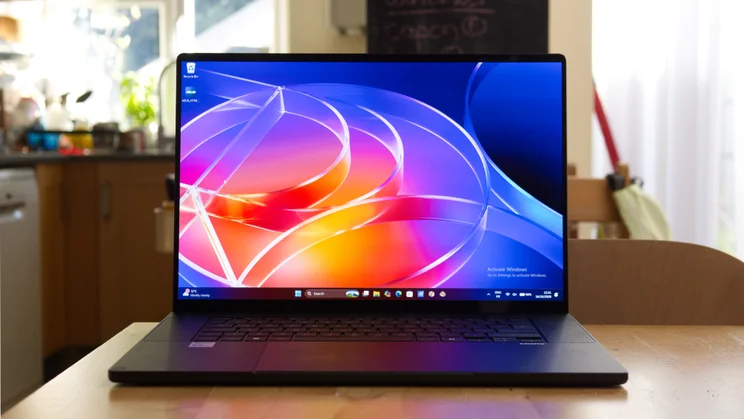
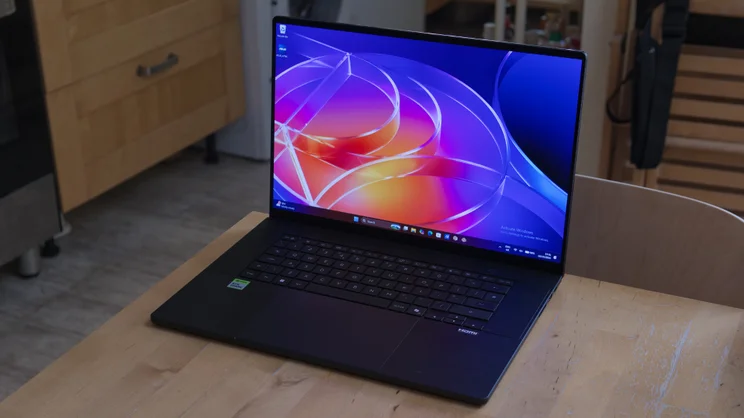
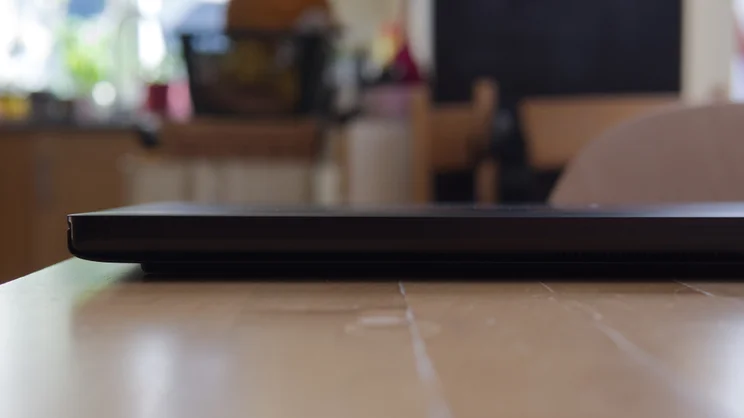
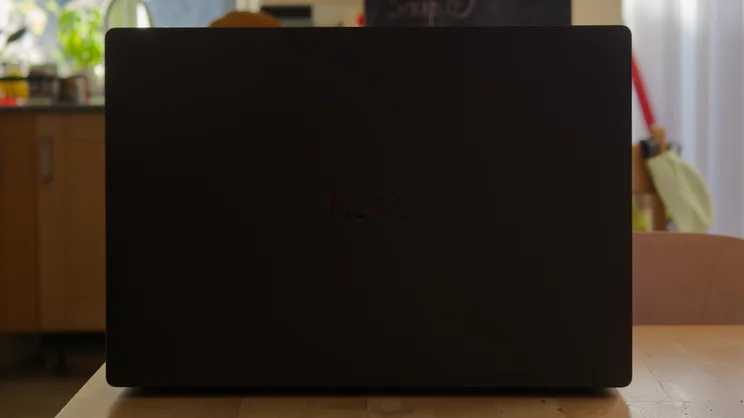
The Asus ProArt P16 is a lovely machine, as you’d expect given its price. Its CNC-machined matte-black metal chassis, finished in fingerprint-resistant “Nano Black” or “Neo White”, is slim and sleek, measuring 15.99mm at its thickest (excluding feet) and weighing 1.77kg. It isn’t the lightest 16in laptop we’ve ever seen, but it is considerably less hefty than the 16in MacBook Pro. It has also undergone Asus’ usual MIL-STD-810H “military-grade” drop, shock, vibration, temperature, dust and moisture testing, and feels suitably resistant to twisting and prodding.
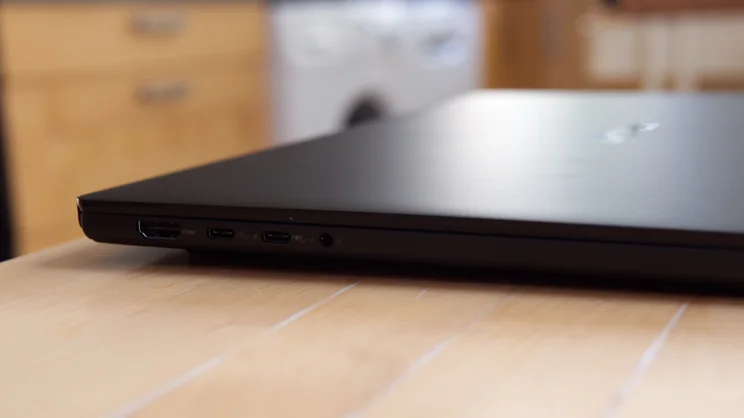
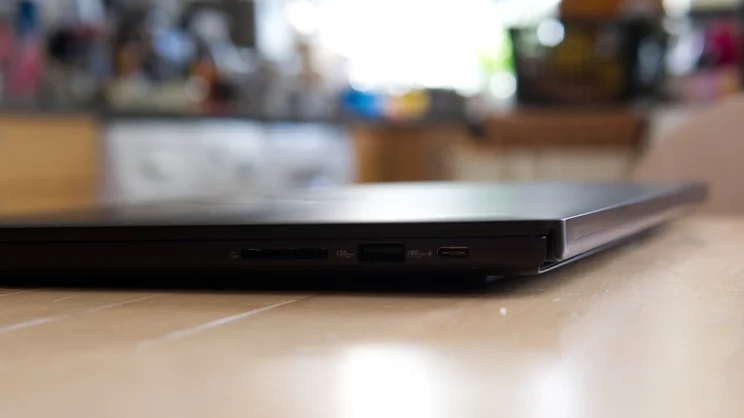
It’s practical, too. The three USB-C 4.0 ports around the edges support power delivery and DisplayPort video output, and the two on the left edge are sensibly spaced out so cables and peripherals don’t get in each other’s way. It also has a single USB-A 3.2 port for legacy devices, one SD Express 7.0 card reader, a 3.5mm headset jack and an HDMI 2.1 output.
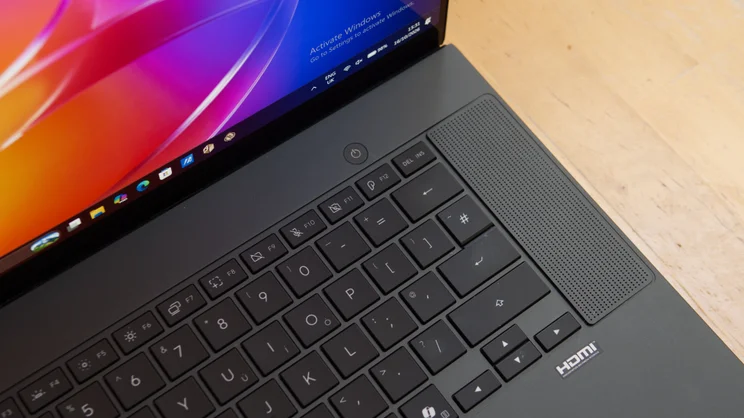
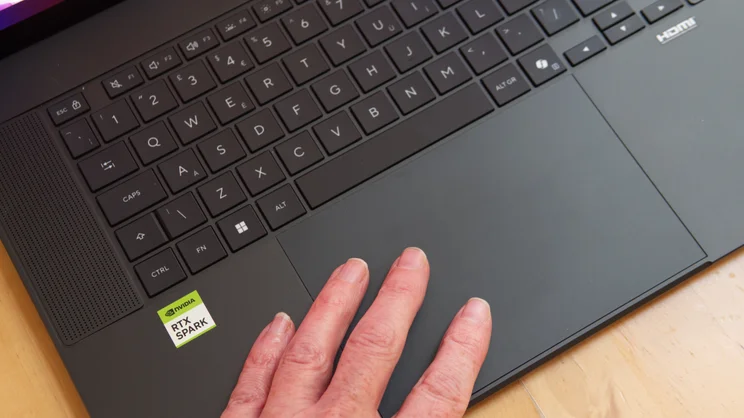
The backlit keyboard is decent, though I’m not a huge fan of the rather smooth, slippery key tops or the half-height Enter key. The glass-topped haptic touchpad is large and sensitive, although you’ll probably need to tweak the settings: initially, I found it a little oversensitive to clicks.
Display and audio
The screen, as you’d expect from a Samsung-manufactured Tandem OLED effort, is generally superb. The 4K resolution keeps you from feeling cramped, even with toolbars and timelines all over the place, and the 1,600 nits peak brightness means it remains readable in the most awkward environments.
I’d have preferred a matte finish option, like the MacBook Pro, but the glossy finish here tames harsh overhead lighting relatively effectively. And, subjectively at least, it’s a wonderful screen. Feed it high-resolution RAW photos or 4K video streams and your eyes will boggle at the depth and richness of the images it presents.
I put it to the test using my trusty X-Rite i1 Display Plus colorimeter, and found it was capable of producing 98% of the DCI-P3 colour gamut in native mode (equivalent to 138% of sRGB), while peak brightness reached 1,596cd/m2 with HDR content. It’s also highly colour accurate, with the sRGB and DCI-P3 factory-calibrated profiles registering average delta E colour errors of 1.01 and 0.97 respectively, both highly respectable figures.
Asus’ ProArt software even includes calibration software that supports X-Rite, Calibrite and ProArt calibrators, so if your calibration drifts over time, you can easily keep it in line without messing around with third-party apps and Windows’ profile management.
A pair of large stereo Dolby Atmos-enabled speakers round out the AV picture. They’re situated either side of the keyboard and are at least as full-bodied as the speakers on the M5 MacBook Pro I have on the desk next to it for comparison. I measured output at around 74dBA from a metre away, which is plenty loud enough for video calls and podcasts. Even the odd bit of music is fine as long as you don’t expect thumping low end.
Performance
The P16’s most interesting aspect is the new Nvidia RTX Spark N1X. This is an ARM-based SoC, developed in partnership with MediaTek. It comprises a 20-core Grace CPU running at 4GHz and a Blackwell GPU with 6,144 cores, equivalent to the RTX 5070 GPU you might find in a gaming machine like the MSI Raider 16 HX.
Like other ARM laptop SoCs from Qualcomm and Apple, the RTX Spark N1X uses unified memory architecture, sharing the same RAM between CPU and GPU. The N1X supports up to 128GB, which is a big part of why this particular laptop is so expensive.
That means plenty of headroom to run local LLMs and agents, which is specifically the sort of activity that Nvidia is targeting with Spark. Developers are the primary users here because when you’re working with AI all day, every day, you’re going to burn through a lot of tokens, and burning through a lot of tokens costs money.
In its pre-launch presentation to reviewers, Nvidia gave the following example. Processing 61M tokens over a month using the QWEN3.8 Flash Next model, run locally on the P16, would cost around $20 in electricity. The same 61M tokens processed via Claude Sonnet 5.5 medium online would cost $1,200. This doesn’t factor in the £6,000 cost of a machine with enough RAM to handle that workload, but you’d break even after five months of keeping that up.
So how good is the Spark at these sorts of activities? Unfortunately, that is not a simple, one-shot answer, as the multiple models you can use all have different capabilities. But to give you a rough idea, I downloaded the MLPerf Client benchmark and ran the LLM base benchmarks on the Spark’s GPU using the open-source Llama 3.1 8B instruct model. You can see the results below, compared with the M5 Pro Mac mini I tested last month and a Dell XPS 16 equipped with a mobile Nvidia GeForce RTX 4070.
| MLPerf Client LLM (Llama 3.1 8B Instruct) TTFT | MLPerf Client LLM (Llama 3.1 8B Instruct) TPS | |
|---|---|---|
| Asus ProArt P16 (Nvidia RTX Spark N1X (20-core CPU)) | 0.27 | 55.90 |
| Apple MacBook Pro 14in (M5, 2025) (Apple M5 (10-core)) | 1.04 | 26.70 |
| Mac mini (M5 Pro, 2026) (Apple M5 Pro) | 0.69 | 48.80 |
In a more real-world scenario, I downloaded Hermes and loaded up the QWEN3.8 27B model, then instructed it to generate alt tags for a series of product photographs of the iPad mini; this took 3mins 46secs, a little longer than the same prompt on the free version of Claude online.
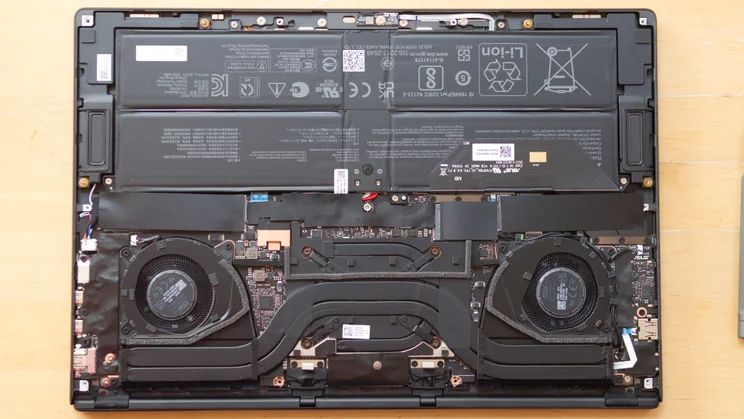
Following Nvidia’s recommendations, I asked it to become my personal assistant and instructed it to install the native ARM versions of Chrome, Microsoft Office, Discord and Adobe Photoshop. This turned out to be a good workout for the Spark’s GPU, with the agent maxing it out for minutes on end. The caveat is that while you’re doing this, the laptop fans do whir quite loudly into action and they only case once your task is done.
| Geekbench 6 CPU, single-core | Geekbench 6 CPU, multi-core | Geekbench 7 CPU, single-core | Geekbench 7 CPU, multi-core | |
|---|---|---|---|---|
| Asus ProArt P16 (Nvidia RTX Spark N1X (20-core CPU)) | 2192 | 20280 | 1731 | 23657 |
| Apple MacBook Pro 16in (M5 Pro, 2026) (Apple M5 (18-core)) | 4273 | 28161 | – | – |
| Apple MacBook Pro 14in (M5, 2025) (Apple M5 (10-core)) | 4250 | 17975 | 3737 | 18735 |
| Mac mini (M5 Pro, 2026) (Apple M5 Pro) | 4287 | 28655 | 3749 | 34131 |
For other workloads, it’s a mixed picture. For example, it falls behind in Geekbench 7, and there’s a clear gap between it and the M5 Pro Mac mini in the single-core and multi-core CPU results. The same is true in the Geekbench 6 results. However, Geekbench tests only reflect raw CPU speed and don’t put the CPU under sustained load. This is where the Spark really shines. In our video, image and multitasking benchmark, the N1X surges back past the M5 Pro Mac mini.
The star of the show, however, is the 6,144-core Blackwell GPU and in the OpenCL Geekbench tests, it comfortably outperformed its rivals.
| Geekbench 6 GPU (OpenCL) | |
|---|---|
| Asus ProArt P16 (Nvidia RTX Spark N1X (20-core CPU)) | 146754 |
| Apple MacBook Pro 16in (M5 Pro, 2026) (Apple M5 (18-core)) | 87384 |
| Apple MacBook Pro 14in (M5, 2025) (Apple M5 (10-core)) | 48845 |
| Mac mini (M5 Pro, 2026) (Apple M5 Pro) | 88671 |
| Geekbench 7 GPU (OpenCL) | |
|---|---|
| Asus ProArt P16 (Nvidia RTX Spark N1X (20-core CPU)) | 115034 |
| Apple MacBook Pro 14in (M5, 2025) (Apple M5 (10-core)) | 47310 |
| Mac mini (M5 Pro, 2026) (Apple M5 Pro) | 87071 |
Gaming
Spark-powered laptops aren’t intended for gaming, at least that’s what Nvidia and Asus say. And you can certainly see why. Who needs a £6,000 machine when a £2,000 laptop can do it better?
What if you want one machine that can do everything, though? That has enough juice to run your local AI workloads, your video editing and rendering and your gaming. And one that you can take out on the road and have last a full day away from the charger?
That’s the promise of RTX Spark laptops, and gaming is the one area that Apple’s MacBooks have consistently failed to deliver on over the years. Despite Nvidia and Asus’ insistence, you can most certainly game on this machine.
I downloaded Doom: The Dark Ages, a title not currently available natively on macOS, and played at 1440p at a consistent 100+ frames per second by tweaking some settings and setting frame generation at 3x. In the game’s Hebeth benchmark, run at 1440p with DLSS disabled, it returned an average frame rate of 70fps; with DLSS in balanced mode and frame generation at 3x, that rose to 132fps.
| Doom the Dark Ages, Hebeth benchmark | |
|---|---|
| 1440p, DLSS off | 70fps |
| 1440p, DLSS balanced, frame gen 3x | 132fps |
Next, I fired up another demanding title, Cyberpunk 2077. I ran its built-in benchmark at 2,560 x 1,600 and it averaged 39fps with the Ray Tracing Ultra Quick Preset selected and DLSS frame gen set to Off. With 4x frame generation enabled , the average frame rate rose to 118fps. The MSI Raider 16 HX (RTX 5070 Ti) reported 65fps and 193fps, respectively in these tests.
| Cyberpunk 2077 benchmark | Asus ProArt P16 RTX Spark | MSI Raider 16 HX (RTX 5070 Ti) |
|---|---|---|
| 2,560 x 1,600 Ray Tracing Ultra Quick Preset, frame gen off | 41fps | 65fps |
| 2,560 x 1,600 Ray Tracing Ultra Quick Preset, frame gen 4X | 118fps | 193fps |
With 80W TDP for the CPU and GPU, these figures aren’t surprising. The surprise is that the ProArt P16 can even get close to a machine with up to 300W TDP. That’s seriously impressive stuff.
The catch is that you can’t currently play competitive games like PUBG Battlegrounds, Call of Duty, League of Legends or Valorant on RTX Spark systems because there’s no kernel-level anti-cheat support. Nvidia said that it is working with developers on a fix, but there’s no date for a resolution.
Battery life
Perhaps just as important as all this raw power, however, is that when you disconnect from the mains and sling the ProArt in a bag, it will keep on trucking for a lot longer than your average gaming hulk. In our basic, low-level battery test, the Asus ProArt P16’s 99.9Wh battery lasted 10hrs 47mins.
That’s not as efficient as the 16in M5 Pro MacBook Pro, which lasted almost double at around 20 hours. However, it should be enough to get you through a good chunk of a working day, assuming you’re not editing high-resolution video or constantly using local AI.
Windows on ARM
The sticking point with ARM-based Windows systems has long been developers’ slow uptake in producing ARM-native versions of their applications and games.
That started to change when Qualcomm and Microsoft came together in 2024 to produce a range of efficient laptops aimed at taking on Apple’s MacBook Air, and today there’s a huge range of ARM-native software to choose from.
It’s still not perfect, but lots of serious modern software, like Affinity and Adobe apps, DaVinci Resolve and Blender, is now available to download and install for Windows on ARM. Even Adobe Premiere, After Effects, Audition, and Media Encoder now have native Windows on ARM versions. For everything else, Microsoft’s Prism translates x86 instructions to ARM and has now been tuned for the RTX architecture.
Verdict
The key question is: are RTX Spark laptops, specifically the Asus ProArt, a match for Apple’s MacBook Pro machines? It certainly looks that way, but buying any first-generation technology is a risk.
On paper, and in overall performance and specs, the Asus ProArt P16 easily matches a 16in MacBook Pro. It’s super fast at local AI duties, powerful for creative tasks and general use, and better than a MacBook Pro for gaming. Its Tandem OLED touchscreen is glorious, too, and a feature Apple can’t compete with at all – until the rumoured touchscreen model launches later this month.
It’s not as good for battery life, which is a worry, and it loses ground in some benchmarks, but for all-round value and performance, and (whisper it) gaming, too, it’s a very encouraging start for RTX Spark.


