
To help us provide you with free impartial advice, we may earn a commission if you buy through links on our site. Learn more
- Very responsive
- Good battery life
- Slim, light and well-made
- Googlebook OS just as limited as Chrome OS
- Lots of big games won’t run on Intel silicon
- A little on the expensive side
I’ve always thought Chromebooks have had a bit of a hard time over the years. Despite usually being quick, responsive and simple to use, most people just didn’t seem to want to give them a chance.
Perhaps it was because people associated them with school use, or that cheap, budget laptops made up most of the hardware offering, but as consumer machines, they’ve never quite gained the credit I thought they deserved.
Googlebooks, however, are here to set that record straight, and the Acer Googlebook 14 is the first I’ve had the chance to test. It launches alongside a selection of others from Asus, HP, Dell and Lenovo.
What you need to know
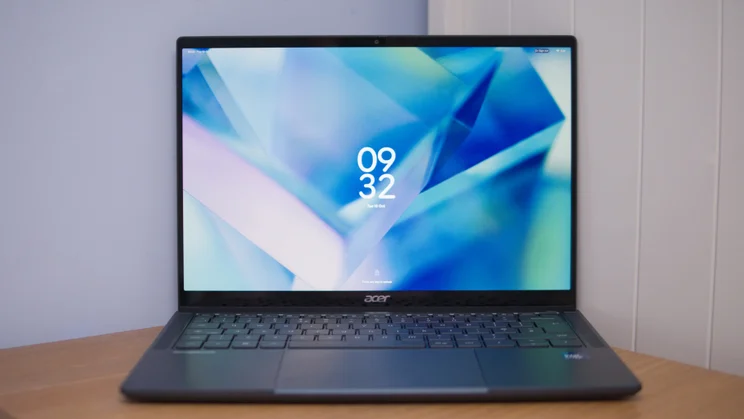
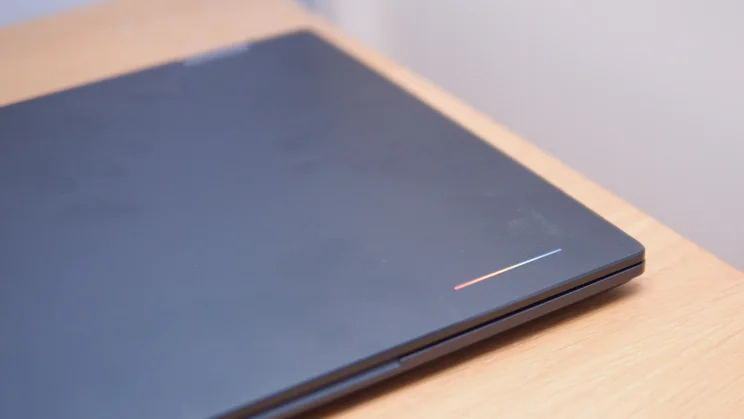
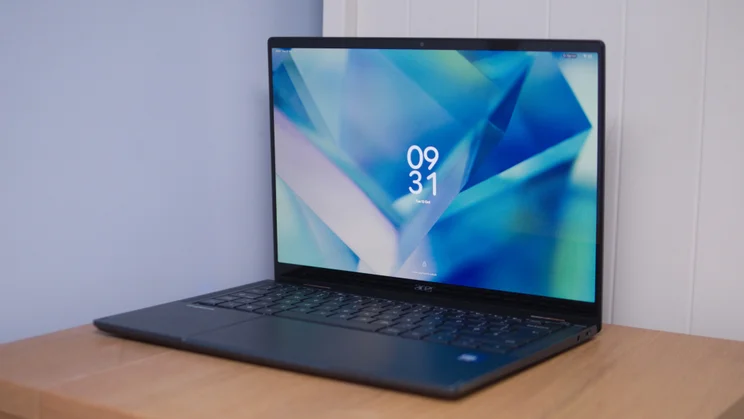
On the outside, it looks like a fairly regular 14in Acer laptop, albeit quite a nice one. However, when you open it up and power it on, it’s a completely different animal.
That’s because the Acer Googlebook 14 runs the new Googlebook operating system. This isn’t a warmed-over version of Chrome OS, however, although it does feel a bit like that. It’s actually a desktop version of Android 17; although it’s more like iPadOS to iOS than MacOS to iOS.
The hardware it runs on isn’t particularly unusual, though. This is a premium lightweight laptop, just like so many rivals running other operating systems.
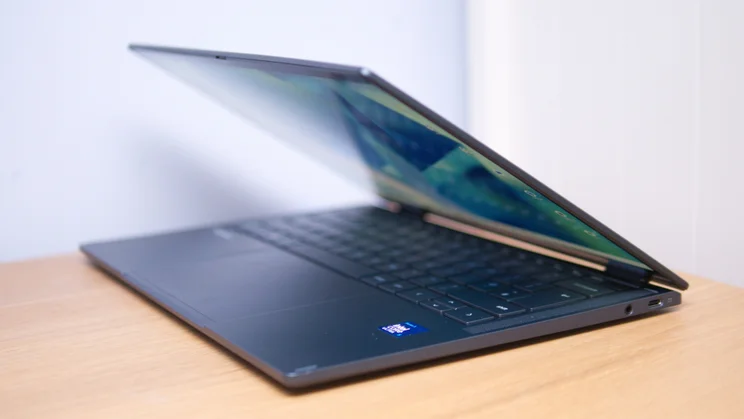
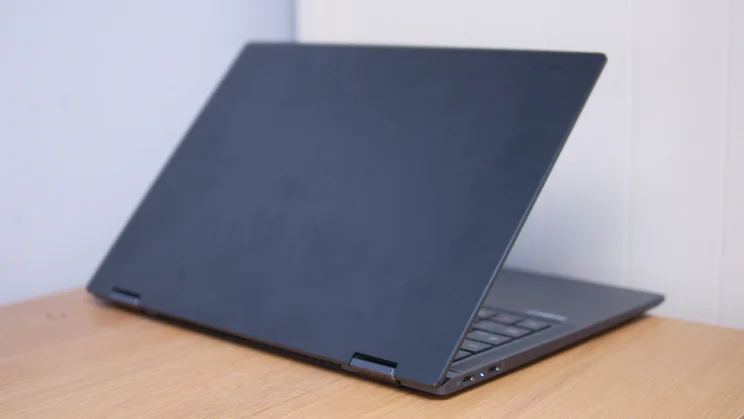
It boasts an all-metal frame and has a 14in 2,880 x 1,800 resolution 120Hz OLED touchscreen. It also has a 360-degree hinge that lets you fold the screen and use it as a tablet or in tent or stand mode. Inside, it runs on familiar underpinnings, with a choice of Intel Core Ultra 5 or 7 CPUs, backed up by 16GB of RAM and a 512GB SSD.
Price and competition
Configuration tested: 14in 120Hz 2,880 x 1,800 OLED touchscreen, Intel Core Ultra 5 325 CPU, 16GB RAM, 512GB SSD. Price: £999
Two Googlebook 14 models are available at launch. For this review, Acer sent me the lower-spec Core Ultra 5 325 model that costs £999. That’s fairly hefty, at least by Chromebook standards. But compared with Windows laptops and MacBooks, it’s pretty decent, especially considering the hardware’s quality.
For example, the recent Asus Zenbook 14 costs £800 but packs a less powerful Snapdragon X processor, a lower 1,920 x 1,200 resolution, and a non-touch OLED panel that doesn’t flip, while the most recent 13.6-inch M5 Apple MacBook Air starts at £1,299.
It can’t compete with the value of the Lenovo Chromebook Plus 14 Gen 10, which delivers an attractive, lightweight laptop with an OLED display for around £500, but few laptops can. It’s also more expensive than Acer’s Swift Air 14 (£699), but the Googlebook is a little sleeker and comes with double the RAM.
What makes Googlebook OS tick?
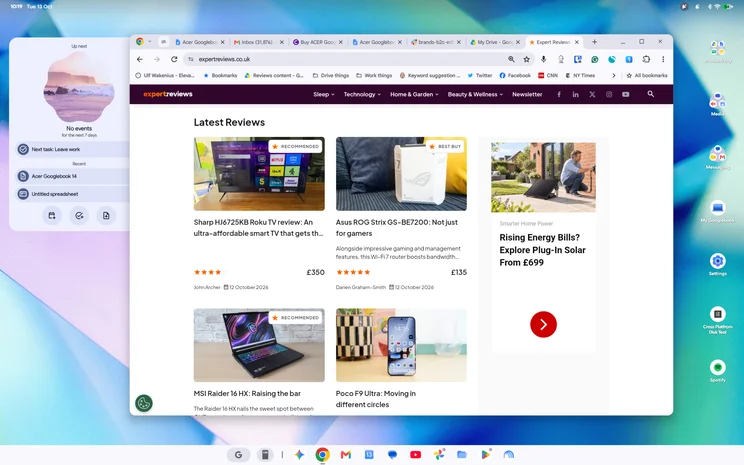
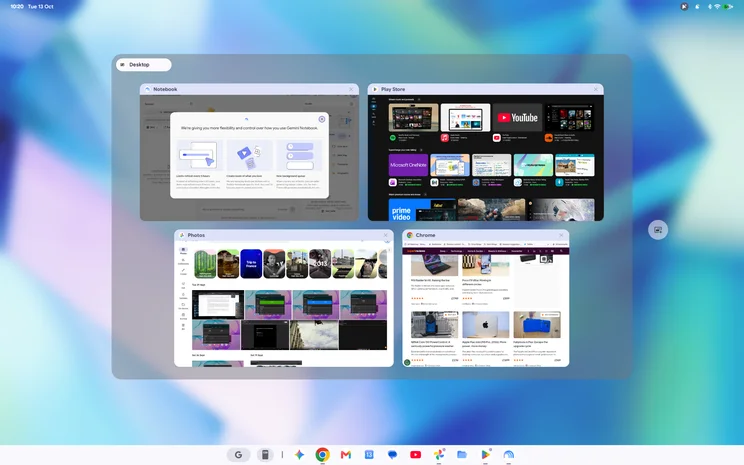
When I first fired up the Acer Googlebook 14 and went through the set-up procedure, I was greeted by a familiar sight: a desktop space complete with widgets and icons, a taskbar at the bottom centre with a selection of core apps pinned to it and a status bar running along the top of the screen hosting notification icons, a clock and calendar.
You can run apps in windows here, fire up multiple desktops, drag and drop and use familiar keyboard shortcuts, just like on any other keyboard-and-mouse laptop. Despite how new it is, it’s comforting and familiar in all the right ways. So what’s different about it? And how well does it function as a full-on productivity OS? Has Android really come of age here, or does it still suffer from its smartphone-first approach?
Let’s focus for a moment on what sets Googlebooks apart: a small selection of AI-driven features. There’s Magic Pointer: wiggle your mouse cursor to activate it, and point at any item on screen to get Gemini to help with it.
For instance, I wiggled the mouse, selected the first paragraph in this section, and Gemini offered three suggestions, one of which was “draft a comparison table of OS features”, or you can type your own. It’s like Circle to Search, but a bit more advanced.
Rambler is a fancy voice dictation feature that ignores hesitations, ums and errs, without getting flustered. This is working well in my testing, tidying up messy sentences and Yoda-speak effectively.
And there’s a series of Android phone integrations, which allow you to do various things with your Android phone such as share files instantly, use the apps from your phone on the screen of your Googlebook and even hand off from what you were doing on your phone to your laptop, just by clicking an icon in the taskbar.
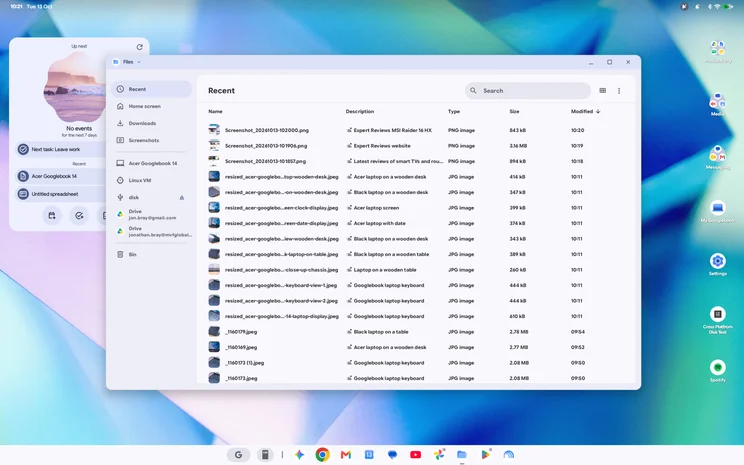
Other neat features include AI integration in the Files app, an opt-in feature that can generate short descriptions of your files’ contents on the fly, and Create My Widget, which lets you generate custom desktop widgets via a prompt. At the time of writing, the latter wasn’t available for testing.
Snagging
Practically speaking, however, Googlebook devices face similar limitations to Chromebooks. You (obviously) can’t run full desktop Windows or macOS apps on a Googlebook; but you can’t even run Linux desktop apps, at least not as easily as you could on ChromeOS laptops.
And if you buy a Googlebook right now, you will face a whole host of other teething problems. I mentioned above that Rambler worked well for me, but at first it wasn’t working at all. I had to update the Gboard keyboard app before it appeared in the settings; at no point was I prompted to install this update.
More seriously, the close integration with Android phones that Googlebook devices promise only works with Android 17 devices right now, and doesn’t work at all with Samsung phones. Given Samsung has its own ecosystem to promote, I can’t see that changing any time soon, but this is a big negative, especially given Samsung’s sizeable market share.
And those hoping to play games on the Acer Googlebook’s gorgeous 120Hz OLED display will be disappointed, too. A lot of the big titles just won’t install. Wuthering Waves, Where Winds Meet, PUBG Mobile, and Call of Duty Mobile were my first ports of call on Google Play, and every time I encountered the message that this app “isn’t available on Google Play on this device”.
It turns out that this is due to the Acer Googlebook 14’s Intel underpinnings. Most Android phones and tablets use ARM-based silicon and run Android apps natively; for Intel devices to work, the OS needs to use “binary translation” trickery that recompiles the ARM instructions over to x86. This apparently works much faster than traditional emulation, and I was impressed by how smoothly the apps I did install worked. However, there is clearly still work to do for the most demanding games.
Elsewhere, there are more mildly embarrassing snafus. When closing and restarting Chrome, Google Sheets tabs sometimes wouldn’t reload correctly. I also found that the Ctrl-C copy shortcut occasionally wouldn’t work in a browser text-editing window, and I’ve witnessed some odd screen flickering while watching the Apple TV+ app.
I have also experienced unexplained app browser shutdowns. The system has always recovered, and I’ve not lost any work yet, but that’s not great. And when the system does slow down, it has a nasty habit of losing keystrokes. That’s something Google is going to have to fix sharpish.
Apps
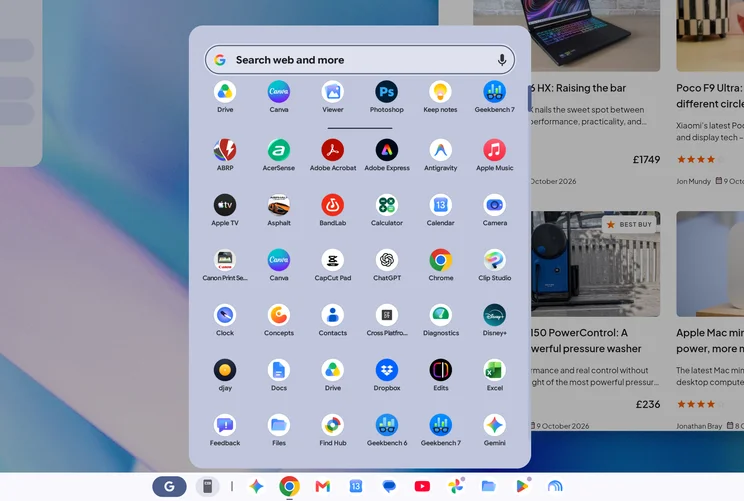
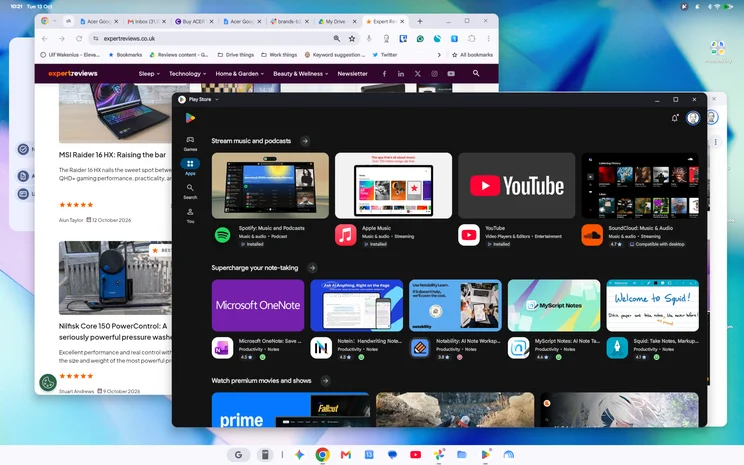
The bigger problem is likely the app choice, which with Android still isn’t in the greatest of places when it comes to software optimised for desktop use. To Google’s credit, it has introduced a series of tags indicating apps are “optimised for desktop”, “made for desktop” or “compatible with desktop”, and these are easy to spot as you browse the Play Store.
And while Android still isn’t as good as iOS for serious, professional apps (there’s no DaVinci Resolve yet, no Affinity), that is changing and will likely change faster now it’s easier to find apps that aren’t broken on a laptop display.
However, the situation still isn’t perfect. Many of the “desktop” apps I downloaded still looked inelegant on the Acer Googlebook 14’s display and don’t make the most of the screen resolution and space available.
Embarrassingly enough, the Play Store app itself doesn’t seem fully optimised for desktop use. You can’t even filter by desktop apps in the UI; this feature is only enabled in the web interface.
Another thing to keep in mind is that some PWA (progressive web apps) that might have worked on other platforms won’t work on Googlebooks, as they must be compliant. Slack is one example that isn’t compliant and can’t be installed here (though you can run the Android app); Spotify is an example of one that is compliant.
How did I test the Acer Googlebook 14?
Given how new Googlebooks are, I’ve spent even more time using and living with this laptop than I would a macOS or Windows machine. I conducted every step of writing, uploading and publishing this review on the laptop, including photo editing.
I’ve also tried as far as possible to run our usual objective tests. So, I ran the Geekbench 6 and 7 CPU and GPU tests, gave the battery life a good workout, and tested the display in the same way as other laptops, tablets and smartphones. I also ran storage speed tests using the CPDT app to get sequential read and write figures.
Performance and battery life
Despite all the limitations and irritations that Googlebook OS imposes, I must say that, in general, I’ve been impressed with how responsive it is, how quickly it performs and how efficient it is.
As I write this review, I’ve been using the laptop on and off for more than a day, and I still have 18% left on the battery gauge. I’ve been deliberately leaving my tabs open and have more than fifty open right now, yet the laptop is still trucking along just fine.
I have multiple Google Sheets and Docs open, Gmail, Google Calendar and all the tabs I am using to research this review. I’ve been using Rambler dictation and Gemini to help me, too, and running Android apps like YouTube, Netflix and Apple TV+ to gauge performance with audio and video running in the background.
Nothing, and I mean nothing, has fazed it. In fact, it has felt lightning fast no matter what I have thrown at it, and I haven’t heard the fan spin up once.
I have run the Geekbench 6 CPU and GPU benchmarks to see how it fares compared with some close rivals, and you can see the results below:
Here, you can see how the battery life compares across all these laptops:
And here is how fast the storage is:
These comparisons show that the Acer Googlebook 14 isn’t slow, but that you can get similar performance on other platforms for less money.
The closest in raw performance to this laptop, and the best point of comparison, is the Acer Swift Air 14, which we recently awarded five stars and a coveted Best Buy award. That laptop had only 8GB of RAM, whereas this one has 16GB, which may explain some of the price disparity. At £699, it’s a better-value purchase and has longer battery life.
The MacBook Neo has inferior battery life and is smaller than the Acer Googlebook 14, but costs less and is faster in single-threaded CPU and GPU operations. More significantly, the Lenovo Chromebook Plus, which runs Chrome OS, lags slightly behind in most metrics but costs less than half the price.
Design, keyboard, touchpad, display quality and speakers
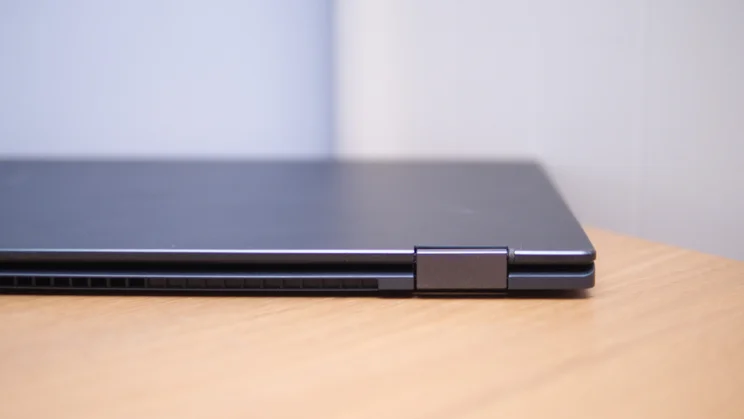
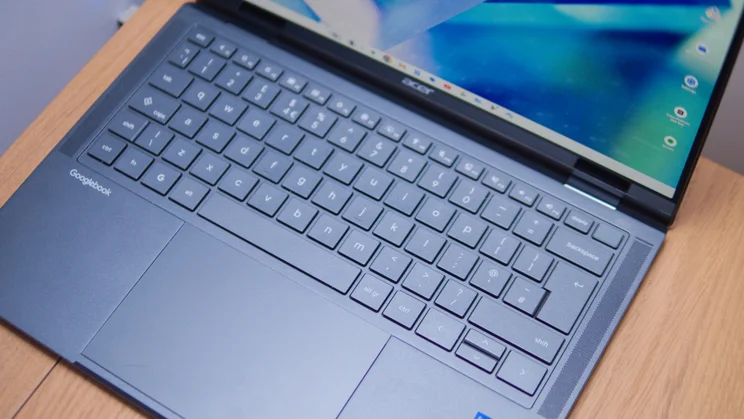
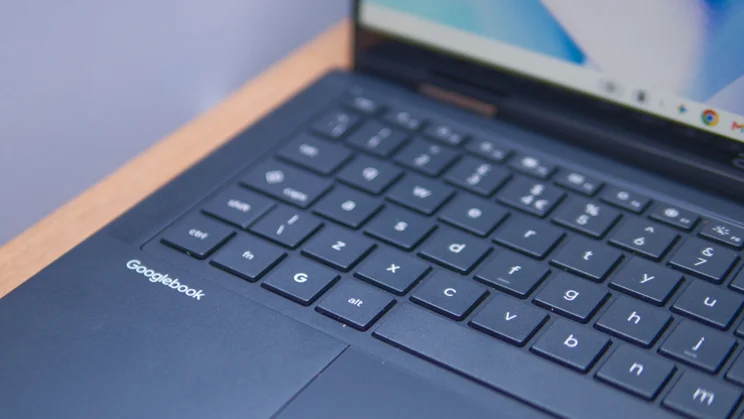
I have no complaints whatsoever about the overall design and ergonomics. The Acer Googlebook 14 is slim and wonderfully comfortable to type on. The mechanical touchpad is a touch heavy on the click but works reliably enough.
It’s light, too, at a mere 1.13kg and slim enough (13.7mm excluding feet at its thickest point) that you won’t notice it in your bag. The 3K 120Hz OLED display is great. It isn’t the most colour-accurate thing I’ve ever measured (it looks a little odd to my eyes in Boosted mode), but brightness peaks at a usable 520cd/m2 for SDR content and 1,206cd/m2 for HDR.
The speakers, meanwhile, are a touch harsh but fine for video meetings, podcasts and the odd TV show. For movies and music, however, you’ll want to attach headphones.
And I haven’t yet had any issues connecting most peripherals, wireless or otherwise. I tried various mice, keyboards, speakers, headphones and external monitors and everything worked brilliantly. The only time it came unstuck was when I plugged it into my ancient Canon Pixma iP4900-series inkjet. I was surprised it recognised the printer by name, but it refused to send it any data, greying it out and saying it was “unsupported”.
I’m not going to criticise it for that, but if you have any legacy peripherals you’d like to use, maybe just stick with a Windows machine, or take it as a sign you need to upgrade your gear.
Acer Googlebook 14: Verdict
The Acer Googlebook 14 is a hugely likeable laptop. Not only is the hardware lovely, but Googlebook OS is surprisingly well-rounded for a first attempt. It didn’t hold me back from working as I expected it to, and it felt lightning-quick no matter what I threw at it.
The keyboard is great, the mechanical touchpad works just fine, the display hits most of the right notes, and the battery life is absolutely fine, too.
In the end, though, a couple of major things hold me back from giving this laptop a wholehearted recommendation. First, the price: £999 is a little more than I’d want to pay for the specification. And second, the limitations and inevitable list of snags that Googlebook OS will likely impose on early adopters.


