To help us provide you with free impartial advice, we may earn a commission if you buy through links on our site. Learn more
- Excellent picture quality
- Runs very quietly
- Autofocus and keystoning
- Remote isn’t backlit
- No voice search on the remote
World Cup 2026 is finally upon us, and it’s the time of year when a lot of people are looking to upgrade their TV. But what if you fancy a bigger screen – even more immersion – via a projector? That would be much more expensive, right?
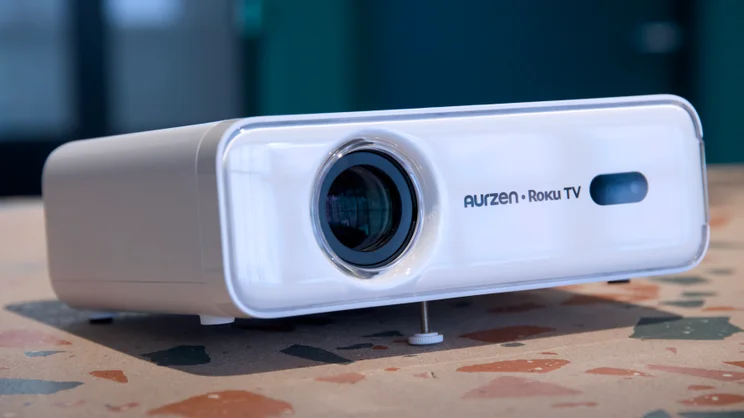
The first Roku-powered projector we’ve seen proves this doesn’t have to be the case. Indeed, you can pick up the Aurzen Eazze D1R (also called the Aurzen Roku TV Smart Projector), at the time of writing, for the paltry sum of £130 – a far cry from the pricier 4K models we normally review here at Expert Reviews.

What do you get for the money?
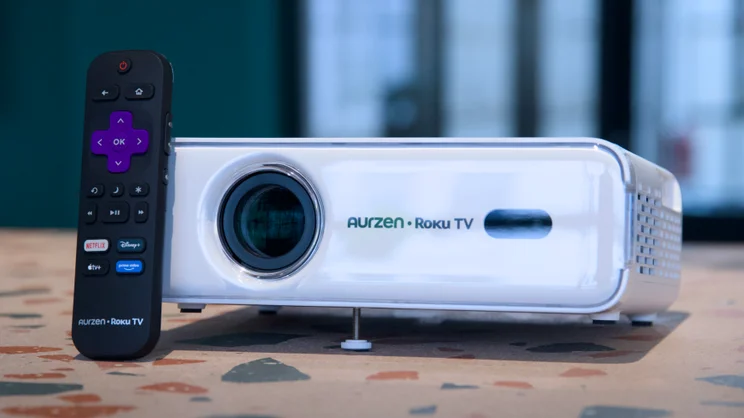
As you might expect at this price, the Aurzen Eazze D1R is pretty basic. In the box is the projector itself, a Roku remote, a figure of eight mains cable and a little plastic bag with a lens cloth and a selection of swabs for cleaning the internals when it gets dusty.
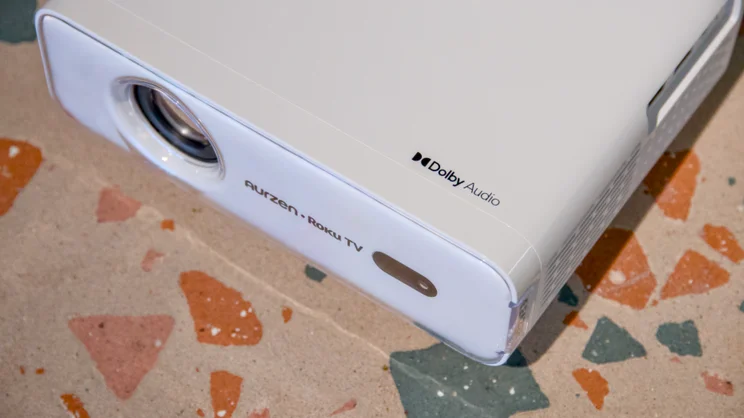
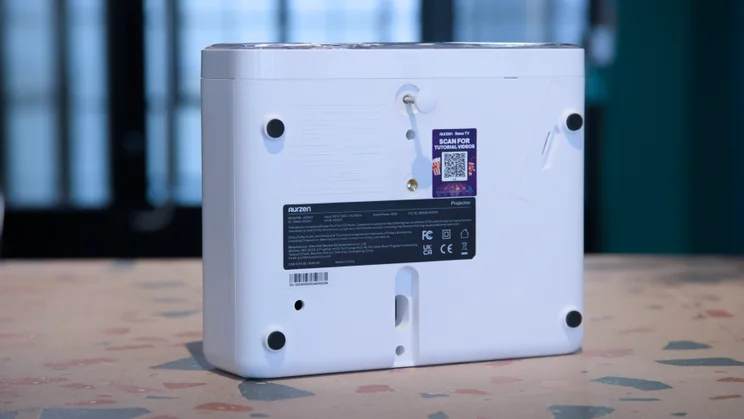
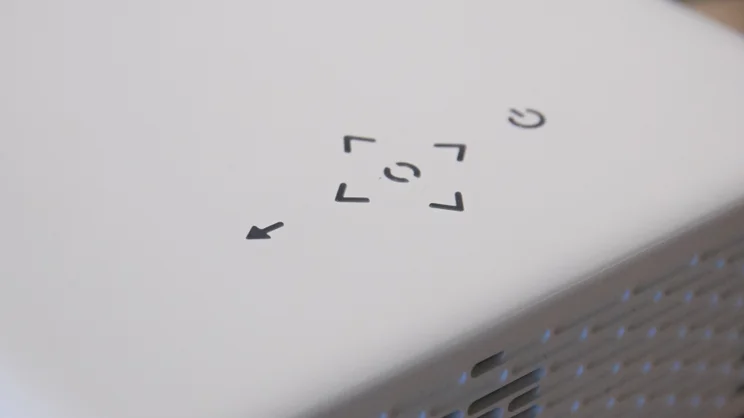
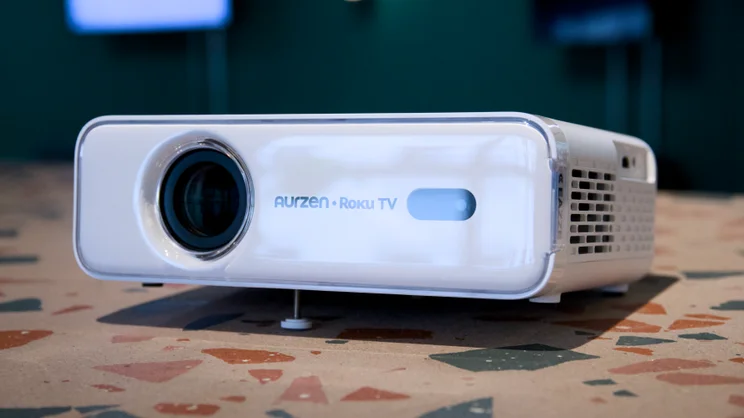
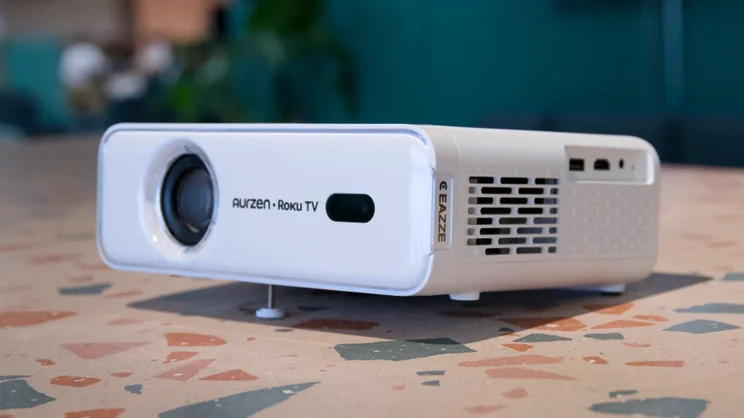
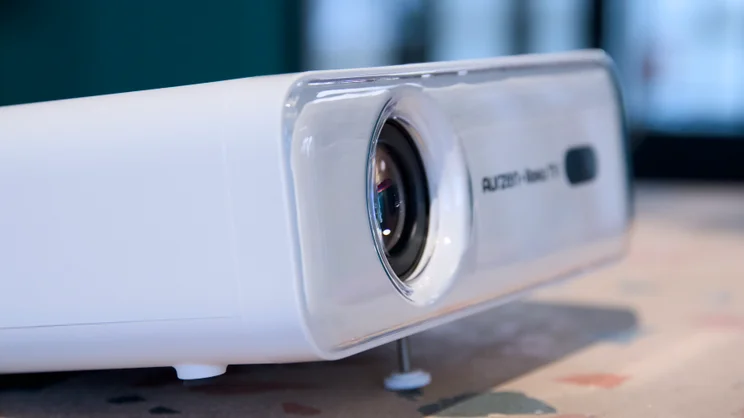
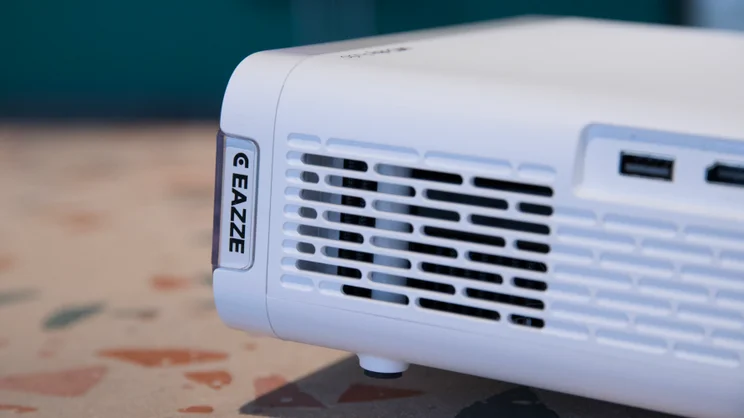
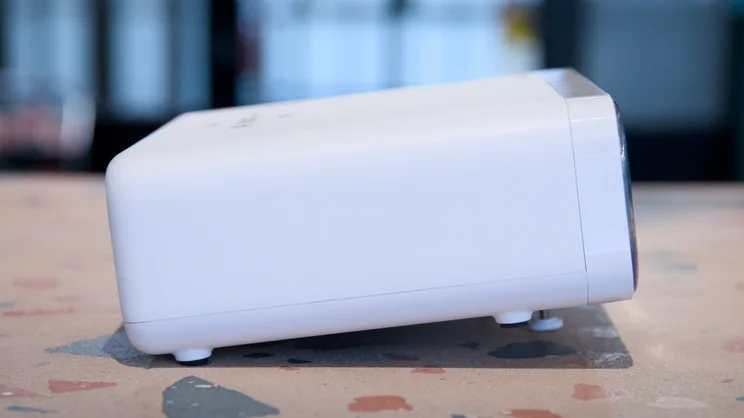
The hardware is, on the surface, quite bare bones. It’s a compact white box measuring 232 x 190 x 83mm (WDH), weighing 1.4kg, and it’s all made of plastic, with the only highlight a touch-sensitive backlit control panel on the top. There’s no zoom control or manual focus, and height adjustment comes from a simple, single screw-out leg on the bottom.
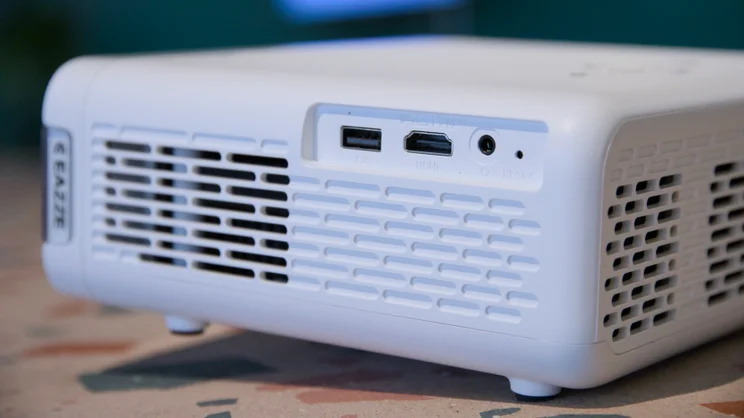
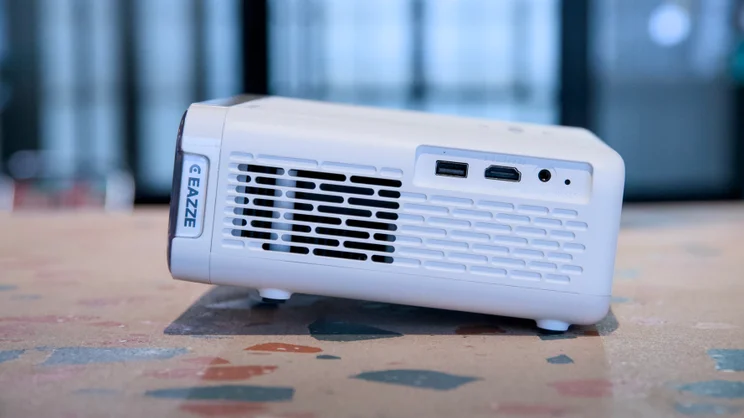
Likewise, there’s no VESA mount; if you want to ceiling mount this, you’ll need to make do with the 3/4in tripod thread. And physical connectivity is pretty limited. You get one HDMI (ARC) port on the left, flanked by a USB-A port for video file playback and a 3.5mm jack for connecting speakers or headphones and that’s your lot.
Really, though, the Eazze D1R is designed to be used wirelessly and to that end, it supports both dual-band Wi-Fi 5/6 and Bluetooth. This, combined with Roku’s streaming platform, allows you to access all the streaming services you need without having to physically connect anything to the projector, apart from a mains cable (it’s not battery powered).
The specifications are actually pretty good, too. The resolution is native 1080p, and Aurzen quotes the brightness at 323 ISO lumens, which is pretty good at this price.
You’ll still need to close the curtains to see the image at its best – this is not a projector that’s going to look good in a bright room in the middle of the day – but in a dim/dark room, as we’ll see below, picture quality is spot on.
How easy is it to set up and use?
I’ll get onto image quality momentarily, but first, let’s discuss what’s perhaps the most impressive thing about the projector: autofocus and auto-keystoning.
Every time you point the Eazze D1R at the wall or a projector screen, it displays a pattern that helps it lock in focus and straighten up the picture, so you don’t have to spend ages manually tweaking. In use, it worked brilliantly, even when I attempted to trip it up by projecting from a relatively oblique angle.
However, one thing to keep in mind is that you’ll need to keep the projector around 1.5m to 2m away from the screen to get a reasonably large image out of it. At the minimum distance of 1.13m, it will only project an image 40in across the diagonal. In fact, Aurzen recommends 80in as being the optimal image size for this projector, and for that, you’ll need to position the projector 2.27m from the screen.
Once the image is set up – which takes a matter of seconds – you’ll next encounter the excellent Roku software, which makes the rest of the process a breeze. It’ll handhold you through setting up a Roku account (assuming you don’t have one already) and setting up every app you might want to install.
Within a few minutes, I had all the UK terrestrial channels installed and ready to go (at least the ones that I use regularly) – BBC iPlayer, ITV X and Channel 4 – plus all the major streaming services: Netflix, Prime Video, Apple TV+ and Disney+.
It’s always a little painful entering passwords and usernames, but if you install the Roku app on your phone, it makes it a lot easier as you can use the app’s onscreen keyboard or your password manager of choice to enter these, instead of having to laboriously go through the rigmarole of using the Roku remote.
There’s also support for Apple AirPlay and MiraCast screen casting, and both – as you’d expect from a Roku device – worked very well when I tried them.
With setup done, you’ll find general usability and responsiveness beyond reproach. If you’ve ever used a Roku streaming stick before, you’ll get to grips with it very quickly, but if you’re coming to it fresh, you might be surprised at how easy it is to use.
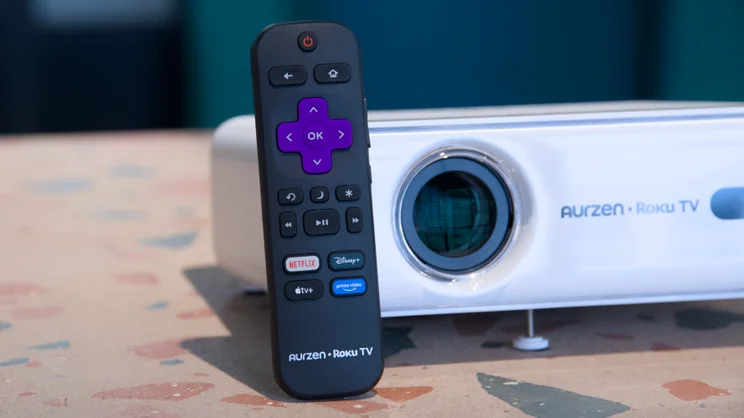
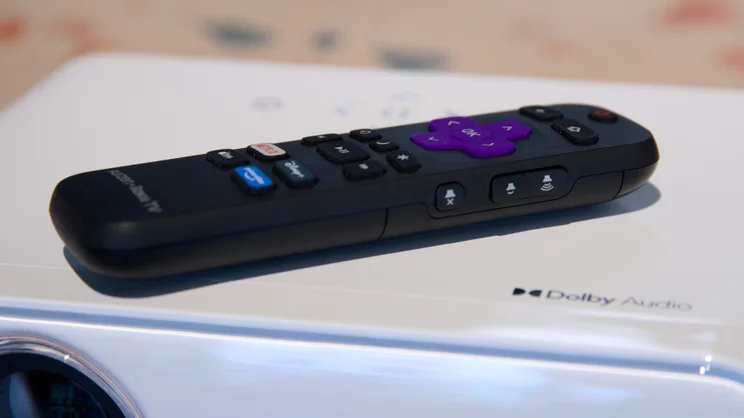
The remote control is a simple, but effective thing with shortcuts to Netflix, Disney+, Apple TV+ and Prime Video. And the Roku UI is probably the easiest to learn of any I’ve come across over the years of using streaming TV platforms. I particularly like the universal search facility, which is handy if you’re looking for a particular movie but can’t remember where it’s hosted, or you want to find out which streaming service is the cheapest for the title you’re after.
I only have two gripes here. The first is that there’s no voice search facility built into the remote. You can voice search via the Roku app, but I’d rather be able to do that via the remote when I’m watching TV. The second is that the remote is not backlit, which makes controlling the projector a little tricky when the lights are off.
What’s the image quality like?
Assuming you’re viewing in a dim or dark room, image quality is surprisingly good. I was expecting to be able to pick big holes in it, but for the money, I couldn’t fault it. And thanks to its single-chip LCD projection engine, you won’t see any rainbow effect as you would with a DLP-based projector.
Feed it a good quality video source and the Aurzen Eazze D1R rewards with sharp detail reproduction and balanced, natural colours. One of the first things I watched on it was the England women’s World Cup qualifier versus Ukraine on ITV X, and I was a little concerned about the lurid colours and rather low-quality images.
However, it turns out that this was more the fault of the ITV X stream than the projector hardware itself. When I switched to Netflix and fired up the first season of Formula 1: Drive to Survive, the image quality was pretty good.
There was a little softness visible on the extremities of the image, but this was only really noticeable when navigating through the projector’s various text-based menus. For the most part, the image is crisp and sharp, and well-balanced.
What’s the audio quality like?
With a pair of 5W speakers built in, audio output was another surprise. Not because they’re going to beat a decent Bluetooth speaker or headphones, or an HDMI-compatible soundbar. But because they’re not absolutely, teeth-gratingly horrendous.
What’s perhaps more impressive, though, is that the projector’s fans emit very low levels of noise, such that I was able to sit right next to the projector while watching without the faint whir distracting me at all.
I measured it at a lowly 44dBA from a meter away, which is quiet enough that as soon as any output from the projector’s speakers kicked in it was all but inaudible. Once again, this is very impressive for the price.
Should you buy an Aurzen Eazze D1R?
This is not a home cinema beast, far from it, but at £130 you shouldn’t expect it to be. Instead, it’s something you crack out for special occasions and, as such, is ideal for events like the World Cup, when size and immersion outweigh the need for the ultimate in quality.
Even considering that, the Eazze D1R is exceptional value and a great product in its own right. The picture quality is better than you’ve any right to expect for something this cheap, and the usability and features are everything we’ve come to expect from Roku-based streaming products.
In short, as long as you’re happy to watch your sport, movies or TV in dim or darkened rooms, I don’t think you’ll find anything better than this for the price, and it wins a deserved Expert Reviews Best Buy award.