
To help us provide you with free impartial advice, we may earn a commission if you buy through links on our site. Learn more
Screenshot
- Immersive Atmos
- Flexibility in speaker positioning
- Modular approach is upgradable
- Connectivity issues
- Frustrating setup process
- Expensive
No product has frustrated me as much during testing as the LG Sound Suite. That’s not an encouraging way to start a review of a modular, multi-channel sound system costing over £3,000, but there you have it.
The Sound Suite concept is appealing: it promises home-cinema sound without going down the custom-install route. You’ve got the flexibility to mix and match Sound Suite products to fit your budget and sonic needs, with the most expensive configuration delivering 13.1.7-channel surround sound.
When each product behaves itself, the results can be incredibly immersive; there’s breathtaking scale and impact, and loads of raw power. However, my time with the Sound Suite H7 soundbar, four Sound Suite M7 satellite speakers and the Sound Suite W7 subwoofer was bittersweet to say the least.
Price and competition
There are currently four Sound Suite devices available, and you can choose how to combine them. At a minimum, you will need either an LG TV compatible with Dolby Atmos Flex Connect, such as the LG G6 or the Sound Suite H7 soundbar (£899), plus a Sound Suite M7 (£399) or Sound Suite M5 speaker (£249).
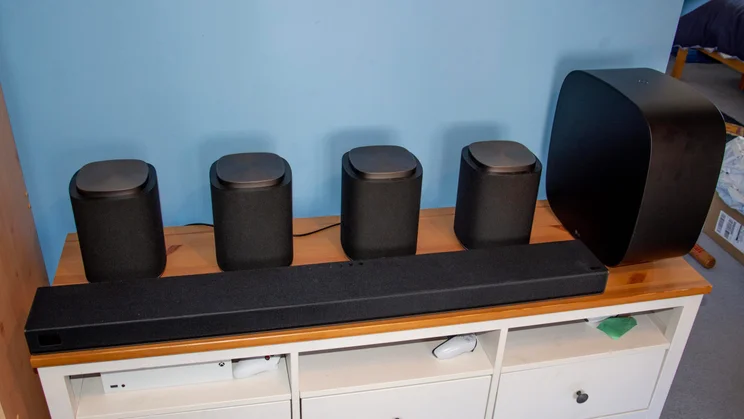
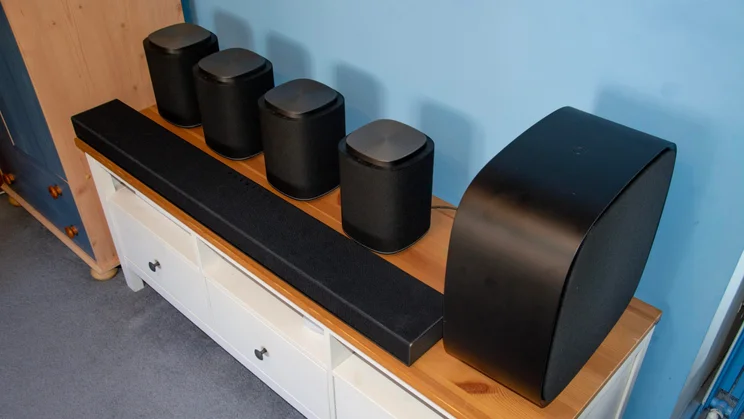
You can then add up to three more satellite speakers (any combination of M7 and M5 works) and the Sound Suite W7 subwoofer (£600). If you opt for the setup I was sent for this review (one H7, four M7s and the W7), you’re looking at an outlay of £3,095.
That’s serious money to throw at a home audio system, and it’s not like you’re short on alternatives to improve your TV’s sound quality. There aren’t many other Dolby Atmos Flex Connect (DAFC) products around, though.
Screenshot
In fact, TCL’s Z100 speakers are the only other option. The Chinese brand’s take on DAFC is less ambitious; you’re limited to up to four speakers (sold separately) working in conjunction with a compatible TCL TV. I’ve been assured that the Z100 are coming to the UK and told they’ll cost around €300 per speaker, but they’re not available at the time of writing.
Hisense has a similar thing in the form of the Hisense Saturn: a 4.1.2-channel system comprising four satellite speakers and a subwoofer. Audio is broadcast wirelessly via a transmission box, and the package costs less than £1,000.
Otherwise, you’re looking at multi-channel soundbar systems like the Samsung HW-Q990F. This doesn’t have the flexibility of DAFC setups, but offers an 11.1.4-channel count across a soundbar, subwoofer and rear speakers, and will set you back a mere £999.
Design and setup
Dimensions and aesthetics
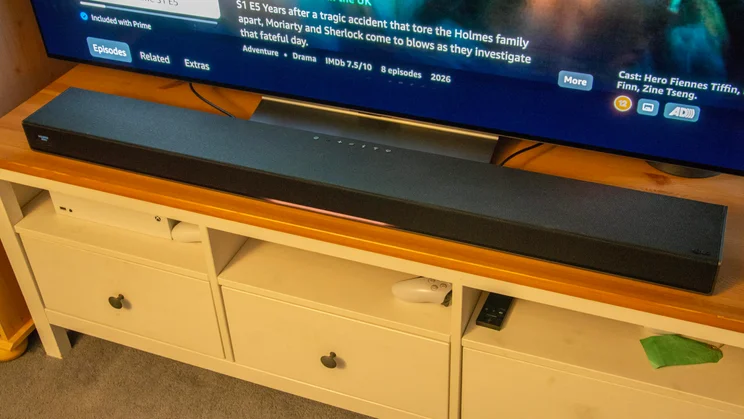
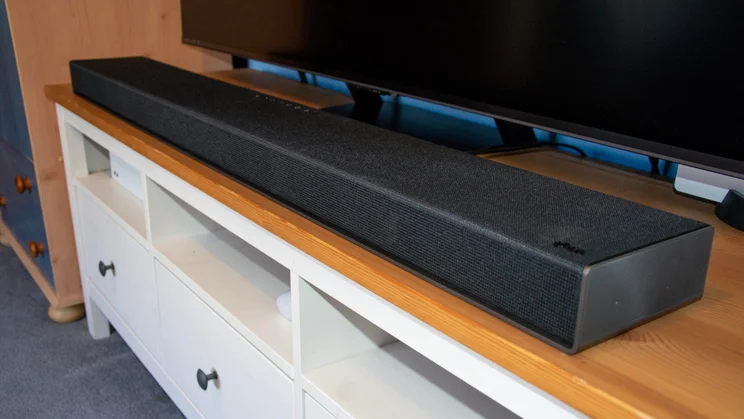
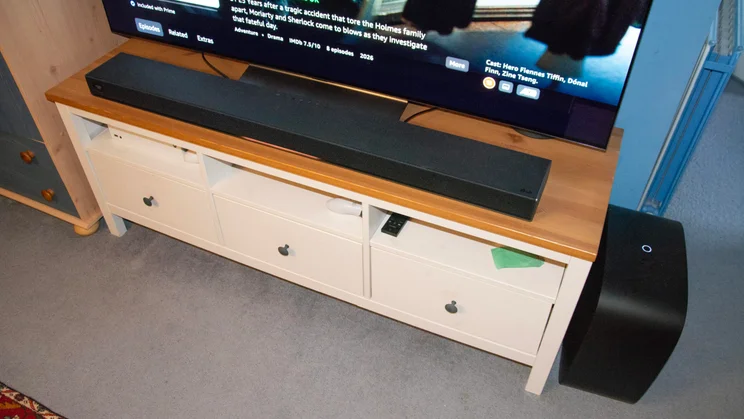
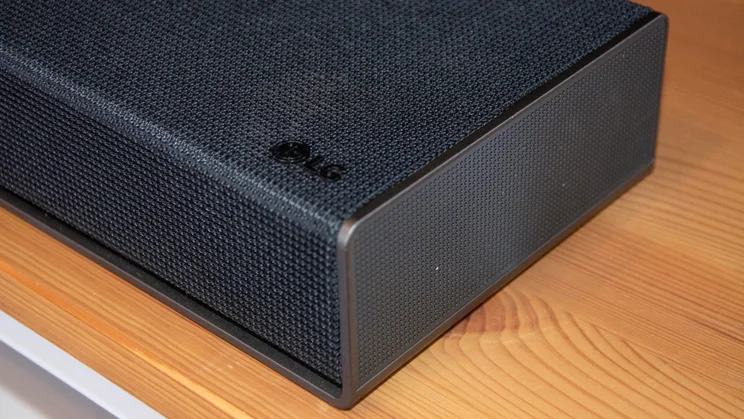
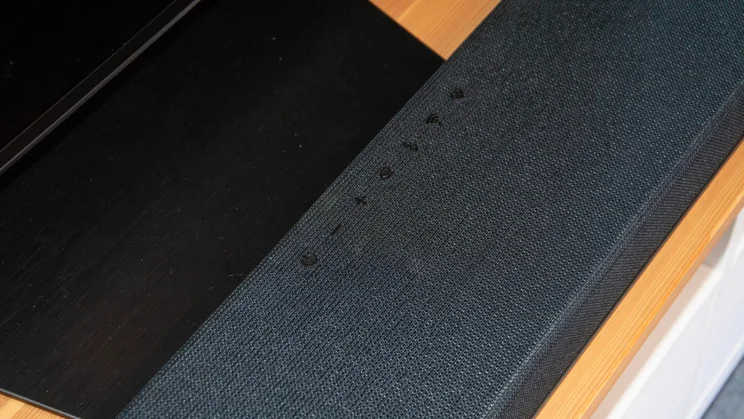
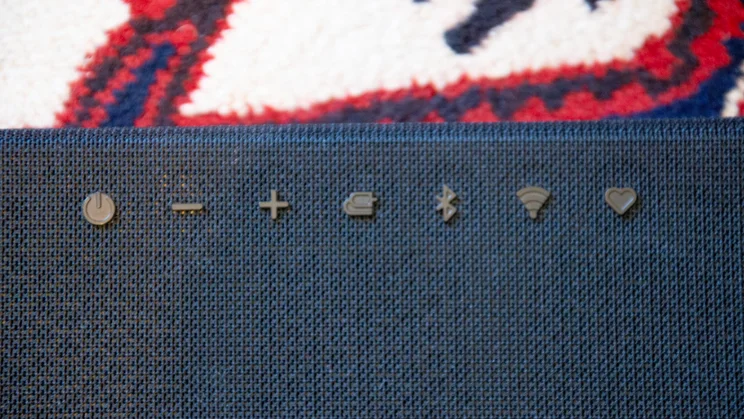
Each element of the Sound Suite system is easy on the eye, which is a good thing, as you will probably end up with a few dotted around your living space to give maximum sonic coverage. The 9.1.6-channel H7 soundbar measures 1,200 x 143 x 63mm (WDH), is wrapped in a black acoustic cloth, has physical buttons on its crest, and a small digital display on the left-hand side of its facade. It’s a soundbar best paired with 65in TVs and above; anything smaller than that and it’s going to look a bit silly.
Screenshot
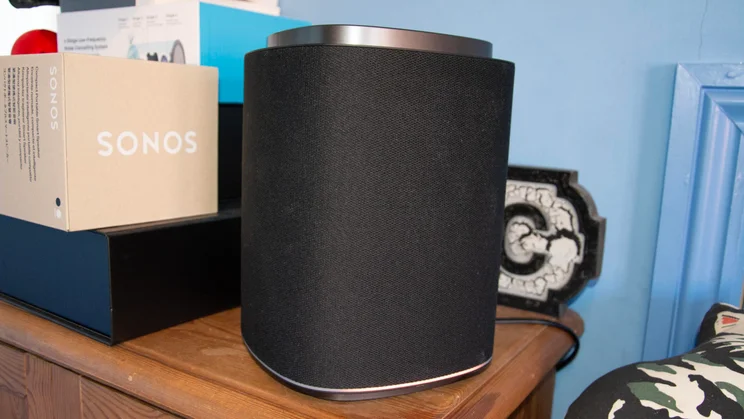
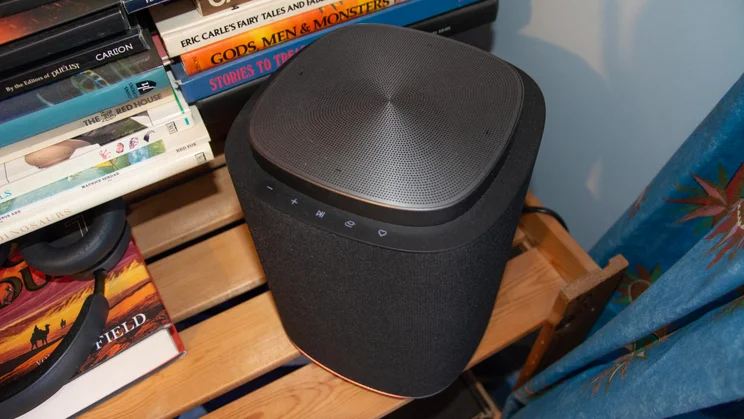
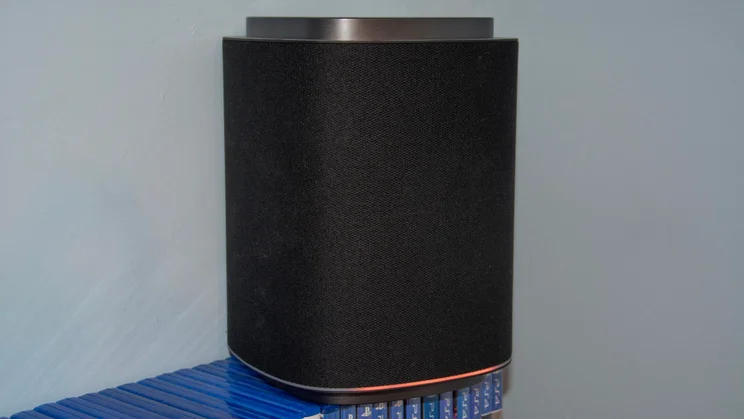
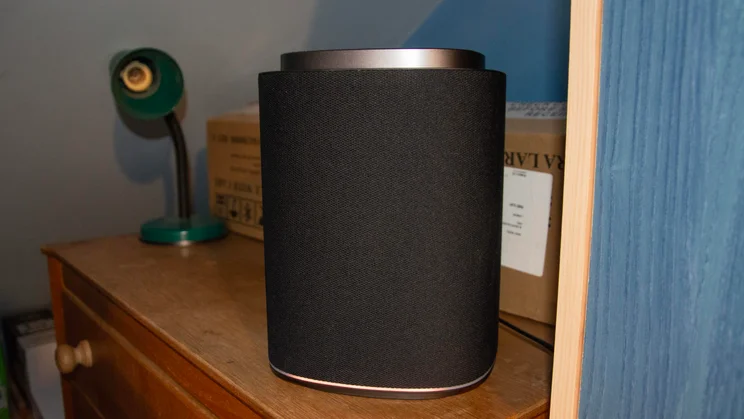
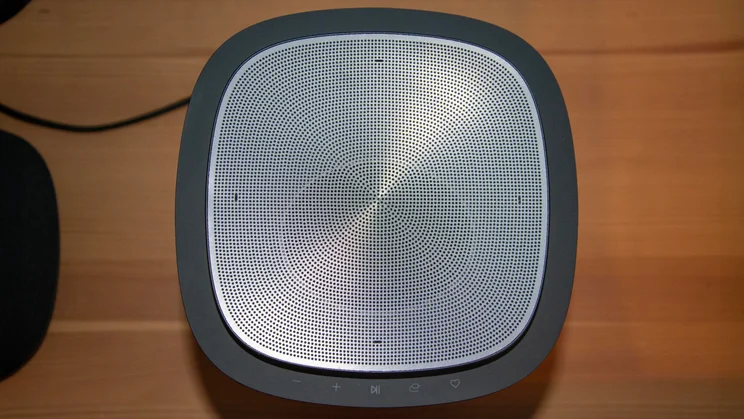
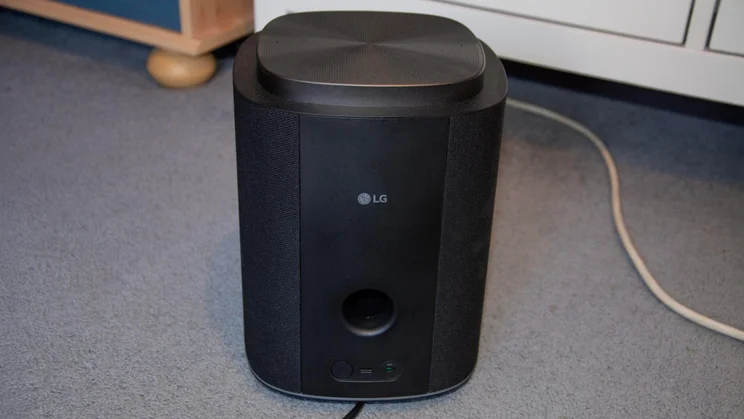
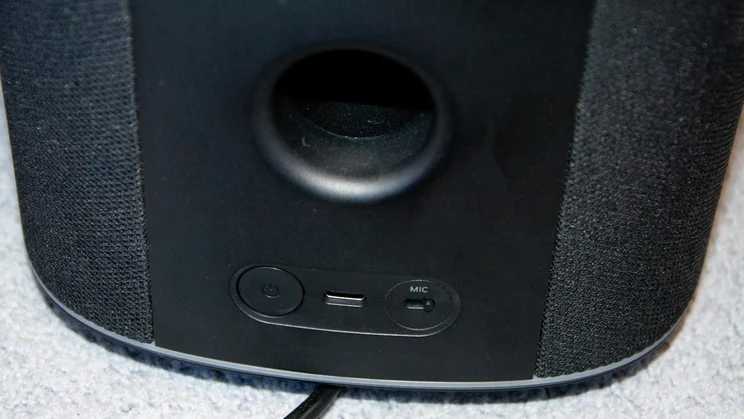
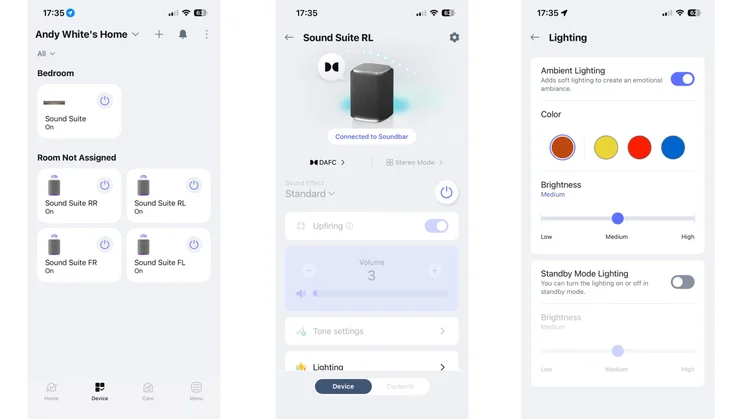
The M7 satellite speakers, meanwhile, are 2.1.1-channel affairs that measure 177 x 177 x 238mm. Their aesthetic matches the soundbar, but they have touch-sensitive controls rather than physical buttons. Both the H7 and M7 have ambient lights near their bases; you can adjust the colour or turn them off in the ThinQ app.
Screenshot
I wasn’t sent any M5 satellites to test, but they’re smaller versions of the M7. You lose one front-firing driver, but still get the up-firing Atmos and low-frequency drivers in a 1.1.1-channel arrangement.
Screenshot
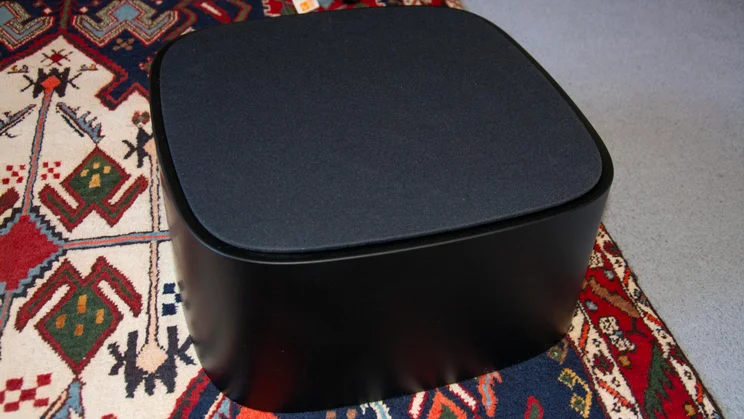
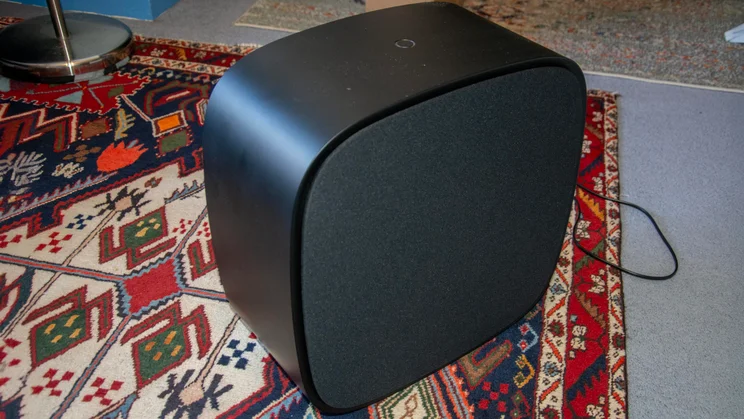
The W7 subwoofer is a bit of a beast at 410 x 194 x 415mm and almost 9kg. You can position it in two orientations: either vertically, as I had it, or horizontally to fit under furniture. It employs an 8in woofer that reaches frequencies as low as 26Hz.
The setup process
Adding speakers
The great thing about Dolby Atmos Flex Connect is that, once you’ve selected which speakers you want, where you position them is up to you. Thanks to the magic of room and speaker calibration, you’ll get the same level of immersive output whether you locate them front-left, front-right, rear-left, or rear-right – or go with something more experimental.
What will likely decide this is where your power plugs are. The speakers and subwoofer all need mains power, so bear that in mind. I had to dig out a few extension leads to space the quartet of M7s around my room.
Screenshot
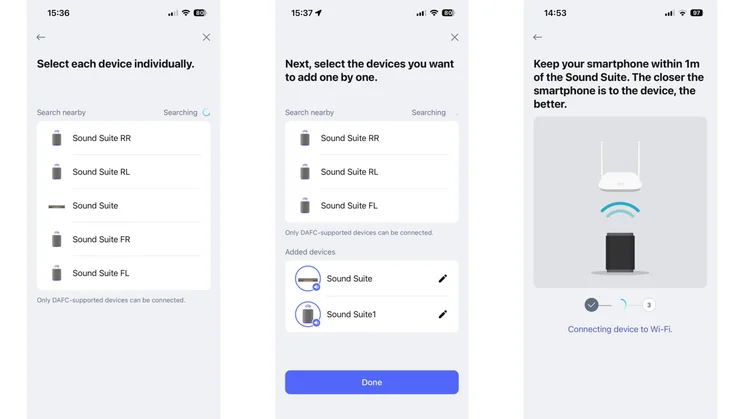
In theory, the system should be relatively easy to get up and running as everything is added and arranged using the ThinQ app. However, these simple steps proved a labour even Hercules would find testing.
The first roadblock I encountered was getting the H7 soundbar onto my network. Time and again, it refused to join, and when I finally got it online and streaming audio, it didn’t register as connected in the app, meaning I couldn’t adjust the settings or group it with the M7s.
Screenshot
Being the tenacious blighter I am, though, I persisted, and after countless attempts and several hard resets, it worked. Until I switched from the LG C5 OLED that I was testing with to the LG C6, when I suffered through a similar palaver all over again.
Connecting the Dolby Atmos Flex Connect group
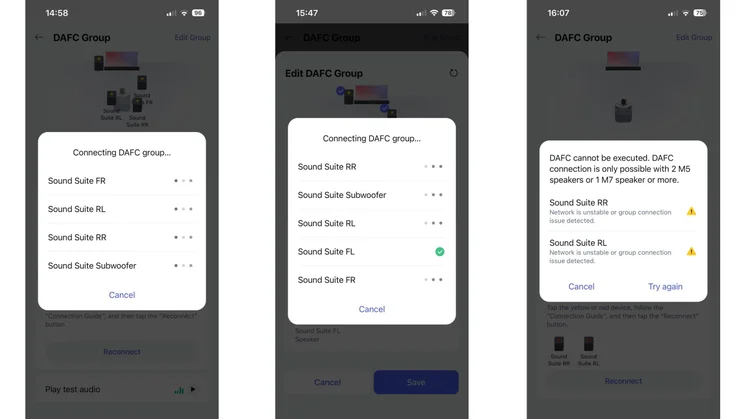
Adding the four M7s was a smoother operation; they were far less fussy about getting on board. However, having made some progress, I came a cropper trying to sync everything into a DAFC group. Cue countless attempts, and many a swear word, as I faced a seemingly endless series of “Connecting DAFC group” pop-ups.
I got there eventually, though, and could finally enjoy what the Sound Suite had to offer… until one of the M7s dropped out, forcing me to reset it, re-add it, and regroup all five speakers. This happened more than once, and the fear of it happening again never felt too far away.
Screenshot
Adding the subwoofer to the mix is handled slightly differently. It doesn’t appear in the ThinQ app as a separate entity, but can be found under “Connectable Devices” when you edit the DAFC group. I experienced similar issues getting it to join the gang, but the old unplug it and plug it back in trick worked in the end.
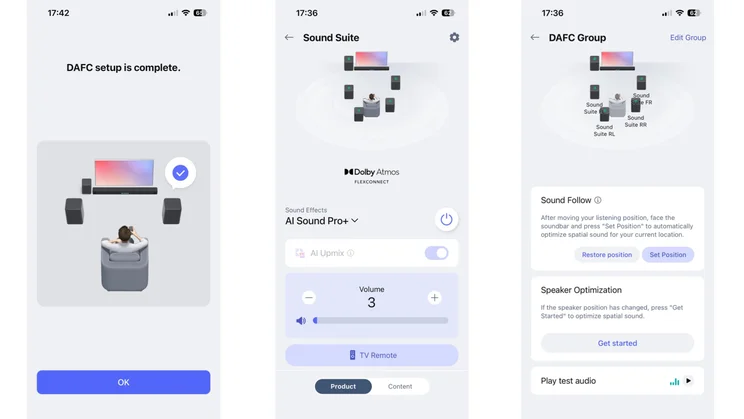
With all six speakers grouped, all that remained was to run a calibration to optimise the sound output for their positions. This was quick and painless in comparison to what had gone before.
Screenshot
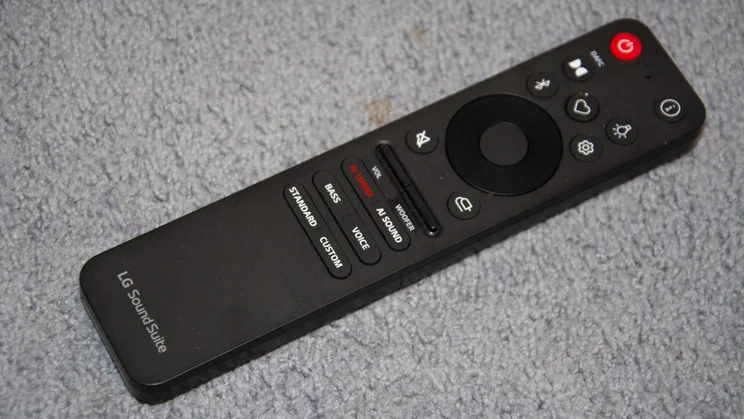
Neatly, LG has included a feature called Sound Follow to ensure you get the best experience if you decide to get off the couch and move to your armchair. With a simple press of a button in the app, the Sound Suite uses ultra-wideband technology to move the sonic sweetspot to where you’re located.
Overall, setting up the Sound Suite should have been a simple process, but it proved to be a hair-pulling endeavour.
Features and connectivity
Connection ports and wireless connectivity
The Sound Suite supports both Wi-Fi and Bluetooth 5.4, and there’s support for Tidal Connect, Spotify Connect and Apple AirPlay 2, too. I tested the system over the 2.4GHz band of my BT Smart Hub’s internet connection and was given a long list of instructions to troubleshoot potential Wi-Fi issues, including turning off router features like band steering and MLO, and separating the bands into individual SSIDs.
Screenshot
Quite apart from the fact that manufacturers shouldn’t be telling users to do things that may negatively affect the performance of their domestic Wi-Fi setups, I imagine a lot of people won’t have a clue how to do any of these things anyway.
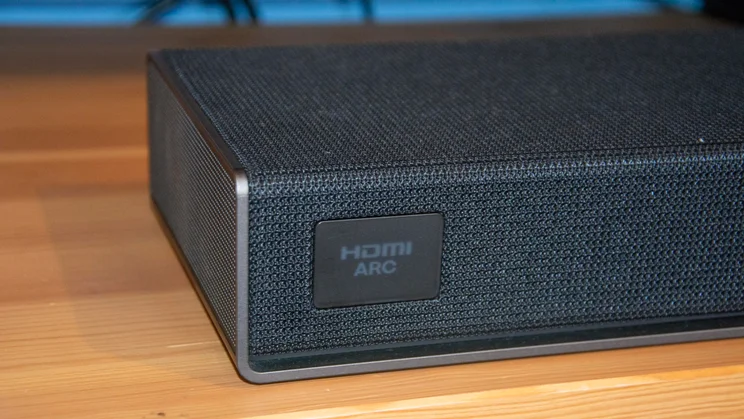
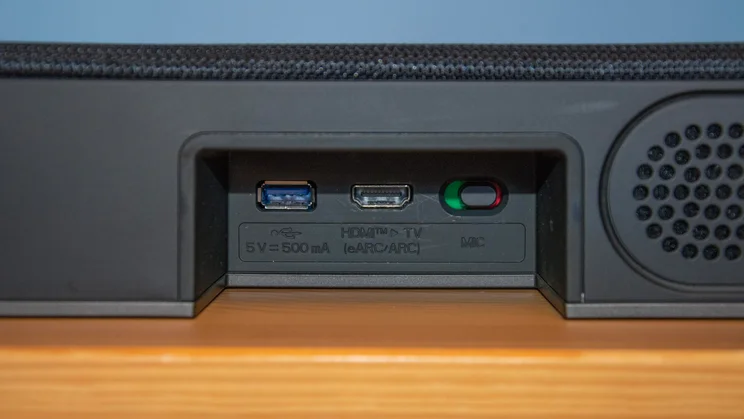
Physical connectivity on the H7 soundbar is limited to a single HDMI eARC port and a USB-A port for external media files. Each of the M7 satellites has a USB-C port that supports wired playback.
Sound customisation options
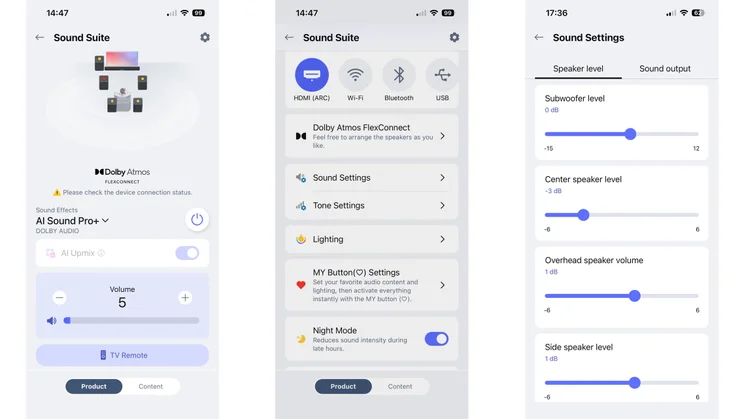
The Sound Suite offers numerous ways to tweak its sound, including four Sound Effects (preset EQs): AI Sound Pro+ optimises audio based on what you’re watching, and is accompanied by Standard, Clear Voice Pro+ and Bass Boost. There’s also an option to create your own EQ using an eight-band graphic equaliser.
Screenshot
Other audio customisation settings include the ability to individually control the levels of the H7’s subwoofer, centre speaker, overhead speakers, and side-firing speakers, plus treble, mid, and bass sliders. All of that is good stuff, but I particularly liked engaging AI Upmix, which successfully uses the full number of channels at the system’s disposal to upscale stereo content.
Audio performance
I tested the Sound Suite in several different configurations, each of which sounded very different, so I’ve summarised my key thoughts below. It’s worth noting that you’ll be able to use a pair of M7s on their own with compatible Alpha 11 Gen 3 LG TVs, but I wasn’t able to try this.
Sound Suite H7 soundbar
With 500W of power to draw on, the H7 has plenty in the tank to fill a room, and its side- and up-firing drivers handle large set pieces well. Height and width effects were impressive on the Dolby Atmos soundtrack of One Piece on Netflix; as the Going Merry ship cut through waves while approaching a ferocious body of water, I got a strong sense of the water crashing around me.
Screenshot
The AI Sound Pro+ setting successfully expanded the soundstage on stereo mixes, such as Amazon Prime’s 2026 reboot of Fist of the North Star. Dialogue and ambient effects were articulated in a more spacious soundstage, and the frantic sounds of combat were a touch more visceral.
However, the H7 sounded a little sharp for my liking overall – I found high-pitched frequencies coarse at times – and the subwoofer didn’t have enough impact, with explosions lacking weight. For a £900 soundbar, I found it lacking refinement. That said, it is designed to be the centrepiece of a system, rather than a solo operator, and it works better when fulfilling that role.
Sound Suite H7 and Sound Suite M7 (x2)
Adding a couple of M7 satellites to the setup didn’t do a huge amount to change how Fist of the North Star sounded – there’s only so much AI can do to transform two-channel audio. With a pair of M7s positioned rear-left and rear-right, I was able to pick up on small audio cues behind me, with the bar doing all the dialogue legwork.
Screenshot
On the 5.1 mix of Young Sherlock on Amazon Prime, the M7s’ contribution was more noticeable and enjoyable. I felt more present within scenes, able to pick up on small environmental details, and there was a strong sense of where particular sounds were coming from. Conversations taking place indoors sounded natural, and the acoustics were well presented.
With AI Upmix engaged, the up-firing drivers played their part, despite the soundtrack not being Atmos. There was a decent level of upwards projection, adding a welcome vertical element during the episode in which Holmes and Moriarty chase a murderer around a bell tower above Oxford’s skyline.
Sound Suite H7, Sound Suite M7 (x4) and Sound Suite W7
This is where the system really came alive. All of what I’ve written above about the performance of the H7 and two M7s remains true, but it rises several notches with the addition of two extra M7 units. Violins in Young Sherlock danced between the left and right, back and front speakers, and on-screen movements were reflected across the broad soundstage with impressive fidelity.
Stranger Things’ Atmos soundtrack proved the best demonstration of the Sound Suite’s potential. The terrifying surroundings of Hawkins were communicated in gripping fashion, gunshots and explosions had real weight thanks to the potent subwoofer piling in, and overhead effects were spectacularly immersive with seven up-firing channels being put to work simultaneously.
Screenshot
And, in the Netflix documentary The Rise of the Red Hot Chilli Peppers, I was impressed by how successfully the speaker arrangement balanced interviews with backing tracks. I wouldn’t say the Sound Suite is the most musically capable system around, but it’s certainly no slouch.
With the full system firing on all cylinders, I started to understand what LG is shooting for with the Sound Suite. Sitting on the sofa of my bedroom really did start to feel like I was sitting at the centre of a dedicated home theatre setup.
LG Sound Suite review: Verdict
Despite that, I can’t recommend the Sound Suite based on my experience. I love the idea behind it, and it has a lot of potential as a flexible, modular audio solution, but it’s very expensive and didn’t function as the plug-and-play product I’d been expecting.
When it works as intended, there’s no denying its appeal. It immersed me in a broad bubble of sound, and I felt convincingly placed at the heart of the action. But the effort it took to get there outweighed the sense of engagement, and I never felt confident that there wasn’t another connectivity hiccup on the horizon.
I lost count of how many times one or more of the satellite speakers would stubbornly refuse to connect or play nice with their compatriots, and I even had occasions when sound wouldn’t play through the soundbar, forcing me to unplug it from the mains. And, having spoken to fellow AV journalists, I found I wasn’t alone. Several reported buggy software and regular disconnects.
Hopefully, LG can iron things out with future updates, as there’s definitely something in the Flex Connect format. But the Sound Suite left a bit of a bitter taste in my mouth and, as it stands, I can’t really recommend it.


