
To help us provide you with free impartial advice, we may earn a commission if you buy through links on our site. Learn more
- Curved panel works really well for games
- Punchy, bright and colourful images
- 240Hz panel keeps action looking sharp
- Low pixel density reduces sharpness
- Lacks peak brightness for HDR
- Poor backlight uniformity
When it comes to gaming monitors, size isn’t all that matters – but it’s a good place to start. So, when I saw that the Alienware AW3226DM was a 32in 240Hz gaming monitor retailing for a measly £269, I was already intrigued.
Surely a sub-£300 monitor couldn’t deliver the kind of gaming experience that I’ve been enjoying on similarly-proportioned OLED monitors at a fraction of the price.
What do you get for the money?
The Alienware AW3226DM is a curved 32in monitor with a 16:9 ratio VA panel. It has a maximum 240Hz refresh rate and suitably nippy response times: the 4ms GTG response time in its standard Fast mode drops to 1ms in its Extreme overdrive mode. The claimed peak brightness of 450cd/m2 is matched with a contrast ratio of 3,000:1.
HDR is on the cards, too, with both DisplayHDR 400 certification and, more unusually, Dolby Vision support. This bodes well both for HDR gaming and movie playback on consoles, and video playback on PC. Dolby Vision gaming on PC just isn’t a thing; not yet anyway. The VESA Adaptive Sync and AMD FreeSync Premium certifications are a nice bonus, too, promising tear-free VRR gaming for both AMD and Nvidia hardware.

What are the key features?
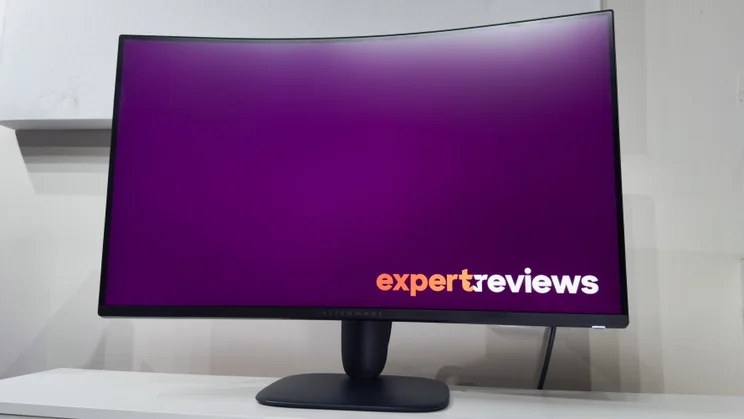
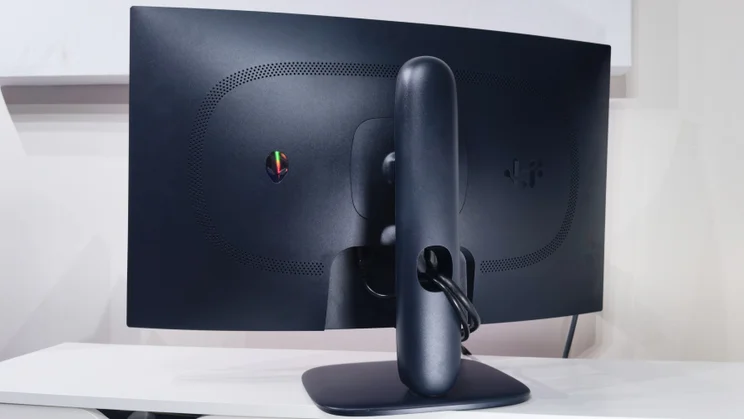
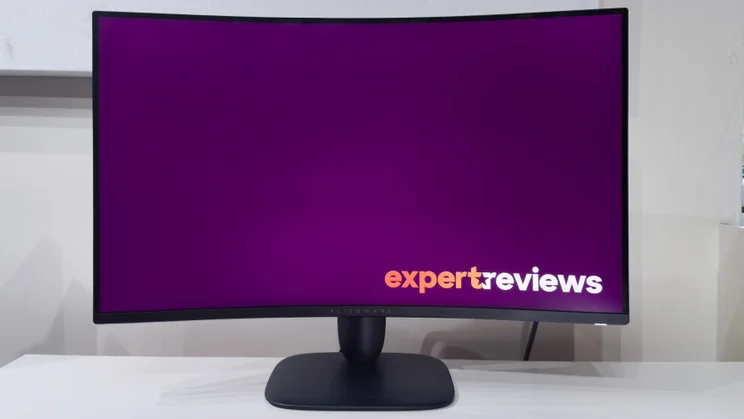
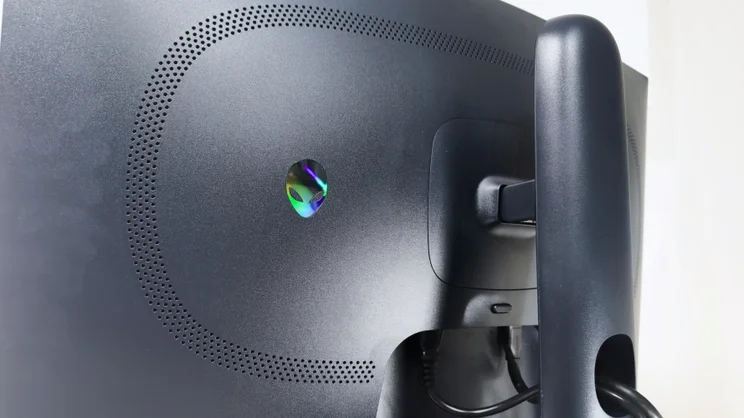
The AW3226DM is a sharp looker. Its stand and rear are cast in an attractive dark blue, and both the branding and the familiar alien logo on the rear are subtle. There’s no in-your-face RGB lighting here. The Bezels are thin, and the overall package looks and feels well put-together for the price.
The 32in curved panel isn’t solely there for wrap-around immersion. It also does an excellent job of masking the fairly limited viewing angles typical of VA panels. It’s a sensible choice for showing the panel in its best light. So, too, is the adjustable stand, which provides 110mm of height adjustment and an ample amount of tilt to get the panel at the perfect angle. There’s obviously no portrait mode due to the curved panel, though.
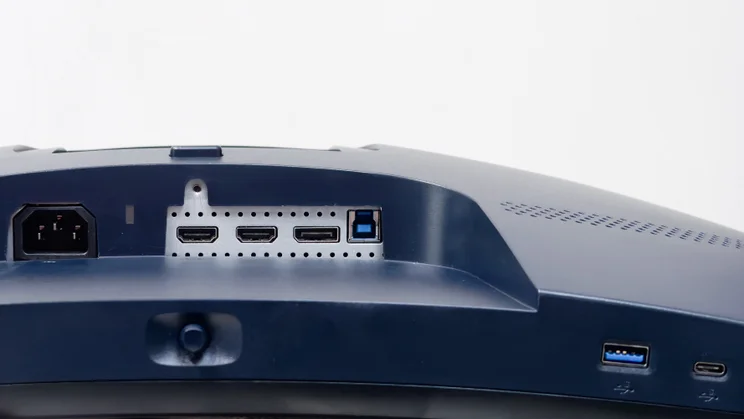
It’s great to find that Alienware hasn’t cut any corners on connectivity. There are two HDMI 2.1 ports (both support CEC; HDMI 1 supports eARC) and a single DisplayPort 1.4 port, so connecting a PC and a couple of games consoles isn’t out of the question. The USB-B port at the rear powers up a single USB-A and single USB-C port under the monitor’s front edge. These supply 15 watts of power for charging smaller devices.
The only thing oddly lacking here is a 3.5mm headphone output. This gives you two options: either connect a headset directly to your PC or console, or sacrifice the first HDMI port to ferry uncompressed audio via eARC to a soundbar or home cinema amplifier. Personally, I think that a 3.5mm headphone port would make more sense: this is a curved monitor designed to be viewed close up, not from across a living room.
It’s good to see some sensible cable management here, though. There’s an oval cutout in the base of the stand, and this does an effective job of gathering and guiding the cables neatly behind the desk.
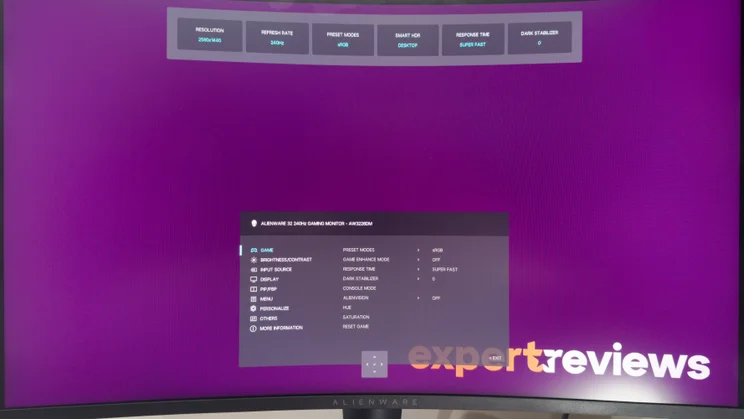
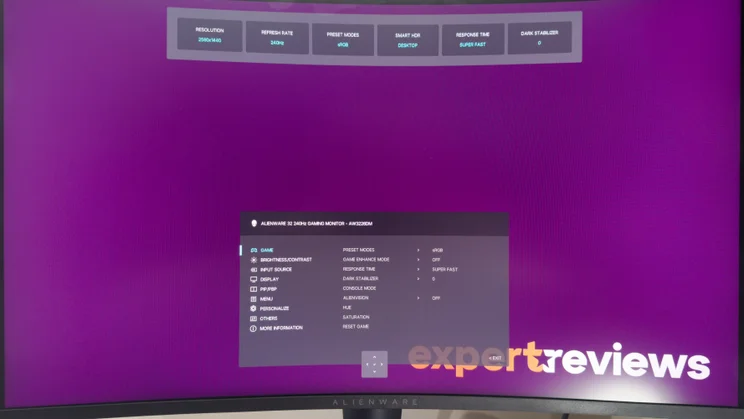
Turn on the monitor, and Alienware’s on-screen display makes light work of adjusting the various settings and picture modes. The clickable four-way joystick is positioned centrally under the monitor’s front edge so it’s easy to reach. Push it in any of the four directions and it brings up the HUD and a selection of five Shortcut settings, which you can cycle through for quick adjustments. Helpfully, the HUD shows your current resolution, refresh rate, picture mode, HDR status, response time mode and Dark Stabiliser mode, so you can see at a glance whether everything is set the way you like it.
Push the joystick forwards and the full menus appear, and very good they are, too. The text is large and clearly legible and the menus are logically laid out so it’s easy to find and tweak the various settings and picture modes. You can also assign the joystick’s directional movements to launch any four settings for quick access.
Crucially, you can also enable or disable the Console mode for the HDMI inputs. This limits the refresh to 120Hz, downscales 4K inputs to match the screen resolution, and allows you to toggle and tweak the HDR Source Tone Map mode to ensure that HDR tone mapping can be controlled from the console for optimal HDR picture quality.
How did I test the Alienware AW3226DM?
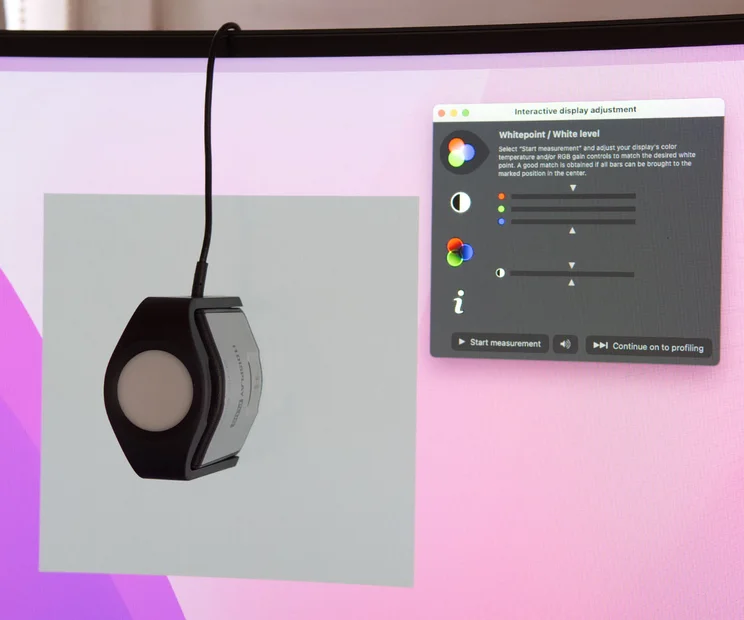
I tested the Alienware AW3226DM in the same way I do all monitors. The first step is assessing features and build quality. Is the stand easy to attach and adjustable? What connectivity is on offer? I give the OSD a thorough workout, too, noting how easy it is to navigate. Only then do I move on to test image quality and to do that I use an X-Rite i1 Display Pro Plus colorimeter in tandem with the DisplayCAL calibration and profiling software.
I test the image quality in all relevant picture modes to evaluate the monitor’s brightness, contrast, colour accuracy and colour gamut in bot SDR and HDR modes where appropriate. I measure the brightness and contrast across 25 points on the panel to check for variances in backlighting or panel uniformity. For gaming monitors I use an OSRTT Pro CS to measure response times and for LCD-based monitors the tests are repeated at the monitor’s various overdrive settings.
And all this is also backed up by subjective testing. I use the monitor in normal lighting conditions, both bright and dark, in addition to noting any issues with the panel’s anti-glare coating. And every review is written while using the monitor in question, so it gets tested across a wide range of duties: basic productivity, editing high-resolution product images, watching SDR and HDR video content and extended gaming sessions.
How is the picture quality?
Considering the price, the AW3226DM makes a really great impression. That’s all the more surprising given that the 2,560 x 1,440 resolution and 32in diagonal combine to create a pixel density identical to a 24in Full HD monitor.
That means both text and games lack the crisp precision of a similarly sized 4K panel, but it’s not as off-putting as you might expect. And if your budget can’t stretch to a 4K panel, or your graphics card simply isn’t up to powering 8 million pixels on and off at triple-figure framerates, the AW3226DM is probably all the monitor you need.
The first thing that struck me is how bright and punchy it looks. Even at the default 75% brightness, the panel delivers a full screen luminance of 238cd/m2. Crank it to maximum and it rises to 569cd/m2 in the monitor’s SDR native Standard mode. After many months staring at WOLED and QD-OLED panels that rarely achieve those kinds of figures, it’s a refreshing change to have a monitor that doesn’t need to be cranked to full brightness for daytime gaming. Even with the sun shining through the windows, the Alienware AW3226DM’s high brightness and matte anti-glare coating bats off glare and reflections.
This goes hand-in-hand with a panel that produces a vivid palette of colours with good accuracy. Leave the AW3226DM in its Standard mode and it covers 88% of DCI-P3 and 81% of Adobe RGB, which is respectable for a panel at this price. This makes for a reasonably colour-accurate wide-gamut performance – I saw an average Delta E of 1.85 when tested against a Display P3 profile, and the 6,554k white point was almost bang on, too.
Switch to the AW3226DM’s sRGB mode and it’s even more accurate. The average Delta E of 1.04 is superb, and the maximum deviation of 2.54 is good, too. The only flaw here is that the white point is far too warm at 5,832k, but this will be no big deal for most people. Whites have a clear warm tint compared to the more neutral picture modes, but this is pleasant for productivity work and all but unnoticeable in games. Frankly, though, I think most people will just leave the monitor in one of the other wide gamut modes and enjoy the extra vibrance this brings to games – strict colour accuracy is overrated in those situations after all.
It’s worth mentioning that HDR is a little less impressive, but it’s not entirely unusable. I saw a peak brightness of around 550cd/m2, and this is enough to make HDR watchable. Optimal it is not. The lack of really bright highlights dims the spectacle of the most impressive HDR scenes, and the panel’s relatively limited contrast doesn’t give darker, more subtle scenes the depth of shadow and colour required to see them as intended. In most cases, I preferred the look of the AW3226DM in SDR mode, so it’s very much a case of trying both and seeing which presentation you like best.
The AW3226DM’s limited contrast is one its more noticeable flaws. The VA panel produced a maximum contrast ratio of 2,354:1 in Standard mode and 2,233:1 in sRGB mode, some way short of the claimed 3,000:1. That’s good enough to produce noticeably deeper, darker shadows than IPS-based monitors, but in a world where OLED provides perfect jet-black backgrounds, it’s a dramatic step down on even the cheapest QD-OLED gaming rivals, such as Alienware’s own £370 AW2726DM.
The curved screen does work really well, however. As someone who’s been more used to seeing curved ultrawide monitors with 21:9 resolutions, I wasn’t sure how the 1500R curve would work on a more traditional screen ratio, but it’s actually really effective – it fills the visual field more effectively and this adds to the sense of immersion. Switching back to a flat monitor at the end of the test period was quite a shock: the impact is considerable.
And that’s not to say it doesn’t work fine on the Windows desktop. As mentioned, it’s a clever way of masking the viewing angle limitations of VA panels. On flat 32in panels you’ll be quite aware of a washed-out look that can manifest around the edges; this is not an issue with a curved display. The only counter to this is for anyone who needs a monitor for exacting photo and video editing duties: while the colour accuracy is very good, the curved panel’s tendency to warp straight lines may not be helpful.
How good is it for gaming?
Turn your attention back to games, however, and the AW3226DM is entirely in its element – it delivers low response times and crisp action with very minimal blur or smearing. The monitor has three overdrive settings: Fast (4ms GTG), Extra Fast (2ms GTG) and Extreme (1ms GTG). It ships with the overdrive set to the lowest Fast mode, and this looks pretty sharp compared to many of the cheaper models I’ve tested.
Push up to the monitor’s maximum 240Hz refresh rate, however, and you’ll definitely benefit from moving up to one of the faster overdrive modes. Extra Fast tidies up the blur around the edge of fast-moving objects without introducing any overly intrusive artifacts, and Extreme cleans those edges up even more at the expense of a little more overshoot becoming slightly more visible.
Very dark scenes do show up the limitations of VA panel technology, however. Thankfully, it’s not as awfully intrusive as I’ve experienced on other VA-based monitors, but it’s there. Go from a bright outdoor scene to a dark, dimly lit interior and you can immediately notice that there’s some dark smearing around the edges of moving objects. The response times tumble for darker transitions and, as a result, everything loses a little crispness.
The other issue here is if VRR (variable refresh rate) is enabled at 120Hz or above. Like most affordable monitors, the AW3226DM doesn’t have adaptive overdrive. Overdrive boosts the voltage applied to each pixel to make it change colours more quickly, but if you apply the same voltage at 240Hz as you do at 60Hz, the pixels will shoot past the intended colour and create a fuzzy halo around the edge of moving objects. Here, this becomes suddenly very noticeable when framerates dip down into double figures and towards 60fps. There are two solutions: either drop detail settings and use upscaling to keep your framerates higher, or just turn off VRR and see if the microstutter bothers you unduly.
There are limitations as to what you can expect on a budget panel, and the Alienware’s final flaw is uneven backlighting. The fact that it looks vastly worse on paper than in person is slightly surprising. The brightness along the far left and right edges of the panel is anything between 10% and 25% dimmer than the centre. That sounds like a lot, and it is: it’s amongst the worst I’ve seen from any monitor in recent times.
This brightness variation is noticeable – all the more so once you go looking for it – but it’s blessedly easy to forget about. I spent many hours gaming and working on the AW3226DM, and while I definitely was more aware of the issue while editing documents on a plain all-white screen, I didn’t notice it very often while gaming. This, again, is down to the curved design: this works best with a viewing distance of around 70cm or so, and at this distance the panel pretty much fills your field of vision and the brightness variations just aren’t that impactful.
Should I buy it?
Frankly, I didn’t expect to like the Alienware AW3226DM as much as I did. I was convinced a 32in monitor with a QHD resolution would make me yearn for a smaller, sharper 27in display or hanker for my usual 32in 4K OLED. The fact that it didn’t is testament to exactly how good it is.
For productivity, I’d prefer a sharper image, but it wasn’t a deal breaker by any means. For gaming, there was just nothing to complain about, and even the VA panel’s typical issues with darker scenes didn’t bother me that much.
This is because the AW3226DM’s other talents do a good job of keeping your attention on the action rather than the minutiae of panel performance. It’s bright, colours are vibrant and response times are fast enough to keep the on-screen action looking slick. Factor in the useful connectivity, adjustable stand and little bonuses such as a USB hub and Dolby Vision, and it’s hard to ask for much more at the price. If you’re hankering for a thrilling, big-screen gaming experience, the Alienware AW3226DM delivers at a surprisingly down-to-Earth price.
Alienware AW3226DM specifications
| Display | 31.5in VA panel (curved 1500R) |
| Panel resolution | 2,560 x 1,440 |
| Refresh rate | 240Hz |
| Panel response time | 1ms GtG (Extreme mode) |
| Adaptive Sync Support | Yes (AMD FreeSync Premium, VESA AdaptiveSync) |
| HDR Support | Yes (VESA DisplayHDR 400, Dolby Vision) |
| Ports | HDMI (2.1 x 2, DisplayPort 1.4 x 1, USB 3.2 Gen 1 Type-B x 1 (upstream), USB-C 3.2 Gen) 1 x 1 (downstream, up to 15W), USB-A 3.2 Gen 1 x 1 (downstream) |
| Other features | USB PD (up to 15W), Console Mode, eARC |
| Stand Ergonomics | -5~21° tilt, 110mm height adjustment |
| Dimensions (with stand, WDH) | 707 x 474-583 x 232mm |
| Weight (with stand) | 9.63kg |


