
To help us provide you with free impartial advice, we may earn a commission if you buy through links on our site. Learn more
- Super saturated colours
- Crisp 4K resolution
- Good motion clarity
- Only 165Hz refresh rate
- Mediocre uniformity
- Some subtle flicker is noticeable
Alienware has been on a bit of a roll in recent months with its gaming monitors. Its AW2726DM did a great job of bringing OLED gaming down to below the £400 mark, and its even-more-affordable 32in AW3226DM delivered immersive big-screen gaming for well under £300.
Now, however, it’s the turn of the AW3226Q – a 32in monitor that delivers 4K 165Hz gaming on one of the latest Tandem OLED panels for just £649.
What do you get for the money?
The AW3226Q houses a glossy 32in OLED panel with a 165Hz refresh rate. Alienware has used one of LG’s latest Tandem OLED panels, so-called because it sandwiches together multiple OLED layers – four, no less – to produce a wider range of colour than the three layers of previous generation WOLED panels. The result is that games look brighter and punchier than ever, and as each panel doesn’t have to get as bright, it should last longer too.
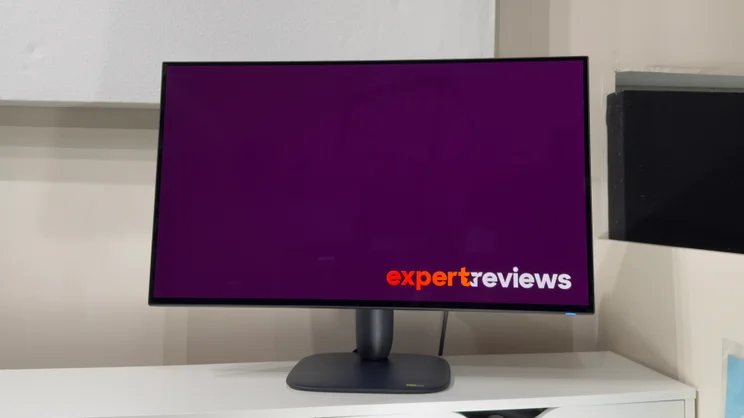
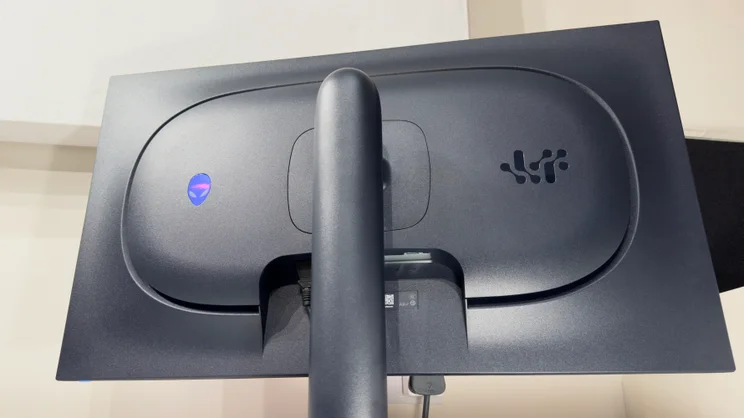
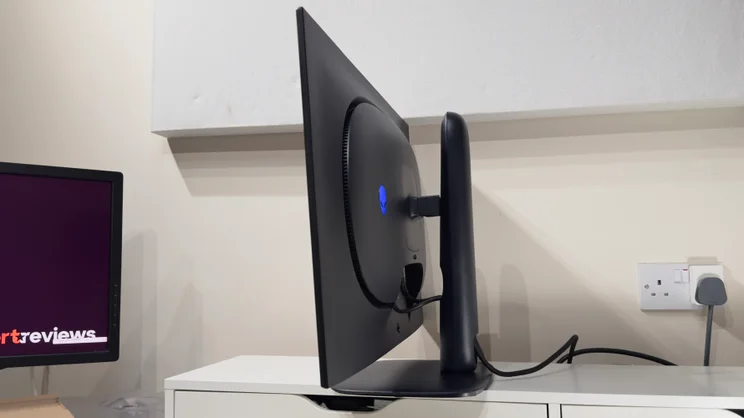
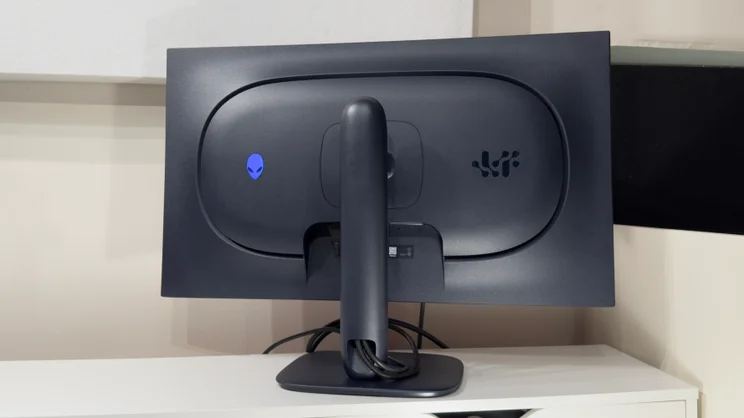
It’s no surprise to find the AW3226Q shod in a familiar Alienware uniform: dark blue plastics from top to toe. Every possible corner is rounded to a curve, and the rear panel tapers from the stand to a nice thin edge around the panel. It’s practical, too: the adjustable stand provides 110mm of height adjustment and plenty of tilt and swivel, but there’s no portrait mode; no great loss for a gaming monitor.
Connectivity is basic but all the essentials are here – and some besides. A single DisplayPort 1.4 port is partnered with a pair of HDMI 2.1 inputs, both of which support a Console Mode for providing source-based HDR tone mapping for modern consoles.
PIP (picture in picture) and PBP (picture by picture) is also supported. And PC and Mac users also get access to a basic 5Gbits/sec USB 3.2 Gen 1 hub: there’s no USB-C input, but the upstream USB-B port powers up a single USB-A port at the rear in addition to a single USB-A and USB-C port under the monitor’s front lip.
Reassuringly, Alienware provides a three-year warranty with burn-in coverage. If any burn in or image retention is visible within this time period, Alienware will replace your monitor.
What are the key features?
The centrepiece of the Alienware AW3226Q is its 32in Tandem OLED panel. It’s not just any old OLED panel, though: it’s one of LG’s latest generation of four-stack Tandem WOLED panels. This sandwiches together four OLED panels: two blue, one red and one green, to produce an even wider range of colour. Longevity should be increased, too, as each of the tandem layers only has to operate at half its usual brightness.
Alienware claims it covers 99% of the DCI-P3 colour space – the kind of coverage which previous generation WOLEDs could only dream of – and there are two factory calibrated modes – for sRGB and DCI-P3 – with a guaranteed Delta E colour accuracy of less than 2.
The new panel promises a full screen brightness of 250cd/m2, which is very respectable by OLED standards, and touts the ability to hit a modest 1,000cd/m2 for small highlights in HDR.
In terms of gaming qualifications, the 165Hz refresh rate isn’t going to steal the limelight from the latest high-end panels out there. It’s still a good fit for mid-range PCs and most casual gamers, though. The boost in clarity over and above a QHD display is huge, and many sensible mid-range systems will struggle to produce consistent 165fps at 4K in demanding titles, even with judicious use of graphics upscaling and sensible in-game detail settings. It’s a big, big step up from a 60Hz panel, that’s for sure.
The panel also uses a new RGB stripe subpixel structure to improve text quality on previous generation panels. Whereas previous generations of LG’s WOLED panel used a fourth white pixel alongside the red, green and blue pixels to boost brightness, the new panel uses just the three. The result is apparent the moment you reach the desktop, with noticeably crisper, better defined text.
Obviously, though, the focus is gaming here, and the on-screen display provides access to a range of gaming centric features. There’s a variety of genre-specific gaming modes, in addition to the factory calibrated Creator modes for sRGB and DCI-P3. It’s good to see three custom Gamer modes, which allow you to tailor the image to your exact preferences. These allow you to adjust the Gain, Offset, Hue and Saturation for each preset in addition to the Dark Stabliser setting.
While you can use those granular adjustments to eke out a competitive advantage by making specific game colours pop more than others, the Dark Stabiliser setting is useful across the board. Personally, I’m quite happy to leave the monitor in one of its wide gamut modes – the oversaturated colours might not be as intended, but it looks great – and notching the Dark Stabiliser setting up a couple of notches raises the black level just enough to prevent enemies disappearing into the shadows without washing out the image unduly.
One interesting addition I haven’t seen on previous Alienware monitors is the Esports mode. This shrinks the usable screen size down to 25in or 27in, and lowers the screen resolution to 3,008 x 1,692 or 3,296 x 1,854. The reason for this is because some competitive gamers prefer to use smaller panels so more of the screen is within their central field of vision.
Given that the AW3226Q is an OLED panel, this feature works really well, too. OLED’s self emissive qualities mean that the unused parts of the panel are completely black, so there’s no greyish frame around the action. And as the effective screen resolution drops, it gives your GPU a little less work to do when pushing framerates up to the panel’s maximum refresh rate. Usefully, you can also choose where the smaller display is positioned on the screen – centred or hard against the top or bottom of the panel.
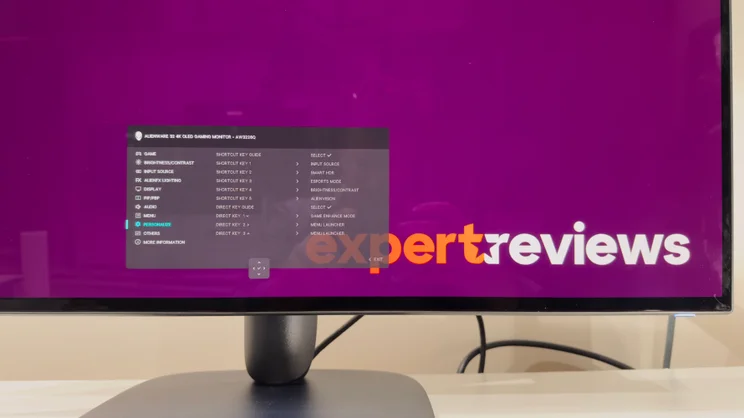
A consistent plus point for Alienware (and Dell) monitors is the on-screen display. My favourite aspect here is the ability to personalise the mini menu that pops up with your preferred settings. What’s more, you can also assign features such as brightness, contrast, toggling the hardware crosshairs, adjusting dark stabiliser settings or even the preset picture mode to a directional push of the joystick. It’s genuinely useful.
How is the picture quality?
From the moment the Windows desktop fades into view, the benefits of AW3226Q’s talents are clear. Colours are rich and super-saturated from the lightest to the darkest corners of the screen, and the panel is bright by OLED standards.
The impact of the AW3226Q’s glossy panel shouldn’t be understated here. The combination of the intensely saturated colours and glossy finish means that it almost looks like bright colours could drip off the screen like paint. It’s stunning.
The glossy finish comes with very few downsides, too. Whereas some glossy coatings are horrifically reflective – and those on some QD-OLED panels cause an obvious reddish tint during daylight hours – the AW3226Q harnesses LG’s latest coatings to look pristine.
You can see your own reflection in it, but it’s dulled right down; it’s not intrusive at all, even in bright rooms. It’s definitely a step up on LG’s already excellent previous generation glossy coatings, such as that on the Asus XG32UCWG. Bright light sources are slightly better suppressed and the rainbow like diffraction effects are minimised to a more subtle green and blue shimmer.
Motion clarity
Firing up games puts all the Alienware AW3226Q’s talents to the fore. Colours, contrast and brightness are all up there with the best, and while the 165Hz refresh rate means really fast motion isn’t quite as perfectly in-focus as it is on 240Hz or faster monitors, it’s still impressively fluid. And as you’d expect, the AW3226Q is certified for AMD Freesync Premium Pro, VESA Adaptive Sync and Nvidia G-Sync support straight out of the box.
Naturally, the Tandem OLED panel isn’t immune to common issues such as VRR flicker, but it’s not as intrusive as I’ve seen on some OLED panels in recent times. And in any case, activating the Anti Flicker feature in the on-screen display all but banishes it.
Colour accuracy
It’s no surprise to find that the AW3226Q delivers on pretty much all its technical promises. It’s almost a shame to activate the Creator sRGB mode and lose all of those gloriously saturated tones, but it is accurate. I measured an average Delta E of 0.97, a maximum deviation of 2.97 and a near-perfect white point of 6,468k. With brightness set to maximum, it produced a very respectable 268cd/m2 – and it maintained this even with full screen white.
It’s worth noting the calibrated Creator DCI-P3 mode is calibrated to a strict DCI-P3 Theater target intended mostly for cinema projection duties, so there’s a green-tinted white point and 2.6 gamma. In short, this is not useful for day-to-day use. I’m actually not sure why Alienware would calibrate it to these settings.
Thankfully, though, the AW3226Q’s Standard mode is calibrated to a more sensible Display P3 target. This means that you get the saturated colours of the P3 colour gamut but with a more neutral 6,500k white point and a 2.2 gamma curve. The result is that sRGB content does look oversaturated, but it’s quite pleasingly so – I measured a P3 coverage of 99%, just as promised.
And when measured against a Display P3 target, it’s accurate: an average Delta E of 1.12 is excellent, and I suspect that the maximum Delta E of 3.47 may be an error due to the fact that my X-Rite colorimeter struggles to produce fully accurate readings with OLED displays. The white point is a tiny bit warm, too, at 6,322k but to the naked eye it looks clean and RGB tracking is almost perfect.
HDR performance
HDR content, unsurprisingly, looks good. It’s not bright enough to rival the best high-end TVs, though: most of the HDR picture modes limit peak brightness to around 450cd/m2 even for small highlights, so you’ll need to lower the lighting to see it at its best. If you want to see the panel’s maximum peak brightness, however, you can always activate its HDR Peak 1000 or HDR Peak 1000 Bright modes.
These allow the panel to punch up to around 1,052cd/m2 for small highlights, and even 10% windows read at around 560cd/m2. It’s worth noting that the Game HDR adds a little more vibrancy to the mix – it’s not strictly accurate, but if you prefer a more vivid image, it’s the one to use.
Still, Dolby Vision support helps make the most of the limited brightness here – if you’re watching content on an Xbox or via a PC and Netflix, it makes for a really enjoyable HDR presentation.
Downsides
The Tandem OLED technology does have some downsides – panel uniformity and viewing angles take a hit. Dell actually cites these issues in its own support documentation as it’s part and parcel of the panel protection algorithms – namely Convex Power Control or CPC – which are used to prevent burn in.
This actively dims the screen around the panel’s edges, where you’d expect to find taskbars or other static UI elements. This was visible in our usual uniformity tests: the panel brightness around the edges is consistently between 9 and 15% darker than the centre.
Compared to LCD monitors, that’s not unusual, but if you’re buying an OLED monitor in the expectation of perfectly pristine edge to edge accuracy for content creation, then temper those expectations. Currently there is no ability to turn CPC off, although apparently Alienware was testing firmware to add a toggle to the onscreen menus for the larger AW3926AW model.
It’s worth noting that I was aware of some slight flicker on the Windows desktop – more so than I’ve been aware of with my usual last gen WOLED screen. Side-by-side, both exhibit some slight flicker on certain colours – especially grey – but it’s subtle.
When writing this review, for instance, I was aware of a very slight flutter in my peripheral vision. It’s just part and parcel of the dithering algorithms on OLED displays, but some users may find it more intrusive than others – especially if you’re after a display for all-day work and all-night play.
Text clarity
For the former duties, however, the really good news is that the clarity of text is a huge step up on previous OLED generations.
The RGB stripe sub-pixel layout plays much more nicely with the font rendering engines in operating systems. There’s none of the coloured fringing around text that you might notice on other generations and types of OLED panel, which use unconventional sub-pixel arrangements.
It just looks crisp throughout, which despite the other quibbles, makes it far easier to live with as a do-it-all monitor.
Should you buy the Alienware AW3226Q?
The AW3226Q is another example of Alienware making well judged compromises to hit a price. Competitive gamers may baulk at the relatively low 165Hz refresh rate, but it’s a great compromise for almost everyone else. Given a choice between slightly improved motion clarity and a vastly more vivid, intense and impressive image, I think most of us will choose the latter.
If you’re hoping for a true do-it-all monitor – gaming, work, content creation – then the AW3226Q acquits itself well. Yes, the Tandem OLED tech does come with trade-offs: the iffy uniformity and typical OLED quirks. But at this kind of price you’re always going to have to live with some trade-offs.
Given the AW3226Q does such a stupendous job with its core duties – and that means having fun – I think many buyers will be more than willing to accept that true perfection is a little unlikely for £650.


