To help us provide you with free impartial advice, we may earn a commission if you buy through links on our site. Learn more


- Outstanding 5GHz performance
- All the admin features you could ask for
- Top-tier gaming tools
- Just look at it
- Clunky management interface
- No USB for external storage or 5G failover
The Asus ROG (“Republic of Gamers”) brand is usually found on high-end enthusiast gear, but the ROG Strix GS-BE7200 is very reasonably priced for a Wi-Fi 7 router. And it comes with a strong specification, combining excellent wireless performance with multi-gigabit wired networking and a full complement of game-optimising tools, plus all the regular management features we expect from an Asus router.
This makes it an easy recommendation, not just for gamers seeking an affordable network upgrade but for anyone who wants a fast, versatile router – as long as you can live with its rather over-designed image.
What you need to know
The ROG Strix GS-BE7200 is a dual-band Wi-Fi 7 router, meaning it works on the 2.4GHz and 5GHz radio bands with no support for the newer 6GHz frequency range. That’s a formula we’ve seen many times before, but the BE7200 features some unexpected upgrades. For a start, the 2.4GHz radio is twice as fast as most rivals, with a top connection speed of 1.4Gbits/sec.
And things get even more interesting on the 5GHz band. The router claims a maximum speed of 5.8Gbits/sec on this band, corresponding to the familiar 4×4 MIMO standard, but internally it’s built with not four but five physical radio chains. This allows for greater antenna coverage and diversity, enabling a faster, more reliable connection: Asus claims the extra transmitter can improve throughput by up to 15% at long distances.
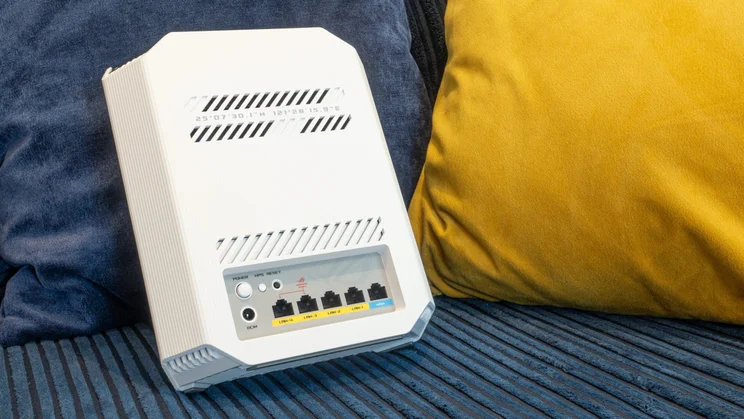
Wired networking is well catered for by a 2.5GbE internet port and a full complement of four 2.5GbE LAN connectors. The only thing that’s notably absent is a USB socket; this isn’t a deal-breaker, but it would have been nice to know you could plug in an external SSD or a 5G dongle should the need arise.
Incidentally, don’t get this router mixed up with the ROG Strix GS-BE7200X. Despite the similar model numbers, the two units are quite different. The BE7200X includes a USB port but has fewer multi-gigabit Ethernet connectors, and lacks the fifth radio chain.
Price and competition
At £135, the ROG Strix GS-BE7200 costs exactly the same as Asus’ other current gaming router, the TUF Gaming BE9400. However, the two models have little in common: the TUF Gaming router boasts 6GHz Wi-Fi and USB connectivity, but slower top speeds and fewer dedicated gaming features. You pays your money and takes your choice.
If you’re not specifically looking for a gaming router you might consider one of TP-Link’s rival models, particularly the TP-Link Archer BE400 and TP-Link Archer BE550. The former focuses on 5GHz performance while the latter offers a combination of 5GHz and 6GHz networking; prices are, however, a bit higher than Asus’ offerings, at £160 apiece.
If you wanted something a bit cheaper, the Asus ProArt PRT-BE5000 might look like a tempting option, offering an elegant upright design for £10 less than the Strix – but note that it has a slower Wi-Fi radio and only one multi-gigabit LAN port. Another tower-style option is the Netgear Nighthawk RS200, but that’s currently selling for a full £200, making it a bad deal at today’s prices.
Needless to say, there are plenty of cheaper Wi-Fi 7 routers, our favourite being the TP-Link Archer BE3600. This isn’t as fast as the other routers we’ve mentioned – it’s equipped with 2.9Gbits/sec Wi-Fi rather than the full 5.8Gbits/sec, but it’s perfectly good for a typical home or even a small office.
Design and features
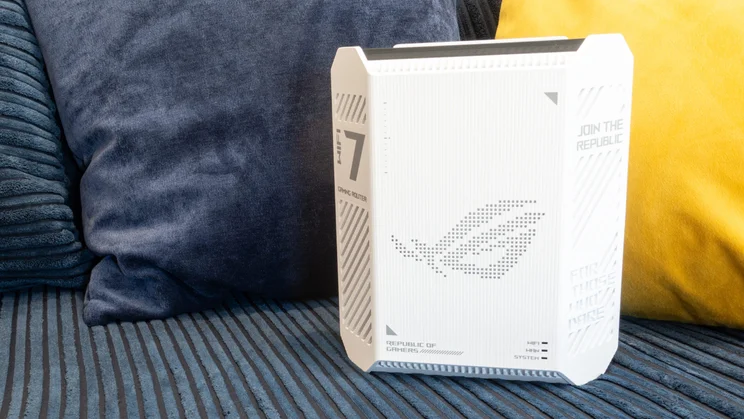
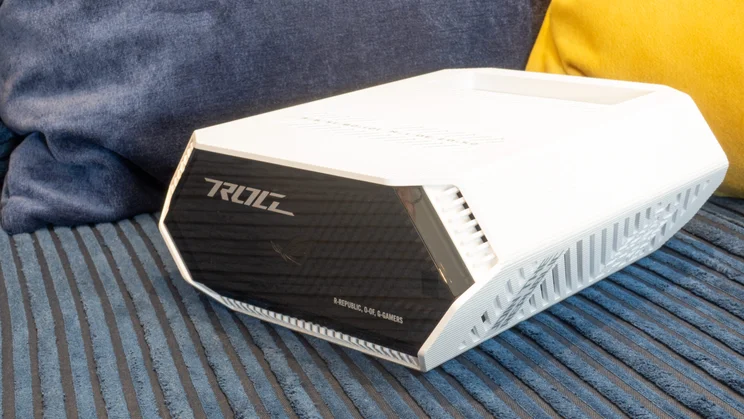
The ROG Strix GS-BE7200 doesn’t look like any router I’ve ever seen before. Rather than trying to describe the casing, I’ll point you towards my photos and let you draw your own conclusions. Personally, if this were my home router, I’d be inclined to hide it away as far as possible, but you may feel differently.
You can even make it look more conspicuous if you want, as the squinty Republic of Gamers logo on the front panel is backed with RGB LEDs that can glow, pulse and breathe in a colour of your choice when the router’s powered on. Or you can turn them off for a slightly more serious image.
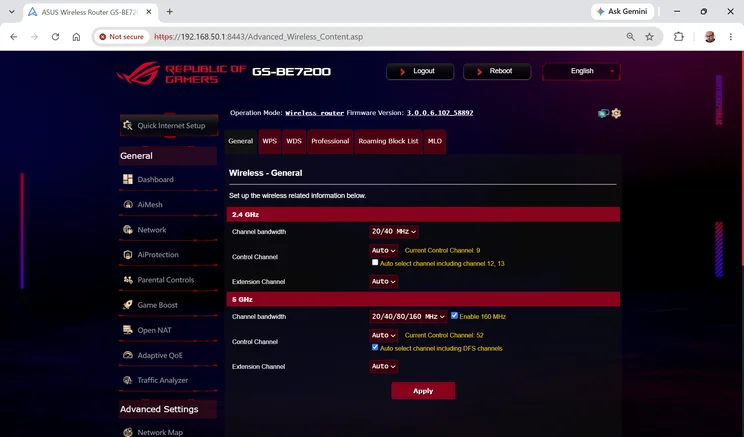
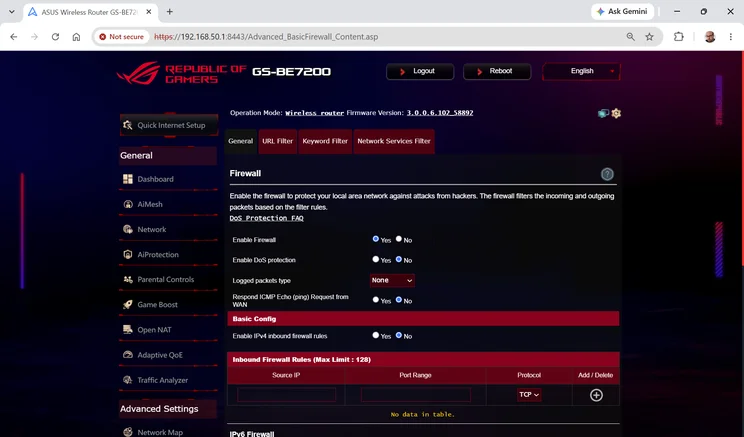
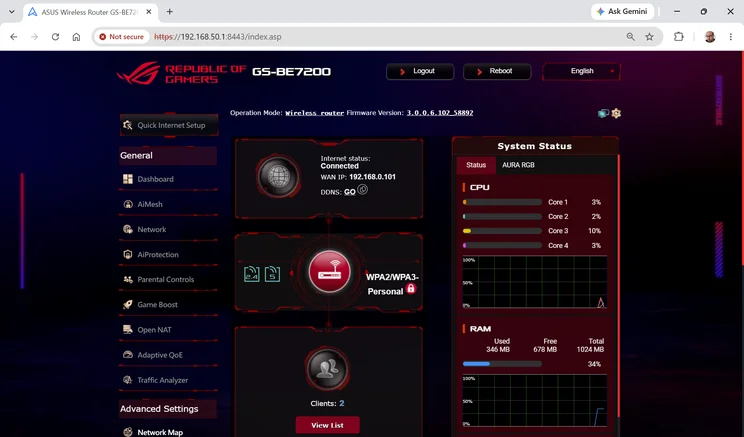
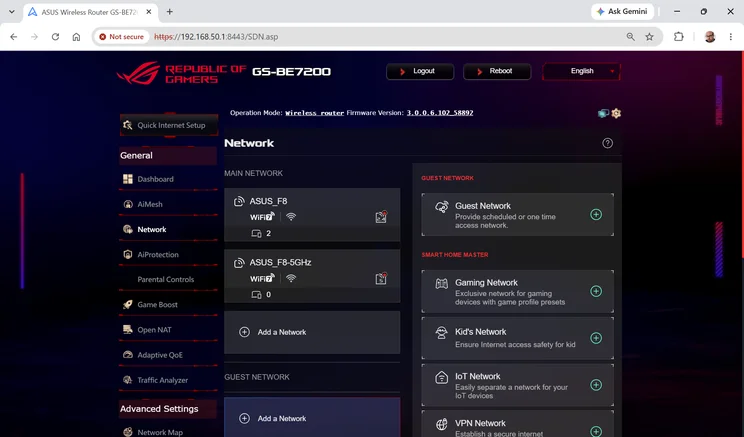
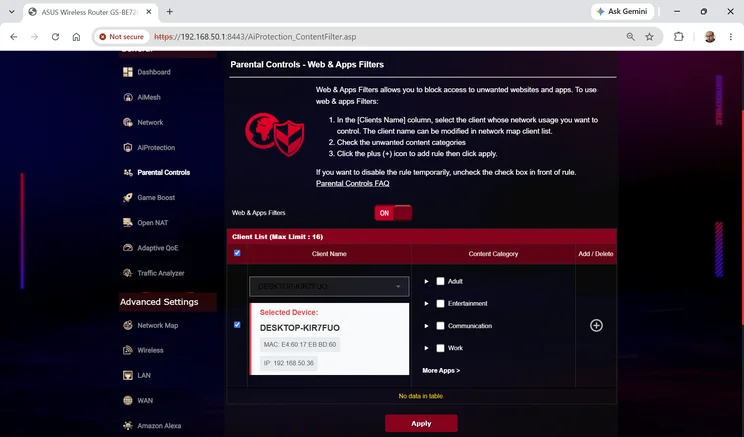
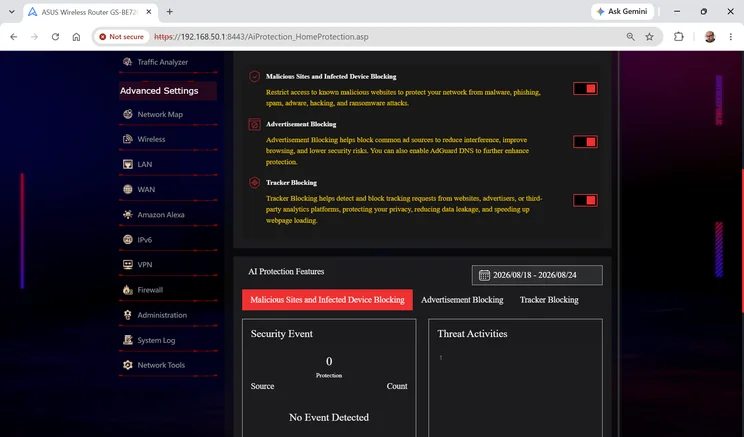
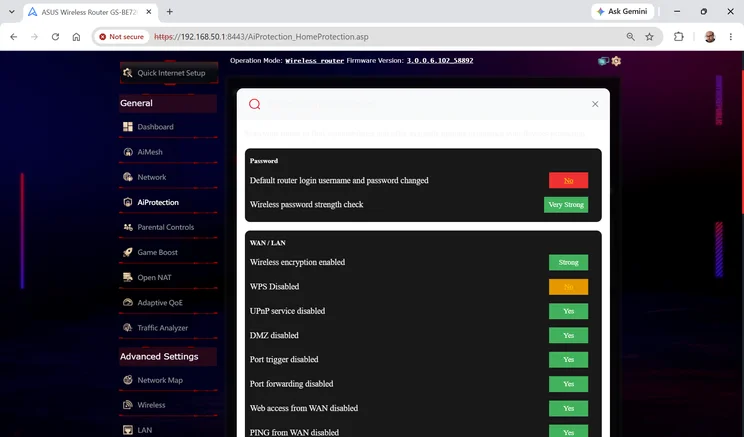
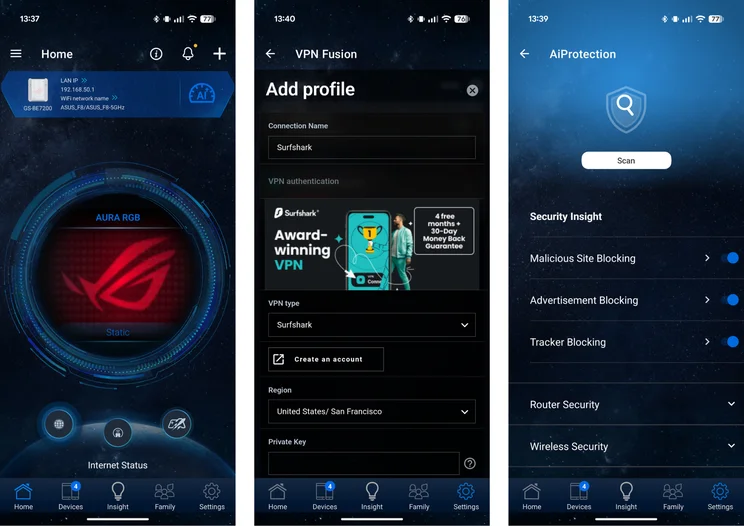
While the exterior of the router may be unique, the web management interface offers mostly the same layout and features as a regular Asus router. That means all the usual home network management functions are at your fingertips, including subscription-free security checks and parental controls, basic ad-blocking, inbound and outbound VPN support and separate SSIDs for guests, kids and IoT devices.
The GS-BE7200 also includes an upgraded QoS feature called adaptive QoE, which includes an “AI balance” mode that’s not found on other Asus routers we’ve recently tested. This continually monitors network activity and dynamically adjusts packet priorities to optimise performance for whatever’s going on at that moment. It’s hard to say whether this really helps with anything, but you can always experiment with it and fall back to traditional rule-based QoS if you prefer.
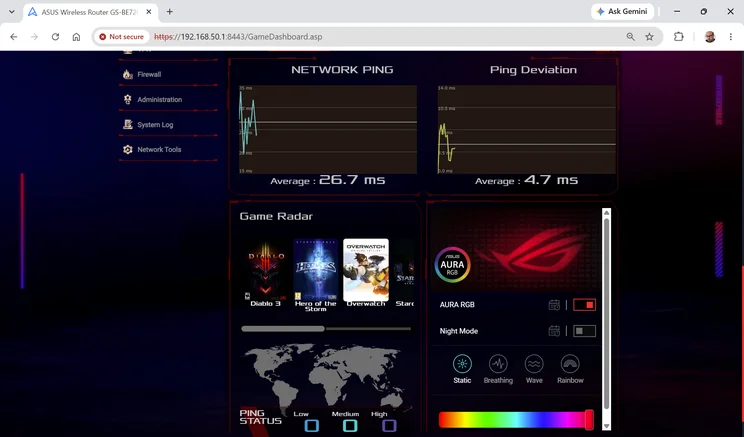
Game-specific features include live meters on the dashboard tracking your internet ping times, and the Game Radar map that shows real-time server status for a handful of popular online games, including Diablo 3 and World of Warcraft, helping you pick the best one to connect to. The Game Boost tools let you prioritise specific clients and mobile devices, while OpenNAT provides preconfigured port forwarding rules for a large library of popular games, so you can get each one working with a few clicks.
I have just a few minor complaints about the Asus system software. As ever, the web portal is a maze of tabs and panes, and it often took me a few goes to find the right route to the setting I was looking for. On this particular router it also seems a bit more sluggish to open than usual, probably due to the active gaming widgets embedded on the landing page.
You might prefer to use the standard Asus Router smartphone app, which lets you control all the standard features, add port-forwarding rules and control the RGB LEDs, but doesn’t offer the live ping monitoring and Game Radar features.
How I tested the Asus ROG Strix GS-BE7200
I set up the ROG Strix GS-BE7200 in the upstairs study of my own home, installed the latest firmware and connected an Asustor Drivestor 4 Pro NAS appliance to one of its 2.5GbE sockets. To compare performance with rival routers, I then connected to the 5GHz wireless network from my standard test laptop – a Dell Inspiron equipped with an Intel BE200 Wi-Fi 7 card – and went around my home copying files to and from the NAS, measuring upload and download speeds in different rooms.
Performance
With its fast 5GHz Wi-Fi hardware and that extra transmitter chain to boost signal quality, the ROG Strix GS-BE7200 performs brilliantly. Here’s how it stacked up in my tests:
I’d love to say that the ROG Strix’s download speeds bested every other router in every location; technically that’s not quite true, as the TP-Link Archer BE400 pipped it at close range by the slimmest margin.
| Download speed (MB/sec, 5GHz) | Study | Bathroom | Bedroom | Living room | Dining room |
|---|---|---|---|---|---|
| Asus ROG Strix GS-BE7200 | 140.2 | 129 | 77.8 | 118 | 77 |
| Asus TUF Gaming BE9400 | 67.9 | 61.1 | 41.9 | 46.9 | 21 |
| Asus ProArt PRT-BE5000 | 89.8 | 86.8 | 73 | 85.7 | 50.6 |
| TP-Link Archer BE550 | 123.7 | 99.9 | 38.1 | 65.6 | 20.8 |
| Netgear Nighthawk RS200 | 136 | 109.8 | 65.3 | 79 | 27.9 |
| TP-Link Archer BE400 | 140.8 | 98.9 | 59.9 | 78.3 | 54.8 |
| Upload speed (MB/sec, 5GHz) | Study | Bathroom | Bedroom | Living room | Dining room |
|---|---|---|---|---|---|
| Asus ROG Strix GS-BE7200 | 34.6 | 34.6 | 29.7 | 33 | 28.6 |
| Asus TUF Gaming BE9400 | 23.9 | 21.3 | 18.6 | 25.5 | 19.2 |
| Asus ProArt PRT-BE5000 | 29.9 | 29.6 | 28.1 | 28.4 | 20 |
| TP-Link Archer BE550 | 33.9 | 29 | 26.8 | 27.5 | 21 |
| Netgear Nighthawk RS200 | 35.6 | 32.1 | 27.2 | 25.1 | 13.7 |
| TP-Link Archer BE400 | 34.1 | 33.6 | 29.3 | 27.3 | 22.1 |
Overall, though, the Asus ROG Stix GS-BE7200 was unquestionably the champion of the group, consistently delivering first-class performance no matter where I wandered. Indeed, its advantage over other routers was much greater than the advertised 15%. I assume this is down to the router being better able to maintain multi-stream connections that multiply the effective throughput. For once, I actually believe that a router could satisfactorily cover the area claimed by the manufacturer (255 square metres, since you ask).
I don’t normally test performance on the 2.4GHz band, as this is typically used by smart home-type devices that have no particular need for speed. But since the ROG Strix GS-BE7200’s 2.4GHz radio is twice as fast as most rivals, I found myself wondering whether it might be good enough for low-priority client devices.
Repeating my tests on the 2.4GHz band, I saw a very respectable download speed of 27.4MB/sec in the study, tapering down to 10.7MB/sec in the dining room at the opposite end of my home. While that’s clearly a lot slower than the 5GHz band, it’s fast enough that you could comfortably run smartphones, streaming sticks and security cameras over the 2.4GHz network, and preserve your super-fast 5GHz bandwidth for devices that really benefit from a top-speed connection. Who needs a separate 6GHz radio anyway?
Verdict
The Asus ROG Strix GS-BE7200 is a very impressive router. Based on my real-world tests, I can say its Wi-Fi performance and range are in a different class to any of its rivals’, yet amazingly it’s actually cheaper than most of them.
Is it a perfect product? No – in my view it looks stupid, and while the software is powerful, I can’t really call it user-friendly. I also prefer my routers to have a USB port, just for contingencies. But I’m not going to reject a router on looks alone, and hopefully you’ll only need to grapple with the settings once in a blue moon, whereas fast, long-range connectivity is something you’ll appreciate every day.
In fact, when shopping for a new Wi-Fi 7 router I’d say the Asus ROG Strix GS-BE7200 should be your default number one choice. It’s fast, affordable and – whether you care about its gaming features or not – fully equipped to run any sort of home network. Just maybe consider tucking it away out of sight when visitors come to call.