To help us provide you with free impartial advice, we may earn a commission if you buy through links on our site. Learn more
- We’ve reviewed more than 90 TVs over the past four years using objective and subjective methods to test televisions across a range of metrics.
- We measure peak brightness, colour and greyscale accuracy, colour gamut coverage and input lag to provide objective benchmarks for panel performance.
- Our reviewers have decades of TV testing experience and watch countless hours of real-world content on different platforms when reviewing a set.
- The review process also involves analysis of gaming functionality, sound quality and smart features.
- We currently recommend the Samsung S99H as the best TV overall for its stunning picture quality, immersive sound, and comprehensive suite of gaming features.
Our favourite gaming TV is cheaper than ever ahead of Black Friday
Peter Tyson currently has an unbeatable price on the 55in LG C6 OLED. Although that screen size doesn't use a Primary RGB Tandem OLED panel like the 48in, 77in and 83in models, it's a top-notch performer at a best-ever price. For context, the 55in was £1,800 less than six months ago.
£1099 vs 180-day average price of £1,533
Sony's Bravia 7 II hits its lowest price ever
The cheaper of Sony's new "True RGB" Mini LED TVs was only released in May but has seen a massive price cut ahead of Black Friday. The 55in model dropped to £1,399 on 11 November; use the code BLACK100 at checkout to save an extra £100.
£1299 vs 180-day average price of £1,795
Grab a 98in 2026 Hisense TV for just over £1,000
If you want to go big on a TV this Black Friday, look no further than the Hisense E7S. The absolutely enormous 98in model is available for just £1,199 from AO. That's an insane price for a TV released this year with a QLED panel, 144Hz refresh rate and Freely on board. AO members can even save an additional £60.
£1199 vs RRP of £2,799
Watching movies, shows, sports or playing the latest games on one of the best TVs makes it feel like you’re right in the heart of the action. The top TV we recommend right now is the Samsung S99H, which delivers incredible immersion through its pictures and sound.
However, they’re pricey and may not meet your specific needs. Fortunately, numerous manufacturers produce televisions at a wide range of price points, so you have plenty of choice. Such a choice can be overwhelming, but that’s where we come in.
Our experts have tested and reviewed TVs from every big brand and some smaller players, meaning we can provide informed, impartial buying advice. Below is a list of the best TVs we’ve tested, with short reviews highlighting how they performed and what makes them appealing.
If you’re not sure what to look for and want to learn more about TVs, our buying guide tackles the key considerations when buying a new television.
Best TV: At a glance
- Best TV overall: Samsung S99H | Check price
- Best TV for gaming: LG C6 | Check price
- Best budget TV: Sky Glass Air | Check price
How we test TVs
All televisions listed below have undergone rigorous testing using an X-Rite colorimeter and Portrait Displays’ Calman colour calibration software.
- We test numerous aspects of SDR and HDR performance, including peak brightness, colour gamut coverage, and colour and greyscale accuracy. This involves using SDR and HDR toolkits in Calman Ultimate with a colorimeter.
- We also watch a huge amount of content on the TVs we review. This content ranges from terrestrial channels to films on streaming services such as Netflix, Disney+ and Amazon Prime Video. If we find issues, we tell you.
- To test a TV’s gaming functionality, we use either a PlayStation 5 or Xbox Series X and a Leo Bodnar 4K Signal Input Lag tester.
- To evaluate audio quality, we watch and listen to a wide variety of movies and music and try out every supported audio format.

Using that methodology to test TVs, we provide data-led reviews that focus on key performance indicators. We use data to compare models and avoid relying on subjective judgments about any given television’s quality.
The best TVs we’ve tested in 2026
1. Samsung S99H: Best TV overall
Price when reviewed: From £1,799 (55in)
- Supremely bright and colourful
- Great for gaming
- Fantastic connectivity
- No Dolby Vision
Reviewed by John Archer
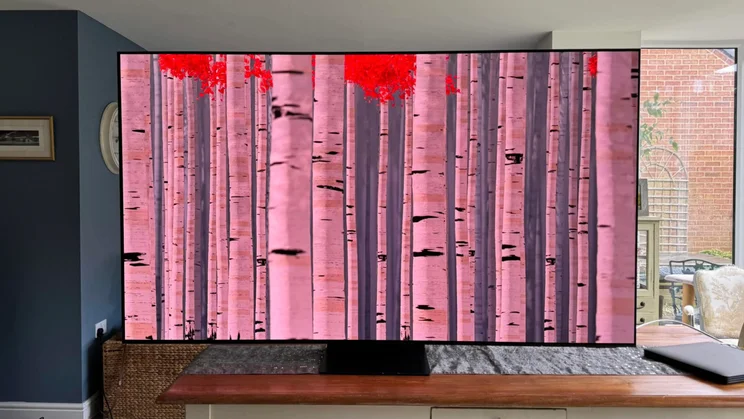
Samsung’s latest flagship OLED TV is our number one all-rounder, delivering class-leading performance and a unique “FloatLayer” design.
The quantum dot OLED panel is supremely bright, reaching 2,800cd/m2 in HDR Filmmaker Mode on a 10% window and up to 4,450cd/m2 in Standard mode on a 2% window. It also covers 89% of the BT.2020 colour space: only RGB Mini LED TVs can do better. Finally, it’s extremely accurate, recording Delta E errors under 1.5 in all our greyscale and colour performance tests while in Filmmaker mode.
The result is a jaw-dropping visual spectacle, and with first-rate gaming features, a comprehensive smart platform courtesy of Tizen, and connection options galore via the OneConnect Box, the Samsung S99H is a supreme all-rounder.
If you don’t like the FloatLayer frame around the panel, then consider the S95H instead. It’s slightly cheaper but isn’t as bright as its stablemate. So, you’ll be making a trade-off, but it’s still a fantastic television.
Read our Samsung S99H review from April 2026
Key specs – Screen sizes: 55in, 65in, 77in (tested) and 83in; Display type: OLED; Resolution: 4K/UHD (3,840 x 2,160); HDR formats: HDR10, HLG, HDR10+ Advanced; HDMI inputs: 4 x HDMI 2.1; Operating system: Tizen OS
2. Sharp HJ6725KB Roku TV: Best cheap TV
Price when reviewed: £299 (50in)
- Good picture quality
- Comprehensive smart platform
- Very competitively priced
- Restrictive viewing angles
- Occasional audio gremlins
Tested and reviewed by John Archer
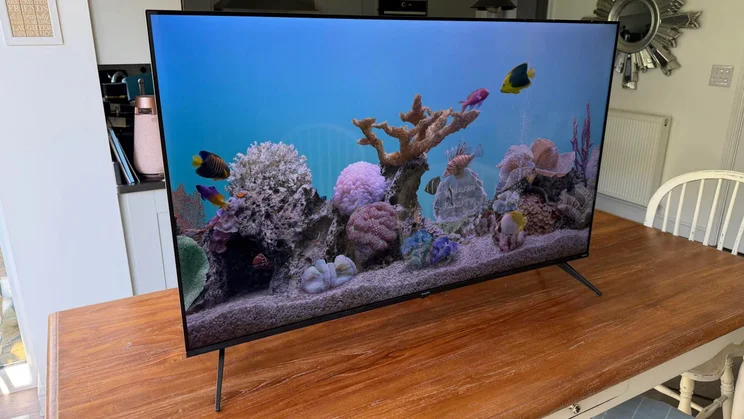
This Sharp TV isn’t flashy, but it does the basics very well, which is exactly what you want from a cheap television. It has decent black levels, delivers a convincing colour palette, and its SDR Movie mode is impressively accurate; we measured a Delta E error below the visible threshold of 3 for greyscale and 6.1 in the ColorChecker test, which is respectable for a budget TV.
Despite brightness being limited to a peak of 270cd/m2, the TV produces surprisingly natural, balanced colours thanks to Dolby Vision and some smart HDR10 tone mapping. Overall, this is a very watchable TV. It’s also well-equipped on the smart front. The Roku TV platform may be straightforward but is content-rich and extremely easy to navigate.
Read our Sharp HJ6725KB review from October 2026
Key specs – Screen sizes: 50in (tested); Display type: QLED; Resolution: 4K/UHD (3,840 x 2,160); HDR formats: HDR10, HLG, Dolby Vision; HDMI inputs: 3; Operating system: Roku OS
3. Sky Glass Air: Best all-in-one TV package
Price when reviewed: From £6/mth (43in)
- Can be paid for monthly
- Very easy to use
- Impressive sound and picture quality
- No gaming features to speak of
- Only three HDMI ports
Reviewed by Jonathan Bray
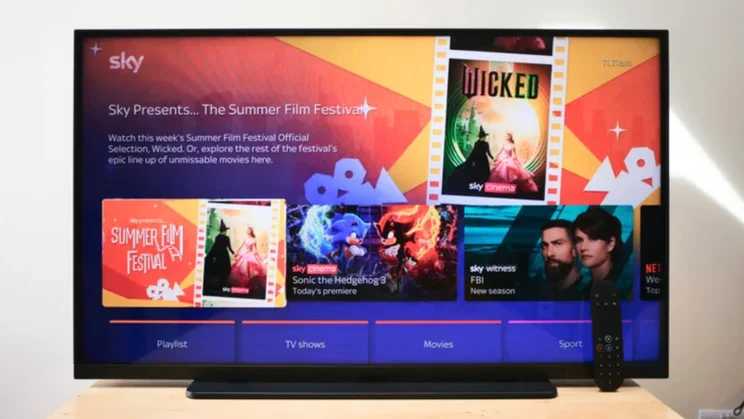
The Sky Glass Air is our top pick for those looking for an affordable all-in-one TV package. It’s a brilliant choice for ease of use and for those who love the Sky TV ecosystem, thanks to its content assortment, and you can pay in instalments starting from just £6/mth.
It’s also an impressive performer. We measured brightness at 460cd/m2 in Extra Vivid mode and Delta E errors of 2 for greyscale and 1.9 for colours in its Movie mode. So, regardless of whether you want a punchy, vivid picture or to retain artistic intent, the Air has you covered. And for less than the price of a pint a month if you go with its smallest screen size.
Read our Sky Glass Air review from August 2025
Key specs – Screen sizes: 43in, 55in, 65in; Display type: QLED; Resolution: 4K/UHD (3,840 x 2,160); HDR formats: HDR10, HLG, Dolby Vision; HDMI inputs: 2 x HDMI 2.0, 1 x HDMI 2.1; Operating system: Sky OS
4. LG C6 OLED: Best TV for gaming
Price when reviewed: From £899 (42in)
- Fast refresh rate and low input lag
- Accurate Filmmaker Mode
- Comprehensive smart platform
- Reflection handling could be better
Tested and reviewed by Andy White
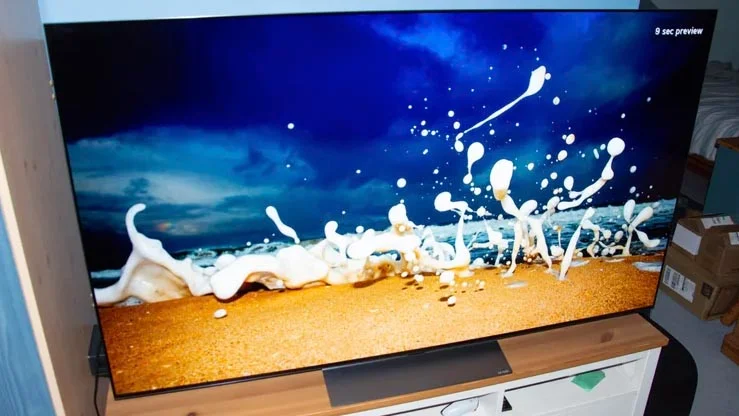
LG OLEDs have always been a strong choice for gaming; the brand was among the first to offer four HDMI 2.1 ports on its premium tellies, and its Game Optimiser mode and game dashboard blazed a trail for many other manufacturers to follow.
The C6 may not be the highest-tier option in its OLED range, but it delivers superb gaming performance. In Game mode with Boost mode engaged, I recorded input lag under 10ms (9.2ms to be exact), and images retained the visual flair they showed in the picture presets designed for watching regular TV. Brightness was strong: up to 1,400cd/m2 on the 65in model and 400 to 700cd/m2 brighter on the 77in, which uses a Primary RGB Tandem OLED panel.
While the C6 OLED has been crowned “Best for gaming”, it’s also a first-rate option for general viewing thanks to its infinite contrast, perfect blacks and excellent colour reproduction. So, if you’re looking for a versatile performer available in a range of popular sizes, it should be near the top of your list.
Read our LG C6 OLED (EX OLED) review from June 2026
Read our LG C6 OLED (Primary RGB Tandem OLED) review from October 2026
Key specs – Screen sizes: 43in, 48in, 55in, 65in (tested), 77in (tested) and 83in; Display type: OLED; Resolution: 4K/UHD (3,840 x 2,160); HDR formats: HDR10, HLG, HDR10+ Adaptive; HDMI inputs: 4 x HDMI 2.1; Operating system: webOS
5. Samsung R95H: Best TV for bright rooms
Price when reviewed: From £2,599 (65in)

- Incredible colour range
- Exemplary gaming support
- Effective anti-glare finish
- Some colour exaggerations
Tested and reviewed by John Archer
The Samsung R95H is our top pick for bright rooms for two key reasons: its peak and full-field luminance are high, and it handles reflections remarkably well. We recorded a brightness of 2,200cd/m2 on a 10% window, while the R95H delivered around 700cd/m2 on an entirely white screen. Reviewer John Archer described its anti-glare filter as “remarkably effective at suppressing reflections”, adding “even very bright objects in your room don’t get between you and what you’re watching.”
As with the S95H/S99H QD-OLED, the Filmmaker Mode renders greyscale and colours extremely accurately, with a ColorMatch HDR result of 3.5, the only time the R95H strayed above a visible Delta E error of 3. The R95H also shares the smart platform, gaming features and connectivity strengths of its OLED stablemate, so whether you go with that or this Micro RGB marvel, you’re in for a viewing treat.
Read our Samsung R95H review from April 2026
Key specs – Screen sizes: 65in, 75in (tested) and 85in; Display type: Micro RGB Mini LED; Resolution: 4K/UHD (3,840 x 2,160); HDR formats: HDR10, HLG, HDR10+ Advanced; HDMI inputs: 4 x HDMI 2.1; Operating system: Tizen OS
6. TCL X11L: Best large-screen option
Price when reviewed: From £3,499 (75in)
- Sensationally bright
- Surprisingly accurate
- Impressive gaming performance
- A few audio niggles
Tested and reviewed by John Archer
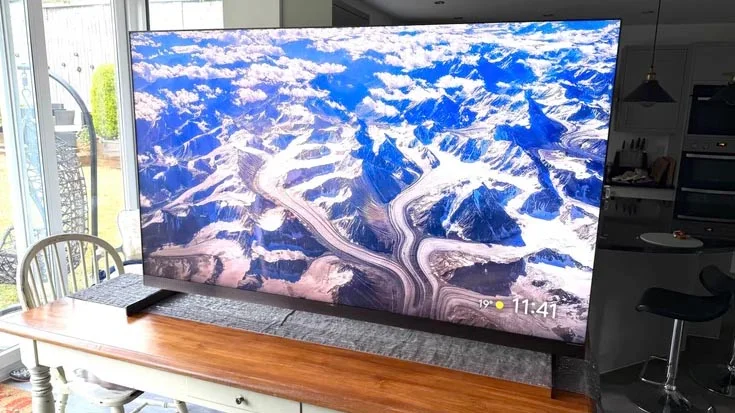
Based on the TCL X11L’s performance, Super Quantum Dot Mini LED TV is here to stay. The 75in we reviewed hit peaks of nearly 7,000cd/m2 in Standard mode, an insanely high value that successfully renders HDR content mastered in 4,000 nits without tone mapping or clipping. If you go for one of the even larger models, this brightness figure spikes, with the 98in screen reaching 10,000 nits.
Bumper brightness is backed up by impressive Filmmaker accuracy; the X11L scored under 3 in our greyscale, saturation sweep, ColorChecker and HDR ContentColour tests. The TV’s backlight has over 10,000 dimming zones, which e are controlled wonderfully in the Standard and Filmmaker presets. Vivid is less enjoyable, but it’s easy enough to avoid. And, with low lag, room-filling Bang & Olufsen-tuned sound from the integrated 3.1.2-channel audio system, and a monolithic aesthetic, the X11L is a super-sized TV with showstopping appeal.
Read our TCL X11L review from August 2026
Key specs – Screen sizes: 75in (tested), 85in and 98in; Display type: SQD Mini LED; Resolution: 4K/UHD (3,840 x 2,160); HDR formats: HDR10, HLG, HDR10+ Advanced, Dolby Vision; HDMI inputs: 4 x HDMI 2.1; Operating system: Google TV
7. LG G6 OLED: Best TV for wall mounting
Price when reviewed: £1,799 (55in)
- Gorgeous design
- Stunning pictures
- First-rate gaming support
- Sound quality could be better
Tested and reviewed by John Archer
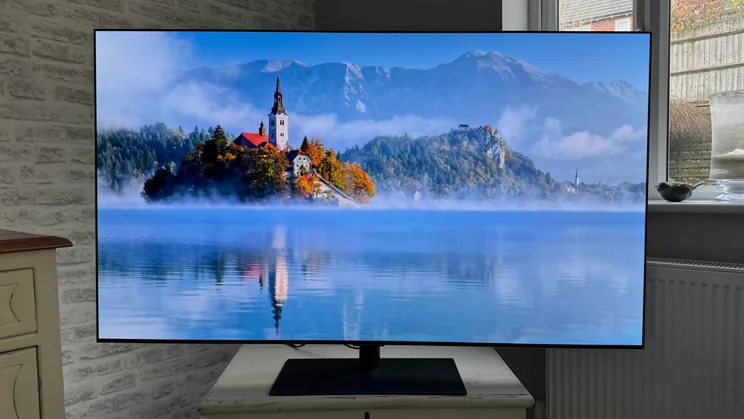
In the battle for OLED TV supremacy, the LG G6 narrowly misses out to Samsung’s S99H, but it deserves a place on this list and earns it with how good its wall-mountable version looks. The “One Wall” design sits flush against your wall, blends into your decor and lets the TV do what it does best: deliver bright, beautiful images.
We recorded peak brightness at over 3,400cd/m2, which is phenomenal, and the TV was subjectively and objectively excellent throughout testing. In Filmmaker Mode, the G6 delivered some of the lowest Luminance Sweep and Saturation Sweep Delta E errors we’ve ever recorded at 1.4 for both tests. That’s insanely accurate. But its Standard mode is exceptional too, as is its reflection-handling, making this a TV that looks fantastic in any conditions, wall-mounted or otherwise.
Read our LG G6 OLED review from September 2026
Key specs – Screen sizes: 48in, 55in, 65in (tested), 77in, 83in and 97in; Display type: Primary RGB Tandem OLED; Resolution: 4K (3,840 x 2,160); HDR formats: HDR10, HLG, Dolby Vision; HDMI inputs: 4 x HDMI 2.1; Operating system: webOS
8. Samsung QN900F: Best 8K TV
Price when reviewed: From £2,999 (65in)
- Incredible 8K upscaling
- Brilliantly controlled backlight
- Top-notch connection options
- Expensive
- Limited native 8K content
Reviewed by John Archer
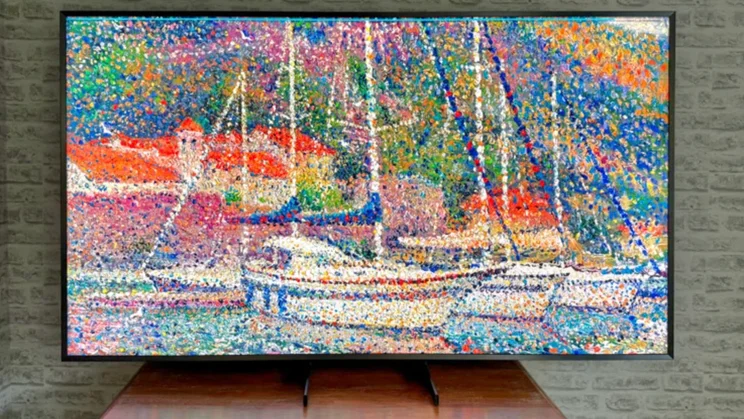
The Samsung QN900F upscales content to its panel’s 8K resolution better than any other TV we’ve tested, making it our number one pick in this category. Even Standard Definition content looked engaging, as Samsung’s AI-powered processor created millions of additional pixels with remarkable skill. Feeding it 4K images results in a big leap in detail, sharpness and three-dimensionality as the TV seeks to make things look as close to native 8K as possible.
The QN900F also scored highly in our objective tests. It reproduced colours accurately in SDR, with a ColorChecker test in Filmmaker Mode returning an impressive score of 2.4, and the panel retained almost 1,000cd/m2 of full-field brightness when pushed to its HDR limits. This TV is the most conclusive evidence yet that 8K TVs are viable, despite the limited amount of native 8K content.
Read our Samsung QN900F review from September 2025
Key specs – Screen sizes: 65in, 75in (tested), 85in; Display type: Mini LED; Resolution: 8K (7,680 x 4,320); HDR formats: HDR10, HLG, HDR10+; HDMI inputs: 4 x HDMI 2.1; Operating system: Tizen OS
How to choose the best TV for you
What TV resolution do I need?
High-definition TVs currently fall into three categories: Full HD, 4K and 8K. Unless you’re buying a very small or massive (75in or larger) model, a 4K TV is the best choice.
- Full HD/FHD or 1080p has 1,920 x 1,080 pixels. These days, only the cheapest (and often the smallest) TVs use an FHD/1080p resolution.
- Ultra HD/UHD is more commonly called 4K (3,840 x 2,160 pixels). This is the sweet spot for 99% of consumers, and most TVs are 4K these days.
- 8K (7,680 x 4,320 pixels) is expensive, and there still isn’t much native 8K content, so any picture quality benefits rely heavily on a TV’s upscaling capabilities.
What size TV should I buy?
Base this on your room size and how far you plan to sit from your television.
- To get the full benefit from a 4K HDR set, you need to sit close enough for your eyes to appreciate the increased picture clarity that 4K brings over Full HD. Buying a 4K TV that’s too small for your room may mean that it won’t look much better than your old Full HD TV.
- Why? Our eyes can only distinguish between lines and dots up to a fixed distance. Think of it like a pointillism painting: from far enough away, you can no longer make out the individual dots on a Georges Seurat landscape.
Check out our How TV screens are measured: Why screen size matters article for more information.
How can I watch 4K content?
There are plenty of ways to watch 4K TV and movies these days. You can subscribe to a streaming service, such as Netflix or Disney+; buy digital content on stores such as Amazon Prime Video; or purchase 4K Blu-ray discs to play in a compatible 4K Blu-ray player.
- You may need a premium subscription to access 4K content, as most standard subscriptions will only provide Full HD streaming.
- Even if you do pay for 4K streaming, not every film or programme is available in 4K on these streaming services. If you want to watch in 4K HDR with Dolby Atmos sound, you may need to buy the movie separately from stores such as Apple’s iTunes Store.
- Most popular TV series and movies also get a 4K Blu-ray disc release, which delivers the best video and audio quality, but you need a dedicated 4K Blu-ray player; older Blu-ray players will not support 4K discs.
How fast does my internet connection need to be for 4K?
To stream 4K content, you will need a fast broadband internet connection. Around 30 to 40 Mbits/sec is probably a safe minimum, but you’ll need faster if others are streaming or using the connection for gaming.
Are some TVs better for gaming?
Yes. If you want to see the latest AAA console and PC games in all their 4K HDR high-frame-rate glory, you need a TV which supports key gaming features, such as:
- Multiple HDMI 2.1 ports
- ALLM (Auto Low-Latency Mode) support
- VRR (Variable Refresh Rate) support
- A 120Hz panel or above
If gaming is a top priority, read our best TV for gaming roundup.
What else do I need to know before I buy a TV?
What’s the difference between OLED, QLED and Mini LED TVs?
Flat-screen TVs use two main panel technologies: Liquid Crystal Display (LCD) and Organic Light-Emitting Diode (OLED). The former uses LEDs illuminated by a backlight; the latter is self-emissive.
LCD LED TVs can be further divided into categories. TVs with a Quantum Dot filter are known as QLEDs, while Mini LED TVs operate on the same principle as basic LED TVs but use much smaller diodes in their backlight.
Each technology has advantages and disadvantages. You can read about the differences between OLED and Mini LED in detail in our OLED vs Mini LED article, but here’s a basic summary:
QLED
Brighter, more vibrant and more accurate than basic LED TVs.
Mini LED
Has very high peak and full-field brightness. Tiny LEDs allow for more independent dimming zones and improved contrast control. This makes them a great choice for rooms with lots of ambient light.
OLED
Because the LEDs can be “turned off” entirely, OLED TVs can achieve a perfect black level and effectively infinite contrast. OLED TV viewing angles are superior to standard LED TVs, and OLEDs are generally slimmer and more stylish. However, they’re not as bright as Mini LED TVs, and suit darker rooms best.
What is HDR, and why does it matter?
HDR stands for High Dynamic Range, an image and video format that can express a wider range of colour tones than Standard Dynamic Range. For the most visually impressive TV experience, watch HDR material on a TV that supports HDR. All the options above do.
Because HDR has a wider range of colours, there’s more contrast between light and dark areas, and colours look more realistic and engaging. The difference between SDR and HDR is often night and day.
There are several different HDR formats. While you’ll get an improved experience with the rarely used HLG and HDR10, look out for HDR10+ and Dolby Vision. These formats use metadata to analyse how a screen displays HDR material before articulating brightness, contrast and colours to reflect artistic intent.
What kind of apps do smart TVs have?
All new smart TVs have wireless (or wired) networking and can connect to your home internet network. This unlocks the full potential of a television’s operating system/smart platform.
Different manufacturers use different operating systems. LG (webOS) and Samsung (Tizen) have their own, as does Hisense (VIDAA), while others use third-party platforms such as Titan, Google TV, and Fire TV.
These platforms let you download streaming services and catch-up apps like Netflix, Disney+, BBC iPlayer and more. Always check the full list of services available to ensure your favourites are supported.
Most TVs can also play videos, music and photos directly from a memory card, portable hard disk or USB flash drive. Our reviews tell you what each TV can do and how well it works.
What ports and connections do I need?
You’ll have at least one other device to connect to your TV, so choose a model with enough inputs.
HDMI is the connection of choice for virtually all modern devices, including game consoles, Blu-ray players and digital set-top boxes.
We suggest at least three HDMI inputs, which should cover the basics and leave a spare port in case you want to connect a camcorder or digital camera.
Look out for an HDMI input with an enhanced Audio Return Channel (eARC) or Audio Return Channel (ARC). These let you send sound from the TV back down the HDMI cable to a connected amp, so you can get better sound for TV programmes without introducing more cabling.
HDMI 2.1 is a must if you want the latest gaming features. The reason is simple: HDMI 1.4 only supports frame rates up to 30fps. HDMI 2 adds support for frame rates up to 60fps. HDMI 2.1 means that TVs with those ports can deliver 4K resolution at 120Hz.
USB ports are fairly common on modern TVs. If you have a spare external flash drive, you can record programmes without a dedicated set-top box. You will need to format it for your particular TV, though. Alternatively, you can use USB ports to play your own media files from your PC. If you want to browse the web, USB ports let you connect a keyboard and mouse, which is useful.
Should I worry about warranty length?
If you’re spending a decent chunk of your hard-earned money on a new television, you want the longest warranty possible. This will ensure you’re covered if anything goes wrong with the set.
Most retailers offer at least a one-year warranty, which matches the manufacturer’s warranty.