To help us provide you with free impartial advice, we may earn a commission if you buy through links on our site. Learn more
- What do you get for the money?
- Do you need a subscription?
- How easy is it to set up?
- Is the companion app any good?
- How we test security cameras
- How does the Blink Outdoor 2K perform?
- Image quality and night vision
- Floodlights, audio and siren
- AI features
- Speed and responsiveness
- Are there any problems worth mentioning?
- Should you buy the Blink Outdoor 2K+?
- Very compact
- Much improved picture quality
- Battery or mains power
- Bundled Sync Module Core doesn’t support local video storage
- No LED spotlight or siren
- At full price, the competition offers more
It's (almost) Prime Day, and the Blink Outdoor 2k+ is already going cheap
As if it read our mind, Amazon has slashed the price of the Blink Outdoor Camera 2K+ ahead of Prime Day. It's now only £30, down from its lofty £90 RRP. That nicely sidesteps our biggest concern with this high-quality security cam – its price tag!
£30 RRP £90
In the Amazon-owned duopoly of domestic security systems, Blink’s kit sits below the more expensive and generally more feature-laden Ring range of devices. Traditionally, it has been one of the most affordable ways to add a comprehensive wireless surveillance and security system to your home.
As a long-term Blink user, I’ve found its devices to be reliable and easy to use since buying a Blink Doorbell in 2024. Since then, I’ve added an Outdoor 3 and 4 camera and three Blink Mini 2 cameras, the latter to act as doorbell chimes and to keep an eye on the dog. None of them has missed a beat.
The latest Blink Outdoor 2K+ is the brand’s latest battery-powered outdoor camera. It’s much the same as the Outdoor 4 (itself an incremental update of the Outdoor 3), but it has a higher resolution camera with video captured at 2,560 x 1,440 versus 1,920 x 1,080, and it has improved zoom and low-light colour capture capabilities.
What do you get for the money?
A Blink Outdoor 2K+ will set you back £90 if you are new to Blink and need a sync module or £80 if you already have a Sync Module – either the 2 or Core – and just want the camera. The comparable Outdoor 4 packages cost £70 and £65, respectively.
As always with Blink (and Ring) kit, you’ll likely be able to get it much cheaper during the Prime Day retailgasm or in a bundle offer. At the time of writing, for example, you can get the Blink Outdoor 2K+ and the £60 Blink Video Doorbell for £90.
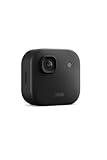
Inside the small box the Outdoor 2K+ ships in, you’ll find the camera unit, a mounting bracket, and the small Sync Core module (if you opt for that bundle), which acts as a 2.4GHz link between the camera and your Wi-Fi network. There’s also a USB-C cable, and a USB mains plug, both used to power the Sync Core.
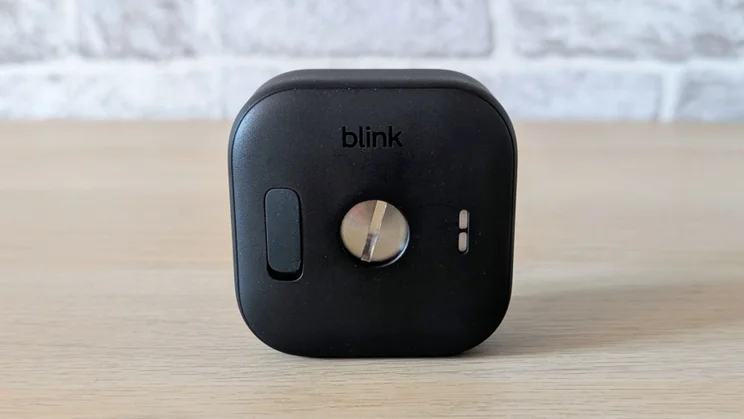
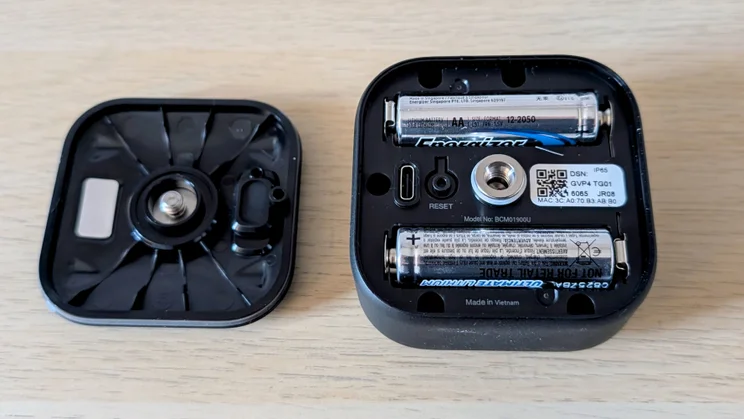
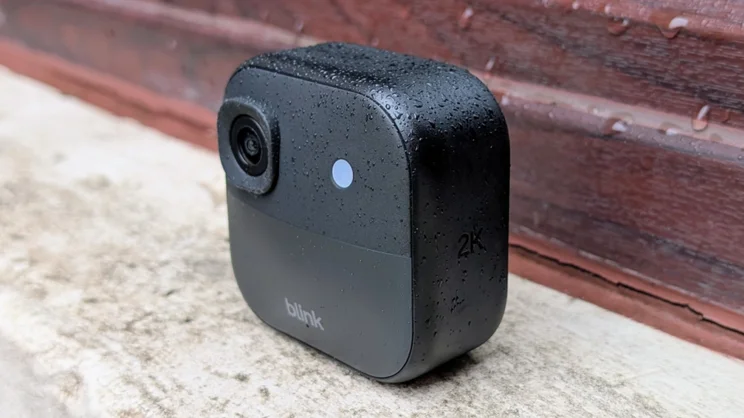
The camera itself can either be powered by a pair of (supplied) non-rechargeable AA batteries, or there’s a USB-C port to connect one of Blink’s IP67-rated weather-resistant PSUs, which has a weatherproof seal around the USB-C connector. The Blink camera is IP65 rated, which means it should shrug off the worst the British weather can throw at it.
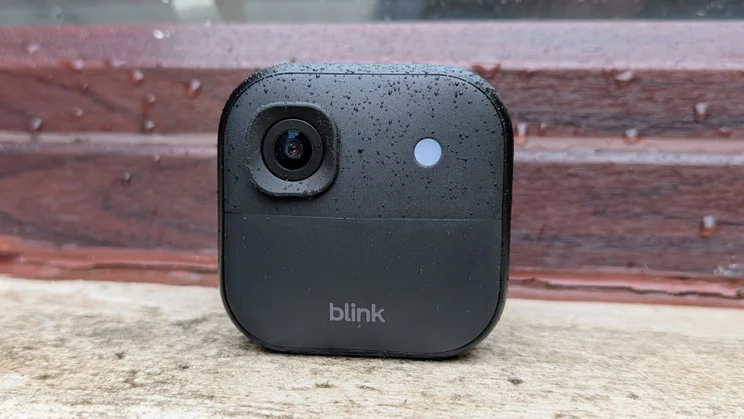
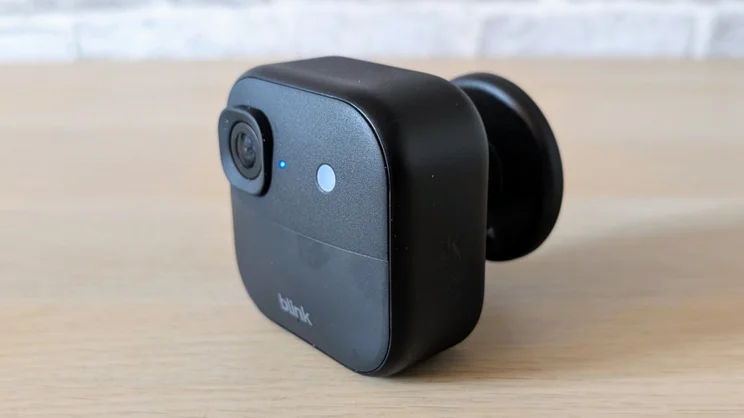
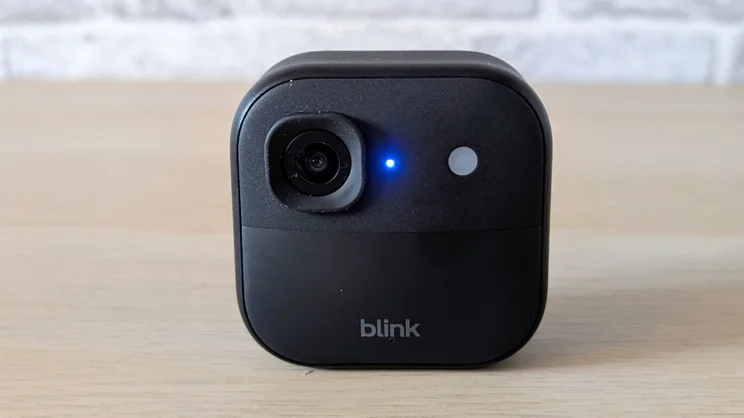
Physically, the Outdoor 2K+ is the same size and weight (70 x 70 x 41mm, 142g) as its predecessor. In fact, the only external difference is the new infrared LED and low-light sensor. In the photos, it’s the small white circle sitting just to the right of the lens.
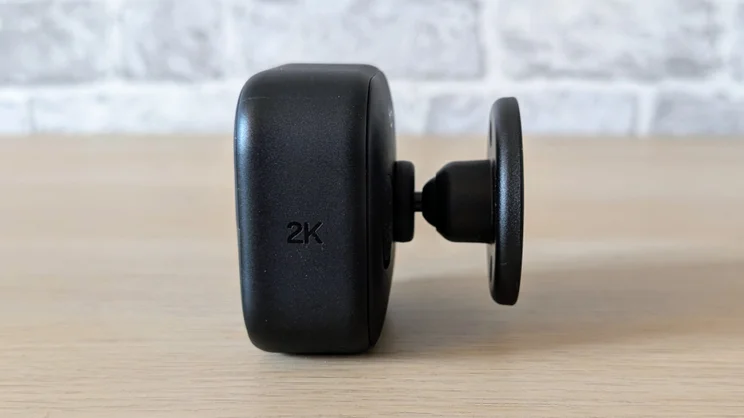
Available in black or white, the Blink Outdoor 2K+ is still the smallest outdoor security camera we’ve encountered. And the clip-on ball-and-socket wall mount hasn’t changed, either; it remains a simple, unobtrusive and effective way to attach the camera to a vertical surface.
Do you need a subscription?
Unlike their Ring brethren, you can access footage from a Blink camera without a cloud subscription. You’ll need to buy a separate Sync Module 2 for £40 and a USB thumb drive to do so, but it is at least possible.
If you don’t have a Sync Module 2 or a cloud subscription, all your camera can do is serve up an on-demand live video feed and push simple motion notifications. Nothing else.
As well as the capacity to store and download your recordings, the basic £2.50 per month (£24.99 per year) subscription includes many other features you’d perhaps expect for free, such as person and vehicle detection and live view recording. To complicate matters, Blink also offers a raft of AI features for its cameras (announced just before this review was published), but to access these, you’ll need an enhanced subscription.
The new features are video description, which creates short text descriptions of motion activity, single event alerts, which can group multiple motion notifications into one alert, and unusual event alerts.
Given that I found no useful way to even test the “unusual events” feature on the Ring Spotlight Cam Pro and that video descriptions and grouped alerts are hardly must-have features, I’d suggest saving the £3 per month extra that Blink wants for them.
If you want a cloud account to serve more than one camera, the multi-camera option costs £8 per month or £80 for 12 months. With the new AI features, the price increases to £15 per month or £150 for the year.
That makes the multi-camera option rather expensive if all you want is support for a Blink Doorbell at the front of the house and an Outdoor camera at the back.
How easy is it to set up?
As with all Ring and Blink devices, you will first need to set up an account (assuming this is your first Blink account) and then link that to your Amazon account.
The next step is to connect and power up the sync module, unscrew the back of the camera housing, pop the batteries in, scan the QR code inside the camera and then follow the on-screen instructions in the app to connect the various parts of the system.
It’s all pretty straightforward forward, but remember that, like previous cameras from Blink, the new Outdoor 2K+ only supports 2.4GHz Wi-Fi.
Is the companion app any good?
Mastering the Blink app is easy, largely because its cameras are not the most feature-laden on the market, so there are not a lot of settings and options to get lost in.
From the landing page, you can enable or disable motion detection and notifications and enter the system settings menu. The latter lets you adjust all the basic settings you’d expect from a modern camera, such as detection and privacy zones, retrigger times, video feed quality and volume.
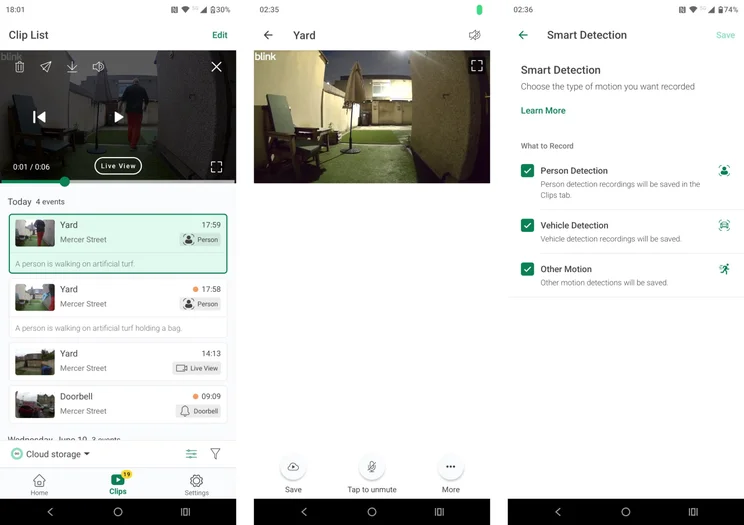
There’s also a continuous recording mode which runs for up to five minutes without a paid subscription and for up to 90 minutes with one. However, recording only continues while you are watching the live stream, and requires you to regularly tap and dismiss a “Continue?” pop-up.
There’s no option to take a manual snapshot, which seems like an oversight. You can set the system to take a snap every hour and stitch them together into a video after 24 hours, but that’s a feature that seems to be of rather limited use.
How we test security cameras
In any security-related situation, how quickly you can react to events is key, which is why we test the responsiveness of each camera we review. To do this, we run a raft of tests with the aim of measuring the speed of the camera system’s response to various triggers.
For example, we test how long it takes for an alert to be generated on the screen of the camera’s mobile app after motion is detected. We also time how long it takes to bring up the live feed from a request sent via the app.
We also assess image quality in daylight and at night, check audio quality, spotlight or floodlight brightness and how loud the siren goes. Plus, we test out all the AI detection features we possibly can to see if they actually work.
How does the Blink Outdoor 2K perform?
Image quality and night vision
The bump from the Outdoor 4’s Full HD to 2K video resolution has resulted in a noticeable quality improvement. It’s obvious to the eye in the standard view, but even more so when you activate the x4 digital zoom.
That said, while the Outdoor 2K is the best I’ve seen from a Blink Outdoor camera, the small physical size of the lens clearly puts it at a disadvantage versus the competition.
The images from the similarly priced 4K Tapo C460 and 2K Eufy C37 that I have on my desk at the moment are brighter and more colourful in broad daylight than those from the Blink.
Surprisingly, given the rather drab daytime pictures, the colour low-light performance was impressive. With only the ambient light from a couple of streetlights to juggle with, the Outdoor 2K+ delivered nicely saturated and bright images.
In infrared mode, the Outdoor 2K+ is also better than the Outdoor 4. The new model shows improved detail levels and better contrast.
Floodlights, audio and siren
The absence of any sort of LED lighting or a siren continues to be a weakness of the Blink Outdoor camera range.
The sound system has been improved, though, with uprated noise cancellation. A conversation via the Outdoor 2K+ in a blustery rain storm was clearer than with the Outdoor 4; overall, it’s up there with the best cameras around in this regard.
AI features
The Blink Outdoor’s basic smart features are just that, basic. For instance, it can discriminate between a person and a vehicle, but it can’t distinguish animals, let alone between animals of different sizes. Facial recognition is also outside the Blink Outdoor 2K+’s repertoire.
The new video description system is impressive, just as it was in the Ring app when analysing footage from the Ring Spotlight Cam Pro Plug-In (2nd Gen), but it’s not something I’d be prepared to pay extra for.
The same goes for the unusual event and single event notifications. The first sounds like a good idea, but it’s not something I’ve ever been able to actually evaluate to my satisfaction, while the second, which groups similar events into a single notification, is rather a solution looking for a problem.
Speed and responsiveness
All the Blink products we’ve tested have proven to be pretty quick when it comes to things like alerts and video feed launch times, and the Outlook 2K+ continues that tradition.
Across-the-board testing times were very similar to the results we got from the Blink Mini 2 and Blink Outdoor 4 cameras. Generally, reaction times were good if a little longer than some of the competing cameras we’ve tested recently.
The differences aren’t enough to lose sleep over, though, and are presumably in part due to the camera connecting via the Sync Module rather than directly through a router.
| Aggregate response (Wi-Fi) | Aggregate response (cellular) | Aggregate response (all) | |
|---|---|---|---|
| Arlo Pro 6 2K Security Camera | 6.1 | 5.1 | 11.2 |
| Blink Outdoor 2K+ | 10.5 | 12.0 | 13.9 |
| Blink Outdoor 4 | 11.0 | 12.5 | 23.5 |
| Reolink Atlas | 9.5 | 10.9 | 20.4 |
| Tapo C460 | 9.9 | 11.5 | 21.4 |
Are there any problems worth mentioning?
As you’d expect, the Blink Outdoor 2K+ works with devices like the Amazon Echo Show 8, and indeed anything else in the Alexa ecosystem, which is a boon if you’d rather not be dependent on your smartphone to manage and monitor your cameras.
Beyond that, you are limited to IFTTT applets and five simple commands within Siri Shortcuts on your iPhone or iPad. There’s no support for Apple HomeKit, Google Assistant, or Matter.
Should you buy the Blink Outdoor 2K+?
At a penny under £90, the new Blink camera is, in my opinion, around £30 too expensive. The similarly priced 4K Tapo C460 and the pan-tilt-zoom Eufy C37 offer more features, better image quality, free local storage of video footage, ship with solar panels, and most of their AI enhancements are free.
Of course, that all changes if you find the Blink camera for around half price in a Prime Day deal, or bundled with a doorbell in a package that means you’re getting one of the cameras for next to nothing.
Price, then, is the key deciding factor. Blink kit makes sense when it’s operating at the genuine budget end of the market. At full price, the new Outdoor 2K+ is priced against cameras that are in another league.