To help us provide you with free impartial advice, we may earn a commission if you buy through links on our site. Learn more
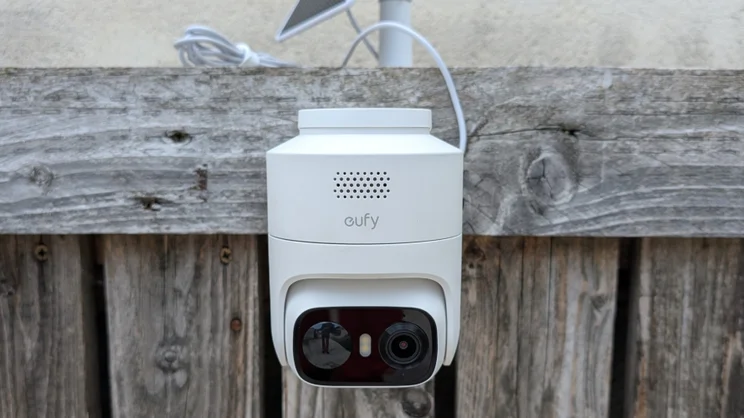
- Fast, reliable pan-tilt tracking
- Local MicroSD file storage
- Bright LED spotlight
- 2.4GHz Wi-Fi only
- No passive nighttime colour vision
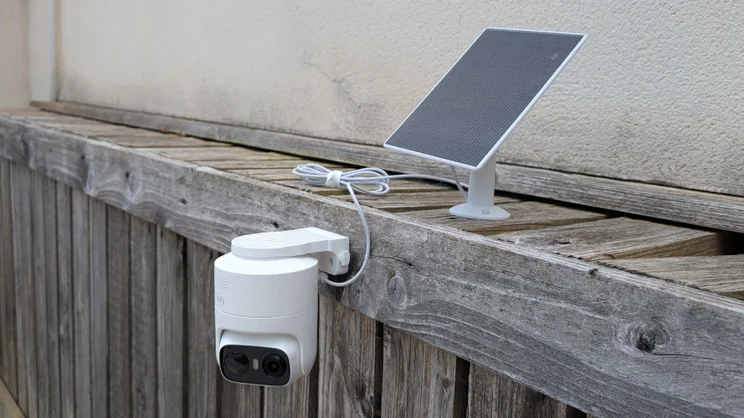
- No unified mount for solar panel and camera
If you want a good quality external security camera, there are lots to choose from. The likes of the Reolink TrackFlex, Reolink Altas, Tapo C645D and Ring Spotlight Cam Pro Plug-In all offer good levels of performance, and in the case of the Altas and Tapo cameras, they are battery- and solar-powered, so there’s no need to worry about an external power supply.
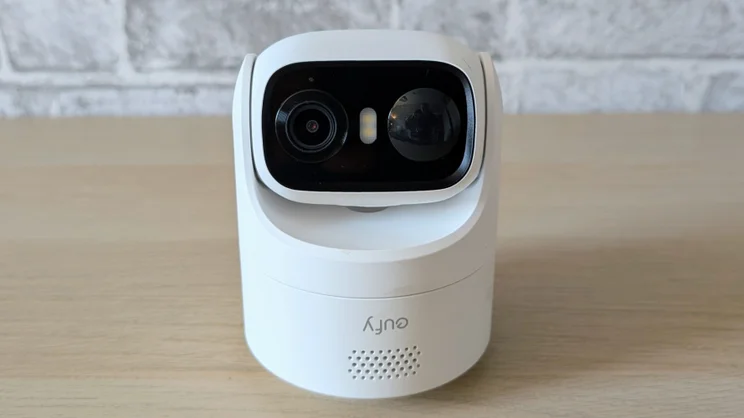
All those cameras will set you back more than £100 – quite a bit more in most cases – so what if you want something cheaper? This is where the EufyCam C37 steps in. This solar-powered, motorised pan-tilt camera can be picked up for between £60 and £90, depending on sale offers, which makes it quite the bargain.

What do you get for the money?
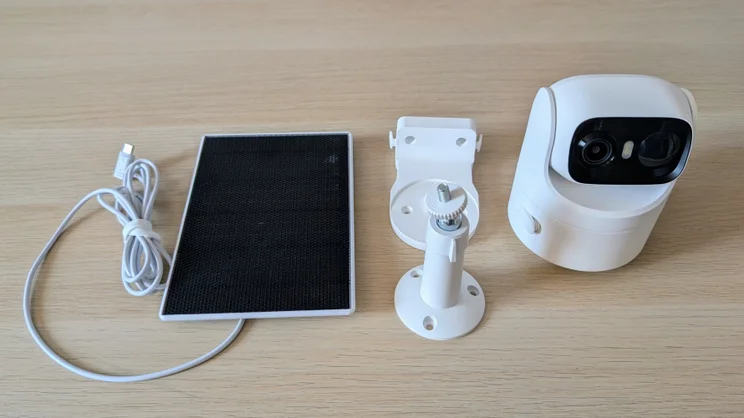
The basic single-camera package includes the C37 itself, one of Eufy’s 3W C10 solar panels with a 2.1m captive cable (you can purchase a 3m weatherproof extension cable from Eufy if you need more length), and mounting brackets for each. You also get a selection of screws and wall plugs and a short USB-A to USB-C cable to charge the camera’s 6,700mAh lithium-ion battery.
At the time of writing, the single camera pack has an RRP of £90, but Eufy is offering a £30 coupon while Amazon is listing it for £60. If you want two cameras, the cost is £162, but again, there’s a Eufy coupon, this time worth £60.
For £229 (again, there’s a £60 coupon), you can get two cameras and the Eufy HomeBase Mini. The HomeBase Mini is a hub that comes with 64GB of built-in storage and supports MicroSD cards up to 1TB in capacity (four times what the camera’s memory card slot will support).
The HomeBase Mini also adds facial recognition and cross-camera tracking between up to ten cameras. That means the system will hand over tracking of a moving object from one camera to the next as it moves between their fields of view.
Finally, if you want to go for the full George Orwell, you can get a four-camera and MiniHomeBase package for £379, but again there’s a coupon, this time worth £100. So that’s £279 for four cameras, a hub and a dystopian nightmare.
Do you need a subscription?
Given that you can store your recordings on a MicroSD card inside the camera and Eufy offers motion discrimination free of charge, the answer here is a solid no.
There is, however, the option to store your clips in the cloud if you want to, and here Eufy provides you with a couple of options. A single-camera account will set you back £3.99 per month or £40 per year, while a multi-camera account costs £13 per month or £130 per year.
The multi-camera package is rather expensive given that all you’re getting is cloud storage, so buying one of the packages that includes Eufy’s HomeBase Mini hubs would seem a better option if you want lots of off-device storage.
How easy is it to set up?
Eufy cameras and robot vacuums, which both use the same app, are among the easiest to set up I’ve come across. Once you have downloaded the app, assuming this is your first Eufy gadget, you simply tap the Add Device icon, navigate to your device from the list and then push the Sync button on the back of the camera.
The app will then prompt you for your Wi-Fi network password, and once that’s done, the live feed will appear on the main landing screen. Like many Eufy cameras, the C37 only supports 2.4GHz Wi-Fi.
My review unit had a 50% charge when it arrived, so I didn’t need to recharge it via the USB-C port at the back before setting it up and then connecting it to the solar panel.
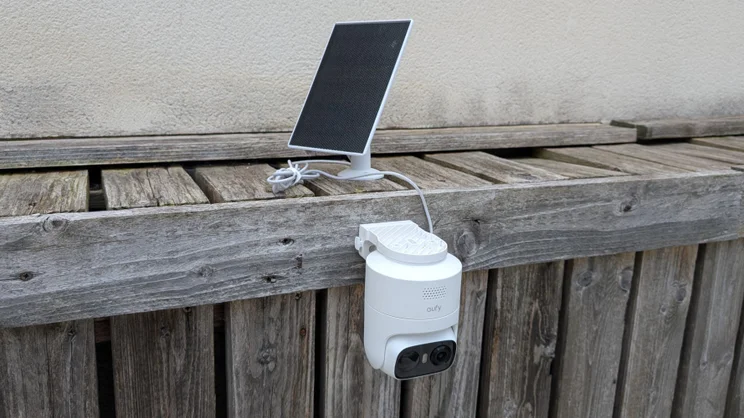
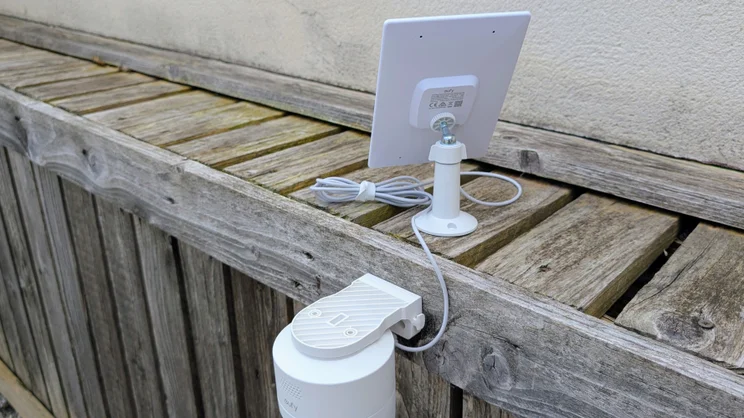
Installation is a little more involved than it is with the likes of the Tapo C645D, simply because the camera and solar panel don’t share a single mount, so you need to drill holes for both. There’s also no option to swap the video feed through 180 degrees, so the C37 can’t be mounted the wrong way up. That’s a trick the cheaper C31 can perform.
Is the companion app any good?
I use the Eufy app regularly to manage my Eufy robot vacuum, so I’m very familiar with it. Notwithstanding, the general layout is straightforward to navigate. There are two things worth highlighting, though.
I did discover a few irritations, though. The live view page for the C31 camera I tested recently has a Playback button at the bottom of the screen, but oddly, the live view page for the C37 doesn’t.
I also found it mildly irritating that access to video clips is shown on a strictly per day basis, this makes it tricky to find events in your video event history unless you know the exact day they happened on.
It took me a while to stumble across the alarm settings, which it turns out are on the Modes page of the app.
And, finally, Eufy could also do with upping its widget game. Currently, there are only two available to place on your smartphone homescreens. One Android you get a very basic mode switch, while on iOS there’s a simple status display that shows “all clear” if your cameras are all working; the other widget only works with robot vacuums. Tapo’s direct-to-live-feed camera widget remains the one to beat here, although that only works on Android devices.
How we test security cameras
In any security-related situation, how fast you can react to events is key, and that’s why we test the responsiveness of each camera we review. To do this, we run a raft of tests with the aim of measuring the speed of the camera system’s response to various triggers.
For example, we test how long it takes for an alert to be generated on the screen of the camera’s mobile app after motion is detected. We also time how long it takes to bring up the live feed from any alert, and how long it takes to bring up the live feed from the main screen of the app.
We also assess image quality in daylight and at night, check audio quality, spotlight or floodlight brightness (where applicable), plus we test out any AI detection features that are available to see if they actually work.
How does the Eufy C37 perform?
Image quality and night vision
In daylight images from the 2K (2,304 x 1,296) camera are impressively bright, crisp and colourful. There’s no support for HDR, but you won’t miss it as contrast is good as it stands.
You can zoom in by up to 8x, which frankly is pushing things a bit far for a 2K camera. Above 4x, there is a fair bit of image degradation.
Once the sun sets, the C37 quickly starts to rely on the LED floodlights or drops into infrared mode. The camera doesn’t have a colour night vision mode, so there’s no way to force it to operate in semi-dark without the use of visible or infrared lighting.
It can, however, see through 360-degrees using the motorised pan-tilt mounting, controllable via the companion app screen.
Floodlights, audio and siren
The small dual-LED lighting array does a good job and is more than capable of illuminating the average suburban garden, yard or driveway. It also has adjustable brightness, so you can dial it down for small areas.
The siren, meanwhile, is also more than loud enough (93dBA according to my sound meter) to startle unwanted visitors, be they two- or four-legged.
When it came to using the two-way audio, voices came out loud and clear in both directions, and the noise cancellation system did a good job of suppressing ambient background noise like wind and rainfall.
There’s no option to send fixed messages through the C37’s speaker, though, so if you want to yell at an unwanted visitor, you need to do it live.
AI features
The free AI features that Eufy offers are pretty basic insofar as the system can only differentiate between vehicles, pets and humans and send a notification when either some or all types of motion are detected.
To add any more features, like facial recognition or camera-to-camera tracking, you’ll need to buy the two-camera package with the HomeBase Mini hub or buy the HomeBase S380 separately.
And unlike with Eufy’s C31 camera, there’s no option to set to C37 to react to sound. Given the average ambient background noise in most rural and suburban locations, let alone urban, would probably result in a plethora of alerts, I don’t regard this as a significant lack.
Speed and responsiveness
Unsurprisingly, the C37 turned in reaction times very similar to the C31, at least when it was placed at the same distance from a Wi-Fi access point. I’d rate its performance as good, quite the equal of any of the Tapo and Reolink cameras that have crossed my desk recently.
The same is true for the motorised pan-tilt system. It locked onto subjects and traced them quickly and reliably in my testing. It even managed to keep up with my greyhound when he ran across the back yard.
| Aggregate response (Wi-Fi), seconds | Aggregate response (cellular), seconds | Aggregate response (all), seconds | |
|---|---|---|---|
| EufyCam C37 | 4.9 | 5.3 | 10.2 |
| Reolink TrackFlex | 5.6 | 6.7 | 7.4 |
| Ring Spotlight Cam Pro Plug-in (2nd Gen) | 5.5 | 6.8 | 12.3 |
| Tapo C645D | 7.4 | 8.9 | 16.3 |
Are there any problems worth mentioning?
The only issue I encountered with the C37 was that sometimes the app took rather long to launch a recording stored on the MicroSD card, the “Decrypting from local storage” activity sign sometimes taking four or five seconds to clear before a replay started.
I put this down to Wi-Fi signal strength issues because once I enabled the 2.4GHz radio on my TP-Link range extender, so that the camera was no longer operating at the extreme range of my main router, the problem vanished.
Should you buy one?
Even at the RRP of £90, the Eufy C37 is good value for a motorised camera with a bundled solar panel. At £60, which is what it costs at the time of writing, it’s a steal and an easy recommendation to anyone after an external security solution on a budget.
Notable strengths are the image quality, the speed and accuracy of the pan-tilt system and the fact that you don’t need any sort of subscription to access your recordings or the motion discrimination functions.
Support for 5GHz Wi-Fi would be nice, as would facial recognition, but the former is something most users won’t miss, while the latter can be had if you add one of Eufy’s Hubs. All in all, it’s hard to pick serious fault.