To help us provide you with free impartial advice, we may earn a commission if you buy through links on our site. Learn more
- Surprisingly stylish and compact
- Feature-rich app configuration
- No need for a proprietary hub
- Can get expensive with accessories
- Somewhat fiddly installation depending on your circumstances
- Proprietary magnetic charging cable
It surprises me that smart locks like the Ultion Nuki aren’t particularly common in the UK – going on holiday to the US and dealing with vacation rentals in Europe reveals how common these things are elsewhere, but we haven’t latched (pun intended) onto them here in the same way we have with security cameras and video doorbells.
This is perhaps due to a range of reasons, such as the high cost and work that’s required to get one up and running. But it’s not as tricky as you think. There are relatively cheap self-fit options available, such as the Aqara Smart Lock U200 Lite that fits over your existing cylinder; and the £339 Nuki is almost as straightforward to fit and use.
I’ve been putting one through its paces on my own front door for the past couple of weeks and I think, with a couple of caveats, it’s a security upgrade you should absolutely consider making.
What do you get for your money?
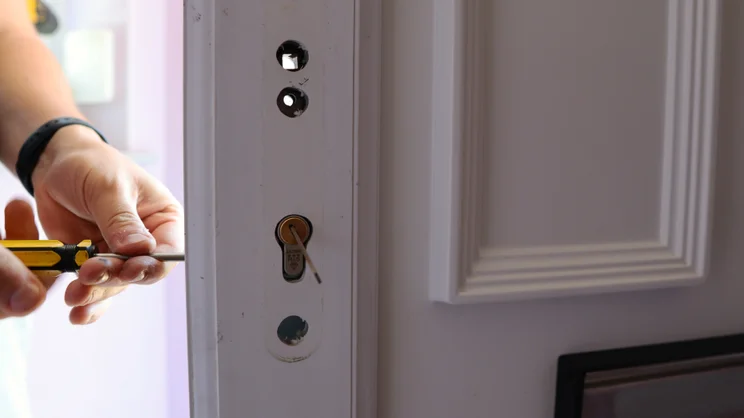
The Ultion Nuki comes as a complete solution that replaces your existing cylinder with Brisant Secure’s Ultion 3 Star Plus cylinder, a precision-engineered unit with a molybdenum core that’s supposedly 25% denser than iron.
The cylinder portion has anti-bump, anti-drill and anti-pick credentials, has Master Locksmiths Association Approval, meets Police Preferred specification and is backed by a £5,000 burglary guarantee.
That means if someone manages to snap the Ultion lock and get in, you’re protected by a £5,000 security guarantee five years from activation. Brisant says they’ve never had to pay out on it so far.
Is installation straightforward?
For the setup process, Brisant quotes a four-minute installation, which should be accurate if you have a standard British Oval cylinder (it’s also compatible with Euro Profile and Swiss Round cylinders). The online step-by-step guides and videos provided do most of the heavy lifting, but as it turns out, the installation of mine took a lot more than that.
First, the existing door handle spindle from the current handle I have proved far too short, which meant I had to source a new one. This solved part of the problem, but I then realised the screws needed to fit the new handles provided were too long, so you may need to use composite door screws or a hacksaw to cut them down to size. In my case, it was the latter.
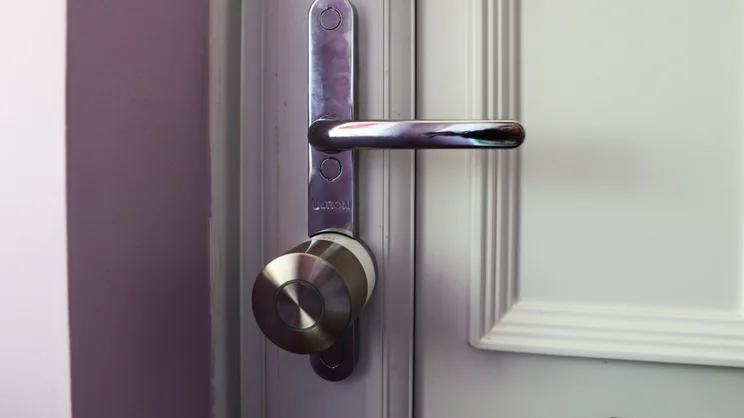
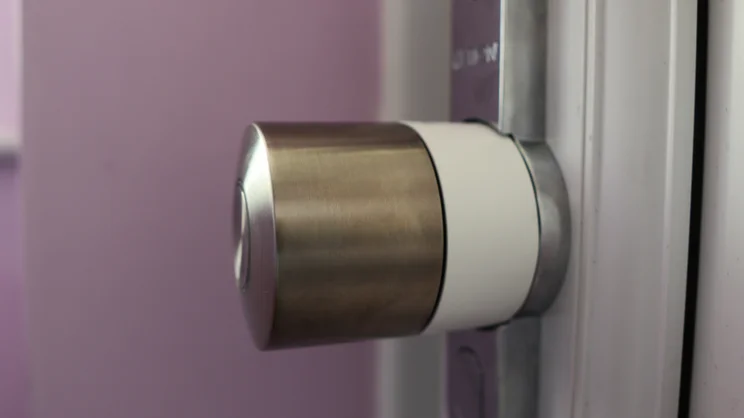
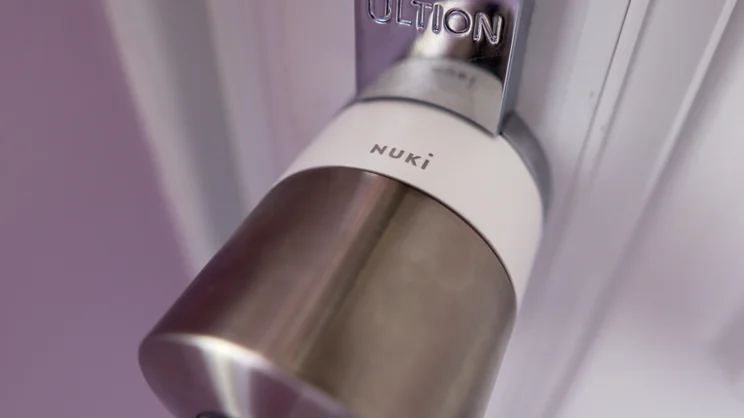
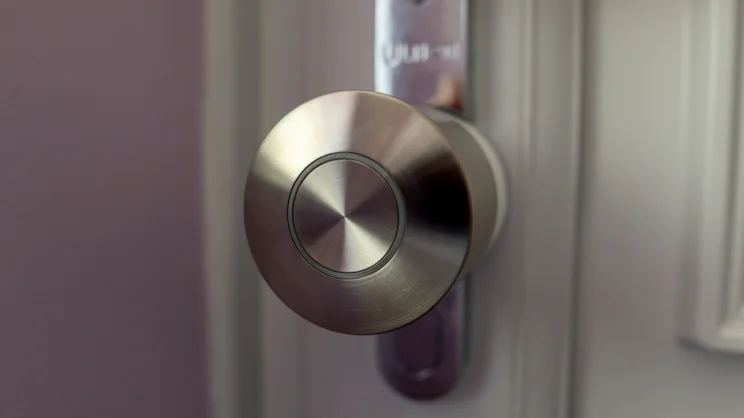
Once the screws had been cut, it was then much easier to get the handle secure. The Nuki Smart Lock Pro portion simply clicks into the back of the new handle, and features all of its networking, Bluetooth and such in the main housing for a neat and tidy look.
Setup is then all done via the Nuki app, and it conveniently takes you through the step-by-step process of getting the lock calibrated to the door and everything working.
Unlike some other smart locks, the accessories, such as a fingerprint keypad, a fob and a contact sensor, are all separate purchases, which can bump up the total cost of the Nuki by quite a margin – the smart lock and cylinder replacement on its own is £339. The Keypad 2 is £145 (there’s a new NFC variant for a little more), the fob is £49, and the Auto-Lock contact sensor is £55. That takes the total cost to £588. Mine came with all of the accessories for testing, but you can chop and choose the ones you’d like, if any.
Apart from some of the issues I had regarding initial setup (which you may not have a problem with), the Nuki is remarkably easy to use. With a little bit of setup in the app for pairing the fingerprint keypad and the contact sensor and getting everything connected, it’s surprisingly simple to manage the lock in the Nuki app.
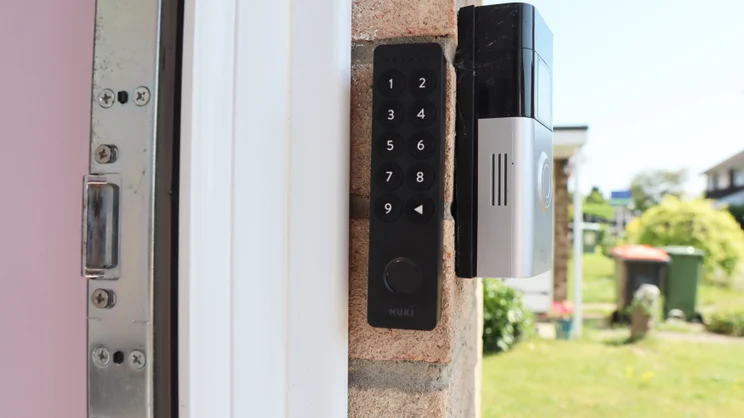
Installing the associated Keypad 2 is simple, too. You have the choice of either affixing it with screws or the included 3M adhesive pad, which I found to be secure enough to hold the lightweight keypad without needing any drilling. Pairing between the keypad and the lock is easy, and the connection has been nothing but reliable in the week or so I’ve had everything set up. The range is quoted at five metres, giving you some flexibility when it comes to placement, although mine is right by the lock for a secure connection and easy access.
How easy is the Ultion Nuki to use?
The mark of a good product such as this one is that it should be painless, and I soon found myself able to lock and unlock the door using either the app or with my fingerprint on the keypad. I still took keys out with me, but found I didn’t have any need to reach for them.
The Nuki features built-in Wi-Fi and Bluetooth, negating the need for any form of bridge, as with earlier editions of the lock. It also supports Matter over Thread, meaning you can link it to any of the major smart home platforms that support Matter – that’s Apple HomeKit, Amazon Alexa, Google Home or Home Assistant. That, in turn, allows you to control the lock remotely from anywhere in the world, via your voice and build in all manner of automations.
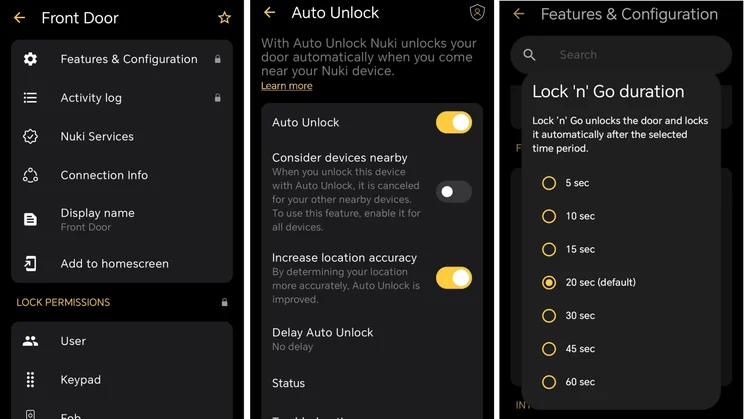
This also has the benefit of increasing battery life and making the lock more responsive to remote commands, as it disables Wi-Fi and switches to using a Thread connection instead.
Getting it connected with my army of Amazon Echo speakers was reasonably painless, although with a couple of caveats. You need a device that can act as a Thread border router to get these devices to work, and a compatible Matter Controller. Usually this takes the form of dedicated Matter smart home hub, although the latest generation of Amazon Echo Show devices comes with the technology built-in that makes this possible.
I tested this with the latest Amazon Echo Show 8 that’s positioned under my living room TV, and it worked without a hitch. Just a word of warning: you’ll need the lock to be in range (up to 10m indoors is typical for Matter over Thread devices) or it won’t be able to communicate with it reliably.
To do so, enable Matter in the Nuki app’s settings page, and you can then navigate to the smart home platform of your choice and link the lock to it. For Amazon Alexa, this involved enabling the Nuki skill, adding a new device to the account, signing into my Nuki Web account, and it then automatically added the lock to the ecosystem, allowing me to lock the door with my voice. It won’t unlock by default, although this can be changed in the app’s settings.
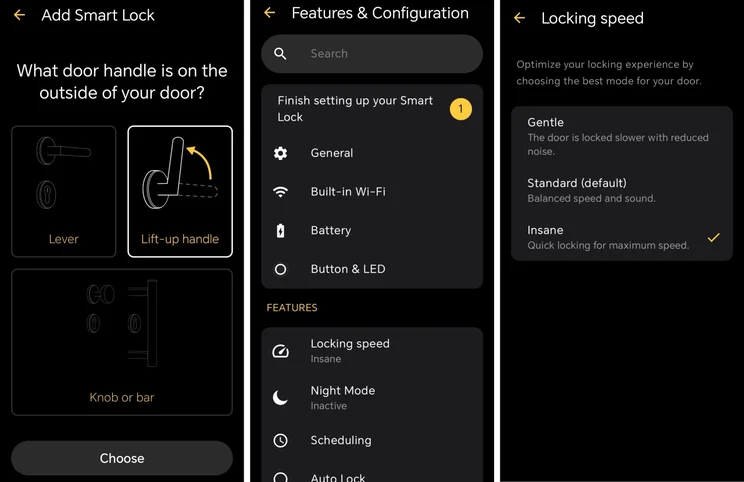
With this in mind, even if you just stick to using the Nuki app, rather than any smart home integrations, you have a vast array of settings at your fingertips. You can choose between three different lock speeds that go up to “Insane”, plus you can enable features such as Auto Lock and Lock ‘N’ Go, where the Nuki Pro can automatically lock after a certain amount of time if it detects the door is unlocked.
Inviting users is simple. Once you’ve got a master user set up (the one used to set the lock up in the first instance), you can then invite other users with individual invitation codes once they have downloaded the Nuki app. Other users don’t require an account to use the lock, either – simply enter the invitation code generated from the master user, and you can then use the Nuki app to lock or unlock the door. This is super handy for landlords running a holiday rental, for instance, who might need to offer and revoke secure access remotely on a regular basis.
The keypad also has its own users section, with individual users able to have multiple authentication methods assigned, be it a PIN code or any of the enrolled fingerprints that you can name individually. You get up to 20 fingerprints, which may be restrictive for large households, shared spaces, or even a smaller family who want the redundancy of multiple fingers alongside a PIN code. These work independently of the individual users who have access to locking and unlocking the lock, at least in my experience, with each fingerprint enrolled on the ‘master’ account.
The default locking speed is sure to be fast enough for most folks, although you can also opt for ‘Gentle’ or the aforementioned ‘Insane’ mode if you want something slower and quieter, or brisker and louder by contrast. In ‘Insane’ mode, it makes quite a loud noise while locking and unlocking the door, but the whole process takes less than a second and a half. In standard mode it takes around two seconds, and in the quieter ‘Gentle’ mode it takes around three seconds.
Of course, with UK door handles, you’re likely to have a multi-point handle, requiring the handle to be pushed up before the door will actually lock. This takes some of the charm and seamlessness away from the Auto Lock and Lock ‘N’ Go features, although to be truthful, I found myself using the keypad more often, as I can lift the handle and then use the fingerprint reader to lock the door on my way out.
When returning home, it’s the same process to get in, pushing the handle down and using the keypad to get in. You can also make getting back in slightly easier by using the geofence setting to detect when your phone is a certain distance away, and automatically unlocking the door at that point.
What if I get locked out?
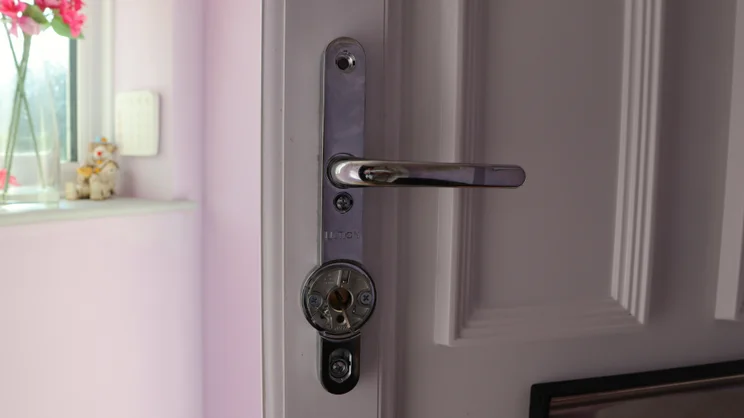
Speaking of keys, it might seem like a silly thing to pick up on, but I’m grateful for the fact that this Nuki Pro package still allows you to unlock the door with a key. Other smart locks for multipoint doors, such as the Yale Conexis L2, have no form of physical key as a failsafe or manual override.
If the lock runs out of battery, then there is a 9V connection on the outside, to which you present a 9V battery that powers the lock so you can get back inside, but this is, for obvious reasons, a lot less convenient.
The keys themselves are also rather substantial for standard front door keys, and they also have a unique code on the top that works with an Ultion system called KeyControl. This prevents unauthorised copying (regular locksmiths can’t do it – you need a “licensed Ultion Key Centre” for that), and requires two-factor authentication to an email address so you can approve any new keys that are cut.
An Ultion representative told me that it’s best to get them from the brand directly, as if you go through an approved third-party, they’ll potentially charge more, and the keys all go back to Ultion anyway, so it cuts out the middleman (pun intended). Likewise, using an ‘unauthorised’ centre could invalidate any guarantees on the keys themselves.
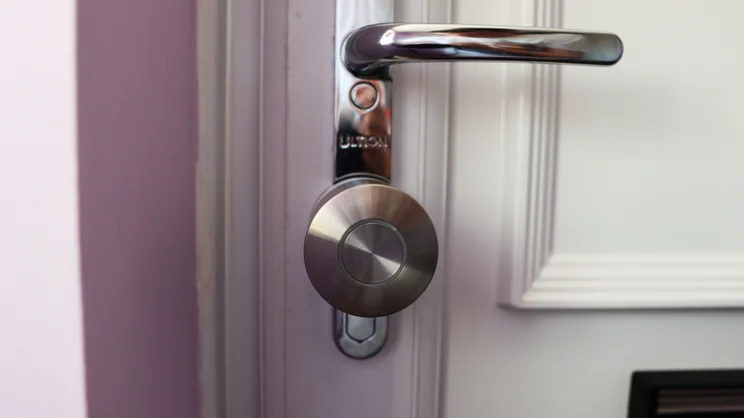
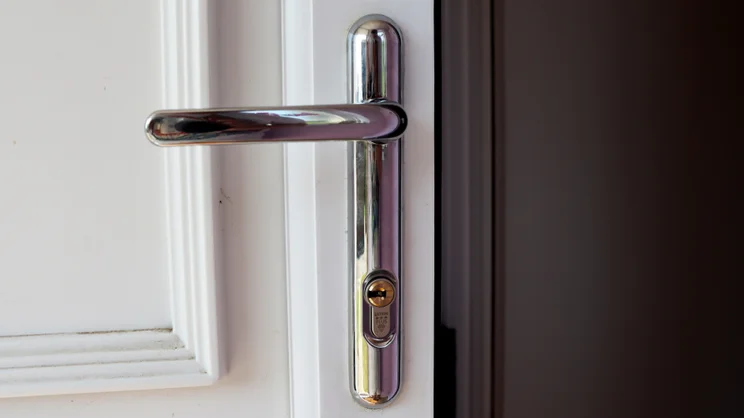
One small thing I think is excellent about the entire lock is that it technically only changes the inside of the door. From the outside, it just looks like you’ve got a normal door lock, and if you mount the keypad in a discreet location, then you’re not broadcasting that you have a smart lock to the rest of the street. Some other smartlocks mount the keypad on the lock itself, which can be a dead giveaway.
You can change the external handle if you’d like, or potentially retain your existing one if the fitting allows. My old one wouldn’t work, so we’ve got a nice and shiny silver Ultion one that the brand says is backed by a 20-year anti-corrosion guarantee.
How long does the battery last?
Battery life is quoted at four to six months per charge over Wifi, and nine to 12 months using Matter over Thread. With this in mind, the endurance depends on how many locking and unlocking operations you’re undertaking. If you’re coming and going a lot, you may see that figure drop down a little.
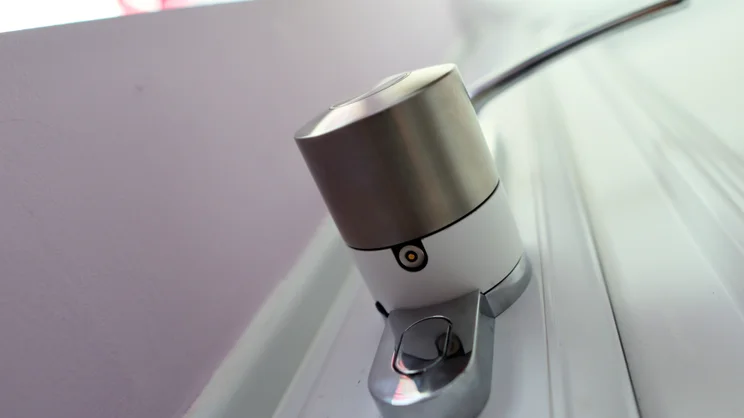
The good thing about this lock is that you can charge it while it’s still mounted on your door, and it still works as originally intended. This is achieved with a two-metre-long magnetic charging cable that terminates in a USB-C plug so you can hook it up to a phone charger or, in my case, a power bank.
My lock shipped with 44% charge in, which after a couple of days dropped down to 40% – to get it back to full with my trusty Ugreen power bank took around an hour and a half. For an empty-to-full charge, Nuki quotes two hours.
Is there anything negative to be aware of?
One of my only big issues with the Nuki Pro is the fact that the accessories are quite expensive once you factor in the overall cost of them, and there are some strange quirks to them. The Keypad 2, for instance, doesn’t have a zero button, meaning you may have to be creative with your PIN choices.
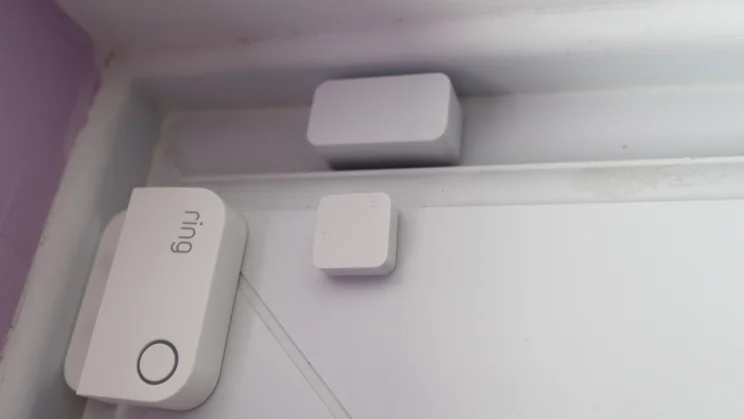
Likewise, the contact sensor was very picky about where it needed to be placed for the door to work, and if you’re like me and already have a Ring Contact Sensor for the alarm, you may need to get equally creative with its positioning. I ended up having to stick mine to the curved edge at the top of my door for it to register as being within the requisite distance to the actual sensor, rather than putting it on a flat edge. At £55, it’s quite expensive for a simple door sensor, too.
The fob was also a little fiddly to get connected initially, with a replacement one being required for it to work, which also required pairing and repairing over Bluetooth a couple of times before functioning correctly. It provides another convenient option for locking and unlocking at the touch of a button, as long as you’re within range, although I think the keypad, geofencing, and even just using the phone app are a bit more convenient. Again, at £49, it’s also quite dear for a more humble accessory.
The lock doesn’t protrude as much as some other smart locks, but the large cylinder that’s mated to the inside portion of a door does extend around eight centimetres from the surface of the door, so if you’re tight on space on a porch for an inwards-opening door, it’s something to bear in mind.
I’m also a little disappointed at the fact that the Nuki Pro features a proprietary charging connection on lock end. Granted, the magnetic connection is strong, and it works well for charging, but it’s a shame it isn’t USB-C on both ends. If you lose it or damage it, you’ll need to order another from Ultion but they’re fairly cheap at £4.50 a pop.
Should you buy the Ultion Nuki?
Despite the gripes, though, I’m a huge fan of the Ultion Nuki. It’s a remarkably easy to use smart lock and one of those products you can almost set and forget, which to me is the mark of an excellent smart home device. It looks pleasant, too, is remarkably feature-rich and supports the most important smart home platforms.
You need to make sure your lock is compatible but that shouldn’t be too much of an issue. The Nuki Pro supports Euro Profile, Swiss Round and UK Oval Cylinders, plus there is a specific Nordic variant, too. You may also need to do some measurements for your cylinder, handle distance and the thickness of your door to make sure everything will fit together as it should, but assuming your door is compatible, it’ll work beautifully.
My criticisms of the Nuki are few and far between, with the big one being the cost of the accessories. They can help you get the most out of the lock, but you don’t technically need them out of the box. Likewise, the cost of the entire setup in that regard is dear, but I think the £339 asking price for the smart lock and cylinder combo is surprisingly reasonable for such a feature-rich, stylish smart lock.