To help us provide you with free impartial advice, we may earn a commission if you buy through links on our site. Learn more
- Works indoors and out
- Silent and fast pan-tilt action
- Good low-light performance
- 2.4GHz Wi-Fi only
- No solar option
If I had to list the key features for a general-purpose security camera, they would be affordability, free local storage, no other subscription-based limitations, active motion tracking, which implies a motorised base, the facility to use it indoors or out and good low-light colour performance.
Someone at Eufy must have been reading my mind because that’s pretty much the new C31 in a nutshell. It’s a motorised pan-tilt security camera that works indoors and outdoors and doesn’t require you to pay a penny more to access its core functionality.
What do you get for the money?
At the time of writing, you can pick up the Eufy C31 for between £40 and £50, depending on whether you go for it in black, green, or white. The latter is a handy option if you want to make your camera installation as inconspicuous as possible.
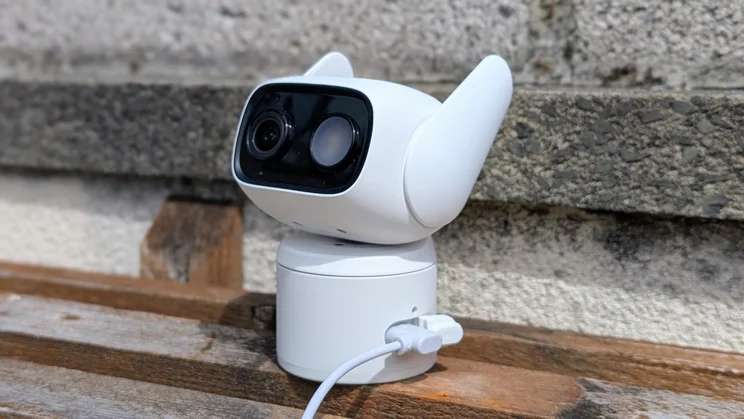
Whichever colour you choose, the C31 represents solid value when you consider how it compares with its rivals and the fact that its IP66 weatherproofing enables it to work equally well indoors and out.
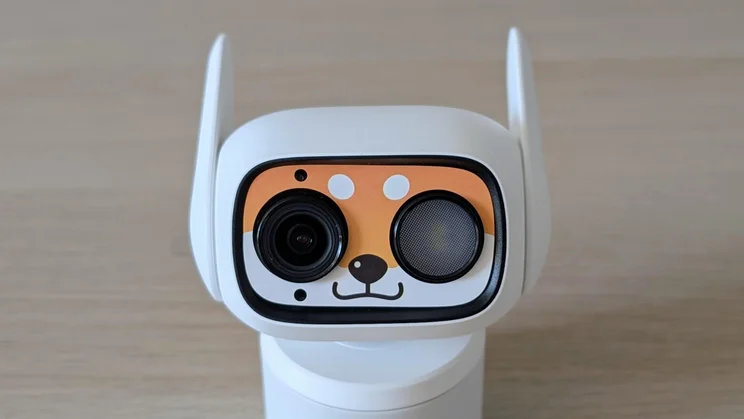
If you do want to zoomorphise your C31, Eufy bundles a strip of four (removable) fascia stickers, which I can best describe as Fox, Penguin, Cat, and, rather incongruously, Desert Camouflage.
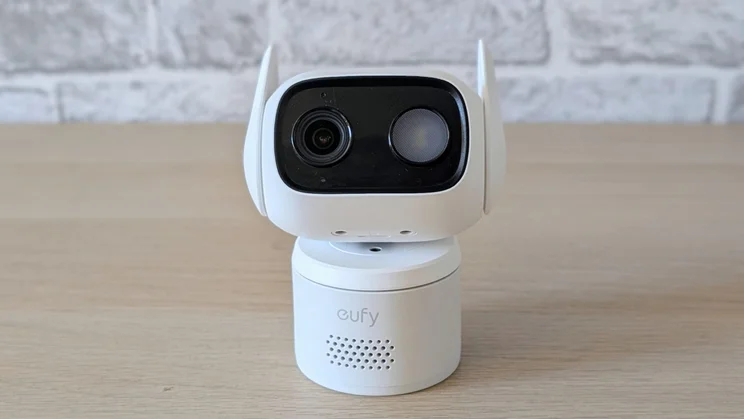
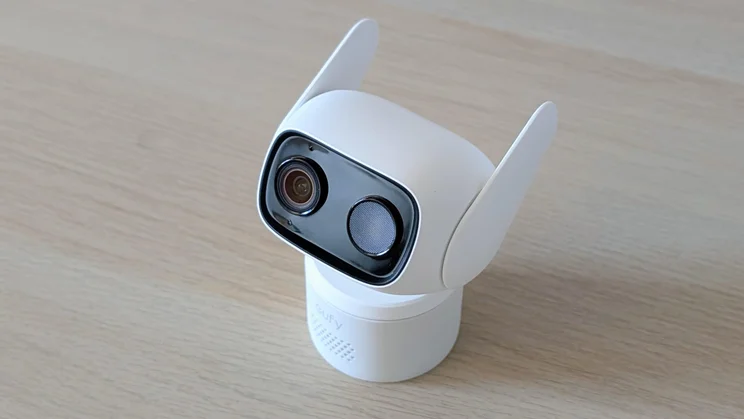
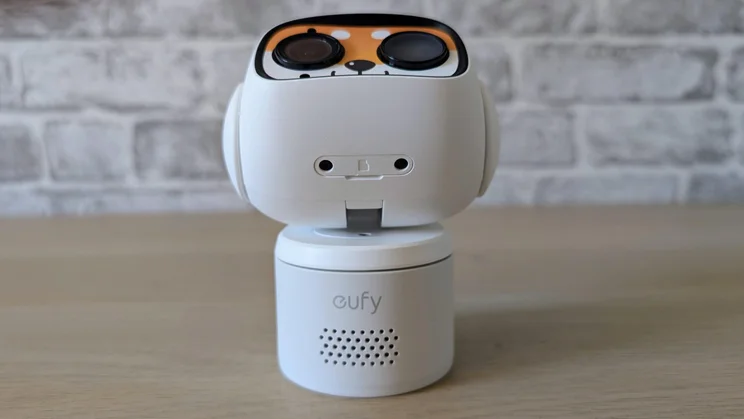
The unit itself is reasonably compact, weighing 235g and measuring 93 x 68 x 108mm with its ears/antennae down. Rotate them up, and the height jumps to 120mm. When I first saw these antennae, my first thought was “oh dear”. This sort of Doraemon-esque cuteness may play well in some markets, but leaves me cold.
Thankfully, though, they successfully achieved their purpose of improving Wi-Fi signal reception; on initial connection, the app showed Weak, but once I’d rotated the ears up, it changed to Medium.
Silent pan-and-tilt and lots of camera options
The most impressive part of the design is that the motorised pan and tilt actions are silent. And by that, I don’t mean very quiet. I mean, silent. The unit also has a two-way audio system, a loud siren and an LED floodlight. You can manually activate the light and siren either together or separately.
The meat and potatoes of the C31 is naturally the camera, which consists of an F1.2 aperture lens and a 1/2.9” CMOS sensor and can capture footage at 1,920 x 1,080 and 15fps. Next to it in the fascia are an LED floodlight, infrared lights, and a PIR (passive infrared) sensor for motion detection.
The camera unit can rotate 360 degrees and tilt up to 70 degrees. The second figure is split approximately 60 degrees up and 10 degrees down, so if sat on a shelf, the unit is best placed at a low elevation where it can look up from rather than a high one looking down.
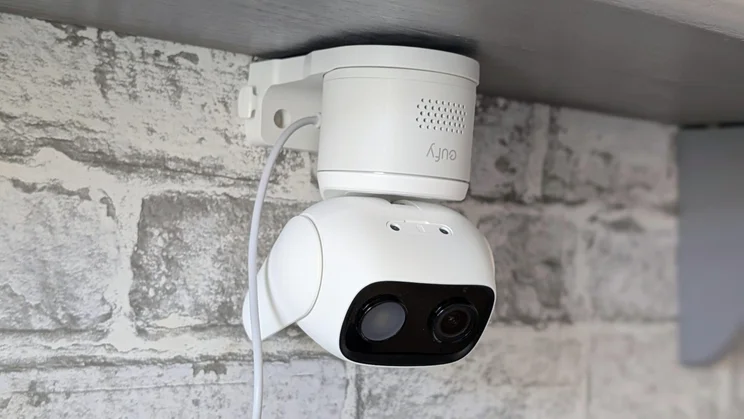
The bracket lets you set the camera upside down so you can invert those up/down tilt viewing angles. There’s a setting to flip the video feed through 180 degrees in the app, so the live feed looks the right way up, even when the camera is inverted.
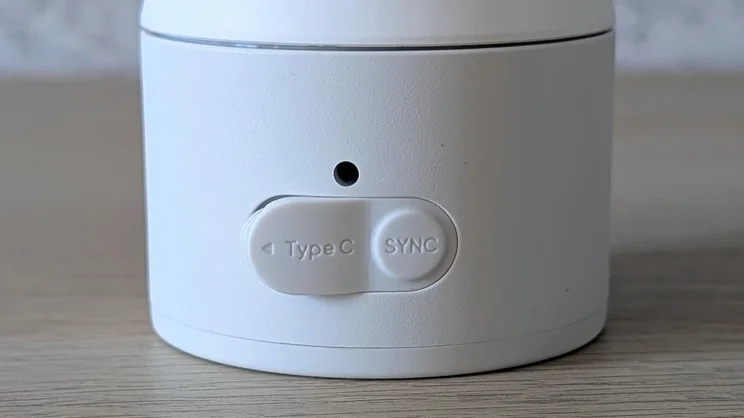
As well as the camera unit, Eufy also bundles a mains plug, a weather-proof 1m USB-C cable and a simple plastic bracket that you can screw onto a vertical or horizontal surface and then attach the C31 to it. There’s no battery inside the C31, which precludes powering it with one of Eufy’s £30 C10 solar panels. It’s mains power or nothing.
Do you need a subscription?
Given that you can store your recordings on a MicroSD card inside the camera and Eufy offers features like continuous 24/7 video capture and motion discrimination between people, vehicles and animals free of charge, the answer here is a resounding no.
If you do want to store your recordings in the Eufy cloud, you have two options. A single camera account will set you back £3.99/mth or £39.99/yr, while a multi-camera account costs £12.99/mth or £129.99/yr.
The multi-camera package is rather expensive, given that all you’re getting is cloud storage, so buying one of the camera packages that includes Eufy’s HomeBase Mini hubs (at the time of writing, the HomeBase Mini is still not available as a stand-alone item) would seem a better option if you want local off-device storage.
How easy is it to set up?
The C31 setup process is very straightforward. It’s simply a case of downloading the Eufy app, setting up an account, plugging in the camera and adding it to the app.
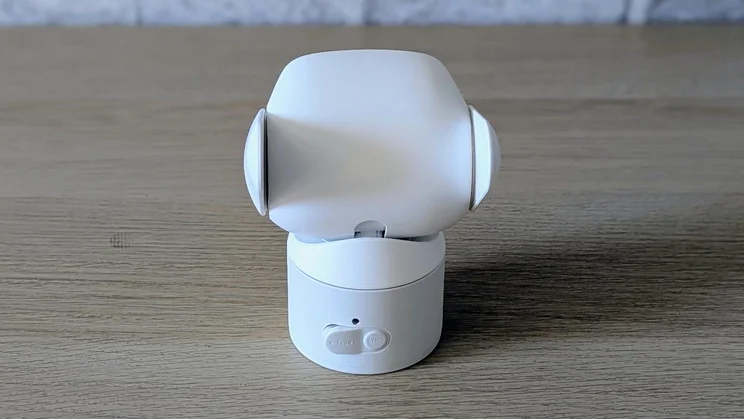
Once the app asks you to press the Sync button and requests your Wi-Fi password, you’re good to go. Just note that the camera only supports the 2.4Ghz Wi-Fi frequency.
Is the companion app any good?
Eufy’s app is a model of best practice with everything laid out clearly and sensibly.
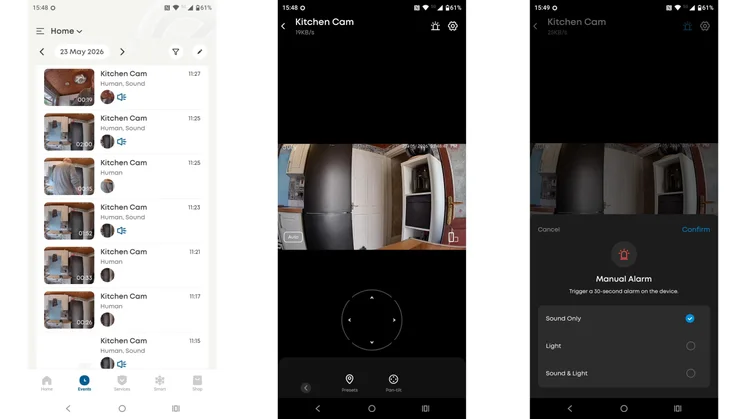
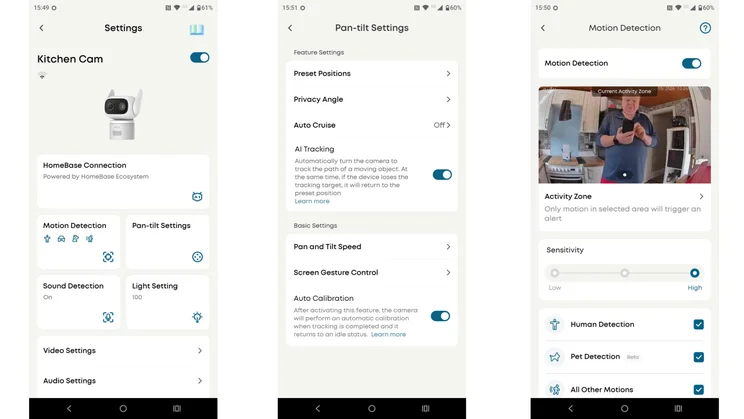
At the bottom of the live feed screen, you’ll find a row of buttons with self-explanatory labels: Record, Sound, Talk, Night Vision, Pan Tilt, Playback, Light, Screenshot, AI Tracking, Round Look (a better name would be Look Around) and Calibration.
Most are simple activate/deactivate commands, while others add a new UI facility, for instance, Pan Tilt adds a track pad below the live view, though you can also swipe or tap the live view to move the camera unit around.
The app also supports rich notifications, which means alerts are sent with a thumbnail capture of what triggered them. Again, this is a feature some makers demand a subscription to support.
Above the live view are buttons to activate the LED spotlight and/or siren and open the settings menu. Looking around the app, it’s not immediately obvious how you set the alarm and lights to come on when motion is detected. You need to navigate to the Modes page and then adjust what happens in the Home and Away modes.
To avoid manually switching between Home, Away (or any modes you’ve created) or Disarmed, you can set up mode schedules over 7 days. There’s support for the Google Home and Amazon Alexa smart home systems, which is typical of many home security camera systems.
How we test security cameras
In any security-related situation, how quickly you can react to events is key, which is why we test the responsiveness of each camera we review. To do this, we run a raft of tests with the aim of measuring the speed of the camera system’s response to various triggers.
For example, we measure the time between a camera detecting motion and an alert being generated in the mobile app. We also time how long it takes to bring up the live feed from any alert, and how long it takes to bring up the live feed from the main screen of the app.
How does the Eufy Wired Cam C31 perform?
Image quality and night vision
The video feed may only be 2K (1,920 x 1,080), but it’s still sharp and colourful. Eufy doesn’t give a field of view figure for the camera, but it looks very similar to the 103-degree horizontal and 55-degree vertical field of view delivered by the Tapo C120. And it’s very, very good at night.
For low-light viewing, you can choose between a low-light full-colour setting called PureColour, traditional infrared or having the LED spotlight fire up. In all but the most Stygian darkness, the PureColour setting is more than sufficient to get a good, clear view of the camera’s surroundings.
The C31’s motion tracking is excellent, the camera unit moving smoothly and quickly to keep the focus of its attention in the centre of the frame. For this sort of price, I was expecting this feature to be a bit primitive, but I could not have been more wrong.
AI features
When it comes to intelligent functionality, the C31 has all the basics covered. Motion detection can be set to discriminate between human, vehicle, pet or general motion, while the sound detection system can be set to alert on any noise or specifically a baby crying. I downloaded the sound of an infant bawling and played it back through a Bluetooth speaker to test that last feature, and was impressed by how accurate it proved.
If you want to add facial recognition and cross-camera tracking to the C31, you’ll need to buy one of the camera packages that comes with the HomeBase Mini or the HomeBase S380.
Eufy seeks to deliver AI enhancements at a local level, free of charge, assuming you have the right devices, rather than via a paid subscription to a cloud-based service. I fully support that idea.
Floodlights, audio and siren
Given the size and cost of the C31, you’re not going to get the sort of siren and floodlight performance you will from the likes of the Reolink TrackFlex, but the little Eufy doesn’t do badly.
The LED floodlight is bright enough to illuminate the average suburban garden or driveway, while the siren registered 80dBA on my sound meter, loud enough to startle a burglar.
The C31 performed well when it came to two-way audio, and the speaker is loud enough that when you yell, “Get off my land” into your phone, it comes out as a yell at the other end.
The C31 features an IP66 weatherproofing rating, which outperforms the IP65 certification found on most indoor/outdoor security cameras.
Speed and responsiveness
The C31 is fast when it comes to registering movement and sending alerts. Across the board, the Eufy C31 was a match for the Tapo C120 in this area, and the C120 is a very sprightly performer.
Should you buy the Eufy C31 Pan-Tilt Camera?
The Eufy C31 jumps straight to the top of the list of multi-purpose pan/tilt security cameras. Not only does it do all the basic tasks you’d expect of a modern security camera, but it does them well, and it’s dirt cheap, and you can use it outdoors and inside.
Stand-out features are the super-smooth and fast active tacking, and the fact that none of the camera’s functionality, from 24/7 video recording to motion discrimination to rich notifications, is dependent on dipping into your wallet every month.