
To help us provide you with free impartial advice, we may earn a commission if you buy through links on our site. Learn more
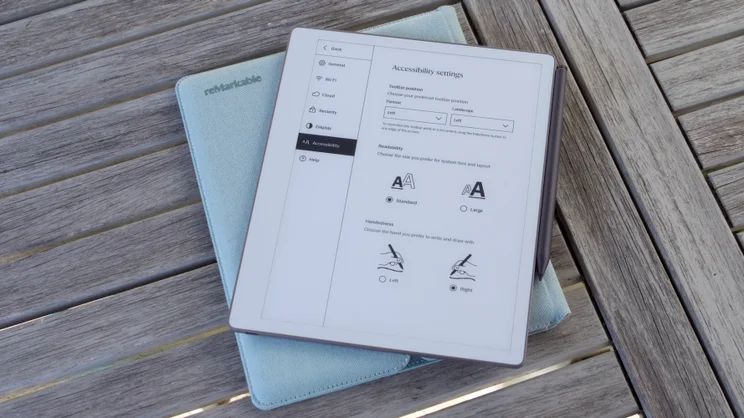
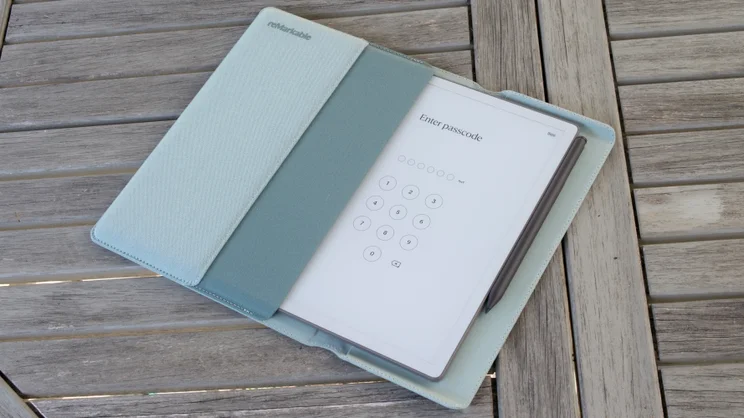
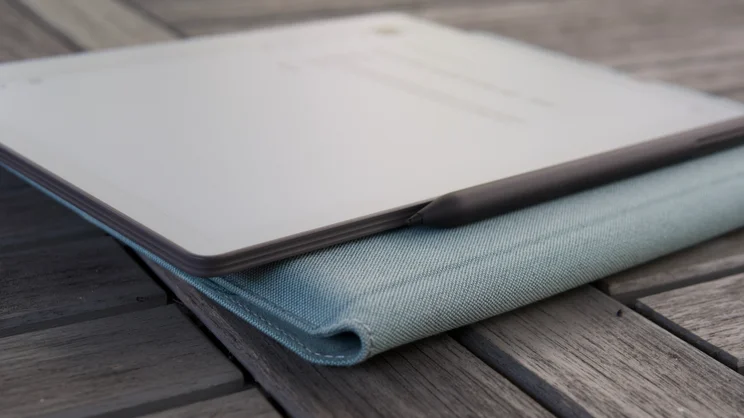
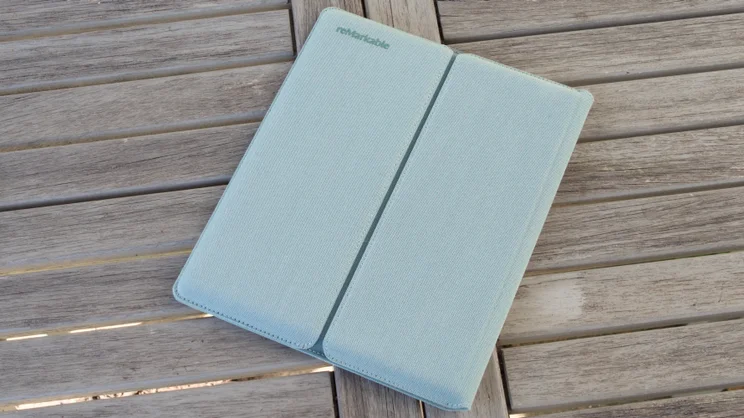
- Responsive, clear display
- Paper and pen-like feel
- Flexible, useful software
- No front light
- No colour
- Some features are locked behind a subscription
If you follow technology, you’ll have heard of reMarkable by now. This is the company that has, pretty much single-handedly, revitalised the e-reader industry by inventing the E-ink paper tablet category. And although others are now catching up, reMarkable leads the pack.
The reMarkable Paper Pure is its latest digital notepad – and further evidence that the Norwegian company does this stuff best. It doesn’t add much in the way of bells and whistles compared with the Remarkable 2 it replaces, but continues to champion this new category, while refining the package and reducing the price.
What do you get for the money?
The Remarkable Paper Pure will still set you back £359, and for £399 you can get it with a case and the Marker Plus stylus, which has the eraser function built into the top.
That makes it the cheapest product Remarkable has produced, and the cheapest amongst its immediate rivals as well. The Kindle Scribe is £430, the colour version is £570, and the new Boox Go 10.3in (Gen II) is £363, with the reading light-equipped version costing £388.
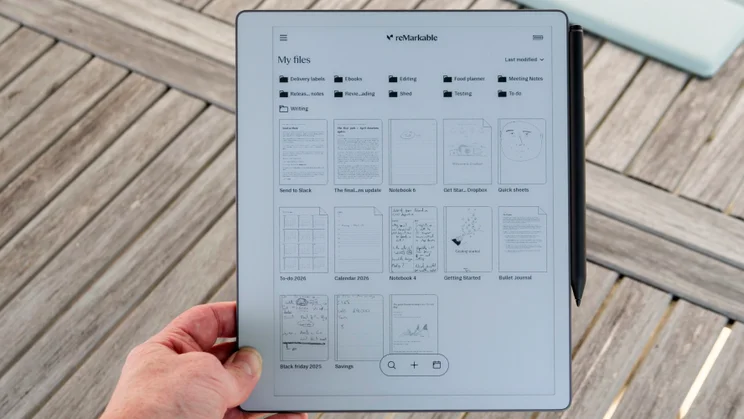
Despite the low price, the Paper Pure’s specifications are impressive. The screen is an E-Ink affair measuring 10.3in from corner to corner, and it’s based on E-Ink’s Carta 1300 technology, which delivers whiter “paper” than the Remarkable 2, sharper 300ppi resolution, and more responsive page refreshes.
Remarkable says writing on the screen is faster than before, too, with digital ink appearing after a delay of only 21ms, although as with the original Paper 2 the Pure has no reading light built in. If you want to read or take notes in the dark, you’ll need to add one of your own.
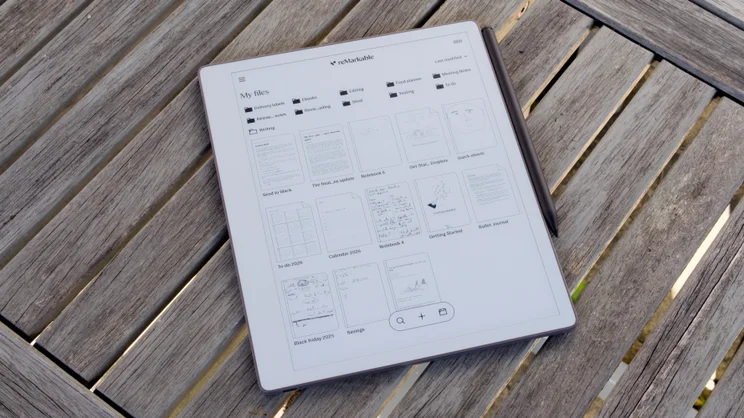
It’s certainly an attractive thing – beautifully slim and light, measuring 187 x 6 x 228mm (WDH) – and although the outer case is constructed from plastic, the internal structure is reinforced using a honeycomb skeleton made from lightweight magnesium. All of that wraps up a dual-core ARM A55 processor with 2GB of RAM, 32GB of internal storage and a 3,280mAh lithium-ion battery.
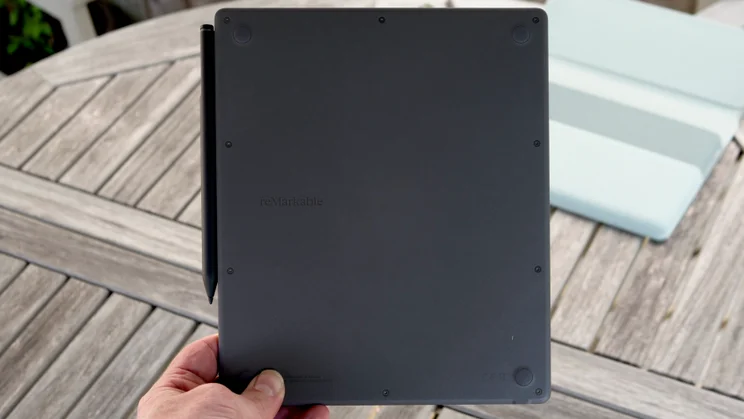
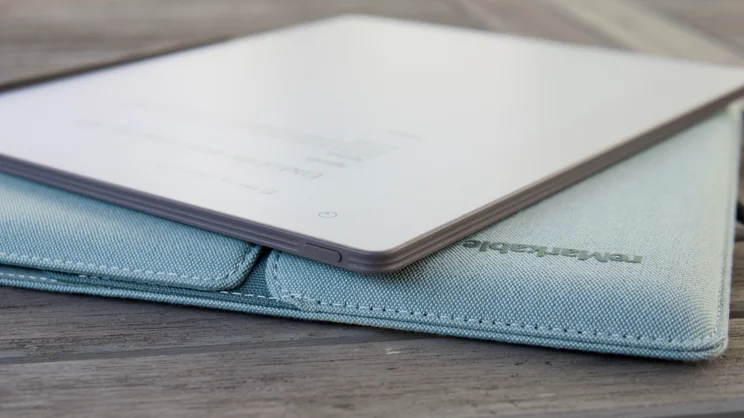
Rounding up the final details, there’s a power button on the top-left edge and a USB-C port in the bottom left corner for charging and file transfer. The “Marker” stylus is included in the box and attaches magnetically to the right edge, where it also charges.
How does the Remarkable Paper Pure compare to the Remarkable 2?
There are several ways in which the Paper Pure outperforms the Remarkable 2:
- It’s more responsive to pen strokes and screen gestures, thanks to more modern screen tech and a faster processor – by 50% according to Remarkable
- It has a longer battery life of up to three weeks per charge, thanks to a higher capacity battery and a more efficient processor
- The screen has a whiter background and sharper text, thanks to the new E-Ink Carta 1300 display panel
There is, however, one major negative to bear in mind. While the Remarkable 2 was available in a bundle with a keyboard folio case, no such accessory exists for the Paper Pure. I asked Remarkable about future availability, and the response was noncommittal, so I assume there won’t be one available any time soon.
What does it do well?
Distractions begone
The first Remarkable tablet was designed as a distraction-free device, and the company has stuck to that over the years. If you sit down for a reading, writing or sketching session with the Remarkable Paper Pure, it won’t grab your attention with notifications every minute. Moreover, you won’t find a web browser, a bookstore, or any way to install extra apps.
The UI, freed of such fripperies, is refreshingly uncomplicated, too, and when you’re scribbling away on it, you can hide all evidence of menu bars and interface cruft entirely. All that remains is your writing, whatever “paper” background template you’ve chosen and one small icon in the top right that brings back the toolbar when you need it.
That’s not to say the Remarkable Paper Pure is short on features, and I’ll get onto those below, but it does mean it’s pretty darned single-minded. This is not a tablet you’ll end up using as your main ebook reader, unless you can be bothered to remove the digital rights from every book you buy.
Writing and sketching
One of Remarkable’s strengths over the years has been how closely it has simulated the feeling of using a real pen and paper, and the Paper Pure is no different in this regard.
It achieves this by using a special textured glass layer that’s covered in microscopic etchings, and this creates a uniquely scratchy, slightly forgiving feel that’s as close to the real thing as I’ve experienced on any such device.
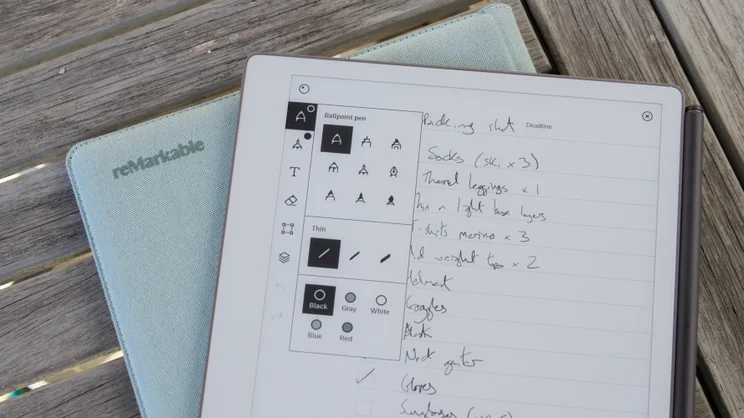
It’s responsive, too, almost instantaneously inking as you write on the page, and there are plenty of different pen and highlighter types to choose from, and multiple thicknesses for each virtual writing implement. I found myself sticking with the default ballpoint pen with a medium stroke weight, but you can go finer or thicker, as you like. And if you make a mistake, it’s easy enough to tap undo, switch to the eraser or – if you have the Marker Plus – flip over the styluses and erase your scribblings with the top.
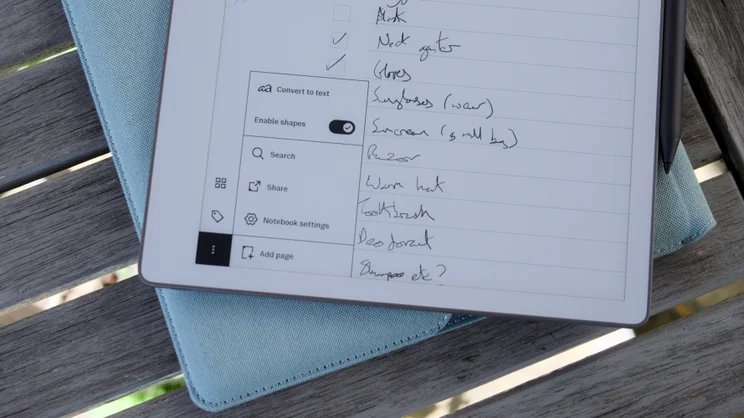
The tablet also does handwriting-to-text conversion – it needs an internet connection for this – and it will index your handwriting in the background, too, allowing you to quickly search through all your notes. The handwriting recognition isn’t perfect, but I was consistently impressed with how successfully the indexing managed to recognise most of my spidery scratchings.
If you can see yourself doing lots of drawing and sketching on the Paper Pure, then you’ll probably find the tools a little limited, but some might come in handy.
The fact that you can build compositions using layers is super useful – you could put that drawing of the shed you’re about to build on one layer and all the measurements on another, then turn on and off as necessary. And the ability to turn your wobbly approximation at shapes and lines into figures with clean edges and smooth arcs is very, very useful for those without the steadiest of hands.
Notebooks and paper templates
One of the big attractions of digital note-taking devices, though, is that every notebook you start on the device can be written on different digital media. You can stick to simple lined “paper” if you like, but there are plenty of other options to choose from, from plain, dotted and graph paper to blank music sheets, Cornell notes and everything in between.
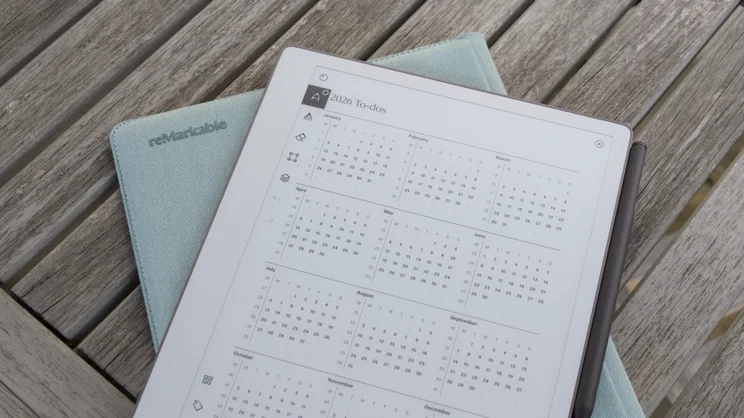
And if you pay for the Remarkable Connect subscription for $3.99 (around £3), you also get access to the Remarkable Methods library of notebook templates, which includes more complicated stuff such as interactive, link-connected calendars and blank wireframes for app developers.
I downloaded the To Do and regular calendars, but there are loads to play around with, including community-generated templates covering everything from daily habit trackers to “gratitude journals”. You can make your own, though, if you don’t fancy paying, and that’s easy enough to do by creating a PDF with Photoshop, Affinity or Canva.
Software, document support and workflow
You don’t have to pay the subscription to use the Remarkable, of course, but it does open up more flexibility in terms of synchronisation, in addition to providing those extra templates.
If you go the free route, your notebooks are only synchronised with the Remarkable cloud for 50 days. After that period, old notes can still be edited and added to on the Paper Pure itself, but Remarkable won’t upload any changes to its cloud.
Whether or not you pay, I think the software works brilliantly. Once you’ve created your notes on the Paper Pure, they sync to Remarkable’s cloud, where you can view and edit them via your laptop, smartphone or tablet.
And there are multiple other ways of exporting your notes – they don’t have to simply live in the Remarkable ecosystem. You can simply email them to yourself as an image, share them from the mobile app, or export them via the desktop app as a PDF, PNG or SVG file.
Alternatively, you can avail yourself of several new AI-driven features to convert your notes to text and summarise before exporting. You can use this facility to send converted notes to Slack or Miro, or generate a sharing link to a page with the original note and the converted text in it, complete with suggested action points. You can also use this “Convert and share” feature to summarise notes and annotations made on PDFs, presentations and more.
It’s not just a great device for creating notes, though. I found myself importing work documents and reading/annotating them on the Paper Pure, then making changes to those documents in the Desktop app on my laptop. I also found the Remarkable desktop app quite a nice distraction-free place to write – with the bonus that those documents were then super easy to read and annotate afterwards.
Getting documents onto the device is also very easy. Just import the document using the desktop, web browser or mobile apps, and the app will then sync that file directly to the Paper Pure, ready for reading. File types supported include PDF, DRM-free ePub, Microsoft Word and PowerPoint. And there’s also Google Drive, Microsoft OneDrive and Dropbox support, although you can’t annotate or edit documents held in those file repositories directly. You have to import them, work on them and then re-upload.
What could be improved?
One other feature that’s new to the Paper Pure is the ability to synchronise your calendar to the tablet. At the time of writing, both Google and Outlook calendars are supported.
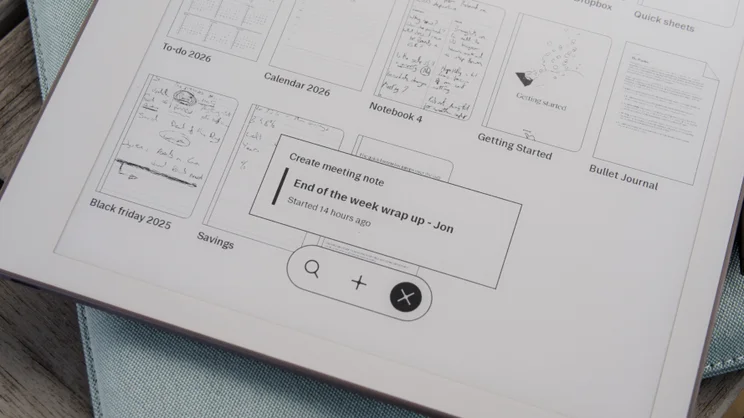
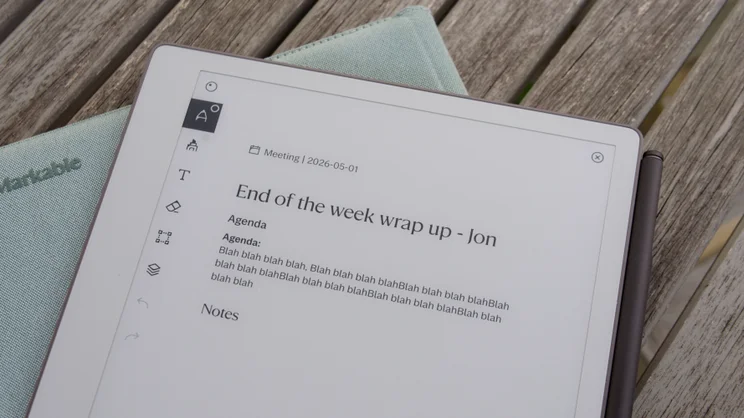
Once you’ve added your calendar, the idea is that you tap the calendar icon at the bottom of the screen to see if there are any upcoming meetings. If there are, you can select the one you want to take notes for, and the Paper Pure creates a page for you to take your notes on, complete with information brought over from the meeting entry – the date, title of the meeting, agenda and so on.
You’d think that next you would be given the option to upload and attach the note to the calendar entry in question, but no, you’re left to do that manually yourself, which is a faff.
And, while I completely understand why you might need to pay extra for the AI features and bonus templates, freezing out synchronisations on older notes is, I think, pushing the subscription model a little too far. It’s also worth remembering that the handwriting search facility, which is excellent, is another feature locked behind the subscription.
It’s a shame the keyboard folio is no more – I’d appreciate being able to type notes as well as write them without having to get out my laptop – and I also think the lack of a reading light is a big miss, too.
Should you buy the Remarkable Paper Pure?
Should these gripes be enough to put you off buying the device, though? Well, maybe.
On the one hand, I think the Paper Pure serves its main purpose better than any rival from another manufacturer. It feels great to write on, and the software suite that goes with the hardware is mature, slick and well thought out – as long as you don’t mind paying that £3-per-month subscription fee.
But there are reasons you might want to look elsewhere. If you’d prefer not to pay that monthly fee and you’d like your note-taker to also be your e-reader, then the Kindle Scribe might better serve your needs. If you’d rather not be restricted to just one ecosystem, then take a look at Boox’s array of E-Ink devices, which allow you to install any Android app and browse the web, too.
If it’s mainly note-taking you’re after, though, I think the Remarkable Paper Pure does it better than anything else and at a very reasonable price.


