
To help us provide you with free impartial advice, we may earn a commission if you buy through links on our site. Learn more
- Upfiring drivers deliver Atmos with authority
- Immensely impressive low end
- Neat and compact
- Limited connectivity
- Adapters and wall mounts cost extra
- Too expensive
The Sonos Beam Ultra is something of an outlier for Sonos. Usually, the firm takes the approach that less is more, and keeps upgrades to a minimum. For the most part, that has been successful, especially in the case of the Beam, but this latest soundbar is different, and represents an update of more significant proportions.
Not only does it look different from the outside, but it has been dramatically overhauled inside, with more drivers, support for more channels than before and some clever new software tricks. Unfortunately, it is also a lot more expensive at £699. The question is, can it justify the £250 price rise?

What do you get for the money?
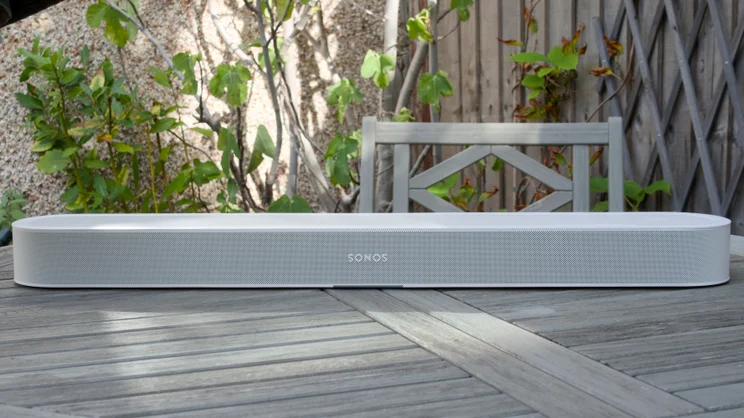
If you were to look at it from the outside, you’d be forgiven for being sceptical. For a sum of money only £100 shy of the original Sonos Arc, you’re getting a soundbar that looks similar to what went before. Admittedly, the general build is of exceptional quality, but the Sonos Beam Ultra remains, ultimately, a compact soundbar with a level of output that’s best suited to smaller and medium-sized rooms.
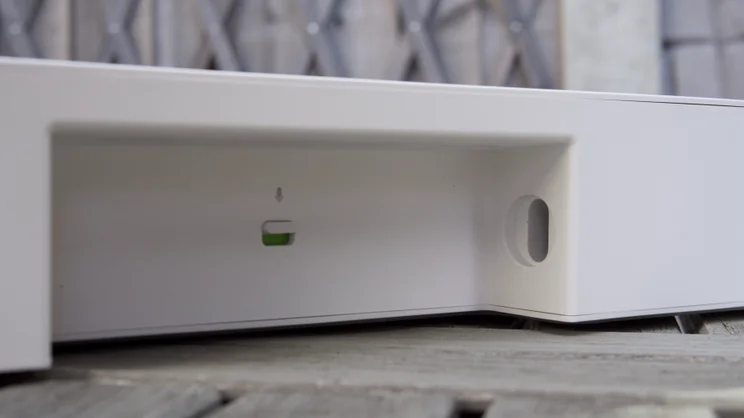
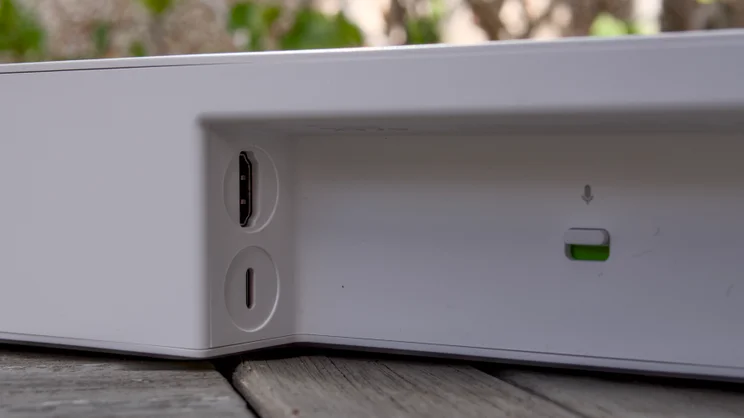
It’s just as limited when it comes to physical connectivity, too, but that’s not unusual for a Sonos product. You have one eARC HDMI input here, a figure-of-eight power jack and a single USB-C port; that’s your lot. That USB-C port does allow you to hook the bar directly into your home network via Ethernet, or to connect an analogue 3.5mm audio or optical cable, which is neat, but you need to purchase an adapter to do that, adding between £19 and £39 to the cost.
Wireless connectivity is now upgraded to Wi-Fi 6, but otherwise the core features all remain in place, with support for TruePlay room tuning, Apple AirPlay 2 streaming, Bluetooth playback , and an impressively comprehensive list of multichannel standard support that includes Dolby Digital, Dolby Digital Plus, Dolby Atmos and DTS Digital Surround.
New features
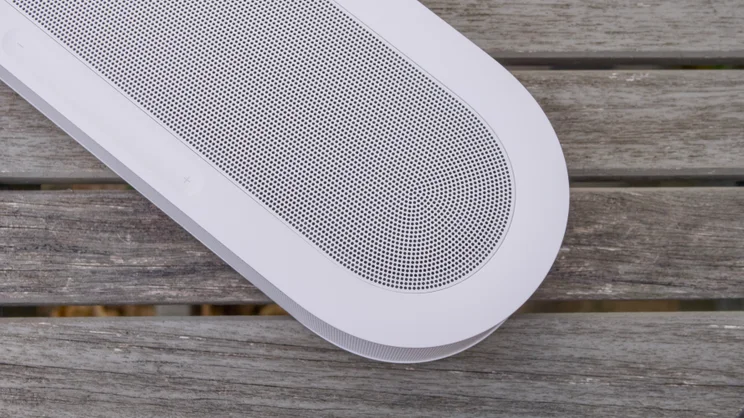
Look closer, however, and you will see some differences. At 750 x 105 x 65mm (WDH) the Beam Ultra is 100mm wider, 5mm deeper and 4mm shorter than the Sonos Beam Gen 2. And there are some cosmetic changes, too.
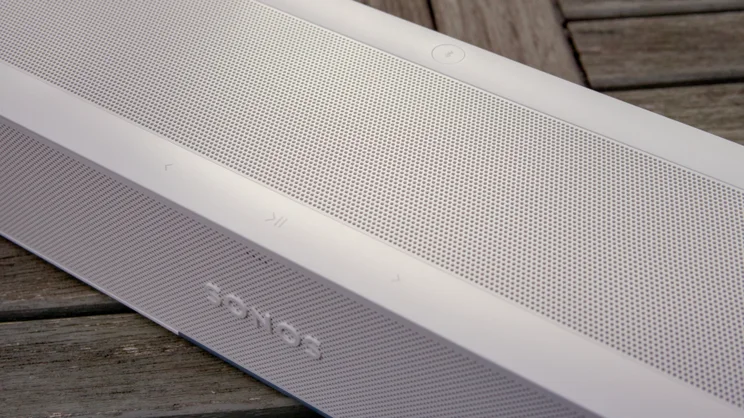
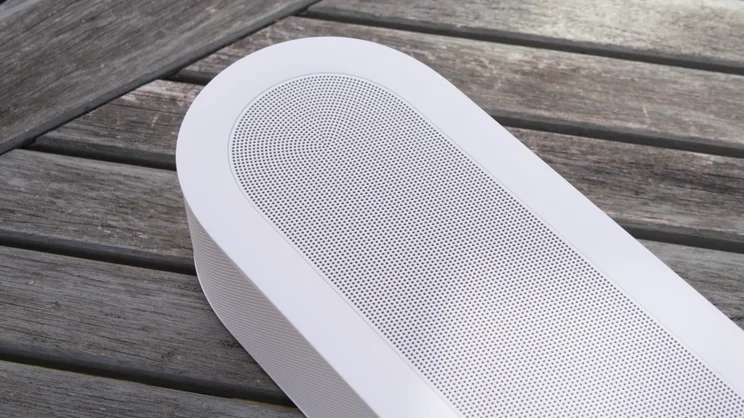
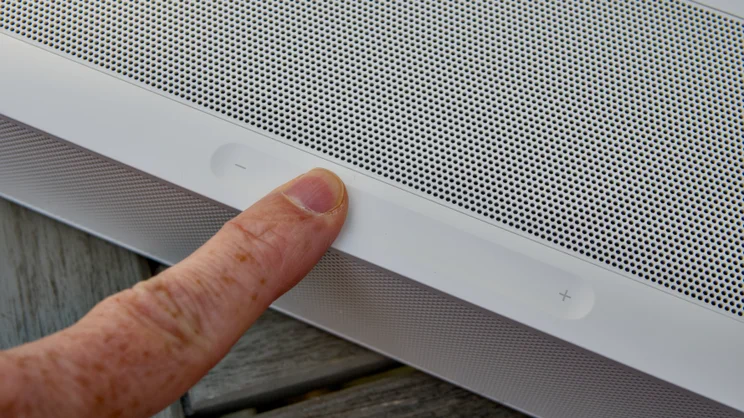
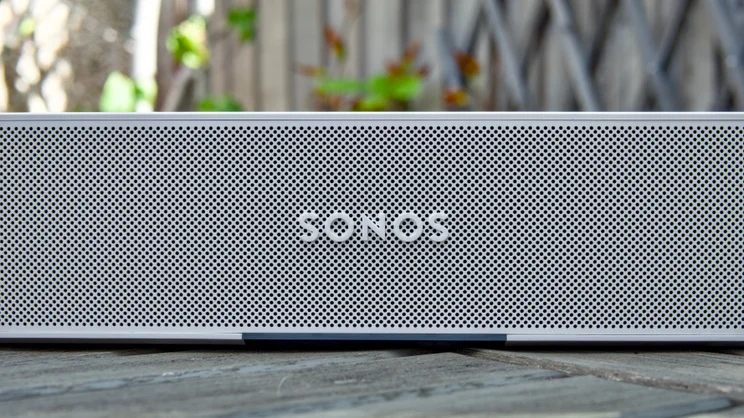
The top panel of the bar is now mostly covered in metal speaker grille material, and the play/pause/skip touch controls have moved out to the front edge, with a handy touch sensitive volume control placed on the right side, just like the one found on the top of the Move 2 speaker. Five small status LEDs positioned above the Sonos logo round off what remains a pleasingly modern, minimalist look.
Under the hood, the Beam Ultra benefits from more serious upgrades. Whereas the Beam Gen 2 only had a total of five drivers and supported virtualised 5.1.2 Dolby Atmos, the Ultra’s grilles conceal a total of nine drivers, each one backed its own digital amplifier, allowing the bar to support full 7.1.2 Atmos.
As part of that total, there are now two upfiring drivers for height effects, meaning the Ultra can produce a much more enveloping bubble of sound than before. The other drivers are made up of five tweeters for high- and mid-range frequencies and four woofers for bass reproduction.
The rest of the changes come courtesy of Sonos’ latest software platform, Sonos 27 and its location-aware Fabric technology. Fabric, essentially, makes compatible Sonos devices proximity aware, allowing Sonos Ace Ultra headphones to swap audio with nearby Sonos Move 2 speakers and, in the case of the Beam Ultra, allows the quick and easy pairing and unpairing of two speakers as rear channels based on where they are in the house.
Set up a couple of Sonos Play or Move 2 speakers as rear surrounds in the app, then you’ll be able to remove them from the room and use them as standalone speakers, in other rooms without having to remove them from the surround setup first, then replace them back in the same room as the Beam Ultra, where they will automatically add themselves as rear surrounds again.
It’s a clever system, and one I tested with some success using a pair of Move 2 speakers, but it isn’t perfect. You have to own a pair of matched speakers for it to work – you can’t mix speaker models, for example by adding one Play and one Move 2 – and, more annoyingly, you can’t seamlessly move both your paired rear surrounds to another room and have them behave automatically as a stereo pair. That seems a needless restriction to me. Additionally, the speakers don’t always trigger a re-pairing when they’re moved back in proximity to the Beam Ultra; they need to be powered on first, or you’ll have to go into the app and enable surrounds from there.
AI features
Elsewhere, there’s AI-driven speech enhancement, which provides more granular control over centre-channel effects: perfect for those shows where the actors seem to mumble their way through the script instead of clearly enunciating.
And there’s a new AI Sonos voice assistant on the way, too, which should allow you to use natural language to control the playback experience without having to remember the precise phrases, or do things like loosely describe the track or album or the type of music you want to listen to. It’s arriving later in the year, though, so I’ve been unable to test it out for this review.
Lastly, there’s Sonos 27mcp, a software connectivity system that allows you to control your Sonos speakers via third-party AI systems. Technically, this isn’t a Beam Ultra upgrade as it works with all Sonos speakers compatible with the current platform, but this is the first opportunity I’ve had to try it out, and it’s very interesting, so I’ll give you a flavour of how it works below.
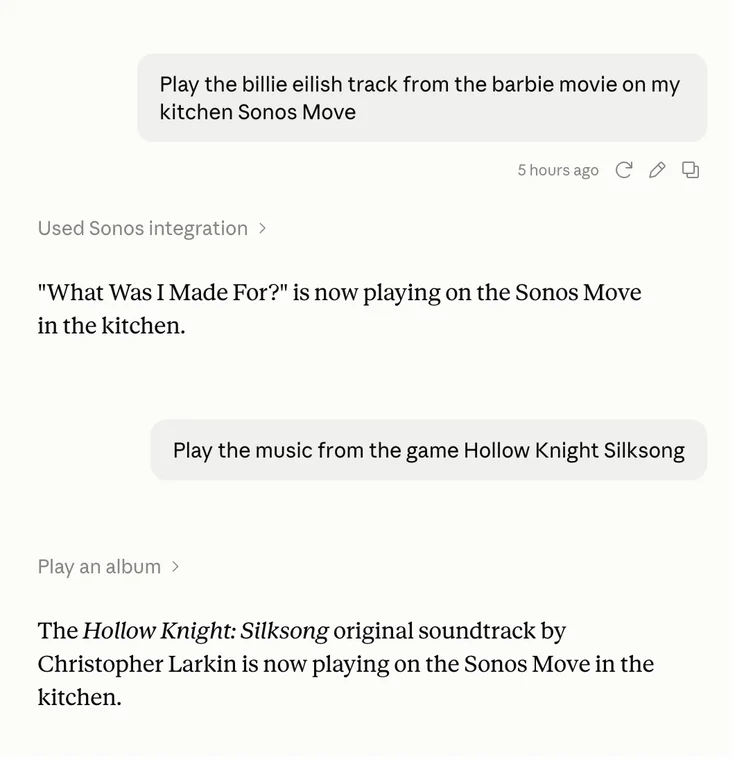
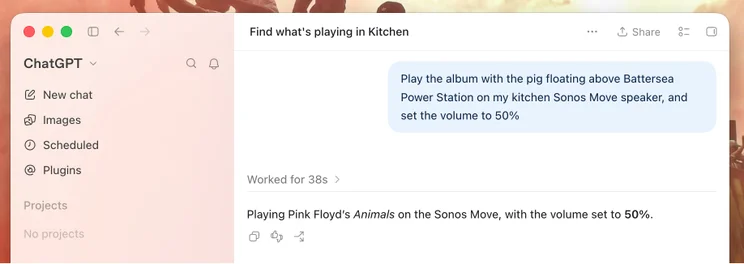
It uses a technology called MCP (model context protocol) to expose various elements of your Sonos system to AI software like ChatGPT and Claude, so you can control playback, volume speaker groupings and more directly from your AI client application.
I tested it using Claude, and after asking it to set up Sonos 27mcp was connected in minutes, at which point I was happily able to play music on specific speakers or groups of speakers, and search for tracks and albums using natural language descriptions. I asked it to “Play the Billie Eilish song from the Barbie movie on my Sonos Move speaker” and in seconds, it had started playing. I was even able to ask it to list out my Sonos favourites and playlists.
This is pretty darned cool, but it is quite limited right now. You can’t, for instance, use it to build playlists or add a track to play after the current one. Nor can you use it to read your music streaming history or edit your music library. It’s a system in its infancy right now, clearly, but it’s already impressively effective.
How did I test the Sonos Beam Ultra?
I’ve spent a week so far with the Beam Ultra connected to my home theatre system, watching movies, shows on Apple TV and other streaming services, listening to stereo and multi-channel music; basically, consuming as much content as I can get my hands on in as many formats as possible in order to give it a full workout.
I’ve also tested out the new pairing technology using a pair of Sonos Move 2 speakers, connected Claude and ChatGPT to Sonos 27, and I’ve given every other new feature a full workout, too. I performed back-to-back listening tests with not only a Beam Gen 2, but also my own stereo Hi-Fi system as a sanity check.
How did the Sonos Beam Ultra perform?
As with the previous Sonos Beam soundbars, this latest model is something of a revelation. The quality of audio it’s capable of producing is nothing short of stunning, given the compact confines of its housing.
I started out by feeding it a series of Atmos-mixed spatial audio via Apple Music, from its “Made for Spatial Audio” playlist. Michael Jackson’s “The Way You Make Me Feel” took the stage first, and the Ultra coped with it brilliantly, the rhythmic low end pumping out with authority, clarity and definition. Queens of the Stone Age were up next with “Insignificant Other”, the Beam Ultra delivering the thickly layered presentation with a richness belying its size.
It was Billie Eilish’s “Bad Guy” that really underlined the Beam Ultra’s all-around music performance, though, reproducing the song’s bouncy synth bass with real energy and authority. Listening to the same three tracks on the Beam Gen 2 and there’s just a vast difference between the two: the Beam Gen 2 is still great, but it has much less in the way of low-end definition and far less separation and sense of width and depth. The difference is not marginal or subtle in any way; the Beam Ultra represents a huge leap forward.
Classic stereo audio played via Apple Music did expose some limitations, however. Joe Satriani’s “Time Machine” sounded considerably less bassy and more compressed than it should do, and generally a little more hard-edged than music mixed for multi-channel reproduction.
However, if you stick with the Beam Ultra’s intended use, it excels. Firing up F1 The Movie on Apple TV+ demonstrates the full spread of the Beam Ultra’s capabilities. The film opens with Sonny Hayes racing around Daytona International Speedway, LED Zepellin’s “Whole Lotta Love” pounding out in the background, cars zooming past left and right, and fireworks firing overhead; it’s a real test for an Atmos system and the Ultra coped with aplomb. The Gen 2 sounds great with this scene, but there’s a lot less in the way of separation and space and it lacks the height the Ultra is able to generate.
The Sonos Beam Ultra only gets better when you add a pair of surrounds into the mix with sound effects and spatial audio positioned even more convincingly. Justin Gray’s “Tapestry” fully surrounds you with audio, auxiliary instruments and percussion seeming to ping all around my living room, and the solo saxophone seeming to hover in space somewhere above the soundbar. But then this setup jolly well ought to sound great: a pair of Sonos Plays costs an extra £568 and two Move 2 speakers, as I’ve been testing here is another £858.
One final thing I wanted to try out was the AI-based speech enhancement, which you can adjust in four steps between Off and Max. To give this the full “mumblegate” workout, I fired up the infamous first episode of Happy Valley, series two. Impressively, it cleared up the worst of the mumbling without affecting the rest of the sound spectrum too badly. Even set to Max, it didn’t sound too harsh, and you might find that you can just leave it in this mode.
Should you buy the Sonos Beam Ultra?
Had Sonos decided to price the Beam Ultra at a more reasonable level, then a recommendation would be easy to make because this is one hell of a compact soundbar. Alas, at £699, it’s playing in a completely different, far more competitive market.
At this price, I think most buyers are considering larger bars with more drivers and more capabilities. Samsung’s QS90H, for example, is a bigger, more capable all-in-one soundbar with more drivers and only costs £100 more. Sonos’ own Arc Ultra is 9.1.4 capable and can be had for around £899. Personally, I’d save up for a bigger bar with more authoritative, wider presentation.
The more relevant question, though, is this: can the Beam Ultra replace our recommendation, the Sonos Beam Gen 2, as the best soundbar for most people? My answer would have to be no; £699 is simply too much of a step up in price.


