To help us provide you with free impartial advice, we may earn a commission if you buy through links on our site. Learn more
Screenshot
- Big, immersive sound
- “Convertible Fit” works well
- Excellent Atmos presentation
- No digital display
- Underwhelming game mode
- Only 4K/60Hz passthrough
Samsung soundbars have dominated our Product of the Year Awards since the pandemic. The brand’s flagship HW-Q990 series has won Soundbar of the Year in three of the last four years, and the Samsung HW-Q990H, which won a Best Buy award in May, could make it four out of five at the next awards in January.
But what if you don’t have space for an all-singing, all-dancing Samsung home audio system including a soundbar, subwoofer and two rear speakers? The Samsung QS90H is what.
What you need to know
The QS90H is a premium multi-channel soundbar designed to deliver an immersive sonic experience from a single unit.
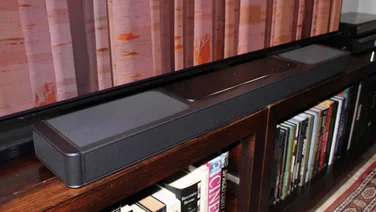
It’s also Samsung’s first soundbar to offer what the brand describes as a “Convertible Fit”.
This means it can lie flat on a TV cabinet or be rotated and wall-mounted, with an internal gyro sensor reassigning the drivers to keep audio consistent across both orientations. It’s a relatively niche selling point for me, but it works as intended as part of a wider package with impressive specifications.
Screenshot
The bar houses 13 drivers in a 7.1.2-channel arrangement. With two up-firing drivers and side- and front wide-firing speakers, this soundbar can deliver enormous scale without a subwoofer or rear speakers. You can add these later, however.
The QS90H supports both Dolby Atmos and DTS:X, covering you for object-based surround-sound audio formats. It also fits neatly into existing Samsung home entertainment setups thanks to Q-Symphony and SmartThings support.
Price and competition
Spatial economy isn’t the only reason to consider buying the QS90H over its HW-Q990H stablemate. It is considerably cheaper at £799 – the 11.1.4-channel HW-Q990H costs £1,399 – which still isn’t cheap for a soundbar, of course, but good value for an option with this many drivers and features.
Similarly specified standalone soundbars we’ve tested include the 9.1.4-channel Sonos Arc Ultra (£939), the 7.0.2-channel Sony Bravia Theatre Bar 9 (£999), and the 5.0.2-channel Bose Ultra Lifestyle Soundbar (£999). All three are more expensive but performed fantastically in testing, so the QS90H has stiff competition.
Design, connectivity and controls
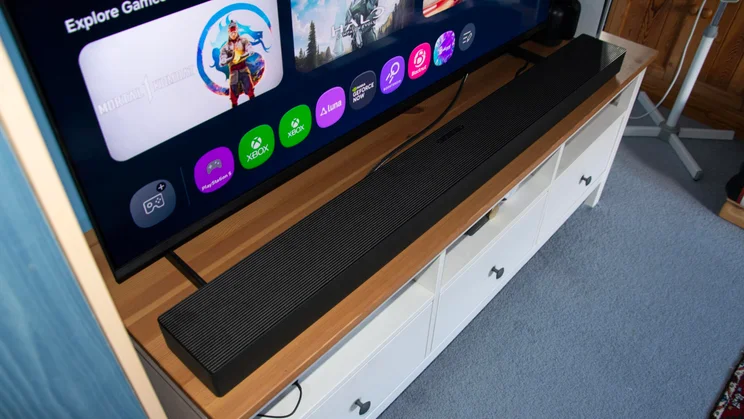
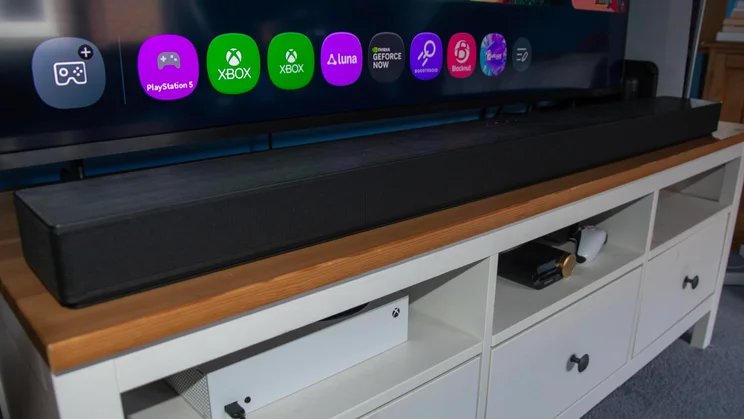
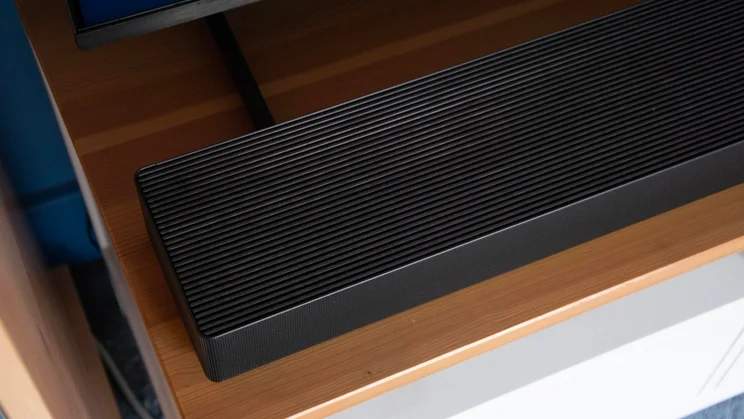
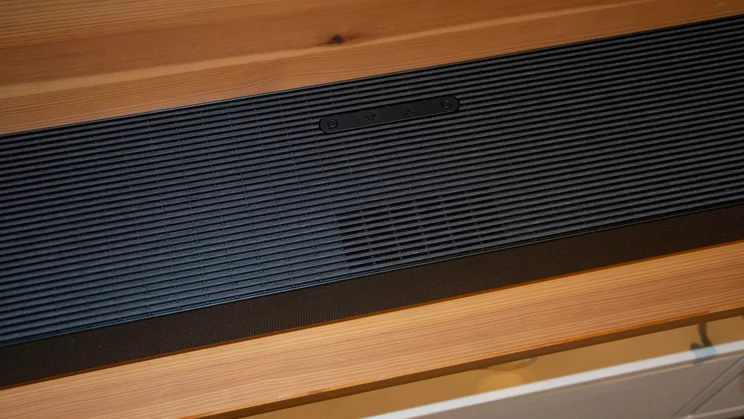
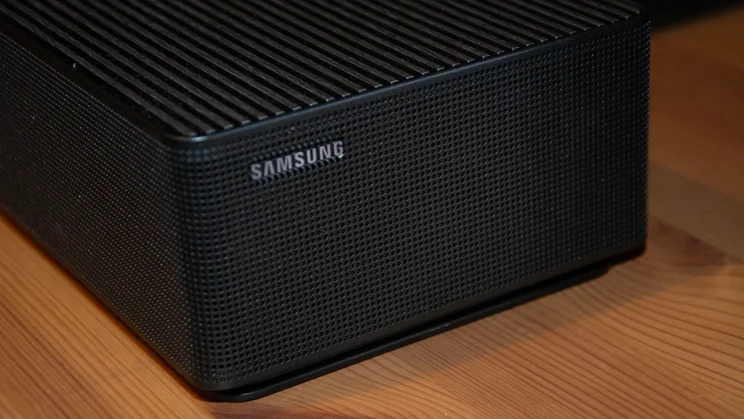
If you’ve seen the soundbar included in the HW-Q990H package, the QS90H will look relatively familiar. It has a similar hard plastic grille finish, but its ends are flat rather than angular. It’s a safe, agreeable design that matches Samsung’s TV range. As mentioned earlier, the design is reversible for wall mounting. I actually think the QS90H looks more attractive in its wall-mounting orientation.
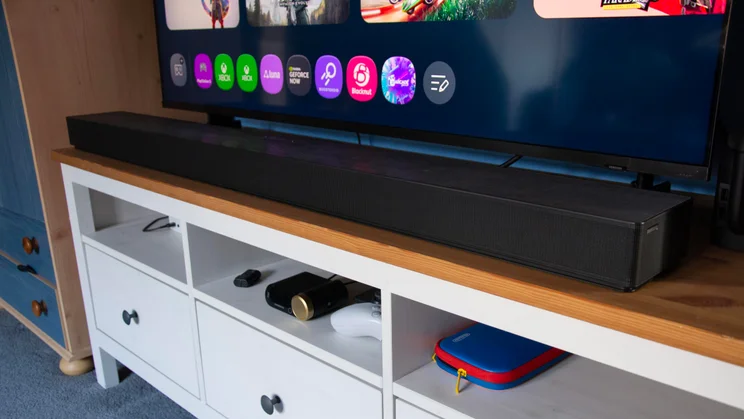
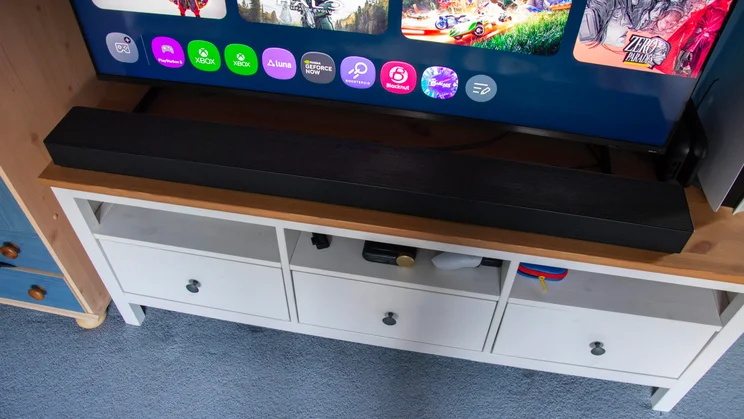
The QS90H’s build quality is very solid, and it’s large without being a hulking great monster beneath a 55in television. Measuring 1,245 x 125 x 69mm (WDH), it stretched beyond the edges of the 55in Samsung QN80H I tested alongside it, but looked good and didn’t obscure the screen. At 6.7kg, it’s quite weighty, so if you plan to wall-mount it, make sure your wall is sturdy.
Screenshot
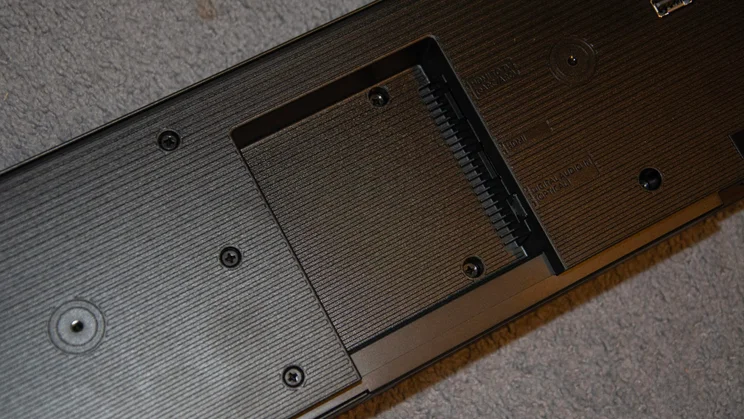
Because the QS90H is reversible, its connection ports are on the underside of the bar rather than the rear. You’re not flush with connectivity options, but you get one HDMI port for 4K/60Hz passthrough, an HDMI (eARC) port and an optical input. Wireless connectivity includes Wi-Fi, Bluetooth, Chromecast and Apple AirPlay 2.
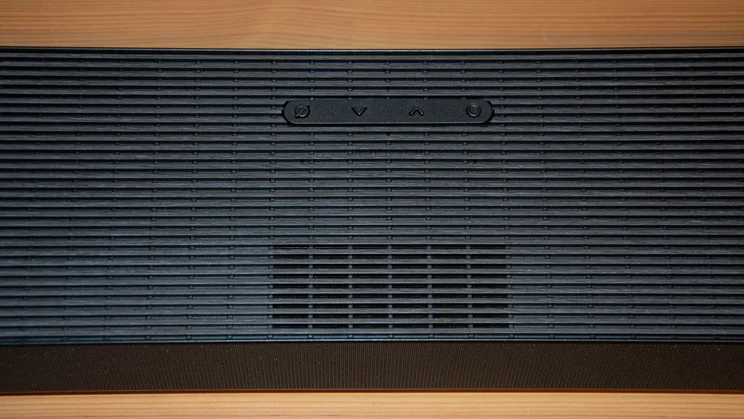
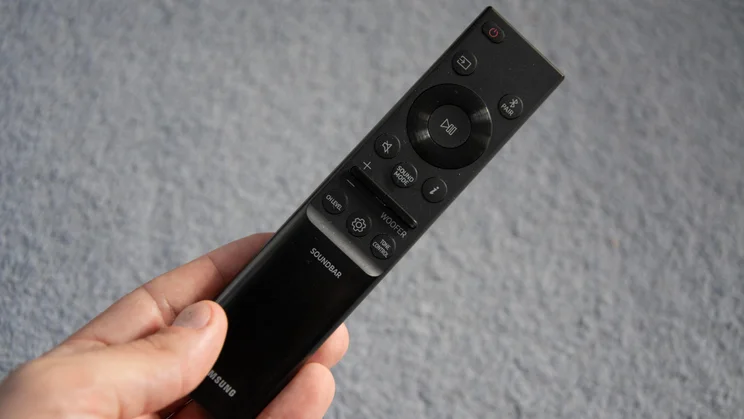
For controls, you’ve got four options: the included remote, a few buttons on the soundbar, the Samsung Sound or SmartThings app, and voice controls. They all worked well enough in testing, but I found the remote most convenient, except for when I needed the additional features and customisation options within the Samsung Sound app.
Features
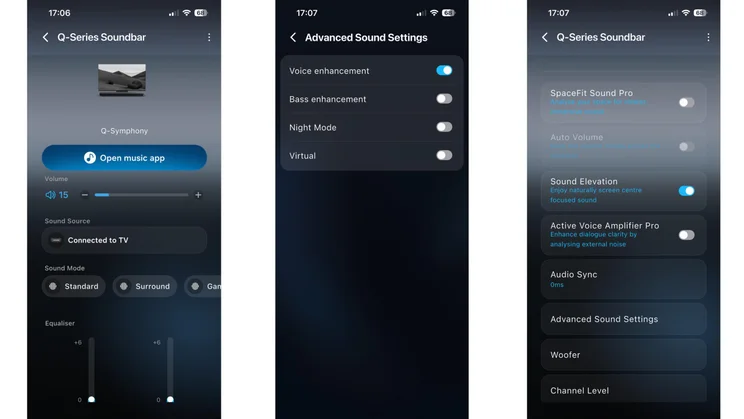
I’ve already mentioned three of the QS90H’s key features: Dolby Atmos, DTS:X and Q-Symphony. The Samsung Sound app houses several others, including four sound presets (Standard, Surround, Game Pro and AI Adaptive Sound) and several audio enhancement options.
SpaceFit Sound Pro assesses your listening space’s acoustics and optimises sound for “a clearer, more immersive” experience. Auto Volume seeks to deliver consistent volume regardless of the content platform you’re watching, while Active Voice Amplifier enhances dialogue clarity. Those features have been available on Samsung soundbars in previous years, but Sound Elevation is new for 2026. This “lifts” specific audio cues to trick you into thinking they originate from the centre of the screen rather than from underneath it.
Screenshot
Elsewhere in the app, you can adjust the levels of the centre, side, wide and front top channels, and increase or decrease bass, treble and the woofer’s potency via EQs. You can turn off voice prompts, though I don’t recommend it; the soundbar has no digital display, so without voice prompts, you’re left guessing which sound mode you’re in unless you have the app open.
Tucked away in the Advanced Sound Settings are voice enhancement, bass enhancement and Night Mode toggles, the latter of which is a welcome inclusion. Finally, built-in Alexa lets you link the QS90H to your Amazon Alexa account and use it like any other smart speaker.
Sound quality
I tested the Samsung QS90H’s sound modes and features across a wide range of content, including films, TV shows, games and music playlists. Overall, I was very impressed, though I was underwhelmed in one particular area.
This is a fantastic soundbar for watching films. The first I fired up was Avatar Aang: The Last Airbender on Prime Video, an animated feature with a 5.1-channel soundtrack. I watched several scenes in different sound modes to assess their effectiveness, and each had clear strengths and weaknesses.
Screenshot
In Standard mode, the QS90H was impressive at both ends of the frequency spectrum as an airship passed through a violent storm. Lightning strikes were extremely clean, and thunder rumbles deep and well-rounded; despite lacking an external subwoofer, the QS90H dishes out a delightful amount of bass. That bass doesn’t overwhelm the soundstage, either; dialogue remains easy to understand even when things get raucous.
Switching over to Surround mode, I noticed an immediate expansion of what was already a pretty wide soundstage. The additional width and height were most apparent in blockbuster action sequences, with audio cues moving rapidly up and down, and left and right. Each elemental effect in the battle between Sokka, Katara, Zuko, Toph and antagonist Tagah had weight and impact. The torrents of water, swirling wind, blazing fire, and crashing earth sounded natural and painted a cohesive picture of what was happening rather than standing out in isolation.
AI Adaptive Sound: Convenient and effective
Surround mode was my favourite for visceral impact, but I used AI Adaptive Sound mode most often. This adjusts sound in real time based on your room acoustics and the type of content you’re watching. In my bedroom, this resulted in a slightly narrower soundstage than Surround mode, but it improved detail and clarity across the frequency spectrum. Trebles were super-sharp, and bass notes still had plenty of oomph. The one area I felt AI mode suffered a little was dialogue. Voices occasionally sounded detached from the action in films with lots happening on screen, though this wasn’t an issue in more sedate shows like Ted Lasso on Apple TV+.
This is also where Samsung’s features and customisation options came in handy. Active Voice Amplifier is an AI-powered tool that analyses background noise and boosts dialogue accordingly. This didn’t help in quiet conditions, but it made a subtle difference when a few distractions were thrown into the mix, including a fan and Bluetooth speaker, and when I opened my windows to let in the sound of nearby construction work.
Screenshot
If you’re watching at home on your own, boosting the centre channel in the EQ settings or toggling on Voice Enhancement are more effective solutions. Using the former approach, I could make out every word of the Season Six opener of Slow Horses perfectly in AI Adaptive Mode. I also really appreciated the new Sound Elevation feature. It makes an obvious difference to where sound seems to originate, delivering a more engaging viewing experience.
A-class Atmos and Q-Symphony compatibility
The QS90H is most engaging, entertaining and immersive when fed Atmos content. During the second season of Devil May Cry on Netflix, its 13 drivers placed audio cues accurately within a vast soundstage.
The frantic action, quips and heavy-metal soundtrack were balanced smartly, and I got a strong sense of things happening on either side and above me. As I pushed the volume up, sound quality remained impressive. I found 30 to be the sweet spot in my relatively compact testing space; above 80 or so, the soundstage started to lose cohesion, and I heard some distortion.
Screenshot
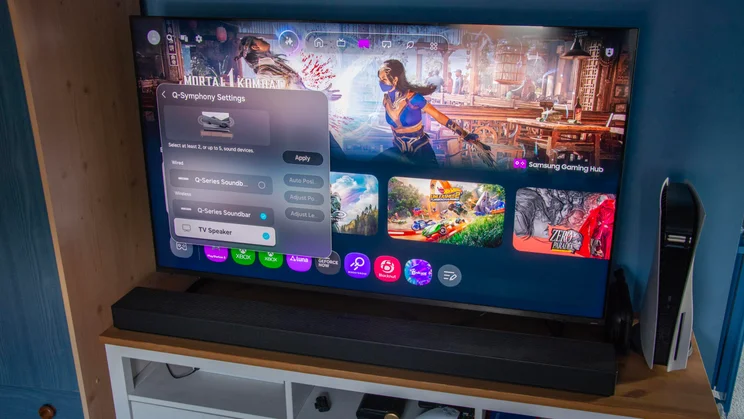
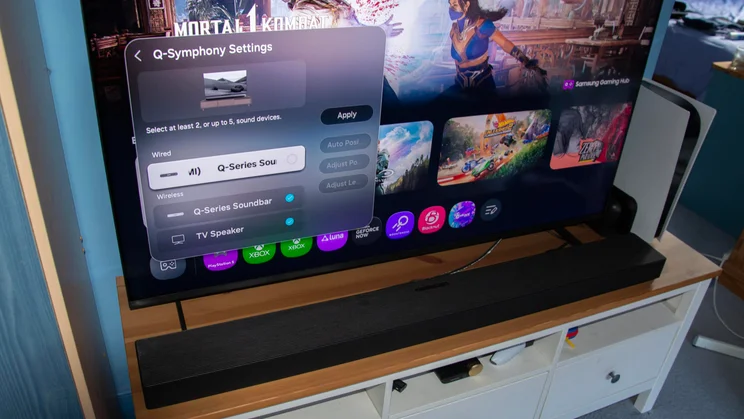
If you own a compatible Samsung TV, you can use the brand’s Q-Symphony tech. This lets your telly and soundbar output audio simultaneously and worked very well when I tested it with the QN80H. The TV typically focused on dialogue, while the soundbar handled the deep lows and most demanding highs. The two sounded nicely in step and created a solid single presentation rather than two clumsily meshed together.
My only major grumble with the QS90H’s sound quality regards the Game Pro preset: I’m not convinced it achieves its objective. It’s designed to boost directional audio cues to give you the upper hand against adversaries, but I didn’t find it that useful. In Mistfall Hunter, a dark fantasy PvPvE extraction action RPG where sneaking around and getting the drop on others is the name of the game, I noticed very little difference in my ability to discern the positions of enemies or allies. Footsteps are a key in-game indicator of characters’ locations, and they did sound a bit louder in Game Pro mode, but it was still a struggle to pinpoint their whereabouts relative to the camera direction.
Game Pro mode: Objective failed?
This focus on positional elements harms the overall soundstage. Compared to Standard mode, it sounded bright and slightly harsh. This was apparent in the open-world RPG Mortal Shell II. While Game Pro mode made the world feel more spacious, which I appreciated, frequencies felt less balanced, and the strong focus on certain environmental details was jarring. If you play a lot of dialogue-heavy games, you’ll definitely want to stick to Standard mode.
Screenshot
Surround mode was a little easier on the ears and brought greater breadth to the presentation, but I found the AI Adaptive Sound preset most satisfying for the types of games I predominantly play. With Mortal Shell II’s focus on action rather than dialogue, the detachment that can affect voices in films was less apparent, and the additional clarity was welcome. Also, having AI optimise the QS90H’s sound for different sources saved me time, as I didn’t have to switch presets whenever I jumped from gaming to watching TV.
The QS90H may not be as good for gaming as it is for films, but gaming is a bigger priority for me than it is for most people. And its forceful bass reproduction and well-defined highs remain evident while gaming, as do the dynamism and energy with which it delivers soundtracks. The lack of a dedicated music mode is a little odd, but Standard mode works well enough for tunes; just don’t expect high-end audiophile performance to match the supremely cinematic presentation during movies.
Verdict
Like its award-winning stablemate, the HW-Q990H, the Samsung QS90H is a very accomplished soundbar. It shows you don’t necessarily need a subwoofer or rear speakers to deliver big, convincing surround sound. The lack of rear channels makes a difference, of course, but you don’t sacrifice too much, considering the money you save on this single-bar solution.
For TV shows and films, it’s fantastic: the QS90H does powerful, precise, delicate, dramatic, and everything in between. If you’re not totally happy with how it sounds, the number of customisation options should see you right pretty quickly.
I found it underwhelming for gaming and would have liked a digital display on the front of the bar to show key settings information. Still, these issues don’t tarnish the QS90H’s appeal too severely. It’s an excellent performer, cheaper than its big-name standalone soundbar competition, and has the USP of its reversible design.