
To help us provide you with free impartial advice, we may earn a commission if you buy through links on our site. Learn more
- Outstanding backlight system
- Dolby Vision images are fantastic
- Potent audio
- HDR10 colour issues
- Slight motion softness when gaming
- HDR10 presets aren't great
Hisense is all in on RGB LED TV technology. It pretty much claims to have invented it, and it was the first brand to bring an LCD TV illuminated and coloured by red, green, and blue LEDs to market in 2025. With most other big TV brands now also shipping RGB LED TVs, does Hisense’s extra experience still give its premium UR9S range a performance edge?
Hisense UR9S: Key specifications
| Screen sizes available | 65in (65UR9STUK), 75in (75UR9STUK) and 85in (85UR9STUK) |
| Panel type | RGB mini-LED |
| Resolution | 4K/UHD (3,840 x 2,160) |
| Refresh rates | 170Hz (65in), 180Hz (75in and 85in) |
| HDR formats | HDR10, HLG, HDR10+, HDR10+ Advanced, Dolby Vision 2 Max |
| Audio enhancement | 4.1.2-channel system tuned by Devialet |
| HDMI inputs | 3 x HDMI 2.1 (plus a USB-C that can double up as a DP port) |
| Freeview Play compatibility | Yes |
| Tuners | Terrestrial Freeview HD |
| Gaming features | ALLM, 4K/144Hz, Dolby Vision Game mode, VRR, AMD FreeSync Premium Pro |
| Wireless connectivity | Bluetooth 5.4, Wi-Fi 6, Apple AirPlay 2 |
| Smart assistants | VIDAA Voice built in, Amazon Alexa available via VIDAA Alexa Skill |
| Smart platform | VIDAA OS |
What you need to know
The UR9S series doesn’t quite earn the title of flagship Hisense TV for 2026. That honour belongs to the king-sized (116in) and ultra-expensive UXS series. The UR9S is certainly the top-tier model from Hisense’s mainstream consumer TV tier, though. It earns this position courtesy of the claimed brightness it can achieve, the number of dimming zones it can apply to light its images and the extent to which it can exploit the expanded colour range made possible by its RGB MiniLED lighting.
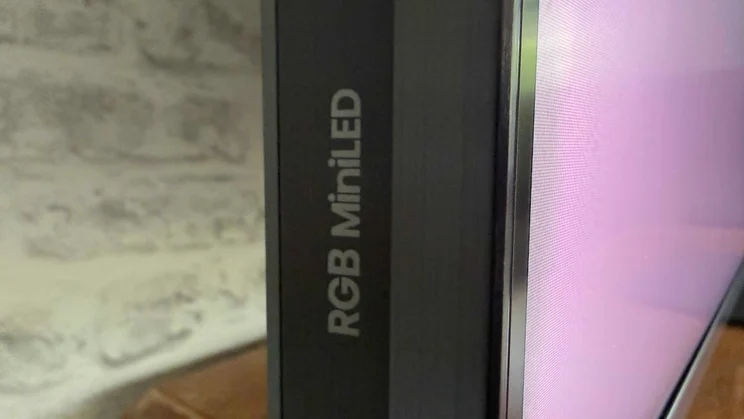
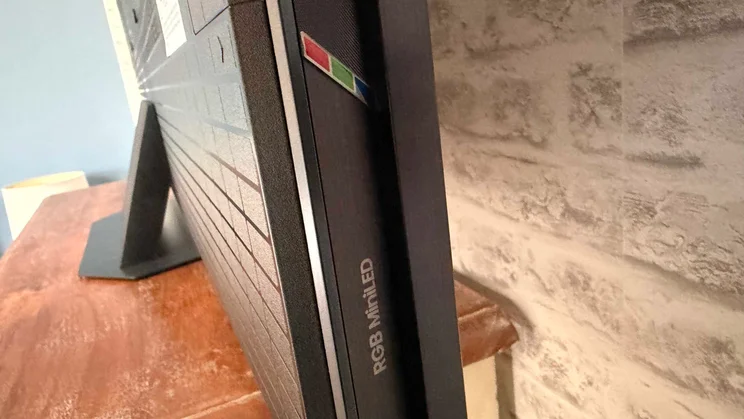
This lighting, if you’re not familiar with it, illuminates pictures with red, green and blue LEDs, removing the usual need for quantum dot or RGB filter colour systems. This approach opens up the potential for wider colour gamuts and more colour volume (the combination of brightness and saturation).
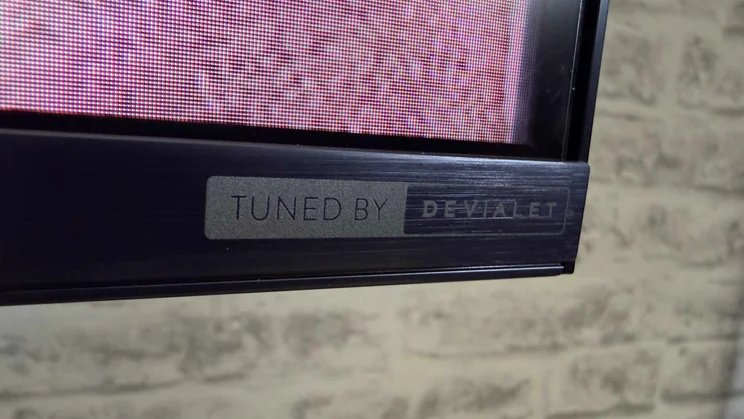
The UR9S supports extreme gaming features, including 180Hz or 170Hz (depending on your screen size) 4K refresh rates, while audio is delivered by a 4.1.2-channel speaker system tuned by premium audio brand Devialet.
Hisense UR9S review: Price and competition
The 65in UR9S I tested launched at £2,999, but was available for £2,299 at the time of publication. That’s an outrageous price cut so early in a TV’s life cycle, and one that changes the competition it’s up against.
At launch, its price pitted it against luminaries such as the Samsung S99H QD-OLED flagship and LG’s 65OLEDG6 OLED. At this vastly reduced price, it’s still very much a premium option, but now costs the same as those companies’ step-down models: the 65in LG C6 OLED (£2,299) and 65in Samsung S90H (£2,299).
It’s still significantly more expensive than TCL’s 65C8L (£1,899), which occupies pretty much the same place in TCL’s range but uses Super Quantum Dot technology rather than RGB LED. However you look at it, the UR9S has to seriously deliver the goods to hold its own in such illustrious company.
Design, connections and control
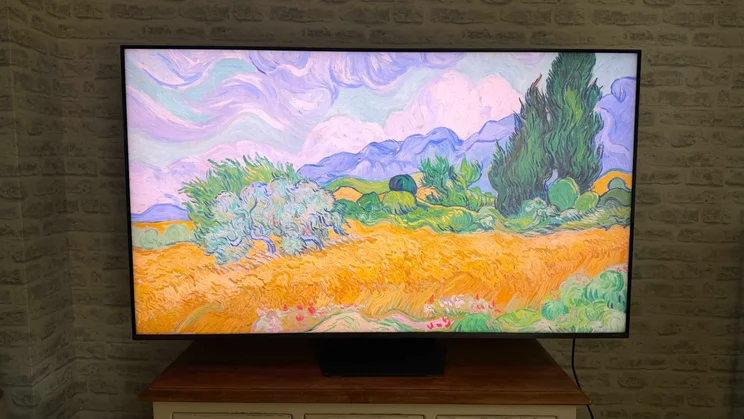
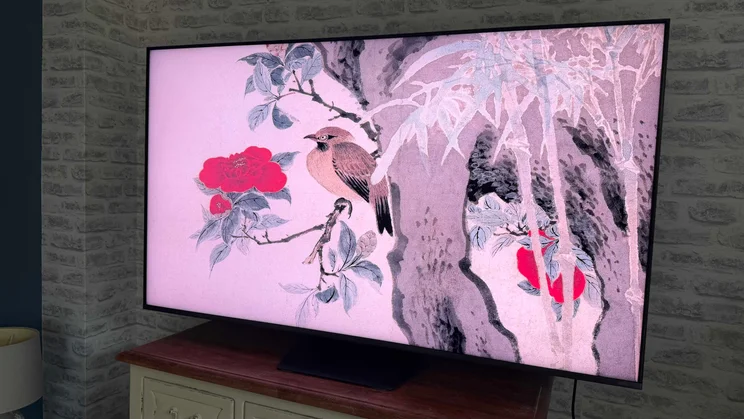
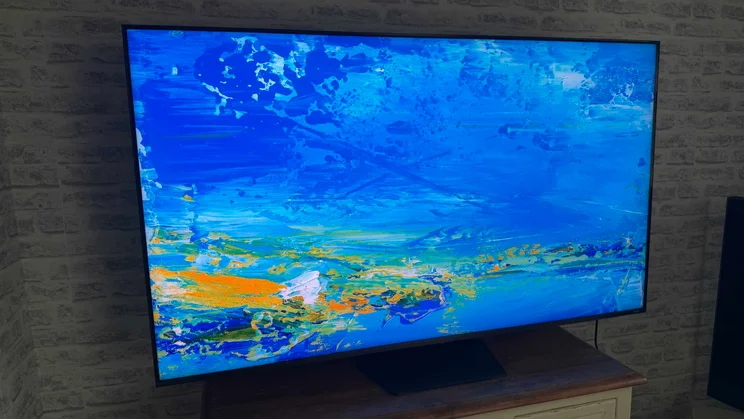
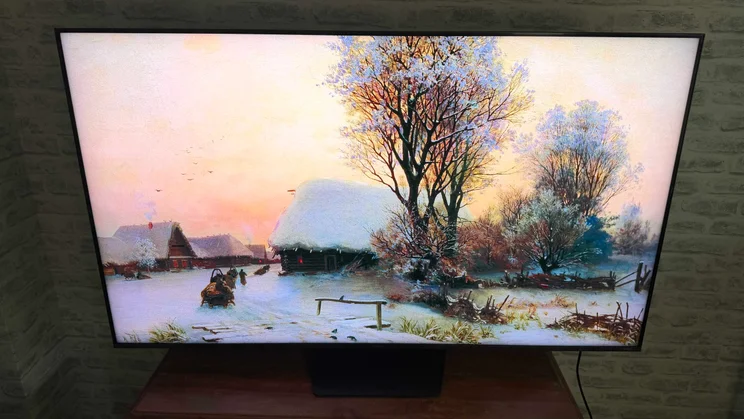
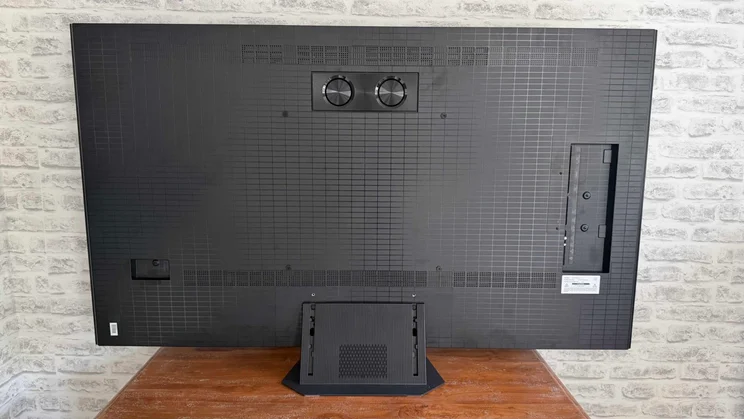
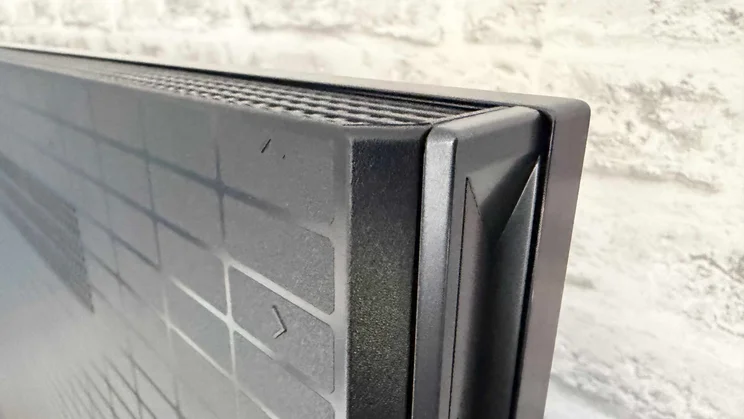
The UR9S is a sturdily built TV that really feels like it’s been designed to a premium standard. It’s fairly deep around the back for a high-end LCD model, but if this is the price to pay for a serious direct LED lighting system, I’m here for it. In any case, the TV remains slim enough and enjoys a flat enough rear to support reasonably sleek wall mounting.
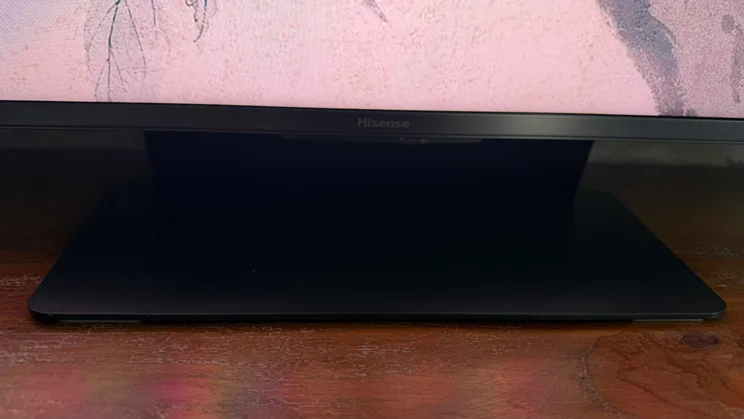
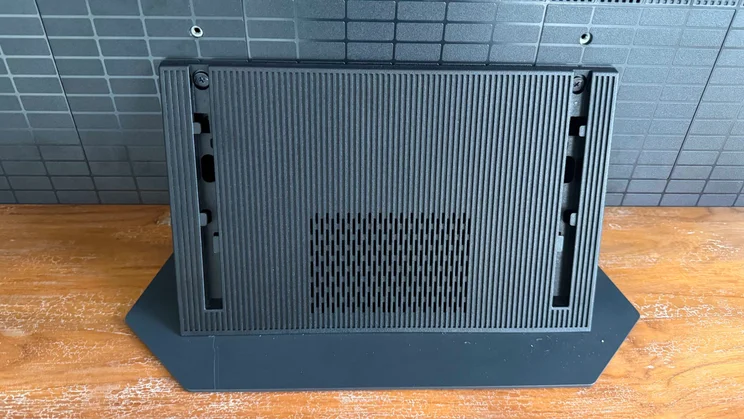
If you’re thinking of mounting it on a table, it ships with an impressively compact hexagonal desktop plate-style stand that attaches to the screen via a no-nonsense angled neck into which cables can be channelled. Using a centrally mounted stand means you can place the TV on quite narrow bits of furniture.
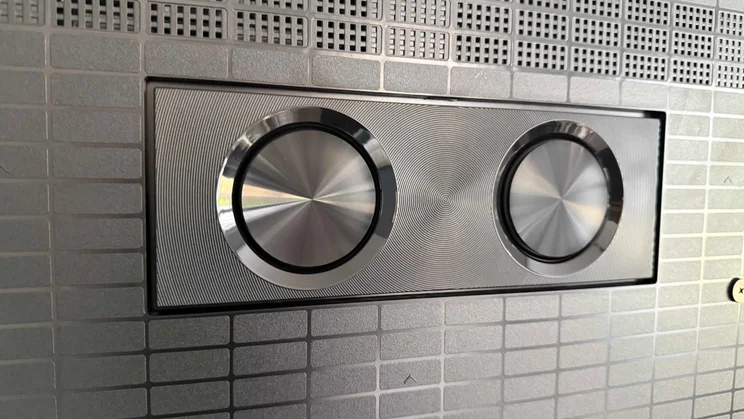
The screen’s top edge features an unusual grille finish, reflecting that there are up-firing speakers underneath it, while different porting systems down the left and right sides and a couple of decent-sized woofers on the rear complete the set’s visible 4.1.2 speaker system support.
Some interesting connectivity choices
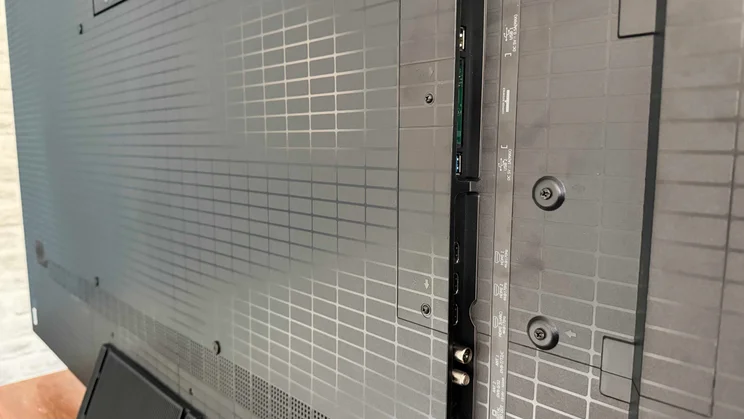
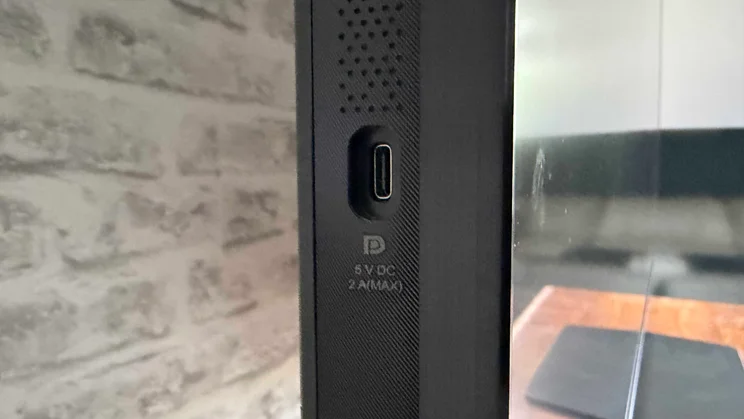
The UR9S’s connections deliver a couple of surprises. First, there’s a Type-C USB port positioned on one edge for easy access. Second, there are only three HDMI ports rather than the four you’d expect to see on such a premium TV. That side USB port, though, actually provides Hisense’s reason for only providing three HDMIs, since it’s also capable of doing double duty as a DisplayPort input for PC gaming. Other connections include a couple of other USB ports and an optical digital audio output, while wireless connection options include Wi-Fi 6, Apple AirPlay 2 and Bluetooth 5.4.
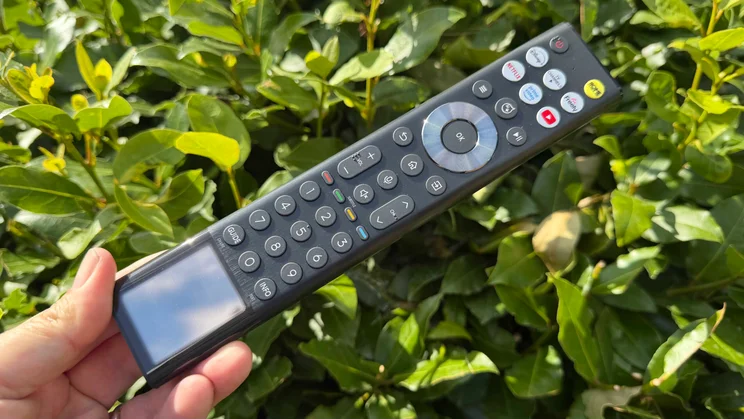
The UR9S ships with a long, black remote control that features a solar panel at the bottom end alongside a well-spaced, pretty ergonomic button layout. You can also control the TV by talking to it using either the VIDAA Voice system or Alexa if you activate the Vidaa Voice skill.
Smart TV Platform
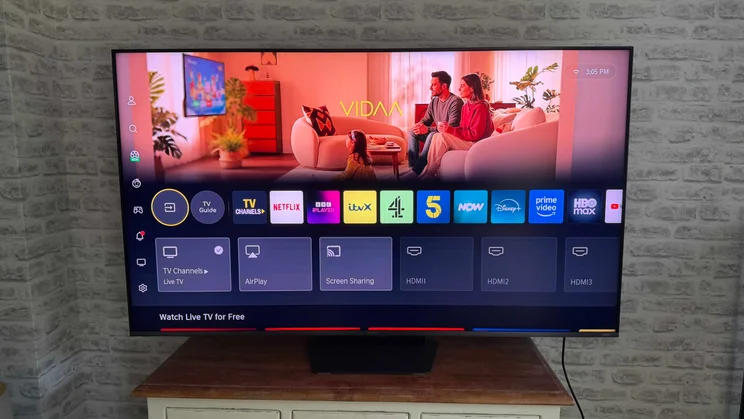
The UR9S’s smart system varies depending on where you buy it. In Europe, it uses Hisense’s home-grown VIDAA OS, whereas US models use Google TV. While Google TV is arguably more visually sophisticated and offers a few more features, I don’t mind VIDAA OS.
It’s cleaner if less glamorous in its presentation, is less overwhelming in its approach, and runs perfectly stably and quite slickly – two things that are not always the case with Google TV. VIDAA also supports the new Freely system, which live streams most terrestrial broadcast channels available via the UK’s Freeview HD broadcast system so you don’t need a TV aerial. Going with VIDAA also allows the UR9S to easily support the BBC iPlayer app that Google TV traditionally struggles with.
Image quality
The impressive way the UR9S adapts its potent specifications to SDR playback demonstrates the major strides Hisense has made with its latest premium mainstream televisions.
For starters, it handles dark scenes beautifully. Given that the UR9S claims a maximum brightness of 3,500 nits, and given Hisense’s past difficulties with backlight blooming on even its premium TVs, it’s a huge relief to see SDR black tones on the UR9S looking pretty much immaculate. There’s scarcely a hint of either general greyness behind the blackness, or intense or widespread backlight blooming around stand-out bright highlights.
This is especially true in the TV’s accuracy-focused Filmmaker Mode, but even though the Standard picture mode does a pretty strong job of injecting images with more light and contrast, blooming remains hard to find. The only time you might notice it in Standard mode is when a large bright object appears against the black bars above and below 21:9 movies and TV shows. Here you can detect some faint but quite widespread seepage of light into the black bars – especially if the object moves along the edge of the active frame.
Colours with SDR viewing are good overall, in both the Standard and, especially, Filmmaker Mode. The only thing stopping me from being more enthusiastic is that tones can feel a little inconsistent. Some skin tones, in particular, don’t look quite right.
Standard mode: Dimmer than expected
The Standard preset doesn’t pump as much brightness into SDR pictures as I’d expected given the extremely punchy look such modes have on many other similarly premium TVs this year. I might argue that this feels like a pleasingly mature decision on Hisense’s part, though; a sign of the brand choosing balance and immersion over shallow exuberance and showboating.
In Filmmaker Mode, objective testing using Portrait Displays’ Calman Ultimate software and G1 signal generator, plus a Klein K10-A colorimeter, confirms my sense that Hisense has been very disciplined with this mode’s baseline brightness. Peak luminance is locked to just under 168 nits – in the 100-200 nit zone accurate SDR demands.
The UR9S doesn’t quite manage to keep below the key Delta E 2000 average error level of three for its greyscale and colour tests, though. I measured an average error of 3.5 in the multipoint greyscale test, saturation sweep and luminance sweep errors of 4.9 and 4.8, and ColorCheck errors of 5.7, with maximum errors near 10. The Filmmaker Mode does cover just over 96% of the Rec709 SDR colour spectrum, though.
Switching to the Standard mode, peak brightness increases to 238cdm2, confirming my impression that Hisense is being very conservative here. This helps deliver smaller error levels for multipoint greyscale and colour tests than I’d typically see with a premium TV’s Standard settings.
While I mostly applaud the new maturity of Hisense’s Standard mode take on SDR, I did find myself ultimately wishing the Standard mode actually gave me a bit more oomph to combat bright room conditions, instead of leaving this job to an unfortunately overcooked Dynamic picture setting.
HDR performance
The Hisense UR9S is the first TV I’ve tested equipped with the new Dolby Vision 2 HDR system. In fact, it features the premium Max version of the recently launched second-gen Dolby Vision. And the results are not just the best HDR pictures I’ve seen on a Hisense TV, but HDR pictures that are right up there with the best the TV world can muster.
While the full version of Dolby Vision 2 Max requires new content mastered with extra metadata, which is currently unavailable, the platform also has elements designed to improve the way existing Dolby Vision content looks. And while I couldn’t do a before-and-after comparison, since the DV2 update was already on my UR9S when I received it, I can say with total confidence that Dolby Vision sources look absolutely gorgeous on Hisense’s latest RGB MiniLED TV.
Big benefits from Dolby Vision 2 Max
The beauty begins with the UR9S’s black levels, which are at least as deep and rich as they are during SDR playback despite the screen now hitting brightness peaks north of 3,000cd/m2. This really shows how outstanding Hisense’s latest local dimming system has become this year. In the Dolby Vision Standard mode there’s really no increase in the intensity or extent of backlight blooming around stand-out bright objects.
Even more importantly given the UR9S’s status as a flag-carrier for Hisense’s RGB LED technology, the Dolby Vision mode delivers colours that always look subjectively natural, full of nuance, free of blocking or banding, and best of all, beautifully balanced. The colour subtleties contribute to a gorgeously detailed, textured 4K image, too. Perhaps best of all, given the characteristics of the UR9S’s pictures in other modes, colours look fantastically consistent.
The Dolby Vision Standard setting on the UR9S is not quite as bright and punchy as the brightest Dolby Vision modes on many of the UR9S’s rivals this year. However, I don’t mind that at all, as the picture still has genuine punch and premium TV verve to go with its gorgeous balance and subtlety.
Dolby Vision Pro Reference: A more mitigated success
The new Dolby Vision Pro Reference mode is also a pretty lovely watch, toning down the brightness and contrast and slightly softening the image to more closely resemble current mastering standards. There’s a slightly cloudier look to some dark scenes, perhaps because it uses less aggressive local dimming, and it removes a substantial amount of brightness from the image in its pursuit of accuracy. While it doesn’t show off the UR9S’s abilities as brilliantly as the DV Standard mode, it’s mostly a well-conceived preset for AV purists and dark room movie nights.
The new Dolby Vision picture settings available via Dolby Vision 2 allow you to adjust Picture Intensity between +5 and -5 in the Standard preset. In the Pro Reference mode, you can adjust separate Peak and Minimum luminance levels across the same +5 to -5 range. Unlike the one-dimensional adjustments TVs usually provide, these new adjustments consider more than 30 different picture elements when calculating each adjustment, resulting in more rounded, balanced, and immersive results than any single TV adjustment can deliver.
So far, so good. Unfortunately, the UR9S is on less solid ground when it hasn’t got Dolby’s extra metadata and rounded infrastructure to draw on. HDR10 pictures don’t benefit from nearly the same colour consistency and naturalism the Dolby Vision images do.
In both the Standard and Dynamic HDR10 presets, colours often don’t look subjectively ‘right’, especially when it comes to skin tones and subtly toned background walls. Titles with quite tricky, subtle palettes like Blade Runner 2049 can almost feel as though they’ve been mastered in different colour standards for different scenes. In fact, even within a single shot some colours can look really vibrant and RGB LED-like, while other areas, especially skin tones, look unnaturally pale.
HDR10 performance: A little disappointing
The fine colour shading evident with Dolby Vision takes a hit with HDR10 content too, leaving skin tones sometimes looking more like plastic or porcelain than flesh. Meanwhile, the previously excellent backlight control system sometimes crushes subtle details out of dark pictures.
If you’re able to watch something in the HDR10+ format which, like Dolby Vision, adds extra metadata to the picture stream, things become more consistent and balanced. Though they don’t reach the Dolby Vision standard, and reveal a little more backlight clouding than other presets tend to.
Intrigued to see the UR9S pushed to the outer limits of its abilities, I tried watching HDR10 images in the TV’s Dynamic mode. Colours looked much more vivid, but there was precious little discipline, leaving many parts of the picture, particularly skin tones, looking unnatural.
The HDR10 Filmmaker Mode option reduces colour inconsistencies and imbalances seen in other HDR10 presets. But it also feels a little flat and lifeless for a TV boasting the sort of specifications the UR9S does. So much so that occasionally its images don’t feel like HDR anymore.
Testing the UR9S’s HDR pictures with Calman Ultimate, the highest brightness I measured was just under 4,200cd/m2. This is only achieved in Standard mode, though, on a 10% HDR test window with the TV’s AI Booster feature active. This booster feature can cause the brightest parts of the picture to look a touch strained, though, so you’ll probably prefer to leave it turned off, in which state brightness tops out, again on a 10% window, at just under 3,300cd/m2.
Filmmaker Mode: Accurate but limited
In Filmmaker Mode, the UR9S achieves measurable results that track more closely to HDR standards than the set’s SDR results. The Multipoint greyscale test shows an average Delta E 2000 error of 3.2, while the saturation sweep, luminance sweep and ColorChecker tests score 4.8, 3.6 and 3.7, respectively. None of these is under the ideal 3 level, but even a trained eye would struggle to spot the error. It’s just a pity this level of accuracy depends on a picture mode built around a really limited amount of brightness.
Colour coverage sees the UR9S covering just over 134% of the DCI-P3 colour spectrum and 92% of the BT.2020 gamut in its Standard HDR preset.
As with its SDR presets, the UR9S’s Standard HDR preset is actually quite mild in brightness and vibrancy terms, compared with the sort of punch we’re getting from some rival premium TVs this year. I actually wouldn’t have minded this if it resulted in pictures as beautifully refined and balanced as the Dolby Vision pictures. As we’ve seen, though, this doesn’t come to pass.
There are a couple of more general points to add to this discussion of the UR9S’s picture quality. One is that the screen absorbs reflections well and prevents dark scenes becoming too grey in bright rooms. The TV handles backlight blooming brilliantly overall, but it’s much more noticeable if you watch the screen from an angle beyond 25 degrees.
To test the Hisense UR9S, I used Portrait Displays Calman Ultimate software
Gaming
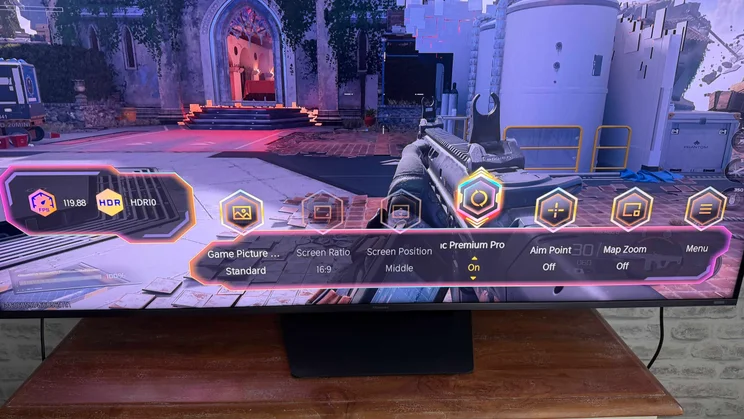
It’s a little odd that the 65in UR9S’s frame rate tops out at 170Hz on 4K games rather than the 180Hz supported by its bigger siblings. Odder still is the fact that the step-down Hisense UR8S supports 4K/180Hz across its range of sizes.
However, the set still delivers a liquid-smooth performance with all console games and the vast majority of PC titles too. Game images look vibrant, punchy, sharp and detailed with relatively static content.
The TV handles variable refresh rates well. While its input lag—11.6ms with 1080p 60Hz feeds and 5.9ms with 120Hz feeds—isn’t the lowest available, gaming still feels responsive and reactive.
The only downside to the UR9S’s gaming performance is that motion looks slightly soft – a fairly common issue with RGB LED TVs to date.
Sound quality
There’s much to admire about the UR9S’s audio performance. Its soundstage is remarkably wide, placing audio effects with conviction far beyond the TV’s outer edges. This is particularly true to the left and right, but there’s a sense of height to proceedings, too. The UR9S handles ambient effects with remarkable clarity, delivering a high level of detail that feels well-rounded and believable rather than thin and harsh.
Vocals remain locked at the heart of the large soundstage, and even benefit from a little vertical lift to help them align with the onscreen action. The speakers project them forward with good clarity, too, rather than sounding as if they originate from behind the screen.
Bass is deeper and louder than most TV sound systems, with a smooth, rolling sensation in its most extended rumbles. This bass input adds great scale and heft to action scenes, especially as it’s able to hold itself together at reasonable volumes without distorting badly and is joined by an expansive mid-range that shifts through plenty of gears as things escalate.
The only catch is that you need to keep volume under 70. Above this, voices can start to muffle or become shrill, and the otherwise excellent bass handling can start to whoop and break up a little. Fortunately, the TV still sounds cinematic at its maximum ‘safe’ volume.
Hisense UR9S review: Verdict
The fantastic results achieved by the UR9S’s groundbreaking implementation of the new Dolby Vision 2 system (even before Dolby Vision 2 content appears) reveal that Hisense now knows how to build serious high-end TV hardware capable of going toe-to-toe with the best its rivals have to offer.
The startlingly large gap between the UR9S’s Dolby Vision and regular HDR10 picture performance, though, while showcasing the strengths of Dolby Vision 2, also suggests that Hisense’s software and picture tuning can’t quite unlock the full capabilities of its hardware.
The UR9S’s price also puts it up with some extremely tough competition from both the LCD and OLED sides of the TV world, and against some of those models the UR9S’s inconsistency and slightly restrained (albeit well-intentioned) picture approach has to cost it a mark off its final score.


