To help us provide you with free impartial advice, we may earn a commission if you buy through links on our site. Learn more
- Excellent low-light colour imagery
- Versatile detachable solar panel mount
- Lots of free AI functionality
- 2.4GHz Wi-Fi only
- Reception and connectivity not the best
- Pan-tilt camera has limited declination
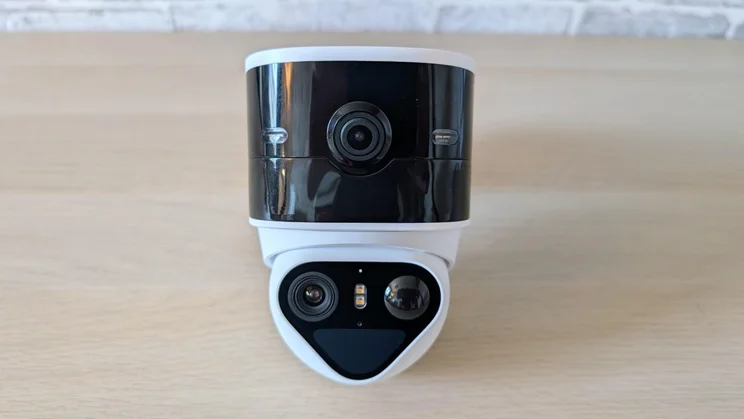
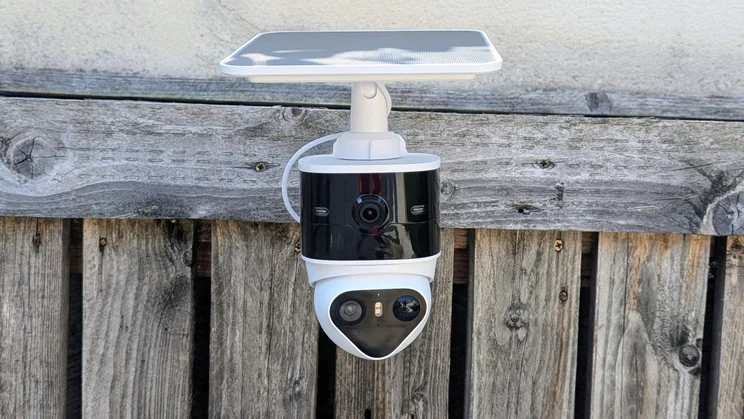
The Aosu SolarCam T2 Pro is a direct competitor of the impressive Tapo C645D I tested in April. Both are dual-camera systems with a wide-angle main camera and a pan-tilt telephoto camera. That means you can view a panorama of your yard, garden or drive and a close-up view of one particular area simultaneously. It also means anything moving can be tracked through a theoretical 360 degrees.
I say theoretical because unless you mount your cameras on a pole, you’ll be limited to the 270-degree coverage you get if you mount it on the corner of a building or 180 degrees if you mount it flat to a wall. Either way, a motorised pan-tilt camera can follow targets over a much wider area than even the widest of fixed wide-angle cameras.
What do you get for the money?
At the time of writing, the SolarCam T20 Pro is available for £150 on Amazon – Aosu doesn’t currently offer direct sales in the UK. For comparison, the aforementioned Tapo C645D is listed there for £110, which is £20 cheaper than it was when I gave it a Best Buy award.
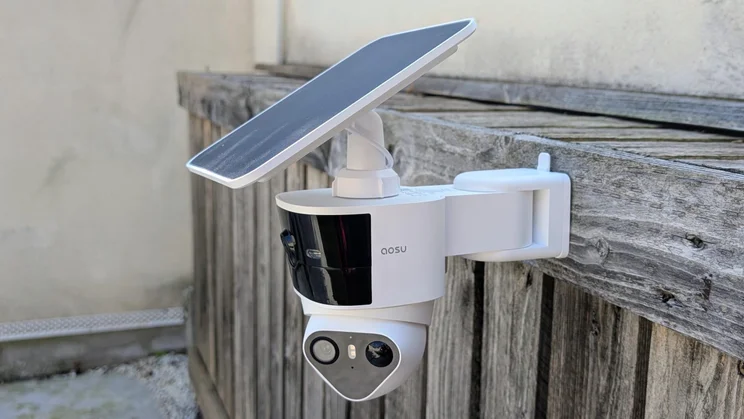
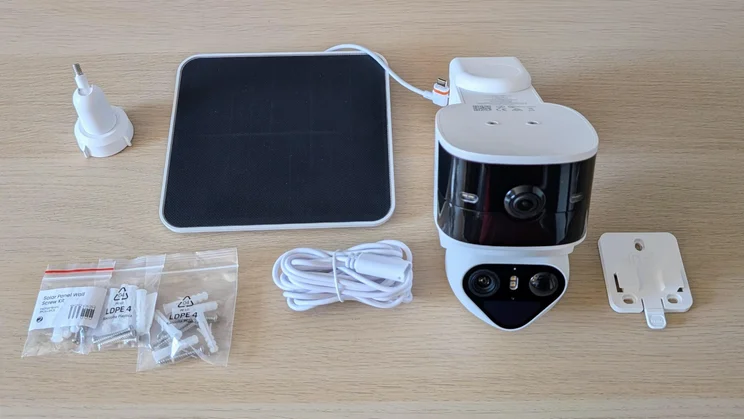
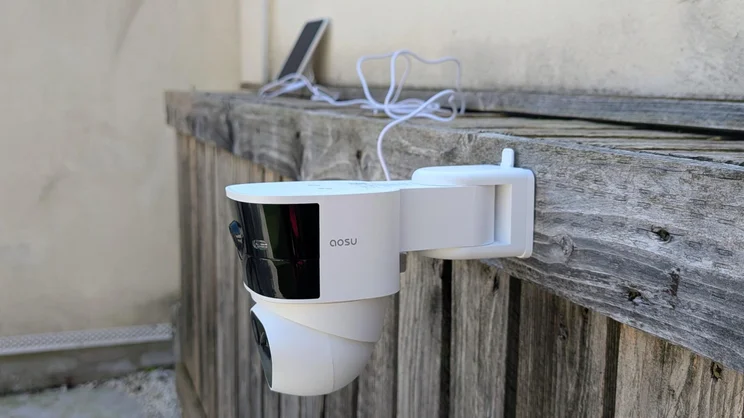
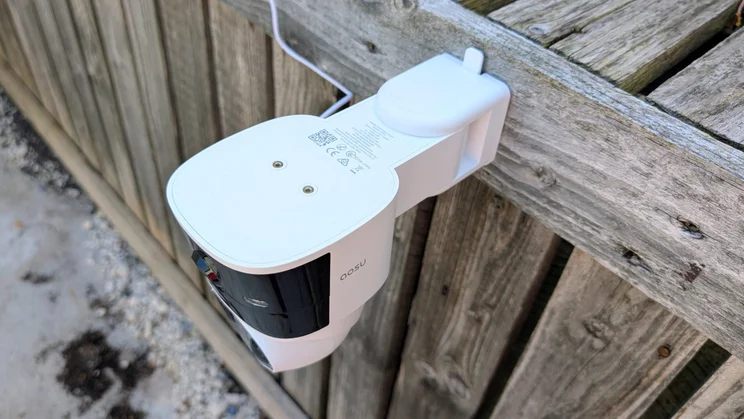
In the box, you’ll find the IP65-rated main camera unit, which houses the main wide-angle camera and the motorised pan-tilt telephoto camera, a separate solar panel with stand and a simple slide-on wall bracket complete with screws and raw plugs.
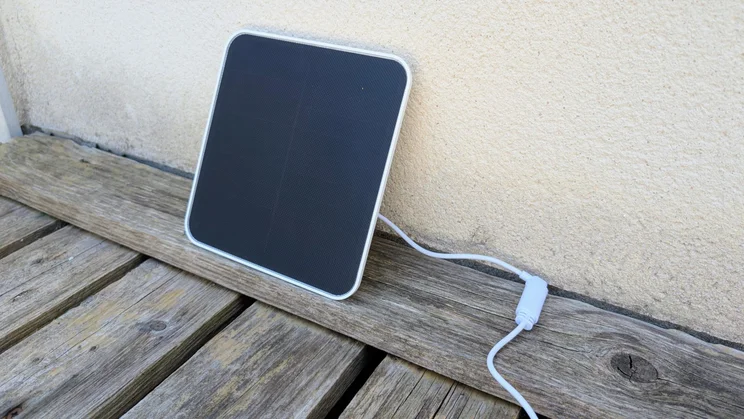
You can either mount the solar panel’s stand separately from the camera unit or screw it to the top of the camera. This feature cleverly gives users the best of both worlds.
A short USB-C cable with a weatherproof attachment on one end connects the solar panel and camera. The other end is hard-wired to the solar panel. If you want to mount the solar panel separately, Aosu includes a 2m-long extension cable.
The rear of the camera housing contains a 180-degree swivel which allows for a lot of directional variation once you’ve mounted it. However, the motorised pan-tilt camera can only adjust its elevation between horizontal and -60 degrees, which is significantly less than the Tapo camera, which can decline to a full -90 degrees to look directly downwards.
Do you need a subscription?
Most of the SolarCam T2’s functionality is free. Recordings are stored on a MicroSD card (capacities of up to 256GB are supported), and motion discrimination between general, person, pet and vehicle activity is standard.
If you want to add facial recognition, then you will need to take out an AosuProtect+ subscription. The basic single camera package costs £4.49/mth or £52.49/yr for one camera. Those prices are advertised within the app as a 70%-off offer from the usual – and rather exorbitant – price of £14.99/mth or £174.99/yr.
The basic package also includes 14-day cloud storage and some peripheral features like bulk event actions and event categorisation, which let you quickly filter your recordings by type. Oddly, that second feature worked without me starting the 30-day free trial. With that in mind, I can happily say that unless facial recognition and off-site recording are must-haves, you don’t need a subscription.
How easy is it to set up?
Once you’ve downloaded the Aosu app, set up an account and have charged the camera’s 9,100mAh built-in battery, follow the simple on-screen prompts and add your Wi-Fi password.
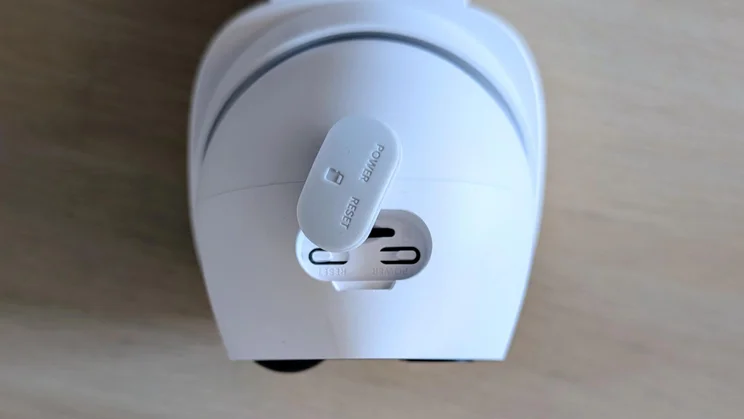
The wall bracket is a simple affair that screws into the wall using the three supplied screws and then has the camera mount slid onto it. The weather-proof rubber bungs that cover the USB-C port and MicroSD card slot are easy to remove and replace.
Screwing the solar panel mount onto the top of the camera mount is the fiddliest part of the process and requires a narrow Philips screwdriver, but it’s easy to do with a modicum of care.
The T20 will easily run for a week without the solar panel connected. I can’t imagine, nor could I recreate, a scenario where the panel can’t keep the battery at or near 100%, even when the days are short.
Is the companion app any good?
This was my first encounter with the Aosu app, and it left me thoroughly impressed. Both the layout and design are hard to fault.
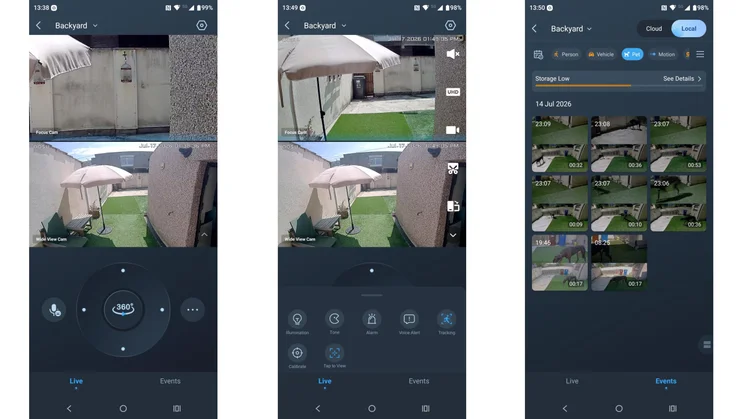
Some design choices I particularly like are the 360-degree sweep command in the middle of the manual pan-tilt control and the two expanding menus that open on the live feed page.
One lets you mute the microphone, switch the video quality, manually start a recording or take a snapshot and go full-screen. The other lets you turn on the spotlights, sound the alarm, send voice alerts and turn the tracking off.
You can quickly access all other settings under the single cog icon menu, where you can link the app to Amazon Alexa or Google Home—your only smart home integration options
The layout of the recordings or Events menu also deserves mention: you can easily toggle between a near-fullscreen image of the latest event or a 3 x 4 grid of the latest 12 events. A menu bar to filter by date and event type sits at the top above a storage status bar. It’s all extremely easy to navigate.
Both the Tapo and Aosu apps let you target the pan-tilt camera by touching a point on the wide-angle video feed. However, the former requires a touch-and-hold, while the latter only needs a simple tap.
One significant difference between how the Aosu and Tapo camera apps handle recordings is that the latter downloads two separate video files, one from each camera; the Aosu app gives you one 2,560 × 2,880 stacked video file. I prefer the Aosu method.
The Aosu app doesn’t support any homescreen widgets, and there is no time-lapse function, but those are its only drawbacks.
How we test security cameras
In any security-related situation, how fast you can react to events is key, and that’s why we test the responsiveness of each camera we review. To do this, we measure the response speed to various triggers.
For example, we test how long it takes for an alert to appear in the camera’s mobile app after detecting motion. We also time how long it takes to bring up the live feed from any alert and how quickly a live feed is brought up from the main screen of the app.
We also assess image quality in daylight and at night, check audio quality, and spotlight or floodlight brightness (where applicable). Finally, we test any AI detection features to see if they actually work.
How does the Aosu SolarCam T2 Pro perform?
Image quality and night vision
Both the T2 Pro’s cameras have a resolution of 2,560 x 1,440, slightly higher than the Tapo’s 2,304 x 1,296. Aosu doesn’t quote apertures or focal lengths, merely stating that the main wide-angle camera has a 170-degree field of view.
In daylight, the visual differences between video feeds from the Tapo and Aosu cameras are hard to distinguish; both deliver bright, crisp and colourful video feeds.
The only giveaways are that the Tapo’s wide-angle camera feed is wider than the Aosu’s, despite the Aosu having a five-degree advantage on paper. The Tapo also delivers a greater level of digital zoom, x10.8 to the Aosu’s x8, but the difference is moot, as the Tapo drops off noticeably above x8.
At night though, the Aosu leaves the Tapo for dead. Its colour low-light performance is superb, making a street light-lit yard look almost like daylight. I’m also a fan of Aosu’s decision to let you force the camera into one of three light modes: IR, colour with spotlights or colour with only natural light.
Floodlights, audio and siren
The T2 Pro has three LED spotlights: one on either side of the wide-angle camera, and the third in the centre of the pan-tilt housing where it can illuminate targets as the camera tracks them. Between them, they produce more than enough light to fill the average suburban garden or driveway.
The siren is easily loud enough to startle and deter all but the most brazen of intruders, registering 81dBA at a 2m distance. The two-way audio system worked well in both directions, and suppressed ambient sounds well.
The audio system also has a few tricks up its sleeve. Firstly, you can adjust the tone between neutral and what the app describes as “Uncle”, which modifies voices to sound deeper and more masculine as an added level of deterrence to unwanted callers.
Secondly, there are three pre-packaged voice messages (all in an American accent): one asks the listener to leave a package by the door, and the other two are variations on “go away”. You can’t add your own pre-recorded voice alerts.
AI features
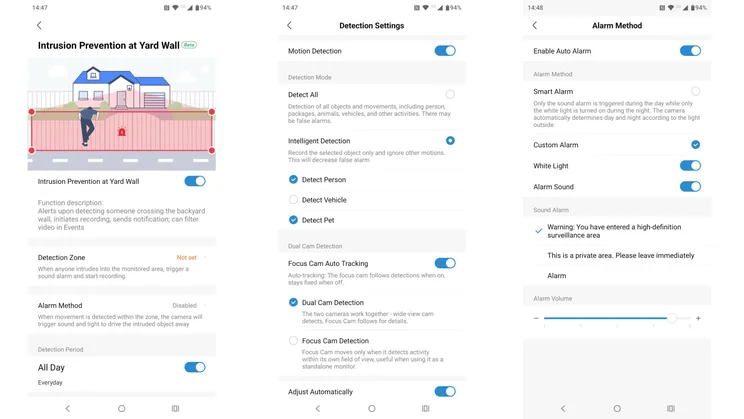
Aosu bundles all its smart alarm features on a page entitled AI Surveillance. This page lets you adjust recording and notification settings for person, vehicle and pet detection as well as the alarm settings for four distinct categories.
These are Parking Guard, Intrusion, Intrusion Prevention at Yard Wall and Lawn Surveillance. With these, you can set up detection zones and tailor what actions the camera takes and when it takes them upon detecting activity.
For example, you can set the system to activate if anyone enters your drive and then either switch the spotlight on, sound the siren or issue one of three pre-recorded messages. Usefully, the pre-recorded messages, like the alarm, repeat until the coast clears.
While standard zonal detection systems appear on most cameras, this model adds advanced adjustments, such as monitoring multiple discrete zones simultaneously or on different schedules, customising alarm volumes and warning messages, and scheduling activation times via a calendar. I haven’t come across a camera system that offers such granular levels of protection, let alone as a free feature.
On the Events page, you can also quickly filter recordings by person, vehicle, pet, general motion, staying (a feature that spots and records anything or anyone lurking), plus the intrusion, parking area and lawn triggers mentioned above.
Aosu must have been tempted to put that sort of feature behind a paywall, so kudos to them for avoiding it.
Speed and responsiveness
Even once I’d overcome some initial connectivity issues (see below), the T2 Pro still turned out to be a rather inconsistent performer.
Most of the time, a live video feed launched from the app in a second or two. But sometimes it took much longer and, on rare occasions, the live feed screen refused to load until a prompt appeared to refresh the view.
To give a more solid idea of how big a problem this is, I launched a video feed from the app 30 times in a row. 77% of the time it launched in two seconds or less. 15% of the time it took between two and six seconds, 5% of the time it took between six and 12 seconds, while the remaining 3% required a refresh to load at all.
Fortunately, launching a video feed from a motion notification alert never caused the issue, and a firmware update will likely fix the problem. The bad news is that it happens at all. It’s not a deal breaker, but it is an irritant. Aosu, attend to thy firmware.
When it comes to how long it takes to send motion alerts, the T2 Pro did well, even if it wasn’t quite as fast as the Eufy C37 – one of the fastest cameras at delivering motion alert notifications I’ve tested.
Are there any problems worth mentioning?
During my testing, I found the SolarCam T2 Pro quite fussy regarding Wi-Fi signal strength and data speeds.
When I first installed the T2 Pro in the same place as the Eufy C37 (another 2.4Ghz-only camera PZT camera), it refused to acknowledge the signal from my main router on the other side of the house.
To try and fix this, I turned on the 2.4GHz signal on my extender. The Aosu app showed 68% signal quality, and my phone gave me a speed reading of 55Mbps, but performance was erratic at best, with regular connection dropouts.
Relocating the camera to the end of my yard where it could pick up the 2.4GHz signal from my main router fixed the problem, so I’d recommend running a signal and data speed check in the planned location using your phone before buying the T2 Pro.
Should you buy the Aosu SolarCam T20 Pro?
Does the Aosu SolarCam T20 Pro trump the Tapo C645D? No. But, assuming no major difference in price (though I should point out the Tapo is currently available for just £110, it’s a close run thing.
The Aosu’s impressively granular zonal detection and alarm system, and superb low-light performance are features well worth having, and the app is one of the more feature-laden and user-friendly of its kind. The Tapo counters with better and more reliable connectivity and a pan-tilt camera with a wider range of movement.
I’ve still got the C645D that Tapo sent me to test monitoring my yard, and I’m not going to replace it with the Aosu SolarCam T20 Pro. That’s largely because the useful, free AI alarm functions Aosu offers don’t offset Tapo’s unfailingly reliable connectivity and the fact that I can use it over a 5GHz Wi-Fi signal.