To help us provide you with free impartial advice, we may earn a commission if you buy through links on our site. Learn more
- Cheap as chips in Amazon’s regular sales
- Subscription not essential to access recordings
- Good colour night vision
- Sync Module 2 costs extra
- No fisheye distortion correction
- Recording a live on-demand feed requires a subscription
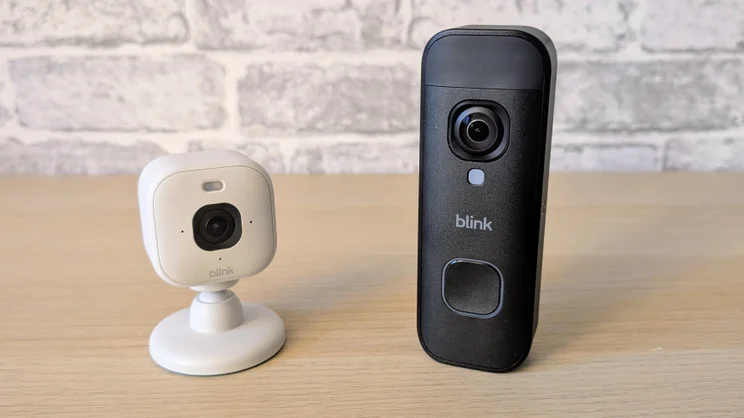
Before buying a Blink Doorbell, it’s important to know exactly what you’ll need and how much you should pay. So before we get into the long grass, let’s have a naming of parts.
The Blink Battery Doorbell 2K+ will set you back £60, but if you’re new to the Blink ecosystem, you’ll also need a Core module to connect it to your Wi-Fi network. For £70, you can get the doorbell with a Sync Core module, but the Core doesn’t allow for the local storage of video clips.
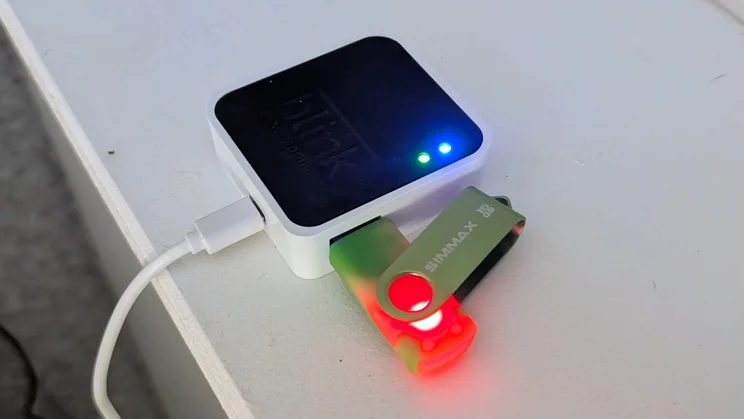
For that, you’ll need the Sync Module 2, which costs £50 and has a port for a USB thumb drive. When I bought my first-generation Blink Video Doorbell back in the day, it came with the Sync Module 2 as standard. This, apparently, is progress.
Why do you need any sort of Sync Module? While most doorbells connect directly to your home Wi-Fi, the Blink connects to its Sync Module via a low-power RF link. The module then connects to your 2.4GHz Wi-Fi network.
At this point, I must state categorically that you should not buy a Blink Battery Doorbell 2K+ for the list price of £60. That’s because when I started writing this review, Amazon was selling it for £26 without a Sync module and £30 with one.
No doubt it’ll be available again at that price, and soon, so I’m going to break an Expert Reviews rule and base my recommendation on the sale price rather than the RRP.

What do you get for the money?
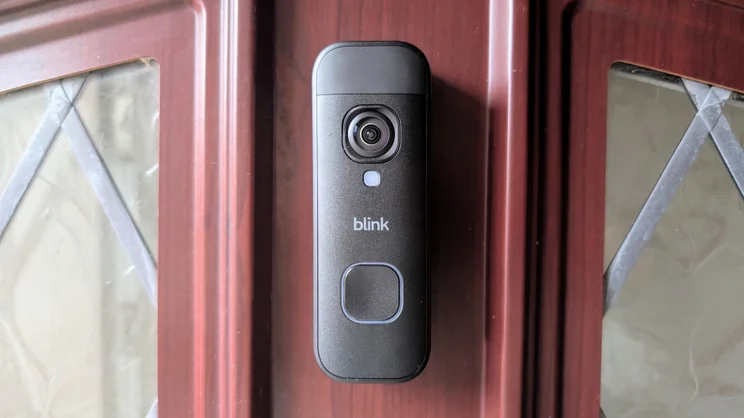
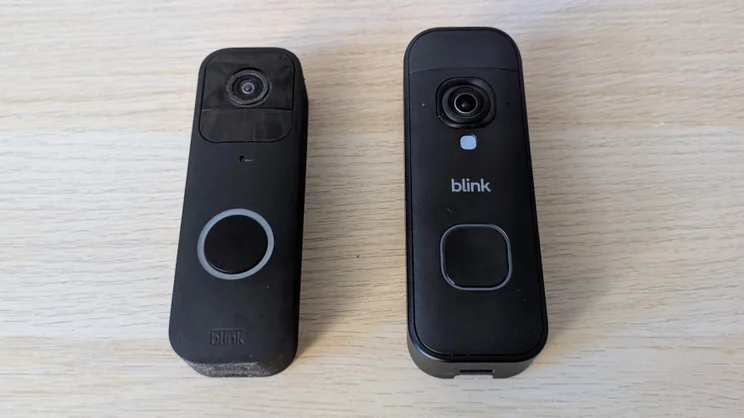
In terms of external dimensions and weight, the new Blink Doorbell is the same as the 2nd generation model at 130 x 48 x 34mm and 113g.
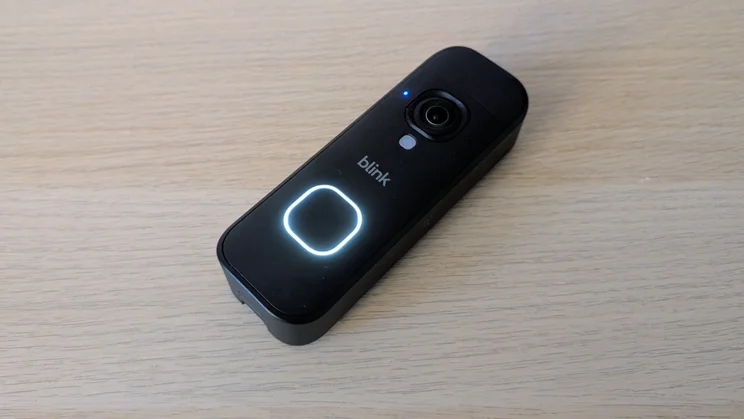
The design of the fascia is, however, closer to the first than the second-generation model, with a square camera surround and a smaller, symmetrical button below, albeit now square rather than round.
The Blink name is also far more prominent on the new model. The first Blink doorbell was bereft of a trademark, while the second has Blink in small script at the bottom. Now it’s emblazoned across the middle in a larger font.
I always thought the second-generation Blink doorbell was a rather cheap and awkward-looking lump when compared to its forebear, especially the white rather than black/grey model, which was why I never upgraded. The new model, still IP65-rated, looks and feels like a more premium effort.
The most significant improvement, on paper at least, is video quality. The first Blink Doorbell captured video at 1,920 x 1,080. The second-generation model delivered 1,440 x 1,440. The new incarnation serves up 1,920 x 1,920.
Should Blink have stepped up to 2,460 x 2,560? Yes. But for under £25, 2K still butters the visual parsnips.
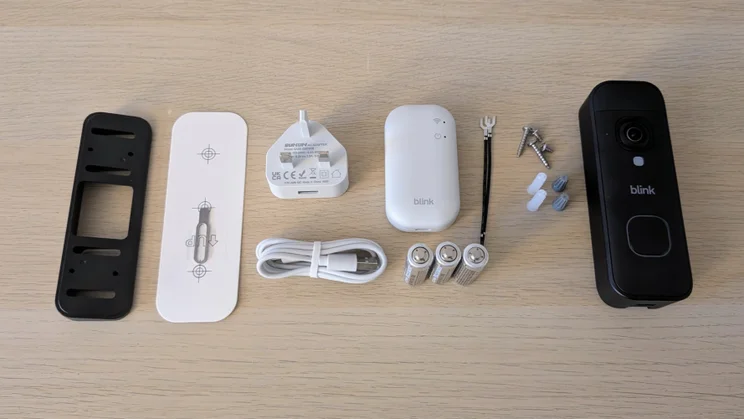
The retail package I was sent to test included the battery doorbell (if you want to power your doorbell from the mains, you’ll need the wired version), a Sync 2 module, a 3-pin plug and USB cable to power said module, a mounting bracket and an angle adapter to point the doorbell inwards.
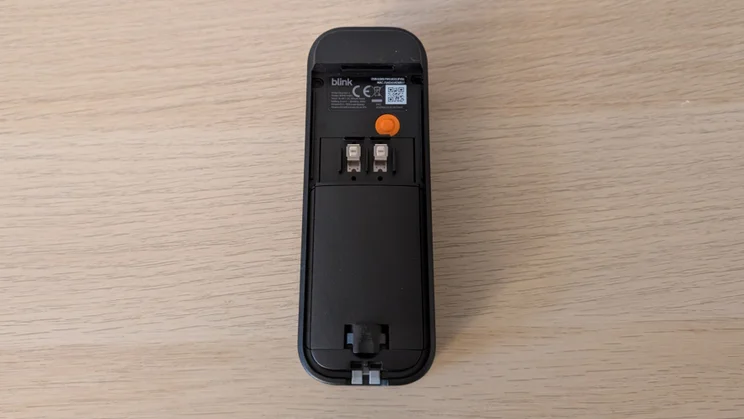
There are also some screws and wall plugs, the cables and connectors needed to connect to an olde-worlde wired chime, plus a set of three Energizer lithium AA batteries.
Stuffing three AAs into the back of a doorbell may lack the technical subtlety of recharging via USB-C, but there’s no denying the convenience especially if, like me, you religiously keep a healthy supply of batteries in an emergency drawer.
It could be argued that Blink should have made one model that supports both battery and wired power, but given how few people have legacy doorbell power feeds these days, I’m more surprised it’s even selling a mains-powered model in the UK.
Another small improvement involves the way the doorbell unit clips onto the bracket. I was never that happy with the way Blink’s previous models fixed. There always seemed to be too much play and wobble in evidence.
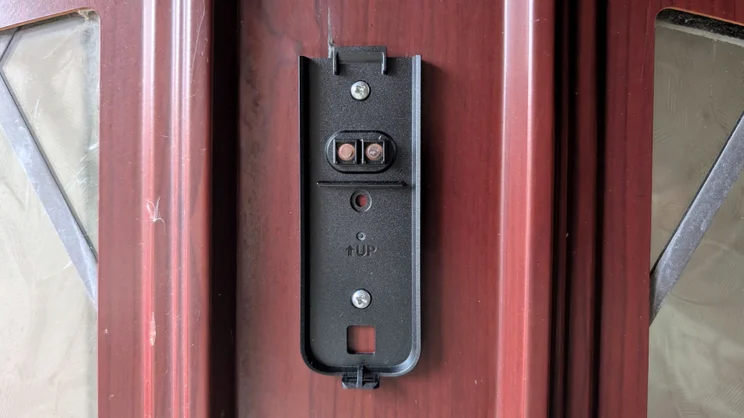
The new bracket has addressed this issue, with the doorbell now sitting closer to the face of the door and feeling far more secure. Detaching the doorbell involves using the same small two-pronged metal tool that Blink provides as before. Don’t lose it.
Do you need a subscription?
If you already have a Core 2 module and don’t want any fancy-pants AI features or the option to record an on-demand live feed, you don’t need a subscription. With a Core 2 module, you can store all your triggered video clips locally and retrieve them for free.
The Core 2 has one advantage over storing clips on a memory card inside the doorbell: you don’t lose all your stored footage if someone steals the doorbell.
If you prefer not to faff about with local storage, a basic cloud subscription for one Blink device will set you back £25 per year or £2.50 per month, while the Basic AI plan (I’ll come back to the AI features below) costs £35 per year or £5.49 per month.
You can find a full list of Blink’s various subscription options here.
How easy is it to set up?
I had hoped the new Blink doorbell would clip onto the mount for the original Blink doorbell. No such luck. Thankfully, though, the screw holes are in the same place, so it was simply a case of unscrewing the old bracket and attaching the new one.
Annoyingly, for the terminally bad at DIY, there’s still no left/right adjustment space in the screw holes, so make sure you drill the top hole first, then use a plumb line or some kind of level to make sure you don’t mount it wonky.
Either way, it shouldn’t take too long to mount, and once you’ve popped the three bundled batteries inside and connected it to your Blink app it will be ready to go. Being a day-to-day Blink user, this took me seconds, but I see no reason why Blink neophytes should take much longer.
The only other action I had to undertake was setting the new doorbell to use the three Blink Mini cameras I have around the house to act as chimes.
If you don’t have any of these yourself, you can pick up one of the latest Blink Mini 2K models for £40, or the relatively new stand-alone chime, which costs £25.
Again though, I’d advise you to wait for Black Friday or one of Amazon’s many Prime Day sales. Although I haven’t seen the chime reduced yet, the Blink Mini 2K has hit £16, making it a good substitution for the dedicated unit.
Is the companion app any good?
Given the Blink Doorbell isn’t the most feature-laden video doorbell, the app doesn’t have to host as many features the apps from the likes of Tapo or Eufy. That makes it a little simpler to navigate.
The main Devices landing page is where you launch a live feed from, and once open, you can initiate a two-way voice call. All the app functions are accessed via the More button, which takes you to Device Settings.
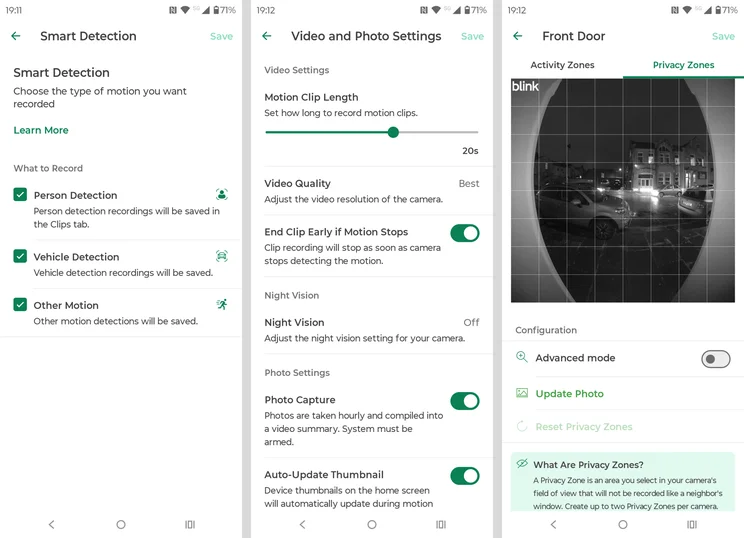
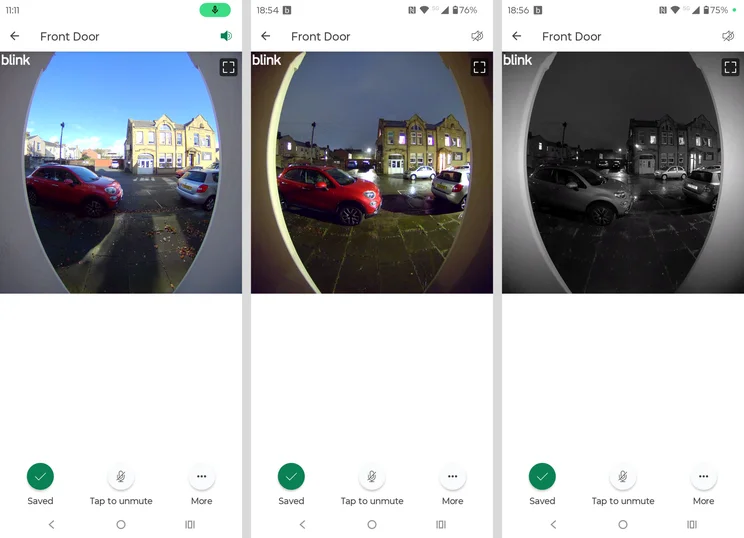
Once there, you’ll find all the expected options under six clearly and sensibly labelled headings. All the core doorbell tools are here, such as the facility to create privacy zones, extend the length of recordings, adjust motion sensitivity and so forth.
Missing are advanced features like pre-recorded voice messages and tools to disguise the user’s voice. There are no widgets for available for either, so any interaction means opening the app or tapping on a notification. And smart home integration is limited to Alexa, but this being an Amazon product, you probably guessed that already.
How I tested the Blink Battery Doorbell 2K+
In any security-related situation, how quickly you can react to events is key, which is why we test the responsiveness of each video doorbell we review. To do this, we run a collection of timed tests with the aim of measuring the speed of the camera system’s response to various triggers.
For example, we test how long it takes for an alert to be generated on the screen of the camera’s mobile app after motion is detected, or (in the case of a doorbell) how soon after the bell button is pushed. We also time how long it takes to bring up the live feed from a request sent via the app.
We also assess image quality in daylight and at night, check audio quality, spotlight or floodlight brightness (where applicable), and we test out the AI detection features to see if they actually work.
Battery life is difficult to judge when the only information the app delivers is a status that reads simply “OK” or “Change Batteries” as in the Blink app, but we do our best to estimate what you’re likely to get based on our usage and previous experience.
Here, Blink quote battery life at up to 21 months. Given my experience with the first gen Blink doorbell I’d say that’s optimistic in the extreme; I would estimate that I need to change batteries every six months and the quoted battery life of the original doorbell is even longer at 24 months.
How does the Blink Battery Doorbell 2K+ perform?
Image quality and night vision
The visual difference between 1,440 square and 1,920 square is pretty minimal. Minimal in this context means I can’t actually tell the difference other than when the digital zoom is pushed to its 4x maximum.
That said, if I couldn’t make out any changes in the clarity of images, they do look brighter and more colourful than images from the earlier generation Blink doorbells.
The one issue with the video feed is that there’s no fisheye correction. This means that if your front door is set back from the wall, like mine is to the tune of 25cm, the walls seem to bend in at an alarming degree.
Despite this, the field of view is slightly lower than on the 2nd generation doorbell, at 140 degrees rather than 150, which means it still can’t see your doorstep and you can’t keep an eye on left packages.
The night vision system has three settings: “Automatic” switches to infrared when light is low. “On” uses infrared in anything other than strong daylight, and Off depends solely on ambient light.
I was mightily impressed by the quality of new Blink’s colour night vision in Off mode, a massive improvement over what I was used to getting from my first generation model. Even on a cloudy and moonless night, the ambient streetlighting on my road was more than enough to support a bright and colourful picture.
Lights, audio and siren
With no visible light LEDs and no siren, there’s no need to dwell on the quality of either. Audio quality is worth mentioning, though. This was a big weak point of both the first and second generation Blink doorbells, and thankfully Blink has addressed it here.
I still wouldn’t describe it as class-leading, but the noise reduction system is now much better at suppressing wind and traffic noise, and there’s noticeably less lag between visitors’ lips moving and you actually hearing what they have said.
AI features
If you want simple “AI” functions like the ability to discriminate between general motion, people and vehicles, you’ll need a Basic subscription. For facial recognition and a written summary of what’s happening with your status bar notifications, however, you’ll need the Basic AI subscription plan.
This also adds Unusual Activity Alerts and Single Event Alerts. I’ve never been able to satisfy myself that the first works, while the second simply groups similar actions into one notification. So unless you absolutely must have facial recognition, the extra cost (in my opinion) is a waste of money.
Speed and responsiveness
Our reviews Caudillo Jonathan Bray was less than impressed by the reaction times of the second-generation Blink doorbell in his review, but this too has been addressed by the engineers at Blink.
It’s still not as quick as some of the recent doorbells from the likes of Eufy, Tapo and Ezviz that I’ve tested. I suspect, but cannot prove, the doorbell’s RF link to the Sync mobile may be the issue. However, it’s a darn sight better than previous Blink doorbells.
Most importantly of all, the notification that someone had pressed the doorbell button never took more than a few seconds to arrive on my phone or my chime-enabled Blink Mini cameras.
| Time to ring on phone (Wi-Fi, secs) | Time to launch live stream from app (Wi-Fi, secs) | Time to launch live stream from alert (Wi-Fi, secs) | Time to alert on motion (Wi-Fi, secs) | |
|---|---|---|---|---|
| Blink Battery Doorbell 2K+ | 2.4 | 3.5 | 2.7 | 3.9 |
| Blink Video Doorbell (2nd generation) | 2.7 | 4.3 | 3.8 | 8.0 |
| Ring Video Doorbell Plus (2nd Gen) | 1.2 | 2.9 | 1.2 | 2.1 |
| TP-Link Tapo D260 | 1.2 | 2.3 | 2.8 | 1.8 |
Should you buy the Blink Battery Doorbell 2K+?
It’s an article of faith here at Expert Reviews that selling a product that demands a paid subscription to extract core functionality is a Very Bad Idea. That’s generally why we’re tepid when it comes to kit from the likes of Blink, Ring and Arlo.
That said, it’s impossible to overlook how ludicrously cheap Blink kit can be thanks to Amazon’s tendency to cut the price by 50% or more come every Prime Day and most of the months in between. And I myself have a basic one-device Blink subscription for my doorbell. It’s not a huge imposition, and don’t forget you can run it subscription free if you have a Sync Module 2.
Finally, it is genuinely encouraging to see Blink improve upon the major weaknesses of the first two Blink doorbells – audio quality and responsiveness. In short, the Blink Battery Doorbell 2K+ is the best budget doorbell you buy (as long as you get it in the sales); it’s no longer a grudging recommendation.