To help us provide you with free impartial advice, we may earn a commission if you buy through links on our site. Learn more
![The Ezviz EP8 Ultra pictured from the front]](https://images.expertreviews.co.uk/wp-content/uploads/sites/6/2026/09/The-Ezviz-EP8-Ultra-pictured-from-the-front.jpg?width=744&height=419&format=webply)
- High-quality dual cameras
- Built-in 32GB storage
- Bundled chime and spare battery
- Quite bulky
- Using all the features can shorten battery life
- No anti-theft alarm
It was inevitable that in an effort to distinguish their devices from the competition, doorbell makers would start to load their devices with peripheral features increasingly removed from the core task of letting you know who’s at the door.
Ezviz has clearly taken that idea to heart because its new EP8 Ultra is one of the most feature-laden doorbells I’ve ever encountered.
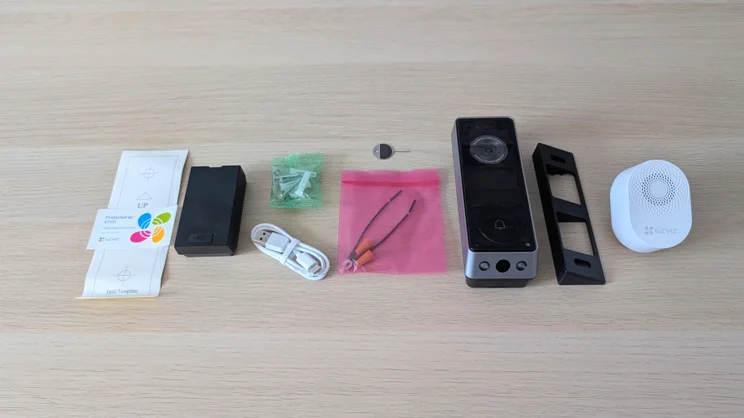
For your money (£140 at the time of writing) you get a doorbell with not one but two cameras, the second to look downwards and keep a beady eye on packages left on your doorstep, two rechargeable batteries, a wall-plug chime and 32GB of built-in storage.
And that’s not the end of the EP8’s feature list. You can also connect to a legacy doorbell power supply, and it has a 35 x 35mm OLED screen so it can support two-way video calls.
What do you get for the money?
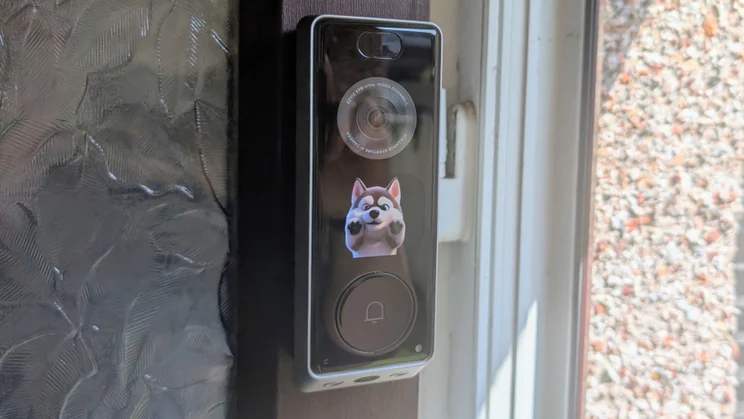
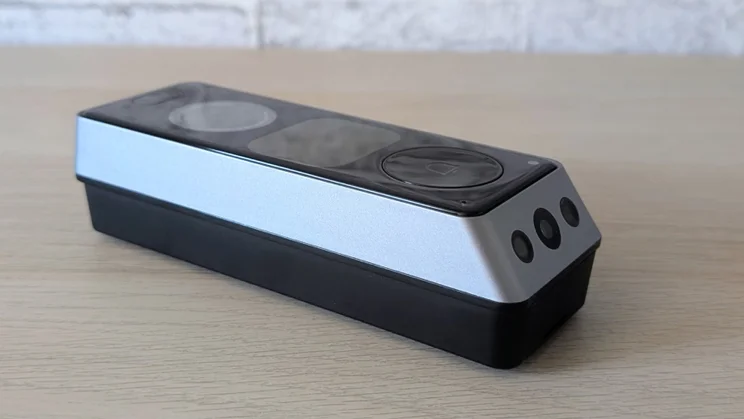
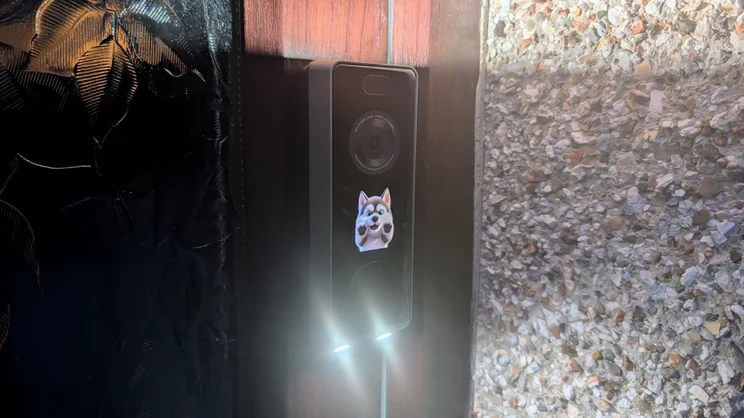
The doorbell itself is a handsome angular black and silver affair and is rated IP65-proof against the worst that the British weather can throw at it.
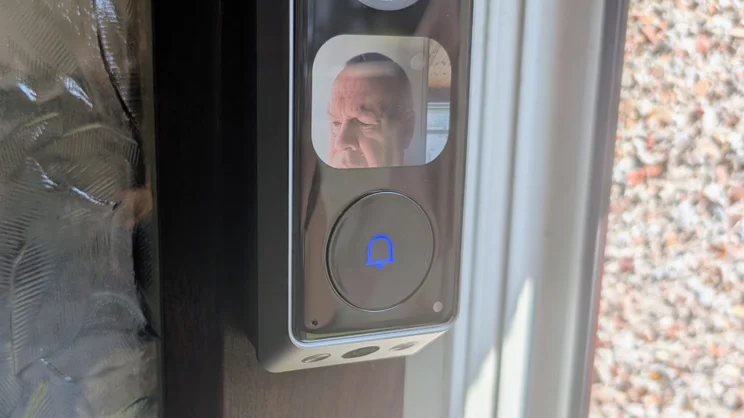
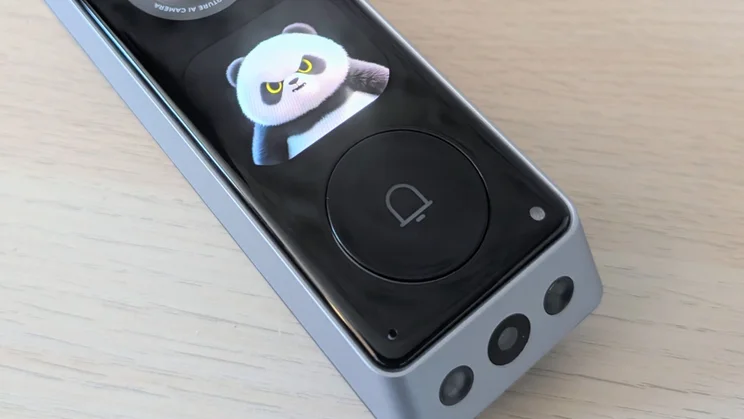
The layout of the fascia is fairly traditional with a camera lens at the top and a circular bell button at the bottom. You may think the space between is empty, but it actually houses that OLED display.
The bottom edge is bevelled to lend the right angle to the secondary downward-facing camera and its associated LED lights, and there’s another LED light built into the top edge.
Squeezing all those features into a doorbell naturally has an impact on size and weight. At 155 x 54 x 35mm and 382g, it’s definitely on the large side, and definitely bigger than the Tapo D235, which is itself one of the larger doorbells on the market.
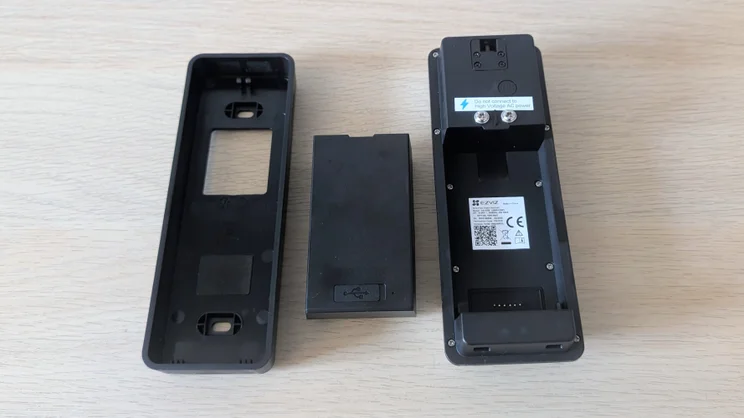
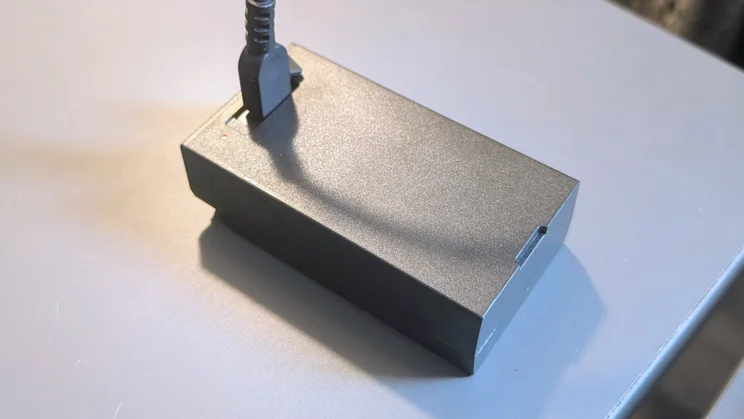
Usefully, the 9,600mAh batteries can be recharged when outside the doorbell unit via a built-in USB-C port and they have a small built-in green/red LED that lets you know when they are fully charged.
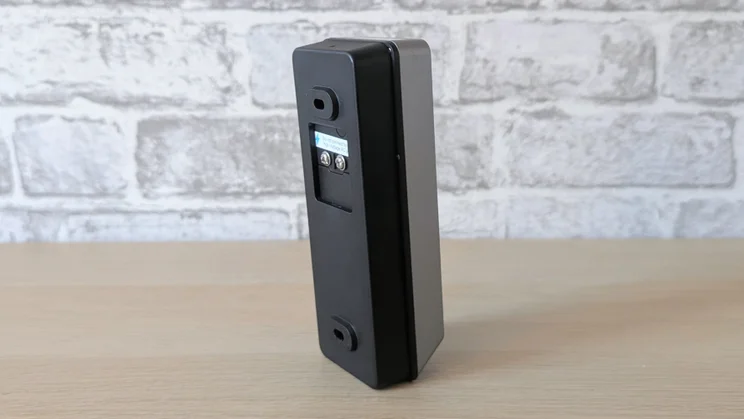
As well as the doorbell unit, chime and two batteries, Ezviz bundles a short USB-C charging cable, angle door mount, screws and wall plugs, plus a metal prong to spring the main mounting plate-cum-battery cover from the doorbell itself.
Do you need a subscription?
Like Tapo, Ezviz doesn’t believe in hiding even more advanced functionality behind a paywall, let alone core functions such as the ability to download and store recordings.
This is a trend I wholeheartedly support and is the main reason I find it increasingly difficult to recommend doorbells from the likes of Ring, Blink and Arlo, all of whom do demand a subscription for anything more than the most basic features.
Ezviz does have a storage scheme called CloudPlay, which gives you 1GB of cloud storage and a higher maximum (x32 rather than x16) playback speed on recordings. Prices start at £4.99 per month, which is decent value.
You can also subscribe to a service called Ezviz Protect for £4.99 per month, which is advertised as a partnership with Aura Security that can provide live call-centre and in-person support, including the dispatching of a private security officer to your location or home.
Watching the promo video for the service in the app, it looks like what you’d expect if Uber did security. I can’t speak to how effective this is, but for the price it could be worth checking out.
How easy is it to set up?
I experienced no issues with set-up. If you’re new to Ezviz, you’ll need to download the app and create an account and, at the relevant point, enter the password for your Wi-Fi network, but since I’d already used the app for my review of the ER4 robot vacuum, I only needed to snap the QR code on the doorbell’s OLED screen, and I was done.
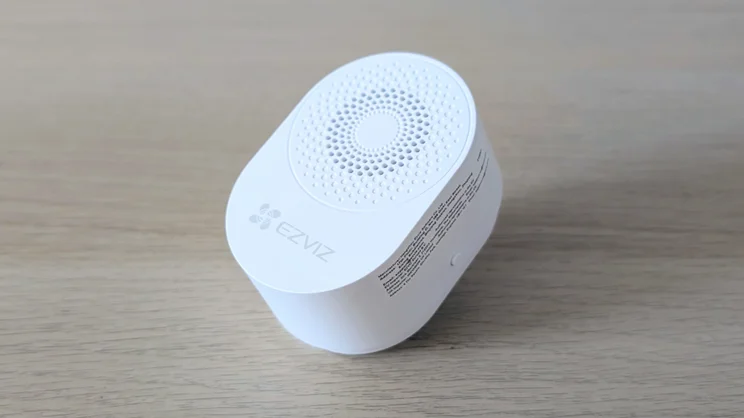
Setting up the chime involved nothing more than plugging it into a power socket. As soon as it was powered on, it worked. Like most doorbells, the EP8 and the chime only support a 2.4GHz connection.
When it comes to smart home, or IoT support, the EP8 can be integrated with Google Assistant and Alexa, while the app has a page dedicated to setting up automations with other Ezviz smart home gadgets, of which there are a lot.
Is the companion app any good?
Ezviz’s app is an attractive and well-laid-out affair that’s easy to master. Of particular value is the fact that all, and I do mean all, the settings are listed in one menu and grouped under obvious headings: Audio, Image, Screen, Light and so on.
Every time I thought “Ah, does the system do this?” during my testing, the answer was always where I’d assumed it would be, rather than in some subsidiary menu under an obscure title.
The main landing page is clean, with a graphic of the doorbell next to an indication of the battery level and Wi-Fi signal strength, both pieces of information I like to have front and centre. And underneath are buttons to open the live view and change the screen avatar, while below them is a list of recent events.
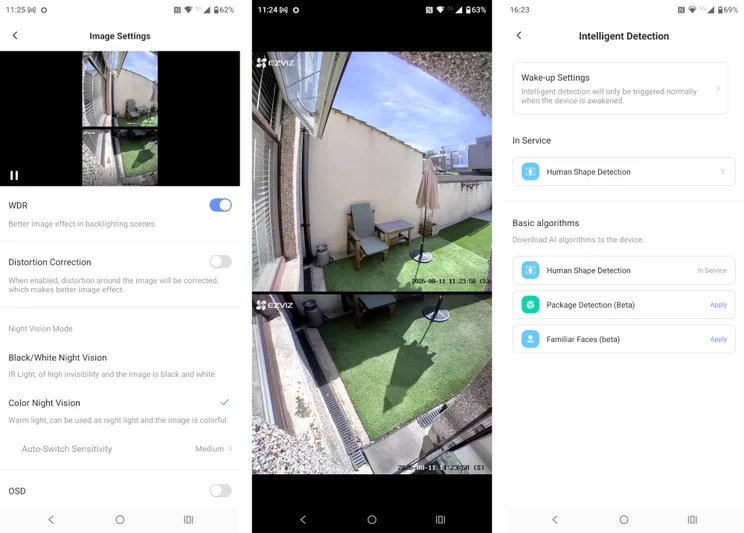
Open Live View and you automatically get a split-screen feed from the two cameras, although you can also switch to a windowed view with either camera as the main feed if you prefer. The app also supports PiP on the Android homescreen for live view video.
At the very bottom of the display is a row of buttons to do things like mute the sound system, open a voice call, change the feed resolution, take a snapshot and start a video recording.
Downloading content from either the cloud or the doorbell’s storage is simply a matter of tapping the download icon when watching a clip and then navigating to the Ezviz folder in your device storage.
Auto-recorded clips are captured from whichever camera has registered the activity in the first place, while recordings made manually come from both cameras but are stored as individual files. Lastly, the app supports three widgets that offer direct access to the most recent captured events, and there’s a landscape-optimised version for use on tablets.
How we test doorbell cameras
In any security-related situation, how quickly you can react to events is key, which is why we test the responsiveness of each camera we review. To do this, we run a raft of timed tests with the aim of measuring the speed of the camera system’s response to various triggers.
For example, we test how long it takes for an alert to be generated on the screen of the camera’s mobile app after motion is detected, or in the case of a doorbell, how soon after the bell button is pushed. And we time how long it takes to bring up the live feed from a request sent via the app.
We also assess image quality in daylight and at night, check audio quality, spotlight or floodlight brightness (where applicable), and we test out the AI detection features to see if they actually work.
How does the Ring Battery Doorbell Plus perform?
Image quality and night vision
Across the board, the EP8 delivered excellent quality images. The upper camera, a 2.0mm, F1.6, 162-degree affair that captures video at 2,464 x 2,464, is particularly impressive when you turn on the WDR (that’s Wide Dynamic Range or HDR by another name) and Distortion Correction options.
The former works wonders for colour saturation and contrast, especially in bright daylight, while the second feature straightens the barrel distortion that can sometimes appear at the edges of doorbell video feeds and is accentuated by the presence of doorway uprights.
The downward-facing camera has a 1.8mm, F2.4 lens with a diagonal field of view of 88 degrees. It captures video at 1,920 x 1,080, and while it isn’t as sharp as the main camera, it is still more than good enough to get a clear view of anything sat on your doorstep.
The vertical angle of the downward camera has been perfectly judged. Assuming you fix the doorbell at the correct height, it can see the bottom of the door it’s fixed to, while at the same time giving an overlap within the main camera at the top of the image, so there’s no blind spot between the two.
Both lenses support colour night vision and are sensitive enough for this to work in all but near-total darkness if you put the system into Enforced Day Mode. If you prefer the monochrome clarity of IR night vision, you can set the system to favour this, or you can mix-and-match by having the upper lens capture in IR and the lower lens capture colour with the use of the lower fill-light.
Lights, audio and siren
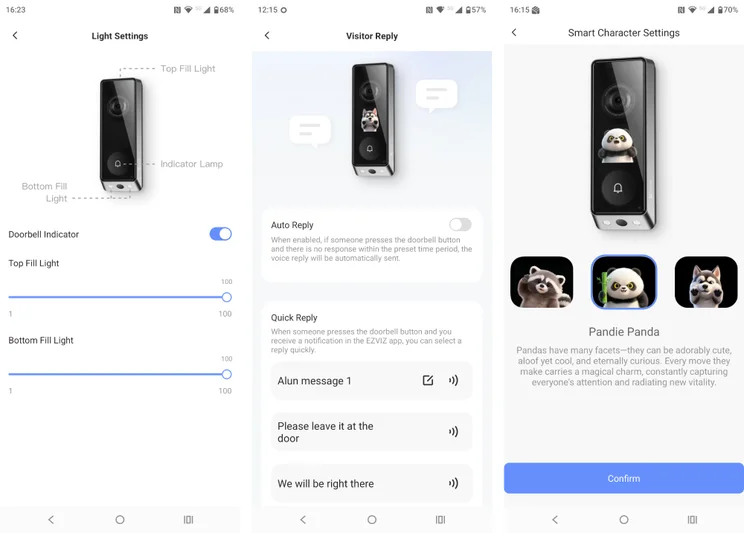
The EP8 has three built-in white LED lights Ezviz is calling “fill-lights”. Two small lights point down either side of the downward-facing camera while a third, larger light faces upward from the top of the unit.
The placement of the upward light has two benefits. First, it illuminates whoever is at the door without dazzling them, and second, assuming the doorbell is below your door number, it also illuminates that.
The brightness of the two lights can be adjusted individually between 0 (or off) and 100, and you can also disable the blue LED bell icon that glows when you press the doorbell button.
I found audio performance was good, with voices sounding loud and clear both from the doorbell and my phone, and the noise cancellation system did a good job of suppressing ambient wind and traffic noise.
The app also supports live voice-changing with two options. Uncle Tone deepens your voice so you sound like Daddy Pig, while Clown Tone makes you sound like Pennywise after huffing helium. More usefully, there are also quick and automatic reply facilities with pre-recorded options and the facility to record your own outgoing messages.
Thanks to the small OLED screen, you can hold fully-fledged video calls with whoever is at the door. This may not be a must-have feature, but it was one I quickly started to use regularly with visitors who I know and who know me.
The screen also has a secondary feature in that it can be set to play one of three avatars: a friendly raccoon, a belligerent panda, or a playful husky, when motion is detected, or the bell is pressed. As you’d expect, using the screen to show the animal avatars has a detrimental impact on battery life, but if you turn the screen off, you can’t use it for a video call. There should be an option to disable the avatars but still allow you to launch a video call when you answer the doorbell.
AI features
Ezviz hasn’t overloaded the EP8 with AI features, so inside the Intelligent Detection menu all you’ll find are options to set the system to alert you when it detects a Human Shape (sic), a package and a familiar face. All three worked as advertised in my testing, even though the last two are officially described as still being in beta.
It’s worth mentioning that there’s no option to set the system to issue an alert when any sort of motion is detected. Given that my front door opens directly on the pavement, that was no concern to me as I don’t want an alert every time a car drives by.
Speed and responsiveness
Across the board, the EZVIZ EP8 posted very similar reaction times to the Tapo D235, which is a good thing because the D235 proved to be one of the fastest doorbells we’ve tested.
In the all-important time taken between a press of the doorbell and an alert sounding, the EP8 sounded via phone and chime in under 1.5 seconds.
Are there any problems worth mentioning?
An unavoidable side effect of all the features crammed into the EP8 is their impact on battery life. Battery life is, of course, a movable feast with doorbells because it’s wholly dependent on how many callers you get. Misanthropes will get considerably longer from a charge than more gregarious types and eBay addicts.
If you run the EP8 with all the lights and the OLED screen enabled, I suspect it will be quite easy to get through most of the battery charge in a month. Of course, that’s why Ezviz bundles two batteries: so you simply recharge one while the other is powering the doorbell, then swap them over with no interruption in service.
Considering how much the EP8 costs and how obtrusive it is, especially when the OLED screen lights up, some sort of anti-theft siren wouldn’t have gone amiss.
One Ezviz specification sheet I encountered says the EP8 has an anti-tamper alarm, but my review device certainly didn’t. Ezviz said that the specifications sheet should have been amended before launch, as it may well be by the time you read this.
To be fair, the unit felt no easier to rip from its mounting than the Tapo D235 (which does have an anti-theft alarm), but once you know where the pinhole for the bracket release is, unmounting it is the work of seconds.
Should you buy the Ezviz EP8 Ultra?
Despite being £50 more expensive than my current favourite doorbell, the Tapo D235 (though that’s still quite a bit cheaper than the dual-camera Eufy E340), the Ezviz EP8 Ultra now joins it in the top rank of my affections.
Basic performance is the equal of the D235, but the dual-camera layout, the built-in storage, which means you don’t need to cough up for a microSD card, and the two-way video call facility more than make up for the extra cost.
The killer feature for me, though, is that you get two batteries in the box. As someone who works from home and has a constant stream of couriers calling, my doorbell dying or needing to be dismounted to recharge is a persistent, if low-grade, niggle. With the Ezviz EP8, though, that will never be an issue (as long as I don’t lose the battery).