To help us provide you with free impartial advice, we may earn a commission if you buy through links on our site. Learn more
- What do you get for the money?
- Do you need a subscription?
- How easy is it to set up?
- Is the companion app any good?
- How we test security cameras
- How does the Eufy S4 4K Solar Wall Light perform?
- Floodlights, audio and siren
- Speed and responsiveness
- Battery Life
- Should you buy the Eufy S4 4K Solar Wall Light?
- Built-in 32GB storage
- Very easy to install
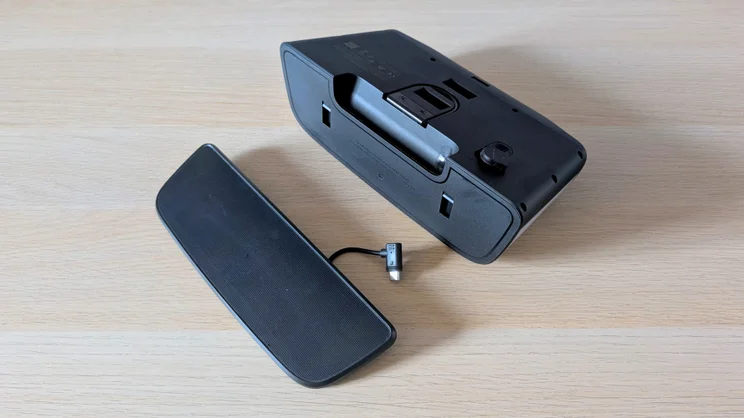
- Detachable solar panel
- A little on the expensive side
- Camera housing isn’t motorised
- 2.4GHz WiFi only
Eufy’s new S4 4K Solar Wall Light is best described as a high-performance wall light with a built-in camera rather than as a floodlight security camera with the power to all-but blind would-be intruders.
That said, the camera isn’t a cheap afterthought. Instead, it’s a good-quality 4K, 3,840 x 2,160 affair with 8x digital zoom and a wide-aperture F/1.6 lens to let the maximum amount of light in.
And while some external lighting systems require you to grapple with the thorny issue of getting a 240v power supply from inside your house to the outside, Eufy has dodged the problem by fitting the camera with a high-capacity 10,000mAh battery and a solar panel.
At the time of writing, the S4 4K costs £229, but at the time of writing Eufy was offering it in a bundle with the highly regarded E340 doorbell for £309. That is a good deal if you are in the market for a doorbell and a security camera.

What do you get for the money?
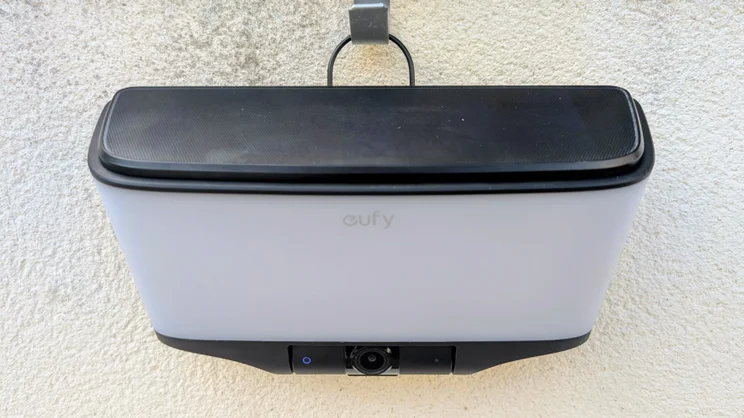
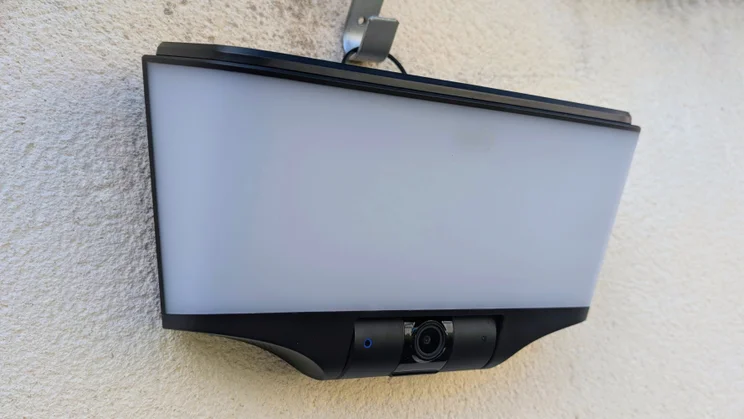
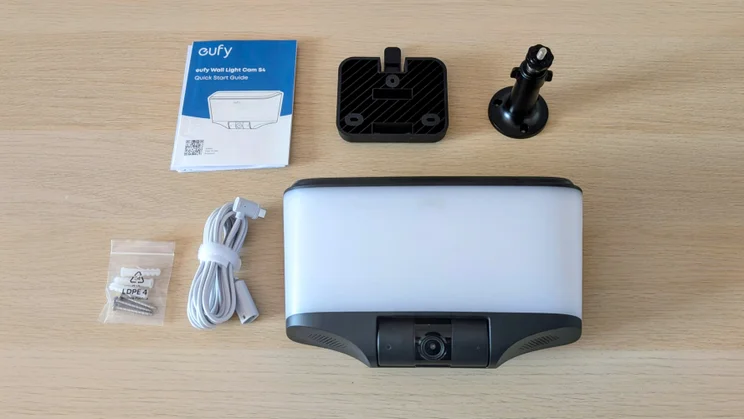
The S4 4K is basically one big LED array wrapped in a plastic box with a translucent front. The unit is reasonably compact at 245 x 81.8 x 142 mm and weighs 915g. Despite being made entirely of plastic, it feels solid and is IP65-rated, so it should shrug off the worst the British weather can throw at it.
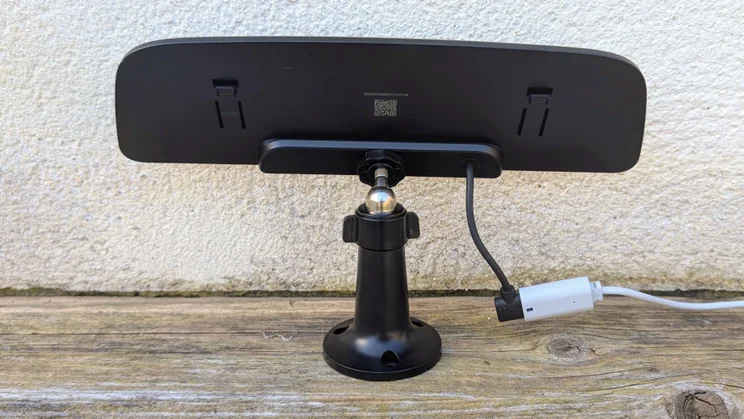
The top of the unit houses a detachable 2W solar panel that’s connected to the main unit via a short USB-C cable. The box also includes a separate adjustable wall mount for the solar panel and a two-metre cable, so you can place the panel away from the main unit to get more sun. The unit is powered by 10,000mAh worth of rechargeable batteries, but there’s no facility to hook this up to the mains.
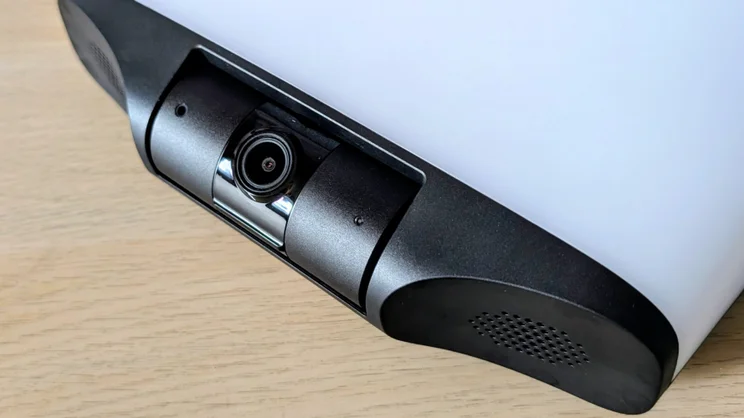
Below the bank of LED lights is the camera housing, which can be tilted downward by up to 45 degrees, and the unit also houses a 100dB alarm that can be triggered manually or when movement is detected. There’s also support for two-way audio, so you can hold a conversation via the Eufy app.
The lighting array is rated at 500 Lumens, which proved to be more than enough to illuminate my 8 x 4m yard and the temperature of the light can be adjusted between a warm and welcoming 2,700K and a cooler, more daylight-like 6,500K.
You can adjust the length of time the light remains on after detecting motion can be adjusted between three seconds and five minutes, but it cannot be set to stay on permanently. That’s the counter to the easy, non-wired installation.
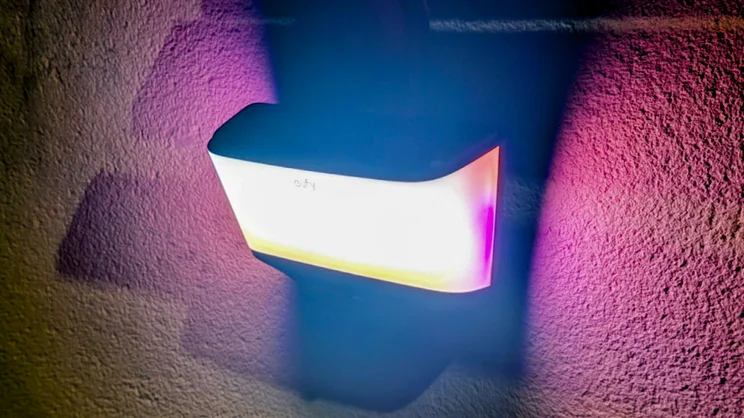
There are also several pre-set RGB colour schemes that can be set to trigger automatically at certain times of the day when motion is detected, which I’ll come to later.
Do you need a subscription?
The S4 comes with 32GB of built-in storage, which means you can store, review and share any footage captured for free, while basic motion detection, for people, vehicles and animals and rich notifications, also cost nothing. That also means there’s no need to take out a paid subscription to Eufy’s cloud service, unless you genuinely want or need off-site remote storage.
If you do want to store your recordings in the Eufy cloud, you have two options. A single camera account will set you back £4/mth or £40/yr, while a multi-camera account costs £13/mth or £130/yr.
Buying a subscription does not enable facial recognition. To get that feature, you need to buy one of Eufy’s HomeBase S380 smart hubs, which will set you back £159.
As well as adding facial recognition, the HomeBase can also store footage remotely and enables integration with Apple Home services. Without a HomeBase, only Google Home and Alexa are supported.
How easy is it to set up?
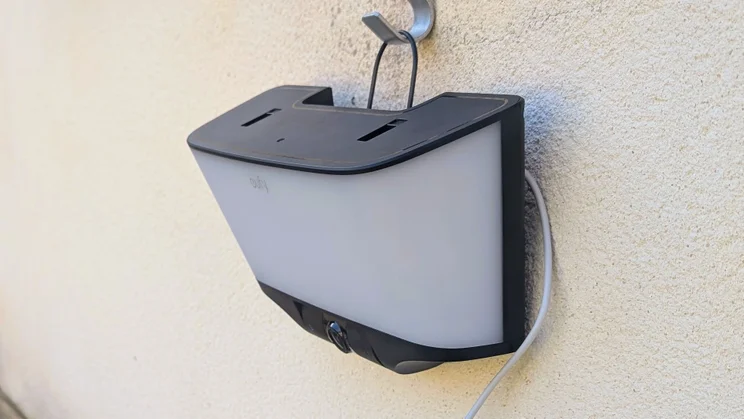
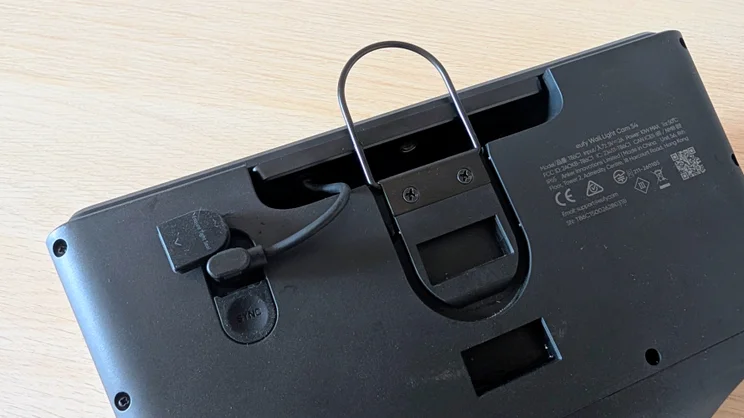
Eufy has made the S4 4K supremely easy to fix in place by dint of fitting a simple fold-away hook at the back. Fold this out, and you can hang the unit on any convenient nail, screw or hook.
This is a boon if you want to put the unit somewhere temporarily, such as on the outside of a caravan or motorhome, or just want a system you can easily move from one location to another on your property.
There’s also a more conventional wall bracket in the box that clips onto the back of the unit. Screws and wall plugs to fix either the bracket or the solar panel stand are supplied, but if you need to fix both, you’ll need more.
As for connecting the Eufy S4 4K Solar Wall Light to the your home network and mobile app, that’s pretty easy, too. The things to be aware of here, are that you do need to set up a Eufy account, and connectivity is limited to the 2.4GHz Wi-Fi frequency.
Is the companion app any good?
Eufy’s app is one of the better efforts, with everything laid out clearly and sensibly. Recordings are accessed from the bottom of the home screen by hitting the Events tab and these can be filtered by trigger type and device, assuming you have more than one Eufy camera. What you can’t do is search via a text description, as you can with Reolink’s app.
When reviewing a recording, you are also presented with the option to download or share the clip, “donate” the clip to Eufy to improve its AI system or delete it.
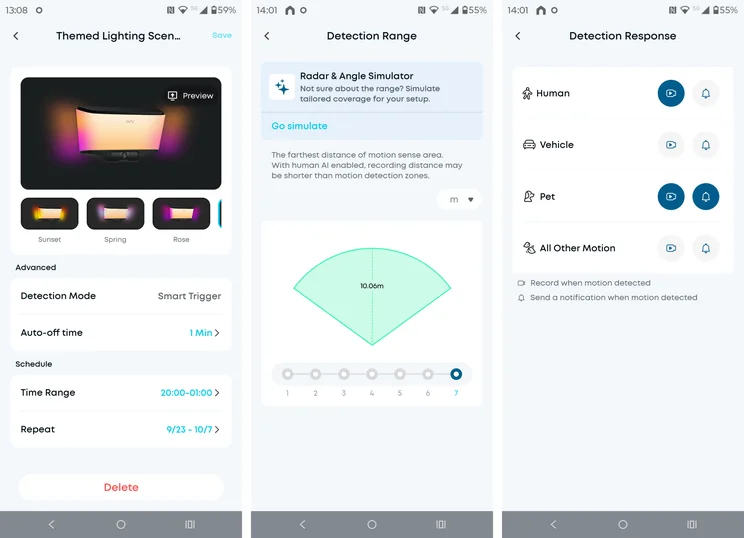
Moving to the live feed screen, you’ll find a row of buttons with self-explanatory labels at the bottom: Record, Call, Light (which turns on the light array for 40 seconds or until you turn it off), Screenshot, Night Vision and Resolution. The last two buttons sit off-screen, accessible via a three-dot button, but you can customise which two functions sit here.
Also on the live view screen are buttons to mute the microphone, to make the image full-screen, to fire the siren and to open the settings menu. And the app supports rich notifications, which means alerts are sent with a thumbnail capture of what triggered them. Again, this is a feature some makers demand a subscription to support.
How we test security cameras
In any security-related situation, how fast you can react to events is key, and that’s why we test the responsiveness of each camera we review. To do this, we measure the response speed to various triggers.
For example, we test how long it takes for an alert to appear in the camera’s mobile app after detecting motion. We also time how long it takes to bring up the live feed from any alert and how quickly a live feed is brought up from the main screen of the app.
We also assess image quality in daylight and at night, check audio quality, and spotlight or floodlight brightness (where applicable). Finally, we test any AI detection features to see if they actually work.
How does the Eufy S4 4K Solar Wall Light perform?
Image quality and night vision
In daylight, images from the 4K camera were consistently bright, crisp and colourful. Contrast levels were good, too, which offset the absence of HDR. The 8x zoom facility is entirely digital, but being a 4K camera the performance at higher zoom levels was better than that from the 2K Eufy C37.
When it comes to night vision, the S4 4K presents three options: full colour with floodlights, full colour without lighting, and mono infrared. Performance in all three modes was impressive; indeed, in my streetlight-lit yard the unlit colour feed was very nearly as bright and colourful as the floodlit alternative.
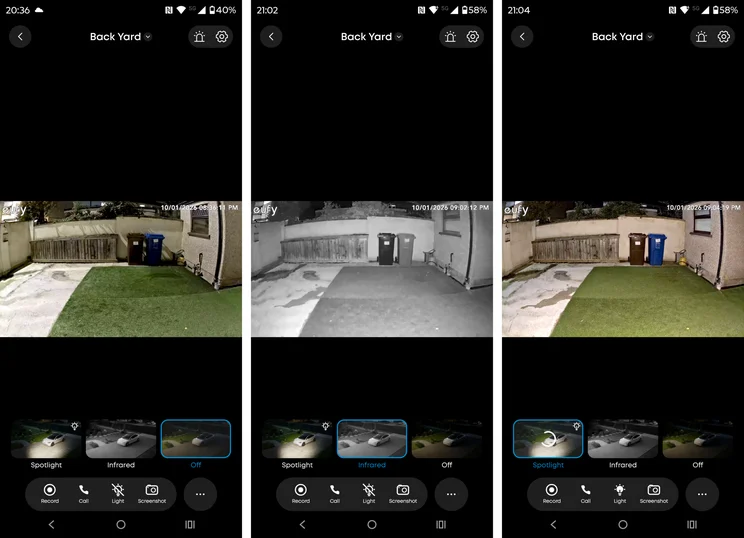
That meant I could get colour video of what the dog and the local wildlife were up to without startling them with the floodlight. I set that to only come on when human presence was detected.
The only significant absences from the camera’s repertoire are the ability to record continuously or time-lapse, though to be fair these capabilities are not ubiquitous in home security cameras.
Floodlights, audio and siren
The lighting array can operate in either pure-white “Day Lighting” or RGB-based “Themed Lighting” modes. Whichever you choose, remember, the light only comes on for a short duration when triggered; a permanent-on option would drain the battery in a matter of hours despite the solar panel’s best efforts.
Still, the former is more than bright enough to illuminate the average urban or suburban garden, even if it doesn’t quite generate the searing brightness of the likes of the Reolink Elite, whose LED array is rated at 3,000 Lumens, or six times that of the Eufy.
To make use of the colour LEDs on the sides of the unit, you need to activate Themed Lighting mode. This lets you pick from a selection of schemes – Sunset, Spring, Rose, Fantasy, Winter and Spark – which replace the default white light according to a schedule you set up via the app. They’re not particularly bright, however, and only make a striking impact in near-total darkness.
In fact, I’d describe the whole Theme system interesting but ultimately rather irrelevant. You can use the same scheduling system to adjust the lights’ brightness and warmth according to time and date, however, which has more real-world use.
Audio performance on the other hand, is excellent, thanks to the two outward-facing speakers that flank the camera housing. Voice communications came out loud and clear, while recordings were clear and largely free from background wind noise. And the 100dB siren was loud enough to make standing next to the unit quite unpleasant.
Speed and responsiveness
The S4 4K proved itself every bit as fast out of the blocks as its stablemates, the C31 PtZ and C37, with alerts arriving on my phone pretty much instantaneously. Similarly, opening a live video feed seldom took more than a second or two.
The Eufy S4 4K Solar Wall Light’s performance was all the more impressive because I positioned it towards the end of my yard, where 2.4GHz reception from the router in my lounge is a little questionable. The wireless chip and firmware were obviously capable of making the best of a bad connectivity lot.
Eufy also boasts the S4 4K features a 60GHz millimetre-wave radar sensor with a 120-degree detection arc and a range of 10m, where most rivals use the less accurate PIR (passive infrared) type of sensor.
I’ve no issue with the range claims, but in the real world that 120-degree detection arc means you can sneak up on the unit from the side in the 35-degree dead zone. Careful sighting mitigates this problem, but it’s nonetheless true that the S4 4K was easier to evade than the Tapo C645D placed next to it.
Of course, the S4 4K is not a thoroughbred security camera like the C645D but rather a hybrid outdoor light/camera, so it’s a little unfair to make this comparison. For everyday use, the S4 4K’s zone of detection is good enough.
Battery Life
The mileage you get from a full charge of the S4 4K’s 10,000mAh battery will vary greatly, depending on how often the lights and camera are triggered, how brightly the lights are set and how long they are set to stay on after being triggered.
During testing, my unit was triggered regularly by both the dog and myself and was set to shine at maximum brightness five minutes once triggered (the longest setting). Even with the days shortening, the solar panel was able to keep increasing the battery charge, from the 30% it showed on delivery to 88% a week later.
That suggests that even in the most demanding of circumstances in the depths of winter, the solar panel should be able to maintain a full or near-full charge. Obviously, had I bought the unit, I would have charged it fully via the USB-C port before setting it up.
Should you buy the Eufy S4 4K Solar Wall Light?
As a simple way to add exterior lighting and security to your home, the Eufy S4 4K Solar Wall Light takes some beating. For 90% of homeowners, the 500 Lumen lighting array will be more than sufficient to light up a garden or yard, while the 4K camera records in impressive quality, regardless of lighting.
Add 32GB of built-in storage, which means you don’t need to buy a MicroSD card, and free AI-powered motion discrimination, and you have a comprehensive, easy to use security camera that, despite the relatively high price, is great value.
The only significant missing feature is an always-on switch for the light, but given this would drain the battery beyond the ability of the solar panel to replenish, even in the summer, it’s an entirely explicable absence.