
To help us provide you with free impartial advice, we may earn a commission if you buy through links on our site. Learn more
- Very well-priced
- Good all-round pictures for the money
- Straightforward but comprehensive smart features
- Occasional audio dropouts
- Extremely limited viewing angles
- HDR10 clipping
Sharp HJ6725KB review: Key specifications
| Screen sizes available | 50in (4T-C50HJ6725K) |
| Panel type | Quantum Dot LCD |
| Resolution | 4K/UHD (3,840 x 2,160) |
| Refresh rates | 60Hz |
| HDR formats | HDR10, HLG, Dolby Vision |
| Audio enhancement | 2.0-channel 20W |
| HDMI inputs | 3 (with limited HDMI 2.1 support) |
| Freeview Play compatibility | No |
| Tuners | Terrestrial Freeview HD |
| Gaming features | ALLM, Game mode |
| Wireless connectivity | Wi-Fi |
| Smart assistants | ‘Works with’ Apple Home, Alexa, Apple AirPlay, and Google Home |
| Smart platform | Roku TV (and Freely) |
What you need to know
The HJ6725KB is an ultra-affordable 4K LCD smart TV built on a dual Roku TV/Freely smart platform. These platforms and the TV’s £350 price tag are its killer apps, though as we’ll see, it’s not a bad performer either.
Unusually, while Sharp sells 43in and 55in Roku TVs, the HJ6725KB series is only available in the single 50in size I’m looking at here.
Price and competition
At the time of writing, the Sharp HJ6725KB Roku TV costs £350 at Currys, though some online stores have it listed for £299. At either price, it’s eminently affordable for a 50in TV.
A few other brands offer sets in the same price ballpark: Samsung has the U8000H (£299), Hisense has the A6S (£319), and Toshiba has the UF2653DB (£349).
Design, connections and control
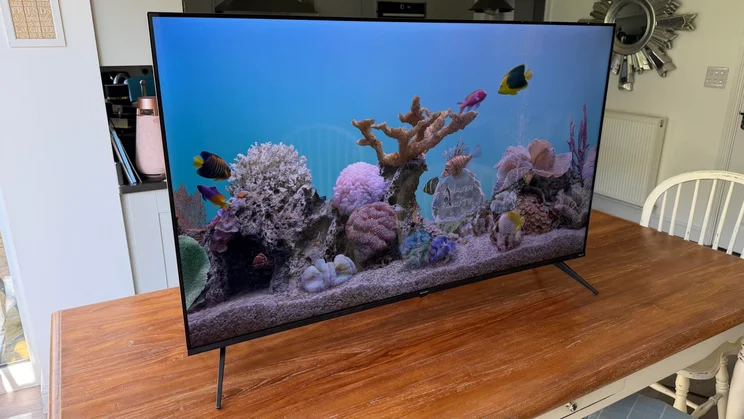
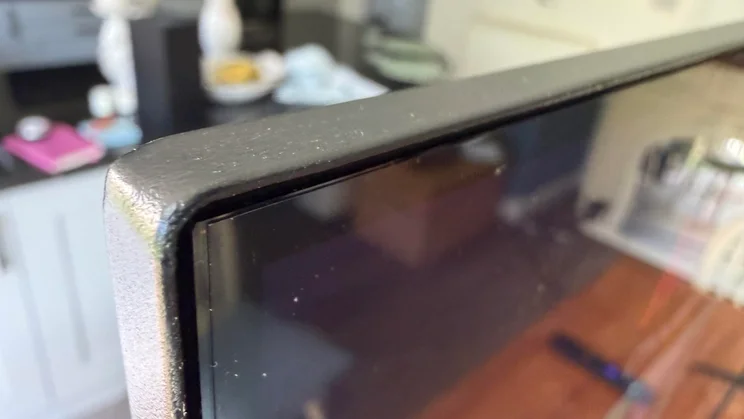
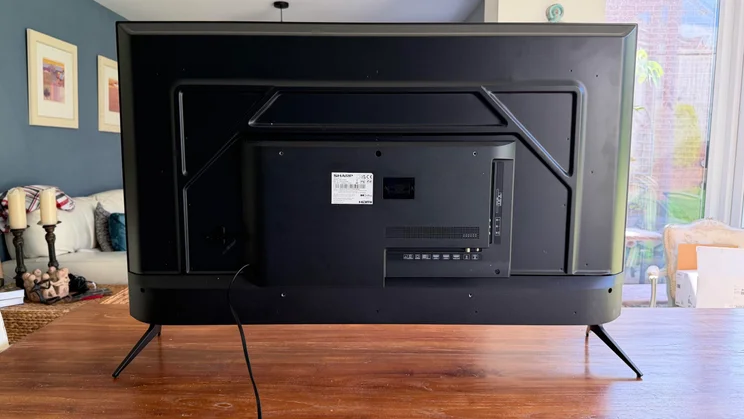
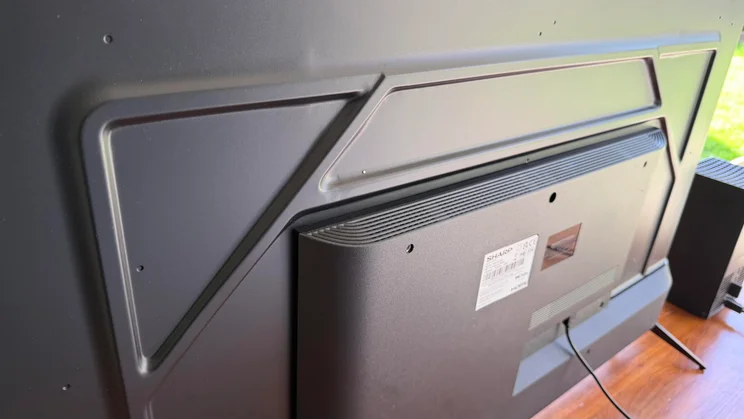
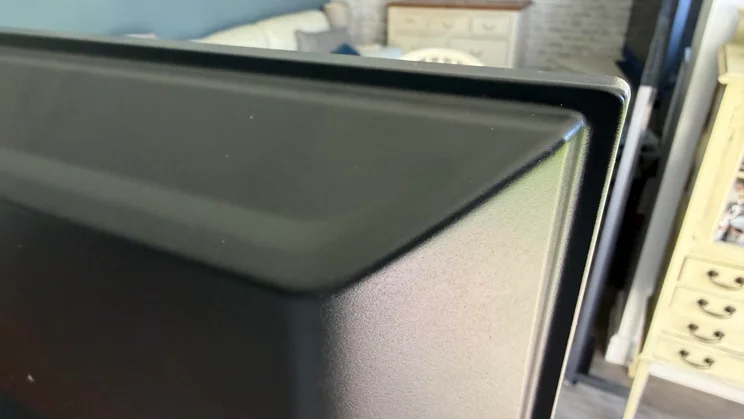
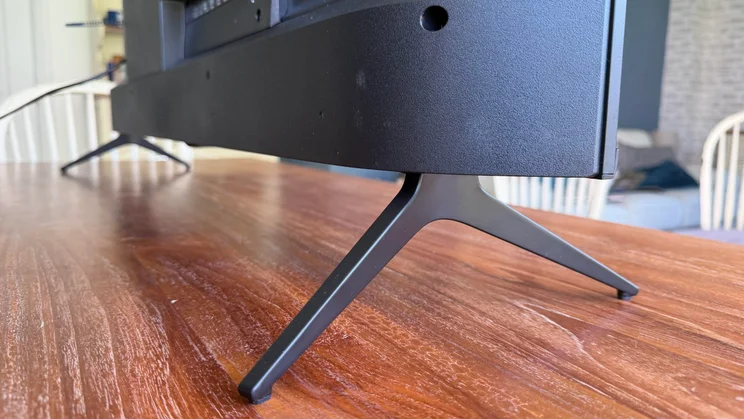
Not surprisingly, the HJ6725KB is extremely lightweight and has a primarily plastic finish, including the two angular feet under its left and right corners. However, a glossy finish on the panel’s border adds some opulence, and half its rear is quite trim for a budget TV. The bottom half of the rear, which holds the TV’s connections, speakers, and, presumably, processing chips, starts to push things out to a point where wall mounting looks a bit awkward.
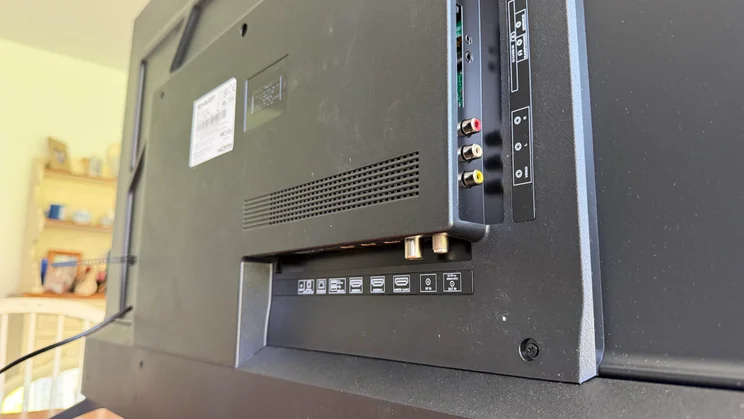
Connectivity is decent for such an affordable TV. Three HDMI ports are joined by a couple of USB ports, a 3.5mm headphone jack, an Ethernet port, an optical digital audio output, and a 3 x RCA video/audio input. The set also supports Wi-Fi, of course – but not Bluetooth.
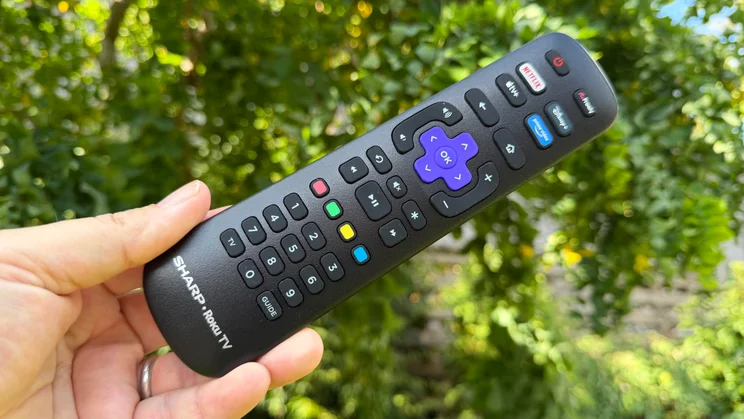
The TV ships with a lightweight, plasticky Roku-style remote control. It’s not premium to hold, but extremely easy to use thanks to a logical, decently spacious button layout.
You can also control it via the Roku TV app for iOS and Android, or voice commands if you have an Apple Home, Alexa, Apple AirPlay, or Google Home device.
Smart TV platform
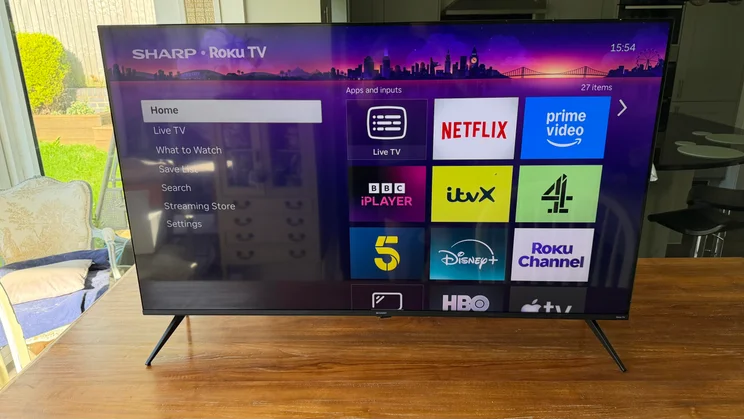
Most of the most affordable TVs in the UK use either TiVo or Roku for their smart TV services. The HJ6725KB takes the Roku route, a great choice for anyone who prefers simplicity over sophistication.
Roku, at least in the version supported by the HJ6725KB, doesn’t offer much when learning your content preferences and making recommendations. It’s not as sophisticated as TiVo in this respect. Its presentation is also rather basic by today’s standards. However, while it may look and even be quite primitive by today’s AI-powered standards, it is very easy to use and set up; you just need to know what you’re looking for and spend a minute or two manually organising stuff that the most advanced smart systems might now try to do automatically.
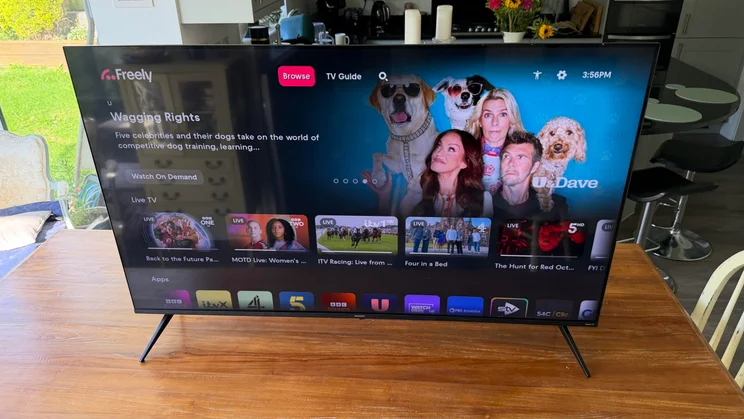
Roku TV’s app support is excellent, with all the key global and local streaming services covered. Impressively, the HJ6725KB moves beyond Roku TV by also carrying Freely, which lets you live stream most Freeview HD channels and removes the need for an aerial.
Image quality
While the HJ6725KB isn’t packed with picture features and adjustments (there aren’t many picture presets), it delivers a pretty enjoyable SDR picture without much manual intervention.
In its default Standard mode, it’s brighter than most affordable TVs, yet handles dark scenes credibly, infusing them with less greyness than I’d expect at this price. Very dark shots reveal a slight extra backlight glow in the corners, and I spotted a thin line of extra brightness around the image’s outer edges. However, it isn’t visible with most content, and is faint enough during dark scenes not to draw your eye.
As usual with TVs that can do respectable black levels, the HJ6725KB also delivers a convincing colour palette. Tones look natural, believable and consistent enough to feel like they belong in the same universe, and there’s enough brightness and Quantum Dot-inspired colour range to deliver a palpable, enjoyable difference between the relatively punchy, daytime-viewing-friendly Standard SDR preset and the more accurate Movie mode.
Measurements using Portrait Display’s Calman Ultimate software and G1 signal generator together with a Klein K10-A light meter reveal that both the Standard and Movie modes work with similar levels of peak and core white point brightness: 235cd/m2 for both measurements in Movie mode, and 265cd/m2 for both measurements in Standard mode.
Standard is the way to go for colours and vibrancy
However, the Standard SDR setting uses its brightness to unlock a significantly wider colour gamut than the Movie preset. It covers a very impressive 122% of SDR’s Rec.709 colour spectrum. This makes the picture look more vibrant than Movie mode, which is ideal for bright rooms or people who want to see their TV at the extremes of its capabilities. Even though those extremes are inevitably fairly constrained with such a cheap TV.
The Movie SDR picture mode, meanwhile, shows impressive discipline for this level of the market by reining the HJ6725KB’s colour range back to just under 98% of the BT.709 standard. This demonstrates a surprisingly strong commitment to matching current creative intent mastering values. Measured average Delta E 2000 errors of just 2.7 (two-point) and 2.4 (Greyscale Multipoint) support this result—both falling below the threshold for true accuracy.
Calman Ultimate measurements slide out a little with its Saturation Sweep, Luminance Sweep, and ColorChecker tests, though the 7.5, 6.8, and 6.1 results aren’t too far off for such an affordable TV. The fact that I’m even bothering to mention such a cheap TV in the same breath as accurate test results is honestly a credit to the HJ6725KB’s SDR picture achievements.
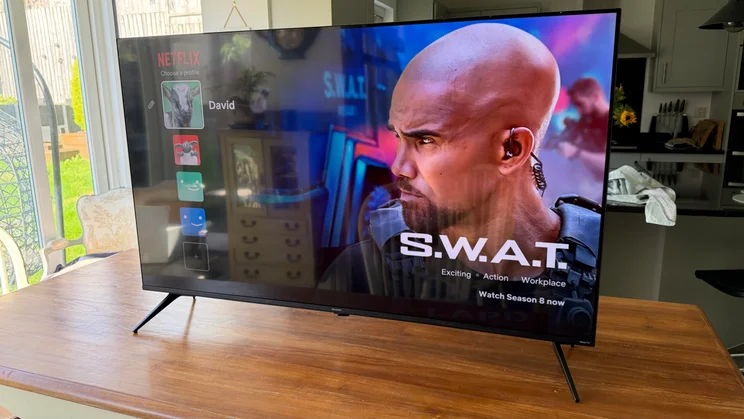
The only major weakness of the HJ6725KB I noticed while testing its SDR pictures is its extremely limited viewing angles. The picture loses substantial colour saturation and contrast when viewed 15 to 20 degrees off-axis.
HDR performance
More often than not, high dynamic range video is either a big nothing burger or a poisoned chalice on TVs as cheap as the HJ6725KB. Sharp’s set, though, doesn’t do a bad job.
Let’s get the bad news about its HDR efforts out of the way. Black levels are a little shallower than with SDR, as the extra brightness needed makes it harder for the HJ6725KB to control where it goes.
This same core issue can also mean that during some dark scenes, especially with HDR10 content (as opposed to the Dolby Vision format that the HJ6725KB also supports), the HJ6725KB can bring out a little more detail in dark corners than you’re actually supposed to see. Such details seldom look messy or out of place, though, as they’re never accompanied by speckling or blocking noise. In fact, unless you know what a particular dark HDR scene should look like, you may not notice that the HJ6725KB’s slightly shallower HDR black levels are revealing more than they should.
Dark scenes also have a slight green tint at times, though this is mild enough that you tune it out over time. Because of its limited brightness, the HJ6725KB clips the brightest points of HDR footage. Certain presets also obscure subtle shadow detail, especially Dolby Vision Dark, which makes the picture so dim that the screen struggles to resolve dark image elements properly.
Dolby Vision support remains a helpful inclusion overall, though. The Dolby Vision Normal preset substantially reduces the clipping issue the HJ6725KB suffers with when showing other HDR formats, and its extra picture information helps the HJ6725KB reproduce more nuanced contrast and warmer, more cinematic colour tones than you get with standard HDR10 playback.
Dynamic tone mapping: A welcome surprise
Surprisingly for its price, the HJ6725KB can apply dynamic tone mapping to HDR10 images to try to take advantage of the screen’s full capabilities. While this system tries a bit too hard at times, contributing to the clipping issue that Dolby Vision Normal mode largely solves, it helps the TV deliver more of a sense of HDR’s expanded light range than you’d expect from a TV that topped out at 270cd/m2 brightness in my Calman Ultimate HDR tests.
As noted in the SDR picture performance section, the HJ6725KB deliver a significantly wider colour gamut than I’d normally expect from such a cheap TV. Calman Ultimate HDR measurements show it covers an impressive 96% of the P3 colour gamut used for the vast majority of today’s HDR Mastering. This further helps the HJ6725KB’s pictures look more punchy and vibrant than you would expect with such a brightness-limited screen, helping the HJ6725KB deliver a clearer step up in picture performance from SDR to HDR than budget TVs typically manage.
Colours can look a little coarse in HDR playback, presumably because the screen lacks a colour management processor potent enough to eke out the same range of tones and blend subtlety as premium TVs. This limitation, along with a touch of LCD latency, also contributes to a slightly soft look to fast motion during 24p HDR viewing. However, the softness doesn’t prevent the HJ6725KB’s pictures from looking 4K, and the colour coarseness is limited to areas with unusually large amounts of subtle colour-based texturing.
Natural skin tones and decent Dolby Vision
The HJ6725KB produces natural, detailed skin tones, so people don’t look like mannequins. In fact, skin tones confirm that despite the small colour limitations I’ve mentioned, the HJ6725KB’s colours are generally more natural and balanced with both HDR10 and, especially, Dolby Vision than you’d expect for so little money.
The HJ6725KB produces natural, detailed skin tones, so people don’t look like mannequins. In fact, skin tones confirm that despite the small colour limitations I’ve mentioned, the HJ6725KB’s colours are generally more natural and balanced with both HDR10 and, especially, Dolby Vision than you’d expect for so little money.
Remarkably, the HJ6725KB’s Calman Ultimate HDR performance earns it the right to continue the accuracy discussion started with its SDR performance. I found the HDR Bright setting best suited to the screen’s capabilities and tuning, but the HDR Dark setting generated strikingly accurate results.
Delta E 2000 average scores of 1.4 and 1.2 for HDR Dark mode’s two-point and multi-point greyscale tests are outstanding, as is the 2.8 score it achieved for the key ColorChecker colour accuracy test. It keeps its average error results below five for Luminance Sweep and HDR ContentColor tests, too, with the only major slip coming from a 17.4 score for Calman Ultimate’s Saturation Sweep test. I imagine this is because the screen’s low brightness prevents it from hitting the right saturation levels with specific, relatively subtle shades.
Gaming
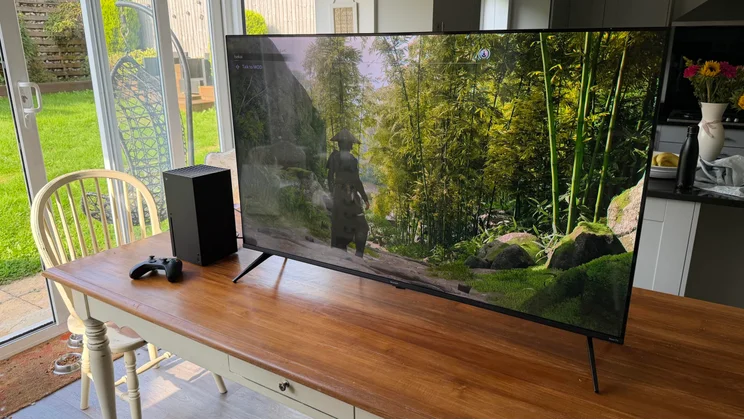
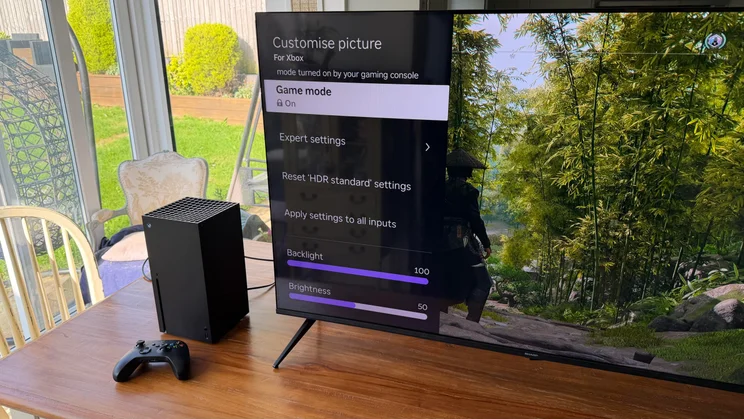
The Sharp HJ6725KB doesn’t offer a particularly extensive suite of gaming features. It only uses a 60Hz panel, after all, and its HDMI ports don’t support variable refresh rates. However, it can automatically switch to its fastest-responding Game preset when it detects a game source, and in that mode, it renders images in just 13.3ms. That’s fast enough to keep you competitive in even the most trigger-happy games.
The good colour and contrast for such a cheap TV give graphics a decent level of immersive pop. Speedy camera pans around a game environment aren’t quite as crisp as they can be on more premium TVs, but the overall experience still feels responsive and immersive.
Sound quality
The HJ6725KB’s sound is understandably basic; don’t expect three-dimensional sound staging or Dolby Atmos theatrics. That said, the HJ6725KB’s speakers do quite well.
Dialogue is reasonably clear during dense soundtrack moments, and the sound’s tone is rounded enough to ensure ambient effects aren’t too bright in the mix. The speakers also have enough power and dynamic range to prevent movie soundtracks from sounding compressed or overly trapped in the TV’s bodywork.
That’s not to say the HJ6725KB’s soundstage is particularly massive. It’s just big enough. Although the TV delivers balanced sound, it lacks the bass depth to add heft to action scenes. Its speakers also lack the headroom to handle escalating action, forcing the mix to flatten before reaching the climax.
Fortunately, sound doesn’t collapse under duress. The speakers seem to know their limits and avoid distortion or crackling no matter how raucous a soundtrack gets. In fact, the TV seems to prefer leaving the most challenging sound elements out of its presentation rather than have them cause distracting speaker breakdowns.
Sharp HJ6725KB Roku TV review: Verdict
Inevitably, as a £350 50in TV, the Sharp 4T-C50HJ6725KB doesn’t take the TV world to new heights. What it does, though, is get all the basics of a well-rounded TV performance right.
So you get a rather old-school but simple and content-rich smart system; a composed, clean sound performance; and pictures that are cleaner, more dynamic, better balanced, more vibrant and, best of all, less compromised by the usual budget TV hardware and software flaws than you have any right to expect for so little money.


