
To help us provide you with free impartial advice, we may earn a commission if you buy through links on our site. Learn more
- Attractive and functional display
- Engaging 3.0.2-channel sound
- Fantastic in-app options and streaming features
- No Apple AirPlay 2
- Lacks HDMI passthrough
Sonos has dominated the sub-£500 standalone soundbar market for ages; no mid-range all-rounder has dethroned the Sonos Beam 2 since release. But now it’s getting long in the tooth, and the recently released Beam Ultra costs £699, other brands have a chance to stake their claim.
Enter WiiM and the WiiM Bar. The company’s first soundbar goes toe-to-toe with the Beam 2 in almost every department, including price, but has a couple of distinctive characteristics that set it apart from the countless others that have tried to seize Sonos’ crown. Were they enough to win me over during the month I spent using the WiiM Bar as my go-to home theatre audio output? Read on to find out.
What do you get for the money?
The WiiM Bar is a standalone soundbar that costs £449 and features a 3.0.2-channel setup. Three mid-woofers (110 x 52mm) and three tweeters (52 x 52mm) handle the front-firing output, while a pair of up-firing drivers (52 x 52mm) handle the height effects associated with Dolby Atmos. Four passive radiators help amplify the soundbar’s bass response.
The system has a stated maximum power output of 135W, which may not seem like much, but is more than enough to fill a reasonably sized living room. Both Dolby Atmos and DTS:X are supported, as are basic DTS, Dolby TrueHD and Dolby Digital Plus.
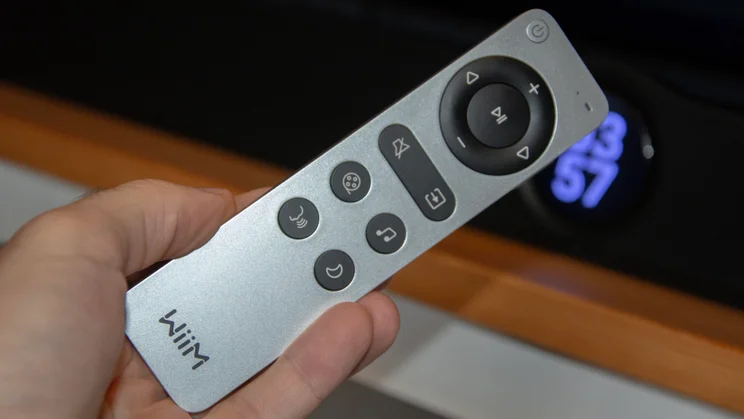
WiiM bundles a USB-C rechargeable remote control and an HDMI cable with the soundbar, but that’s all that’s in the box. You can, however, build a true surround-sound home theatre system around the WiiM Bar by adding a pair of WiiM Sound speakers and the WiiM Sub Pro. The WiiM Sound, which I rate highly, cost £299 apiece, while the Sub Pro costs £449. So, in total, you’ll pay just shy of £1,500 for the full 5.1.2-channel WiiM system.
What’s the design like?
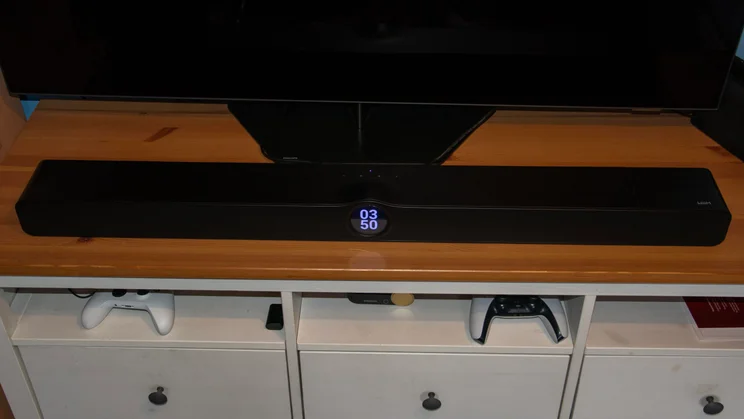
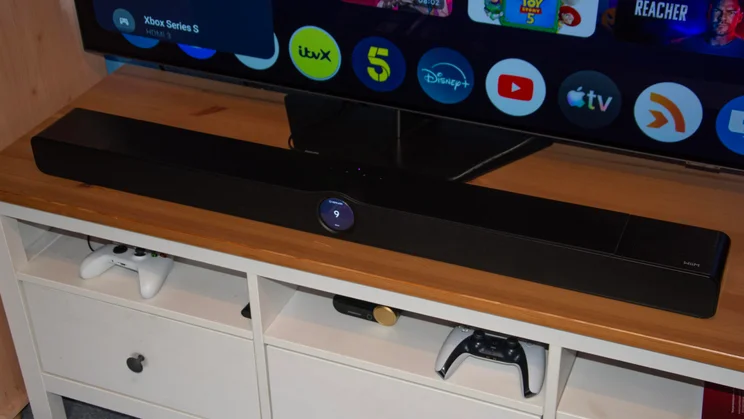
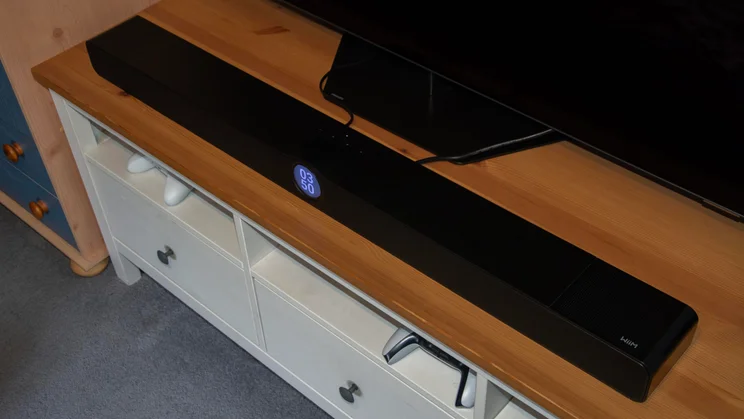
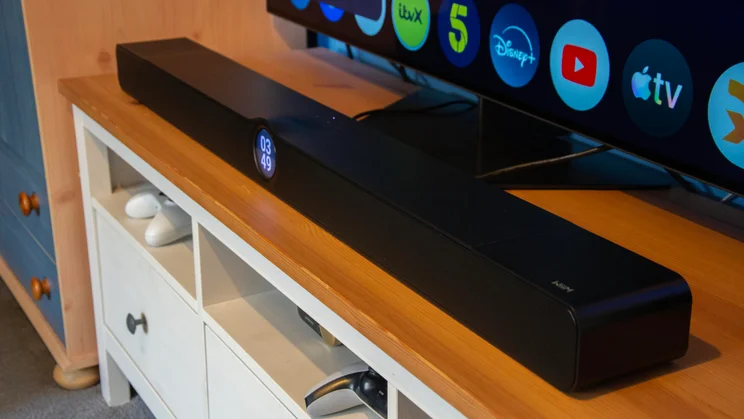
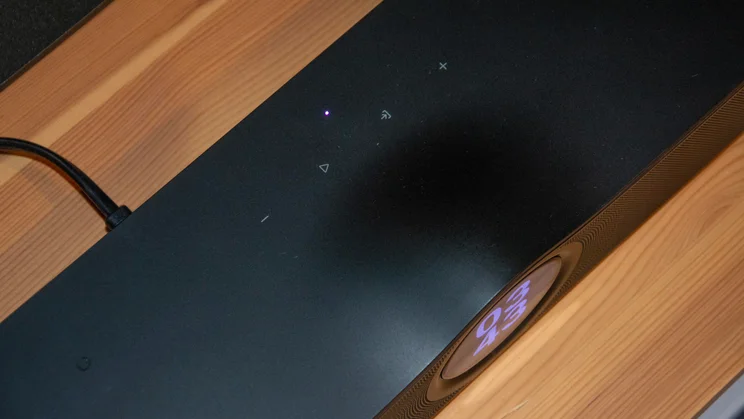
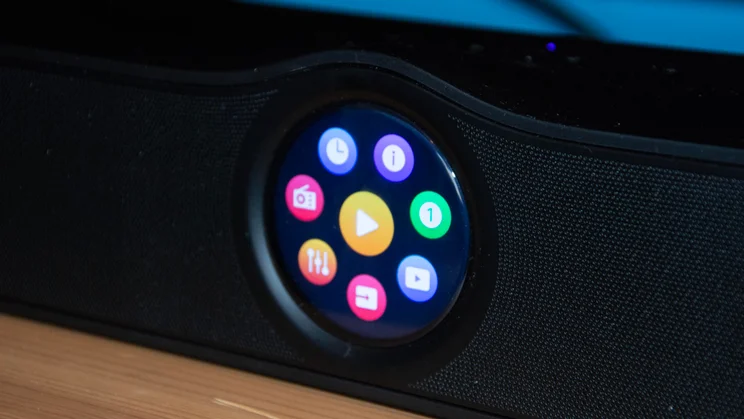
Here’s where WiiM takes its first step to differentiate the WiiM Bar from the competition. Like the WiiM Sound speaker, the WiiM Bar comes with a full-colour touchscreen display on its facade.
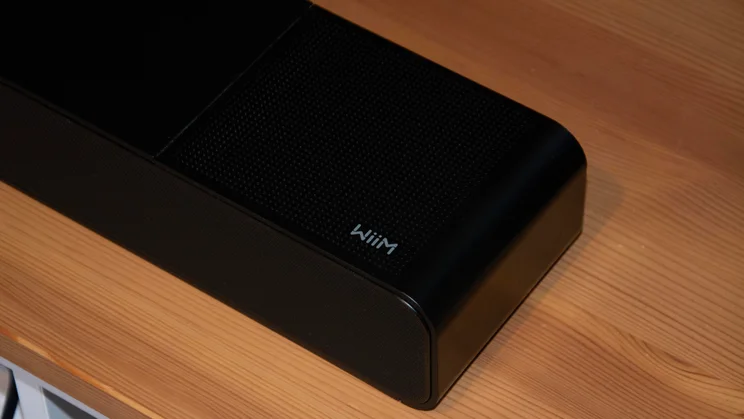
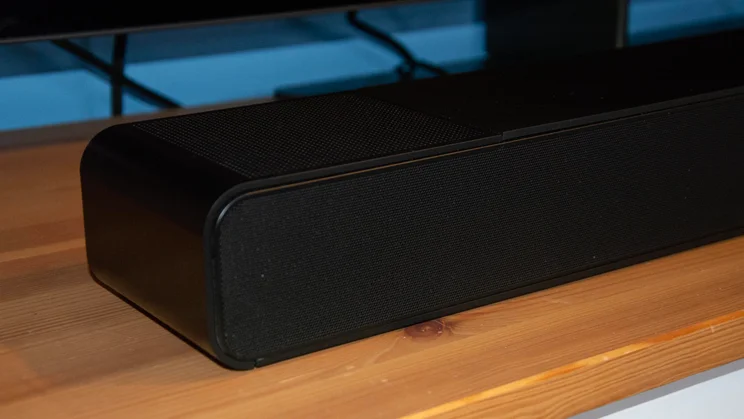
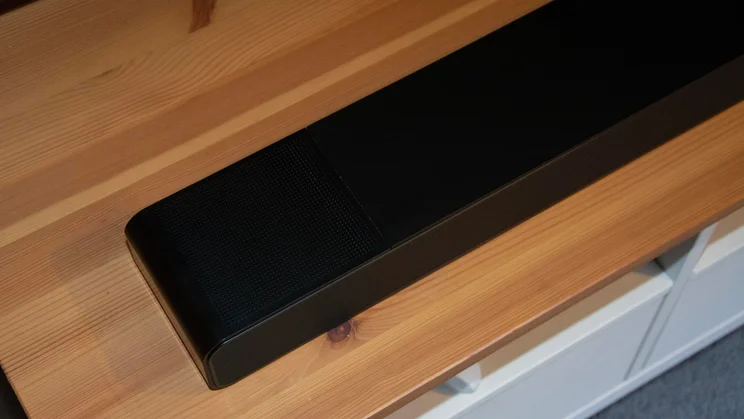
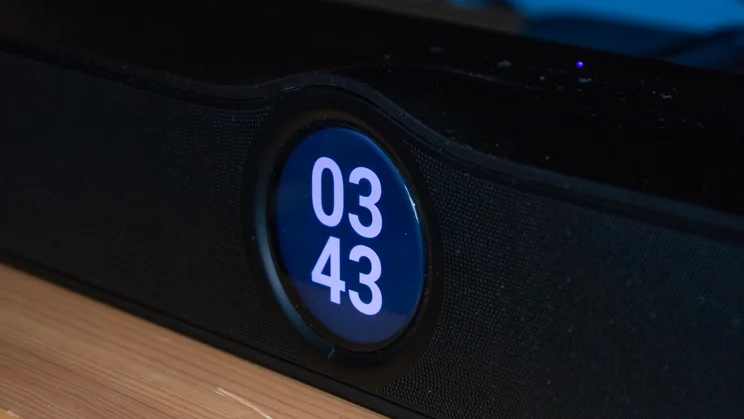
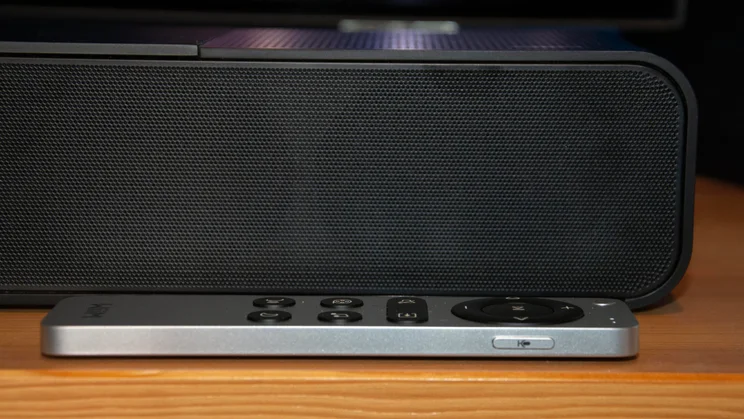
The glass-covered 2.1in screen is discreetly integrated into the soundbar, and the bar is low enough to fit under most TVs, despite the slightly raised central section needed to incorporate the display. The curvature adds a touch of class and creates a timepiece-like aesthetic when the display is functioning as a digital clock.
Measuring 1,060 x 105 x 80mm (WDH), the WiiM Bar is reasonably compact by standalone soundbar standards, and fitted perfectly in front of a 55in Philips OLED809 and 55in Samsung QN80H during testing. Its curved corners and black speaker grilles give it a sleek overall appearance; WiiM has delivered here.
What control options are available?
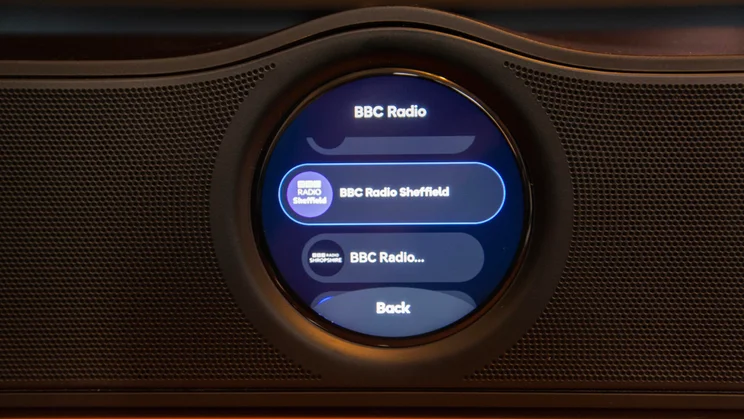
You can control the WiiM Bar in multiple ways. The touchscreen lets you play and pause audio streaming on your TV and access internet radio stations via your Wi-Fi connection. Four capacitive buttons on top of the bar let you control volume, switch sources, and play or pause content. The remote offers those options as well and includes quick-access buttons for the Bar’s four sound modes: Movie, Music, Voice and Night. The slender controller also has a push-to-talk button used to summon Amazon Alexa or Google Assistant and issue voice commands to the bar.
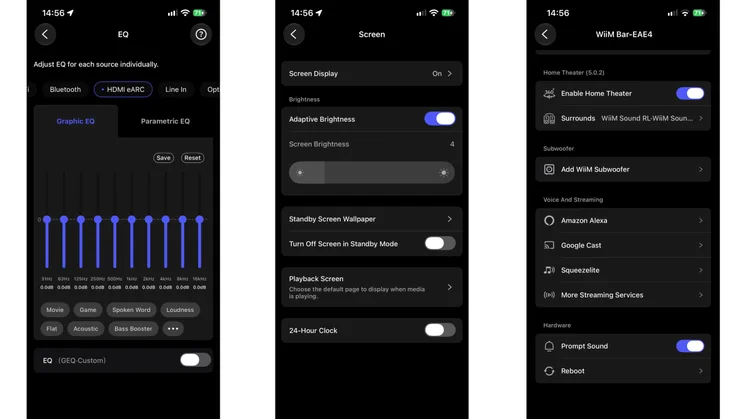
Finally, the WiiM Home mobile app offers the most in-depth controls for the soundbar. Options include EQ adjustments for each source, per-source volume controls, a volume limiter, fade-in and fade-out effects, a DTS Virtual:X toggle, and the ability to adjust the volume of the up-firing height speakers.
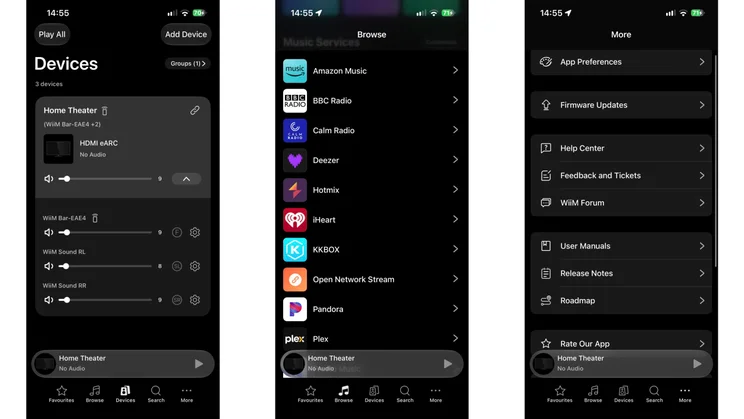
This is also where you set up your home theatre if you’ve got WiiM Sound speakers or the WiiM subwoofer. I didn’t have the sub available to test, but found adding the additional speakers a breeze. Once grouped with the Bar, you can adjust each component’s audio individually or synchronise them as a trio. I’ll discuss how the Bar performs with two Sound speakers later.
What connections does it have?
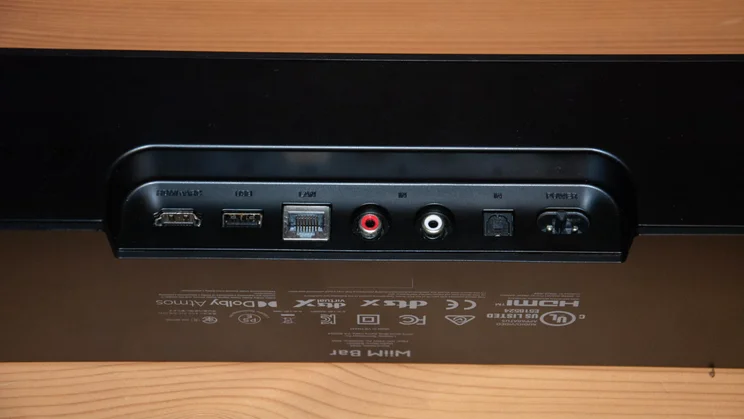
As is often the case for standalone soundbars at this price, the WiiM Bar has only one HDMI (eARC) port, so there’s no HDMI passthrough. I’d have loved an extra HDMI port to connect my PlayStation 5, Xbox Series S, Nintendo Switch and Vodafone TV box simultaneously, but I doubt most consumers are as port-hungry as we tech journalists.
In addition to the HDMI port, the Bar has an Ethernet port, optical input, a USB-A port that can be used as audio input or output, and an analogue line-in. These are housed on the rear of the soundbar. Wi-Fi (6E) and Bluetooth (5.3) handle streaming from the radio stations available on the bar and any content you might stream from your phone, laptop or tablet. Unfortunately, as with the WiiM Sound speaker, the Bar doesn’t support Apple AirPlay 2.
Wi-Fi also unlocks the WiiM wireless ecosystem. Besides creating the Home Theatre setup I described above, you can group multiple products across rooms for a WiiM multi-room experience, or use Alexa or Google multi-room grouping. That flexibility is welcome if you’re not ready to embrace the WiiM app and want to stick to a platform you’re familiar with.
How does it sound?
I’ve listened to many 3.0.2-channel soundbars, and none have fully overcome the lack of a dedicated subwoofer. The WiiM Bar doesn’t either, but it comes closer than most after a few EQ tweaks.
If left untouched, the Movie sound mode delivers a spacious, detailed listen with an admirable sense of height. On the Dolby Multichannel PCM (5.1) soundtrack of the animated series Golden Axe on Paramount+, dialogue was well-centred in the mix, and trebles were articulated with presence and clarity.
However, I found the sound a little bright overall, particularly at high volumes. At lower volumes (up to around 35%), the soundstage was enjoyable and balanced. Above that, treble became too prominent and slightly piercing, something that was obvious with high-pitched voices, but a few adjustments in the WiiM Home app made an immediate difference.
The four basic sound modes accessible via the remote are just starting points; the app offers over 20 EQ presets, including “Game”, “Bass Booster” and “Hip Hop”. Each is adjustable, and with the 31Hz, 63Hz and 125Hz bands boosted by 3 to 5dB on the Flat preset, Golden Axe’s over-the-top action sounded far more balanced.
The Bad Brothers’ hammer strikes had greater weight, and clanging swords weren’t quite as harsh. WiiM’s audio customisation options are among the best I’ve encountered; the Graphic EQ is relatively novice-friendly, while the Parametric EQ is a welcome, more advanced option for audio whizzes.
Surround performance
Thanks to its two up-firing drivers, the WiiM Bar is ideally, if not quite perfectly, suited to object-based Dolby Atmos and DTS:X soundtracks. Atmos is more prevalent across the major streaming services, but it’s great to see support for both here; something the Sonos Beam 2 lacks.
The Atmos mix of Matchbox: The Movie on Apple TV+ was the only saving grace of an otherwise distinctly average film. It’s a film with lots of driving, and I was consistently impressed by how the WiiM Bar handled the fast and sometimes frenetic action. It doesn’t create the widest Atmos soundstage because there are no side-firing drivers, but the up-firers convincingly gave height to a Jeep as it flew off a dune during the opening scene.
I particularly enjoyed how the bar moved sound effects around as John Cena backed his vehicle off a cliff and plummeted towards the sand before firing out a grappling hook to slow the fall. Further evidence of the WiiM Bar’s Atmos prowess followed shortly after, in a brief helicopter scene. I got a palpable sense of the blades whirring above eye level, and the whoosh as the aircraft swooped towards earth was wonderfully immersive.
DTS:X performance when watching Star Wars: The Mandalorian and Grogu in IMAX Enhanced on Disney+ was equally good. The Bar’s eight drivers delivered Mando’s fiery, explosive entrance with assurance, and the soundbar did a fine job tracking the up-and-down motion during a particularly hectic scene in which various intergalactic creatures jump, slither and swing around the screen. Dialogue wasn’t always quite as clear here as it was on Atmos mixes, but the Bar still supplied a rollicking ride through the galaxy.
Music
The WiiM Bar also performed very well in its Music mode. Based on my experience with Movie mode, I expected the lack of a subwoofer to hurt it even more, but it coped much better. Without fiddling about with the EQ, low frequencies had a meaty punch on MM2BE’s Electronic Maze, and the vocal and instrumental components on Fake Tales of San Francisco by Arctic Monkeys were individually well-defined yet cohesively knitted together.
This strong musical performance is important for two reasons. First, it enhances the appeal of incorporating the bar into a WiiM multi-room setup. Second, it encouraged me to make the most of the WiiM Home app’s position as a gateway to myriad streaming services. The app can integrate with platforms like Qobuz and Tidal, and you can access internet radio stations directly from the Bar’s digital display. I rarely use my soundbar as a music hub, but I did with the WiiM Bar.
Is it worth adding the WiiM Sound speakers?
You don’t need a pair of WiiM Sound to get a satisfying home cinema or music experience from the WiiM Bar; it manages just fine on its own. But WiiM’s wireless speakers quite literally add a different dimension to its performance.
San Francisco (Be Sure to Wear Flowers in Your Hair) sounded delightful; the vocals came straight at me from the Bar, guitar chords reached me from the right rear, and claps and drums emanated from the rear left.
Engaging the speakers during a chase sequence in The Mandalorian and Grogu improved immersion, too. As Mando weaved in and out of traffic on his jetpack, the sounds from surrounding vehicles jumped between the left and right rear speakers, placing me at the heart of the action and making me feel like I was navigating the city streets with the dynamic duo.
I’ll reiterate that I think the WiiM Bar is great even if you don’t own a pair of WiiM Sound. But if you do, it’s a no-brainer.
Should you buy the WiiM Bar?
As with its debut wireless speaker earlier this year, WiiM has done a fantastic job with the WiiM Bar. It shines as a standalone 3.0.2-channel soundbar for films thanks to effective Atmos and DTS:X performance, and it performs admirably as a music speaker.
Add extensive audio customisation options within a comprehensive, well-thought-out app that effectively doubles as a home audio ecosystem and streaming hub, and you’ve got the complete package. Oh, and don’t forget the display, which is not only aesthetically pleasing but useful too.
The WiiM Bar is my new favourite standalone soundbar under £500. If that’s your budget and you’re not wedded to a system with rear speakers and a sub, I’d recommend it without hesitation. And if you think you might want to add them later, that’s an option here too, though admittedly a rather expensive one.


