
To help us provide you with free impartial advice, we may earn a commission if you buy through links on our site. Learn more
Screenshot
- Stylish design
- Customisable sound
- Good features for the money
- Not the most secure fit
- Middling battery life
- Cheaper competition can offer more
There’s no shame in failing to understand Nothing’s unintuitive true wireless earbuds naming scheme. Last year’s Ear (3) were actually the fourth iteration of its flagship buds, following in the footsteps of the Ear (1), Ear (2) and 2024’s Nothing Ear. To add to the confusion, the Nothing Ear (3a) serve as the second-generation version of the brand’s cheaper Ear (a) series; Nothing skipped the (2a) entirely.
Puzzling names aside, these earbuds challenge pricier rivals for features, and I’d encourage Nothing fans to skip the Ear (3) and pick them up instead. They’re a good upgrade to the Nothing Ear (a), boasting a new 12mm driver, Bluetooth 6.0, improved ANC, a slight battery boost, and they’re available in a new pink finish alongside white, black, and yellow.
Do they beat rivals like the EarFun Air Pro 4+, OnePlus Buds 4 and Cambridge Audio Melomania A100 in the sub-£100 price bracket? That’s what I’ve been finding out while using them as my main earbuds for the past three weeks.
How much do they cost?
The price of tech products has been rising across the board in 2026, but thankfully, the Ear (3a) offer some welcome upgrades without a price hike.
They have the same £99 price tag as the original Ear (a), and their robust set of features, which I’ll get to shortly, makes them look like rather good value for money. They have plenty of competition in this segment of the market, however, so have to do a lot to stand out.
What features do they have?
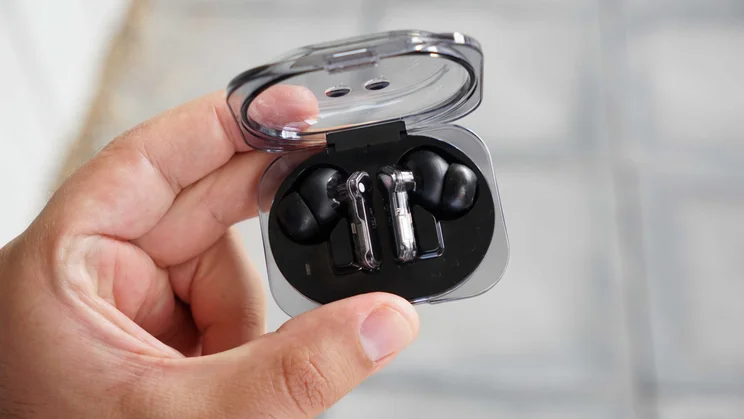
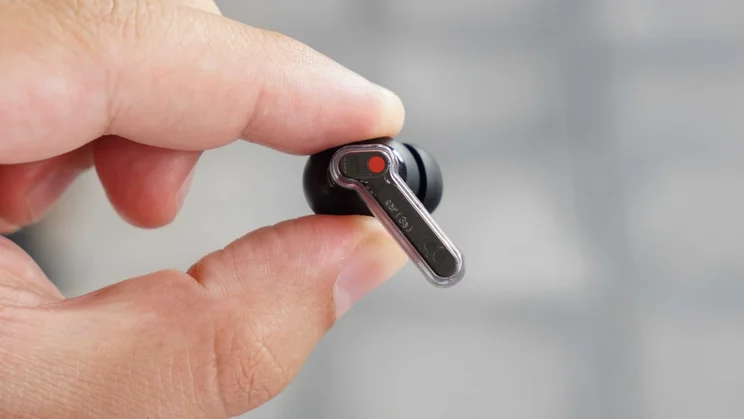
Unsurprisingly, Nothing’s Ear (3a) have a lot in common with their predecessors, the Ear (a). They look so similar that it’s easy to mix them up with both pairs put in front of you.
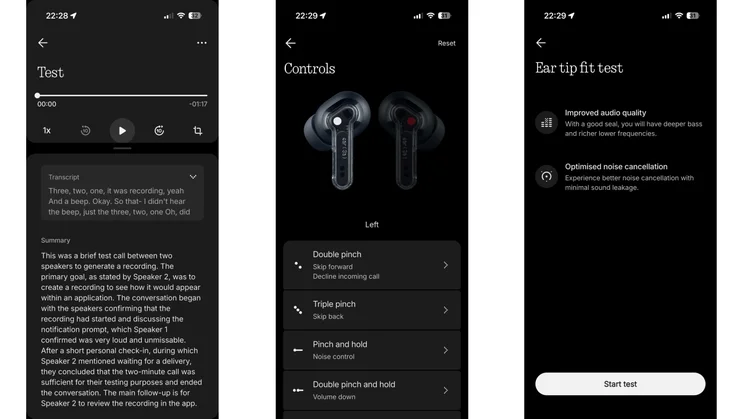
The main things to note are the improved audio hardware, upgraded noise cancellation, slightly increased battery life, and the unique addition of 32MB of integrated flash storage, which allows you to take 60-second audio snapshots and call recordings.
Screenshot
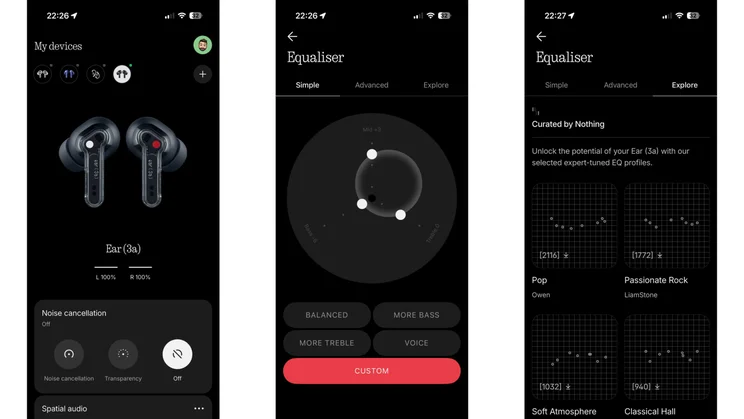
The drivers are now larger at 12mm, and there’s continued support for the LDAC, AAC, and SBC Bluetooth codecs over Bluetooth 6.0. They promise to cancel more noise (up to 45dB) and have a more natural transparency mode. There’s dual-device Bluetooth multipoint, static spatial audio, and a healthy amount of customisation in the Nothing X app, where you can access an eight-band parametric equaliser to fine-tune your sound profile.
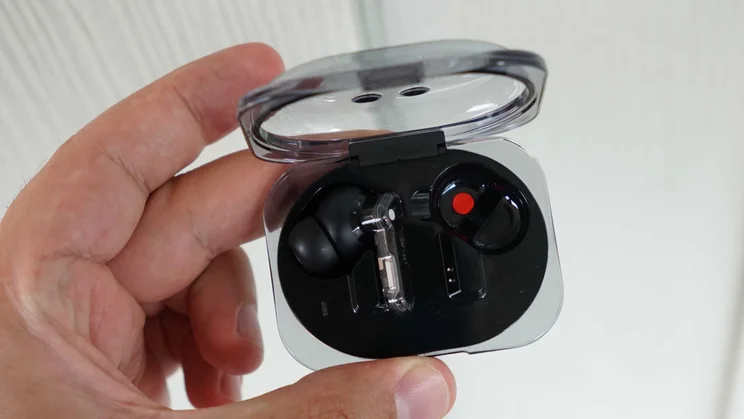
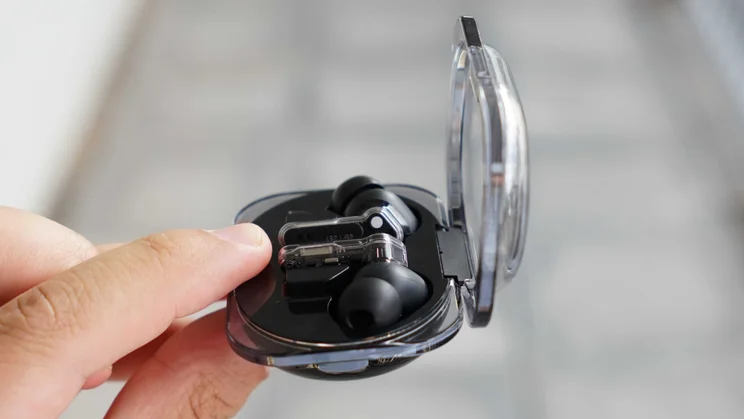
While the design is largely the same, it’s a little more rounded, and there’s now a neat 1×3 LED light inside the charging case to indicate charging status, battery level, whether a firmware update is happening or whether you’re in pairing mode. It’s a nice addition.
How I tested the Nothing Ear (3a)
Over the past three weeks, I’ve made the Nothing Ear (3a) my primary earbuds, using them for everything from bus, train and plane journeys to walking on busy streets, testing active noise cancellation, connection stability and resistance to wind noise. I’ve used all the features, and tested call quality, sound customisation, call recording and audio snapshots.
While connected to both an iPhone 17 Pro and Nothing Phone (3), I listened to music, watched media and streamed high-bitrate recordings on Deezer and Apple Music. I listened to a wide variety of tracks across electronic, pop, rock, and acoustic genres to assess the default driver response and the effect of tweaking the equaliser in the Nothing X app.
Why you can trust me
I have over a decade of experience writing about consumer electronics and have tested countless pairs of wireless earbuds at a wide range of price points. I’ve written for titles including Esquire and Digital Spy, and was most recently Technology Editor at Good Housekeeping UK.
How easy are they to control?
The Nothing Ear (3a) are very easy to control. It’s one of the best things about these budget buds. They use the same pinch controls popularised by the Apple AirPods and also seen on the Samsung Galaxy Buds 4 Pro and previous Nothing buds. I’m glad to see that Nothing has stuck to this control method as it’s better at reducing accidental inputs than touch controls.
The reliable physical pinch gestures are also fully customisable in the Nothing X app. You can change what a single, double, triple pinch and pinch-and-hold do on either bud, giving you full control of audio playback, volume, ANC modes and more.
Screenshot
I really like the addition of the 1×3 LED status light strip inside the case. It’s no match for the battery percentage indicator on the Soundcore Liberty 5 Pro, but it gives you a clear idea of your case’s juice level and provides other useful info.
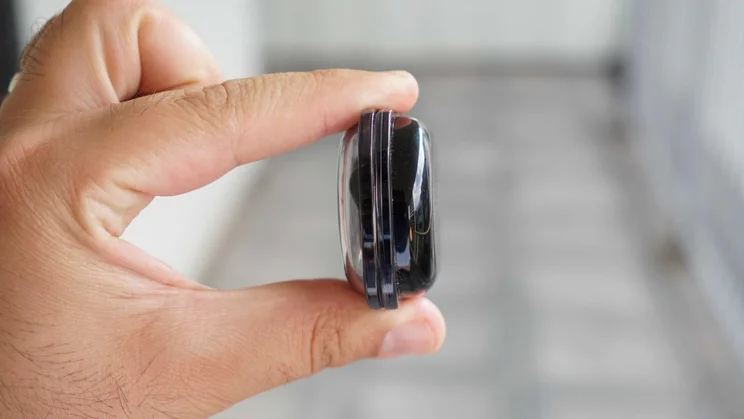
The case itself is pocket-friendly, and I like that it has a sturdy metal hinge. It’s not that easy to open one-handed, but it is IP54 dust- and splash-resistant, which the case of the Ear (a) wasn’t.
How comfortable are they?
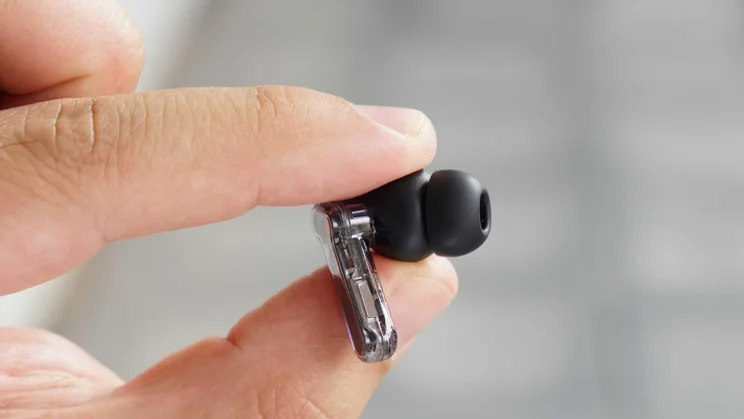
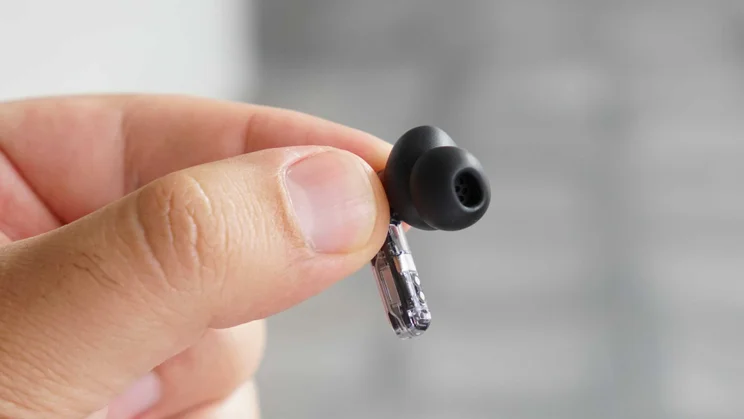
Thanks to the inclusion of an XS eartip size, lightweight build, and redesigned nozzle and eartip material, these are the most comfortable and secure Nothing earbuds yet. I still think the EarFun Air Pro 4+, OnePlus Buds 4 and Google Pixel Buds 2a are better in this regard, but the (3a) are an improvement on the Ear (3), which slipped out of my ears much more often.
Screenshot
The (3a) have an improved passive seal, which helps a lot with noise cancelling, and I could wear them comfortably for several hours at a time. That’s good news, as the buds promise six hours of playback with ANC on, though I was able to eke out slightly more than this when playing music at lower volume.
What’s the sound quality like?
By default, the Nothing Ear (3a) deliver the punchy low-end promised by their 12mm drivers. They’re exceptionally bass-heavy, with a tuning that gets close to what you’d hear from the CMF Buds Pro 2. It’s fun if you like a lot of thump for EDM and hip-hop, but it is pushed too far and is muddy and boomy.
The good news is that vocals come through relatively cleanly, but you get a bit of the heavy bass bleeding into the lower midrange. Using LDAC on an Android device helps; I found I could pick out more subtle details and there was slightly better instrumental separation. However, you will need to play around with the equaliser in the app, as that’s where you can significantly improve things sonically.
Screenshot
With the default Balanced equaliser, the bass swallows everything in Fleetwood Mac’s Go Your Own Way, so much so that it’s hard to pick out individual instruments. But if you pull down the lows and raise the mids slightly in the equaliser (either the Simple or Advanced one, depending on what you’re comfortable using), you’ll hear much more detail and richness. I highly recommend this tweak unless you love bloated, warbling bass. I tested this on Kendrick Lamar’s King Kunta and Massive Attack’s Teardrop, and the default sound is unquestionably too distorted in the low-end. The equaliser is a must.
How effective is the noise cancellation?
I’ve used the Nothing Ear (3a) on a couple of short flights, on train journeys, walking around London, while sitting at my desk, and while working in coffee shops. Based on that experience, I can confirm they’re solid, reliable noise-cancellers. Thanks to the better fit and seal, they’re actually better than the Nothing Ear (3) for me. But they’re certainly not the last word in ANC at this price point.
Screenshot
They’re best at handling low-frequency noise. They’ll dull hums and rumbles like trains, plane cabins and tower fans, but they can’t quite silence these noises in the way that certain rivals, like the OnePlus Buds 4, can. They’re not as good at filtering out chatter and high-frequency sounds; these leaked through quite evidently on flights and in the coffee shop.
The adaptive adjustments are relatively smooth, but I still found I got the best performance by keeping the Ear (3a) on the highest manual ANC setting. No matter the ANC mode, the buds are susceptible to wind noise from whistling through the microphones. On a positive note, the transparency mode has been improved and sounds quite natural.
How useful are the extra features?
The core additions to the Nothing Ear (3a) are its special audio recording features: Audio Snapshot and Call Recording. However, the eight-band parametric equaliser (with shareable presets from Nothing’s community) is fairly unique at this price.
Screenshot
Both recording features worked well during my testing. Pinch both stems at the same time to save up to a minute of audio playing through the buds, or enable pre-recording to capture up to 30 seconds of audio from before you pinch. Recordings are saved to the onboard storage and then synced to the app.
Use the same gesture while on a call, and you’ll make a call recording. There’s a spoken privacy alert and loud beep for both participants, which I confirmed in a quick call with my wife. After a call, you can go into the app and have AI generate a transcription and summary. There’s a pro tier, which you’re encouraged to join during set-up, but this will eventually require a subscription to use. You can also use a standard transcription mode for free, and offline, too.
Your mileage with these features will vary: if you need to capture snippets from lectures, podcasts or YouTube videos, audio snapshots may prove useful. Personally, I don’t see myself using them, but I appreciate that Nothing has built privacy alerts into the call recording.
Screenshot
The feature I definitely think is worthwhile is the advanced equaliser. This wasn’t included on the Nothing Ear (a) and will make a difference for budding audiophiles prepared to tinker to get their ideal sound signature. I’m not sure the default sound will appeal to most music lovers, but it can be tweaked to sound excellent.
Should you buy the Nothing Ear (3a)?
While I don’t think much of the headline features of on-device audio snapshots and call recording, I still think there’s a lot to recommend about the Nothing Ear (3a). They’re stylish, comfortable earbuds under £100 with adequate battery life, LDAC support and a great equaliser to tweak the sound.
They’ll suit you well if you love punchy bass, but because they’re customisable, you should be able to get them sounding just the way you like. However, even with an improved fit, they’re not among the better buds for ANC at this price tier, and you might be disappointed if you’d hoped for the wireless charging or hearing test feature of the Nothing Ear (3). In the areas that count, though, I think they’re a better buy than Nothing’s flagship.

Where it gets more complicated is when they’re considered alongside price-comparable rivals. I’d recommend the (3a) to dedicated Nothing fans in a heartbeat, but if you want the best you can get under £100, there are stronger options.
I’d recommend the £70 EarFun Air Pro 4+ as better all-rounders, and the £99 OnePlus Buds 4 have much more convincing ANC. There’s also the £79 Cambridge Audio Melomania A100, our current best-value pick, which have better sound and specs for the price.


