
To help us provide you with free impartial advice, we may earn a commission if you buy through links on our site. Learn more


- Well priced
- Versatile
- Thin and lightweight
- Stylus needs charging
- Software is powerful but unintuitive
The market for digital notepads feels like it’s exploding right now, with Amazon offering several different models of its Scribe e-reader for sale and Remarkable expanding its offerings into budget territory, with the recently unveiled Paper Pure. The Onyx Boox Go 10.3 (Gen II) is the latest entry into this increasingly crowded space, and it takes up a similar position to the Paper Pure and basic, front-light free Amazon Kindle Scribe.
Like its rivals, the Boox Go 10.3 (Gen II) is a large-format tablet with an e-ink display. It comes with a stylus in the box and it’s designed primarily to function as a notepad, but it can also be used as an oversized e-reader or a basic, distraction-free 2-in-1 laptop if paired with the optional keyboard case.
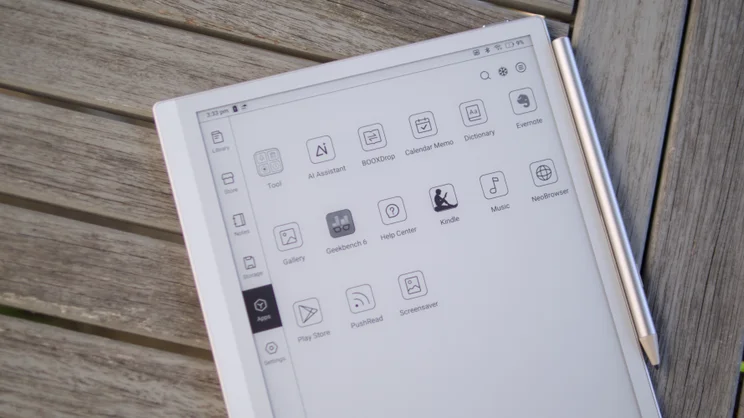
The difference between the Go 10.3 and the rest is that it’s a much more open, versatile device. Instead of running its own proprietary closed operating system, like the Kindle Scribe and Remarkable tablets do, its software foundations are full-fat Android, and it allows users to install apps from the Play Store. As a result, it’s the best budget digital notepad you can buy right now, although that recommendation does come with a few small caveats.
What do you get for the money?
The Boox Go 10.3 (Gen II) is available with a front light (the Lumi model) for around £385, or you can get it without the light for around £360. Given the difference in price is only £25, you’d be hard pushed to find a good reason to buy the non-Lumi model. If you buy from the Boox Euro shop, you’ll get a smart brown folio case thrown in for good measure.
The competition
This is a pretty competitive price. The latest monochrome Kindle Scribe is currently on sale at £450, while the frontlight-free version is £380. The Remarkable Paper Pure, a device almost entirely devoted to the practice of distraction-free writing, goes for £399. That device doesn’t have a built-in reading light, either, nor the option of adding one for a little extra.
That only leaves the PocketBook InkPad One, a cheaper device but one we have mixed feelings about. It can’t match the all-round performance, screen quality, or the writing performance of the Boox Go 10.3 (Gen II), but it does undercut it by more than £100, coming in at £269.
Design and screen
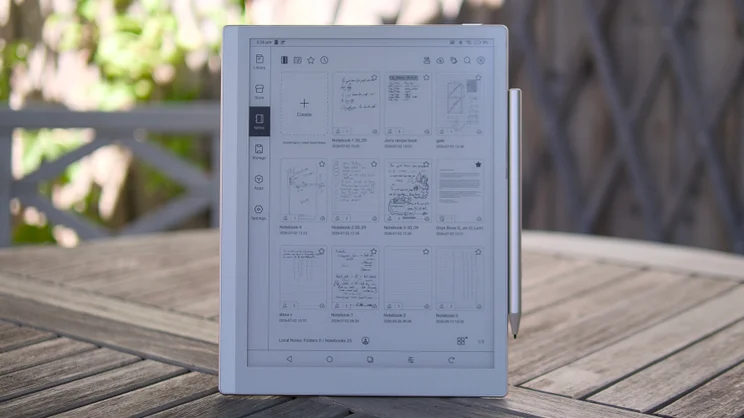
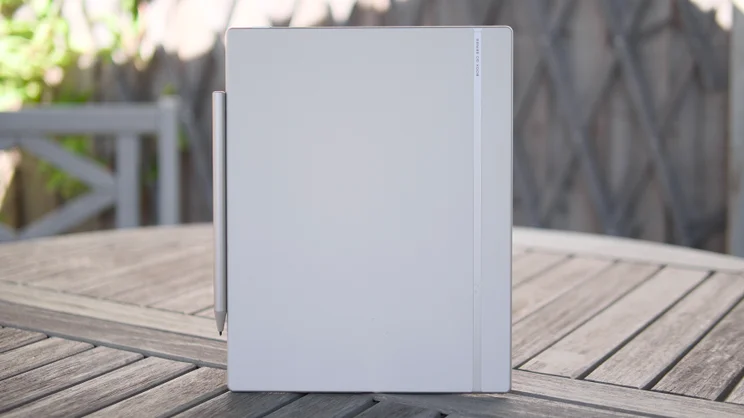
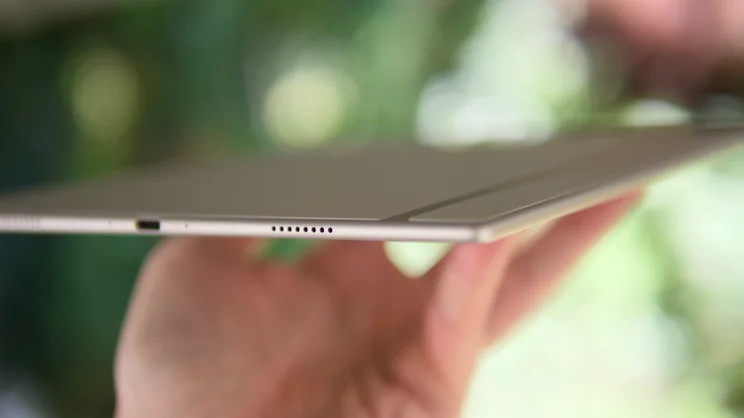
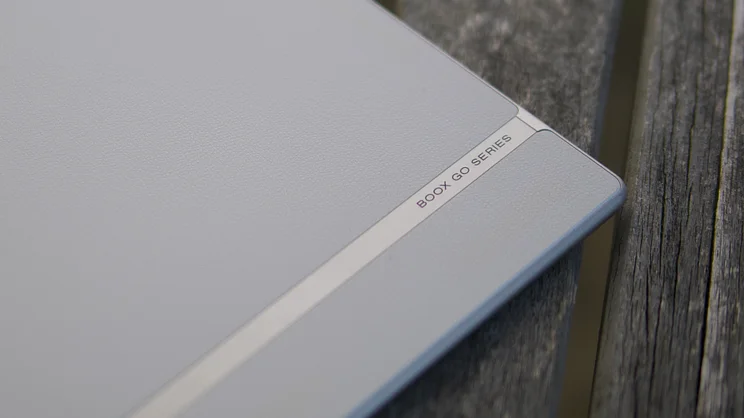
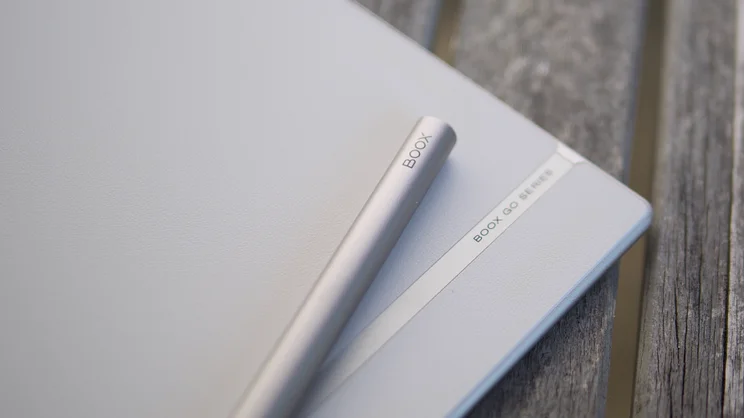
The tablet itself is very slim and elegantly designed, measuring 183 x 4.6 x 235mm (WDH). It has an aluminium frame wrapping the outside, white bezels at the front and a matching white fake leather material applied to the rear panel, lending it a little extra grip and a pleasant tactile feel. It’s light, too, at a mere 363g, and this coupled with its rounded edges means it’s a comfortable thing to hold while reading for long periods.
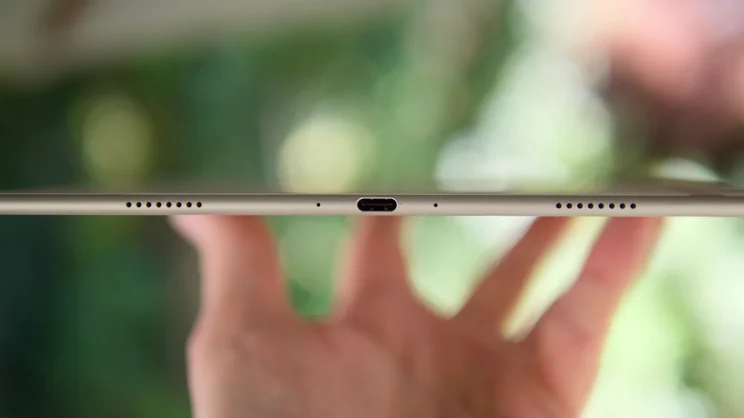
The power button is placed on the top edge over to the right side and the USB-C charging port is located at the bottom in the centre, flanked by a pair of speaker grilles. There’s not much else to mention from a design perspective, other than the metal-barrelled InkSense Plus active stylus, which attaches magnetically to the right edge. Note that this doesn’t charge while mounted in this fashion; when it runs low, you have to charge it up using the USB port at the top of the barrel.
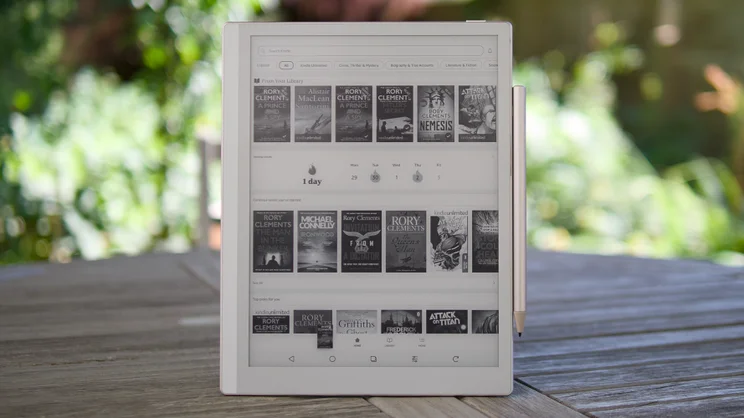
The Boox Go 10.3 uses an E Ink Carta 1200 HD panel that measures 10.3in across the diagonal and has a pixel density of 300ppi (1,860 x 2,480). That means it’s crisp and readable from normal viewing distances. It isn’t a colour screen, which the most advanced digital notepads like the Kindle Scribe ColorSoft come with, but I didn’t find this to be a particular problem.
While colour E-Ink screens are great, they also come with compromises, the main one being a reduction in contrast and a darker, greyer page background. In my view, colour is a nice-to-have feature, but far from essential.
Both reading and writing on the Boox Go 10.3 (Gen II) is a delight, and very easy on the eye. The reading light is effective, too. It’s nice and even with no patches of brighter or darker light and you can adjust the light’s temperature, too, turning it a light orange for reading at bed-time.
How did I test the Boox Go 10.3 (Gen II) Lumi?
Most of the testing we do for e-readers and digital notepads is actually using the products for our day to day work and reading. That’s the best way to gauge how intuitive and effective the software is and how smooth and responsive the device feels in daily use.
We do also, where possible, run a few formal tests. For digital notepads we test writing latency by drawing a straight line and filming it at 240fps, then counting the number of frames it takes for the digital ink to catch up with the stylus nib.
We will also, where possible, run benchmarks such as Geekbench to see how the tablet performs versus other mobile devices. And while it isn’t really practical to test battery performance in the same way we do with phones, tablets and laptops (as the battery can last weeks), we do make observations as we use the device, noting how much the battery life decreases over time and report those numbers within our reviews.

What’s performance like?
Since this is an Android tablet, having a decent processor to keep things running responsively is more important than on something like a Remarkable, where the developers can control what is running on the tablet far more tightly. And while the Snapdragon 690 5G processor running here is hardly what you’d call cutting edge, it does keep this particular tablet feeling largely responsive. It’s a 2.07GHz octa-core part backed by 4GB of RAM and 64GB of storage.
The proof of this is in how usable the device’s built-in Neo web browser is. Although there is the inevitable smearing and slow refresh introduced by the E-Ink panel, I found that scrolling, zooming and tapping my way around the BBC website to catch up with the latest World Cup news was largely lag-free.
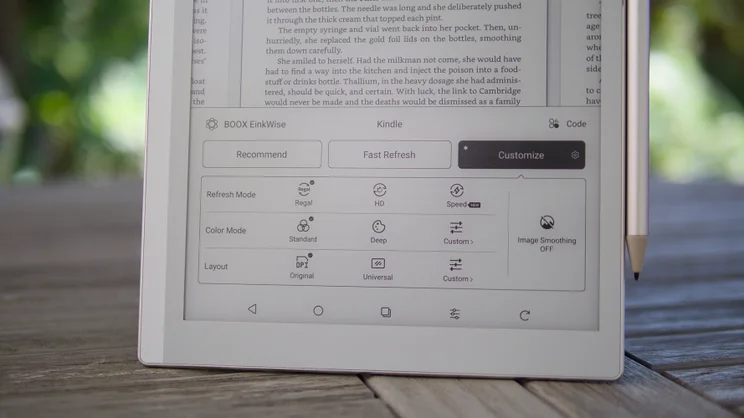
And if you don’t like the way the screen flashes to clean up ghosting after a scroll, the good news is that the Boox’s firmware allows you to tweak the settings to your liking: you can prioritise speed over quality or quality over speed and if your tweaks result in more ghosting than you’d like, just tap the screen refresh button on taskbar at the bottom to perform a manual refresh.
One area I think that Onyx could improve, though, is launch speeds. While scrolling and zooming and general navigation felt largely responsive, load times for notebooks and apps were quite slow at times, perhaps due to sluggish eMMC storage.
There’s a fair amount of writing lag, too. I measured it at between 38ms and 42ms, which is a good deal more sluggish than both the Kindle Scribe Colorsoft, which dipped to around 12-14ms, and the Remarkable Paper Pure, which sits at around 21ms. The good news is that although it isn’t as immediate as I’d like it to be, the tactile feel of the nib on the matte surface of the touch display is lovely. It’s soft and not scratchy like the Remarkable, and there’s just the right amount of friction, while the body of the stylus is just the right weight and thickness. That, combined with 4,096 levels of pressure-detection results in a fluid, natural writing experience.
The only other thing to remark upon here is that, as it’s an active stylus, you do have to be careful to keep it charged up, or its internal battery will eventually die. Still, replacing it with another from Boox isn’t too expensive. A replacement InkSense Plus costs €46 (around £39).
Finally, battery life, Boox says can “last for weeks” if you keep Wi-Fi and Bluetooth use to a minimum. If you don’t in my experience, I think you’re looking at around a week to ten days of daily use of a few hours per day. While writing this review, for example, the battery life fell by 10% over the course of a day trying out all of its various features, mostly with the light off.
Is the software any good?
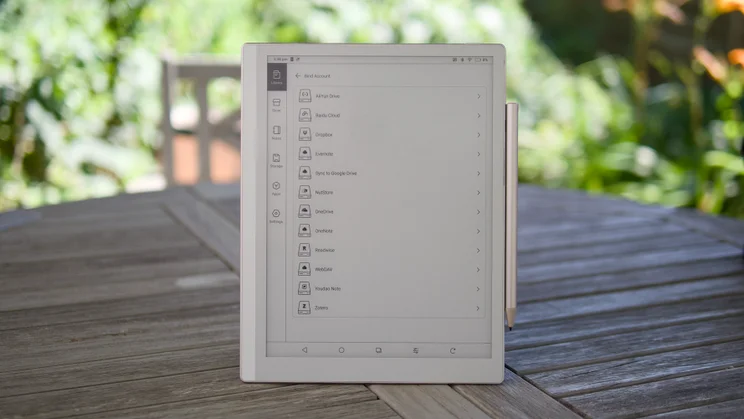
The big draw of the Boox, however, is the software, and mainly the support for 3rd party apps via the Google Play Store. I used this capability to install the Libby library app – which you can use to “borrow” digital library books here in the UK – the Kindle app, where I have hundreds of tomes stored, and the Kobo book store, where I have fewer purchases, but still would like access to them. One small irritation here is that you can’t buy Kindle books directly from the app, but if you buy books via the app on another device (or log-in to your Amazon account via the Neo browser), the books will pop up in your library just the same.
That makes this a brilliant device for readers looking, perhaps, to move away from Amazon’s stranglehold on their reading libraries, providing access to their existing libraries while allowing them to explore other ebook options. You could start with Boox’s own store, which provides a free collection of classic literature, from Mark Twain’s Tom Sawyer to the complete works of Shakespeare and even Chaucer’s The Canterbury Tales.
Of course, the other main purpose for purchasing a device like the Boox Go 10.3 (Gen II) is for its writing, annotation and sketching capabilities. And the good news is that it’s pretty good at that, too.
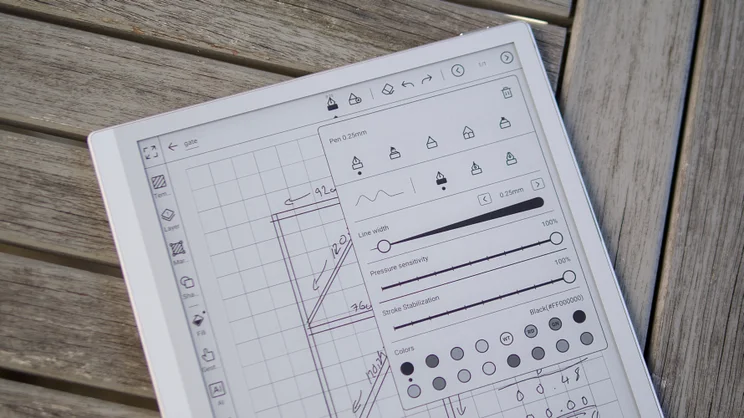
I’ll start with the NotePad app, which is accessible directly from the device’s home screen and provides all the tools you need to jot basic notes, create to-do lists, draw up simple diagrams and more. There are plenty of paper templates to choose from, from simply lined paper and to-do list backgrounds to more specific types of page like Cornell notes, blank musical stave and graph paper.
There’s also a smattering of templates available to download from Boox’s Template Hub and you can add your own via PDF, but there’s nothing quite like the complicated multi-page calendar templates you get on Remarkable tablets.
There’s a whole wealth of options and tools to play around with, too. You get five different pen types to choose from, and adjustable line width, plus the ability to tweak the level of pressure sensitivity and stroke stabilisation. The latter supposedly tidies up your handwriting as you go, and so it did, although there’s only so much tidying you can do to handwriting as spidery as mine.
The app supports the use of layers, there’s a menu with a range of 2D and 3D shapes to choose from, a bucket fill tool and – most usefully of all – the ability to have it recognise wobbly lines and straighten them for you automatically.
Crucially, once you’ve written and filed your notes, the Boox’s AI handwriting recognition lets you search your notes without having to convert them to text first. You can also organise them into folders and tag elements within your notes should you wish to.
Backing up your files is pretty simple, too. I used Google Drive to synchronise mine, but there is a smorgasbord of other options for you if you’re not into that particular ecosystem, including Microsoft OneDrive and One Note, the (sadly denuded these days) Evernote, Dropbox and Baidu Cloud among others.
If you sign up for a Boox account, you can also sync your notes to the Boox cloud – you get up to 10GB of storage for free. It’s also simple to get files onto the device for annotation. I prefer BooxDrop for this as it lets you simply log in to the tablet via a web browser and simply drag and drop files from there. I’ve used this for signing PDF documents – just drag them in, sign and save – and drag them back off the device.
One thing I will say is that it isn’t the most intuitive of systems; both the Kindle and Remarkable’s software is far easier to use and learn. However, if you don’t mind a few rough-edges, and a bit of a learning curve as you find out what all the various features do, the GO 10.3 (Gen II) will eventually offer up all its secrets. And once you’ve become a Boox power user, you’ll wonder how anyone ever manages with the restrictions imposed by a Kindle or other rival device.
Should you buy the Onyx Boox Go 10.3 (Gen II)?
In case you hadn’t realised by now, I like the Boox Go 10.3 (Gen II). It’s a versatile E-Ink notepad tablet that’s nicely designed and performs rather well.
It isn’t the easiest thing to use and there is more latency with the writing on this than there is on rival devices. The Amazon Kindle Colorsoft and Remarkable Paper Pro Move provide a more immediate feel. But it makes up for that with a more reasonable price and impressive levels of versatility.
Overall, this is a great digital note-taking device and a multi-talented one at that. If you want something to annotate, take notes at and read from multiple digital libraries. There’s nothing better at it.


