
To help us provide you with free impartial advice, we may earn a commission if you buy through links on our site. Learn more

- Flawless OLED display
- Bundled keyboard case
- Impressively slim design
- No Google apps by default
- Rivals are more powerful
- Relatively expensive
If you were to ask Shakespeare, he’d tell you that which we call a rose by any other name would smell as sweet. Huawei, on the other hand, will insist that renaming the new MatePad Pro (2026) as the Huawei MatePad Pro Max makes it a different beast entirely.
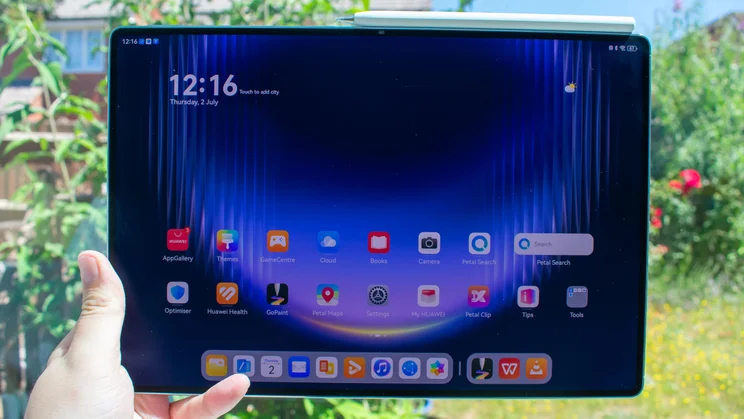
As with previous generations, this is the top-end of Huawei’s tablet output, with a massive, gorgeous 13.2in OLED display, a wonderfully slim and lightweight design and Huawei’s own smattering of Google-aping apps – a necessity, of course, because you can’t get Google apps on Huawei tablets. Not without some fiddly sideloading, at least.
That’s always the biggest downside for Huawei tablets, and it makes them difficult to recommend when so much of our daily mobile lives are inextricably tangled in Google’s ecosystem. Which is a shame because otherwise, the MatePad Pro Max has a lot going for it, particularly for those who enjoy digital art. But with the productivity side of things so restricted, can it justify such a high asking price?
What do you get for the money?
The top-end 512GB model costs £1,099, which is £100 more than last year’s MatePad Pro (2025), but Huawei has attempted to soften this blow by introducing a 256GB model that costs £899.
This is still quite expensive compared to the competition. Take the Honor Magic Pad 4: it’s a slightly smaller 12.3in tablet and doesn’t have the matte display, but you can get the model with 16GB of RAM and 512GB of storage for £799.
Better still, Honor is currently bundling in both the smart keyboard and the Magic Pencil stylus for no extra cost. Both are more rudimentary than what Huawei is offering here, but it’s hard to argue with that £300 price difference.
Apple fans can technically get the far more powerful M3 iPad Air for less money than the MatePad Pro Max, too, with the 128GB 13in model costing £829 at the time of writing. That’s for less storage and doesn’t include any kind of case, let alone a keyboard case. If you wanted to kit the iPad out with the Magic Keyboard and 512GB of storage, you’re looking at something in the region of £1,400, so the Huawei still has the edge there.
Whichever storage variant you choose, the MatePad Pro Max features the Kirin T93 Pro chipset, clocked up to 2.75GHz, and 12GB of RAM. The battery has a capacity of 9,760mAh, supports 66W wired charging and there’s a 50-megapixel camera tucked in a circular housing on the rear, with a 12-megapixel lens at the front for selfies, video chats and face unlocking.
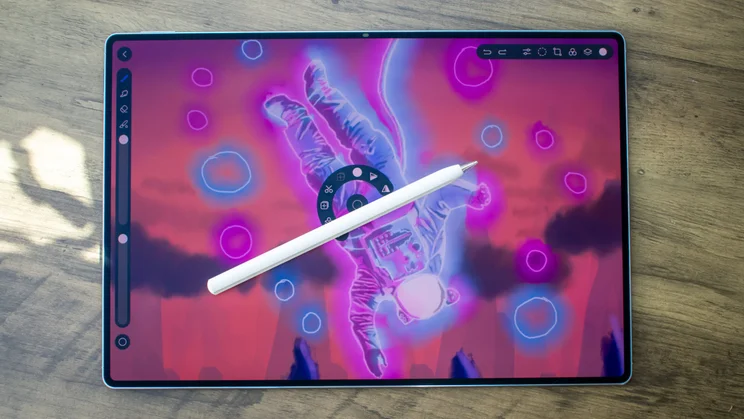
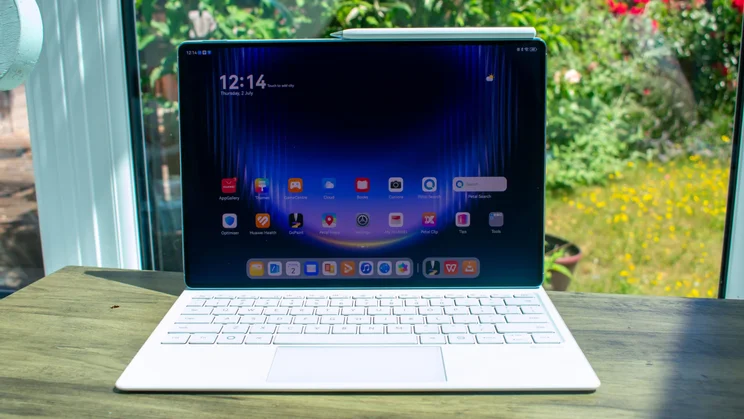
The main event is the display itself: a 13.2in OLED panel with a pin-sharp 3,000 x 2,000 resolution, a media-friendly 3:2 aspect ratio, a breezy 144Hz refresh rate and quoted peak brightness of 1,600 nits.
While international markets get a traditional glossy display, we in the UK and Europe only get the PaperMatte screen, with a gorgeous matte finish that makes doodling and writing with the stylus feel more tactile. This is, in my opinion, the superior display anyway, so that’s no real issue.
How good is the design?
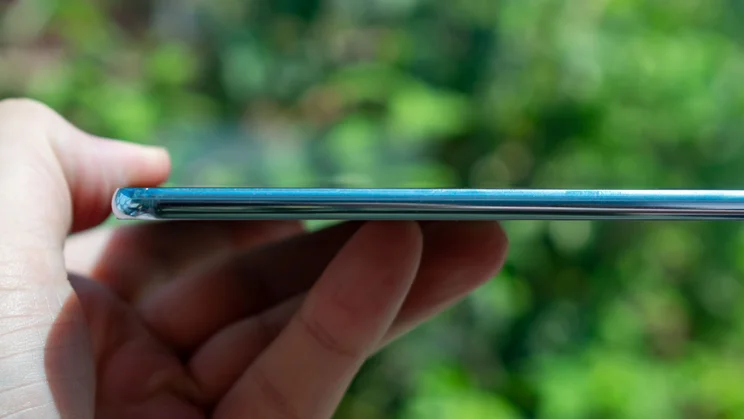
The PaperMatte technology seemingly adds around 10g of weight, as this version weighs 509g, compared to 499g for the non-PaperMatte version. Either way, the footprint is 289 x 196mm (WH) and at just 4.7mm thick, this is the slimmest 13in+ tablet on the market. By comparison, both the 13in iPad Pro (2025) and the 14.6in Samsung Galaxy Tab S11 Ultra are 5.1mm thick. Even the Honor MagicPad 4, previously lauded as the thinnest tablet around, is a tenth of a millimetre thicker, at 4.8mm.
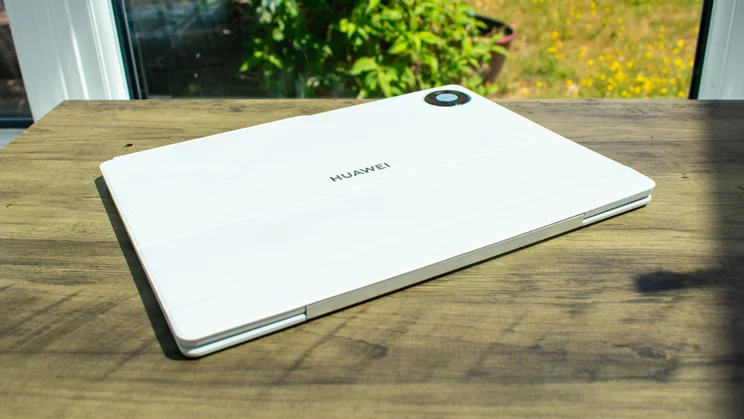
The frame and rear are a single piece of aluminium, with a shiny polished finish around the edges and a glistening matte backplate in either the Space Grey reviewed here or a soft blue colourway.
Despite being thinner than its predecessor, the MatePad Pro Max reportedly has 60% more bend resistance than the previous generation, resulting in a device that’s incredibly slim while still remaining nicely robust.
Speaking of slender proportions, around the front we have some incredibly skinny bezels bordering the display, measuring just 3.55mm on all four sides. the 12-megapixel selfie camera is also cleverly designed to be more pill-shaped than a traditional circle, allowing it to nestle invisibly in the top bezel, rather than requiring a separate cutout.
What are the display and audio like?
The screen itself is an absolute delight, as has often been the case with the MatePad Pro series. The 13.2in panel is wonderfully crisp with its 3,000 x 2,000 resolution and scrolling, swiping and hopping between apps is fluid, thanks to that 144Hz refresh rate.
In my brightness testing, the MatePad Pro Max reached 567cd/m2 with the auto-brightness switch disabled and rose to 934cd/m2 in adaptive mode with a torch shining on the light sensor. It performed best with HDR content, where I recorded an excellent peak of 1,556cd/m2. This is more than enough to stand up to direct sunlight, and it’s further helped by the excellent anti-glare layer on the matte display.
There are two colour modes to choose from, but you realistically only need to worry about the default Natural profile. The Vivid option is fine enough but I found that Natural was more than capable of making all of my media and gaming look gorgeous. More to the point, if you want to use this tablet for art, the Natural profile is astutely accurate to the sRGB colour space: in my testing, I recorded gamut coverage of 98% and a volume of 100.1%, and the average Delta E of 0.78 is bang on the money for our target of 1 or under.
Paired with the powerful and crisp audio delivered by the six stereo speakers, this gorgeous display makes the MatePad Pro Max an absolute delight for watching movies and playing games. Which brings me nicely to…
How well does it perform?
I ran through a few laps of Asphalt Legends and came away generally impressed with the gaming performance. Frame rates remained nice and slick, even during particularly hectic portions of the races where multiple cars were taking a turn simultaneously, and the ensuing chaos looked vibrant and punchy.
Indeed, the Geekbench 6 Vulkan GPU test shows that the MatePad Pro Max is an improvement over its predecessor. It’s still quite a bit behind the Android competition, however, with both the Honor Magic Pad 4 and Xiaomi Pad 8 delivering scores more than double that of the MatePad Pro Max, and then there’s the iPad Air, which is so far out ahead that it’s essentially running a different race entirely.
It’s much the same story on the CPU side of things. The 2.75GHz Kirin T93 Pro chipset performed fine in the Geekbench 6 tests, with the MatePad Pro Max surpassing its predecessor by 4% in the single-core benchmarks and 27% in the multi-core test but rivals were quite a bit better still: the iPad Air led the pack, with multi-core results that were 113% better than the MatePad Pro Max.
Where the Huawei MatePad Pro Max really holds its own against the competition is battery life. The 9,670mAh battery is a minor downgrade compared to the previous generation (which had a 10,100mAh battery) but it still managed to deliver a superb result, lasting 16hrs 9mins in our looping video playback test. That’s around an hour better than the MatePad Pro (2025) and just 40 minutes shy of matching the Xiaomi Pad 8.
Charging is weaker than the previous model (doesn’t feel very “Max” does it), downgrading from 100W to 66W, but this still proved decent enough in my testing, achieving a full charge in around an hour. It’s worth noting that I only got this speed with a Huawei charger, however; using my Motorola one saw the MatePad Pro Max need nearly two hours to hit 100%.
How is the software?
As always, the lack of Google apps continues to be the albatross around Huawei’s neck, and anyone looking to utilise the productivity features of this tablet will likely find themselves hampered by the inability to easily share with and work across other devices that do utilise Google’s ecosystem.
You can technically get Google apps on here via the likes of GBox or microG but it’s a faff and the apps don’t automatically update, so you’ll need to do some extra legwork to keep them functioning and, more importantly, secure in the long run.
Huawei’s own AppGallery isn’t as complete as Google’s Play Store, either, lacking popular streaming and social media apps like Netflix, Instagram, WhatsApp and Disney Plus, but Huawei does its best to help you circumvent this, offering up official APK links for certain unavailable apps that direct you to where you can sideload them. It’s not a perfect system, but it’s marginally more accessible.
If you somehow find yourself needing only to work within Huawei’s fishtank ecosystem, with no requirement to access the ocean of Google, the HarmonyOS software is actually nicely refined. The WPS Office suite, in particular, is a solid alternative to Google Workspace or Microsoft Office. I’m writing this review on the Document app, and while it’s not as feature-rich as the mainstream options, lacking the ability to collaborate in real-time, for instance, it’s decent enough for isolated writing tasks.
What are the keyboard case and stylus like?
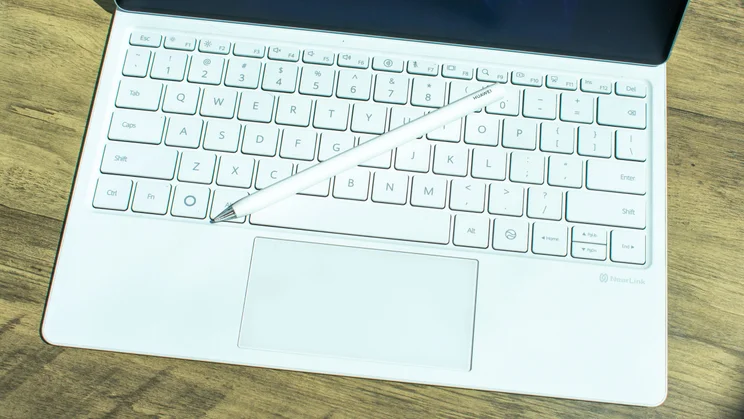
I’m generally a big fan of the Glide Keyboard case; it has a decent-sized trackpad, the keys have good travel with a satisfying stop and you’ve got a full row of function keys above the numbers.
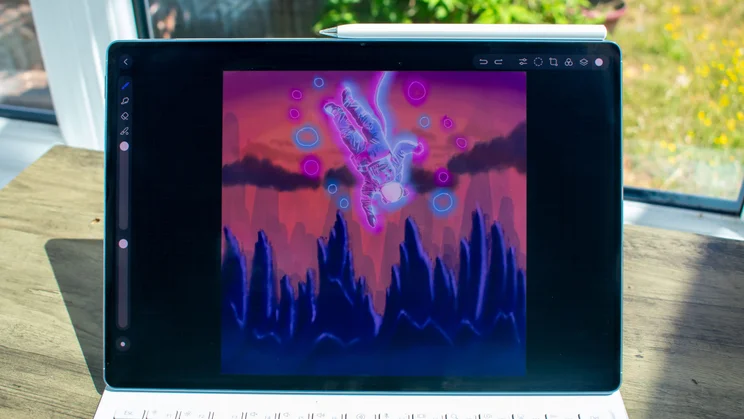
I’ve written this entire review with the Glide Keyboard and found it to be as responsive and user-friendly as ever. There are two points at which the bottom of the display can magnetically snap to the keyboard, giving you a decently broad range of tilt options for the screen and there’s a handy groove close to the hinge where you can store the stylus.
One thing that I find fiddly is that, despite it sitting very nicely when it has a firm base beneath it, it loses some of that rigidity when balancing it on your lap; while working sprawled on a sofa, for instance. Some may find the lack of a backlight to be a downside, too, especially if your workspace lacks decent lighting.
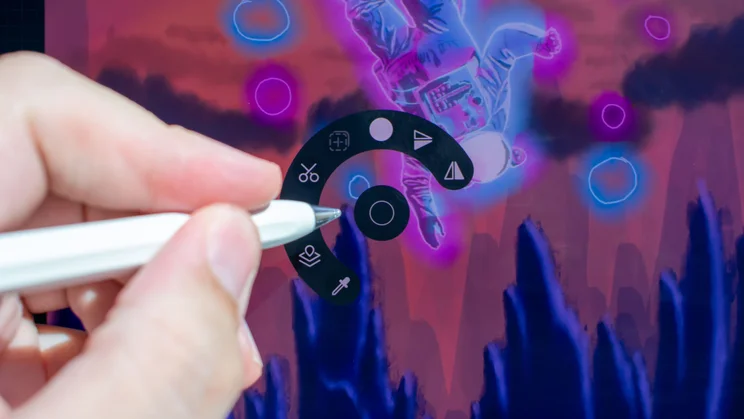
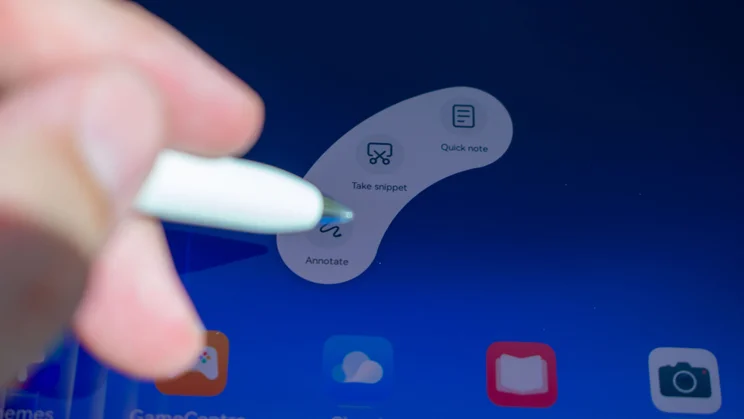
My experience with the stylus was much more consistent. The M-Pencil Pro is a wonderful little scribbler, comfortable to hold and extremely responsive. There’s a quick-launch button on the end that opens the NotePad app by default, or any other app of your choosing. Pinching the stylus generates a popup menu with options to start a quick note, take a screenshot or annotate, while doing the same in apps such as NotePad and GoPaint get their own radial menus of contextual options.
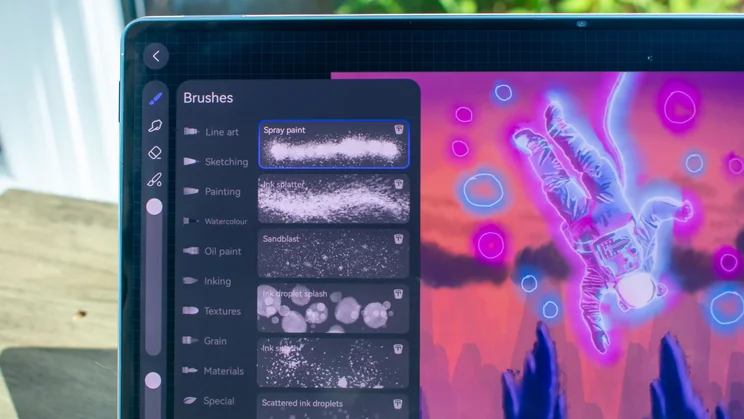
You can also double-tap the barrel of the stylus to quickly switch between the pen and eraser in the NotePad app, or flick virtual paint at your canvas in GoPaint. The latter is a fun little gimmick and the results are distinct. Double tapping ink splatter looks noticeably different to just drawing it on with the nib, so it invites more experimentation.
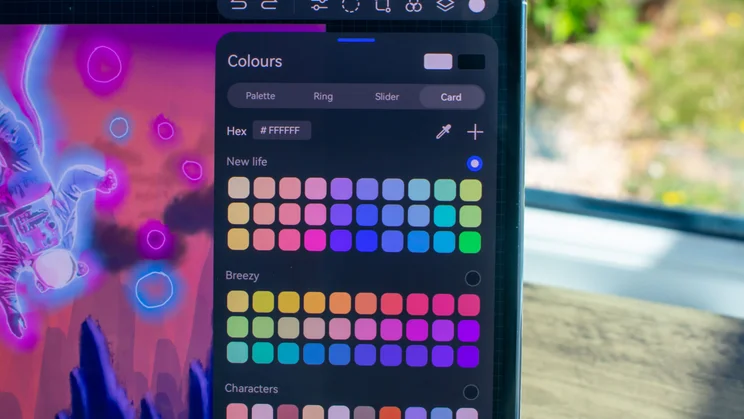
As ever, the GoPaint app proves to be one of the biggest perks of Huawei tablets, with a ridiculously deep selection of customisable brushes and tools to mess around with. This year, we’ve got a new addition to the app’s feature set with colour cards, which allow you can take a photo and have the app pull the colours from it and produce a unique swatch to work from – great for nailing the exact colours in the reference photo you’re working from.
Huawei MatePad Pro Max: Should you buy it?
If the last few paragraphs caught your attention and you want to experience the excellent digital art support that Huawei tablets provide, you do not need to spend this much. You’re much better off saving a few hundred quid and buying last year’s 13.2in MatePad Pro (2025), which is just £699 at the time of writing.
It’s also worth questioning if you really need a 13.2in display; sacrifice just an inch and you can get a bargain with the Honor Magic Pad 4, at £799. With these options on the table, it’s difficult to recommend you fork out for the MatePad Pro Max, even before we take the lack of Google apps into consideration.


