
To help us provide you with free impartial advice, we may earn a commission if you buy through links on our site. Learn more
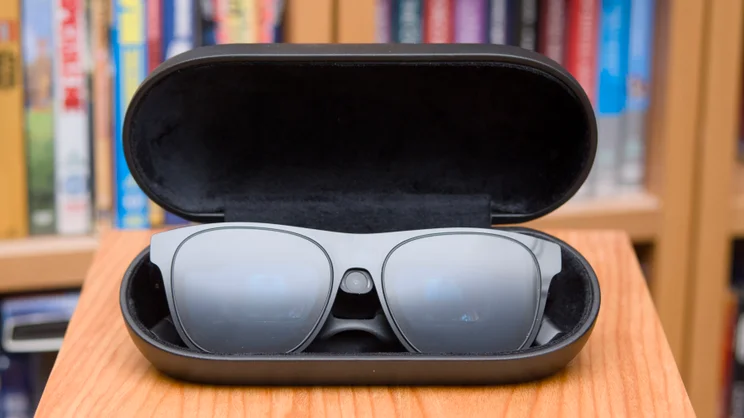
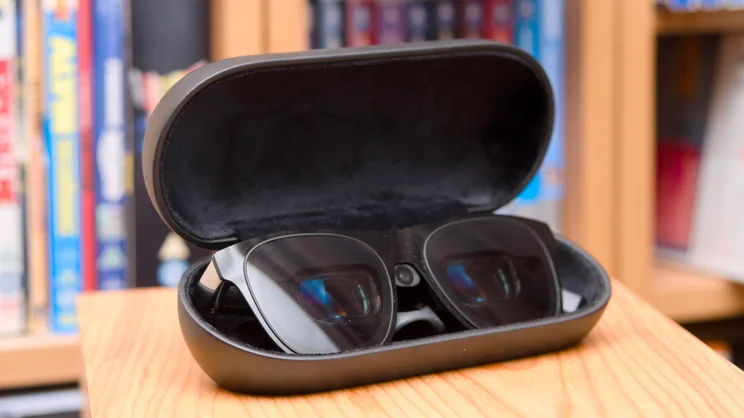
Xreal One Pro Plus smart glasses placed inside their open black protective case on a wooden table.
- Lightweight and portable
- Great image quality
- Works with all sorts of devices
- Expensive
- Controls are clunky
- Gesture control inconsistent
Despite having been around for years, VR and AR headsets have struggled to break into the mainstream. That’s probably due to a number of reasons: they’re bulky, tend to be too uncomfortable to wear for long periods, and they look kind of ridiculous on your face.
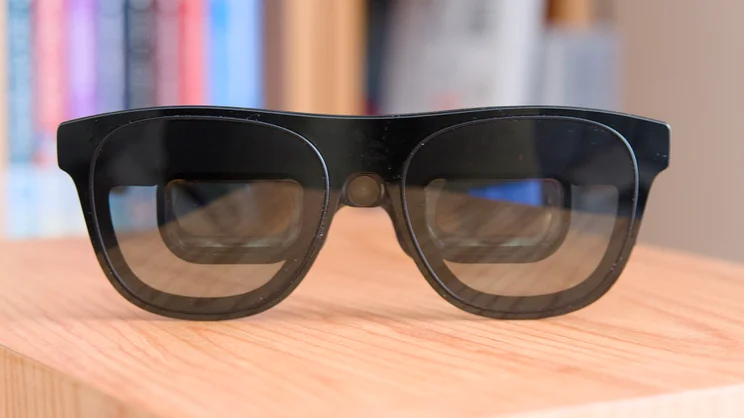
If the new X-Real One Pro Plus glasses are anything to go by, however, that time may soon be over. These are the lightest, most comfortable display glasses I’ve used so far, and yet image quality barely suffers at all.
What do you get for the money?
The X-Real One Pro Plus are prism-based AR glasses and cost £600. That’s a lot less than top-of-the-range headsets like the Samsung Galaxy XR (£1,700) and Apple Vision Pro (£3,499), but that’s because they’re not really the same sort of product.
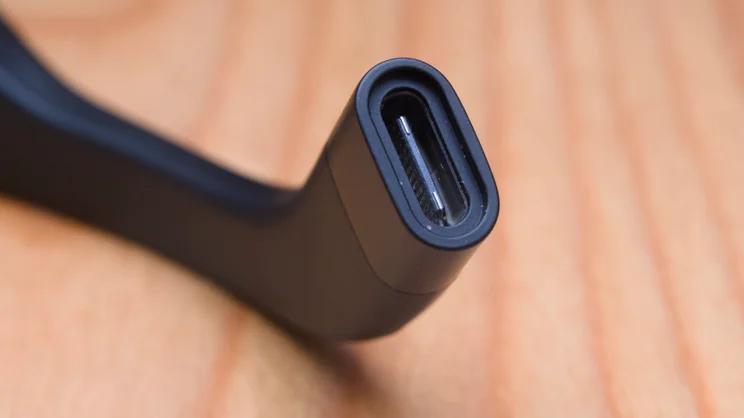
Where products such as the Vision Pro can act entirely independently, the X-Real are more akin to a high-tech personal display. They plug directly into any video-enabled USB port on your phone, tablet, laptop or games console and project a huge virtual display right in front of your eyes. As a result, they’re much lighter and simpler than your classic, standalone VR headset.
Xreal One Pro Plus smart glasses placed inside their open black protective case on a wooden table.
Tech specs
Image quality-wise, these glasses are powered by a pair of twin Sony 0.55in Micro-OLED displays, able to display at a resolution of 1,920 x 1,080 pixels per eye and refresh at up to 120Hz, with perceived brightness quoted at up to 1,200 nits.
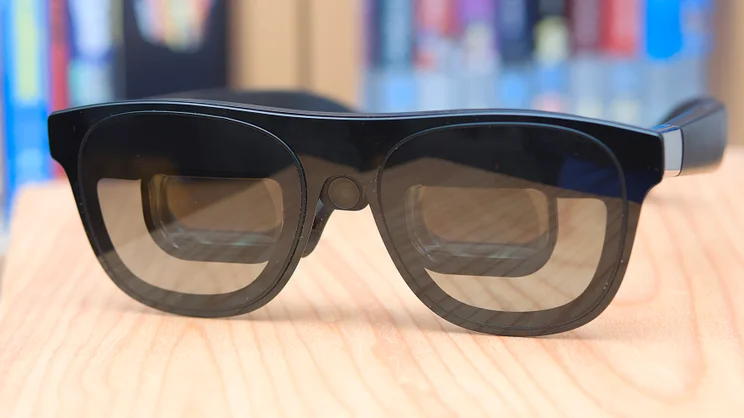
Sounds impressive? Well, that’s actually pretty standard fare for even cheaper, £300 prism-display glasses these days. What’s definitely not standard is the field of view, which is an impressive 57°, where most of the cheaper models sit at around 46°.
Xreal One Pro Plus smart glasses placed inside their open black protective case on a wooden table.
That ensures the virtual screen in front of you fills a good chunk of your vision, but without completely swamping it edge to edge. For reference, the experience is roughly comparable to sitting just forward of the centre of a THX-certified cinema.
Elsewhere, you have Bose-tuned speakers built into the arms of the glasses and four microphones for voice pickup. There’s electrochromic glass on the front, so you can choose to run them completely blacked out or semi-transparent if you want to be more aware of your surroundings; you get three settings to choose from here.
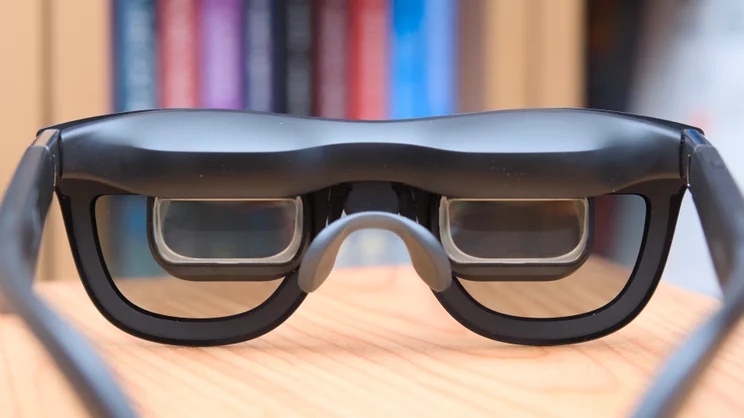
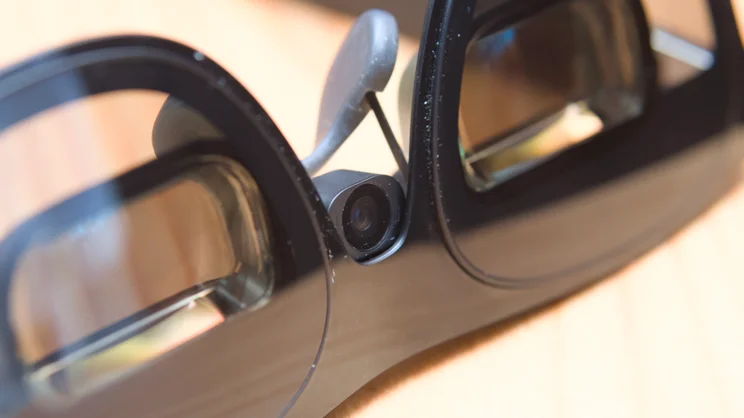
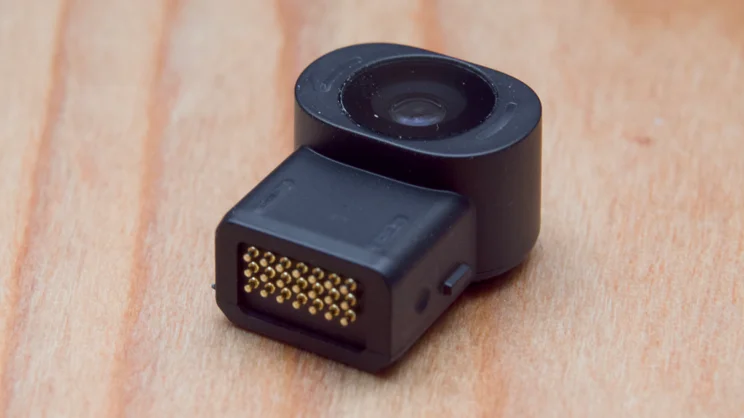
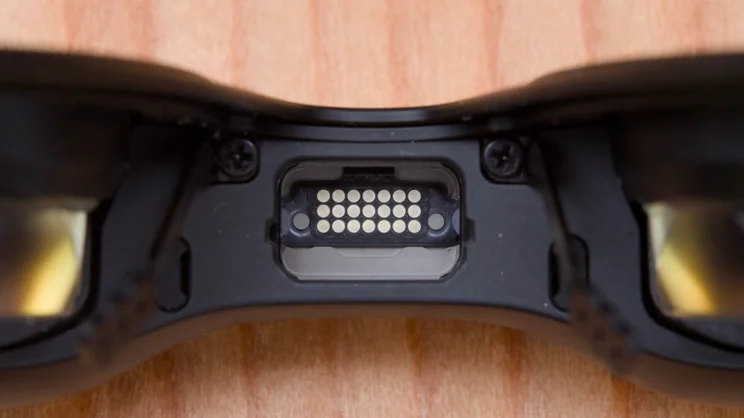
Finally, there’s the option of adding a small camera, called the X-Real Eye, for £99 (discounted to £50 right now), which adds gesture controls and the ability to capture 3MP photos and video at 1,600 x 1,200/60fps. This fits into the space between the lenses, just below the nose bridge.
Xreal One Pro Plus smart glasses placed inside their open black protective case on a wooden table.
Xreal One Pro Plus smart glasses placed inside their open black protective case on a wooden table.
How comfortable are the X-Real One Pro Plus to wear?
The X-Real One Pro Plus are pretty comfortable. They weigh 92g with the X-Real Eye attached (a little less without it) and, on the face, I found I was able to wear them continuously for hours without any form of discomfort or eye strain.
To be honest, these do look a little awkward sat on your face, but you’re not going to be wearing them when you’re out and about, so any question of style is moot. They certainly don’t look as odd as wearing a Vision Pro.
Xreal One Pro Plus smart glasses placed inside their open black protective case on a wooden table.
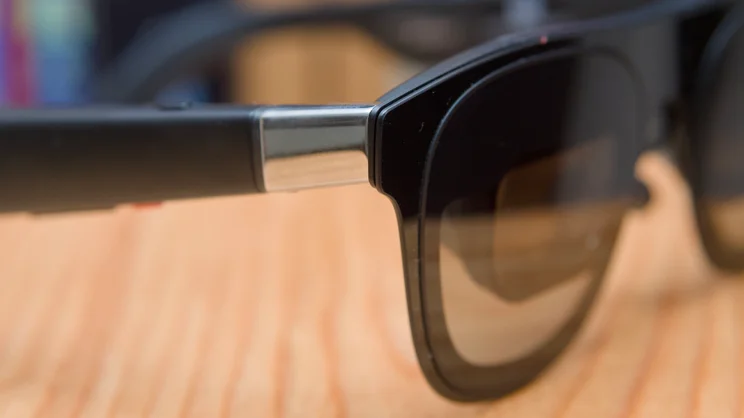
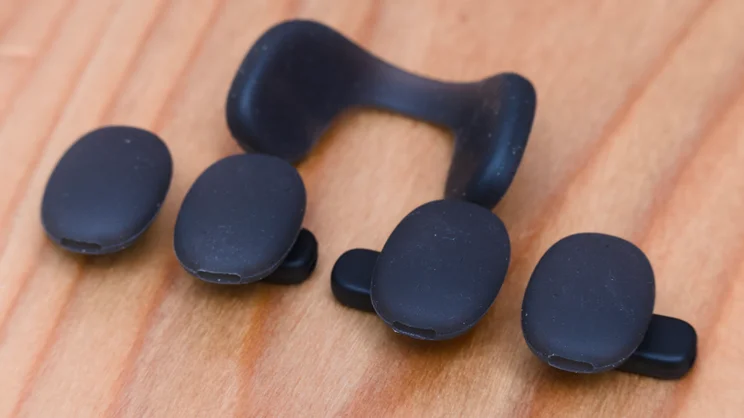
All the electronics and the MicroLED displays themselves sit in a rather bulky bridge at the top, so they’re a little front-heavy – and that module does get a little warm during use – but thanks to the soft, silicone nose pads, of which there are three pair included with the glasses, the extra weight doesn’t have too much of a negative impact.
The arms are likewise softly rounded and feel comfortable on the ears, and these can be adjusted at the temple up or down to keep the display perfectly in view.
How good is image and audio quality?
Image quality is impressive. Once you get used to being able to see around the edges of your vision, the image is stable, smooth, bright (up to 1,200 nits) and reasonably crisp at a resolution of 1,920 x 1,080. Note that if you wear glasses, though, there’s no way to adjust the focus on these; you need to either wear contact lenses or pay out extra for prescription inserts.
The 120Hz refresh means playing games at reasonably high frame rates is possible; I’ve spent a good few hours with these attached to various gaming devices – laptop and an MSI Claw gaming handheld – and can report that they work very well for that particular job, although I was disappointed to discover that you can’t plug them directly into a Nintendo Switch 2, as this requires a dock and the addition of a power bank to work.
Xreal One Pro Plus smart glasses placed inside their open black protective case on a wooden table.
They also work great for watching films and TV, and you can convert 2D material to 3D surprisingly successfully, if that’s your bag, or watch side-by-side 3D video natively.
I’m slightly less convinced by using them for work. Although you can display your Windows, MacOS or Linux desktop, and there’s a reading mode that supposedly improves the appearance of text, the image does look quite grainy and text can look a little colour-fringed off-centre. Still, add a compact Bluetooth keyboard and mouse, and connect to any phone with a desktop mode like a Samsung Galaxy S26 Ultra, and you have a means to work on a desktop-like setup in the most cramped of conditions.
There are plenty of ways to adjust the way the virtual display looks, too. You can make the screen larger (up to a virtual 556in) or smaller, bring it closer or push it further away from your face in virtual space. You can have it show flat like a standard TV or monitor or have it curved – the so-called UltraWide display mode – and you can tweak the colour temperature on a fairly coarse scale between warm and soft. I found the default colour balance pretty well judged, however, and stuck with that.
Xreal One Pro Plus smart glasses placed inside their open black protective case on a wooden table.
Other options include the ability to either anchor the screen to your environment or have it follow your head movements. The former works beautifully, by the way, once you’ve set it in position, the screen stays put with no drifting. Plus, there’s also the facility to show a smaller display off to the left or right if you want to focus on another screen in front of you.
Audio-wise, the Bose-tuned speakers are actually pretty impressive. They’re clear and go reasonably loud, but they don’t have much in the way of bass. They do leak audio quite a bit, too, so you won’t be able to turn them up if anyone is sitting close to you.
Are the controls and gesture mode easy to use?
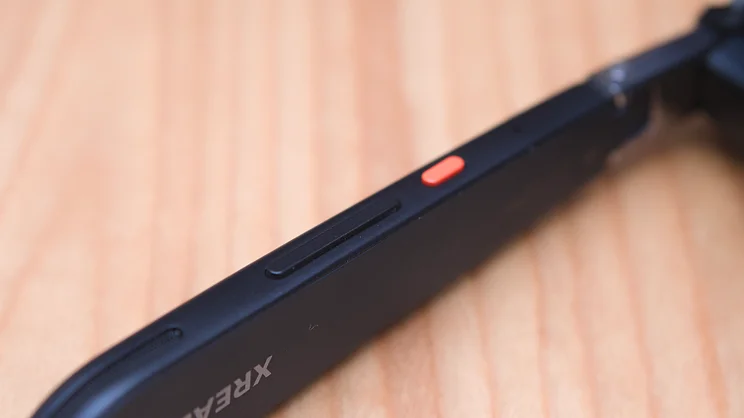
You’ll mostly be controlling the X-Real One Pro Plus using the buttons on the right arm of the glasses and I found this system a little clunky. That’s mainly because there are so many buttons and so much clicking to navigate the glasses’ various menu systems.
There’s a button on the top of the arm that is used to switch modes between “movie” “standard” and “reading” (you can customise this if you want), a button below the arm that flicks between anchor and follow modes at a single click, and brings up the menu with a double click. Behind this, there’s a rocker used to launch the quick menu , and navigate through items on the various menus. I’m sure you’ll get used to it in time, but it’s a lot to remember.
Xreal One Pro Plus smart glasses placed inside their open black protective case on a wooden table.
The gesture control via the X-Real Eye accessory isn’t hugely convincing, either. To set this up, you need to prise out a little rubber bung in the nose bridge and slot the Eye module into the resultant hole. Next you set the camera up with your phone and once you’re done, you’ll be able to hold your hand out in front of you to move the mouse cursor about, select items with a pinch, pinch and hold to drag, and wave your hand around to scroll.
It does work, but not as well as I’d like. The first problem is your arm quickly gets tired doing this, because there’s only one camera here and you always have to use the gesture right in front of your face.
I also found it to not be particularly consistent, often mistaking movement for dragging, and more than a touch over sensitive. If you’re interested in buying a One pro Plus, take my advice: don’t bother with the Xreal Eye add-on.
Xreal One Pro Plus smart glasses placed inside their open black protective case on a wooden table.
Should you buy the X-Real One Pro Plus?
Despite my gripes with the control and gesture system, I’ve been super-impressed with the X-Real One Pro Plus as a display device. The visuals are sharp and crisp, they’re comfortable to wear for long periods and, most importantly, they’re small, light and work with any device that has a standard USB-C video output.
They’re a much more practical proposition for travel than, say, the Vision Pro or Samsung Galaxy XR because you can simply pop them in their case and drop them in your carry-on luggage as if you were taking an extra pair of sunglasses.
I wasn’t entirely convinced by the X-Real Eye gesture controls, though, and there is no getting around the fact that they’re among the most expensive display glasses on the market. If you’re willing to compromise on a feature or two here and there, you can get almost as good an experience – from the Viture Beast, for instance – at a lower price.
Xreal One Pro Plus smart glasses placed inside their open black protective case on a wooden table.


