
To help us provide you with free impartial advice, we may earn a commission if you buy through links on our site. Learn more
- What's new with the Apple Watch Ultra 4's Health Sensing System?
- What do you get for the money?
- How did I test the Apple Watch Ultra 4?
- How did the Apple Watch Ultra 4 perform?
- What are the new Apple Intelligence features like?
- Is there anything negative to be aware of?
- Should you buy the Apple Watch Ultra 4?
- Improved battery life
- Finally offers a readiness score
- Better heart rate tracking
- No design changes
- Some features not here yet
- No dedicated stress tracking
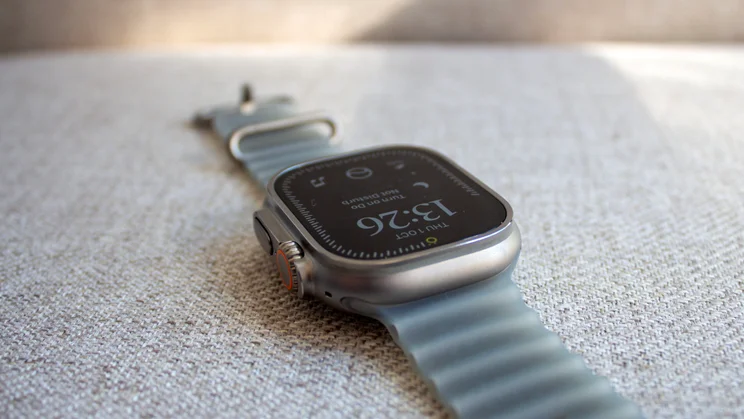
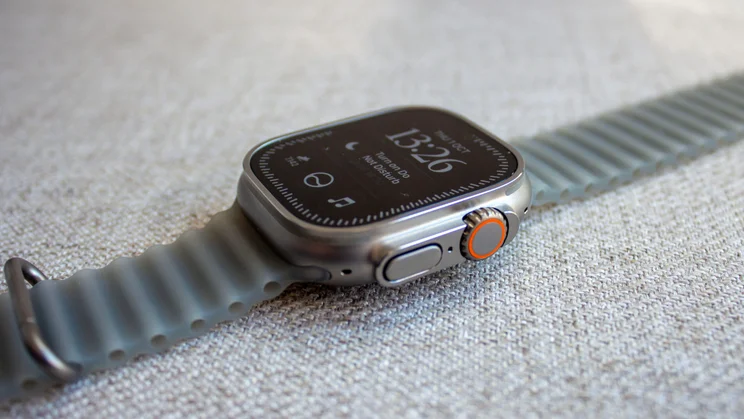
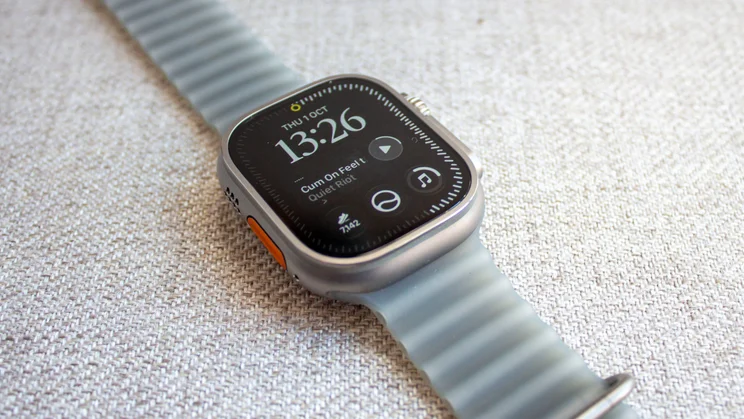
Apple Watch updates have been somewhat limited for a few years now, and that’s especially true of the Watch Ultra. Put the latest Watch Ultra 4 alongside the Ultra 3 (or even the original Ultra), and you’d be hard-pressed to tell the difference.
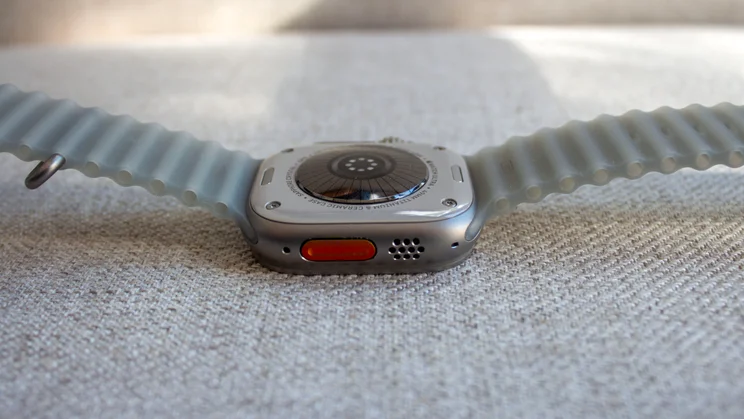
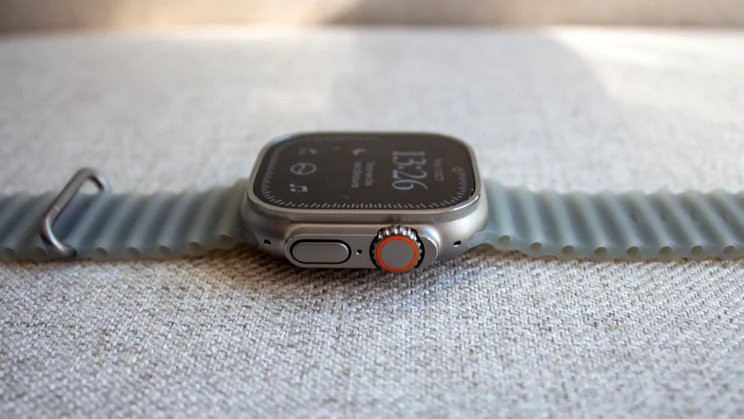
It has the same chunky titanium case, the same orange Action button and the same knurled Digital Crown features that have defined this model since the Ultra was first introduced in 2022.
As in recent years, the changes to the latest Watch Ultra 4 are, once again, almost entirely internal. It comes with a redesigned sensor array on the underside Apple calls the Health Sensing System, a new S11 chip, and a larger battery that Apple claims will last up to 50 hours in normal mode. It’s no Garmin for stamina, but it’s the longest claimed for an Apple Watch so far, and arguably the most important update for a watch aimed at people who run marathons and hike for days.
Still, those new sensors also unlock the one feature I’ve grumbled about in every Apple Watch review I’ve written over the last decade: a daily readiness score. Meanwhile, the new processor adds a couple of extra features, and the new sensors offer better heart rate monitoring.
However, with the Apple Watch Series 12 also bringing those same upgrades, does the Ultra 4’s extra battery life and toughness justify paying roughly twice as much? I’ve worn it as my main watch for the last month to find out.

What’s new with the Apple Watch Ultra 4’s Health Sensing System?
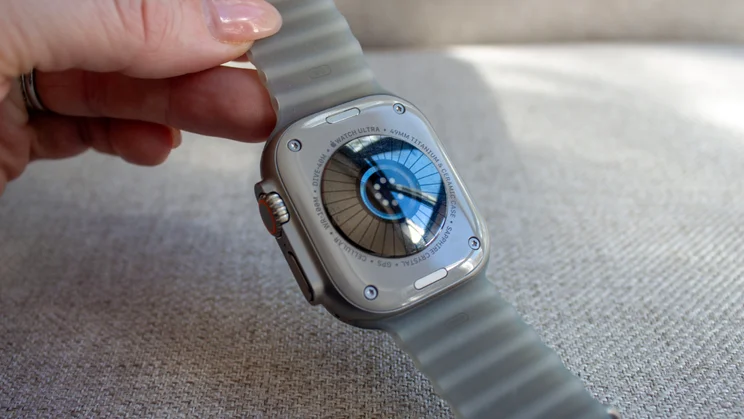
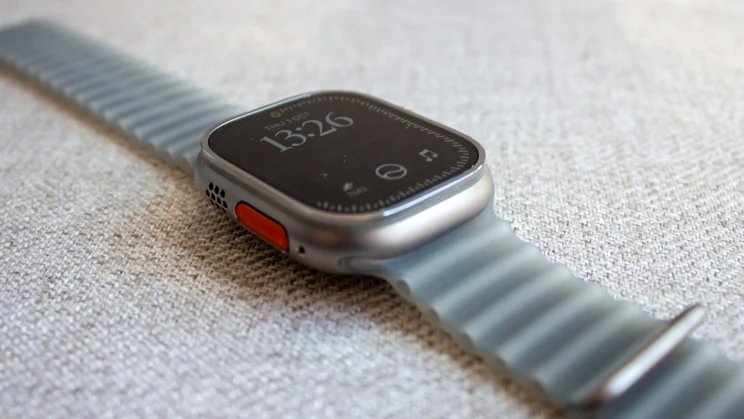
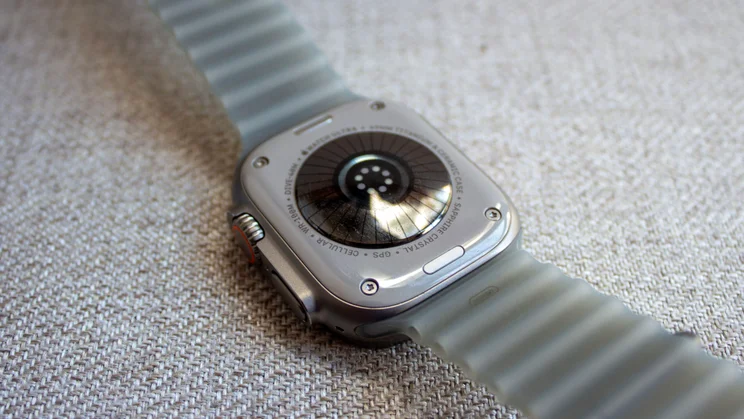
Flip the Apple Watch Ultra 4 over and you’ll find a slightly different sensor array on the back, where most of this year’s changes can be seen. For the eagle-eyed among you (and anyone with an older Watch Ultra model), you’ll notice more lines on the outer ring, plus extra LEDs within the inner circle.
The improvements include larger ECG electrodes for better skin contact, the photodiodes that read your pulse now arranged in a ring to capture more light, and larger, more power-efficient green LEDs. In short, the Watch Ultra 4 collects more data, more efficiently.
The Ultra 3 captured a background heart rate reading every five minutes, while the Ultra 4 takes one every five seconds throughout the day, whether you’re on the sofa or sprinting for a train. As a result, calorie estimates should be more accurate for effort that isn’t logged as a workout, and there’s a new live heart rate complication that lets you see your pulse without opening an app.
Heart rate variability readings have also increased with the new system. Rather than a reading every couple of hours, the Watch Ultra 4 can measure HRV as often as every five minutes while you’re∫ at rest, and it now tracks two types. Recovery HRV (based on a measure called RMSSD) is geared towards day-to-day stress and fatigue, and it’s this measurement that feeds the Vitals, Readiness and the Heart Rate apps. The SDNN measurement Apple has used for years is better suited to longer-term heart health and will feed Health Age in the redesigned Health app that’s due to launch later this year.
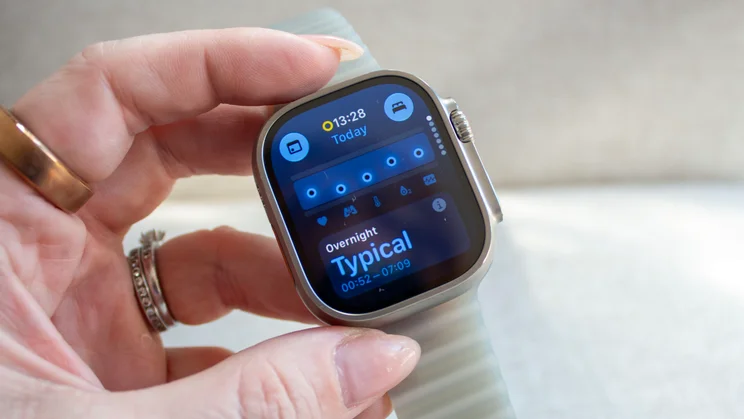
Vitals has been expanded to include the new HRV and heart rate readings, too. Alongside the overnight view that has been around since Vitals launched in 2024, there’s also a daytime view with heart rate and HRV, so you can catch a dip during the day rather than waiting until the next morning. Below the data points that appear within the two lines indicating your ‘normal’ level, the data is analysed and summarised in one word, ranging from ‘Notably off’ or ‘Slightly off’, to ‘Typical’ or ‘Favourable’. It’s lovely and simple to digest, and easy to access from the Watch screen.
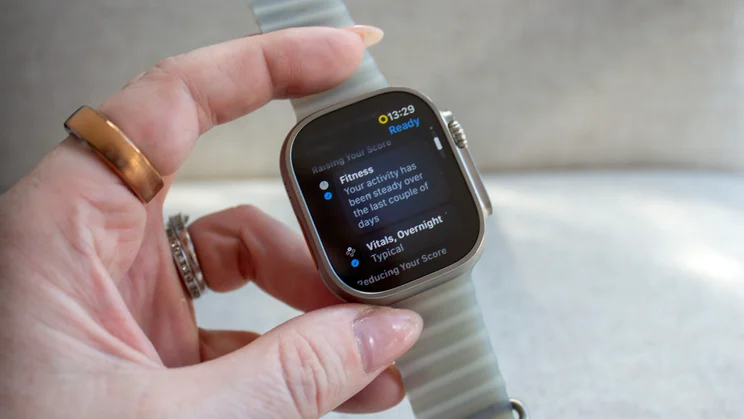
All the information here then feeds into Readiness, which is the feature I’m most excited about for the Watch Ultra 4 (and the Watch Series 12). Rival wearables have offered a readiness or energy score for years, and I’ve never quite understood why Apple hasn’t, despite collecting much of the data required for these kinds of scores. I find it a little odd that the Readiness Score didn’t just appear within the Vitals app, so you didn’t need to open both for a good overview of how your data suggests you might be feeling every day, but I’ll look past that for now.
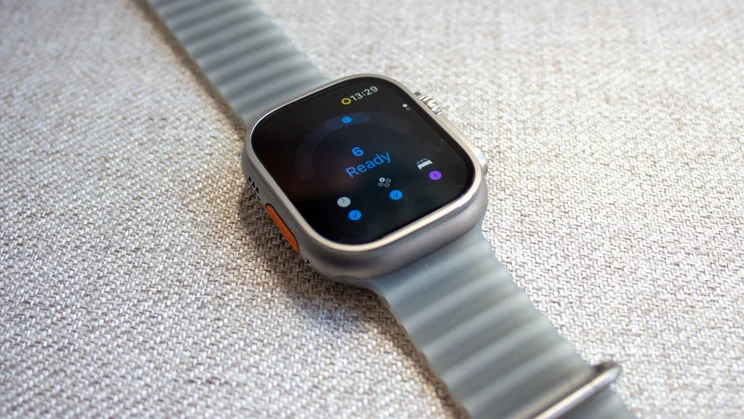
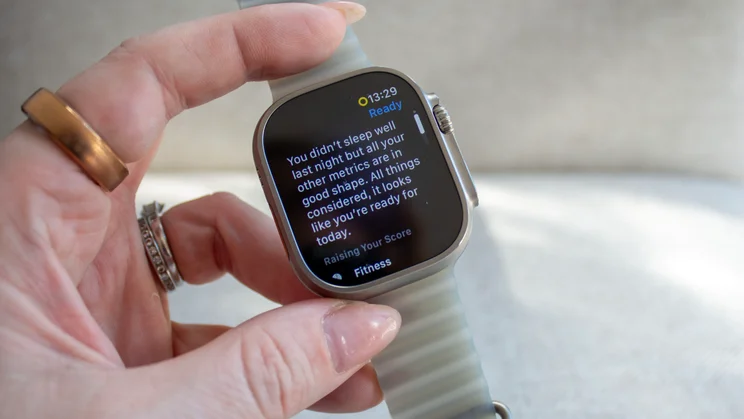
The separate Readiness app is indicated by a rainbow shape, moving from pink to green. It considers your recent activity, sleep score and overnight vitals, then gives you a number between zero and 10, with a label underneath: 0–1 is Recover, 2–4 is Pace Yourself, 5–7 is Ready and 8–10 is Go For It. I have yet to achieve a 10, despite having a sleep score of 100 one night and “favourable” Vitals so goodness knows what else I needed to do to get top marks, but I’ll take the nines.
It’s worth noting that the score isn’t set in stone either. It shifts throughout the day if you nap, train hard, or your daytime heart rate does something unusual, and you can tap through to see which factor pushed it up or dragged it down. It’s a good way to decide whether to go for a run or take a rest day, though those higher numbers leave little room for excuses.
The fact that it shifts is presumably why you can’t see a history of your Readiness Score in the same way you can see your Sleep Score, and why the score appears in the Fitness app on iPhone rather than Health. Without history, though, you can’t look back on your week and note specific factors that may have affected it, while rivals like Oura show readiness history and pull out trends.
Elsewhere, the S11 processor also runs a new pedometer model, which Apple claims is the most accurate step counter of any smartwatch, even when your arms aren’t moving, such as when you’re pushing a buggy or holding a coffee. Steps also finally get their own complication on the watch face with the Watch Ultra 4 and Series 12, which I’m thrilled about. That arbitrary 10,000 figure might have had its critics over the last few years, but if step count is a metric you like to track, Apple Watch has made it hard to access it easily until now, despite counting steps since day one.
What do you get for the money?
The Apple Watch Ultra 4 costs £749, the same as the Ultra 3 at launch, so there’s no price increase this year despite the new sensors and improvements. It’s still available in a single 49mm case size, in Black or Natural titanium, and cellular connectivity is included as standard, as one might expect at this price point.
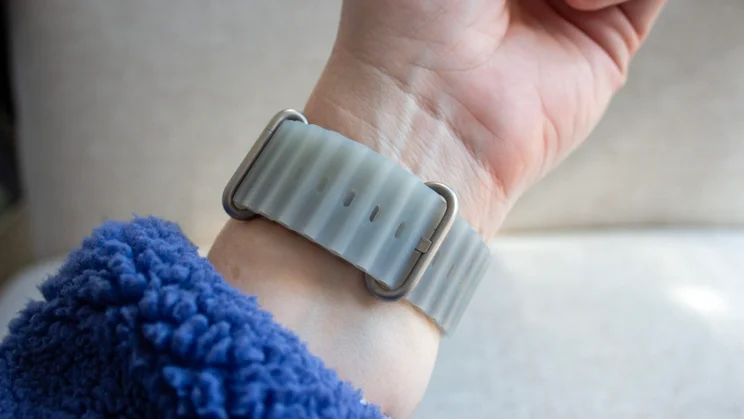
You can choose from four bands, including the Trail Loop, which is a thin, stretchy nylon weave with with a tab you can tug to tighten it on the move; the Alpine Loop, which is a tougher woven band with a titanium G-hook; the Ocean Band, which is a stretchy rubber strap with a titanium buckle (an extension to fit over a wetsuit costs extra); and the Titanium Milanese Loop, which is the smartest of the bunch, though still suitable for diving.
If you have old straps, the Ultra 4 remains compatible with 44mm, 45mm and 46mm bands. There are Hermès versions too, which add new En Mer and Scub’H Diving colours and a titanium link bracelet called Grand H Titane that stretches an extra 10mm so it’ll go over a wetsuit, though these cost considerably more.
As for alternatives, the obvious option is Apple’s own Series 12, which starts at £369 and includes the same Health Sensing System, Readiness score, steps complication and Audio Intelligence features. What you don’t get is the Ultra’s larger, tougher case, the Action button, built-in satellite messaging (free for two years with the Ultra 4) and the larger battery.
Outside Apple’s smartwatch range, Samsung’s Galaxy Watch Ultra 2 costs £649 and lasted two to three days in our testing, but it only works with Android. For iPhone owners, the Watch Ultra 4 is the most capable smartwatch available, although you could consider the Garmin Fenix 9 that costs £859 or something like the Amazfit Balance Ultra that costs £600 as sportswatch alternatives.
We also rate the Huawei Watch GT 7 Pro, which costs considerably less, works on both iOS and Android and has considerably more impressive battery life.
How did I test the Apple Watch Ultra 4?
I wore the Apple Watch Ultra 4 as my main smartwatch for nearly a month, paired with an iPhone 18 Pro running iOS 27. It was on my wrist during my daily dog walks (usually an hour), Peloton rides, swims, and various strength workouts, and I slept with it on my wrist every night for sleep tracking.
To assess heart rate accuracy, I compared workout readings with a chest strap, and to test GPS accuracy, I checked distances against a measured route. I also slept on an EightSleep Pod 4 mattress topper and wore an Oura Ring 5 and RingConn Gen 3 to compare the Readiness score and sleep data from the Apple Watch Ultra 4.
For battery life, I charged the Watch Ultra 4 to 100 per cent and used it as normal with the always-on display enabled, sleep tracking on, and typically a couple of workouts a day, usually ranging between 1-2 hours, noting how long it lasted between charges.
Of the new Audio Intelligence features, I was able to use Sound Recognition, which listens out for things like sirens, smoke alarms, doorbells and a crying baby, sending you a notification on your wrist to alert you, and Music Recognition, which offers faster Shazam integration to show you what track is playing without you having to open the Shazam widget.
Live Rewind and Siri Recap won’t arrive until later this year, so my impressions of those, which you’ll read below, come from a hands-on briefing for now, rather than from day-to-day use.
How did the Apple Watch Ultra 4 perform?
Heart rate tracking on the Apple Watch was already very good in my experience with the previous models, so I wasn’t expecting a huge difference, but I did notice the Watch Ultra 4 was quicker to respond when I picked up the pace during HIIT workouts. It was also on par with the chest strap I compared it against, matching it for peak heart rate and average across all the workouts I did with the Watch Ultra 4.
GPS was similarly impressive, kicking in quickly for outdoor walks and runs and delivering great accuracy. Precision Start was great too, with the workout screen showing when GPS was ready and pressing the Action button starting the workout immediately, with no countdown.
I loved having the live step count on the watch face, as it meant there was no need to open the Fitness app and scroll down, and I feel like I gained more steps during my dog walks when holding the lead than with previous models. Steps isn’t necessarily a metric I track religiously, but I like to hit that 10,000 number when I can, and I have found myself sticking with the Siri Modular face rather than switching back to Snoopy just for the steps complication.
In day-to-day use, the Watch Ultra is smooth and consistent. Apps open quickly, and switching between tasks is effortless. While Siri could sometimes be a little speedier, we have to consider that it is still in beta, and it’s a damn sight better than the old Siri.
I mentioned I wasn’t able to get a 10 for Readiness yet, though overall, I did find the score matched how I felt, and it was on par with the Oura Ring 5 if you consider 80-90 to be a 9, for example. The day I wrote this review, I had a score of 6, while Oura was 71, putting Oura fractionally higher (surprising, as Apple is usually the more positive in terms of Sleep Score), but they are still within the same ballpark.
Battery life is the main reason to buy the Ultra 4 over the Series 12, unless you are buying for looks alone. Normal use is claimed to be 50 hours, which includes two hour-long workouts with music, 12 hours of sleep tracking, and a mix of Bluetooth and cellular connections. That is an accurate description of my general day (aside from 12 hours of sleep) and I was able to get two days’ use, typically charging on the morning of the third day, with those days usually involving around three hours of workouts.
For those hoping for more, Apple claims you’ll get 84 hours in Low Power Mode, up to 18 hours of workout tracking, with up to 25 hours for Extended Workout and up to 45 hours for Max Extended Workout.
All of those figures are much better than the Series 12, which needs charging every day, and are similar to the two to three days the Galaxy Watch Ultra 2 managed. It still can’t match the six days we got from the Huawei Watch D3, but the Huawei can’t match the Ultra 4 for apps and smart features, so it’s swings and roundabouts.
Charging is quicker too, with 15 minutes on the charger said to give you around 18 hours of use, so a quick top-up while you shower and get dressed should see you through to the next morning if you’re running low.
What are the new Apple Intelligence features like?
The main new Apple Intelligence feature this year is Audio Intelligence, an umbrella term for a few separate features. All use the Watch Ultra 4’s microphone and S11 processor to listen to what’s happening around you, but only a couple were available at the time of writing.
The two features you can use now if you buy the Watch Ultra 4 (or Watch Series 12) are Sound Recognition and Music Recognition, both mentioned above. Sound Recognition is designed for users with hearing difficulties in mind, and while that’s not me (despite what my partner would say), it’s a feature I can see being very useful for some.
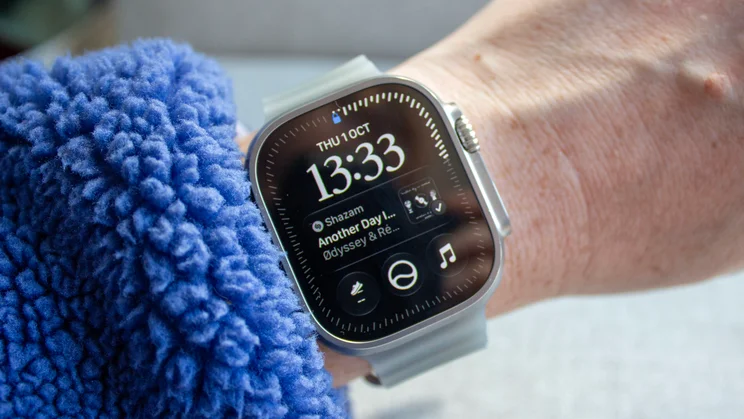
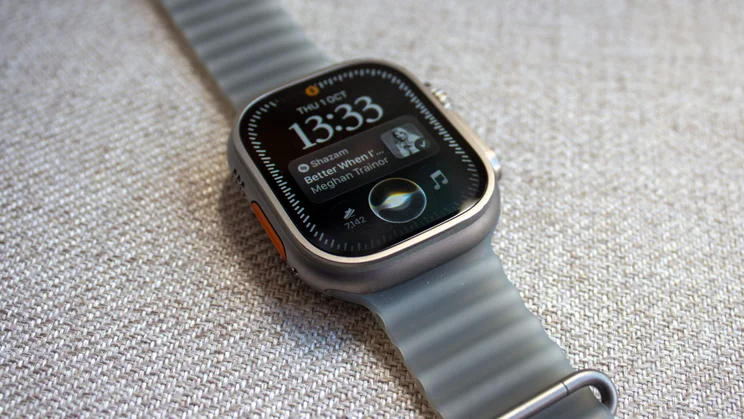
Music Recognition is off by default, but if you turn it on, Shazam will recognise nearby music and show the song title in the Smart Stack without you having to open the app. It makes it a little quicker to note a track playing in the background, and it works well, but it’s unlikely to be the reason you spend £749.
Live Rewind and Siri Recap arrive in beta later this year, but these two are the ones that come with a little more controversy. Live Rewind will let you double-press the Digital Crown to see a transcript of the last 15 seconds of a conversation on the watch screen. It’s off by default, so you will need to opt in, after which it will play a chime and show an animation on the screen when you use it, alerting the people around you that you’re recording. Siri Recap, meanwhile, creates short summaries of your conversations throughout the day that you can revisit later in the new Siri app. This too is opt-in.
I saw both these features in action during a briefing back in September. Live Rewind is clever, and the sound is loud enough to notice, but it relies on those around you knowing what the sound means, so the jury is still out for me until I test it properly in a noisy environment and with people unfamiliar with Apple’s products.
Siri Recap could be more useful, for example, at a doctor’s appointment, where you need to recall what was said without having to sit and write notes. You can limit when and where Recap is active, so you could set it to never be on in the evening or when you’re at home. Apple says it neither stores audio recordings or identifies who’s speaking, and the microphone data is kept in a separate secure part of the S11 processor, while transcripts are end-to-end encrypted.
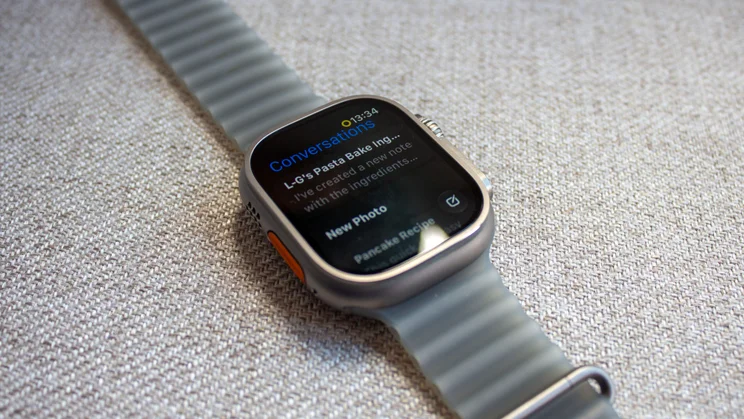
Elsewhere, watchOS 27 also brings Siri AI in beta, a more conversational and personalised Siri that can answer more general questions and draw on personal context to help you find things like an address someone sent you. It can be a little slow, but on the whole, I have been surprised by Siri AI over the last few months (I’ve been testing it since June).
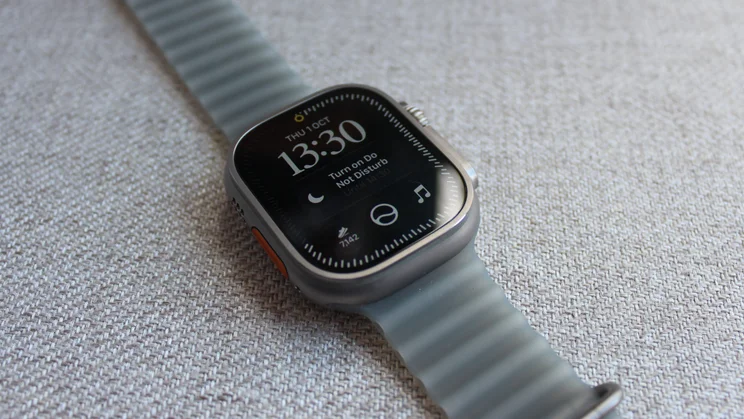
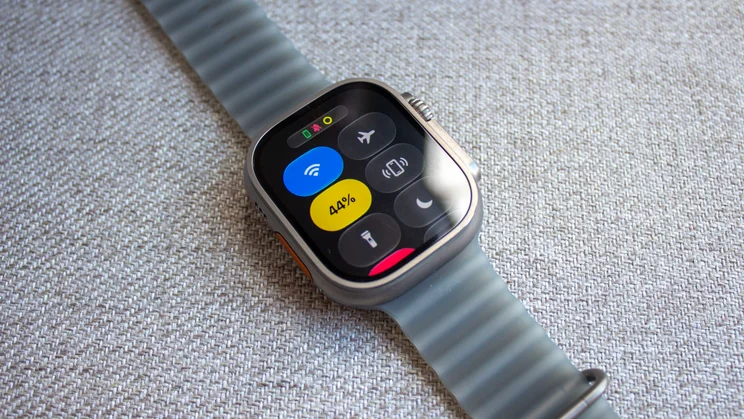
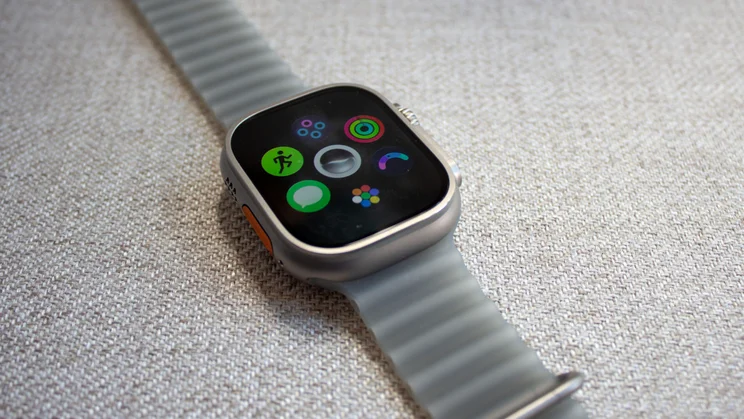
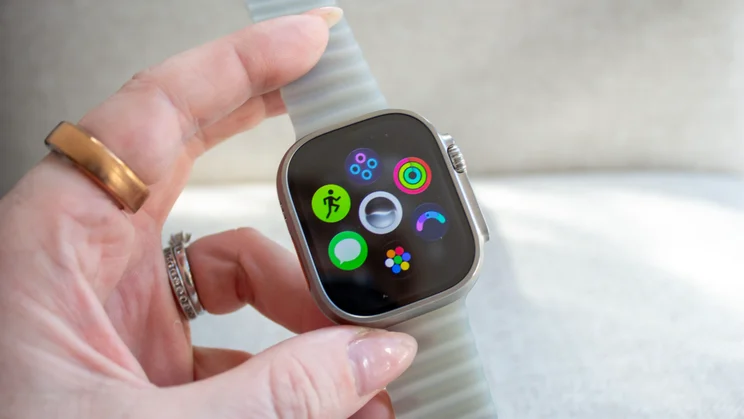
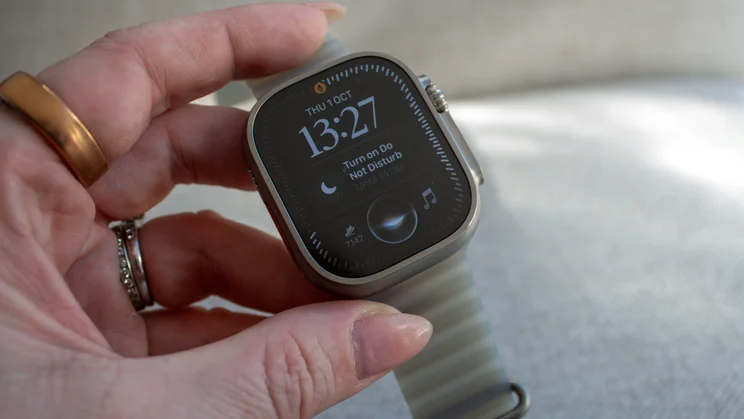
Conversations sync to a new Siri app across Apple devices signed in with the same Apple ID, too, so you can pick up a request on your iPhone if you need to. The new Siri Modular watch face (pictured in this review) puts Siri, the Smart Stack that changes throughout the day to serve what it considers relevant information, and the steps complication I mentioned on your main screen. Snoopy remains my favourite face, but I’m keener on this watch face than on others that have launched in the past.
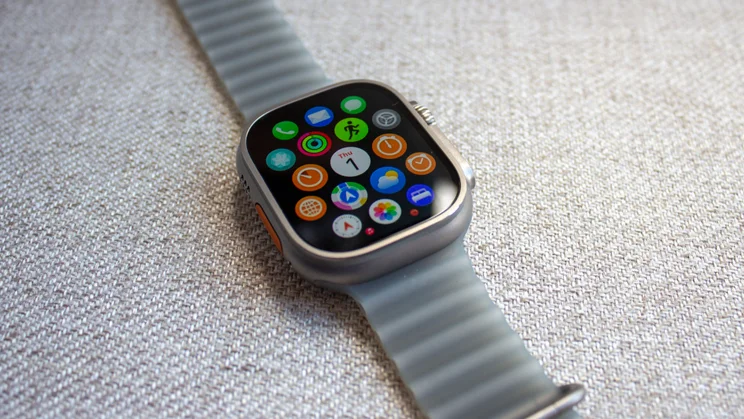
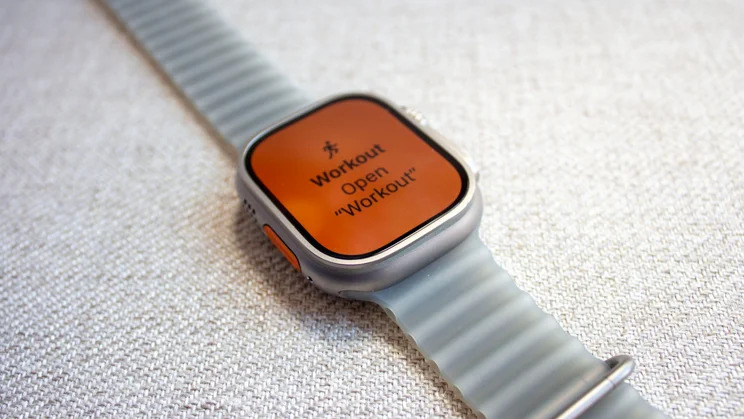
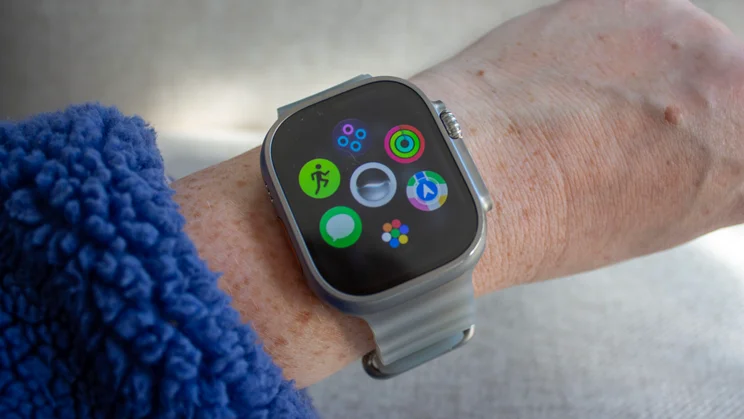
There are some other good additions in watchOS 27, most of which are also available on older models. Workout Buddy no longer needs your iPhone nearby, and the dynamic app grid surfaces the apps you use most, which works well. It always had the Workout app in there at 6pm, when I usually do my dog walk, while the Readiness app was there in the morning, waiting to tell me how much effort I should put into my day.
A new single-tap gesture lets you select a Smart Stack widget with a pinch of your finger and thumb, and, when combined with double tap and wrist flick, you can now get around the watch one-handed, which is really handy when you’ve got a dog lead in the other. Cycle Tracking also adds perimenopause and menopause support, bringing Apple Watch a little closer to devices like Oura in this area, although there is still work to be done here.
Is there anything negative to be aware of?
My biggest complaint about the Watch Ultra 4 is that, on the surface, nothing has really changed. It looks almost identical to the original Watch Ultra, and while that’s not a problem if you love the rugged look, it’s a big, heavy watch on smaller wrists. I’d have liked to have seen Apple slim it down by a fraction, as it did with the Apple Watch Series 10 a couple of years ago, or offer it in a slightly smaller case option for those who want rugged without it being huge.
It’s also frustrating that some of the new features aren’t ready yet. Live Rewind and Siri Recap are arriving in beta later this year, as is the redesigned Health app with Health Age. Siri AI is in beta, and Apple says some of its server-based features have daily usage limits, with expanded access available for a fee in future. Bear that in mind if those features are a big part of why you’re considering spending £749.
I’d still like to see proper stress tracking, too. Apple now collects far more HRV data than before, and the Recovery HRV readings hint at stress and fatigue, but Garmin and Oura are better at telling you when you’re having a stressful day. As always, the Watch Ultra 4 also only works with an iPhone, so Android users should look at the Galaxy Watch Ultra 2 instead or a Garmin, Pixel Watch 5 or the Huawei GT 7 Pro.
Should you buy the Apple Watch Ultra 4?
The Apple Watch Ultra 4 doesn’t bring any design changes compared to its predecessor, but it does add a couple of features I’ve wanted on the Apple Watch for years. Heart rate and HRV tracking are more frequent, Readiness gives you a daily nudge on whether to go hard or take it easy, and you can finally see your steps on the watch face. With two days of battery life on top, it’s the best Apple Watch to date.
If you’re coming from an Ultra 2 or older, or you’re a Series owner who’s fed up with charging your smartwatch every night, the Watch Ultra 4 is an easy recommendation. If you have an Ultra 3, the upgrade is harder to justify. You’re paying mostly for Readiness, sharper sensors and a modest battery bump, so it depends on how much you value that score.
That’s without considering that the Series 12 has nearly all the same new health features for half the price if you’re happy to forgo the extra day of battery, the larger case and the adventure extras. If you’re an iOS user after a rugged smartwatch, though, the Watch Ultra 4 is a great smartwatch that does plenty right if you’re willing to pay the premium.


